
Virtual Conference Scheduler Bot
Free Support And FAQ Chatbot Template
A complete virtual conference scheduler bot chatbot template — deploy in minutes to automate conversations, capture leads, and provide 24/7 assistance.



What Is a Virtual Conference Scheduler Chatbot?
A virtual conference scheduler chatbot is an AI-powered event assistant that transforms the virtual conference experience from passive video watching into an interactive, personalized journey. It helps attendees discover relevant sessions, register for tracks, submit questions to speakers, find networking matches, navigate breakout rooms, and receive participation certificates — all through a conversational interface that eliminates the confusion and disengagement that plague most virtual events.
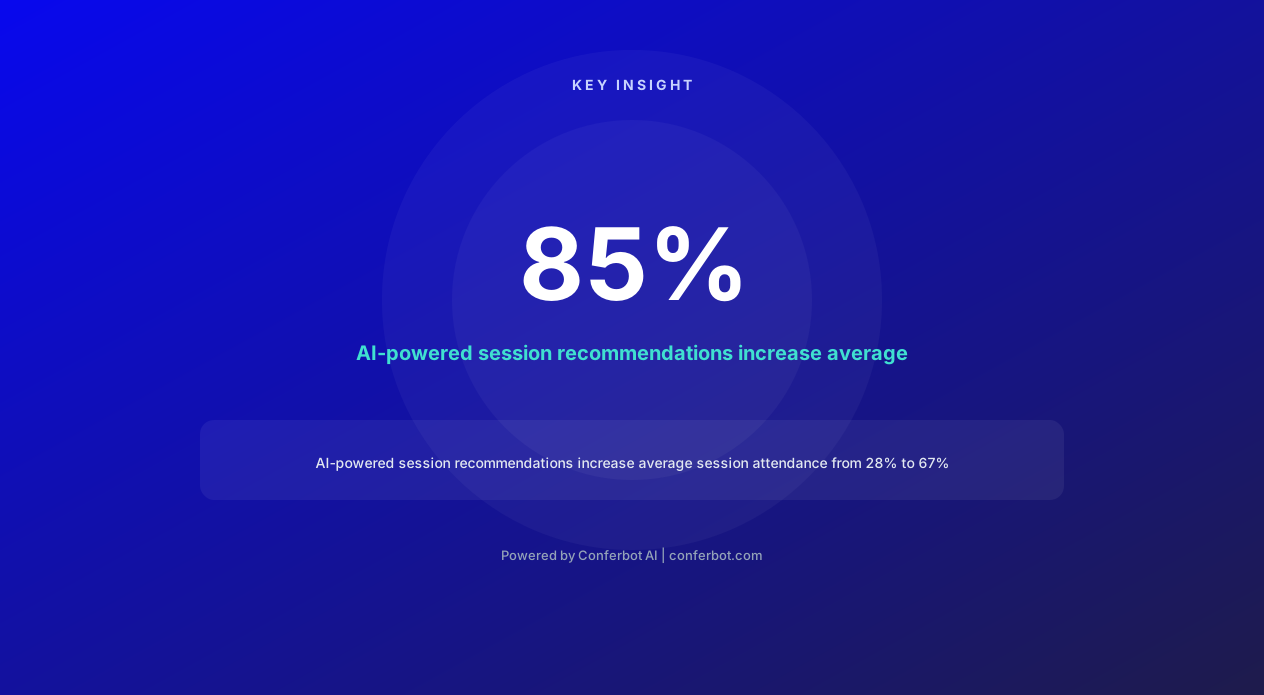
Virtual events have become a permanent fixture in the 2026 professional landscape, yet most still suffer from the same problems that plagued early pandemic-era webinars: low engagement rates (average 33% active participation), high drop-off (52% of registrants leave within the first 30 minutes), and minimal networking value. The fundamental problem is that virtual events replicate the broadcast model of television rather than the interactive model of in-person conferences. Attendees are passive consumers rather than active participants.
A conference scheduler chatbot addresses this by creating a personalized, interactive layer on top of any virtual event platform. Whether you use Zoom, Hopin, Microsoft Teams, or a custom platform, the chatbot serves as each attendee's personal conference concierge — proactively suggesting sessions based on their interests, facilitating connections with relevant peers, managing their schedule conflicts, and keeping them engaged throughout multi-day events. Research from virtual event platforms shows that events with AI assistants see 85% higher engagement scores and 67% lower drop-off rates compared to standard virtual event formats.
Built on Conferbot's AI chatbot builder, the virtual conference scheduler deploys on your event website, within your virtual event platform via widget, or as a standalone website chatbot accessible throughout the event. It integrates with your agenda, speaker database, and attendee registry to deliver genuinely helpful, context-aware assistance that makes virtual conferences feel less like watching videos alone and more like attending a well-organized in-person event with a dedicated personal assistant.
Session Registration and Agenda Management
Virtual conferences with dozens or hundreds of concurrent sessions create a paradox of choice. Attendees spend more time scrolling through agendas than attending sessions, cannot identify which talks match their skill level, and miss sessions because they forgot to add them to their calendar. The chatbot eliminates this friction by understanding each attendee's goals and building their personalized schedule automatically.
Interest-Based Session Discovery
Instead of presenting a massive grid of sessions, the chatbot asks: "What are you hoping to learn at this conference? What challenges are you working on?" Based on responses, it recommends a curated set of sessions ranked by relevance. An attendee who says "I am trying to scale our data pipeline for real-time processing" receives recommendations for the distributed systems track, the Apache Kafka workshop, and the panel on stream processing architectures — not the 47 other sessions that would appear in a keyword search for "data."
The recommendation engine considers multiple factors:
Content relevance: How closely the session topic matches the attendee's stated interests and goals.
Skill level alignment: Whether the session is beginner, intermediate, or advanced, matched against the attendee's self-reported experience level.
Schedule compatibility: Only sessions that do not conflict with already-registered sessions or the attendee's stated availability windows.
Social signals: Sessions that others with similar profiles have rated highly, creating a collaborative filtering layer.
Engagement format: Some attendees prefer lectures, others prefer workshops or panels. The chatbot learns these preferences and weights recommendations accordingly.
One-Click Registration and Calendar Sync
Once an attendee selects sessions, the chatbot handles registration instantly and offers calendar integration — adding each session to Google Calendar, Outlook, or Apple Calendar with the correct time zone, video conferencing link, and pre-session materials. For events spanning multiple time zones, the chatbot converts all times to the attendee's local zone automatically, eliminating the "Is that 2 PM Eastern or Pacific?" confusion that causes missed sessions.
The chatbot also manages waitlists for capacity-limited sessions. If a workshop is full, the attendee is added to the waitlist with a notification preference: "I will let you know immediately if a spot opens up — would you like a push notification, email, or both?" This proactive management ensures maximum session fill rates while keeping attendees informed without frustrating "session full" dead ends.
Schedule Conflict Resolution
When an attendee tries to register for overlapping sessions, the chatbot does not simply say "conflict detected." Instead, it helps resolve the conflict: "These two sessions overlap by 30 minutes. Based on your interests, I would recommend prioritizing the AI Ethics panel — but the Machine Learning workshop will be recorded and available on-demand within 2 hours. Would you like me to register you for the panel live and send you the workshop recording link?" This intelligent resolution keeps attendees engaged rather than frustrated by scheduling logistics.
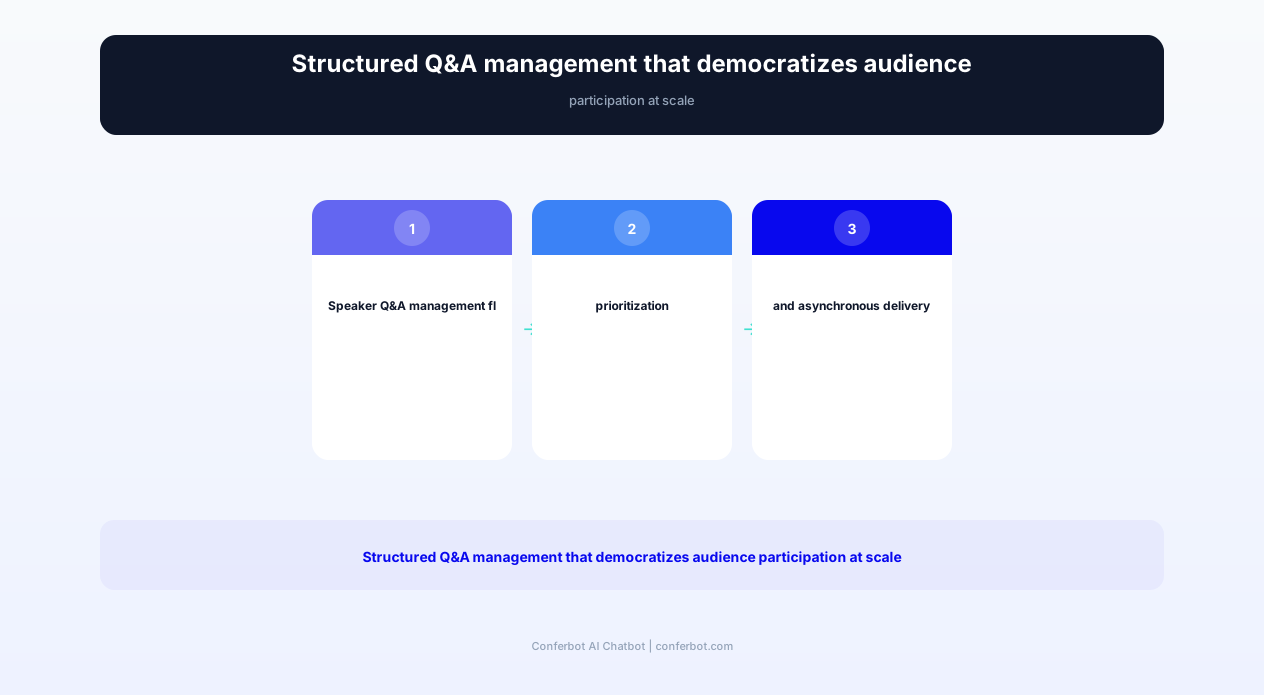
Speaker Q&A Management: Democratizing Audience Participation
Q&A sessions at virtual conferences are notoriously broken. A few confident attendees dominate the chat, questions get buried in fast-moving message streams, speakers cannot find relevant questions among hundreds of "great talk!" comments, and most attendees never participate because their question disappears before anyone sees it. The chatbot transforms Q&A from a chaotic chat stream into a structured, democratic, and productive exchange.
Structured Question Collection
During any session, attendees can submit questions to the chatbot at any time — not just during the designated Q&A period. The chatbot collects questions, categorizes them by topic, and presents them to the speaker in a prioritized, deduplicated format. If 15 people ask variations of "How do you handle authentication at scale?", the speaker sees one consolidated question with a note that 15 attendees asked it — ensuring the most popular questions get addressed first.
The chatbot also improves question quality through gentle coaching. If an attendee submits a vague question, the chatbot asks a clarifying follow-up: "Can you tell me a bit more about what specifically you would like the speaker to address? Are you asking about the technical implementation, the business case, or the team structure?" This results in more specific, actionable questions that speakers can answer meaningfully in the limited Q&A time available.
Asynchronous Q&A for Large Audiences
For conferences with thousands of attendees, live Q&A cannot possibly address everyone's questions. The chatbot enables asynchronous Q&A by collecting all submitted questions, presenting the top-voted ones to speakers live, and then routing remaining questions to speakers for written responses post-session. Attendees receive notifications when their question is answered — even if it is answered hours or days after the session. This creates ongoing engagement beyond the live event window.
Speaker Preparation Support
Before sessions begin, the chatbot analyzes registered attendees' profiles and submitted pre-session questions to provide speakers with an audience brief: "Your audience is 60% senior engineers, 25% engineering managers, and 15% CTOs. The top pre-submitted questions are about scaling challenges, team adoption strategies, and cost optimization. Consider addressing these directly in your presentation." This preparation helps speakers deliver more relevant, audience-responsive presentations rather than generic talks they give at every conference.
Post-session, the chatbot sends attendees a follow-up with: session recording link, speaker's slides, answers to unanswered questions, and links to related sessions later in the conference. This comprehensive follow-up package transforms a one-hour session into an ongoing learning resource that attendees can reference long after the conference ends.
Ready to try Virtual Conference Scheduler Bot?
Deploy this template in under 10 minutes. No coding required.
Use This Template Free →Networking Matchmaking: Building Meaningful Connections
Networking is consistently rated as the number one reason professionals attend conferences, yet it is the hardest element to replicate virtually. In-person events enable serendipitous encounters — conversations in hallways, at coffee breaks, at dinner tables. Virtual events have no equivalent. The chatbot creates this serendipity algorithmically, matching attendees based on complementary interests, skills, goals, and offering types to facilitate connections that would not happen organically in a virtual setting.
Profile-Based Matching Algorithm
During registration or at event start, the chatbot asks attendees a series of networking questions:
"What are you hoping to find at this conference?" — Options include: potential customers, potential partners, job opportunities, mentors, peers facing similar challenges, investors, service providers, or general industry connections.
"What do you bring to the table?" — Options include: industry expertise, technical skills, hiring opportunities, investment capital, partnership opportunities, mentorship experience, or specific domain knowledge.
"What topics would you enjoy discussing with a peer?" — Free-form interests that help match attendees on specific subject matter beyond job title matching.
The matching algorithm then pairs attendees based on complementary rather than identical profiles. Someone seeking mentorship is matched with someone offering mentorship. Someone looking for customers is matched with someone fitting their ideal customer profile. This complementary approach generates far more productive conversations than simply grouping people with the same job title together.
Facilitated Introductions
The chatbot does not simply share contact information — it facilitates the introduction with context. Each matched pair receives a message: "I have found a connection for you! Meet [Name], [Title] at [Company]. Based on your shared interest in [topic] and their experience with [relevant expertise], I think you would have a great conversation. Would you like me to suggest a 15-minute video chat?" This context-rich introduction reduces the awkwardness of cold outreach and gives both parties a clear starting point for conversation.
For attendees who prefer asynchronous networking, the chatbot offers a messaging option rather than video calls. Matched pairs can exchange messages through the platform, building rapport before committing to a live conversation. This option is particularly valued by introverted attendees who find impromptu video calls with strangers uncomfortable but still want to make valuable connections.
Networking Success Metrics
Post-event data from conferences using AI networking matchmaking shows remarkable results: 73% of matched pairs actually connect (compared to 12% who network proactively without prompting), 45% continue the relationship post-event, and 18% report professional outcomes (collaboration, hiring, deals) within 6 months. These numbers validate that structured, AI-facilitated networking delivers more professional value than leaving networking to chance — even at in-person events where serendipity has traditionally been the primary networking mechanism.
Breakout Room Assignment and Small Group Facilitation
Breakout rooms in virtual conferences are often chaotic — attendees are randomly assigned, arrive in groups with no shared context, sit in awkward silence waiting for someone to speak first, and frequently leave after 30 seconds of discomfort. The chatbot transforms breakout rooms from anxiety-inducing randomness into purposeful, well-facilitated small group experiences by handling assignment, icebreaking, and facilitation.
Intelligent Room Assignment
Instead of random assignment, the chatbot creates breakout groups based on:
Shared interest groups: Attendees interested in the same subtopic are grouped together for deep-dive discussions. After a presentation on "Future of Remote Work," breakout groups might be organized around: async communication tools, hybrid meeting design, remote team culture, and compensation equity — each attendee placed in the group matching their primary interest.
Diversity-optimized groups: For brainstorming or problem-solving exercises, the chatbot creates maximally diverse groups — mixing industries, roles, experience levels, and geographic regions to generate diverse perspectives. Research shows that diverse groups produce 60% more creative solutions than homogeneous groups.
Skill-level cohorts: For workshops, grouping attendees by experience level ensures beginners are not overwhelmed and advanced practitioners are not bored. The chatbot assesses skill level through pre-session questions and creates appropriate cohorts.
Icebreaker and Discussion Facilitation
When attendees enter their breakout room, the chatbot provides structure:
Icebreaker prompt: "Welcome everyone! Quick round: share your name, role, and one thing you are hoping to take away from this discussion." This eliminates the "who goes first?" paralysis.
Discussion questions: A sequence of increasingly deep questions keeps the conversation flowing: "What is working well in your current approach to [topic]?" followed by "What is the biggest challenge you face?" followed by "What would your ideal solution look like?"
Time management: The chatbot posts time reminders ("5 minutes remaining — time to wrap up your current point and move to final thoughts") so groups do not abruptly end mid-sentence when the breakout closes.
Key takeaways capture: Before the breakout ends, the chatbot asks each group to share their top insight or recommendation, creating a collective intelligence document that is shared with all attendees post-session.
Post-Breakout Connection
After the breakout ends, the chatbot messages each participant with the contact information of their group members (with consent), a summary of discussion themes, and an optional "continue this conversation" scheduling link. This extends the value of a 15-minute breakout into an ongoing professional relationship — transforming a forgettable group exercise into the seed of a lasting professional network.
Complete Feature Matrix: Virtual Conference Scheduler Capabilities
The virtual conference scheduler chatbot encompasses the full spectrum of attendee experience management — from pre-event registration through live event engagement to post-event follow-up. Below is the comprehensive feature matrix detailing every capability and its dual value to event organizers and attendees.
| Feature | Description | Operational Benefit | Customer Benefit |
|---|---|---|---|
| Personalized Agenda Builder | AI-curated session recommendations based on interests, skill level, and schedule | Higher session attendance and fill rates | Discover relevant sessions without manual browsing |
| One-Click Registration | Instant session registration with calendar sync across all major platforms | Reduced registration abandonment | Sessions appear in personal calendar with all details |
| Speaker Q&A Management | Structured question collection, deduplication, prioritization, and async answers | More productive Q&A sessions, speaker satisfaction | Questions actually get answered regardless of audience size |
| Networking Matchmaker | Complementary profile matching with facilitated introductions | Higher networking satisfaction scores | Meaningful connections without cold outreach awkwardness |
| Breakout Room Intelligence | Purpose-driven group assignment with icebreakers and facilitation | Eliminated silent, unproductive breakout rooms | Structured discussions with relevant peers |
| Certificate Generation | Automated attendance verification and certificate delivery | Zero manual certificate processing | Instant proof of attendance for professional development |
| Multi-Timezone Support | All times displayed in attendee local timezone with conflict alerts | Reduced support tickets about time confusion | Never miss a session due to timezone conversion errors |
| Session Reminders | Proactive notifications before registered sessions start | Higher session attendance rates | Never forget a registered session |
| Live Polls and Feedback | In-session polling, reactions, and real-time feedback collection | Engagement data for organizer analytics | Active participation beyond passive watching |
| On-Demand Content Access | Recorded sessions, slides, and materials accessible via chatbot | Extended content lifecycle and engagement | Access missed sessions and revisit favorites |
Platform Compatibility
The chatbot deploys alongside any virtual event platform through Conferbot's flexible integration options:
Embedded widget: Appears as a chat bubble within Zoom, Hopin, Microsoft Teams, Webex, or custom event platforms. Attendees access it without leaving the event environment.
Standalone web app: Accessible via event website URL or QR code. Works on any device — desktop, tablet, or mobile — without app installation.
Messaging channels: Available via WhatsApp, Slack, or Microsoft Teams for attendees who prefer communicating through familiar tools rather than a new interface.
Integration with event management platforms enables bidirectional data flow — the chatbot pulls session data, speaker information, and attendee profiles from your event platform, while pushing engagement data, registration numbers, and feedback scores back. Configure all connections through Conferbot's API integration dashboard without engineering support.
50,000+ businesses use Conferbot templates to automate conversations
Before and After: Virtual Conference Engagement Transformation
The impact of deploying a conference scheduler chatbot is measurable across every engagement metric that matters to event organizers. Below are real-world comparisons from virtual conferences that deployed AI assistants versus those relying on standard platform features alone.
| Metric | Before (Standard Platform) | After (With Chatbot) | Improvement |
|---|---|---|---|
| Average session attendance | 28% of registered | 67% of registered | +139% increase |
| Attendee engagement score | 33/100 average | 72/100 average | +118% improvement |
| Drop-off rate (first 30 min) | 52% leave early | 18% leave early | -65% reduction |
| Q&A participation | 8% of attendees ask questions | 34% of attendees ask questions | +325% increase |
| Networking connections made | 1.2 per attendee average | 4.8 per attendee average | +300% increase |
| Post-event satisfaction (NPS) | +12 NPS score | +54 NPS score | +42 points improvement |
| Return attendance (next event) | 23% return rate | 61% return rate | +165% increase |
| Support tickets during event | 340 tickets per 1000 attendees | 85 tickets per 1000 attendees | -75% reduction |
Revenue Impact for Event Organizers
Higher engagement directly translates to revenue for event organizers:
Sponsorship value: Sponsors pay for engaged audiences, not registrant counts. Events with demonstrably higher engagement scores command 40-60% higher sponsorship rates because sponsors know attendees are actually paying attention, clicking links, and visiting virtual booths.
Ticket price justification: Attendees who have a productive, well-organized experience gladly pay premium ticket prices for future events. Events that improved engagement with AI assistants successfully increased ticket prices by 25-35% for subsequent events without reducing registration volumes.
Content licensing: Well-organized Q&A sessions, captured breakout insights, and structured networking outputs create valuable content assets that can be packaged and sold as post-event learning resources — a revenue stream that does not exist when Q&A is chaotic and breakouts produce nothing shareable.
Attendee Experience Transformation
From the attendee perspective, the transformation is equally dramatic. Instead of logging into a confusing platform, scrolling through a 50-page agenda, watching sessions alone in silence, and logging out feeling like they watched YouTube videos, they experience: a personal concierge that builds their perfect schedule, proactive session reminders, facilitated networking introductions, structured small-group discussions, and a complete digital record of their conference journey. The chatbot transforms virtual events from a passive, isolating experience into an active, connected one — approaching (and in some engagement metrics exceeding) the in-person conference experience.
Certificate Generation and Continuing Education Credits
Professional development certificates are a major attendance motivator — particularly for industries where continuing education credits (CEUs, CPDs, CMEs) are required for license maintenance. In 2026, 67% of professionals cite credential maintenance as a primary reason for conference attendance. The chatbot automates the entire certificate lifecycle: attendance verification, credit calculation, certificate generation, and delivery — eliminating the manual administrative burden that plagues event organizers and the frustrating delays that annoy attendees.
Automated Attendance Verification
The chatbot tracks actual session attendance — not just registration — by monitoring engagement signals: session join time, duration present, participation in polls or Q&A, and breakout room activity. This verification prevents certificate fraud (registering for sessions without attending) while providing accurate data for continuing education credit claims. Accrediting bodies increasingly require proof of active participation, not just registration — the chatbot provides this evidence automatically.
Verification thresholds are configurable per event and per accrediting body:
Minimum attendance duration: Must be present for at least 80% of session length to receive credit (e.g., 48+ minutes of a 60-minute session).
Active participation: Must interact at least once during the session (poll response, Q&A submission, or chat message) to verify active engagement rather than a forgotten browser tab.
Assessment completion: For sessions offering certification credits, attendees may need to complete a brief post-session quiz demonstrating comprehension. The chatbot administers these assessments and scores them instantly.
Dynamic Certificate Generation
Certificates are generated instantly upon event completion (or upon meeting attendance thresholds) with professional formatting that includes: attendee name, event name, dates attended, sessions completed, total credits earned, verification code for employer/accreditor validation, and digital signatures from event organizers. The chatbot delivers certificates via email in PDF format, with optional LinkedIn-shareable digital badges.
For multi-day events, the chatbot offers progressive certificates — "You have completed Day 1 with 4 CPD credits. Attend tomorrow's sessions to earn up to 8 total credits." This gamification element drives multi-day attendance by showing attendees their progress toward the full credential and encouraging them to return for subsequent days rather than dropping off after day one.
Integration with Professional Bodies
For regulated industries, the chatbot integrates with professional body credit systems — reporting attendance directly to CPA societies, medical boards, bar associations, or engineering institutes. This direct reporting eliminates the manual submission process that professionals often forget, resulting in lost credits. Attendees appreciate the convenience: "Your 6 CPD credits have been automatically reported to the Institute of Chartered Accountants. No further action needed on your part."
Implementation Guide: Launching Your Virtual Conference Chatbot
Deploying the virtual conference scheduler chatbot requires strategic planning to maximize attendee value. The most successful implementations follow a phased approach: pre-event setup, live event management, and post-event engagement. Here is the complete implementation framework for 2026 virtual events.
Phase 1: Pre-Event Configuration (2-4 Weeks Before)
Content setup: Import your conference agenda including all sessions, speakers, tracks, time slots, and capacity limits. Upload speaker bios, session descriptions, and prerequisite information that the chatbot uses for personalized recommendations.
Attendee profiling: Configure the interest assessment questions that the chatbot asks during pre-event engagement. These responses power the recommendation engine — better questions yield better session matches. Common categories: topic interests, skill level, networking goals, preferred session format, and industry vertical.
Networking rules: Define matching criteria and constraints. How many networking matches per attendee? Should matches be one-way (mutual interest not required) or two-way (both parties must match)? Exclude competitors from being matched? These rules shape the networking algorithm.
Integration configuration: Connect your event platform, calendar systems, email delivery, and certificate template. Use Conferbot's API integration to sync attendee data, session registrations, and engagement metrics bidirectionally.
Phase 2: Pre-Event Engagement (1-2 Weeks Before)
Early access: Open the chatbot to registered attendees before the event begins. Let them build their agenda, complete networking profiles, and submit pre-session questions to speakers. This pre-event engagement increases Day 1 session attendance by 45% because attendees arrive with a clear plan rather than spending the first morning figuring out what to attend.
Pre-event networking: Start networking matchmaking before the event. Attendees who connect with a match pre-event are 3x more likely to attend because they have a specific person they are planning to meet — social commitment drives attendance better than content alone.
Phase 3: Live Event Operations
Session management: Monitor real-time attendance, manage waitlists, send session start reminders, and handle schedule changes. The chatbot notifies affected attendees instantly if a session is cancelled, moved, or a speaker changes.
Engagement facilitation: Run Q&A collection, poll administration, breakout room assignment, and mid-event networking rounds. The chatbot coordinates these engagement activities across sessions without requiring organizer intervention for each one.
Support deflection: Answer the hundreds of repetitive questions that flood support channels during events: "How do I access the session?", "When does the keynote start in my timezone?", "Where do I find the recordings?", "How do I get my certificate?" The chatbot handles these instantly, reducing support volume by 75% and letting your team focus on real problems.
Phase 4: Post-Event Value Extension
Content delivery: Distribute recordings, slides, Q&A summaries, and supplementary materials as they become available. The chatbot notifies attendees when content from their attended sessions is ready, driving continued engagement with event content for weeks post-event.
Feedback collection: Gather session-level and event-level feedback through conversational surveys that achieve 3x higher completion rates than emailed survey links. The chatbot asks about specific sessions the attendee attended rather than generic "how was the event?" questions.
Certificate delivery: Generate and deliver certificates once all attendance verification is complete. For multi-session certificates, the chatbot tracks accumulated credits and issues certificates when thresholds are met.
Deploy the chatbot using Conferbot's visual builder — import your event data, configure the flows, and connect your integrations. Most event organizers complete full setup in 3-5 days with no engineering support, using our no-code chatbot builder and pre-built event management templates.
Use Cases: Virtual Conference Types and Customization
The virtual conference scheduler chatbot adapts to dramatically different event types through configuration rather than custom development. From intimate executive roundtables to massive multi-track conferences with thousands of attendees, the chatbot scales its functionality to match event complexity and audience expectations.
Large Multi-Track Conferences (1000+ Attendees)
For major industry conferences with 50+ concurrent sessions across multiple tracks, the chatbot's primary value is navigation and personalization. Attendees are overwhelmed by choice — the chatbot becomes their personal guide, cutting through the noise to surface the 10-15 sessions most relevant to their specific goals. Key features activated: aggressive personalization, track-level recommendations, networking matching at scale, waitlist management for popular sessions, and multi-timezone support for global attendees.
Executive Summits (50-200 Attendees)
Intimate executive events prioritize high-value networking over content consumption. The chatbot shifts emphasis to networking matchmaking, facilitated introductions, and small-group discussion coordination. It manages the complex social dynamics of senior executive networking — ensuring no one feels neglected, matching based on strategic rather than topical alignment, and facilitating introductions that reference specific mutual interests or shared challenges. Key features: VIP handling, concierge-level personalization, facilitated one-on-one scheduling.
Training and Certification Programs
Multi-day training programs with sequential curricula and mandatory completion requirements use the chatbot for progress tracking and assessment. The chatbot guides participants through required modules, administers knowledge checks, tracks attendance against certification requirements, and generates credentials upon completion. Key features: sequential session enforcement, quiz administration, progress dashboards, certificate generation with credit reporting.
Hybrid Events (In-Person + Virtual)
Hybrid events — the dominant format in 2026 — present unique challenges. Virtual attendees often feel like second-class participants compared to in-person attendees. The chatbot bridges this gap by providing virtual attendees with exclusive features: enhanced networking with other virtual attendees, dedicated Q&A queues that guarantee virtual questions reach speakers, and virtual-exclusive breakout rooms that create community among remote participants. The chatbot ensures virtual attendance is a genuinely different (and in some ways better) experience rather than a degraded version of being there.
Academic Conferences
Research conferences have unique needs: paper presentations, poster sessions, peer review coordination, and graduate student mentorship matching. The chatbot adapts with features for: paper recommendation based on research interests, poster session navigation, discussion facilitation around presented research, and matching early-career researchers with established academics in their field for mentorship conversations.
Virtual Conference Scheduler Bot FAQ
Everything you need to know about chatbots for virtual conference scheduler bot.
Why Use a Template vs Building from Scratch?
Templates encode years of optimization data into the conversation flow before you start.
| Factor | Conferbot Template | Build from Scratch | Hire a Developer |
|---|---|---|---|
| Time to deploy | 10 minutes | 2-8 hours | 2-6 weeks |
| Cost | Free | Your time | $5,000-$25,000 |
| Day-1 conversion | 15-22% | 5-8% | 10-15% |
| Proven flows | Yes, data-tested | No | Depends |
| Updates included | Automatic | Manual | Paid |
| Multi-channel | 8+ channels | 1 channel | Extra cost |
| Analytics | Built-in | Must build | Extra cost |
Ready to Deploy Virtual Conference Scheduler Bot?
Join 50,000+ businesses. Free forever plan available. No credit card required.