
Recruitment Hiring Chatbot
Free Hr And Recruiting Chatbot Template
Pre-screening chatbot for recruiters with role matching and qualification checks



What Is a Recruitment and Hiring Chatbot?
A recruitment and hiring chatbot is an AI-powered conversational assistant that automates the candidate-facing aspects of talent acquisition -- from initial job discovery and application through screening, interview scheduling, status updates, and offer management. It serves as the first point of contact for job seekers, providing instant responses 24/7 while collecting structured data that feeds directly into your applicant tracking system (ATS).
The recruitment landscape in 2026 is defined by a fundamental imbalance: open roles receive hundreds of applications while recruiters have limited bandwidth to process them. The average corporate job posting receives 250+ applications, yet recruiters spend only 6-7 seconds reviewing each resume. This creates a bottleneck where qualified candidates wait weeks for responses, top talent accepts competitor offers during your silence, and recruiters burn hours on administrative tasks instead of relationship-building and candidate evaluation.
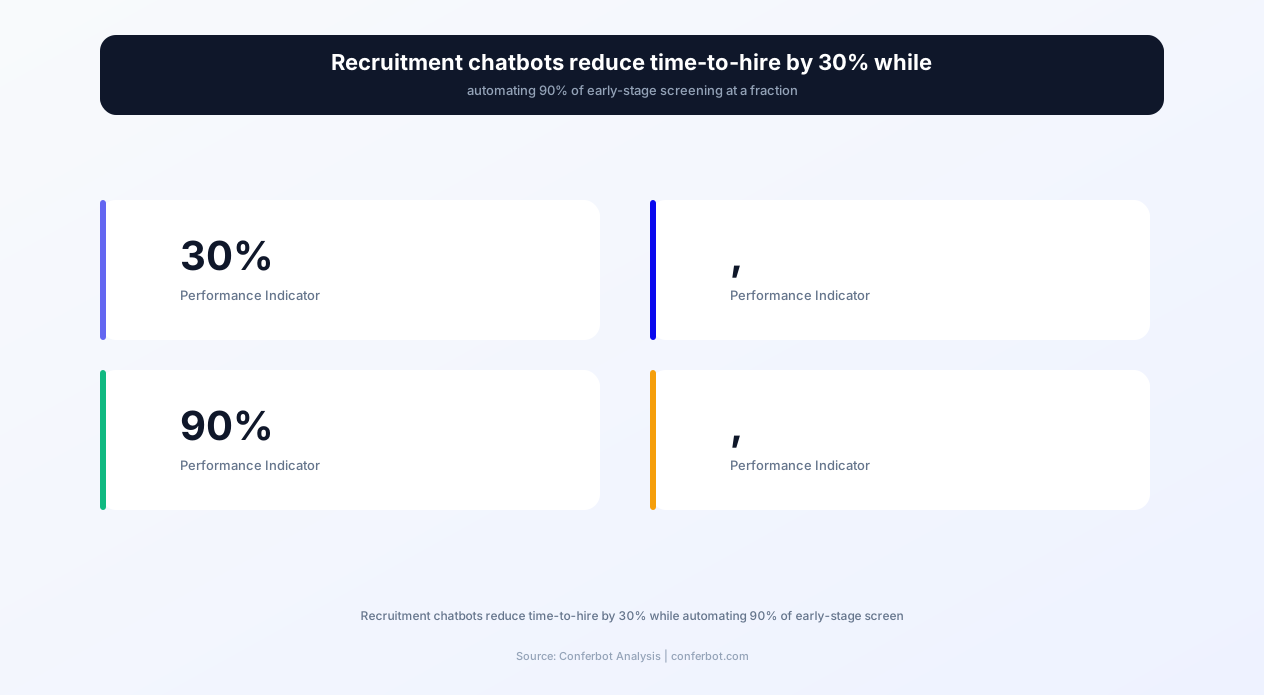
Research confirms that chatbots are transforming recruitment operations at scale. Organizations using recruitment chatbots report a 30% reduction in time-to-hire, with 90% of early-stage screening handled entirely by AI without recruiter involvement. The speed advantage is decisive in competitive talent markets -- companies that respond to candidates within 24 hours are 60% more likely to secure an offer acceptance than those who take a week or more.
Existing recruitment chatbot solutions like Humanly, Eightfold, and Paradox charge $500-$2,000+ per month for enterprise-grade functionality. Conferbot's AI chatbot builder provides equivalent capabilities -- automated screening, intelligent scheduling, multi-channel engagement, and ATS integration -- at a fraction of the cost, making professional recruitment automation accessible to companies of every size from 10-person startups to 10,000-employee enterprises.
This page covers the complete capabilities of a recruitment chatbot, its impact on hiring metrics, integration architecture, implementation guide, and best practices for deploying AI-powered talent acquisition that candidates actually enjoy interacting with.
The Candidate Journey: Full-Cycle Automation
A recruitment chatbot touches every stage of the candidate journey, from initial job discovery to post-offer onboarding preparation. Understanding how automation enhances each stage reveals why chatbot-equipped recruiters dramatically outperform manual processes.
Stage 1: Job Discovery and Matching
Candidates visiting your careers page often struggle to find the right role among dozens or hundreds of open positions. The chatbot acts as a career advisor, asking about experience level, desired role type, location preferences, and key skills to recommend the best-fit positions. This conversational matching surfaces roles candidates might miss in a traditional job board listing -- a candidate searching for "marketing" roles might also be an excellent fit for a "growth" position they would never have clicked on independently.
Job matching through conversation yields 40% more applications to relevant roles compared to traditional search-and-browse because the chatbot actively identifies skill-to-role alignment rather than relying on candidates to self-select.
Stage 2: Application Collection
Traditional application forms are conversion killers. The average career site application takes 15-25 minutes to complete, and 60% of candidates abandon applications midway. The chatbot transforms application into conversation: "Tell me about your most recent role" is more engaging than a 10-field form. The bot collects essential information (contact details, experience summary, availability, salary expectations, work authorization) conversationally, reducing perceived effort while capturing the same data points. Conversational applications show 3x higher completion rates than traditional forms.
Stage 3: Initial Screening
The chatbot conducts structured screening based on role-specific criteria configured by the recruiter. For a software engineering role, it might ask about programming languages, years of experience, and remote work preferences. For a sales role, it might ask about quota attainment, industry experience, and travel flexibility. Each answer is scored against role requirements, producing a qualification rating that prioritizes candidates for recruiter review.
This automated screening handles 90% of initial candidate evaluation, allowing recruiters to focus their manual review on the top 10% of applicants rather than sifting through hundreds of resumes. The time saved per hire ranges from 8-15 hours of recruiter time.
Stage 4: Interview Scheduling
Scheduling interviews is one of the most time-consuming administrative tasks in recruitment. The chatbot integrates with hiring manager calendars to offer available interview slots directly to qualified candidates. Candidates select their preferred time, receive confirmations and calendar invitations, and get automated reminders. Panel interviews are coordinated across multiple calendars simultaneously. This eliminates the average 5-7 email exchanges required to schedule a single interview manually.
Stage 5: Candidate Communication and Status Updates
The #1 candidate complaint about hiring processes is lack of communication. "I applied two weeks ago and haven't heard anything." The chatbot provides instant status updates on demand: "Your application for the Senior Developer role is currently under review by the hiring team. You can expect an update within 3 business days." This eliminates the black hole experience that damages employer brand while reducing recruiter time spent on status inquiry calls and emails.
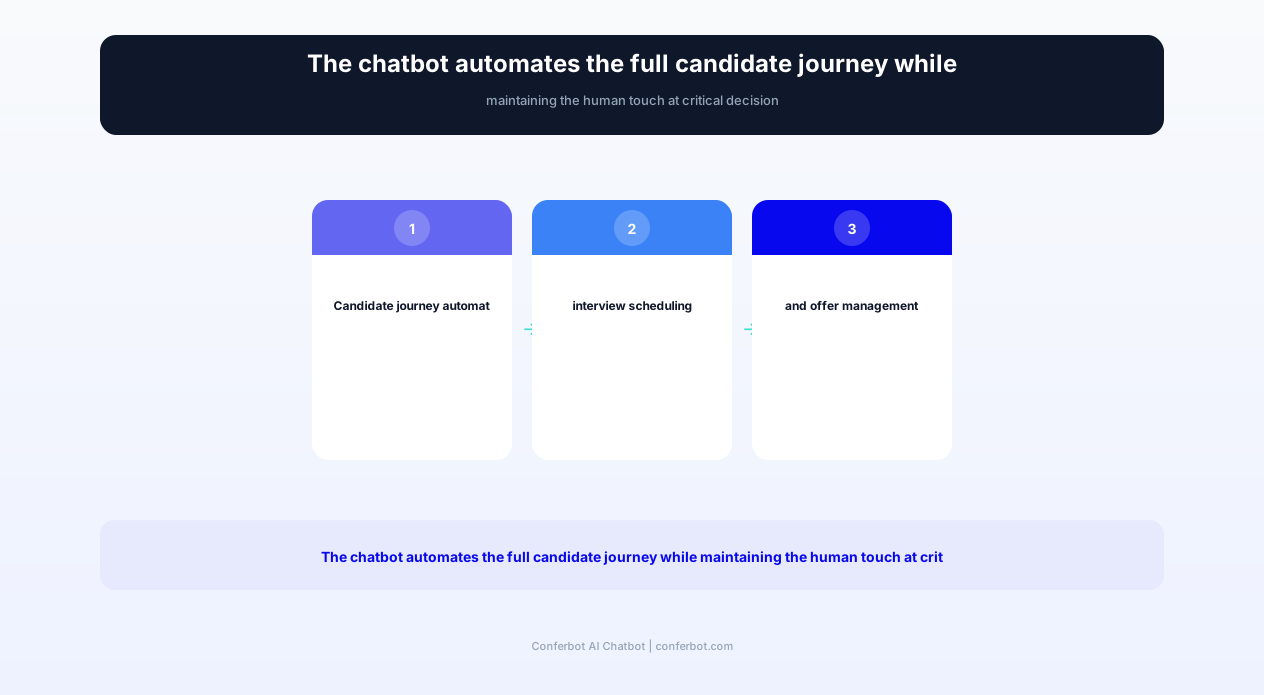
Stage 6: Offer Management and Pre-Boarding
Once a hiring decision is made, the chatbot facilitates offer acceptance logistics: scheduling offer calls, answering compensation and benefits questions from pre-configured Q&A, collecting signed documents, and initiating pre-boarding tasks (background check consent, I-9 preparation, equipment preferences). This acceleration reduces the gap between verbal offer and start date -- a period where 25% of accepted offers fall through due to counter-offers and competing opportunities.
Complete Feature Matrix
The recruitment chatbot template provides comprehensive talent acquisition automation. Each feature is designed for the specific workflows, compliance requirements, and candidate experience expectations of modern hiring.
| Feature | Description | Operational Benefit | Customer Benefit |
|---|---|---|---|
| Job matching engine | Conversational job discovery that matches candidate skills and preferences to open roles | 40% more applications to relevant roles, reducing mismatched applications | Discovers perfect-fit roles they might have missed browsing job listings |
| Conversational application | Chat-based application collection replacing traditional multi-page forms | 3x higher application completion rates, structured data collection | Quick, engaging application experience that feels like a conversation, not paperwork |
| Automated screening | Role-specific screening questions with weighted scoring against requirements | 90% of early screening automated, saving 8-15 hours per hire | Immediate acknowledgment and fast-tracked process for qualified candidates |
| Interview scheduling | Real-time calendar integration for self-service interview booking with reminders | Eliminates 5-7 scheduling emails per candidate, reduces no-shows by 40% | Books interview at preferred time instantly without back-and-forth emails |
| Status updates on demand | Real-time application status accessible through chatbot at any time | Reduces status inquiry emails/calls by 80%, improving recruiter productivity | Never left wondering -- knows exactly where they stand in the process |
| Candidate FAQ library | Answers questions about company culture, benefits, remote policy, interview process | Reduces repetitive information requests, ensures consistent messaging | Gets answers instantly without waiting for recruiter availability |
| Skill assessment delivery | Distributes take-home assessments, coding challenges, or case studies with deadline tracking | Automated assessment distribution and submission tracking at scale | Clear instructions, fair deadlines, and easy submission in one interface |
| Culture fit evaluation | Conversational questions assessing values alignment, work style, and team dynamics preferences | Additional data point for hiring decisions beyond skills and experience | Learns about company culture before investing time in lengthy interviews |
| Offer letter delivery | Secure offer delivery with Q&A about compensation, benefits, and next steps | Faster offer acceptance, immediate document collection, pre-boarding initiation | Reviews offer details with instant answers to questions about total compensation |
| Rejection with dignity | Personalized, respectful decline messages with feedback and future opportunity alerts | Protects employer brand, maintains candidate relationships for future roles | Receives closure with constructive feedback rather than ghosting silence |
| Multi-language recruitment | Conducts screening and scheduling in 50+ languages for global hiring | Recruits internationally without language barriers or translation costs | Applies in their native language, reducing communication anxiety |
All features integrate with your existing ATS through API connections and are configurable per role, department, and location without code changes.
Ready to try Recruitment Hiring Chatbot?
Deploy this template in under 10 minutes. No coding required.
Use This Template Free →AI-Powered Candidate Screening
The screening capability is the recruitment chatbot's highest-value function. It transforms the manual process of reviewing hundreds of resumes into an automated, consistent, and bias-aware evaluation that surfaces the best candidates in minutes rather than days.
Configurable Screening Criteria
For each open role, the recruiter configures screening criteria in three tiers:
- Must-have requirements (knockout criteria): Minimum qualifications that automatically disqualify if not met. Examples: work authorization, required certifications, minimum years of experience, specific technical skills. Candidates failing knockout criteria receive an immediate, respectful decline.
- Preferred qualifications (weighted scoring): Desirable qualifications that contribute to ranking without disqualifying. Examples: specific industry experience, advanced degrees, leadership experience. Each criterion is weighted by importance.
- Culture and fit indicators: Soft factors assessed conversationally. Examples: work style preference (remote/hybrid/office), team collaboration style, professional development priorities. These inform but do not determine advancement decisions.
Structured Scoring and Ranking
Each candidate receives a composite score based on their screening responses. The chatbot presents the recruiter with a ranked candidate list showing:
- Overall qualification score (0-100)
- Must-have criteria status (all met / specific gaps identified)
- Strengths relative to the role (specific qualifications that exceed requirements)
- Potential concerns (gaps, inconsistencies, or areas needing further exploration in interviews)
- Candidate availability and timeline (notice period, start date flexibility, scheduling preferences)
This structured output replaces the recruiter's mental "yes/no/maybe" piles with data-driven ranking that is consistent, auditable, and free from the recency bias and fatigue effects that degrade human screening accuracy after 20+ resume reviews.
Bias Mitigation
Recruitment chatbots offer a structural advantage in reducing unconscious bias. The screening process evaluates stated qualifications and responses without being influenced by:
- Name, age, gender, ethnicity (the chatbot evaluates answers, not identities)
- University prestige bias (evaluates skills demonstrated, not institution name)
- Resume formatting and aesthetics (information is collected conversationally, not judged by design)
- Career gap stigma (chatbot evaluates current qualifications, not employment continuity)
However, bias mitigation requires intentional design. Screening criteria must be audited for adverse impact -- asking for "10 years of experience with React" when the framework has only existed for 11 years inadvertently screens out younger candidates who are fully qualified. Conferbot's screening configuration includes bias alerts that flag potentially discriminatory criteria during setup.
Adaptive Questioning
The chatbot does not ask every candidate the same 20 questions. It uses branching logic to adapt:
- Senior candidates skip basic qualification questions and are asked about leadership and strategy
- Candidates who indicate specific expertise are probed deeper in that area
- Candidates who fail a knockout criterion early are respectfully declined without wasting time on irrelevant follow-up questions
- Career changers receive different questions than those with direct industry experience
This adaptive approach respects candidate time (average screening conversation: 4-7 minutes) while collecting role-relevant data that meaningfully differentiates qualified candidates.
Before and After: Measurable Impact
The following metrics represent typical performance improvements for organizations deploying the recruitment chatbot, based on data from companies hiring 10-500+ positions annually across technology, healthcare, retail, and professional services sectors.
| Metric | Before Chatbot | After Chatbot | Improvement |
|---|---|---|---|
| Time-to-hire (first contact to start date) | 36-45 days | 22-30 days | 30% reduction |
| Time spent screening per role | 15-25 hours | 2-4 hours (review only) | 85% time reduction |
| Candidate response time | 2-5 business days | Under 30 seconds | 99% faster |
| Application completion rate | 30-40% (form-based) | 85-92% (conversational) | 2-3x higher completion |
| Interview scheduling time | 3-5 days of email exchanges | Instant (self-service) | 95% faster scheduling |
| Interview no-show rate | 20-30% | 8-12% | 50-60% reduction |
| Candidate satisfaction with hiring process | 45% positive (Glassdoor data) | 82% positive | +37 points |
| Recruiter capacity (roles managed simultaneously) | 15-20 roles per recruiter | 30-50 roles per recruiter | 2-3x more capacity |
| Qualified candidate pipeline per role | 8-12 qualified candidates | 20-35 qualified candidates | 2-3x larger pipeline |
| Cost-per-hire | $4,000-$7,000 | $2,500-$4,000 | 35-45% reduction |
ROI Calculation for a Mid-Size Company
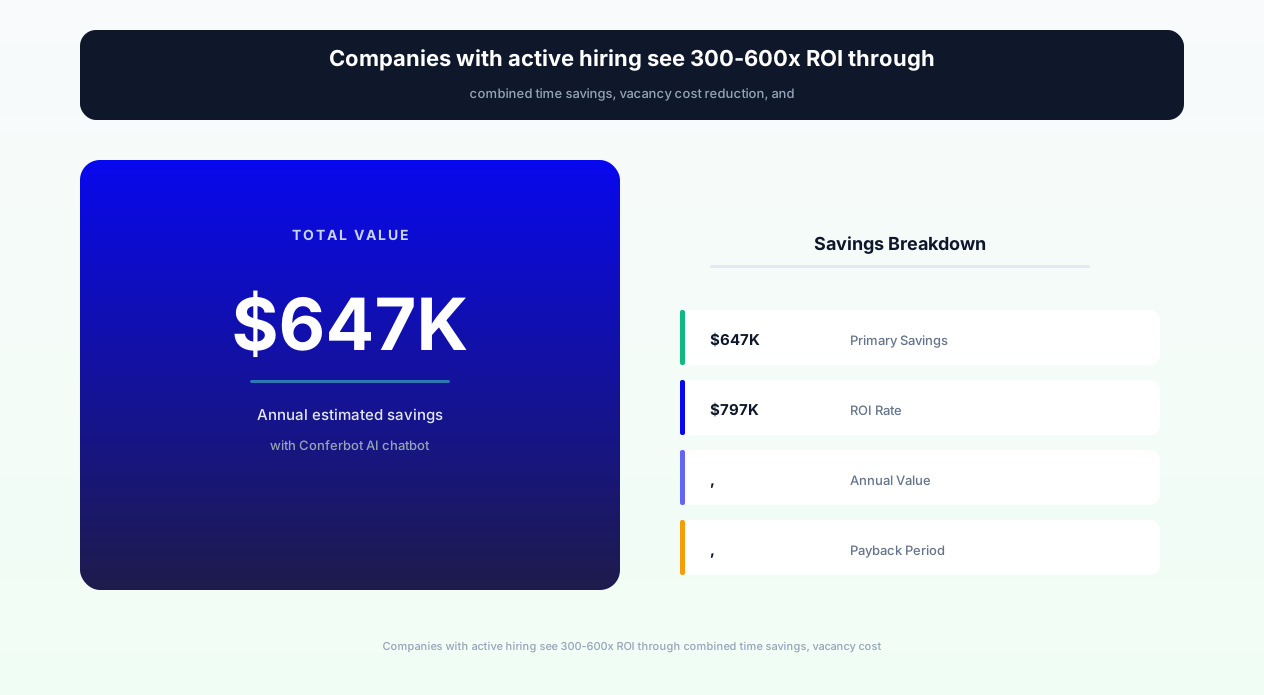
Consider a company hiring 100 positions per year with 3 recruiters, average time-to-hire of 40 days, and average cost-per-hire of $5,500:
- Recruiter time savings: 15 hours saved per role in screening and scheduling x 100 roles x $45/hour loaded cost = $67,500/year
- Faster hiring (reduced vacancy costs): 12 fewer days vacant per role x $300/day average revenue-per-employee impact x 100 roles = $360,000/year in recovered productivity
- Reduced interview no-shows: 50% fewer no-shows x 200 interviews/year x $150 per wasted interview slot (interviewer time) = $15,000/year
- Improved offer acceptance: Faster process means fewer lost candidates to competitors. 10% improvement in acceptance rate x 100 offers x $5,500 replacement cost = $55,000/year
- Reduced recruiter headcount (or reassignment): 2-3x capacity increase means 3 recruiters do the work previously requiring 6-9 = $150,000-$300,000/year
- Total annual impact: $647,500-$797,500
Against a Conferbot subscription of $99-199/month, the recruitment chatbot delivers 300-600:1 ROI for companies with active hiring programs.
ATS and HR Platform Integration
A recruitment chatbot that exists in isolation from your applicant tracking system creates data silos and duplicate work. Conferbot's recruitment template integrates directly with your ATS through native API connections, ensuring that every candidate interaction flows seamlessly into your established hiring workflow.
Greenhouse Integration
Greenhouse is the most popular ATS for growth-stage and enterprise companies. The chatbot integrates to:
- Pull open job requisitions and their requirements for job matching
- Push candidate applications directly as new Greenhouse candidates with source tracking
- Advance candidates through pipeline stages based on screening results (auto-advance qualified candidates)
- Schedule interviews using Greenhouse's scheduling coordinator with interviewer calendar sync
- Deliver rejection notifications aligned with Greenhouse's configured candidate communication templates
Lever Integration
For companies using Lever, the chatbot connects to provide:
- Job posting data import for accurate role matching and description delivery
- Candidate profile creation with full screening data and conversation transcripts
- Pipeline stage automation (chatbot screening complete → advance to recruiter review)
- Feedback form pre-population with chatbot screening notes for interviewer preparation
Workday Recruiting Integration
Enterprise organizations using Workday benefit from end-to-end integration:
- Requisition data sync for accurate job matching across large organizations
- Candidate creation with custom field mapping for structured screening data
- Compliance data collection (EEO, OFCCP reporting) through conversational disclosure
- Internal mobility support -- the chatbot can match existing employees to internal opportunities
Additional ATS Integrations
The chatbot also integrates with:
- BambooHR: Recruiting module integration with onboarding data handoff
- iCIMS: Enterprise-grade candidate workflow automation
- Ashby: Modern ATS integration with analytics pass-through
- SmartRecruiters: Job posting sync and candidate pipeline management
- JazzHR: Small business ATS integration for simple hiring workflows
Job Board Distribution
The chatbot can be embedded on job boards and career aggregator sites where candidates discover your roles:
- Indeed: Sponsored listing with chatbot engagement as the primary application method
- LinkedIn: Chatbot link in job postings for conversational application
- Your careers page: Primary application interface replacing traditional forms
- Employee referral portals: Chatbot-guided referral submission with referrer tracking
HRIS Handoff for Post-Hire
When a candidate accepts an offer, the chatbot facilitates the handoff to your HRIS (Human Resources Information System):
- Collects pre-boarding information (emergency contacts, banking details, I-9 documents)
- Triggers background check workflows with consent collection
- Delivers first-day information (office location, parking, dress code, first-week schedule)
- Answers new hire questions about benefits enrollment, equipment, and team introductions
This seamless transition from candidate to employee eliminates the gap between offer acceptance and day one that often leaves new hires feeling disconnected.
50,000+ businesses use Conferbot templates to automate conversations
Designing an Exceptional Candidate Experience
In a competitive talent market, candidate experience is employer brand. Every interaction a candidate has with your hiring process shapes their perception of your company as a place to work. The recruitment chatbot is often the first substantive interaction -- making its design critical to attracting and retaining top talent.
Speed as Respect
The single most impactful factor in candidate experience is response speed. When a candidate applies at 10 PM on a Sunday, receiving an immediate acknowledgment ("Thank you for applying! Let me ask a few questions to help match you with the right opportunity...") signals that your company respects their time and takes them seriously. This is not a trivial point -- 52% of candidates say the biggest frustration is lack of response from employers (CareerBuilder data). The chatbot ensures zero candidates experience the "application black hole."
Transparency Throughout the Process
The chatbot provides transparency that traditional recruitment processes withhold:
- Process clarity: "Here's what our hiring process looks like: screening (you're here now), technical interview, team interview, and final decision. Timeline: typically 2-3 weeks."
- Status visibility: "Your application is currently in recruiter review. You'll hear back within 3 business days."
- Expectation setting: "The technical interview is 45 minutes with our engineering lead. They'll ask about system design and coding -- would you like preparation resources?"
This transparency reduces candidate anxiety, decreases process drop-off, and positions your company as one that treats candidates as partners rather than supplicants.
Personalization at Scale
The chatbot personalizes interactions based on candidate data:
- Referencing the specific role they applied for (not generic "your application")
- Adapting tone to role level (casual for entry-level, formal for executive roles)
- Acknowledging previous interactions ("Welcome back! Last time we spoke about the Product Manager role...")
- Tailoring information to their questions and concerns (engineers get tech stack details, sales candidates get commission structure)
Respectful Rejection
How you decline candidates matters as much as how you advance them. The chatbot delivers rejections that:
- Are timely (within days, not weeks of silence)
- Are specific without being legally risky ("We've moved forward with candidates whose experience more closely matches the technical requirements for this specific role")
- Offer constructive next steps ("Based on your profile, you might be a strong fit for [similar role] -- would you like me to keep you in mind for future opportunities?")
- Invite future engagement ("Join our talent community to hear about new roles that match your background")
Candidates who are rejected respectfully become brand advocates. Candidates who are ghosted become Glassdoor detractors. The chatbot ensures every candidate receives closure.
Mobile-First Interaction
Over 60% of job seekers use mobile devices for their job search. The chatbot's conversational format is inherently mobile-friendly -- short messages, tap-to-respond buttons, and minimal typing requirements. This makes applying as easy as sending a text message, which is why conversational applications show 85%+ completion rates on mobile versus 25-35% for traditional forms.
Accessibility and Inclusion
The chatbot is designed for accessibility: screen reader compatible, keyboard navigable, and configurable for font size and contrast. Multi-language support enables candidates to interact in their preferred language, and the conversational format accommodates candidates with various cognitive and physical abilities who might struggle with complex form interfaces.
Implementation Guide: From Setup to First Hire
Deploying the recruitment chatbot for your organization takes 1-2 hours for basic setup, with ongoing refinement as you add roles and optimize screening criteria. This guide covers the complete implementation process.
Step 1: Configure Your Company Profile
In your Conferbot dashboard, set up your employer brand within the chatbot:
- Company description: Brief, compelling description of your company, mission, and culture
- Benefits overview: Summary of compensation philosophy, health benefits, perks, and unique offerings
- Work model: Remote, hybrid, or in-office policies with location requirements
- Interview process overview: Standard hiring stages and typical timeline
- Tone and voice: Configure whether the bot speaks formally, casually, or matches your employer brand voice
Step 2: Add Your Open Roles
For each open position, configure:
- Role details: Title, department, location, level, compensation range (if disclosed)
- Must-have requirements: Non-negotiable qualifications (certifications, years of experience, technical skills)
- Preferred qualifications: Desirable skills and experience with weighting
- Screening questions: 5-8 role-specific questions the chatbot asks to evaluate candidates
- Scoring thresholds: What score qualifies for auto-advance vs. recruiter review vs. auto-decline
Step 3: Connect Your ATS
Integrate with Greenhouse, Lever, Workday, or your preferred ATS. Map chatbot data fields to your ATS fields:
- Candidate name/contact → ATS candidate profile
- Screening responses → Custom fields or notes
- Qualification score → ATS rating or tag
- Source → Attribution (chatbot widget, career page, job board)
Step 4: Set Up Interview Scheduling
Connect interviewer calendars through Conferbot's calendar integration:
- Sync available interview slots from Google Calendar or Outlook
- Configure interview types per role stage (30-min phone screen, 60-min technical, 45-min panel)
- Set buffer times and daily interview limits to prevent interviewer fatigue
- Enable automated reminders (24 hours, 1 hour, 15 minutes before interview)
- Configure reschedule/cancel policies with self-service options
Step 5: Build Your Candidate FAQ Library
Populate answers to common candidate questions:
- Benefits and compensation philosophy
- Remote work and flexibility policies
- Growth and development opportunities
- Interview preparation tips
- Company culture and values
- Visa sponsorship policies
- DEI commitments and ERG information
Step 6: Deploy on Your Careers Page
Install the chatbot widget on your career site. Recommended implementation:
- Careers landing page: Prominent chatbot as primary engagement point ("Find your perfect role -- chat with us!")
- Individual job postings: "Apply via chat" button alongside traditional application form
- Job board listings: Link to chatbot-powered application from external postings
- Employee referral page: Chatbot-guided referral submission for internal use
Step 7: Test with a Live Role
Select one role to pilot the chatbot application process. Run it alongside your traditional application method for 2-4 weeks and compare: application completion rates, candidate quality (as rated by recruiters), time-to-schedule interviews, and candidate satisfaction feedback. Pilots consistently show the chatbot outperforming traditional methods, giving you data to justify full rollout across all open roles.
Compliance, Diversity, and Legal Considerations
Recruitment automation operates within a complex regulatory environment. The chatbot must comply with employment law, equal opportunity regulations, and data privacy requirements while supporting -- not undermining -- diversity and inclusion goals.
EEO and OFCCP Compliance
For companies subject to Equal Employment Opportunity Commission (EEOC) and Office of Federal Contract Compliance Programs (OFCCP) requirements, the chatbot handles compliance data collection:
- Voluntary self-identification: Collects gender, race/ethnicity, veteran status, and disability status through properly separated forms that are explicitly voluntary and not visible to hiring teams
- Disposition tracking: Records the specific reason each candidate was advanced or declined, creating the audit trail required for OFCCP compliance
- Adverse impact monitoring: Analytics dashboard flags screening criteria that may produce disparate impact across protected groups
Data Privacy (GDPR, CCPA, PIPEDA)
Candidate data is personal data, subject to privacy regulations:
- GDPR (EU/UK candidates): Consent collection before data processing, right to erasure on request, data portability, purpose limitation, and retention limits
- CCPA (California candidates): Right to know what data is collected, right to deletion, opt-out of data sale (the chatbot never sells data)
- Consent management: Clear disclosure of what data is collected, how it will be used, who will access it, and how long it will be retained -- all presented conversationally rather than in 10-page privacy policies nobody reads
Structured Interviewing and Consistency
The chatbot's structured screening approach provides legal protection by ensuring:
- Every candidate for the same role is asked the same base questions (consistency)
- Scoring criteria are pre-defined before candidates are evaluated (objectivity)
- Decisions are documented with specific, job-related rationale (defensibility)
- No questions about protected characteristics (age, marital status, disability, religion) are asked
Supporting Diversity Hiring Goals
Rather than introducing bias, a well-configured chatbot can actively support diversity:
- Blind screening: Evaluates qualifications without name, photo, or demographic information influencing scores
- Inclusive language: Uses gender-neutral language and avoids culturally-specific idioms that may confuse non-native English speakers
- Accessibility: Mobile-friendly, screen reader compatible, and multi-language support ensures underrepresented groups are not inadvertently excluded by technology barriers
- Bias auditing: Regular reports on pass-through rates by demographic group (from voluntary self-identification data) flag potential adverse impact before it compounds
Record Retention
Employment regulations require retaining candidate records for specific periods (1-3 years depending on jurisdiction). The chatbot maintains complete conversation transcripts, screening scores, and disposition records with configurable retention policies. Automatic purging after the legally required retention period ensures compliance without manual cleanup.
Legal note: This chatbot template is designed to support compliance, not guarantee it. Your HR team and employment counsel should review screening criteria, rejection language, and data handling practices to ensure compliance with your specific jurisdictional requirements before deployment.
Best Practices for Recruitment Chatbot Success
A recruitment chatbot succeeds or fails based on configuration quality, recruiter adoption, and continuous optimization. These best practices are drawn from organizations that have achieved the best results with chatbot-powered hiring.
Keep Screening Conversations Under 7 Minutes
Candidate patience has limits. The optimal screening conversation length is 4-7 minutes (5-8 questions). Longer conversations see abandonment rates climb sharply. If you need more information, split the process: initial chatbot screening (4 minutes) followed by a more detailed assessment sent to qualified candidates as a separate step. This preserves completion rates while still collecting comprehensive evaluation data.
Respond to Every Candidate Within 24 Hours
The chatbot provides instant acknowledgment, but human follow-up for qualified candidates should happen within 24 hours. Configure alerts that notify recruiters immediately when high-score candidates complete screening. In competitive talent markets (engineering, data science, healthcare), the best candidates receive multiple offers within 1-2 weeks of starting their search. Speed is your competitive advantage -- use it.
Personalize by Role Level and Type
A fresh graduate applying for an entry-level role needs a different chatbot experience than a VP-level executive candidate. Configure conversation tone, question depth, and process expectations per role level:
- Entry-level: Enthusiastic, informative, emphasizes growth opportunities and culture
- Mid-level: Professional, focused on role responsibilities and team dynamics
- Senior/executive: Concise, respectful of time, emphasizes strategic impact and company vision
Use Chatbot Data to Improve Job Descriptions
The chatbot reveals insights your job postings miss. If candidates consistently ask "Is this role remote?" -- add remote status prominently to the posting. If candidates frequently lack a specific requirement, the requirement might be too niche or poorly described. Use chatbot interaction data as a feedback loop to improve your job descriptions, career page, and employer brand messaging.
Maintain the Human Touch at Key Moments
Automation should enhance the hiring process, not replace its human elements. Keep humans involved at these critical moments:
- Final hiring decisions: The chatbot screens and ranks, but humans decide who to hire
- Complex negotiations: Compensation discussions, relocation packages, and counter-offers need human nuance
- Sensitive situations: Reasonable accommodation requests, visa sponsorship discussions, and internal mobility conversations
- High-value candidates: For director+ level roles, personal recruiter outreach demonstrates investment in the candidate
Measure and Iterate Continuously
Track these metrics monthly and optimize:
- Chatbot application completion rate: Target 85%+. If below, reduce questions or improve UX.
- Screening accuracy: Are chatbot-qualified candidates actually good? Track recruiter agreement rate with chatbot scores.
- Time-to-schedule: From qualification to interview booked. Target under 48 hours.
- Candidate feedback scores: Post-interaction surveys. Target 4.5/5 or higher.
- Source quality: Which channels (career page, job boards, referrals) produce the best chatbot-screened candidates?
Organizations that review and optimize their chatbot configuration monthly achieve 40-50% better performance than those who set it and forget it. The chatbot is a living system that improves with attention.
Recruitment Hiring Chatbot FAQ
Everything you need to know about chatbots for recruitment hiring chatbot.
Why Use a Template vs Building from Scratch?
Templates encode years of optimization data into the conversation flow before you start.
| Factor | Conferbot Template | Build from Scratch | Hire a Developer |
|---|---|---|---|
| Time to deploy | 10 minutes | 2-8 hours | 2-6 weeks |
| Cost | Free | Your time | $5,000-$25,000 |
| Day-1 conversion | 15-22% | 5-8% | 10-15% |
| Proven flows | Yes, data-tested | No | Depends |
| Updates included | Automatic | Manual | Paid |
| Multi-channel | 8+ channels | 1 channel | Extra cost |
| Analytics | Built-in | Must build | Extra cost |
Ready to Deploy Recruitment Hiring Chatbot?
Join 50,000+ businesses. Free forever plan available. No credit card required.