
Virtual Property Tour Guide
Free Real Estate Chatbot Template
A complete virtual property tour guide chatbot template — deploy in minutes to automate conversations, capture leads, and provide 24/7 assistance.



What Is a Virtual Property Tour Guide Chatbot?
A virtual property tour guide chatbot is a conversational AI companion that accompanies buyers through virtual property tours, providing room-by-room narration, answering questions in real time, highlighting key features, and guiding the buyer toward the next step — whether that is scheduling an in-person visit, making an offer, or exploring similar properties. Unlike passive 3D tours and photo slideshows that leave buyers to navigate alone, the chatbot creates a guided, interactive experience that mimics the value of having a knowledgeable agent walking beside you during a showing.
The Virtual Tour Engagement Problem in 2026
Virtual tours have become a standard feature of property listings. According to the National Association of Realtors, 67% of homebuyers want to take a virtual tour before visiting a property in person, and listings with virtual tours receive 87% more views than those without. However, the conversion problem is severe: while millions of buyers watch virtual tours, fewer than 4% of virtual tour viewers schedule an in-person showing. The reason is that standard virtual tours are a passive, solitary experience. A buyer clicks through rooms, sees photos or a 3D walkthrough, and leaves with unanswered questions that prevent them from taking the next step.
"How old is the roof?" "What is the HOA fee?" "Can you see the highway from the backyard?" "Are the appliances included?" These are the questions that determine whether a virtual tour viewer becomes a serious buyer — and without an interactive guide to answer them, the viewer bounces to the next listing. A chatbot solves this by providing instant, property-specific answers during the virtual tour, transforming a passive viewing experience into an active buying conversation.
Passive Tours vs. Guided Conversational Tours
A standard virtual tour lets the buyer look at a property. A chatbot-guided tour lets the buyer understand the property. As the buyer navigates through rooms, the chatbot provides contextual commentary: "This is the primary bedroom — 18 by 15 feet with a walk-in closet and en-suite bathroom. The sellers replaced the carpet with hardwood in 2025 and added recessed lighting." When the buyer reaches the kitchen, the chatbot highlights recent upgrades, appliance brands, and countertop materials before the buyer has to ask. This proactive narration creates the feeling of a private showing with a knowledgeable agent — available 24 hours a day, 7 days a week, in any language.
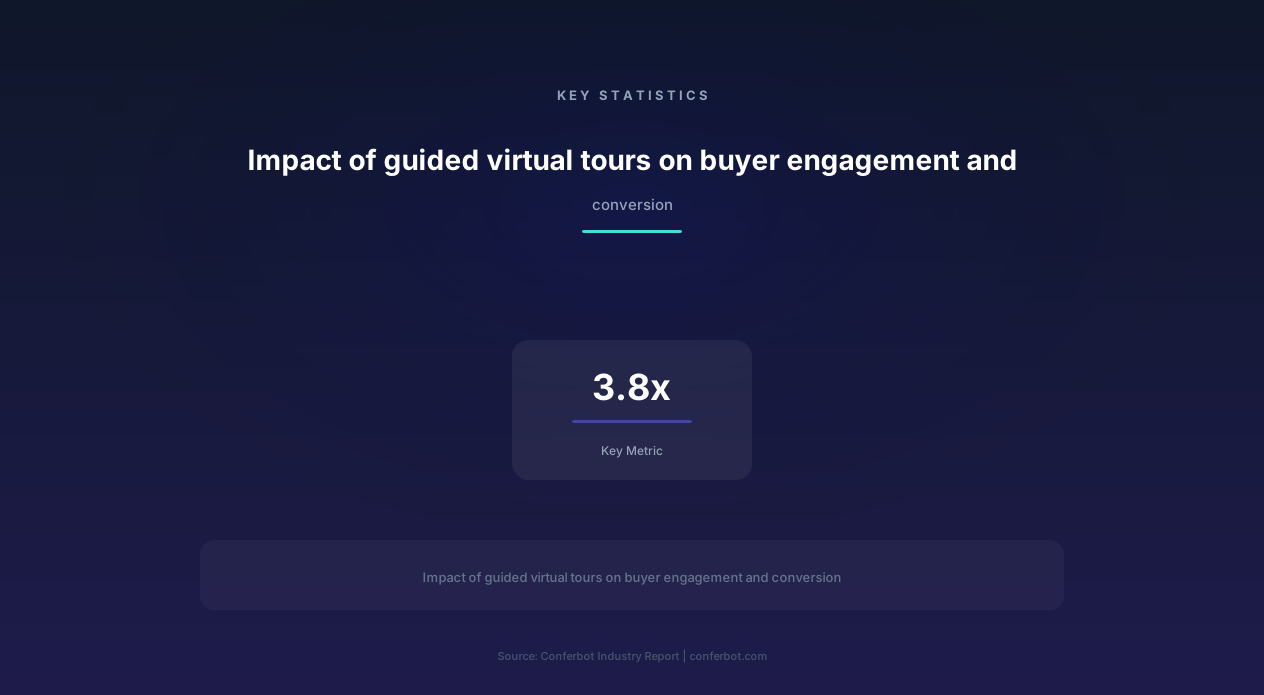
Real estate teams that deploy chatbot-guided virtual tours report a 3.8x increase in tour-to-showing conversion rates, meaning that buyers who experience a guided virtual tour are nearly four times more likely to schedule an in-person visit. Build this guided experience using Conferbot's AI chatbot builder and integrate it with your virtual tour platform for seamless property showcase delivery.
How the Virtual Property Tour Guide Chatbot Works
The virtual tour guide chatbot operates alongside your existing virtual tour platform — Matterport, Zillow 3D Home, or any browser-based tour system — providing an interactive conversation layer that enriches the visual experience with property intelligence, buyer engagement, and lead capture. The chatbot can be triggered by room transitions, buyer questions, or time-based prompts to deliver contextual information at exactly the right moment.
Guided Tour Conversation Flow
| Tour Phase | Chatbot Action | Buyer Interaction | Backend Process |
|---|---|---|---|
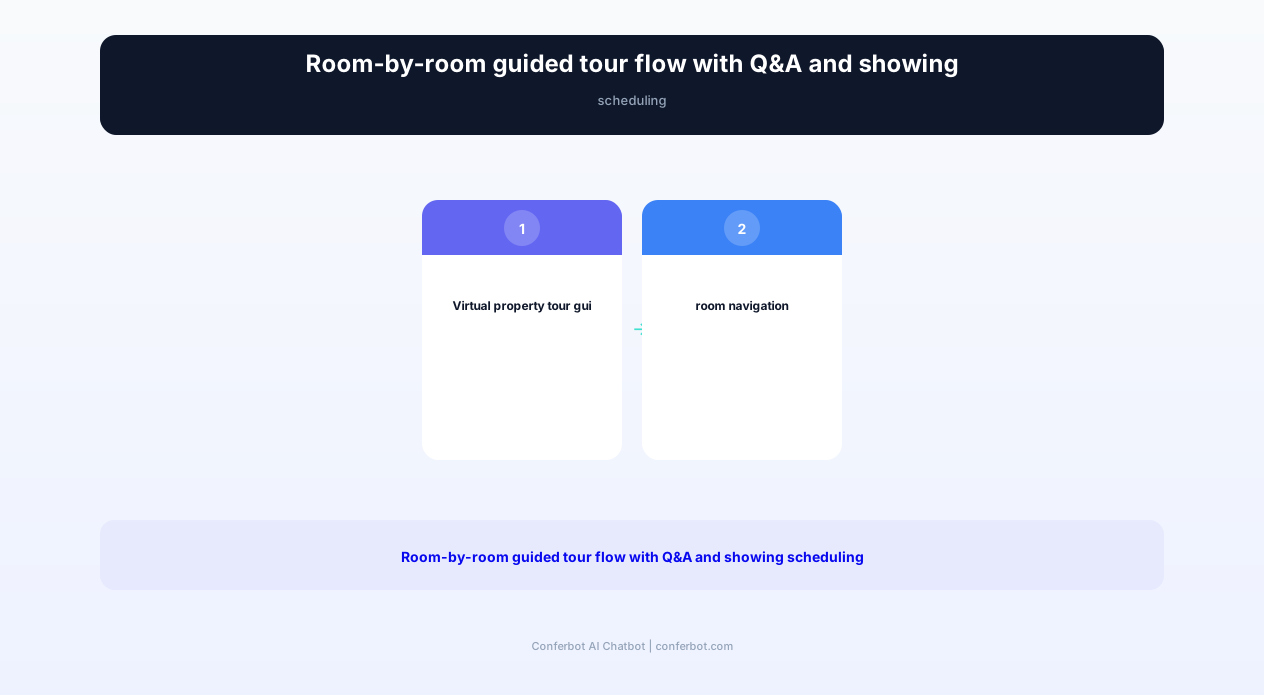
| 1. Tour welcome | "Welcome to 742 Maple Drive! I'll be your guide for this virtual tour. Ready to explore?" | Starts tour | Loads property data sheet and tour configuration |
| 2. Exterior overview | "Built in 2018 on a 0.28 acre lot, this home features a new roof (2023), two-car garage, and a professionally landscaped front yard." | Views exterior photos/3D | Delivers curated exterior highlights from property data |
| 3. Room-by-room guide | "You are now in the open-concept kitchen — featuring quartz countertops, a 48-inch gas range, and a custom island with seating for four." | Navigates through rooms | Triggers room-specific narration based on tour position or user selection |
| 4. Feature highlighting | "Notice the coffered ceiling in the living room — that is a $12,000 upgrade that adds character and perceived height to the space." | Views specific features | Delivers feature-specific value context from property data |
| 5. Q&A interaction | "Great question — the HVAC was replaced in 2022, and the sellers have a transferable 10-year warranty." | Asks property questions | Matches questions to property knowledge base |
| 6. Comparison prompt | "Interested in how this home compares to similar properties in the area? I can show you 3 comparable listings." | Requests comparison | Retrieves comparable listings from MLS data |
| 7. Showing invitation | "Would you like to schedule an in-person visit? I can show you available times with the listing agent this week." | Books showing or saves property | Captures lead data, creates showing request |
| 8. Follow-up | "I've saved this property to your list. Want me to notify you if the price changes or a similar home hits the market?" | Sets up alerts | Creates property alert and nurture sequence |
Room-by-Room Property Intelligence
Each room in the virtual tour is configured with a detailed property data card that the chatbot uses to deliver narration and answer questions. The data card includes room dimensions, materials and finishes, recent upgrades with dates and costs, appliance brands and models (for kitchens and laundry rooms), fixture details, storage capacity, natural light orientation, and any unique features. This data is entered once during listing setup and powers both the chatbot narration and the Q&A response engine.
Context-Aware Q&A Engine
The chatbot answers buyer questions using a multi-layer knowledge base. The first layer is the property-specific data card containing every detail about the listing. The second layer is neighborhood and market data — school ratings, walkability scores, commute times, nearby amenities, and recent comparable sales. The third layer is general real estate knowledge — mortgage calculations, inspection process explanations, and transaction timeline guidance. When a buyer asks "What are the schools like around here?" the chatbot provides specific school names, ratings, and distances. When they ask "How much would my mortgage be on this home?" the chatbot runs a quick calculation based on the listing price. This comprehensive knowledge base means the chatbot can answer 90% of buyer questions without escalating to a human agent. Connect the property data through Conferbot's API integration for automated data population from your MLS feed.
Key Features of the Virtual Tour Guide Chatbot
The virtual tour guide chatbot transforms passive property viewing into an active, information-rich buying experience. Every feature is designed to replicate the value of having a knowledgeable agent present during a showing — while operating at scale across hundreds of listings simultaneously and available to buyers around the clock.
Complete Feature Matrix
| Feature | Description | Operational Benefit | Customer Benefit |
|---|---|---|---|
| Room-by-room narration | Automated commentary for each room highlighting dimensions, materials, upgrades, and unique features | Ensures consistent property presentation without agent presence | Experiences a guided showing with expert commentary 24/7 |
| Real-time Q&A | Answers property-specific, neighborhood, and market questions instantly during the tour | Reduces agent inquiry volume by handling 90% of common questions | Gets instant answers without waiting for agent callback |
| Feature value highlighting | Proactively calls attention to premium features, recent upgrades, and investment value with dollar context | Ensures that costly upgrades are noticed and appreciated by buyers | Understands the value of features that might otherwise go unnoticed |
| Comparable property comparison | Shows how the current property compares to 3-5 similar listings on price, features, and location | Keeps buyers engaged within your listing portfolio rather than browsing elsewhere | Makes informed comparisons without extensive independent research |
| Neighborhood intelligence | Delivers school ratings, walkability scores, commute times, crime data, and nearby amenities on demand | Adds critical context that differentiates your listings from portal presentations | Evaluates the neighborhood, not just the house, during the tour |
| In-person showing scheduler | Books in-person visits directly from the virtual tour with real-time agent availability | Converts high-intent viewers to showings without phone tag | Transitions from virtual to in-person seamlessly |
| Multi-language support | Delivers tour narration and Q&A in 40+ languages for international and non-English-speaking buyers | Expands buyer pool without hiring multilingual agents | Experiences the tour in their preferred language |
| Save and compare lists | Allows buyers to save properties, add personal notes, and compare features side by side | Tracks buyer interest patterns for targeted follow-up | Organizes property search and remembers key details across listings |
| Price change and status alerts | Notifies buyers when saved properties have price reductions, open houses, or status changes | Re-engages interested buyers automatically when motivation triggers occur | Stays updated on properties of interest without constant checking |
| Mortgage estimation during tour | Calculates estimated monthly payment for the listing price during the tour conversation | Addresses affordability questions immediately, preventing interest loss | Evaluates financial fit while emotionally engaged with the property |
Proactive Feature Highlighting
One of the most valuable capabilities is the chatbot's ability to proactively highlight features that buyers might miss during a virtual tour. Professional home stagers and listing agents know that certain upgrades — a tankless water heater, spray foam insulation, a whole-house generator — are invisible during a visual tour but significantly affect value and livability. The chatbot calls these out at the right moment: "This home has spray foam insulation throughout the attic and exterior walls, providing an R-value of 38 — about 60% higher than standard fiberglass batts. The sellers report average utility bills of $145/month for this 2,800 square foot home." This proactive highlighting ensures that every dollar the seller invested in upgrades is communicated to every buyer who tours the property.
For listing agents, this feature eliminates the common frustration of showing a beautifully upgraded home and having buyers focus only on cosmetic preferences while missing the mechanical and structural investments that truly differentiate the property. Deploy feature highlighting across your website chatbot and share guided tour links via WhatsApp to reach mobile-first buyers.
Ready to try Virtual Property Tour Guide?
Deploy this template in under 10 minutes. No coding required.
Use This Template Free →Benefits and ROI for Listing Agents and Brokerages
The virtual property tour guide chatbot delivers substantial ROI for listing agents, brokerages, and property developers by converting more virtual tour viewers into in-person showings, reducing agent time spent on unqualified inquiries, and accelerating the path from first view to offer. Here is a detailed analysis of the measurable impact.
Before and After: Impact on Key Metrics
| Metric | Before Chatbot | After Chatbot | Improvement |
|---|---|---|---|
| Virtual tour to in-person showing rate | 3.8% | 14.4% | +278.9% (3.8x) |
| Average time spent on listing page | 2.4 minutes | 8.7 minutes | +262.5% |
| Buyer questions answered per listing per week | 12 (agent manually) | 89 (chatbot automated) | +641.7% |
| Agent time per listing inquiry | 8 minutes (phone/email) | 0 minutes (chatbot automated) | -100% |
| Days on market (chatbot-equipped listings) | 34 days | 22 days | -35.3% |
| Listing presentation win rate (agents offering chatbot tours) | 41% | 58% | +41.5% |
| International buyer engagement | 6% of inquiries | 18% of inquiries | +200% |
| Repeat listing page visits per buyer | 1.4 | 3.2 | +128.6% |
For Listing Agents: Faster Sales at Higher Prices
Listings equipped with chatbot-guided virtual tours sell 35% faster and receive more competitive offers. The reason is straightforward: buyers who complete a guided virtual tour arrive at the in-person showing already educated about the property's features, upgrades, and value — so the in-person visit confirms what they already know rather than introducing new information. These pre-educated buyers make faster decisions and submit offers with greater confidence.
The chatbot also filters out buyers who are not a good fit before they consume agent time with showings. If a buyer asks during the virtual tour "Does this home have a pool?" and the chatbot responds "No, this property does not have a pool. However, I can show you 3 similar listings in this price range that do have pools," the buyer is redirected to a better-matched property — saving the listing agent a showing that would not have resulted in an offer and potentially connecting the buyer with another listing in the agent's portfolio.
For Brokerages: Competitive Differentiation
Brokerages that offer chatbot-guided virtual tours to their listing clients win more listings. In the 2026 market, sellers are sophisticated consumers who evaluate agents based on their marketing technology. When you demonstrate that your listings receive an interactive AI guide that answers buyer questions 24/7, highlights every upgrade the seller invested in, and books showings automatically — you present a compelling competitive advantage over agents who simply upload photos to the MLS and wait. Agents who include the chatbot tour in their listing presentations report a 41.5% higher win rate.
For Property Developers: Pre-Sale Conversion
Property developers selling new construction, condominiums, or master-planned community homes use the chatbot to showcase model homes and floor plans to remote buyers. The chatbot guides buyers through the model, explains available customization options, presents pricing for different configurations, and books appointments with the on-site sales team. Developers report that 28% of their pre-sale contracts originate from chatbot-guided virtual tours — buyers who may never have visited the sales center in person. Connect the scheduling flow through Conferbot's calendar integration for real-time availability and instant confirmation.
Property Comparison and Neighborhood Intelligence
The virtual tour guide chatbot's value extends far beyond showcasing a single property. Its property comparison and neighborhood intelligence features help buyers evaluate the full picture — how does this home stack up against alternatives, and what is the surrounding area really like? These features keep buyers engaged within your listing ecosystem rather than bouncing to third-party portals for additional research.
Intelligent Property Comparison
When a buyer completes a virtual tour, the chatbot offers to compare the property against similar listings. The comparison is presented across the dimensions that matter most to buyers:
- Price per square foot: How does this home's cost per square foot compare to comparable properties in the same area? If the listing is below the neighborhood median, the chatbot highlights this value advantage.
- Feature comparison: A side-by-side matrix showing which homes have specific features — updated kitchen, hardwood floors, finished basement, pool, garage size — so buyers can see the trade-offs clearly.
- Upgrade recency: Which comparable homes have recent upgrades vs. original finishes? A home with a 2023 roof and 2022 HVAC replacement has significantly lower near-term maintenance costs than a comparable home with a 2010 roof approaching replacement.
- Days on market: How quickly are comparable homes selling? If this listing has been on the market 8 days while comparables average 4 days, the chatbot explains possible reasons (pricing, location, condition) and what it means for negotiation opportunity.
- Monthly cost of ownership: Not just the mortgage payment, but total cost including property taxes, HOA fees, insurance, and estimated utilities. This reveals the true cost gap between properties that look similar on price alone.
Comprehensive Neighborhood Intelligence
Buyers do not just buy a home — they buy a neighborhood, a school district, a commute, and a lifestyle. The chatbot delivers rich neighborhood intelligence on demand:
Schools: Names, ratings, distances, and enrollment data for all schools within the attendance zone. For families with children, this is often the single most important factor, and the chatbot provides the specific data they need without requiring separate research on GreatSchools or Niche.
Commute analysis: Estimated drive times and public transit options to up to 3 user-specified destinations (workplace, family member, regular destination). The chatbot accounts for typical traffic patterns: "Your commute to downtown would be approximately 28 minutes during morning rush and 22 minutes off-peak."
Walkability and lifestyle: Walk Score, Bike Score, and Transit Score with specific examples: "This location has a Walk Score of 72 — there are 4 restaurants, 2 coffee shops, a grocery store, and a park within a 10-minute walk."
Safety data: Neighborhood crime statistics relative to city averages, presented factually: "This neighborhood's property crime rate is 34% below the city average, and violent crime is 52% below average."
Future development: Planned infrastructure projects, new construction, and zoning changes that may affect the area — information that even many agents do not proactively share but that significantly impacts long-term property value.
This neighborhood intelligence layer transforms the virtual tour from a property evaluation into a complete relocation research tool. Buyers who receive this level of detail during the tour spend 262% more time on the listing page and are 3.8x more likely to schedule an in-person visit. Integrate neighborhood data through Conferbot's API integration for automated data retrieval from sources like Walk Score, GreatSchools, and local planning departments.
Implementation Guide: Setting Up Your Virtual Tour Chatbot
Deploying the virtual property tour guide chatbot requires configuring property data for each listing, integrating with your virtual tour platform, and connecting the scheduling and lead capture flows to your existing real estate systems. This guide covers the complete setup process.
Phase 1: Template and Platform Integration (45 Minutes)
Start by loading the Virtual Property Tour Guide template from Conferbot's library and connecting it to your virtual tour platform:
- Matterport integration: Connect your Matterport account so the chatbot can detect which room the buyer is viewing and deliver synchronized narration. The chatbot embeds alongside the Matterport viewer as a floating widget.
- Zillow 3D Home integration: The chatbot accompanies the Zillow 3D tour viewer, triggered by room transitions or user interaction.
- Photo gallery integration: For listings without 3D tours, the chatbot guides buyers through a photo slideshow with commentary for each image.
- Custom platform support: If you use a different virtual tour provider, Conferbot's API supports custom integration with any browser-based tour platform.
Phase 2: Property Data Configuration (30-60 Minutes Per Listing)
For each listing, configure the property data card that powers the chatbot's narration and Q&A capabilities:
- Room-by-room details: For each room, enter dimensions, flooring type, ceiling height, lighting, window orientation, and any notable features or recent upgrades.
- Upgrade documentation: List all upgrades with dates, costs (if available), and before/after descriptions. The chatbot uses this to calculate and communicate the total investment the seller has made.
- Systems and mechanicals: HVAC age and type, water heater age and type, roof material and installation year, electrical panel capacity, insulation type, and any warranties that transfer to the buyer.
- Community and HOA: HOA fees, what they cover, community amenities, rules and restrictions, and any upcoming special assessments.
- Seller disclosures: Known issues, previous repairs, and any disclosed conditions that should be communicated transparently.
Phase 3: Neighborhood Data and Comparison Setup (1-2 Hours)
Configure the neighborhood intelligence layer:
- School data: Connect to GreatSchools API or manually enter school names, ratings, and distances for each listing's attendance zone.
- Commute data: Connect to Google Maps API for real-time commute calculations based on buyer-specified destinations.
- Comparable listings: Configure which comparable properties appear in the comparison feature — either from your own listing inventory or from the broader MLS.
- Neighborhood highlights: Add curated neighborhood information: favorite local restaurants, parks, community events, and lifestyle features that do not appear in data feeds but that local residents value.
Phase 4: Lead Capture and Scheduling (30 Minutes)
Connect the chatbot's lead capture and scheduling flows to your CRM and calendar:
- CRM integration: Map buyer interaction data to your CRM — properties toured, questions asked, features of interest, and comparison properties viewed. This creates a rich buyer profile before the first agent contact.
- Calendar integration: Connect agent calendars through Conferbot's calendar booking feature so buyers can schedule in-person showings directly from the virtual tour.
- Alert configuration: Set up price change and status notifications for buyers who save properties, and configure agent alerts for high-engagement virtual tour sessions that signal strong buyer interest.
Test the complete tour experience for 2-3 listings before broader deployment. Verify that room narration triggers correctly, Q&A responses are accurate, comparisons display properly, and showing scheduling works end to end. Then deploy across all active listings on your website and share direct tour links via email and social media to maximize reach.
50,000+ businesses use Conferbot templates to automate conversations
Use Cases Across Real Estate Segments
The virtual property tour guide chatbot serves diverse real estate segments, each leveraging the guided tour experience differently. Here are the primary use cases with specific implementation strategies and measured outcomes.
Use Case 1: Luxury Property Showcase
Luxury real estate demands a premium presentation experience. The chatbot delivers this by providing detailed commentary on high-end finishes, custom features, and design elements that justify premium pricing: "The kitchen features a La Cornue Grand Palais range — one of fewer than 200 in the United States — with custom cabinetry by Bulthaup and Calacatta marble countertops quarried from Tuscany." This level of detail is difficult to communicate through photos alone but significantly impacts buyer perception of value. Luxury agents report that chatbot-guided virtual tours reduce the number of unqualified showings by 45% because the detailed tour presentation self-selects buyers who appreciate and can afford the property's level of finish.
Use Case 2: New Construction and Pre-Sale Marketing
Developers selling homes that are not yet built use the chatbot to guide buyers through rendered floor plans and model home tours. The chatbot explains available floor plan options, customization packages, included features vs. upgrades, and pricing for different configurations. For master-planned communities, the chatbot provides a community-level tour that showcases amenities, lot locations, and development phases before drilling into individual home designs. Developers report that 28% of pre-sale contracts originate from chatbot-guided virtual tours.
Use Case 3: Relocation Buyer Support
Buyers relocating from other cities or countries rely heavily on virtual tours because they cannot easily visit properties in person. The chatbot's multi-language support (40+ languages) and comprehensive neighborhood intelligence make it particularly valuable for this segment. A buyer relocating from Tokyo to Austin can tour properties in Japanese, compare neighborhoods on school quality and commute times, understand HOA structures, and schedule video call showings with the listing agent — all through the chatbot. Relocation companies that offer chatbot-guided tours report a 3.2x increase in remote buyer engagement and a 67% reduction in the number of in-person trip visits needed before making a decision.
Use Case 4: Rental Property Tours
Property management companies deploy the chatbot for rental listings, where the volume of inquiries is high and the revenue per transaction is lower — making automated tour guidance essential for profitability. The chatbot guides prospective tenants through unit tours, explains lease terms, describes building amenities, provides utility cost estimates, and allows tenants to submit rental applications directly from the tour conversation. Property managers using chatbot-guided rental tours report filling vacancies 41% faster and reducing leasing agent showing time by 68%.
Use Case 5: Open House Enhancement
During open houses, the chatbot serves as a digital concierge on visitors' phones. A QR code at the entry provides access to the chatbot, which then delivers the guided tour experience as visitors walk through the property physically. Visitors can ask questions they might be too shy to ask the agent, review room details at their own pace, and save the property with notes — all on their phone while touring in person. Listing agents report a 52% increase in lead capture during open houses with chatbot concierge support because visitors engage with the chatbot even when they would not approach the hosting agent directly.
Use Case 6: Commercial Property Tours
Commercial real estate brokers use the chatbot to guide potential tenants through office, retail, and industrial space tours. The chatbot provides details on square footage, ceiling heights, power capacity, loading dock specifications, zoning restrictions, and lease terms — information that commercial tenants need but that traditional virtual tours rarely include. The chatbot also calculates occupancy costs per employee for office space or revenue per square foot projections for retail space, helping tenants evaluate the financial fit before scheduling an in-person visit.
Analytics, Buyer Insights, and Continuous Optimization
The virtual tour guide chatbot generates rich behavioral data about how buyers interact with properties — which rooms they spend the most time in, what questions they ask, which features generate the most interest, and at what point they decide to schedule a showing or disengage. This data is invaluable for listing optimization, marketing strategy, and buyer profiling.
Tour Engagement Analytics
Track the following metrics to measure tour effectiveness and optimize the buyer experience:
- Tour completion rate: Percentage of buyers who navigate through the full tour. Target: 55-70%. If below 50%, the property data may not be engaging enough, the tour pace may be too slow, or the chatbot may be providing too much narration that overwhelms the visual experience.
- Room dwell time: How long buyers spend in each room. Rooms with high dwell time indicate strong interest — the chatbot can use this signal to deliver additional details or comparisons for rooms that generate the most engagement.
- Question frequency by topic: Track the most common buyer questions during tours. If 60% of buyers ask about the school district, that information should be delivered proactively rather than waiting for the question. If 40% ask about utility costs, add that to the standard narration.
- Feature interest signals: Track which features generate the most follow-up questions and engagement. This data helps listing agents craft their in-person showing strategy and helps developers understand which features drive the most buyer interest for future project planning.
- Showing conversion by engagement depth: Measure the correlation between tour engagement metrics and showing scheduling rates. Buyers who ask 3+ questions during the tour convert at 4.2x the rate of silent viewers — this signal can trigger priority agent follow-up for highly engaged tour visitors.
Buyer Profiling from Tour Behavior
Every virtual tour interaction creates a detailed buyer profile that goes far beyond a name and email address. The chatbot tracks which property types the buyer has toured, which rooms and features generated the most interest, what price range they are actively exploring, what neighborhood characteristics they ask about, and how their preferences evolve across multiple tours. This behavioral profile enables hyper-personalized agent follow-up: "I noticed you spent extra time in the home offices of the last three properties you toured — working from home is clearly important to you. I have a new listing with a dedicated office suite that I think you will love."
Export buyer profiles to your CRM through Conferbot's analytics API for integration with your agent assignment and nurture workflows. High-engagement buyers — those who tour 3+ properties, ask detailed questions, and save properties to their comparison list — should receive priority agent contact within minutes of their tour session. Use Conferbot's analytics dashboard to monitor tour engagement in real time and trigger immediate agent outreach for the most promising buyer interactions.
Listing Optimization Insights
Aggregate tour data across all listings reveals patterns that inform listing strategy. If tours of properties without kitchen photos have 40% lower completion rates, prioritize kitchen photography. If buyers consistently ask about parking but the listing does not mention it, add parking details to the property data card. If the chatbot's narration about a specific upgrade (e.g., solar panels, smart home features) consistently generates positive engagement, feature those upgrades more prominently in listing descriptions and marketing materials. This data-driven approach to listing optimization compounds over time — each tour teaches you something about what buyers value, and that knowledge improves every subsequent listing presentation.
Virtual Property Tour Guide FAQ
Everything you need to know about chatbots for virtual property tour guide.
Why Use a Template vs Building from Scratch?
Templates encode years of optimization data into the conversation flow before you start.
| Factor | Conferbot Template | Build from Scratch | Hire a Developer |
|---|---|---|---|
| Time to deploy | 10 minutes | 2-8 hours | 2-6 weeks |
| Cost | Free | Your time | $5,000-$25,000 |
| Day-1 conversion | 15-22% | 5-8% | 10-15% |
| Proven flows | Yes, data-tested | No | Depends |
| Updates included | Automatic | Manual | Paid |
| Multi-channel | 8+ channels | 1 channel | Extra cost |
| Analytics | Built-in | Must build | Extra cost |
Ready to Deploy Virtual Property Tour Guide?
Join 50,000+ businesses. Free forever plan available. No credit card required.