
Slack Knowledge Base Chatbot
Free Technology Chatbot Template
Internal company knowledge bot for Slack with department-specific answers


What Is a Slack Knowledge Base Chatbot?
A Slack knowledge base chatbot is an AI-powered conversational assistant that lives inside your Slack workspace, providing instant answers to employee questions by searching your company's knowledge base, policy documents, onboarding guides, IT documentation, and HR materials -- eliminating the repetitive questions that consume 25-40% of support team bandwidth and interrupt focused work across your organization. In 2026, where companies like ServiceNow acquired Moveworks (December 2025) specifically for this capability and tools like ClearFeed and Question Base charge $50-$200/month for similar functionality, deploying an intelligent Slack knowledge bot has become a standard productivity investment for teams of every size.
Every organization suffers from the same knowledge fragmentation problem. Critical information is scattered across Google Docs, Confluence pages, Notion databases, SharePoint sites, PDF handbooks, and the accumulated wisdom in long-time employees' heads. When a new employee needs to know the PTO policy, they ask in #general. When someone cannot connect to the VPN, they message the IT channel. When a manager needs the expense approval threshold, they ping HR. Each of these interruptions costs 10-25 minutes of the asker's time (waiting for a response) and 5-15 minutes of the answerer's time (context switching, finding the answer, composing a response). Multiply by 50-200 such questions per week in a mid-size company, and you have 40-100 hours of collective productivity lost weekly to information retrieval that a chatbot handles in seconds.
The Slack knowledge base chatbot transforms this dynamic. Employees ask questions in natural language -- directly to the bot via DM or by mentioning it in any channel -- and receive instant, accurate answers sourced from your documented knowledge. The bot cites its sources (linking to the specific document, wiki page, or policy), ensuring verifiability. When it cannot find an answer with sufficient confidence, it escalates to the appropriate human expert and learns from their response for future queries. Over time, the bot becomes increasingly comprehensive as it absorbs answers to novel questions and incorporates new documentation.
Built on Conferbot's AI chatbot builder with native Slack integration, the knowledge base bot connects to your existing documentation platforms through API integration: Google Workspace, Confluence, Notion, SharePoint, internal wikis, and custom knowledge bases. It deploys in your Slack workspace within hours and begins answering questions immediately based on your indexed documentation. No coding is required for setup or ongoing maintenance. This guide covers the complete system: knowledge indexing, question-answering architecture, escalation workflows, analytics, integration options, and the productivity data from companies using Slack knowledge bots.
How the Slack Knowledge Base Chatbot Works: Ask a Question, Get an Answer
The knowledge base chatbot operates through a multi-stage retrieval and response architecture designed for accuracy, speed, and transparency. When an employee asks a question, the system processes it through intent classification, knowledge retrieval, answer synthesis, and confidence evaluation -- delivering either a direct answer with source citation or an intelligent escalation to the right human expert.
Stage 1: Question Intake and Intent Classification
Employees interact with the bot in three ways: direct message (private query), @mention in any channel (public query), or automatic detection of unanswered questions in designated channels. The bot classifies the intent behind each question: factual lookup (what is our PTO policy?), procedural guidance (how do I submit an expense report?), troubleshooting (VPN not connecting), access request (need access to the design files), or unknown/complex (questions requiring human judgment). This classification determines the response strategy and, when the bot cannot answer, the escalation destination.
Stage 2: Knowledge Retrieval
The bot searches across all connected knowledge sources using semantic search (understanding meaning, not just keyword matching). A question about "days off" matches documents about PTO, vacation policy, and leave procedures -- even if the exact phrase "days off" does not appear in those documents. The retrieval system ranks results by relevance, recency, and authority (official policy documents rank above casual channel conversations). Multiple relevant passages are retrieved to synthesize a comprehensive answer that addresses the question fully rather than providing a single-sentence fragment.
Stage 3: Answer Synthesis and Citation
From the retrieved passages, the bot synthesizes a clear, conversational answer tailored to the question's specificity. A question about "What is our PTO policy?" generates a summary of the full policy with key points (accrual rate, rollover rules, request process). A more specific question like "Can I roll over unused PTO to next year?" generates a focused answer on that specific aspect. Every answer includes source citations: links to the original documents, page numbers for long policies, and last-updated dates so employees can verify the information is current.
Stage 4: Confidence Evaluation and Escalation
The bot evaluates its confidence in each answer. High-confidence answers (strong document match, clear policy language, frequently asked question) are delivered directly. Medium-confidence answers are delivered with a caveat: "Based on our documentation, I believe the answer is X. You may want to confirm with [relevant team] for your specific situation." Low-confidence queries (no matching documentation, ambiguous question, topic requiring human judgment) trigger intelligent escalation: the bot identifies the appropriate expert (IT for technical issues, HR for policy questions, specific team leads for project-related queries) and routes the question with full context, reducing the expert's response time.
Stage 5: Learning and Knowledge Gap Identification
Every interaction feeds the system's learning loop. Questions the bot answers correctly are reinforced. Questions that require escalation are tracked as knowledge gaps -- topics where your documentation is missing or insufficient. The bot generates weekly reports of unanswered questions, enabling your knowledge management team to proactively fill gaps. Over time, the percentage of questions the bot handles independently increases from 60-70% in the first month to 85-95% after six months as documentation gaps are systematically addressed.
Stage 6: Feedback and Improvement
After each answer, employees can provide feedback: thumbs up (correct and helpful), thumbs down (incorrect or unhelpful), or flag (outdated information). Thumbs-down and flag responses trigger immediate review by the knowledge management team. This feedback loop ensures accuracy improves continuously and outdated information is caught quickly. The bot's answer quality metrics are tracked over time, with accuracy targets typically starting at 85% and improving to 95%+ within the first quarter of deployment.
Key Features: FAQ Search, Policy Retrieval, IT Self-Service, and Expert Routing
The Slack knowledge base chatbot combines intelligent information retrieval, self-service automation, and human escalation into a unified system that handles the full spectrum of internal queries -- from simple policy lookups to complex troubleshooting workflows. Each feature addresses specific productivity drains that accumulate invisibly across organizations of every size.
Natural Language FAQ Search
Employees ask questions in natural language without needing to know the exact document title, section heading, or keyword. "What's our parental leave policy?" "How many sick days do I get?" "What's the process for ordering new equipment?" The bot understands the intent behind natural phrasing and retrieves relevant answers regardless of how the documentation is worded. This natural interaction model eliminates the friction of searching wikis, navigating folder structures, or browsing lengthy policy documents for a specific answer.
| Feature | Description | Operational Benefit | Customer Benefit |
|---|---|---|---|
| Natural language FAQ search | Semantic search across all knowledge sources using conversational queries | 40% reduction in repetitive questions to support teams | Instant answers without searching wikis or waiting for responses |
| Policy document retrieval | Direct excerpts from official policy docs with page/section citations | Consistent, accurate policy communication across the organization | Authoritative answers with verifiable sources in seconds |
| IT self-service troubleshooting | Step-by-step guides for common IT issues (VPN, password reset, software access) | 50-65% reduction in L1 IT support tickets | Fix common issues immediately without waiting for IT response |
| Onboarding guide delivery | Progressive onboarding content delivered based on new hire timeline | Consistent onboarding experience; reduced buddy/mentor time by 30% | Self-paced onboarding without feeling lost or overwhelmed |
| Expert routing and escalation | Intelligent escalation to the right human expert when bot cannot answer | Questions reach the right person immediately; no channel-hopping | Get connected to the expert who can help without asking in 5 channels |
| Ticket creation integration | Auto-create tickets in Jira, ServiceNow, or Zendesk when escalation is needed | Structured intake without form fatigue; complete context in ticket | Create a support ticket without leaving Slack |
| Knowledge gap reporting | Weekly reports of unanswered questions revealing documentation gaps | Data-driven knowledge management; fill gaps proactively | Documentation improves based on actual employee needs |
| Multi-source aggregation | Unified search across Confluence, Notion, Google Docs, SharePoint, and custom wikis | Single point of access regardless of where information lives | One place to ask instead of searching across 5 different platforms |
IT Self-Service Troubleshooting
IT support teams spend 50-65% of their time on Level 1 issues that have documented solutions: VPN connection problems, password resets, software installation, printer setup, email configuration, and access requests. The chatbot provides step-by-step troubleshooting guides for these common issues, walking employees through solutions in real time. If the guided troubleshooting does not resolve the issue, the bot automatically creates a support ticket with the troubleshooting steps already attempted -- giving the IT team full context and eliminating the back-and-forth of "have you tried turning it off and on again?"
New Employee Onboarding Assistant
New hires have hundreds of questions during their first weeks: Where do I find the org chart? How do I set up my development environment? What is the code review process? Where are the design assets? Who approves my PTO? The onboarding chatbot answers these questions instantly and proactively delivers relevant information based on the new hire's timeline: Day 1 (account access, basic tools), Week 1 (team processes, communication norms), Month 1 (deeper systems, review processes), and ongoing (policy questions as they arise). This reduces the burden on managers and onboarding buddies while ensuring consistent, comprehensive onboarding regardless of the new hire's team or location.
HR Policy Lookup with Context
HR teams field the same policy questions repeatedly: PTO accrual rates, expense report limits, benefits enrollment deadlines, remote work policies, and dress code guidelines. The chatbot answers these instantly with authoritative citations from official policy documents. Critically, it provides context-appropriate answers: a question about "parental leave" returns the full policy summary including eligibility, duration, pay continuation, and how to request it -- not just a link to a 40-page handbook. This contextual delivery saves employees from reading irrelevant sections and HR from explaining the same policies dozens of times per month.
Ready to try Slack Knowledge Base Chatbot?
Deploy this template in under 10 minutes. No coding required.
Use This Template Free →Benefits: Productivity, Knowledge Retention, and Support Cost Reduction
The Slack knowledge base chatbot delivers value across multiple dimensions: immediate productivity gains from faster information access, long-term knowledge preservation as institutional knowledge is captured in the system, and direct cost reduction in support team headcount and time investment. The benefits compound over time as the bot's knowledge base grows and employee adoption becomes habitual.
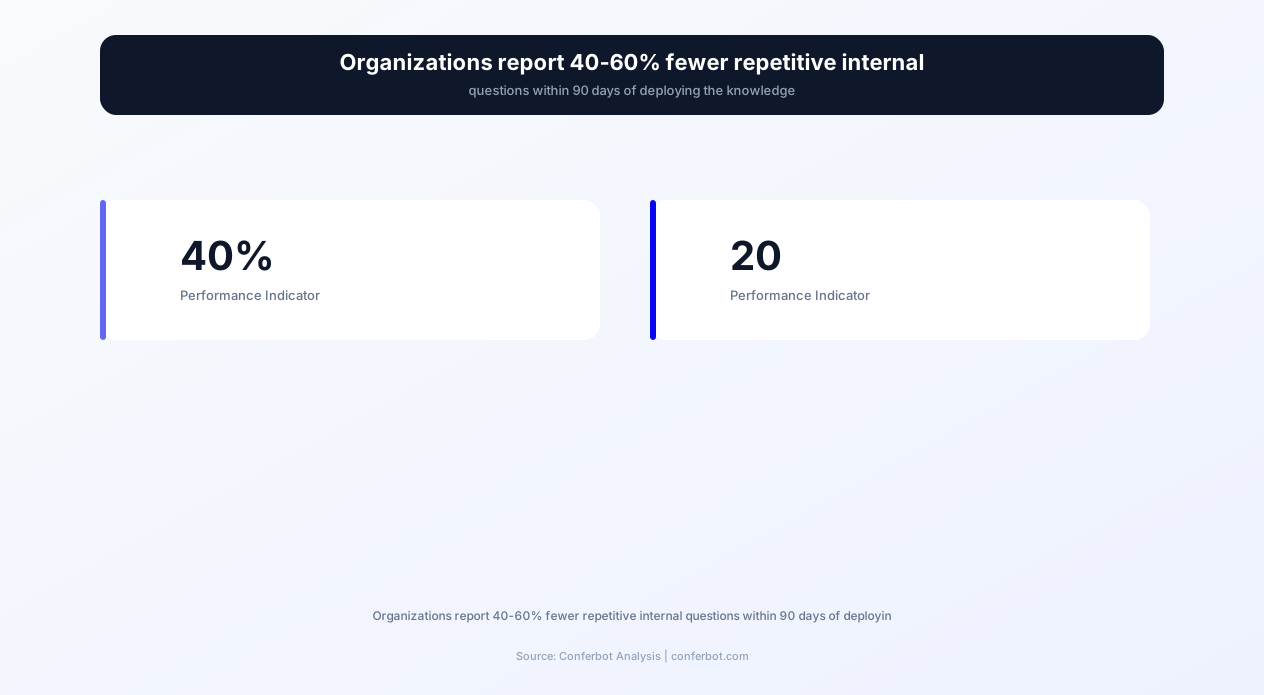
40% Reduction in Repetitive Internal Questions
The most immediate impact is measurable within the first week: support channels see 30-40% fewer repetitive questions as employees discover they can get instant answers from the bot. Questions about PTO policy, expense limits, tool access, and standard procedures shift from human-answered to bot-answered. This reduction compounds as employees develop the habit of checking the bot first before interrupting a colleague. Within 90 days, most organizations see 50-60% of previously repetitive questions handled entirely by the bot, freeing human experts for complex, judgment-requiring work that actually needs their expertise.
15-25 Hours per Week Returned to Support Teams
IT support, HR, operations, and team leads collectively spend 15-25 hours per week answering repetitive questions in a 100-person organization. This is not their primary job -- it is interruption overhead that fragments their focus and delays their actual work. The chatbot absorbs this overhead, returning those hours to productive work. For IT teams specifically, the reduction in L1 tickets (password resets, VPN issues, software requests) often eliminates the need for one full-time support position or enables reallocation to strategic projects that have been perpetually deprioritized.
Consistent, Accurate Information Delivery
When humans answer the same question repeatedly, accuracy degrades. The HR person paraphrasing the PTO policy for the 50th time may omit nuances, use outdated information, or give slightly different answers depending on their mood and memory. The chatbot delivers the same accurate, complete, documented answer every time -- with source citations that employees can verify. This consistency is critical for policy-related questions where inaccurate informal answers can create compliance issues, employee grievances, or misaligned expectations.
Knowledge Preservation Against Employee Turnover
When experienced employees leave, they take institutional knowledge with them: the undocumented workarounds, the tribal knowledge about why things are done certain ways, the context behind policy decisions. The chatbot system captures this knowledge in two ways. First, by indexing existing documentation and making it accessible. Second, by recording expert answers to escalated questions -- when the senior engineer explains how the deployment pipeline works, that explanation is captured and indexed for future queries. Over time, the chatbot becomes an organizational memory that persists regardless of individual employee turnover.
Faster Onboarding and Time to Productivity
New employees reach full productivity 25-40% faster when they have instant access to a knowledge base chatbot. Instead of waiting for a colleague to respond to basic questions (which can take hours across time zones), new hires get immediate answers and can continue working without interruption. The reduction in "blocked waiting for information" time is particularly impactful for remote and distributed teams where time zone differences make synchronous question-asking impractical. A new hire in London does not need to wait for the San Francisco team to wake up to find out how to access the staging environment.
Data-Driven Knowledge Management
The chatbot's analytics reveal exactly what your employees need to know but cannot easily find. The knowledge gap report -- a weekly summary of unanswered or frequently asked questions -- transforms knowledge management from guesswork ("what documentation should we create?") to data-driven prioritization ("these are the 10 questions asked most often without good documentation"). This insight enables targeted documentation investment that addresses actual employee needs rather than assumed ones, maximizing the ROI of every hour spent on knowledge management.
Productivity ROI and Cost Savings Data
The financial impact of a Slack knowledge base chatbot is measurable through time savings (hours returned to productive work), direct cost avoidance (reduced support headcount needs), and indirect value (faster decisions, fewer errors from misinformation, shorter onboarding time). The data from organizations deploying internal knowledge bots demonstrates consistent returns that scale with organization size.
Before vs. After: Internal Support Metrics
| Metric | Without Knowledge Bot | With Slack Knowledge Bot | Impact |
|---|---|---|---|
| Repetitive questions in support channels | 50-100/week | 15-30/week | 60-70% reduction |
| Average time to answer employee question | 15-45 minutes | Under 10 seconds | 99% faster |
| L1 IT support tickets | 80-150/week | 30-60/week | 50-60% reduction |
| New hire time to first productive contribution | 2-4 weeks | 1-2 weeks | 40-50% faster |
| Support team hours on repetitive queries | 15-25 hrs/week | 4-8 hrs/week | 65-75% reduction |
| Knowledge base utilization rate | 10-20% of employees use wiki regularly | 70-85% of employees use bot weekly | 4-5x higher knowledge access |
| Accuracy of informal policy answers | 70-80% (human paraphrasing errors) | 95%+ (source-cited) | Significant accuracy improvement |
| Employee satisfaction with information access | 45-55% satisfied | 80-90% satisfied | +30-40 percentage points |
Cost Savings Calculation
Consider a 200-person company where support teams (IT, HR, operations) spend 20 hours/week answering repetitive questions. At a blended fully-loaded cost of $75/hour, that is $78,000/year in labor spent on questions a bot can answer. The chatbot reduces this by 70% (saving $54,600/year in redirected labor) while also saving the asking employees' time: 200 employees averaging 2 questions/week at 15 minutes waiting = 10,400 hours/year of wait time. At $50/hour average employee cost, that is $520,000/year in accumulated wait time. Reducing wait time from 15 minutes to 10 seconds saves approximately $500,000/year for a 200-person organization. The total value exceeds $550,000 annually from a chatbot costing a tiny fraction of that.
IT Ticket Deflection Value
Each L1 IT support ticket costs $15-$25 to resolve (factoring in technician time, context switching, and queue management). A company generating 120 L1 tickets/week that deflects 55% through chatbot self-service saves: 66 tickets/week x $20/ticket x 52 weeks = $68,640/year in direct ticket handling costs. More importantly, the IT team reclaims capacity for infrastructure improvements, security enhancements, and strategic projects that have been perpetually deprioritized because "we're too busy with tickets."
Onboarding Acceleration Value
Reducing new hire time-to-productivity by 2 weeks for an employee earning $100,000/year saves approximately $3,850 per new hire in accelerated contribution. A company hiring 40 people per year saves $154,000 annually through faster onboarding alone. Additionally, reduced burden on onboarding buddies and managers (who typically spend 5-10 hours per new hire answering questions) saves another $15,000-$30,000 annually in freed senior employee time.
Use Cases: IT Support, HR, Onboarding, and Company-Wide Knowledge Access
The Slack knowledge base chatbot serves different functions depending on the team and context. Each use case leverages the same core technology -- intelligent retrieval from documented knowledge -- but applies it to different domains with different escalation paths, accuracy requirements, and interaction patterns.
IT Self-Service and Helpdesk Deflection
The most immediate ROI comes from IT ticket deflection. Employees ask the bot: "How do I reset my password?" "The VPN won't connect." "I need access to the design shared drive." "How do I set up my printer?" The bot provides step-by-step troubleshooting guides, links to relevant portals (password reset, access request forms), and resolution procedures. When self-service does not resolve the issue, the bot creates a ticket in your ITSM platform (Jira Service Management, ServiceNow, Zendesk) with all context: the problem description, troubleshooting steps already attempted, and the employee's device information. IT sees a pre-triaged ticket rather than a bare "it's not working" message.
HR Policy Questions and Benefits Inquiries
HR teams answer the same questions cyclically: PTO balance inquiries spike before holiday seasons, benefits questions surge during open enrollment, and parental leave policies are asked whenever someone is expecting. The chatbot handles these with authoritative policy excerpts: exact accrual rates, enrollment deadlines, eligibility requirements, and step-by-step process instructions. It distinguishes between general policy information (which it answers directly) and individual-specific questions (which it escalates to HR with context: "Sarah is asking about her specific PTO balance -- this requires HRIS lookup").
New Employee Onboarding
The bot serves as an onboarding companion that new hires can ask anything without feeling embarrassed. "Where do I find the company calendar?" "What's the meeting cadence for the engineering team?" "How do I book a conference room?" "What is our sprint process?" New hires who are reluctant to "bother" their manager or onboarding buddy with basic questions get instant, judgment-free answers from the bot. The bot also delivers proactive onboarding content: "Hi Sarah -- now that you're in Week 2, here are the systems and processes you'll need to know about..." This guided onboarding ensures no critical information is missed regardless of the quality of the assigned onboarding buddy.
Engineering and Technical Documentation
Engineering teams maintain extensive documentation: architecture decisions, deployment procedures, coding standards, API documentation, and runbook procedures. Finding the right document in a sprawling wiki takes time and often results in engineers asking in #engineering channels. The bot searches technical documentation instantly: "How do I deploy to staging?" "What's the API rate limit for the payments service?" "Where are the design system tokens?" This reduces interruptions to senior engineers and ensures that documented procedures are followed consistently rather than paraphrased from memory.
Company-Wide Announcements and Updates
Employees frequently miss announcements posted in channels they do not actively monitor. The bot solves this by being queryable: "What did the CEO say in the all-hands?" "When is the office closed for the holiday?" "What are the updated travel policy changes?" It searches announcement content, meeting notes, and published updates to surface relevant information on demand. This "search everything we've ever announced" capability prevents repeated questions about information that was communicated but not universally absorbed.
Cross-Department Process Questions
Employees working across teams often need to understand unfamiliar processes: "How does the legal team handle contract reviews?" "What's the process for submitting a marketing request?" "How do I get design resources allocated?" The bot surfaces documented processes from any department, breaking down silos where information is hoarded within teams. This cross-functional visibility reduces friction in collaborative work and eliminates the common frustration of not knowing whom to ask or where to look for another team's procedures.
50,000+ businesses use Conferbot templates to automate conversations
Knowledge Source and Ticketing System Integrations
The Slack knowledge base chatbot derives its value from the breadth and depth of knowledge sources it can access. Conferbot's API integration framework enables connections to virtually every documentation and knowledge platform your organization uses, creating a unified search layer that eliminates information silos without requiring you to migrate all documentation to a single platform.
Documentation Platform Integrations
The bot connects to your existing documentation tools and indexes their content for intelligent retrieval. Supported platforms include: Confluence (Atlassian's enterprise wiki), Notion (modern documentation and databases), Google Docs/Drive (documents, spreadsheets, presentations), SharePoint/OneDrive (Microsoft ecosystem), GitBook (developer documentation), Slite (team documentation), and custom internal wikis. Each integration indexes content with appropriate permissions -- the bot only surfaces information that the asking employee has access to view, maintaining existing access control policies.
ITSM and Ticketing Integration
When the bot cannot resolve an issue through self-service, it creates tickets directly in your ticketing system: Jira Service Management, ServiceNow, Zendesk, Freshservice, or custom ticketing solutions. The ticket includes: the employee's question, relevant context from the conversation, troubleshooting steps already attempted, and priority classification. This pre-populated ticket saves the support agent 5-10 minutes of information gathering per ticket and ensures the employee does not need to re-explain their issue after escalation.
HRIS and People Systems
For HR-related queries that require employee-specific data (PTO balances, benefits enrollment status, org chart navigation), the bot integrates with HRIS platforms: BambooHR, Workday, Gusto, Rippling, and ADP. This enables personalized responses: "Based on your hire date and current balance, you have 12 PTO days remaining this year." These integrations require careful permission configuration to ensure employees only access their own information and managers access only their direct reports' data, maintaining privacy compliance.
Communication Platform Integration
Beyond Slack, the bot's knowledge base can serve answers through other channels: Microsoft Teams (for organizations using both platforms), email (for employees who prefer asynchronous interaction), and internal web portals. The knowledge base is shared across channels -- a question answered on Slack uses the same sources as one asked via Teams. For organizations transitioning between platforms or operating in multi-platform environments, this cross-channel capability ensures consistent knowledge access regardless of the employee's preferred tool.
Identity and Access Management
The bot respects organizational access controls. Integration with Okta, Azure AD, Google Workspace, or custom identity providers ensures that: confidential documents are only surfaced to authorized employees, sensitive HR information respects role-based access, and team-specific documentation is available to team members without exposing it broadly. When an employee asks a question whose answer exists in a document they do not have access to, the bot does not surface that information -- it responds as if the answer does not exist or suggests they request access from the document owner.
Analytics and Reporting Integration
Usage analytics export to your BI tools (Looker, Tableau, Power BI, Google Data Studio) for deeper analysis. Track adoption trends, question categories, knowledge gaps, and team-specific usage patterns. This data feeds into broader organizational health metrics: teams with low bot usage may have documentation gaps; teams with high escalation rates may need knowledge investment; seasonal spikes in certain question categories inform proactive communication planning.
How to Deploy Your Slack Knowledge Base Chatbot
Deploying the Conferbot Slack knowledge base chatbot involves connecting your knowledge sources, configuring the Slack integration, setting up escalation workflows, and launching to your organization. The process typically takes 2-4 hours for initial deployment, with ongoing optimization over the following weeks as the bot learns your organization's question patterns.
Step 1: Connect Knowledge Sources (30-60 minutes)
Identify and connect your primary knowledge repositories through API integration. Start with the most frequently referenced sources: company wiki, HR policy documents, IT knowledge base, and employee handbook. Each source connection requires authorization (typically OAuth or API key) and indexing configuration (which spaces/folders/documents to include or exclude). The bot indexes connected sources within minutes and begins answering questions based on their content immediately. You do not need to connect every source at launch -- start with the high-impact ones and expand over time.
Step 2: Install Slack App and Configure Permissions (15 minutes)
Install the Conferbot Slack app in your workspace through Slack's App Directory or custom app installation. Configure the bot's permissions: which channels it monitors for questions, whether it responds to DMs, and which users/groups can interact with it. Set up the bot's identity: name, avatar, and response style (formal, casual, or matching your company culture). Configure whether the bot responds automatically to detected questions in channels or only when directly mentioned.
Step 3: Set Up Escalation Workflows (20 minutes)
Define escalation rules for when the bot cannot answer: IT questions route to #it-support channel or create a Jira ticket, HR questions route to #ask-hr or notify the HR team, engineering questions route to the relevant team lead, and general questions route to a designated catch-all channel. Configure confidence thresholds (below what confidence level does the bot escalate rather than attempt an answer) and escalation notification preferences (Slack DM, channel message, ticket creation).
Step 4: Test with a Pilot Group (1-2 hours)
Before company-wide launch, deploy to a pilot group (typically 10-20 people across different departments). Collect feedback on answer quality, identify gaps in the knowledge base, and refine escalation workflows. The pilot period reveals which questions are most common, which knowledge sources are most frequently accessed, and where the bot's answers need improvement. Use this feedback to fill critical gaps before broad deployment.
Step 5: Company-Wide Launch
Announce the bot to the full organization with clear instructions on how to use it: "Message @KnowledgeBot directly or mention it in any channel to ask a question about company policies, IT issues, HR questions, or anything else you'd normally search the wiki for." Provide examples of good questions to set expectations. Monitor adoption during the first week and proactively engage employees who ask questions in channels that the bot could have answered, gently redirecting them: "Great question! @KnowledgeBot can answer this instantly -- try asking it directly."
Step 6: Continuous Improvement (Ongoing)
Review the weekly knowledge gap report: which questions are going unanswered? Create documentation to fill those gaps. Monitor the feedback metrics: which answers are getting thumbs-down? Correct the source documentation or add clarifying content. Track adoption trends: which teams are using the bot heavily (indicating good documentation) and which are not (indicating either low awareness or poor documentation in their domain). This continuous improvement cycle drives the bot's accuracy from 85% at launch to 95%+ within 90 days.
Why Conferbot Is the Best Platform for Slack Knowledge Base Chatbots
The internal knowledge bot market includes expensive enterprise solutions (ServiceNow/Moveworks at $50,000+/year, Guru at $10-$15/user/month) and lightweight tools (ClearFeed, Question Base at $50-$200/month for basic features). Conferbot occupies the optimal position: enterprise-grade retrieval intelligence at a cost appropriate for teams of 20-2,000+, with the flexibility to serve as both an internal knowledge bot and an external customer-facing chatbot from the same platform.
Unified Internal and External Chatbot Platform
Most organizations need both internal (knowledge base, IT support) and external (customer support, lead generation, website engagement) chatbot capabilities. Running separate platforms for each creates redundant subscriptions, fragmented analytics, and duplicated management overhead. Conferbot provides both from a single platform: your Slack knowledge bot shares infrastructure with your website chatbot and WhatsApp customer engagement, enabling unified management, shared learnings, and consolidated billing.
No Per-User Pricing That Punishes Growth
Enterprise knowledge tools charge $8-$15 per user per month. For a 500-person company, that is $4,000-$7,500/month -- $48,000-$90,000/year. Conferbot's flat-rate pricing covers your entire organization regardless of headcount. Add 100 employees next quarter? No pricing change. This predictable, headcount-independent pricing makes the bot accessible to growing companies without budget anxiety around every new hire.
Multi-Source Knowledge Aggregation
Many competing tools require you to upload documentation into their proprietary system or support only limited integrations. Conferbot connects to your existing documentation wherever it lives -- Confluence, Notion, Google Docs, SharePoint, GitBook, or custom platforms -- without requiring migration. Your knowledge management team continues working in their preferred tools while the bot indexes and searches across all of them simultaneously. This "search everything, migrate nothing" approach eliminates the adoption barrier of yet another documentation platform.
No-Code Configuration and Maintenance
IT teams and knowledge managers configure and maintain the bot through Conferbot's no-code interface. Adding new knowledge sources, adjusting escalation rules, configuring channel monitoring, and reviewing analytics require no developer involvement. When your HR team publishes a new policy, the bot indexes it automatically. When IT adds a new troubleshooting article, it is immediately available for questions. This zero-friction maintenance ensures the bot stays current without creating ongoing work for your engineering team.
Privacy-First Architecture
Internal knowledge often includes sensitive information: salary bands, strategic plans, personnel matters, and proprietary processes. Conferbot's architecture ensures that access controls are respected at every level: documents restricted to certain groups are only surfaced to members of those groups. No employee data is used for model training. Conversation logs are encrypted and access-controlled. The system is designed for the security requirements of internal enterprise deployment, not just external customer-facing interaction.
Rapid Time to Value
Enterprise knowledge platforms require 3-6 month implementations with professional services engagements. Conferbot deploys in hours: connect your top 3-5 knowledge sources, install the Slack app, set escalation rules, and launch. The bot begins answering questions immediately based on your existing documentation with no training period or data science involvement required. Initial accuracy of 80-85% improves to 95%+ within weeks as you address knowledge gaps identified by the bot's analytics. This rapid deployment means value delivery begins on day one, not month six.
Slack Knowledge Base Chatbot FAQ
Everything you need to know about chatbots for slack knowledge base chatbot.
Why Use a Template vs Building from Scratch?
Templates encode years of optimization data into the conversation flow before you start.
| Factor | Conferbot Template | Build from Scratch | Hire a Developer |
|---|---|---|---|
| Time to deploy | 10 minutes | 2-8 hours | 2-6 weeks |
| Cost | Free | Your time | $5,000-$25,000 |
| Day-1 conversion | 15-22% | 5-8% | 10-15% |
| Proven flows | Yes, data-tested | No | Depends |
| Updates included | Automatic | Manual | Paid |
| Multi-channel | 8+ channels | 1 channel | Extra cost |
| Analytics | Built-in | Must build | Extra cost |
Ready to Deploy Slack Knowledge Base Chatbot?
Join 50,000+ businesses. Free forever plan available. No credit card required.