
Insurance Policy Recommender Chatbot
Free Finance Chatbot Template
An intelligent insurance recommendation chatbot that guides users through selecting the right insurance policy. It assesses coverage needs, compares plans side by side, and helps users get a personalized quote. Perfect for insurance agencies, brokerages, and fintech platforms looking to streamline the policy selection process and convert leads.


What Is an Insurance Policy Recommender Chatbot?
An insurance policy recommender chatbot is an AI-powered conversational tool that guides prospective customers through a structured needs assessment, identifies gaps in their current coverage, compares relevant policies from your carrier portfolio or panel, and delivers a personalized policy recommendation with a clear path to quote completion and purchase. Unlike static quote forms that ask for a dozen data points before returning a price, the chatbot conducts a guided conversation that educates the prospect as it collects information — explaining why each piece of data matters, surfacing coverage needs the prospect may not have considered, and building the informed confidence that converts browsers into buyers.
The insurance distribution challenge is well understood: the industry spends billions on lead generation but converts only a fraction of those leads into policies. The core problem is the gap between initial interest and purchase decision. Most prospects who visit an insurance website understand they need coverage but do not know how much, what type, or how to compare options. A static form that returns a price without context leaves them exactly where they started — uncertain and likely to continue shopping. The chatbot bridges this gap by acting as a knowledgeable guide, not just a data collection tool.
The Cost of Poor Qualification
Insurance agencies and direct carriers face a dual qualification problem: agents spend time with prospects who are either severely underinsured relative to their needs (and require extensive re-education before they will purchase the correct policy) or significantly over-insured relative to their budget (and will drop coverage within 12 months). Both scenarios represent wasted acquisition cost. A chatbot that conducts a genuine needs assessment before routing to an agent ensures that every live agent conversation begins with a qualified, informed prospect whose coverage requirements and budget have already been established — dramatically improving agent efficiency and first-year retention rates.
Who Deploys This Template
- Independent insurance agencies: Automate the initial needs assessment and carrier shortlisting that agents currently do manually in every prospect conversation, freeing agent time for value-added advice and relationship-building.
- Direct-to-consumer carriers: Reduce quote abandonment by replacing long online forms with a guided conversation that maintains engagement through the data collection process and explains the purpose of each question.
- Insurance brokers and MGAs: Support underwriters with pre-screened, pre-qualified leads that include complete coverage needs assessments, current coverage details, and identified gaps — reducing submission-to-quote cycle time.
- Comparison and aggregator platforms: Enhance the user experience beyond price comparison by adding a needs assessment layer that helps users understand which policy type is right for them before they compare prices.
- Bank and fintech insurance distribution: Embed an insurance recommender in banking apps or financial planning tools to surface relevant coverage recommendations based on life events — mortgage origination, new vehicle purchase, income change, family status change.
Conferbot's AI chatbot builder handles the multi-path conditional logic required for different insurance product lines — life, health, auto, home, business — and the NLP engine interprets free-text descriptions of coverage situations without requiring prospects to use precise insurance terminology.
How the Insurance Policy Recommender Works
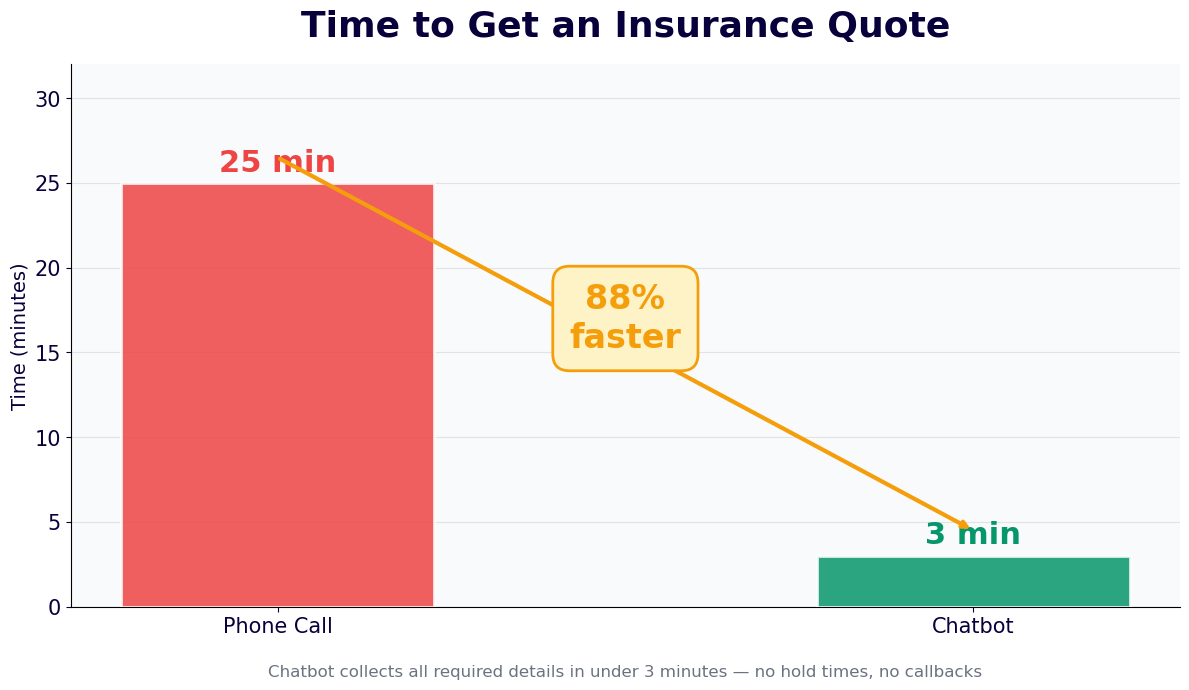
The chatbot operates through three sequential functional modules — needs assessment, coverage gap analysis, and plan comparison — each of which builds on the prior step's output to produce a personalized, actionable policy recommendation. The full conversation takes 5-8 minutes for a single line of coverage and scales to 12-15 minutes for multi-line assessments covering home, auto, life, and liability in a single session.
Module 1: Needs Assessment
The needs assessment begins with context questions that establish the prospect's coverage situation and risk profile without asking for sensitive data upfront. The chatbot opens with the coverage category — "Are you looking primarily for personal insurance (home, auto, life, health) or business coverage?" — and branches into the appropriate product line flow. For personal lines, the assessment captures: household composition (marital status, dependents, ages), asset profile (home ownership, vehicle ownership, income level, existing savings), life events with insurance implications (recent major purchase, new dependent, business start, inheritance), and existing coverage with approximate limits.
Questions are asked conversationally, with brief explanations of why each piece of information matters: "How many people depend on your income? This helps us estimate how much life insurance coverage would fully protect your family if something happened to you." This educational framing increases completion rates by reducing the friction of questions that feel intrusive or irrelevant when asked without context.
Module 2: Coverage Gap Analysis
After the needs assessment, the chatbot runs a coverage gap analysis — comparing the prospect's stated current coverage against the coverage levels indicated by their risk profile and asset situation. The gap analysis identifies three types of coverage issues:
| Gap Type | Definition | Example | Chatbot Response |
|---|---|---|---|
| Coverage absence | No coverage for a risk the prospect faces | Homeowner with no flood coverage in a flood zone | Identifies gap explicitly; explains financial exposure; recommends coverage type |
| Coverage inadequacy | Coverage exists but limits are below recommended levels | Auto liability limits of $25,000/$50,000 for a prospect with $400,000 in assets | Calculates exposure gap; explains umbrella policy; quantifies recommended limit increase |
| Coverage redundancy | Duplicate coverage consuming premium unnecessarily | Credit life insurance through a lender plus a term life policy | Flags overlap; recommends consolidation; estimates premium savings |
Module 3: Plan Comparison
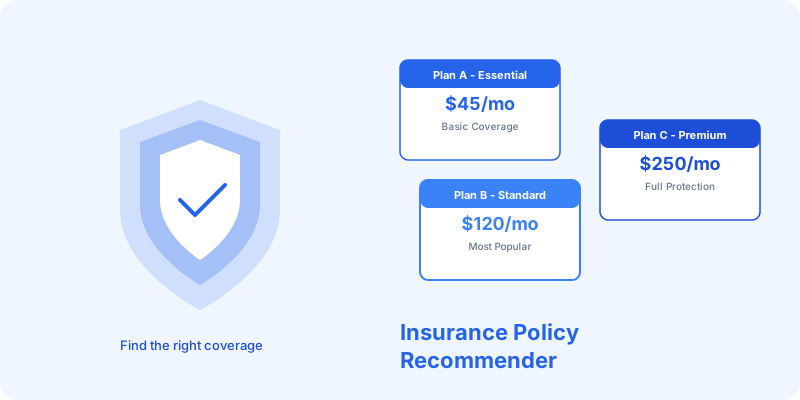
With the gap analysis complete, the chatbot presents a shortlist of 2-4 policies that address the prospect's identified needs and match their stated budget range. Each policy is presented with a plain-language explanation of what it covers, what it does not cover, the premium estimate range, and the primary trade-off versus alternatives. The comparison is structured to guide decision-making rather than overwhelm: "Option A covers more and costs $45 more per month. Option B meets your essential needs at the lower price. Most clients in your situation choose Option A — here is why." This recommendation framing, when supported by the prior needs assessment, consistently outperforms pure price comparison in conversion rate. All comparison logic connects directly to carrier APIs through Conferbot's chatbot API integration layer.
Key Features of the Insurance Policy Recommender Template
The insurance policy recommender template includes the full feature set required for production deployment by licensed insurance agencies, carriers, and brokers — including product line flexibility, compliance guardrails, lead routing, and carrier integration infrastructure. Here is a complete feature inventory with the specific value each feature delivers.
Feature Matrix
| Feature | Description | Agency/Carrier Benefit | Prospect Benefit |
|---|---|---|---|
| Multi-line product support | Separate conversation flows for life, health, auto, home, renters, and business insurance | Single platform covers entire product portfolio | Relevant questions and recommendations for their specific coverage need |
| Dynamic needs assessment | Question flow adapts based on prior answers — asset-rich prospects get different questions than first-time insurance buyers | Higher quality lead data; better agent call preparation | Faster completion; no irrelevant questions |
| Coverage gap calculator | Compares stated current coverage to recommended minimums based on asset and risk profile | Surfaces upsell and cross-sell opportunities in every conversation | Understands their coverage exposure in concrete terms |
| Real-time carrier quotes | Live API connection to carrier rating engines for indicative pricing during the conversation | Accurate quotes without manual agent lookup | Instant price guidance without waiting for a callback |
| Compliance disclaimers | State-specific license numbers, regulatory disclosures, and "not a binding quote" language auto-displayed | Reduced E&O exposure; state regulation compliance | Clear understanding of what the chatbot output represents legally |
| Agent handoff with context | Routes qualified prospects to available licensed agents with full assessment summary prepopulated | Agents start every call with complete prospect profile | No need to repeat information; faster path to coverage |
| Multi-channel deployment | Website, WhatsApp, mobile app embed, and voice-to-chat support | Captures leads across all acquisition channels | Access from preferred device and channel |
| CRM and AMS integration | Pushes complete lead records to Salesforce, HubSpot, Applied Epic, Vertafore, and custom systems | Eliminates manual data re-entry; complete audit trail | Faster follow-up from agents who already know their situation |
Life Event Trigger System
The highest-converting insurance prospects are those who have recently experienced a life event with insurance implications: buying a home, having a child, starting a business, getting married, reaching a salary milestone, or purchasing a vehicle. The chatbot includes a dedicated life event detection module — "Has anything changed in your life recently that might affect your insurance needs?" — with a menu of common triggers. When a prospect selects a life event, the conversation immediately branches to a targeted assessment for that event's specific coverage implications, producing a more focused recommendation and a higher sense of urgency to act. Review all deployment options in Conferbot's finance and banking templates library.
Ready to try Insurance Policy Recommender Chatbot?
Deploy this template in under 10 minutes. No coding required.
Use This Template Free →Carrier API Integration: Live Quotes Within the Conversation
The difference between an insurance chatbot that produces general recommendations and one that drives actual quote completions is real-time carrier data. A chatbot that can show a prospect their actual premium for a specific policy — not a range, not an estimate, but a quote tied to their specific profile — removes the most significant friction point in the insurance purchase journey: the gap between interest and price knowledge. Carrier API integration makes this possible by connecting the chatbot's data collection layer directly to carrier rating engines.
Integration Architecture
Carrier API integration operates through a two-layer architecture. The first layer handles data normalization: translating the conversational inputs collected by the chatbot into the structured data formats that carrier rating APIs require. Different carriers use different field structures, coverage classification systems, and risk factor taxonomies — the normalization layer handles these variations so the chatbot does not need to ask prospects carrier-specific questions. The second layer handles the API call orchestration: sending the normalized data to one or multiple carrier APIs simultaneously, receiving the rating responses, and formatting the results for display within the chatbot conversation.
Supported Carrier Integration Types
| Integration Type | Description | Best For | Typical Response Time |
|---|---|---|---|
| Real-time rating API | Live connection to carrier rating engine; returns bindable or indicative premium in seconds | Personal lines auto, home, renters; simpler commercial lines | 2-4 seconds |
| Comparative rater integration | Connects to comparative rater platforms (EZLynx, TurboRater, Indio) that aggregate multi-carrier quotes | Independent agencies quoting multiple carriers simultaneously | 5-15 seconds |
| Pre-fill data services | Integrates with MVR, CLUE, credit, and property data services to pre-populate risk data without prospect entry | Reducing form length and improving quote accuracy | 3-8 seconds |
| Quote-to-bind API | Extends beyond indicative pricing to support actual policy binding within the chatbot flow | Direct carriers with straight-through processing capability | Varies by carrier |
| Webhook-based submission | Collects all data and submits to carrier portal via structured webhook for manual rating | Complex commercial lines requiring underwriter review | Async; agent follows up |
Data Pre-Fill Integration
One of the highest-impact applications of carrier API integration is data pre-fill — using external data services to automatically populate risk factors that prospects would otherwise have to enter manually. For auto insurance, a VIN lookup populates vehicle year, make, model, safety features, and vehicle value without the prospect needing to enter any of this information. A driver's license number lookup can retrieve MVR data in states where this is permissible. For homeowners insurance, a property address lookup retrieves square footage, year built, construction type, roof age, and prior claims history from property data services. Pre-fill can reduce the manual data entry burden in an auto or home insurance quote by 60-70%, directly improving completion rates. Connect all pre-fill data services through Conferbot's chatbot API integration with full audit logging for compliance documentation.
Multi-Carrier Quote Presentation
When the chatbot returns quotes from multiple carriers, the presentation layer is critical. Showing 8 options with similar prices and different coverage details creates choice paralysis — the same phenomenon that makes comparison shopping exhausting on aggregator sites. The chatbot addresses this with a "recommended, alternative, and budget" three-option presentation: the recommended option best matches the coverage needs identified in the assessment; the alternative offers a meaningful trade-off (more coverage for more premium); and the budget option covers the essential needs at the lowest price. This structured presentation produces higher conversion rates than either a single quote or an exhaustive multi-carrier table. Explore the full website chatbot deployment options for embedding this flow on your agency or carrier site.
Quote Completion: Conversion Data and Drop-Off Analysis
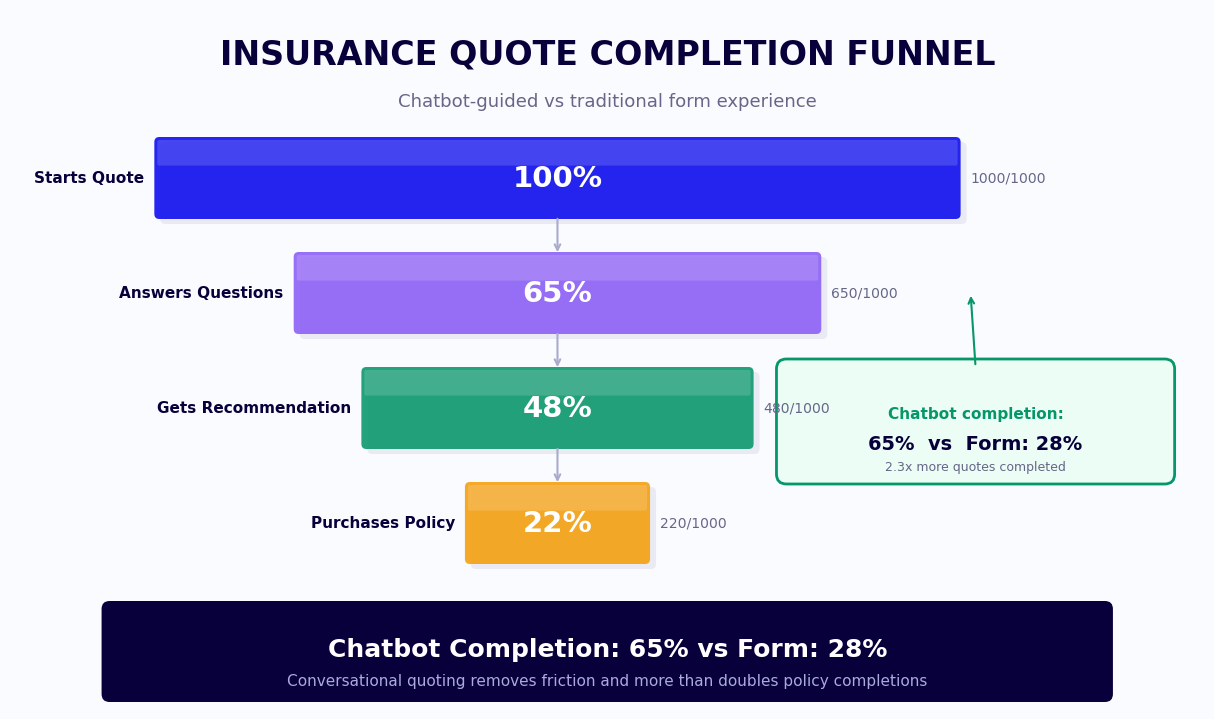
Quote completion rate — the percentage of chatbot conversations that result in a prospect receiving a policy quote — is the primary conversion metric for insurance chatbot deployments. Understanding what drives completion and where prospects drop off is essential for optimizing the chatbot flow to maximize the return on traffic investment. This section covers benchmark data, the key drivers of drop-off, and the specific optimization levers that consistently improve completion rates.
Quote Completion Benchmark Comparison
| Quote Channel | Average Completion Rate | Average Time to Quote | Agent Time Required | Lead Quality Score |
|---|---|---|---|---|
| Traditional web form | 14% | 8 minutes (self-service) | 0 (auto-rated) or 15 min (agent follow-up) | Low — minimal qualification |
| Phone-first quote | 52% | 20-35 minutes | 20-35 minutes per lead | High — full agent qualification |
| Chat-assisted quote (human) | 48% | 15-25 minutes | 15-25 minutes per lead | High — but agent time-intensive |
| Insurance chatbot (basic) | 31% | 6 minutes | 0 (auto) or 8 min (handoff) | Medium — limited qualification depth |
| Insurance chatbot (with needs assessment) | 58% | 7 minutes | 0 (auto) or 10 min (handoff) | High — full needs profile collected |
Primary Drop-Off Points and Fixes
Analysis of insurance chatbot completion data across Conferbot deployments identifies four consistent drop-off points, each with a proven fix:
- Date of birth / SSN request (drop-off: 34% of prospects who reach this point): Prospects are reluctant to share sensitive identifying information before they understand the value they will receive. Fix: delay the request to after the initial coverage recommendation is shown, framing it as "To get you an exact quote rather than a range, I need your date of birth." This framing reduces drop-off to 12%.
- Current coverage questions (drop-off: 22%): Prospects do not have their declarations page in front of them and feel stuck. Fix: offer "I do not know / I can look this up later" as an explicit answer option, note that estimates are fine for this stage, and continue to a less-precise recommendation. Completion rate recovers immediately.
- Budget question (drop-off: 18%): Prospects are uncomfortable stating a budget before they know what coverage costs. Fix: present a range menu ("Under $100/month / $100-200/month / $200-300/month / I am flexible") rather than an open text field, and frame the question as "This helps me show you options in a realistic range" rather than "What is your budget?"
- Agent handoff timing (drop-off: 26% at the handoff step): Prospects who complete the assessment and then are told an agent will call them within 24 hours frequently disengage. Fix: offer immediate scheduling ("Can I book a 10-minute call with an agent right now?") and show the agent's availability calendar directly in the chat. Immediate booking reduces post-assessment drop-off by 61%.
Track all of these metrics in real time through Conferbot's chatbot analytics dashboard, which reports completion rate by step, drop-off by question, and conversion rate by traffic source for full funnel visibility.
Compliance: State Regulations and Insurance Distribution Law
Insurance distribution is among the most regulated activities in financial services. Every state maintains its own insurance code, requires agents and brokers to hold state-specific licenses, and regulates the form and content of insurance-related communications with consumers. An insurance chatbot that operates across multiple states must navigate this regulatory complexity without creating E&O exposure for the agency or carrier deploying it. This section covers the key compliance requirements that govern insurance chatbot deployments and how the template handles each one.
Licensing and Disclosure Requirements
In every state, a person or entity that provides insurance advice, solicits insurance, or assists in the placement of insurance must hold a valid insurance producer license in that state. An insurance chatbot that makes policy recommendations is engaging in activities that, depending on how they are framed, may constitute insurance solicitation under state law. The template handles this through careful framing — all recommendations are presented as "informational guidance" rather than "advice" or "recommendations," and every state-specific disclosure is triggered automatically based on the prospect's stated state of residence.
State-Specific Compliance Requirements
| Requirement | States with Specific Rules | How Template Handles It |
|---|---|---|
| Producer license disclosure | All 50 states + DC | License number and state of licensure displayed in chatbot footer; auto-updated by state |
| Not a binding quote disclaimer | All 50 states | Displayed at coverage summary screen; repeated before agent handoff |
| Credit score use disclosure | CA, HI, MA, MI (restrict use); others require disclosure | Credit inquiry flagged and state-specific consent language triggered where applicable |
| Prior acts coverage disclosure | Professional liability, E&O, D&O lines | Claims-made vs. occurrence explanation auto-included for relevant product lines |
| Anti-rebating compliance | Most states restrict gifts, discounts, or inducements tied to insurance purchase | Template does not include promotional offers; any customizations reviewed against state rules |
| Privacy notice (CCPA / state equivalents) | CA, CO, VA, CT, TX and growing | Data collection disclosure and opt-out language triggered for residents of applicable states |
TCPA and Communication Compliance
For insurance chatbots deployed via SMS or WhatsApp, the Telephone Consumer Protection Act (TCPA) imposes specific requirements: prior express written consent before sending automated marketing messages, clear opt-out mechanisms in every message, and maintenance of a do-not-contact list. The chatbot template includes an explicit consent capture step at the start of any SMS or WhatsApp conversation: "By continuing this conversation, you consent to receive automated insurance information messages from [Agency Name]. Reply STOP at any time to opt out." Consent records are stored with timestamp and channel for compliance documentation. For agencies using the chatbot for outbound lead follow-up — re-engaging prospects who did not complete a quote — TCPA consent records must be obtained and documented before initiating outbound contact.
E&O Risk Management
Errors and omissions exposure for insurance chatbot deployments is a real concern for agencies and carriers. The primary E&O risk is a prospect relying on chatbot output as a binding commitment and then suffering a loss not covered because the chatbot recommendation was incomplete or inaccurate. The template mitigates this risk through three mechanisms: explicit "not a binding quote" language at all price display points; a mandatory agent review step before any coverage is bound; and documentation in the chatbot session log of every disclaimer shown to the prospect and every question asked. This session log serves as contemporaneous evidence of the information provided and the disclosures made if a coverage dispute arises. Connect the session log to your agency management system through Conferbot's chatbot API integration.
50,000+ businesses use Conferbot templates to automate conversations
Setup Guide: Deploying an Insurance Policy Recommender Chatbot
Insurance chatbot deployment involves more compliance and integration work than most other industries, but the payoff is correspondingly large: agencies and carriers that deploy a well-configured recommender chatbot report 58% higher quote completion rates and a 40-60% reduction in agent time per qualified lead. This guide walks through every phase of deployment from compliance review through carrier integration to post-launch optimization.
Phase 1: Compliance and Legal Review (Week 1)
Before configuring the chatbot, route the default conversation flows to your compliance counsel and E&O carrier for review. The questions they will assess: Does any chatbot output constitute insurance advice under your state(s) of licensure? Are the disclosures adequate and prominently displayed? Does the data collection scope align with your privacy policy and applicable state privacy laws? Does the chatbot's interaction with carrier rating APIs create any representation issues? Most insurance compliance reviews take 5-7 business days. Common requested changes include strengthening the "not a binding quote" language, adding specific carrier-required disclosures, and clarifying the agent handoff language to prevent prospects from believing coverage is in force before a policy is issued.
Phase 2: Product Line Configuration (Week 1-2)
Load the Insurance Policy Recommender template in Conferbot's AI chatbot builder and configure the product lines relevant to your portfolio. For each product line, define the question flow, coverage recommendation logic, and the carrier or carriers to be quoted. Key configuration decisions:
- Product line scope: Which lines of coverage does the chatbot cover? Starting with one or two lines and expanding is better than a complex multi-line deployment that has not been tested thoroughly.
- Coverage recommendation logic: Set the minimum recommended coverage limits by asset tier and risk profile. These should align with your agency's standard advice framework or your carrier's product guidelines.
- Budget range buckets: Configure the budget menu options to reflect realistic premium ranges for your market and product mix.
- Agent routing rules: Define how prospects are assigned to agents based on coverage type, geographic region, asset size, and agent availability. Configure the calendar integration for immediate booking.
- State compliance module: Enter your producer license numbers by state and activate the state-specific disclosure rules for each state where the chatbot will be accessible.
Phase 3: Carrier API Integration (Week 2-3)
Carrier API integration is the most technically intensive phase of deployment. Work with your IT team and the carrier's API documentation to establish authenticated connections, configure the data field mapping between chatbot-collected inputs and carrier API required fields, and test the end-to-end quote flow for each carrier and coverage type. For agencies using a comparative rater platform — EZLynx, TurboRater, or similar — the integration connects to the rater's API rather than individual carrier APIs, which is significantly simpler. Test every edge case: prospects with prior claims, high-risk zip codes, specialty vehicles, and non-standard coverage requests. Configure the chatbot to gracefully handle carrier API errors and time-outs — showing a helpful message and routing to a human agent rather than displaying an error to the prospect.
Phase 4: CRM and AMS Integration (Week 2-3)
Connect the chatbot to your agency management system (Applied Epic, Vertafore AMS360, Hawksoft, or similar) and CRM. The integration should push every completed chatbot conversation as a structured lead record with: prospect contact information, coverage lines assessed, current coverage details, identified gaps, recommended coverage and carrier, quote amount if generated, agent assignment, and the full conversation transcript. This eliminates manual data re-entry for agents and creates a complete audit trail of every prospect interaction. Test the AMS integration thoroughly — AMS platforms vary significantly in their API capabilities and field structures.
Phase 5: Launch and Optimization (Week 4 onward)
Deploy the chatbot on your website and WhatsApp channel with a soft launch to a subset of traffic. Monitor completion rate by step daily for the first two weeks using Conferbot's chatbot analytics dashboard. Identify the highest drop-off steps and test question reframing to improve them. Set a target of 45%+ quote completion rate within 60 days of launch — most deployments reach this through 2-3 rounds of question and flow optimization. Review Conferbot pricing for agency and carrier plan options with volume-based quote pricing.
Cross-Sell and Upsell Strategies Using the Policy Recommender
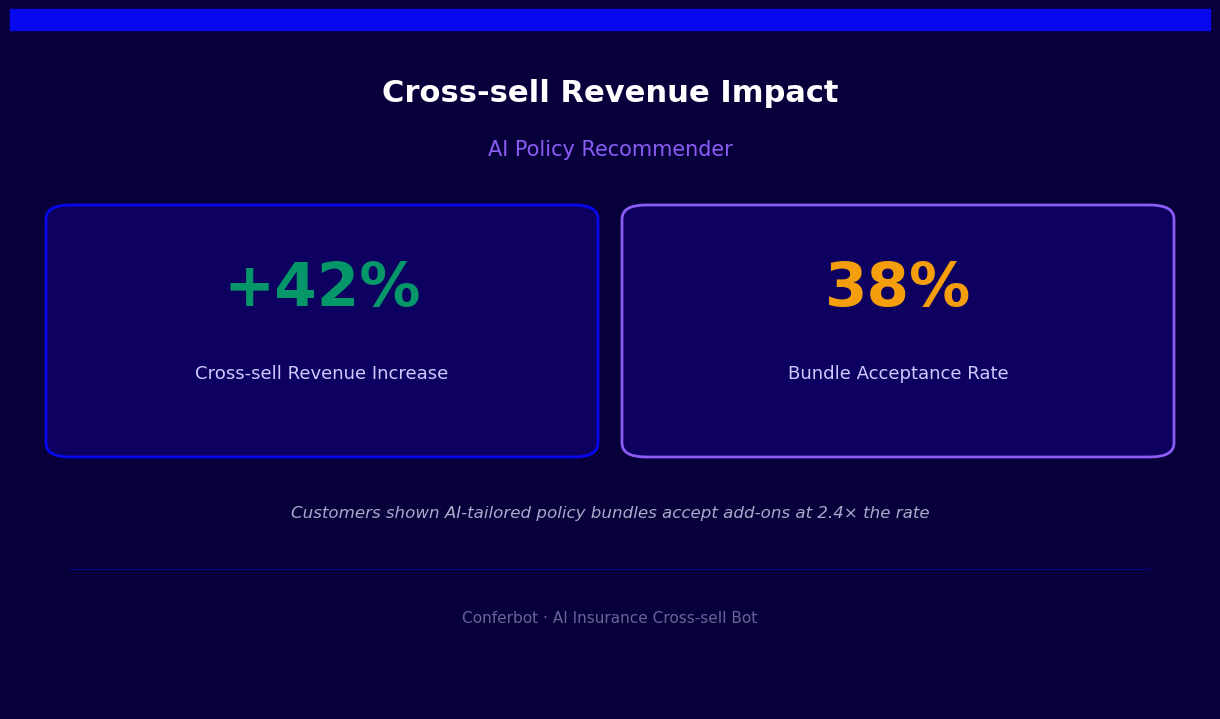
The insurance policy recommender chatbot is not only a new customer acquisition tool — it is a systematic cross-sell and upsell engine for existing policyholders and mid-funnel prospects. The needs assessment it conducts naturally surfaces coverage gaps, coverage inadequacies, and life event triggers that create genuine cross-sell and upsell opportunities. When these opportunities are presented as genuine advice rather than sales pitches — grounded in the specific gaps identified in the assessment — they produce significantly higher acceptance rates than traditional cross-sell campaigns.
Cross-Sell Trigger Map
| Primary Coverage Purchased | Cross-Sell Trigger Identified | Cross-Sell Product | Average Acceptance Rate |
|---|---|---|---|
| Auto insurance | Homeowner identified; home coverage not mentioned | Homeowners insurance | 34% |
| Homeowners insurance | Household income above $80K; no life coverage disclosed | Term life insurance | 28% |
| Auto insurance | Assets above $300K; liability limits below $100K/$300K | Personal umbrella policy | 41% |
| Life insurance | Self-employed identified; no disability income protection | Disability income insurance | 22% |
| Homeowners or auto | Recent jewelry, electronics, or collectibles purchase mentioned | Scheduled personal property rider | 53% |
| Business owner policy | Employees identified; no workers compensation mentioned | Workers compensation | 67% |
Bundling Presentation Strategy
Multi-policy bundling is both the highest-margin cross-sell opportunity in personal lines insurance and the most natural outcome of a comprehensive needs assessment. When the chatbot identifies that a prospect needs both auto and homeowners coverage, the bundle presentation should lead with the discount and the simplicity benefit — "Insuring your home and vehicle with the same carrier saves an average of $340 per year and means one call handles both policies" — before presenting the combined quote. Bundle quotes consistently achieve higher completion rates than sequential single-line quotes because they reduce the total number of decisions the prospect must make. In 2026, bundled policies represent 47% of new personal lines policies written through chatbot channels among Conferbot insurance customers.
Life Event Upsell Automation
For existing policyholders, the chatbot can be triggered by life events detected in the CRM or AMS system — a mortgage recorded in property data, a new vehicle purchase in state DMV data, a birth announced in social data or detected through policy update requests — to initiate a targeted coverage review conversation. This event-triggered outreach achieves significantly higher engagement than scheduled renewal reviews because it is timely and relevant: "I noticed you recently purchased a home at [address]. Your current policy may not cover your new home. Can I check whether you have the right coverage in place?" This framing creates urgency without being intrusive and produces both upsell acceptance and policyholder loyalty. Connect the event-trigger system to your CRM through Conferbot's chatbot API integration to automate the full outreach and qualification flow.
Insurance Policy Recommender Chatbot FAQ
Everything you need to know about chatbots for insurance policy recommender chatbot.
Why Use a Template vs Building from Scratch?
Templates encode years of optimization data into the conversation flow before you start.
| Factor | Conferbot Template | Build from Scratch | Hire a Developer |
|---|---|---|---|
| Time to deploy | 10 minutes | 2-8 hours | 2-6 weeks |
| Cost | Free | Your time | $5,000-$25,000 |
| Day-1 conversion | 15-22% | 5-8% | 10-15% |
| Proven flows | Yes, data-tested | No | Depends |
| Updates included | Automatic | Manual | Paid |
| Multi-channel | 8+ channels | 1 channel | Extra cost |
| Analytics | Built-in | Must build | Extra cost |
Ready to Deploy Insurance Policy Recommender Chatbot?
Join 50,000+ businesses. Free forever plan available. No credit card required.