
Tax Filing Helper Chatbot
Free Finance Chatbot Template
A guided tax filing assistant chatbot that walks users through their filing status, income sources, deductions, and estimated refund. It helps gather the right documents and connects users with tax professionals for a seamless filing experience. Ideal for accounting firms, tax preparation services, and fintech platforms looking to simplify the tax season.
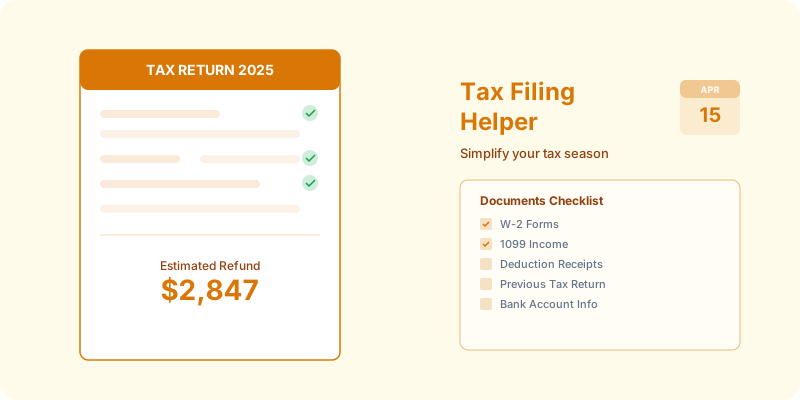


What Is a Tax Filing Helper Chatbot?
A tax filing helper chatbot is a conversational AI tool deployed by tax preparation firms, accounting practices, financial institutions, and tax software companies to guide individuals and small business owners through the tax preparation process — from understanding what documents to gather, through identifying potential deductions, to booking an appointment with a preparer or navigating a self-filing software workflow. For tax professionals in 2026, this chatbot addresses the most resource-intensive period in the calendar: the January-through-April tax season when support volume spikes and preparer capacity is fully consumed.
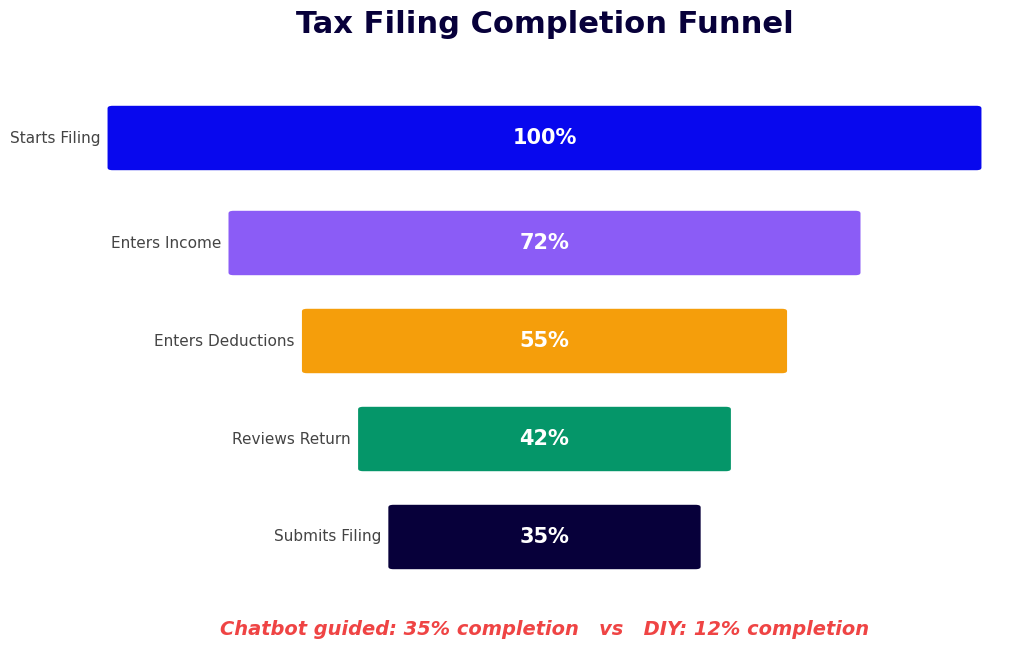
Tax season creates a predictable capacity crisis for every firm that provides tax services. Phone lines are overwhelmed, email queues back up, and the most common questions — "When is the deadline?", "What documents do I need?", "Can I deduct my home office?" — are asked thousands of times by different clients who each need the same information. A chatbot deflects these high-volume, repeatable inquiries, freeing preparers to focus on the complex tax situations that genuinely require professional judgment.
The chatbot is not designed to replace tax professionals or provide specific tax advice. It provides educational tax information, personalized document checklists based on each person's tax situation, deadline reminders, deduction awareness prompts that surface potential deductions the taxpayer may not know about, and a booking pathway that connects clients with the right type of professional for their situation. The combination of education and triage is what makes it effective: informed clients arrive at their preparer appointment with the right documents and a clear understanding of their tax situation, making the appointment faster and more productive.
Built on Conferbot's AI chatbot builder, the tax filing helper integrates with appointment booking systems, CRM platforms, and tax software via API. It deploys on your firm's website, via WhatsApp for clients who prefer messaging, and on the support channels within tax software products.
How the Tax Filing Helper Chatbot Works
The tax filing helper operates through a tax situation assessment that determines which information, checklists, and resources are most relevant to each client — then delivers personalized guidance rather than generic content that applies to all taxpayers equally.
Stage 1: Filing Status and Situation Identification
The conversation begins by establishing the client's fundamental tax situation: filing status (single, married filing jointly, married filing separately, head of household, qualifying widow(er)), whether they have employment income, self-employment or freelance income, investment income, rental property income, or a combination. This triage determines which tax forms are relevant, which deductions are potentially available, and whether the client's situation is suitable for self-filing or requires professional preparation.
Stage 2: Deduction and Credit Discovery
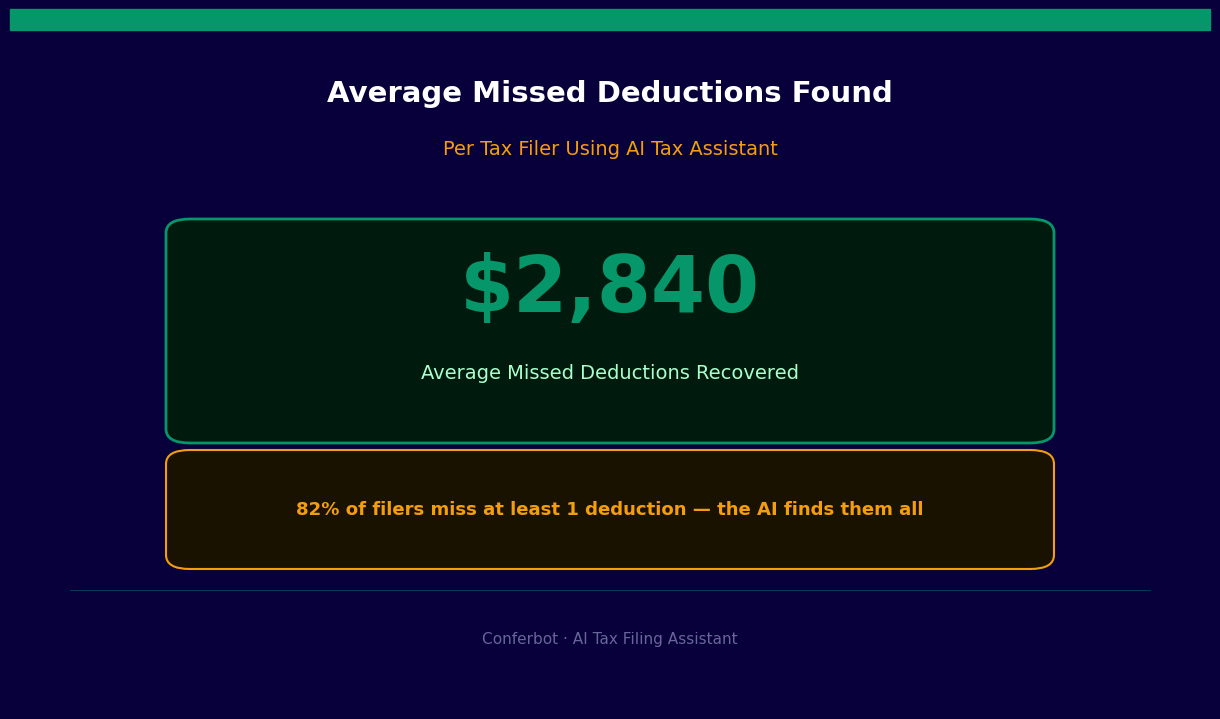
Using NLP processing, the chatbot asks targeted questions that surface potential deductions and credits the client may not be aware of. Did they work from home? Do they have student loan interest? Did they make charitable donations? Do they have dependent care expenses? Are they self-employed with business expenses? Each positive response triggers educational content explaining how that deduction works and what documentation is needed to substantiate it. This discovery phase consistently surfaces 2-5 deductions or credits per client that they had not planned to claim.
Stage 3: Personalized Document Checklist
Based on the situation assessment and deduction discovery, the chatbot generates a personalized document checklist tailored to exactly what that client needs to bring or upload. A freelancer with a home office and investment income receives a completely different checklist than a W-2 employee with only a mortgage interest deduction. The checklist is delivered as a structured list in the chat, a WhatsApp message, or an email — formatted for printing or saving. This single deliverable reduces the most common source of appointment delays: clients arriving without all necessary documents.
Stage 4: Deadline and Timeline Guidance
The chatbot provides current-year deadline information including the standard filing deadline, the extension deadline, estimated tax payment due dates for self-employed filers, and state-specific filing deadlines if the client's state differs from the federal calendar. For clients who have not yet started gathering documents, it calculates a preparation timeline: "Your appointment is in 14 days. Here is what you should gather this week and next week to be ready." This proactive timeline management reduces last-minute appointment cancellations and incomplete file situations.
Stage 5: Appointment Booking or Software Guidance
Clients who need professional preparation are routed to a booking flow that connects to the firm's scheduling system via calendar booking integration, matching them to the right type of preparer for their tax complexity. Clients who intend to self-file are guided to the appropriate software pathway with specific guidance on which forms they will encounter and what to expect in each section. Complex situations — business owners, those with foreign income, major life events — are flagged for mandatory professional consultation rather than self-filing.
Key Features: Deduction Finder, Document Checklist, and Booking
The tax filing helper includes purpose-built features for the specific operational challenges of tax season client management. These capabilities address the highest-volume interaction types that consume preparer and support staff time during peak season.
Deduction and Credit Awareness Engine
The deduction discovery conversation is the most distinctive feature of the tax filing chatbot and the one that delivers direct financial value to clients. The chatbot systematically covers the deduction categories that are most commonly missed by self-filers and under-communicated by busy preparers during high-volume season. The discovery is non-exhaustive but systematic: it covers the categories that together account for the majority of overlooked deductions for each taxpayer profile.
| Taxpayer Profile | Commonly Missed Deductions Surfaced | Estimated Average Value |
|---|---|---|
| W-2 employee, homeowner | Home office (remote workers), charitable donations, state income tax prepayments | $800-$2,400 |
| Freelancer / self-employed | Health insurance premiums, SE tax deduction, retirement contributions, vehicle mileage, professional development | $3,200-$8,500 |
| Parent with dependents | Child and dependent care credit, education credits, 529 deductions (state), adoption credit | $1,200-$4,000 |
| Real estate investor | Depreciation, repairs vs. improvements classification, passive activity loss rules, qualified business income deduction | $4,000-$15,000+ |
| Recent graduate with student loans | Student loan interest deduction, American Opportunity Credit if still in school, lifetime learning credit | $500-$2,500 |
Personalized Document Checklist Generation
The document checklist is generated dynamically based on the client's tax situation. A W-2 employee checklist includes W-2 forms, Form 1099-INT for bank interest, Form 1098 for mortgage interest, and receipts for any deductions identified in the discovery phase. A self-employed individual receives an expanded checklist covering business income records, expense categories, mileage log, health insurance premium documentation, and retirement contribution records. The chatbot explains what each document is and where to obtain it — critical for first-time filers who may not know that Form 1099-INT comes from their bank, not the IRS.
Tax Calendar and Deadline Management
Deadline confusion generates significant support volume every tax season. The chatbot maintains current-year deadline information and responds accurately to the most common deadline questions: federal filing deadline, extension request deadline, the fact that an extension to file is not an extension to pay, estimated tax payment dates for self-employed filers, and contribution deadlines for IRAs and HSAs that affect the prior year's return. This information is configured annually with current dates and updated in minutes when IRS deadline adjustments occur.
Appointment Routing by Complexity
Not all tax situations require the same level of professional expertise. The chatbot's routing logic matches client complexity to the appropriate preparer level: simple returns route to junior preparers or automated filing assistance; returns with business income, investments, or significant life events route to senior CPAs; returns involving international income, estate issues, or complex business structures route to specialized tax attorneys or senior partners. This intelligent routing improves client outcomes and optimizes firm capacity during peak season. Routing connects to the firm's scheduling system via Conferbot's API integration layer.
Ready to try Tax Filing Helper Chatbot?
Deploy this template in under 10 minutes. No coding required.
Use This Template Free →Managing Tax Season Volume: Support Deflection and Preparer Efficiency
Tax season is a defined, predictable capacity crisis for every tax professional and financial services firm that serves retail clients. The volume spike from January through April is consistent year over year, the types of questions asked are highly predictable, and the cost of under-serving clients during this window — in lost clients, negative reviews, and missed filing deadlines — is substantial. A chatbot is specifically suited to handling this pattern: high volume, high predictability, low complexity per interaction.
High-Volume Question Deflection
The questions that flood tax firm phone lines and email queues during peak season are highly repeatable. "What is the filing deadline this year?", "What documents do I need to bring?", "Do I qualify for the home office deduction?", "Can I deduct my car?", "What is the penalty for filing late?" — these questions have definitive, informational answers that do not require a CPA's individual attention. A well-configured chatbot handles these questions instantly, at any hour, for any volume of concurrent clients.
Across documented deployments, tax chatbots deflect 55-70% of inbound support volume during peak season. For a firm receiving 800 client contacts per week in March, that is 440-560 contacts handled without staff involvement — freeing preparers to focus exclusively on billable tax preparation work during the highest-demand period of the year.
Appointment Preparation Quality
The impact on appointment quality is equally significant. Clients who have completed the chatbot's document checklist and deduction discovery before their appointment arrive prepared: they have the right documents, they understand what deductions they are claiming, and they have already answered the basic intake questions the preparer would otherwise spend 15-20 minutes covering. A prepared client appointment takes 30-45% less time than an unprepared one — directly increasing the number of returns a preparer can complete per day during peak season.
After-Hours Capture
Tax anxiety does not observe business hours. Many clients review their financial situation in the evening and want to act on the impulse to schedule an appointment or gather documents immediately. The chatbot captures these after-hours engagements — booking appointments, delivering document checklists, and answering deadline questions — at 11 PM on a Sunday with the same quality as a Monday morning interaction with a staff member. Firms report that 22-35% of chatbot-initiated appointments are booked outside business hours.
Year-Round Client Engagement
A tax chatbot does not need to be a seasonal tool. Outside of filing season, it handles estimated tax payment reminders for quarterly filers, year-end tax planning conversations (maximizing retirement contributions before December 31, harvesting investment losses, charitable giving optimization), and proactive outreach for clients with life events — marriage, divorce, new business, home purchase — that affect next year's tax situation. Year-round engagement keeps the firm top-of-mind and positions it as a proactive advisor rather than a once-a-year service provider. Monitor all client interaction metrics through Conferbot's analytics dashboard.
Compliance Considerations: Education vs. Tax Advice
Deploying a tax chatbot in a regulated environment requires a clear understanding of the distinction between tax information — which is publicly available and can be communicated by anyone — and tax advice, which constitutes professional tax services and is subject to Circular 230 and applicable state regulations governing tax practice. A chatbot that crosses this line by providing specific recommendations about how an individual should file creates professional liability exposure and potentially practice act violations.
Permissible vs. Restricted Chatbot Activities
| Activity | Status | How Chatbot Handles It |
|---|---|---|
| Explaining what a deduction is and general eligibility criteria | Educational — permissible | Provides factual description with IRS publication references |
| Generating a document checklist based on stated tax situation | Administrative — permissible | Checklist based on publicly known document requirements |
| Telling a specific client definitively whether they qualify for a deduction | Tax advice — restricted | Chatbot surfaces awareness; routes to preparer for determination |
| Explaining tax filing deadlines and extension procedures | Educational — permissible | Provides current-year calendar information with IRS source link |
| Recommending a specific filing strategy (itemize vs. standard deduction) | Tax advice — restricted | Explains trade-offs; calculation and decision routes to preparer |
| Explaining penalty and interest calculations for late filing | Educational — permissible | Describes IRS penalty structure with appropriate disclaimer |
| Advising a client on estimated tax payment amounts | Tax advice — restricted | Explains safe harbor rules; specific amounts route to preparer |
Required Disclaimer Language
The tax filing chatbot includes standard disclaimer language at three points: in the opening greeting ("This chatbot provides general tax information for educational purposes only and does not constitute tax advice. Please consult a qualified tax professional for advice specific to your situation."), after any deduction-related content, and in the booking confirmation. Disclaimer language is configurable to match your firm's approved language and should be reviewed by your firm's compliance or legal counsel before deployment.
Data Security for Tax Information
Tax-related conversations involve sensitive personal and financial information: income figures, Social Security numbers (which should never be collected by a chatbot), account information, and detailed financial situations. The chatbot should be configured to never request Social Security numbers, bank account numbers, or complete financial account details. General financial situation information (approximate income range, filing status, types of income) necessary for triage and checklist generation is appropriate. Conferbot encrypts all data in transit and at rest, and data retention policies can be configured to delete conversation data after defined periods consistent with your firm's data handling policies.
Integrations with Tax Software, CRM, and Booking Systems
A tax filing chatbot that operates in isolation from the firm's core systems creates manual work rather than eliminating it. The following integrations are what turn the chatbot from a standalone FAQ tool into a genuine component of the firm's tax season workflow.
Tax Preparation Software Integration
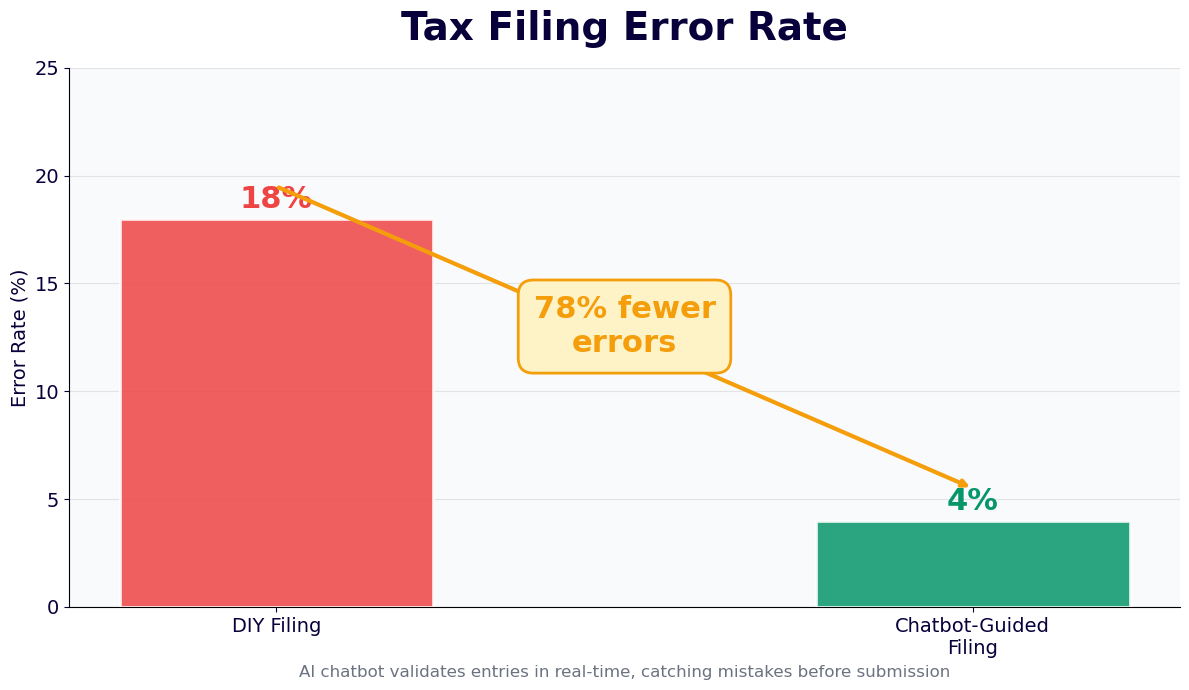
For firms using professional tax software — Drake Tax, ProSeries, Lacerte, UltraTax CS, or ATX — the chatbot can be configured to pass client intake information via the API integration layer, pre-populating the client's profile in the software before the preparer opens the return. Filing status, income types identified, and deductions flagged during the chatbot conversation are available in the client record when the appointment begins. This eliminates the manual intake transcription step that preparers perform at the start of every appointment during peak season.
CRM and Client Management Integration
New prospects who complete the tax situation assessment and book appointments through the chatbot are automatically created as lead or client records in the firm's CRM — Salesforce, HubSpot, Zoho, or the firm's practice management software. Returning clients who identify themselves by email or account number are recognized, and their historical tax complexity profile is available to personalize the conversation ("Based on your last return, you may want to check whether your business travel expenses qualify for deduction again this year"). This returning client recognition significantly improves the quality of the chatbot interaction for established clients.
Scheduling System Connection
Appointment booking connects to the firm's scheduling system — whether Calendly, Acuity, a custom calendar system, or an integrated practice management tool. Routing rules match the client's identified tax complexity to the correct preparer type and availability. Double-booking prevention, buffer time between appointments, and daily appointment caps per preparer are all configurable. The confirmation message includes the appointment time, the preparer's name, the office location or video link, and the personalized document checklist generated during the chatbot conversation.
Omnichannel Client Communication
Tax clients communicate through multiple channels: some prefer website chat, others WhatsApp, others email. Conferbot's omnichannel platform ensures consistent tax guidance quality across all channels. Document checklists generated in the chatbot conversation can be delivered via the client's preferred channel — emailed as a PDF, sent as a WhatsApp message with a checklist format, or displayed in a browser-based summary page. Appointment reminders are sent through the client's preferred channel with the document checklist attached, ensuring clients arrive prepared regardless of how they engaged with the chatbot originally.
50,000+ businesses use Conferbot templates to automate conversations
Setup Guide: Deploying the Tax Filing Helper for Your Firm
Tax firms deploying the filing helper chatbot for the first time should target completion before January 15 — the point at which client inquiries about the upcoming filing season begin accelerating. Here is the deployment process that gets you there efficiently.
Step 1: Annual Update Configuration
Each year, the following elements require updating before the new filing season: current-year federal and state filing deadlines, IRS contribution limits (IRA, HSA, FSA, 401(k)), standard deduction amounts for each filing status, any new tax law changes affecting deduction eligibility or credit availability, and mileage rates for vehicle expense deductions. In 2026, start by reviewing the IRS Rev. Proc. for inflation-adjusted figures and the Tax Cuts and Jobs Act provisions still in effect. These updates take 30-60 minutes and should be completed before any client-facing deployment.
Step 2: Configure Tax Situation Assessment Flow
Using Conferbot's AI chatbot builder, clone the tax filing helper template and configure the situation assessment questions to match the client types your firm serves. A firm serving primarily small business owners configures a more detailed self-employment income branch. A firm with a large rental property client base adds more depth to the real estate income and deduction sections. The template covers the standard filing situations; configure the depth of each branch based on your firm's client profile.
Step 3: Build the Document Checklist Library
For each tax situation type identified in your assessment flow, build the corresponding document checklist. Each checklist should cover all potentially applicable forms and documents for that situation, with a brief explanation of each item and where the client obtains it. Test each checklist against actual client files from the previous year to verify completeness — the most common missing item in your prior-year appointments should be included prominently in the relevant checklist.
Step 4: Connect Scheduling and CRM Systems
Configure the appointment booking integration to connect with your scheduling system. Define routing rules that match complexity levels (standard W-2, self-employed, business owner, complex) to the appropriate preparer tiers and availability. Set up the CRM integration to create or update client records when appointments are booked. Test the full flow: complete a chatbot conversation, reach the booking step, complete an appointment booking, and verify the client record is created correctly with all chatbot-collected information populated in the appropriate fields.
Step 5: Deploy and Set Deadline Reminders
Deploy the chatbot on your website's homepage, services page, and contact page. Activate the WhatsApp Business channel for clients who prefer messaging. Configure proactive outreach sequences: a reminder to existing clients in early January to book their appointment, a document checklist reminder to clients who have booked but not yet confirmed document preparation, and a deadline reminder to clients who have not yet been in contact as the filing deadline approaches. These sequences run automatically, ensuring no client falls through the cracks during the high-volume peak season.
Tax Filing Helper Chatbot FAQ
Everything you need to know about chatbots for tax filing helper chatbot.
Why Use a Template vs Building from Scratch?
Templates encode years of optimization data into the conversation flow before you start.
| Factor | Conferbot Template | Build from Scratch | Hire a Developer |
|---|---|---|---|
| Time to deploy | 10 minutes | 2-8 hours | 2-6 weeks |
| Cost | Free | Your time | $5,000-$25,000 |
| Day-1 conversion | 15-22% | 5-8% | 10-15% |
| Proven flows | Yes, data-tested | No | Depends |
| Updates included | Automatic | Manual | Paid |
| Multi-channel | 8+ channels | 1 channel | Extra cost |
| Analytics | Built-in | Must build | Extra cost |
Ready to Deploy Tax Filing Helper Chatbot?
Join 50,000+ businesses. Free forever plan available. No credit card required.