
The Workplace AI Explosion: Why 2026 Is the Tipping Point for Internal Chatbots
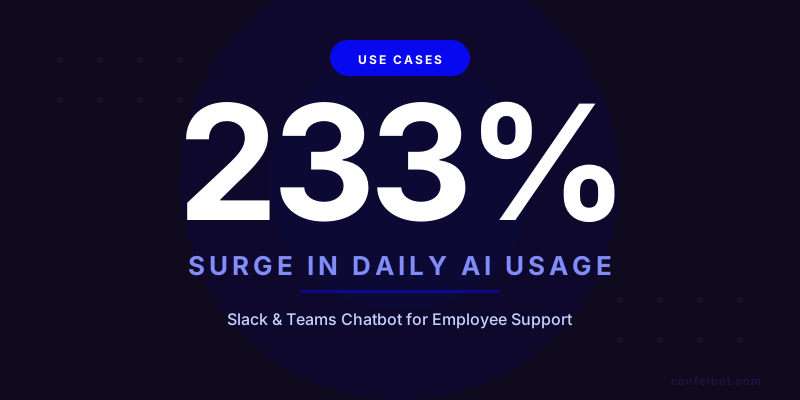
The speed at which AI has infiltrated the modern workplace is staggering. According to the Microsoft Work Trend Index 2025, daily AI usage among knowledge workers surged 233% between early 2024 and mid-2025, with the trend accelerating through 2026. That is not gradual adoption -- it is a fundamental behavioral shift in how employees interact with technology at work.

The same report reveals that 80% of enterprise applications now embed AI features natively, up from just 22% in 2023. Employees no longer think of AI as a separate tool -- they expect intelligent assistance baked into every workflow. When Salesforce auto-suggests email responses, when Notion generates meeting summaries, when GitHub writes code completions, the expectation becomes: why can I not just ask a question in Slack and get an answer instantly?
That expectation is driving an unprecedented demand for internal support chatbots deployed where employees already work: Slack and Microsoft Teams. Consider these numbers from Slack's State of Work report:
- Slack daily active users: 42+ million globally, with the average user spending 90 minutes per day in the app
- Microsoft Teams monthly active users: 320+ million, with 115 million daily active users in workplace environments
- Message volume: The average Slack workspace sends 200+ messages per user per week; Teams users average 45 meetings per week
- App usage: 78% of Slack teams use at least one third-party integration; 65% of Teams organizations have deployed at least one bot
These platforms are not just communication tools -- they are the operating system of the modern workplace. And they are exactly where an internal support chatbot belongs.
Here is the core problem: internal support teams -- IT, HR, Facilities, Finance -- are drowning in repetitive questions. Despite having knowledge bases, wikis, and intranet sites, employees still default to messaging a colleague or filing a ticket because searching documentation takes too long and frequently returns outdated or irrelevant results. Gartner's 2025 workplace AI research found that 64% of employees prefer asking a chatbot over searching a knowledge base, and 71% prefer a chatbot over submitting a support ticket and waiting for a response.
This article provides a comprehensive guide to deploying a Slack or Microsoft Teams chatbot for internal employee support -- covering the top use cases (IT, HR, operations), architecture decisions, integration patterns, ROI models, and a step-by-step implementation playbook. Whether you are an IT director trying to reduce ticket volume or an HR leader seeking to streamline policy inquiries, this guide gives you the data and the plan to make it happen.
Top 8 Use Cases: What Your Internal Support Chatbot Should Automate
Not every internal request warrants chatbot automation. The sweet spot is high-volume, repetitive, well-documented requests where speed matters and the answer follows a predictable pattern. Based on ticket data from thousands of organizations, here are the eight highest-impact use cases ranked by automation potential and volume.

1. Password Resets and Account Lockouts
Password resets remain the single most common IT helpdesk ticket across every industry, accounting for 25-35% of total Tier 1 volume. A Slack or Teams chatbot integrated with Active Directory, Azure AD, or Okta can resolve these in under 60 seconds:
- Employee types
/password-resetor sends a direct message to the bot - Bot verifies identity via workspace authentication + secondary factor (employee ID, security question, or manager confirmation)
- Bot triggers the reset through the identity provider API and sends a secure reset link via email
- Total elapsed time: 30-60 seconds vs. the industry average of 24 hours for a manual ticket
For a 1,000-person company generating 250 password reset tickets per month at $35 per ticket, automating this single use case saves $105,000 annually. See our detailed breakdown in the AI chatbot for internal IT helpdesk guide.
2. IT Ticket Routing and Triage
When the chatbot cannot resolve an issue directly, it should create a properly categorized, prioritized, and routed ticket in your ITSM system (ServiceNow, Jira Service Management, Freshservice). The AI classifies the issue based on the conversation, extracts structured data (affected system, error messages, urgency indicators), and routes to the correct queue -- eliminating the manual triage step that adds 2-4 hours to average resolution time.
Research from ClearFeed shows that Slack-native ticket routing reduces mean time to resolution (MTTR) by 58% compared to email-based ticketing, primarily because conversations happen in real time and context is preserved from the initial message through resolution.
3. HR Policy Lookups
HR teams answer the same questions hundreds of times per month: How many sick days do I have? What is the dress code policy? When is the benefits enrollment deadline? What is the parental leave policy? A chatbot trained on your employee handbook, benefits guides, and HR policies provides instant, accurate answers in the employee's Slack DM -- no need to email HR and wait 24-48 hours.
Key HR policy categories to automate:
- Leave policies: PTO accrual, sick leave, parental leave, bereavement, jury duty
- Benefits: Health insurance options, enrollment periods, FSA/HSA details, 401k matching
- Workplace policies: Remote work, dress code, expense reporting, travel policies
- Compliance: Anti-harassment, data privacy, social media guidelines, code of conduct
For HR-specific deployment patterns, see our employee FAQ bot guide.
4. PTO Requests and Leave Management
PTO requests follow a predictable workflow: employee requests dates, system checks balance and blackout dates, manager approves or denies, and the HRIS system records the leave. A chatbot in Slack or Teams handles the entire flow conversationally:
- Employee: "I want to take off July 14-18"
- Bot checks PTO balance (12 days remaining), checks for team conflicts (no conflicts), and submits the request
- Bot sends an approval notification to the manager in Slack/Teams
- Manager taps Approve/Deny directly in the chat interface
- Bot updates the HRIS, notifies the employee, and adds the dates to the team calendar
This eliminates the 3-5 minute form-filling process and the 1-2 day approval delay typical of portal-based systems.
5. Onboarding Checklists and New Hire Support
New employees have hundreds of questions in their first 90 days, and most of them are the same questions every new hire asks. A Slack/Teams chatbot serves as a personal onboarding assistant:
- Day 1: Welcome message with checklist (set up email, install VPN, complete compliance training, submit I-9)
- Week 1: Proactive reminders for incomplete items, answers to common questions ("Where is the break room?" "How do I book a meeting room?")
- Day 30: Benefits enrollment reminder with deadline and links
- Day 90: Performance review preparation checklist
Learn more about onboarding automation in our employee onboarding chatbot guide.
6. Knowledge Base Queries
Every organization has a knowledge base -- Confluence, SharePoint, Notion, Google Docs -- but employees rarely search it effectively. A chatbot acts as a conversational interface to your entire documentation library: the employee asks a question in natural language, and the AI retrieves and summarizes the relevant section from the correct document. No more keyword searching across five different platforms.
7. Facilities and Office Requests
Meeting room bookings, supply orders, parking assignments, building access requests, maintenance tickets -- these administrative requests are high-volume and fully automatable:
- "Book me a meeting room for 6 people tomorrow at 2pm" -- bot checks availability and confirms
- "My desk lamp is broken" -- bot creates a facilities ticket with location and description
- "I need a visitor badge for my client on Friday" -- bot collects visitor info and submits the request
8. Finance and Expense Queries
Expense report status, reimbursement timelines, budget inquiries, and purchase order approvals can all flow through a chatbot:
- "What is the status of my expense report from May 15?" -- bot queries the finance system and provides real-time status
- "What is the per-diem rate for travel to Chicago?" -- bot retrieves from the travel policy
- "I need approval for a $500 software purchase" -- bot initiates the purchase approval workflow
| Use Case | % of Internal Tickets | Automation Rate | Avg. Time Saved Per Request | Annual Savings (1,000 employees) |
|---|---|---|---|---|
| Password resets | 20-30% | 95% | 23.5 hours | $105,000 |
| IT ticket routing | 15-20% | 85% | 2.5 hours | $78,000 |
| HR policy lookups | 12-18% | 90% | 1 hour | $62,000 |
| PTO requests | 8-12% | 92% | 1.5 days | $45,000 |
| Onboarding | 5-8% | 80% | 4 hours | $38,000 |
| Knowledge base queries | 10-15% | 75% | 15 minutes | $52,000 |
| Facilities requests | 5-8% | 70% | 30 minutes | $28,000 |
| Finance queries | 4-6% | 65% | 45 minutes | $22,000 |
| Total | 100% | ~82% weighted | $430,000/year |
Deploying on Slack: Architecture, Permissions, and Best Practices
Slack remains the preferred workspace platform for technology companies, startups, and mid-market organizations. According to Slack's Enterprise Grid documentation, over 65% of Fortune 100 companies now use Slack as their primary collaboration platform. Deploying an internal support chatbot as a native Slack app means employees never leave the tool they use all day -- and adoption rates consistently hit 85-92%, compared to 45-55% for web portal-based support. Here is the complete deployment architecture.
Slack App Configuration
Your chatbot needs specific Slack API scopes to function effectively:
| Slack Permission Scope | Purpose | Required For |
|---|---|---|
chat:write | Send messages as the bot | All responses and notifications |
im:read / im:write | Read and respond in direct messages | Private support conversations |
im:history | Read DM conversation history | Context retention across messages |
commands | Register slash commands | /password-reset, /it-help, /hr-question |
channels:read | List channels the bot is in | Channel-based support monitoring |
users:read | Look up user profiles | Identity verification, department routing |
reactions:write | Add emoji reactions to messages | Acknowledge receipt of requests |
Channel Architecture
Design your Slack channel structure to separate concerns:
- #it-helpdesk: Public channel where the bot answers IT questions. All employees can see previous Q&A, creating a searchable knowledge archive
- #hr-questions: Public channel for non-sensitive HR queries (policy questions, benefits info). The bot answers; HR monitors for accuracy
- Direct Messages: All sensitive requests (password resets, PTO submissions, salary questions) happen in private DMs between the employee and the bot
- #support-escalations: Private channel visible only to support staff where the bot posts unresolved requests with full conversation context
- #bot-analytics: Private channel where the bot posts daily summaries: tickets resolved, escalation rate, top unanswered questions
Slash Commands for Quick Access
Register slash commands for the most common actions:
/password-reset-- Immediately launches the identity verification and password reset flow/it-help [description]-- Creates an IT ticket with the provided description/pto [start-date] [end-date]-- Initiates a PTO request for the specified dates/ask-hr [question]-- Submits an HR question to the chatbot/ticket-status [ticket-id]-- Checks the status of an existing support ticket/onboarding-- Shows the new hire onboarding checklist with completion status
Interactive Message Components
Slack's Block Kit allows rich interactive elements within bot messages:
- Button actions: "Approve" / "Deny" for manager approvals, "Escalate to human" for unresolved issues
- Dropdown selects: Choose from a list of software applications, select a priority level, pick a department
- Modal dialogs: Pop-up forms for complex data collection (hardware request forms, detailed bug reports)
- Multi-step flows: The bot guides the user through a decision tree using buttons: "Is this a hardware or software issue?" -> "Which application?" -> "Describe the error"
Slack-Specific Best Practices
- Pin the bot in every user's sidebar: Use Slack admin tools to pre-install the bot app for all workspace members so it appears in their sidebar from day one
- Thread responses in public channels: When the bot answers in #it-helpdesk, it should reply in a thread to keep the channel clean while preserving searchable conversation history
- Use emoji reactions for acknowledgment: The bot should immediately react with a checkmark emoji when it receives a request, then follow up with the response. This tells the employee "I got your message" instantly
- Respect DM boundaries: Never post sensitive information (ticket details with personal data, salary info) in public channels. The bot should automatically redirect sensitive queries to DMs
- Schedule proactive messages thoughtfully: Send password expiry reminders at 10am local time, not at midnight. Use Slack's timezone-aware scheduling
Conferbot's Slack integration handles all of this out of the box -- you configure your knowledge base, define your escalation rules, and the platform generates the Slack app with proper scopes, slash commands, and interactive components automatically.
Deploying on Microsoft Teams: Azure Integration, Adaptive Cards, and Enterprise Patterns
Microsoft Teams dominates the enterprise workspace market with 320+ million monthly active users. For organizations already running Microsoft 365, deploying a support chatbot on Teams offers native integration with Azure Active Directory, Power Automate, SharePoint, and the broader Microsoft ecosystem. Here is the enterprise deployment pattern.

Teams Bot Registration via Azure
Microsoft Teams bots are registered through the Azure Bot Service:
- Azure Bot Service: Register the bot, enable the Teams channel, configure SSO with Azure AD
- App manifest: Define the bot's capabilities, scopes (personal, team, group chat), and commands in the Teams app manifest
- Single Sign-On (SSO): Leverage the employee's existing Microsoft 365 login -- no additional authentication needed for low-sensitivity queries
- Admin deployment: IT admins push the bot app to all users via the Teams admin center, ensuring immediate availability organization-wide
Adaptive Cards for Rich Interactions
Teams Adaptive Cards are significantly more powerful than plain text messages, enabling form-like interactions within the chat:
| Adaptive Card Type | Use Case | Interaction Elements |
|---|---|---|
| PTO Request Card | Submit time-off requests | Date pickers, dropdown for leave type, text input for notes, Submit button |
| IT Ticket Card | Create support tickets | Category dropdown, priority selector, text area for description, file upload |
| Approval Card | Manager approvals | Request summary, Approve/Deny buttons, comment text input |
| Status Card | Ticket status updates | Progress bar, status badge, action buttons (comment, escalate) |
| Onboarding Checklist | New hire tasks | Checkbox list, progress indicator, help buttons per item |
| Knowledge Result Card | Search results | Article preview, source link, feedback buttons (helpful yes/no) |
Power Automate Integration
For Microsoft-centric organizations, Power Automate extends the chatbot's capabilities:
- Azure AD password resets: Chatbot triggers a Power Automate flow that resets the password via Microsoft Graph API
- SharePoint form submissions: Expense reports, facilities requests, and other forms submitted through the chatbot get pushed to SharePoint lists
- Approval workflows: PTO requests, software purchases, and access requests route through Power Automate's approval connector with Teams notifications
- Calendar management: Meeting room bookings, out-of-office updates, and team calendar modifications through Microsoft Graph
- Intune device management: Remote lock, password reset, and compliance check actions for managed devices
Enterprise Security Patterns for Teams
Teams deployment in enterprise environments requires additional security considerations:
- Conditional Access policies: Ensure the chatbot respects Azure AD Conditional Access -- if an employee is accessing from an unmanaged device, restrict sensitive actions
- Information Barriers: For organizations with compliance walls (financial services), ensure the chatbot does not leak information across barrier boundaries
- Data Loss Prevention (DLP): Integrate with Microsoft Purview DLP to prevent the chatbot from displaying or transmitting sensitive data (SSNs, credit card numbers) in chat
- Retention policies: Configure conversation retention in line with corporate policies -- sensitive conversations can be auto-deleted after resolution while maintaining audit logs
- eDiscovery compliance: Ensure chatbot conversations are captured in Microsoft 365 compliance center for legal hold and eDiscovery requirements
Teams vs. Slack: Decision Matrix
| Factor | Slack Advantage | Teams Advantage |
|---|---|---|
| Developer experience | Simpler API, faster iteration | Deep Azure ecosystem integration |
| Interactive components | Block Kit (flexible, modern) | Adaptive Cards (more powerful forms) |
| Identity integration | Okta, Google Workspace, SAML | Native Azure AD SSO |
| Workflow automation | Slack Workflows + third-party | Power Automate (500+ connectors) |
| Enterprise compliance | Good (SOC 2, HIPAA eligible) | Excellent (FedRAMP, GCC, IL4/5) |
| Market segment | Tech, startups, mid-market | Enterprise, government, regulated |
| Bot marketplace | Slack App Directory | Teams App Store + AppSource |
Conferbot's Microsoft Teams integration provides native Adaptive Card support, Azure AD SSO, and Power Automate connectors -- giving enterprise organizations the security and compliance features they require without custom development.
Backend Integrations: Connecting Your Chatbot to IT, HR, and Business Systems
A Slack or Teams chatbot that only answers FAQ questions delivers limited value. The real power comes from bidirectional integration with your backend systems -- reading data, triggering actions, and closing the loop automatically. Here is the integration architecture for a comprehensive internal support chatbot.
IT Service Management (ITSM) Integration
Your chatbot must connect to your ITSM platform to create, update, and query tickets. According to ServiceNow's employee experience research, organizations with integrated support automation see 3.8x faster issue resolution:
| ITSM Platform | API Integration | Chatbot Capabilities |
|---|---|---|
| ServiceNow | REST API (Table, Knowledge, CMDB) | Create incidents, query status, pull KB articles, check asset inventory |
| Jira Service Management | REST API v3 + Confluence API | Create requests, route to queues, pull Confluence docs, trigger automations |
| Freshservice | REST API v2 | Create tickets, manage assets, query solutions, approval workflows |
| Zendesk | REST API + Sunshine | Create tickets, macro execution, knowledge base search |
Human Resources Information System (HRIS) Integration
For HR use cases (PTO, policy queries, onboarding), the chatbot connects to your HRIS:
- BambooHR: PTO balance lookup, time-off request submission, employee directory queries, onboarding task tracking
- Workday: Leave management, benefits enrollment status, pay stub queries, org chart navigation
- ADP: Payroll inquiries, tax form access, benefits information, time tracking
- Rippling: Device management, app provisioning, PTO management, onboarding automation
Identity Provider Integration
For password resets and access management, the chatbot connects to your identity provider:
- Azure Active Directory: Password reset via Microsoft Graph API, group membership management, conditional access status
- Okta: Password reset, MFA reset, application assignment, session management via Okta API
- Google Workspace: Password management, group administration, device management via Google Admin SDK
Knowledge Management Integration
The chatbot ingests and indexes your documentation sources:
- Confluence: Real-time API sync with page-level indexing and space-scoped permissions
- SharePoint: Microsoft Graph API for document libraries, lists, and wiki pages
- Notion: Notion API for database queries and page content retrieval
- Google Drive: Drive API for document search and content extraction
Integration Architecture Pattern
The recommended architecture uses an API gateway pattern:
- Slack/Teams event (employee message) arrives at the chatbot platform
- NLU engine classifies intent and extracts entities (system name, error type, date range)
- Routing logic determines which backend system to query or which action to perform
- API gateway authenticates and routes to the correct backend (ITSM, HRIS, IdP, KB)
- Response formatter converts the backend response into a user-friendly Slack Block Kit or Teams Adaptive Card
- Audit logger records the interaction for compliance and analytics
This architecture ensures that adding a new backend system (e.g., connecting a facilities management platform) requires only a new API connector -- not a rebuild of the entire chatbot. Conferbot's integrations hub provides pre-built connectors for 50+ enterprise systems, handling authentication, field mapping, and error recovery out of the box.
Conversation Design for Internal Support: Scripts, Tone, and Escalation Patterns
Internal support chatbots serve a different audience than customer-facing bots. Employees are repeat users who interact with the bot daily, so the conversational experience must be efficient (no marketing fluff), accurate (employees will distrust a bot that gives wrong answers), and personality-appropriate (professional but approachable). Here is the conversation design framework.

Tone and Personality Guidelines
| Attribute | Do | Do Not |
|---|---|---|
| Tone | Friendly, concise, helpful | Overly casual, robotic, verbose |
| First response | Acknowledge the question and start solving | Ask "How can I help?" when the question is already clear |
| Technical language | Match the user's technical level | Use jargon with non-technical employees |
| Error handling | "I could not find that. Let me connect you with IT." | "I don't know" with no follow-up action |
| Speed | Respond in under 3 seconds | Make employees wait for a loading indicator |
Sample Conversation Flows
Password Reset Flow (Slack):
- Employee: "My account is locked out"
- Bot: "I can help you reset your password. For security, I need to verify your identity. What is your employee ID?"
- Employee: "EMP-4829"
- Bot: "Verified. I have sent a password reset link to your registered email (d***@company.com). The link expires in 15 minutes. Is there anything else I can help with?"
PTO Request Flow (Teams):
- Employee: "I want to take vacation July 7-11"
- Bot: [Adaptive Card] "PTO Request Summary: July 7-11 (5 days). Your balance: 14 days remaining. No team conflicts detected. Submit this request to your manager?" [Submit] [Cancel]
- Employee: [taps Submit]
- Bot: "Request submitted. I have notified your manager, Sarah Chen. I will let you know when she responds."
HR Policy Query Flow:
- Employee: "What's the parental leave policy?"
- Bot: "Our parental leave policy provides: Birth parents: 16 weeks paid leave. Non-birth parents: 8 weeks paid leave. Adoption: 12 weeks paid leave. All leave must be taken within 12 months of the qualifying event. Want me to send you the full policy document, or do you have a specific question?"
- Employee: "Can I split the leave?"
- Bot: "Yes, leave can be split into two blocks with manager approval, as long as both blocks are within the 12-month window. I'd recommend discussing the schedule with your manager and then contacting HR Benefits ([email protected]) to formalize the arrangement."
Escalation Design
The escalation path is the most critical design decision. A poorly designed escalation frustrates employees and erodes trust. Follow this tiered approach:
- Tier 0 -- Instant resolution: Bot resolves from knowledge base or executes an automated action (password reset, ticket status check). Target: 70% of all requests.
- Tier 1 -- Smart handoff: Bot cannot resolve but creates a ticket with full context (question, employee info, troubleshooting steps already attempted) and routes to the right human agent. The employee receives an estimated response time. Target: 25% of requests.
- Tier 2 -- Urgent escalation: Employee indicates urgency ("This is blocking my work" or "I have a meeting in 10 minutes") and the bot immediately pages the on-call support person via Slack @mention or Teams notification with P1 priority. Target: 5% of requests.
The key principle: never dead-end a conversation. Every interaction must either resolve the issue or connect the employee to someone who can. For detailed escalation patterns, see our chatbot to human handoff best practices guide.
Measuring Success: KPIs, Dashboards, and Continuous Improvement
An internal support chatbot is not a "set it and forget it" deployment. The most successful implementations run a continuous improvement cycle based on clearly defined KPIs, real-time dashboards, and regular optimization sprints. Here are the metrics that matter.
Primary KPIs
| KPI | Definition | Target (6 months) | How to Measure |
|---|---|---|---|
| Deflection rate | % of requests resolved without human intervention | 65-75% | Chatbot resolved / total requests |
| Employee satisfaction (CSAT) | Post-interaction satisfaction score | 85%+ | In-chat thumbs up/down after resolution |
| Mean time to resolution (MTTR) | Time from request to resolution | Under 2 minutes (automated), under 2 hours (escalated) | Timestamp comparison in chatbot logs |
| Adoption rate | % of employees who have used the bot at least once | 80%+ within 90 days | Unique users / total employees |
| Repeat usage rate | % of users who use the bot more than once per month | 60%+ | Returning user count / total user count |
| Escalation rate | % of conversations that require human intervention | Under 30% | Escalated conversations / total conversations |
Secondary KPIs
- Resolution accuracy: % of automated resolutions that actually solved the problem (measured via follow-up survey or re-contact rate). Target: 92%+
- Knowledge gap identification: Number of questions the bot could not answer, organized by category. This drives knowledge base expansion priorities
- Cost per resolution: Total chatbot platform cost / total resolutions. Target: under $2 per resolution vs. $22-42 for human Tier 1
- Agent handle time reduction: For escalated tickets, measure whether the context provided by the bot reduces the human agent's handle time. Target: 40% reduction
- Proactive resolution rate: % of issues prevented by proactive notifications (password expiry warnings, compliance reminders). Target: 15% of total interactions
Dashboard Design
Build a real-time dashboard with these views:
- Executive view: Total tickets deflected, cost savings, employee satisfaction trend, ROI calculation
- Operations view: Hourly ticket volume, top request categories, escalation queue depth, agent workload
- Knowledge view: Top unanswered questions, low-satisfaction articles, knowledge base coverage gaps
- Trend view: Week-over-week deflection rate, satisfaction trends, new use case adoption
For a comprehensive metrics framework, see our chatbot analytics: 10 metrics to track guide.
Continuous Improvement Cycle
Run a monthly optimization sprint:
- Week 1: Review unanswered questions from the past month. Identify the top 10 questions the bot could not answer
- Week 2: Create knowledge base content or automated workflows for those 10 questions
- Week 3: Deploy updates, test with a pilot group, validate accuracy
- Week 4: Measure impact on deflection rate and satisfaction. Report results to stakeholders
This cadence ensures the chatbot gets measurably better every month. Organizations following this cycle typically see deflection rates increase from 50% at launch to 75% within six months.
ROI Model: Building the Business Case for Internal Support Automation
The financial case for a Slack/Teams internal support chatbot is compelling because it simultaneously reduces costs in multiple departments while improving employee productivity across the entire organization. Here is the comprehensive ROI model.

Cost Reduction: Internal Support Team Savings
| Department | Monthly Ticket Volume (1,000 employees) | Cost Per Ticket (Human) | Chatbot Deflection Rate | Cost Per Resolution (Bot) | Monthly Savings |
|---|---|---|---|---|---|
| IT Helpdesk | 1,200 | $35 | 70% | $2 | $27,720 |
| HR Operations | 600 | $28 | 80% | $1.50 | $12,720 |
| Facilities | 300 | $22 | 65% | $1.50 | $4,005 |
| Finance/Accounting | 200 | $30 | 55% | $2 | $3,080 |
| Total | 2,300 | $47,525/month |
Annual support team savings: $570,300
Productivity Gains: Employee Time Recovered
Every minute an employee spends waiting for IT support, searching for an HR policy, or navigating a facilities request form is a minute of lost productive work. At an average fully loaded cost of $65/hour:
| Scenario | Time Saved Per Instance | Annual Instances (1,000 employees) | Annual Productivity Value |
|---|---|---|---|
| Password reset (24h wait to 60s) | 4 hours | 3,000 | $780,000 |
| IT troubleshooting (2h to 3min) | 1.5 hours | 4,800 | $468,000 |
| HR policy lookup (30min to 30s) | 25 minutes | 7,200 | $195,000 |
| PTO request (2 days to instant) | 15 minutes admin time | 6,000 | $97,500 |
| Knowledge search (20min to 30s) | 18 minutes | 12,000 | $234,000 |
| Total annual productivity value | $1,774,500 |
Comprehensive Annual ROI
| ROI Component | 1,000 Employees | 5,000 Employees |
|---|---|---|
| Support team cost reduction | $570,300 | $2,851,500 |
| Employee productivity recovery | $1,774,500 | $8,872,500 |
| Reduced IT/HR hiring (avoided headcount) | $170,000 | $850,000 |
| Reduced employee turnover (better support experience) | $95,000 | $475,000 |
| Total annual value | $2,609,800 | $13,049,000 |
| Annual platform cost | $24,000 - $60,000 | $100,000 - $250,000 |
| Implementation cost (amortized) | $20,000 - $40,000 | $75,000 - $150,000 |
| Net annual ROI | $2,509,800 - $2,565,800 | $12,649,000 - $12,874,000 |
| ROI percentage | 4,100% - 5,700% | 5,000% - 7,200% |
| Payback period | Under 2 weeks | Under 1 week |
These numbers are conservative estimates based on industry benchmarks. Organizations with higher-cost employees (financial services, technology, consulting) or those in high-cost geographies will see even greater returns. For a personalized calculation, see our chatbot ROI calculator.
Presenting to Leadership
Frame the business case differently for each stakeholder:
- CFO: "We can reduce internal support costs by $570K/year and recover $1.77M in employee productivity -- with a 2-week payback."
- CIO/CTO: "This reduces IT ticket volume by 70%, freeing the team to focus on security, infrastructure, and strategic projects."
- CHRO: "Employee satisfaction with internal support jumps from 55% to 88%, directly impacting engagement and retention."
- CEO: "Every hour an employee spends waiting for basic support costs us $65. This chatbot eliminates 80% of that wait time across the entire organization."
60-Day Implementation Playbook: From Pilot to Organization-Wide Deployment
Deploying an internal support chatbot across an organization requires coordination across IT, HR, security, and communications. This battle-tested 60-day playbook balances speed-to-value with enterprise requirements.
Phase 1: Discovery and Scope (Days 1-10)
| Day | Task | Owner | Deliverable |
|---|---|---|---|
| 1-2 | Audit internal ticket data: top 50 request types by volume, handle time, and cost | IT + HR Operations | Prioritized automation target list |
| 3-4 | Identify top 5 automation targets (highest volume + highest automation potential) | Project Lead | Pilot scope document |
| 5-6 | Security and compliance review: data handling, authentication requirements, audit needs | Security + Compliance | Security requirements document |
| 7-8 | Prepare knowledge base content: rewrite top 50 Q&A pairs for conversational delivery | IT + HR + Content | Initial knowledge base (50-75 articles) |
| 9-10 | Platform setup: configure chatbot, connect ITSM, HRIS, and identity provider APIs | Platform Team | Connected environment ready for testing |
Phase 2: Build and Test (Days 11-30)
| Day | Task | Owner | Deliverable |
|---|---|---|---|
| 11-14 | Build password reset flow with identity verification and AD/Okta integration | Platform Team | Working password reset automation |
| 15-18 | Build IT ticket creation and routing flow with ITSM integration | Platform + IT | Automated ticket creation and triage |
| 19-22 | Build HR policy lookup flow with knowledge base integration | Platform + HR | Conversational HR policy answers |
| 23-25 | Build PTO request flow with HRIS integration and manager approval | Platform + HR | End-to-end PTO automation |
| 26-28 | Deploy on Slack and/or Teams test environment; security penetration testing | Platform + Security | Secured bot in test workspace/tenant |
| 29-30 | User acceptance testing with 15-20 pilot users from diverse departments | All Teams | UAT signoff with documented feedback |
Phase 3: Pilot (Days 31-45)
| Day | Task | Owner | Deliverable |
|---|---|---|---|
| 31-33 | Deploy to pilot group (100-200 employees across 3-4 departments) | IT Operations | Live pilot with real users |
| 34-39 | Monitor daily: deflection rate, accuracy, satisfaction, escalation patterns | Platform Team | Daily metrics dashboard |
| 40-43 | Iterate: fix knowledge gaps, improve conversation flows, add missing intents | Platform + Content | Optimized flows based on real data |
| 44-45 | Pilot review: present metrics to leadership, get go/no-go for full deployment | Project Lead | Deployment decision and plan |
Phase 4: Full Deployment (Days 46-60)
| Day | Task | Owner | Deliverable |
|---|---|---|---|
| 46-48 | Company-wide launch communications: email, Slack/Teams announcement, training video | Communications + IT | Launch materials distributed |
| 49-52 | Full deployment: push bot app to all employees, enable in all workspaces/teams | IT Operations | Organization-wide access |
| 53-56 | Add 5 more automation targets based on pilot learnings (onboarding, facilities, etc.) | Platform + Operations | Expanded automation coverage |
| 57-58 | Establish ongoing optimization cadence: weekly reviews, monthly expansion sprints | Project Lead | Optimization playbook |
| 59-60 | First ROI report: deflection rate, cost savings, satisfaction, payback period | Project Lead + Finance | Month-1 ROI report for stakeholders |
Change Management Essentials
Technology is only half the equation -- driving employee adoption requires deliberate change management:
- Executive sponsorship: Have the CIO or CHRO send the launch email endorsing the chatbot. Top-down support signals organizational commitment
- Start with enthusiasts: Pilot with departments that are already tech-savvy (engineering, product, marketing) to build positive word-of-mouth
- Celebrate wins visibly: Share monthly stats in all-hands meetings: "Our support bot resolved 3,200 requests this month with a 91% satisfaction rate"
- Keep the human option visible: Always show employees how to reach a human. The bot should reduce workload, not create anxiety about losing access to support
- Act on feedback: When employees report issues, fix them within the week and reply to the employee: "Thanks for the feedback -- we have updated the bot to handle this correctly now"
Conferbot provides pre-built templates for IT support, HR support, and employee onboarding that accelerate Phase 2 from 20 days to 5-7 days. Combined with native Slack and Teams deployment, most organizations complete the full 60-day timeline in 30-40 days with Conferbot.
Real-World Results: What Organizations Are Achieving in 2026
The data from organizations that have deployed internal support chatbots on Slack and Teams in 2025-2026 validates the ROI models above. Here are composite results from published case studies and industry benchmarks.
Performance Benchmarks by Organization Size
| Metric | 500 Employees | 2,000 Employees | 10,000+ Employees |
|---|---|---|---|
| Monthly tickets deflected | 800-1,200 | 3,500-5,000 | 18,000-25,000 |
| Deflection rate (6 months) | 62-68% | 68-74% | 72-80% |
| Average resolution time (automated) | 45 seconds | 52 seconds | 58 seconds |
| Employee satisfaction (CSAT) | 86% | 88% | 84% |
| Adoption rate (90 days) | 78% | 82% | 76% |
| Annual cost savings | $420,000 | $1,850,000 | $9,200,000 |
| IT FTE equivalent freed | 2.5 | 8 | 35+ |
Composite Case Study: Mid-Size Technology Company (1,200 Employees)
A B2B SaaS company with 1,200 employees deployed a Conferbot-powered chatbot on Slack, integrated with Okta (identity), Jira Service Management (ITSM), BambooHR (HRIS), and Confluence (knowledge base):
- Before: 1,800 IT tickets/month, 450 HR inquiries/month, average resolution time 18 hours, employee satisfaction 54%
- After (6 months): 68% automated deflection, average automated resolution time 42 seconds, employee satisfaction 91%, IT team freed up 3 FTEs for strategic projects
- Financial impact: $1.2M annual savings (support cost reduction + productivity recovery), payback period 11 days
Composite Case Study: Enterprise Financial Services (8,000 Employees)
A financial services firm deployed on Microsoft Teams with Azure AD SSO, ServiceNow integration, and strict compliance controls:
- Before: 12,000 IT tickets/month, 6-person Tier 1 team fully consumed by password resets and VPN issues, compliance audit trail gaps
- After (6 months): 74% deflection rate, password resets reduced from 3,500 to 350 human-handled per month, complete audit trail for every interaction, SOX compliance maintained
- Financial impact: $6.8M annual savings, redeployed 4 IT staff to security operations, reduced new hire onboarding time from 5 days to 2 days
Common Patterns Among Successful Deployments
After analyzing dozens of internal chatbot deployments, several success patterns emerge:
- Start narrow, expand fast: Launch with 3-5 high-volume use cases, prove ROI in 30 days, then expand monthly. Do not try to automate everything at once
- IT + HR together: Organizations that deploy a single chatbot serving both IT and HR see 40% higher adoption than those deploying separate bots, because employees only need to remember one tool
- Proactive beats reactive: The highest-satisfaction deployments send proactive notifications (password expiry, benefits enrollment deadlines, incomplete onboarding tasks) rather than waiting for employees to ask
- Feedback loops matter most: Organizations running monthly optimization sprints (review unanswered questions, expand knowledge base, retrain) see deflection rates climb from 50% to 75% within 6 months. Those that deploy and forget plateau at 50%
- Executive visibility drives adoption: When leadership references the chatbot in all-hands meetings and uses it themselves, adoption jumps 20% within two weeks
Ready to deploy an internal support chatbot on Slack or Teams? Conferbot offers pre-built IT and HR support templates with native Slack and Teams deployment, ITSM integration, and knowledge base ingestion. Start with our pricing plans or explore the AI chatbot builder to see how quickly you can get a pilot running.
Was this article helpful?
Slack and Microsoft Teams Chatbot FAQ
Everything you need to know about chatbots for slack and microsoft teams chatbot.
About the Author

Conferbot Team specializes in conversational AI, chatbot strategy, and customer engagement automation. With deep expertise in building AI-powered chatbots, they help businesses deliver exceptional customer experiences across every channel.
View all articles
