
Tech Product Recommendation Guide
Free Technology Chatbot Template
A complete tech product recommendation guide chatbot template — deploy in minutes to automate conversations, capture leads, and provide 24/7 assistance.



What Is a Tech Product Recommendation Chatbot?
A tech product recommendation chatbot is a conversational AI shopping assistant that guides consumers and business buyers through the complex process of choosing the right technology products. From laptops and smartphones to enterprise software and networking equipment, the chatbot conducts needs assessments, compares specifications across products, matches options to budgets, verifies compatibility with existing systems, provides future-proofing advice, and delivers confident purchase recommendations — replicating the experience of having a knowledgeable technology consultant available 24/7.
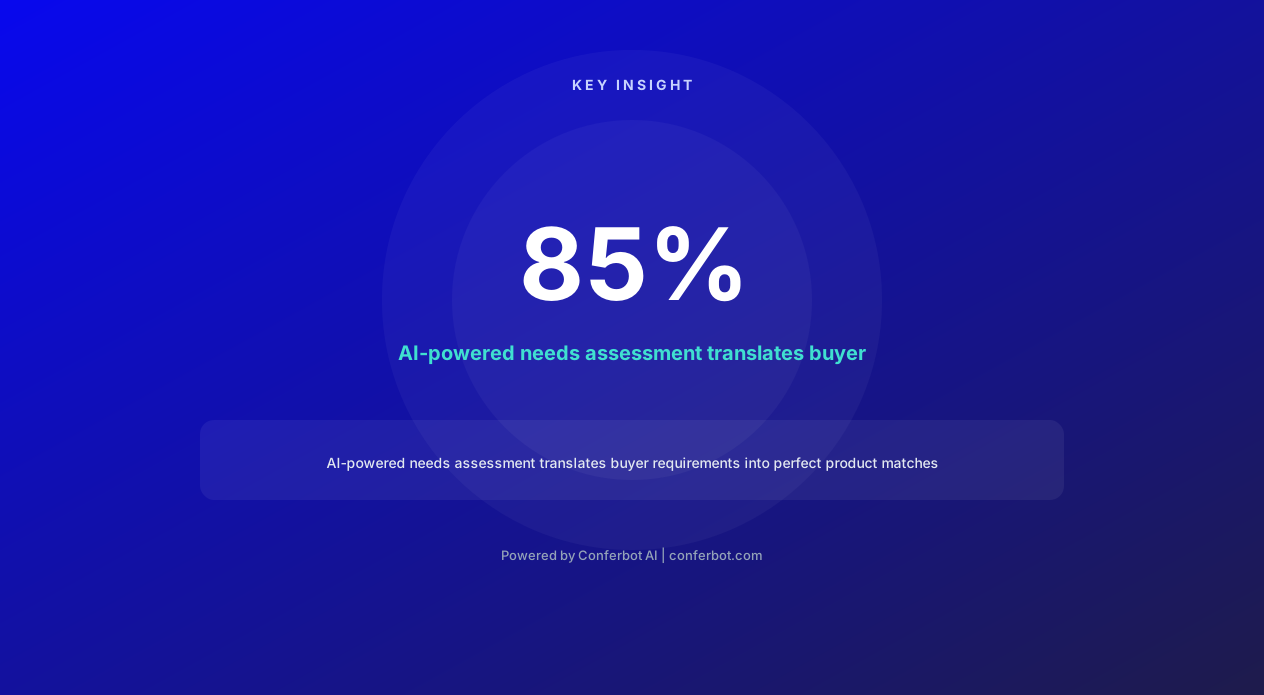
Technology purchasing decisions are uniquely challenging for consumers. The average consumer spends 79 hours researching before a major technology purchase (Gartner, 2026), visiting 12+ websites, reading dozens of reviews, and still feeling uncertain about their choice. The problem is not lack of information — it is information overload. Specifications are incomprehensible to non-technical buyers ("Is 16GB RAM enough? What is the difference between an i7 and an M3? Do I need NVMe or is SATA fine?"), reviews are contradictory, and products become outdated months after release. Buyers need guidance, not more data.
For retailers and technology companies, this research paralysis directly impacts revenue. 67% of technology purchase journeys end in abandonment because the buyer could not determine which product matched their needs with sufficient confidence to commit. The ones who do purchase often select based on price alone — not because price is their only criterion, but because it is the only specification they fully understand. This results in returns, dissatisfaction, and lost upsell opportunities.
The tech product recommendation chatbot deployed on your website eliminates this paralysis by translating buyer needs into product specifications, filtering thousands of options down to 2-3 perfect matches, and explaining why each recommendation fits their specific situation. Built with Conferbot's AI chatbot builder, it combines the knowledge of your best sales consultants with the availability and scalability of an AI system — converting confused browsers into confident buyers who purchase more, return less, and recommend your store to others.
Needs Assessment: Understanding What the Buyer Actually Needs
Most technology buyers cannot articulate their needs in technical terms — and they should not have to. A parent shopping for a laptop for their college-bound student does not know they need "16GB RAM, 512GB NVMe SSD, and integrated Intel Iris Xe graphics." They know they need "something that handles writing papers, running Zoom, and does not die after a year." The chatbot bridges this gap by conducting a conversational needs assessment that translates real-world use cases into technical requirements.
Use-Case-Driven Questioning
The chatbot opens with context questions, not specification questions:
"Who will be using this device?" — A college student, a small business owner, a creative professional, a gamer, or an enterprise team. Each persona maps to different performance, portability, durability, and software requirements.
"What will you use it for most?" — Web browsing and email, document creation, video conferencing, photo/video editing, gaming, software development, data analysis, or a combination. Each use case has minimum specification thresholds the chatbot knows.
"Where will you use it?" — Mostly at a desk (weight and battery less important, screen size and ports more important), traveling frequently (lightweight, long battery, durable), or splitting between home and office (portable but with docking capability).
"What do you use currently and what frustrates you?" — This reveals specific pain points to address: "My current laptop is always running out of storage" points to larger SSD needs. "It takes forever to open programs" suggests RAM or CPU upgrade needs. "The battery dies in meetings" defines battery life as a priority.
Implicit Requirement Detection
Beyond explicit answers, the chatbot infers requirements from context:
When a buyer mentions working from home: Webcam quality, microphone quality, and video conferencing performance become requirements — even if the buyer did not explicitly mention them.
When a buyer mentions children: Durability, parental controls, and warranty coverage become factors.
When a buyer mentions multiple monitors: Port availability (HDMI, DisplayPort, USB-C), graphics capabilities, and docking station compatibility become requirements.
When a buyer mentions specific software: The chatbot knows the system requirements for popular applications — Adobe Creative Suite needs 16GB+ RAM and dedicated GPU, QuickBooks runs fine on basic hardware, AutoCAD requires a workstation-class GPU.
Progressive Depth
For technically sophisticated buyers who want to specify exact requirements, the chatbot adapts. If someone says "I need at least 32GB DDR5, an RTX 4070 or better, and Thunderbolt 4," the chatbot skips the use-case questions and moves directly to filtering products against their stated specifications. It recognizes technical literacy and adjusts its conversation depth accordingly — never condescending to experts, never overwhelming beginners.
Specification Comparison: Making Technical Data Understandable
Technology specifications are meaningless to most buyers. "8-core M3 Pro with 18GB unified memory" and "Intel Core i7-14700H with 16GB DDR5" are incomprehensible unless you already know enough to not need a recommendation. The chatbot translates specifications into practical implications — not what the spec is, but what it means for the buyer's daily experience.
Spec-to-Benefit Translation
When comparing products, the chatbot frames every specification in terms of buyer impact:
Instead of "16GB vs 32GB RAM": "Both laptops handle your daily work smoothly. The 32GB option matters if you keep 30+ browser tabs open while running Photoshop — if that sounds like you, the upgrade is worth it. If you typically use 5-10 tabs with standard office apps, save the $200 and go with 16GB."
Instead of "4K OLED vs 2K IPS": "The OLED screen has richer colors and true blacks — noticeably better for watching movies and editing photos. The IPS screen is perfectly good for office work and web browsing, and it has better battery life because OLED uses more power. For your photo editing hobby, I would recommend the OLED."
Instead of "NVMe Gen 4 vs SATA SSD": "Both feel fast for opening apps and starting up. The NVMe is 6x faster on paper, but in daily use, you would only notice the difference when transferring large video files or loading massive game worlds. For your use case — office work and web browsing — the cheaper SATA drive feels identical."
Side-by-Side Comparison Tables
When a buyer is choosing between 2-3 finalists, the chatbot generates a comparison that highlights the meaningful differences:
| What Matters to You | Option A: MacBook Air M3 | Option B: Dell XPS 14 | Option C: ThinkPad X1 Carbon |
|---|---|---|---|
| Battery life (your commute) | 18 hours (best) | 12 hours (good) | 14 hours (very good) |
| Video editing performance | Excellent (M3 chip) | Very good (i7 + iGPU) | Good (sufficient for hobby) |
| Weight (travel priority) | 1.24 kg (lightest) | 1.46 kg (light) | 1.12 kg (lightest class) |
| Port variety | Limited (USB-C only) | Good (USB-C + USB-A + HDMI) | Excellent (full port selection) |
| Repairability/upgradability | None (sealed) | Limited (RAM soldered) | Moderate (SSD replaceable) |
| Price | $1,299 | $1,449 | $1,389 |
This comparison shows only the factors that matter for this specific buyer's stated needs — not the 47 specifications that product pages list but that are irrelevant to their decision.
Benchmark Contextualization
When buyers ask about benchmarks ("Is this laptop fast enough?"), the chatbot contextualizes rather than citing numbers. "This laptop scores in the top 15% for multi-core performance — in practical terms, it handles Premiere Pro video exports about 40% faster than your current laptop, and you will never wait for it during office work. It is more than enough for your needs for the next 4-5 years." Context-driven performance framing is far more useful than abstract benchmark scores.
Ready to try Tech Product Recommendation Guide?
Deploy this template in under 10 minutes. No coding required.
Use This Template Free →Budget Matching: Maximizing Value at Every Price Point
Budget is the ultimate constraint for most technology purchases, yet buyers rarely know what realistic budget expectations are for their needs. They may have a $500 budget for a laptop that actually requires $900 to meet their requirements, or they may be prepared to spend $2,000 on a laptop where $1,200 covers everything they need. The chatbot navigates this tension with transparency — helping buyers understand what their budget can realistically deliver and where spending more (or less) actually impacts their experience.
Budget Expectation Calibration
When a buyer states their budget, the chatbot evaluates whether it aligns with their stated needs:
Budget exceeds needs: "Great news — your requirements are well within your $1,500 budget. I can recommend excellent options in the $900-1,100 range that cover everything you need, or we can look at the $1,300-1,500 range if you want premium build quality and future-proofing. Would you like to see both tiers?"
Budget matches needs: "Your $1,200 budget aligns well with your requirements. I have 3 strong options that deliver everything you need without compromise at this price point."
Budget below needs: "I want to be transparent — meeting all your requirements (video editing, 15-inch screen, long battery life) typically requires $1,400-1,600. At your $1,000 budget, we would need to compromise on one area. Would you prefer to: (A) reduce screen size to 14 inches, (B) accept shorter battery life, or (C) choose a slightly less powerful processor that still handles editing but slower? I can show you the best option for each compromise."
Value Optimization
The chatbot identifies where money is well-spent versus wasted for each buyer's specific situation:
Worth spending more on: Features the buyer will use daily and that impact their experience — faster storage for a developer, better display for a designer, longer battery for a traveler, build quality for someone keeping the device 5+ years.
Not worth spending more on: Features that sound impressive but deliver negligible real-world benefit for this buyer — 4K resolution for someone who primarily writes documents, 64GB RAM for someone who uses Chrome and Office, a dedicated GPU for someone who does not game or edit video.
This honest guidance builds enormous trust. Unlike traditional retail where upselling is the default behavior, the chatbot recommends spending less when more money would not improve the buyer's experience. This counter-intuitive honesty increases buyer confidence, reduces returns, and generates loyalty — buyers remember and return to stores that recommended the right product rather than the most expensive one.
Total Cost of Ownership
The chatbot considers TCO beyond the sticker price:
Accessories needed: "This laptop only has USB-C ports, so you will need a $50 adapter for your existing monitor. The Dell alternative has HDMI built in — factor that into your price comparison."
Warranty and support: "AppleCare adds $249 but covers accidental damage for 3 years. Given that you mentioned your current laptop has a cracked screen, the coverage might be worth considering."
Software costs: "This Windows laptop needs a $99/year Microsoft 365 subscription for Office. The MacBook includes free equivalents (Pages, Numbers, Keynote) — factor in 3-5 years of subscription costs when comparing total investment."
Longevity: "Spending $200 more for 32GB RAM may extend this laptop's usable life by 2 additional years as software requirements grow — at $100/year of extra value, that is excellent ROI."
Compatibility Checking: Ensuring Everything Works Together
Technology compatibility is a hidden minefield for buyers. A new laptop might not work with their existing monitor without an adapter, a new phone might not sync with their car's Bluetooth system, or a new router might not support their smart home devices' protocol. The chatbot proactively checks compatibility with the buyer's existing technology ecosystem before recommending a product — preventing the frustration of purchasing something that does not integrate with what they already own.
Ecosystem Assessment
The chatbot asks about the buyer's current technology environment to identify potential compatibility issues:
"What devices do you currently use that need to work with this new purchase?" — Monitors, printers, external drives, phones, tablets, smart home devices, peripherals, and existing software licenses all create compatibility constraints that the chatbot maps.
"Are you in any particular ecosystem?" — Apple, Google, Microsoft, or mixed. Ecosystem alignment affects cloud storage, messaging, file sharing, peripheral compatibility, and device handoff features. The chatbot factors ecosystem lock-in into its recommendations.
"What software is essential for your work?" — Some critical software is platform-specific (Final Cut Pro is macOS only, certain enterprise software requires Windows), or has significantly different performance on different operating systems. The chatbot verifies software compatibility before recommending hardware.
Proactive Compatibility Warnings
When the chatbot identifies a potential compatibility issue, it surfaces it before the buyer commits:
Port compatibility: "This laptop only has USB-C ports. Your existing monitors use HDMI, and your external drive uses USB-A. You will need a multiport hub ($35-60) to connect everything. Alternatively, the HP EliteBook has both USB-C and USB-A ports built in and includes HDMI — no hub needed."
Software compatibility: "You mentioned using Microsoft Access for your business database. Access is not available on macOS. If the Mac ecosystem appeals to you, you would need to either run Windows in a virtual machine (adds complexity) or migrate your database to a cross-platform solution (significant project). I would recommend staying with Windows given your Access dependency."
Protocol compatibility: "This router uses WiFi 7, which is backward-compatible with all your current devices. However, your Ring doorbell and Nest thermostat only support 2.4GHz WiFi — make sure to keep the 2.4GHz band enabled during router setup, or these devices will disconnect."
Future Compatibility Considerations
Beyond current compatibility, the chatbot advises on future-facing standards:
Upcoming standard transitions: "USB-C is becoming the universal standard — the EU mandated it for all devices starting 2024. Buying a laptop with USB-C now means you will not need adapters for future peripherals."
Planned ecosystem changes: "If you are considering switching from Android to iPhone next year, this Windows laptop will still sync files and photos via iCloud for Windows. But if you are going all-Apple, a MacBook's integration features (AirDrop, Handoff, Universal Clipboard) add significant convenience."
Protocol evolution: "WiFi 7 devices are still rare in 2026, but this router will serve you well for 5-7 years as your devices gradually upgrade. The WiFi 6 alternative saves $80 today but may need replacement sooner as bandwidth demands grow."
Complete Feature Matrix: Tech Recommendation Chatbot Capabilities
The tech product recommendation chatbot combines conversational commerce, technical knowledge, and personalized guidance into a single assistant that transforms the technology buying experience. Below is the comprehensive capability matrix.
| Feature | Description | Operational Benefit | Customer Benefit |
|---|---|---|---|
| Needs Assessment Engine | Use-case-driven questioning that translates buyer needs into technical requirements | Higher conversion from qualified recommendations | No technical knowledge required to find the right product |
| Spec Translation | Converts technical specifications into practical, understandable implications | Reduced returns from misunderstood capabilities | Understand what specs actually mean for daily use |
| Budget Optimization | Honest value guidance at every price point with TCO analysis | Higher AOV from informed upsells, fewer budget-mismatch returns | Confidence that money is well-spent, no hidden costs |
| Compatibility Verification | Proactive checking against existing ecosystem and peripherals | Eliminated compatibility-related returns and support tickets | Everything works together on day one |
| Future-Proofing Advice | Longevity assessment based on industry trends and planned obsolescence patterns | Customer loyalty from products that last (they return for next purchase) | Investment protected for 4-5+ years |
| Vendor Comparison | Objective comparison across brands with warranty, support, and reliability data | Trust-building through perceived objectivity | Unbiased guidance across all brands |
| Setup Guidance | Post-purchase configuration instructions tailored to buyer's ecosystem | Reduced post-sale support tickets | Smooth setup experience on day one |
| Seasonal Timing Advice | Historical pricing data and upcoming release cycle intelligence | Reduced price-match claims and buyer's remorse | Buy at the right time for best value |
| Accessory Recommendations | Context-aware accessory suggestions based on buyer's use case | Increased average order value through relevant bundles | Complete solution rather than missing pieces |
| Expert Escalation | Seamless handoff to human specialists for complex enterprise decisions | Specialist time reserved for high-value consultations | Access to deep expertise when needed |
Product Database Integration
The chatbot connects to your product catalog through Conferbot's API integration layer:
Real-time inventory: Only recommends products currently in stock, with accurate delivery estimates. Nothing is more frustrating than falling in love with a recommendation only to discover it is out of stock.
Live pricing: Reflects current prices, active promotions, bundle deals, and loyalty discounts. Recommendations include the actual price the buyer will pay, not list prices that may not reflect current offers.
Specification database: Full technical specifications for comparison, updated as manufacturers release new models or firmware updates change capabilities.
Review aggregation: Summarized review sentiment, reliability data, and common complaints for each product, giving the chatbot real-world usage data beyond specifications.
For retailers with thousands of SKUs, the chatbot narrows the full catalog down to 2-4 targeted recommendations — transforming an overwhelming product grid into a curated, justified shortlist that the buyer can confidently choose from.
50,000+ businesses use Conferbot templates to automate conversations
Before and After: Measurable Impact on Technology Retail
Technology retailers deploying recommendation chatbots see transformative improvements across conversion, satisfaction, and operational efficiency. Below are metrics from retailers spanning consumer electronics, enterprise technology, and specialty tech stores.
| Metric | Before (Self-Service Browsing) | After (Chatbot-Guided) | Improvement |
|---|---|---|---|
| Conversion rate | 2.3% of visitors purchase | 4.8% of visitors purchase | +109% increase |
| Average order value | $487 per order | $692 per order | +42% increase |
| Return rate | 18% products returned | 7% products returned | -61% reduction |
| Time to purchase decision | 12-15 days research | 1-3 days (often same session) | -85% reduction |
| Customer satisfaction (CSAT) | 3.4/5 with purchase | 4.6/5 with purchase | +35% improvement |
| Post-purchase support tickets | 34% of buyers contact support | 12% of buyers contact support | -65% reduction |
| Repeat purchase rate | 22% return within 12 months | 41% return within 12 months | +86% increase |
| Cart abandonment | 72% abandon cart | 48% abandon cart | -33% reduction |
Revenue Impact Analysis
Consider a technology retailer with 100,000 monthly website visitors. Before the chatbot: 2,300 conversions at $487 AOV = $1,120,100 monthly revenue. After the chatbot: 4,800 conversions at $692 AOV = $3,321,600 monthly revenue. That is a $2.2 million monthly revenue increase — driven by both higher conversion (buyers who would have left now purchase) and higher AOV (buyers who would have chosen the cheapest option now choose the right option, which is often more expensive).
The return rate reduction adds further value. At 18% returns on $487 AOV, the retailer previously processed $201,942 in monthly returns (with associated shipping, restocking, and depreciation costs). At 7% returns, that drops to $232,344 on the larger revenue base — a lower absolute return cost despite 3x the sales volume. The chatbot's recommendations are simply more likely to satisfy buyers because they match actual needs rather than price-driven impulse decisions.
Qualitative Customer Experience Improvements
Decision confidence: Post-purchase surveys show 89% of chatbot-guided buyers feel "very confident" in their purchase, compared to 47% of self-service buyers. This confidence reduces buyer's remorse and post-purchase second-guessing that drives returns.
Reduced anxiety: Technology purchasing is stressful because the stakes are high (expensive, used daily, hard to switch). The chatbot's reassurance and expertise reduces purchase anxiety: "Based on everything you have told me, this is genuinely the best option for you. Here is specifically why it will serve you well for the next 4-5 years."
Trust and loyalty: When the chatbot recommends spending less than the buyer's budget — "You do not need the Pro model for your use case, the standard model is perfectly sufficient and saves you $400" — it builds deep trust. These buyers become loyal advocates who return for every future technology purchase because they trust the store's recommendations.
Vendor Comparison and Brand Guidance
Brand selection adds another dimension of complexity to technology purchasing. Is Dell more reliable than HP? Is Apple worth the premium over Windows? Is Samsung better than LG for TVs? These brand-level questions have nuanced answers that depend on the buyer's priorities — and brand marketing makes objective evaluation difficult. The chatbot provides honest, data-driven brand guidance based on reliability data, warranty quality, support experience, and category-specific strengths.
Brand Strength Mapping
Rather than declaring any brand universally "best," the chatbot maps brand strengths to buyer priorities:
Reliability priority: "For laptops you need to last 5+ years with minimal issues, Apple and Lenovo ThinkPad have the highest reliability ratings — failure rates below 8% in years 1-3. Dell and HP are solid middle-ground options. Budget brands show 15-20% failure rates in the same period."
Support priority: "If excellent support matters to you — fast response, in-person service options, minimal hassle — Apple (Genius Bar), Lenovo (on-site business warranty), and Dell (ProSupport) lead the field. Budget brands typically offer phone-only support with longer wait times."
Value priority: "For maximum specifications per dollar spent, Lenovo IdeaPad, Acer Aspire, and ASUS VivoBook consistently offer 20-30% more performance than equivalently-priced Dell or HP models. The trade-off is typically build quality — plastic instead of aluminum, slightly less premium feel."
Innovation priority: "If having the latest technology features matters — newest chips, unique form factors, experimental displays — Apple, Samsung, and ASUS tend to release new technology first, with other brands following 6-12 months later."
Category-Specific Brand Recommendations
Brand strength varies significantly by product category. The chatbot applies category-specific knowledge:
Business laptops: Lenovo ThinkPad, Dell Latitude, HP EliteBook — enterprise reliability, management features, business-grade security.
Creative workstations: Apple MacBook Pro, Dell XPS, ASUS ProArt — display accuracy, CPU/GPU performance, creative software optimization.
Gaming: ASUS ROG, MSI, Razer — thermal design, GPU performance, high-refresh displays.
Budget value: Acer, ASUS, Lenovo IdeaPad — maximum specs per dollar with acceptable build quality compromises.
Objectivity and Trust
The chatbot's perceived objectivity is its greatest trust asset. Unlike a salesperson who might push whatever brand offers the highest commission, the chatbot recommends based purely on the buyer's stated needs. When it recommends a premium brand, it explains specifically why the premium is justified for this buyer. When it recommends a budget option, it confirms that the buyer would not benefit from spending more. This consistent honesty — sometimes recommending the expensive option, sometimes the cheap one — builds credibility that drives conversion and loyalty far more effectively than always pushing premium products.
Future-Proofing Advice: Protecting the Technology Investment
Technology purchases are investments that buyers expect to last 3-7 years. But technology evolves rapidly — what seems adequate today may be painfully slow in 2-3 years as software demands increase, new standards emerge, and workloads grow. The chatbot provides forward-looking guidance that helps buyers make purchases they will not regret in 2028 or 2029, based on industry trend analysis and historical patterns of how requirements escalate over time.
Requirement Growth Projection
The chatbot applies historical patterns to project future needs:
RAM requirements: Application memory usage has grown approximately 15-20% annually over the past decade. A buyer who is comfortable with 8GB today will likely feel constrained within 2 years. The chatbot factors this growth into recommendations: "8GB is fine for your current usage, but based on how browser and application memory usage grows each year, I would recommend 16GB to stay comfortable for 4-5 years. The $100 upgrade cost averages to $20-25/year of extra useful life."
Storage needs: Photo resolution, video quality, application sizes, and cloud sync requirements all grow. The chatbot estimates storage trajectory: "You are using 200GB currently. Photos and documents typically grow 50-100GB per year. A 512GB drive gives you 2-3 years of comfort; 1TB gives you 5+ years without external storage hassles."
Display standards: Content resolution continues climbing. "4K content is becoming standard in 2026. A 1080p display is fine for productivity, but if you watch streaming content or edit photos, a 4K or QHD display will feel more relevant over time as content sources shift to higher resolution."
Technology Cycle Awareness
The chatbot understands product release cycles and advises on timing:
Imminent releases: "Apple typically releases new MacBooks in October-November. If you can wait 6 weeks, the next generation will likely offer 15-20% better performance at the same price, or the current model will drop $100-200."
Mid-cycle sweet spot: "This product launched 4 months ago and has had initial firmware issues resolved. It is in the 'sweet spot' — new enough to have years of software support ahead, mature enough to have early bugs fixed."
End-of-life warnings: "This model is 18 months old and likely to be replaced within 3 months. I would not recommend buying it at full price — either wait for the successor or negotiate a 15-20% discount as retailers clear inventory."
Upgrade Path Planning
For products that support upgrades, the chatbot advises on the most cost-effective initial configuration with planned upgrades:
Buy now, upgrade later: "This desktop lets you start with 16GB RAM and upgrade to 64GB later when prices drop. But the CPU and GPU cannot be upgraded — invest in those now and save on RAM for a future $80 upgrade."
Sealed vs. upgradeable: "This laptop's RAM and SSD are soldered — what you buy is what you get forever. Given your 5-year timeline, I strongly recommend the 32GB/1TB configuration now rather than the 16GB/512GB base model that will feel limiting by 2029."
Future-proofing advice transforms the chatbot from a transactional recommendation tool into a trusted technology advisor — someone who helps buyers think long-term about their investment rather than just satisfying today's needs. This advisory relationship drives repeat purchases: when it is time for the next technology purchase in 3-5 years, these buyers return to the advisor they trust.
Implementation Guide: Deploying the Tech Recommendation Chatbot
Deploying the tech product recommendation chatbot requires product catalog integration and recommendation logic configuration. The most effective implementations combine rich product data with well-designed conversational flows that match your store's brand voice and customer base. Here is the implementation framework for 2026.
Phase 1: Product Catalog Setup (Week 1)
Catalog integration: Connect your product database through Conferbot's API integration. The chatbot needs: product names, specifications, prices, stock status, images, and category classifications. Most e-commerce platforms (Shopify, WooCommerce, Magento, BigCommerce) have pre-built connectors.
Specification enrichment: Beyond raw specs, add contextual data that powers the recommendation engine: use-case suitability scores, target audience tags, value-for-money ratings, and reliability metrics. This enrichment is what enables "translating" specs into buyer-relevant language.
Compatibility mapping: Define compatibility relationships between products — which laptops work with which docking stations, which phones work with which chargers, which routers support which smart home protocols. This data powers proactive compatibility checking.
Phase 2: Recommendation Logic (Week 2)
Persona configuration: Define your buyer personas and the needs-to-specs mapping for each. "College student" maps to: lightweight, long battery, 16GB RAM minimum, 256GB+ SSD, good webcam. "Creative professional" maps to: color-accurate display, 32GB+ RAM, dedicated GPU, Thunderbolt connectivity.
Decision tree design: Use the AI chatbot builder to create the conversational assessment flow. Start broad (use case, budget, brand preferences) and narrow toward specific recommendations. Each conversation path should reach a clear 2-3 product recommendation within 5-7 questions.
Comparison logic: Configure how the chatbot presents comparisons — which specifications to highlight for which buyer types, how to translate specs into benefits, and when to surface trade-offs versus keeping things simple.
Phase 3: Testing and Optimization (Week 3)
Scenario testing: Run through 20-30 buyer scenarios covering your key personas, edge cases (very low budgets, very high requirements, unusual compatibility needs), and technically sophisticated buyers who want direct spec access.
Recommendation validation: Have your most experienced sales staff review the chatbot's recommendations for 50 test cases. Are the recommendations what an expert would suggest? Where does the chatbot's logic diverge from human expertise? Refine accordingly.
A/B deployment: Launch with a 50/50 split — half your traffic sees the chatbot, half sees the standard product grid. Measure conversion rate, AOV, return rate, and satisfaction difference over 2-4 weeks before full deployment.
Ongoing Optimization
New product onboarding: As new products launch, add them to the catalog with full specification and use-case data. Update recommendations to include new options where they outperform existing recommendations.
Recommendation accuracy tracking: Monitor return rates for chatbot-recommended products versus self-selected products. Low return rates validate recommendation quality; any product with unusually high returns after chatbot recommendation indicates a logic error to investigate.
Seasonal adjustment: Before holiday seasons, back-to-school periods, and major product launches, review and optimize conversation flows for seasonal buyer patterns. A Black Friday shopper has different time pressure and deal-sensitivity than a February buyer doing careful research.
Tech Product Recommendation Guide FAQ
Everything you need to know about chatbots for tech product recommendation guide.
Why Use a Template vs Building from Scratch?
Templates encode years of optimization data into the conversation flow before you start.
| Factor | Conferbot Template | Build from Scratch | Hire a Developer |
|---|---|---|---|
| Time to deploy | 10 minutes | 2-8 hours | 2-6 weeks |
| Cost | Free | Your time | $5,000-$25,000 |
| Day-1 conversion | 15-22% | 5-8% | 10-15% |
| Proven flows | Yes, data-tested | No | Depends |
| Updates included | Automatic | Manual | Paid |
| Multi-channel | 8+ channels | 1 channel | Extra cost |
| Analytics | Built-in | Must build | Extra cost |
Ready to Deploy Tech Product Recommendation Guide?
Join 50,000+ businesses. Free forever plan available. No credit card required.