
Contract Review Assistant
Free Legal and Compliance Chatbot Template
Streamline your contract review process with Conferbot’s AI-powered Contract Review Assistant. Offering automated analysis, compliance checks, and 24/7 support, it boosts accuracy and efficiency for legal teams and businesses alike.



What Is a Contract Review Assistant Chatbot?
A contract review assistant chatbot is an AI-powered conversational tool that helps legal teams, in-house counsel, and business professionals triage, review, and extract key information from contracts through a guided dialogue. Rather than requiring a lawyer to read every incoming document end-to-end before a preliminary assessment, the assistant processes contract text, identifies critical clauses, flags non-standard provisions, and presents findings in a structured summary that enables faster, more informed decisions.
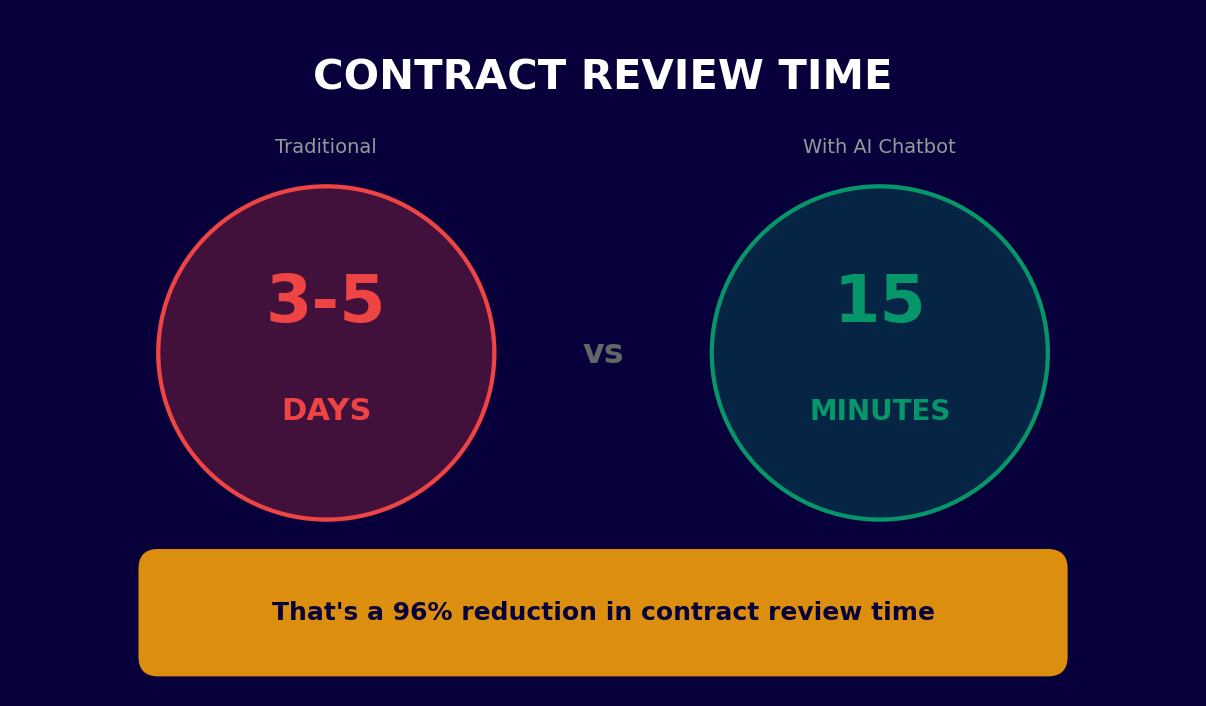
The volume of contracts that modern businesses handle has grown significantly. In 2026, the average mid-size company manages several thousand active contracts simultaneously -- vendor agreements, employment contracts, NDAs, SaaS subscriptions, lease agreements, and more. Each requires review, and the backlog this creates consumes disproportionate legal resources relative to the actual risk most of these documents carry. A contract review assistant changes this equation by handling first-pass review automatically, routing only genuinely complex or high-risk documents to senior counsel.
It is important to be precise about what a contract review assistant is and is not. It is a triage and information-extraction tool that applies defined rule sets to identify deviations from standard positions, extract key data points (parties, dates, obligations, liability caps, termination rights), and flag clauses that require human attention. It is not a substitute for legal advice and should not be used as the sole review mechanism for high-stakes transactions. Used correctly, it is a force multiplier for legal teams -- it handles the volume so lawyers can focus on judgment.
Conferbot's AI chatbot builder enables legal operations teams to deploy a contract review assistant that integrates with existing document management workflows, communicates findings through a conversational interface, and routes flagged contracts to the appropriate reviewer. The platform's NLP engine and AI integration enable contextual understanding of contract language, not just keyword matching.
How a Contract Review Assistant Works
The workflow of a contract review assistant is built around a structured intake, analysis, and reporting cycle that integrates into existing legal operations processes. Here is how each stage functions.
Step 1: Contract Intake and Classification
The review process begins when a contract is submitted to the assistant. Submission can happen through direct file upload in the chatbot interface, automated ingestion from a document management system via API integration, or email forwarding. The assistant first classifies the document type (NDA, employment agreement, SaaS subscription, lease, service agreement, etc.) using document structure analysis and language patterns. Classification determines which review playbook and clause library to apply.
Step 2: Clause Extraction and Identification
The AI engine parses the contract text and identifies named clauses using a combination of structural signals (section headings, numbering) and semantic understanding. It extracts the parties, effective date, governing law, jurisdiction, payment terms, liability caps, indemnification scope, IP ownership, termination rights, notice requirements, and any other attributes defined in the review playbook for that contract type. Extraction accuracy is a function of both the AI model's training and the quality of the playbook configuration.
Step 3: Deviation Detection and Risk Flagging
Extracted clause text is compared against the organization's standard positions -- the baseline contract terms that represent the acceptable default for each clause type. Deviations are classified by severity: minor (formatting or language variation with no substantive impact), moderate (terms that diverge from standard but within acceptable range), and significant (terms that require legal attention or negotiation). The assistant produces a deviation report with specific clause references and a plain-language explanation of why each deviation is flagged.
Step 4: Conversational Summary and Q&A
The assistant presents findings through a conversational interface. The reviewer can ask questions like "What is the liability cap in this agreement?" or "Does the indemnification clause cover third-party IP claims?" and receive specific answers with citations to the relevant contract sections. This conversational Q&A layer makes the review summary interactive rather than a static report the reviewer must read sequentially.
Step 5: Routing and Escalation
Based on the risk classification of the deviations found, the assistant routes the contract appropriately. Low-risk contracts with no significant deviations can be approved automatically within defined parameters. Moderate-risk contracts are routed to a paralegal or junior associate for confirmation. High-risk contracts are escalated directly to senior counsel with the deviation report pre-populated. This tiered routing reduces the review burden on senior lawyers while ensuring appropriate oversight.
Step 6: Audit Trail and Repository Update
Every review action -- submission, extraction, deviation flags, reviewer comments, approval decisions -- is logged in an immutable audit trail. Approved contracts are automatically filed in the document management system with extracted metadata attached as searchable attributes. This makes the contract portfolio fully searchable by any extracted field: find all contracts with governing law in California, all agreements where liability caps are below a threshold, or all NDAs expiring in the next 90 days.
Key Features of a Contract Review Assistant
The features that distinguish an effective contract review assistant from a basic document parser are those that support the practical realities of legal review workflows: accuracy, auditability, configurability, and integration with existing systems.
| Feature | Description | Operational Benefit |
|---|---|---|
| Clause library and playbooks | Configurable templates defining standard positions for each clause type by contract category | Ensures deviation detection reflects organization's actual legal standards |
| AI-assisted extraction | Semantic identification of clauses beyond keyword matching | Handles varied drafting styles and non-standard formats |
| Risk classification | Three-tier severity rating (minor / moderate / significant) for each deviation | Prioritizes reviewer attention on genuinely material issues |
| Conversational Q&A on contracts | Natural language answers to specific questions about contract content | Reduces time spent manually searching document text |
| Automated routing | Rules-based assignment to paralegal, associate, or senior counsel based on risk level | Eliminates manual triage and routing bottlenecks |
| Audit trail and logging | Immutable record of all review actions, decisions, and modifications | Supports compliance requirements and dispute resolution |
| Metadata extraction and indexing | Structured data output (parties, dates, obligations) stored as searchable attributes | Transforms contract portfolio into searchable intelligence |
| Expiry and obligation tracking | Automated alerts for upcoming renewals, termination windows, and obligation milestones | Prevents value leakage from missed deadlines |
Clause Library and Playbooks
The review playbook is the operational heart of the assistant. It defines what "standard" looks like for your organization across every clause type in every contract category. A well-configured playbook enables the assistant to distinguish between a liability cap that is below your standard threshold (flag for negotiation) versus a cap that is acceptable (pass). Conferbot's template includes pre-built playbooks for common contract types -- NDA, SaaS subscription, employment, professional services -- that legal teams can customize to reflect their specific standard positions.
Conversational Q&A on Contract Content
One of the most practically valuable features is the ability to ask the assistant direct questions about a specific contract. "What are the payment terms?" returns the extracted payment clause with a plain-language summary. "Is there a limitation of liability clause?" confirms presence and provides the clause text. "What is the notice period for termination?" extracts the exact figure. This Q&A interaction replaces manual text search and makes the review process significantly faster for routine inquiries.
Ready to try Contract Review Assistant?
Deploy this template in under 10 minutes. No coding required.
Use This Template Free →Compliance and Data Security
Contract data is among the most sensitive information an organization handles. Contracts contain commercially sensitive pricing, IP ownership terms, personnel information, and trade secrets. Any platform used to process contract data must meet rigorous security and compliance standards. This section covers the security architecture and compliance considerations relevant to deploying a contract review assistant.
Data Handling and Residency
Conferbot processes contract data through encrypted channels and does not retain contract text beyond the processing session unless explicitly configured for contract repository functionality. For organizations with data residency requirements -- particularly those subject to GDPR, UK GDPR, or state privacy laws -- it is essential to confirm that the AI processing infrastructure operates within the required geographic boundaries. Enterprise deployments support configuration of data residency to specific regions.
Access Controls and Role-Based Permissions
The assistant enforces role-based access controls that mirror your existing legal operations hierarchy. Paralegals can view extraction summaries and submit reviews for approval. Associates can approve low-risk contracts and escalate moderate-risk items. Senior counsel have full access including the ability to modify standard positions in the clause library. System administrators manage integrations and audit log access. These controls ensure that contract data is accessible only to personnel with a legitimate need.
Attorney-Client Privilege Considerations
Organizations using AI tools in legal workflows must consider attorney-client privilege implications. Communications with the contract review assistant that involve legal analysis should be treated as part of the privileged legal review process. Work product created by the assistant -- deviation reports, risk classifications -- is legal work product when prepared in anticipation of litigation or as part of a legal services engagement. Document your AI-assisted review process in your legal operations policies to protect privilege claims.
Audit Trail for Regulatory Compliance
Many regulated industries -- financial services, healthcare, government contracting -- require demonstrable review processes for contracts. The assistant's immutable audit trail records who submitted the contract, when it was processed, what deviations were identified, who reviewed those deviations, and what approval decision was made, with timestamps for every action. This audit trail satisfies common regulatory requirements for documented contract review processes and provides defensible evidence of due diligence.
Integration Security
Connections to document management systems, CRMs, and other business systems are made through authenticated API connections with least-privilege access principles. The assistant reads contract data from source systems using read-only credentials where possible, and writes only structured metadata (extracted fields, review status) back to destination systems. API credentials are stored encrypted and rotated on configurable schedules.
AI Model Transparency
For highly regulated industries, understanding which AI model is processing contract data and how it handles confidential information is a compliance requirement, not just a preference. Conferbot's OpenAI integration operates under enterprise API terms that prohibit the use of submitted data for model training, providing the confidentiality baseline required for legal document processing. Organizations with specific AI governance requirements should review the applicable data processing agreements before deployment.
Use Cases: NDA, Employment, SaaS, and Lease Contracts
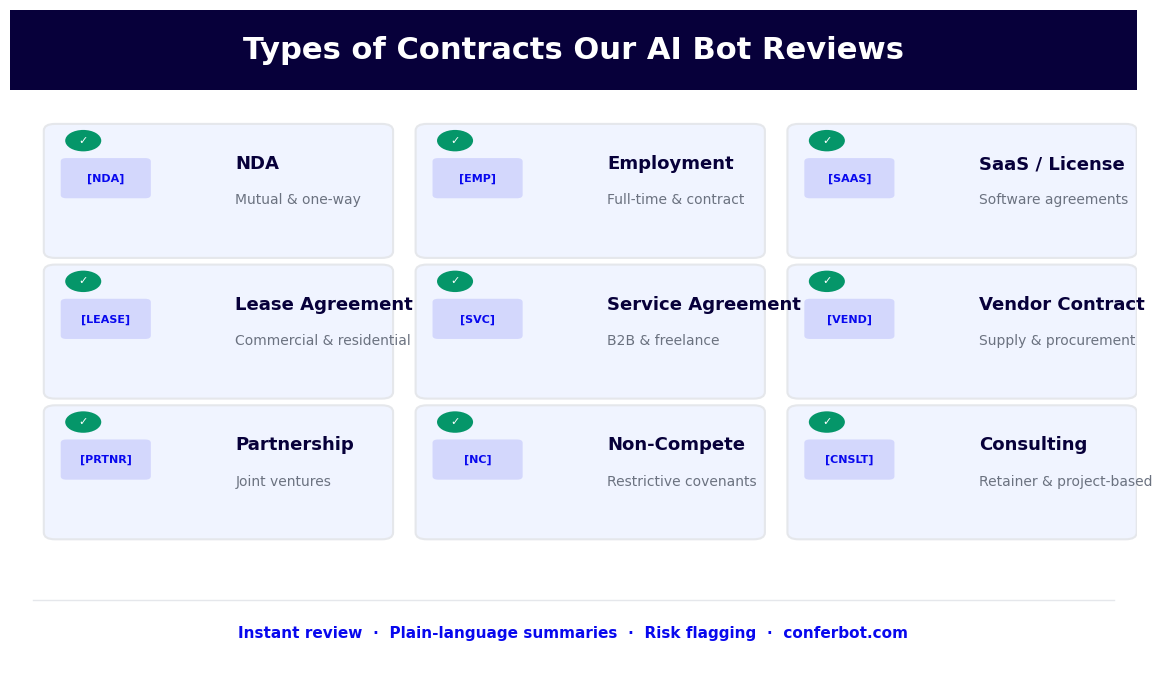
Contract review assistants are applicable across every category of commercial contract, but the review logic, key clauses, and risk profiles differ significantly by contract type. Here is how the assistant is configured and applied for the four most common categories.
Non-Disclosure Agreements (NDAs)
NDAs are the highest-volume contract type for most organizations -- they precede virtually every commercial relationship. The review burden is substantial but the individual risk is often low, making NDAs an ideal use case for automated review. The assistant's NDA playbook checks mutual vs. unilateral structure (ensuring the agreement aligns with the commercial context), the definition of confidential information (flagging overly broad or overly narrow definitions), exclusions from confidentiality obligations (verifying standard carve-outs are present), permitted disclosure to affiliates and advisors, the confidentiality period (flagging terms below standard minimums or without a defined end date), and return or destruction of confidential information obligations. NDAs that comply with standard positions can be approved without human review, eliminating a significant volume of routine legal work.
Employment Agreements
Employment contract review requires attention to jurisdiction-specific requirements as well as organizational policy compliance. The assistant reviews at-will employment language (or its absence in jurisdictions where it matters), compensation and bonus structure, equity terms including vesting schedules and acceleration provisions, IP assignment clauses (ensuring scope covers work done during employment without over-reaching into pre-existing IP), non-compete and non-solicitation terms (flagging clauses that may be unenforceable in specific jurisdictions), and termination provisions including notice periods and severance entitlements. The assistant flags provisions that conflict with current employment law in the governing jurisdiction, reducing compliance risk in high-turnover hiring scenarios.
SaaS Subscription Agreements
SaaS agreements are a common source of procurement risk because they are frequently non-negotiated vendor-form contracts with unfavorable terms that go unreviewed. The assistant's SaaS playbook focuses on data processing terms and DPA compliance (critical for organizations subject to GDPR), liability caps and carve-outs for indemnification claims, service level commitments and credit mechanisms, data portability and export rights (ensuring access to your own data on termination), auto-renewal and price escalation clauses, and acceptable use policy restrictions. Organizations with large SaaS portfolios use the assistant to process every incoming subscription agreement, ensuring no vendor is onboarded with unreviewed data processing terms.
Commercial Lease Agreements
Real estate leases are complex, long-duration contracts where missed provisions have long-term financial consequences. The assistant reviews base rent and escalation mechanics (CPI-linked, fixed percentage, or fair market value resets), permitted use clauses (ensuring operational flexibility for the tenant), assignment and subletting rights, maintenance and repair responsibilities, landlord's access rights, force majeure applicability to rent obligations, and early termination options and penalties. For organizations managing multi-location real estate portfolios, automated first-pass review of all new leases and renewals ensures consistent standards are applied and no material provisions are missed in the press of transaction timelines.
Integration with Document Management Systems
A contract review assistant's value compounds when it integrates with the document management and business systems already in use by the legal team. Isolated review tools create manual transfer work and data silos; integrated tools create a connected contract intelligence layer across the organization.
Document Management System Connectors
Conferbot's API integration framework connects the contract review assistant to major document management platforms including SharePoint, Google Drive, DocuSign, Ironclad, Conga, and custom DMS implementations. Contracts stored in these systems can be submitted directly to the review assistant through automated triggers (new file added to a designated folder, contract status change in a CLM platform, signature completion in DocuSign). Review results -- extracted metadata, deviation reports, risk classification, approval status -- are written back to the source system as structured attributes, making the contract portfolio searchable by any reviewed field.
CRM and ERP Integration
For sales-driven organizations, contract review should connect to the CRM workflow. When a sales contract is approved by legal, the assistant can trigger a status update in Salesforce or HubSpot, populate contract value and term data in the opportunity record, and notify the account owner. This closes the loop between legal review and commercial execution, reducing the delays that occur when contracts approved in one system are not reflected in another until someone manually updates the record.
E-Signature Platform Integration
The most common bottleneck after legal approval is routing the contract for signature. Conferbot's integration with DocuSign and similar e-signature platforms enables the assistant to automatically trigger the signature workflow for approved contracts, populate signer fields from extracted contract data, and record completion status back into the document management system. This automation eliminates the manual step of downloading an approved contract and re-uploading it to a signature platform.
Obligation Management
Extracted obligation data -- payment milestones, delivery deadlines, renewal notices, audit rights windows, regulatory reporting dates -- flows into a centralized obligation tracker. The assistant sends proactive alerts through Conferbot's omnichannel notification system: a WhatsApp or email alert 90 days before a contract renewal deadline, a calendar event for an upcoming audit rights exercise window, a reminder for a payment milestone due in 30 days. These alerts prevent the value leakage and compliance failures that occur when contract obligations are tracked only in spreadsheets or individual memories.
Analytics and Portfolio Intelligence
The metadata extracted from every reviewed contract -- governing law, liability caps, payment terms, contract value, counterparty, contract type -- populates a structured contract intelligence layer. Legal operations teams can query this data to understand portfolio-level risk exposure, identify the most common non-standard terms being accepted, benchmark contract cycle times, and prioritize renegotiation targets when economic conditions change. Conferbot's analytics dashboard surfaces this intelligence in a format accessible to both legal and business stakeholders.
50,000+ businesses use Conferbot templates to automate conversations
ROI and Business Case for Contract Review Automation
Legal teams operate under constant pressure to do more with the same or fewer resources. Contract review automation is one of the highest-ROI investments available to legal operations because the volume of work is high, the tasks are repetitive, and the cost of human review is significant. Here is how to build the business case.
Time Savings per Contract
The average time for a paralegal or junior associate to perform a first-pass review of a standard NDA is 30-45 minutes. For a SaaS subscription agreement with data processing terms it is 60-90 minutes. For an employment agreement it is 45-60 minutes. A contract review assistant reduces first-pass review time by 70-80% for standard contract types, taking the NDA review from 40 minutes to 8-10 minutes. For a legal team processing 200 NDAs per month, this saves roughly 120-130 hours of paralegal time monthly -- equivalent to the full-time capacity of a senior paralegal.
Cost per Contract Review
At a fully-loaded cost of $80-120 per hour for a paralegal and $250-400 per hour for a junior associate, the cost of manual first-pass review is significant at scale. A contract review assistant reduces this per-contract cost by 70-80%. For high-volume contract categories -- NDAs, standard vendor agreements, SaaS subscriptions -- the cost savings per contract are immediate and compounding. Organizations with external counsel handling routine review see even larger savings, as law firm rates typically run $400-600 per hour for associates performing equivalent work.
Cycle Time Reduction
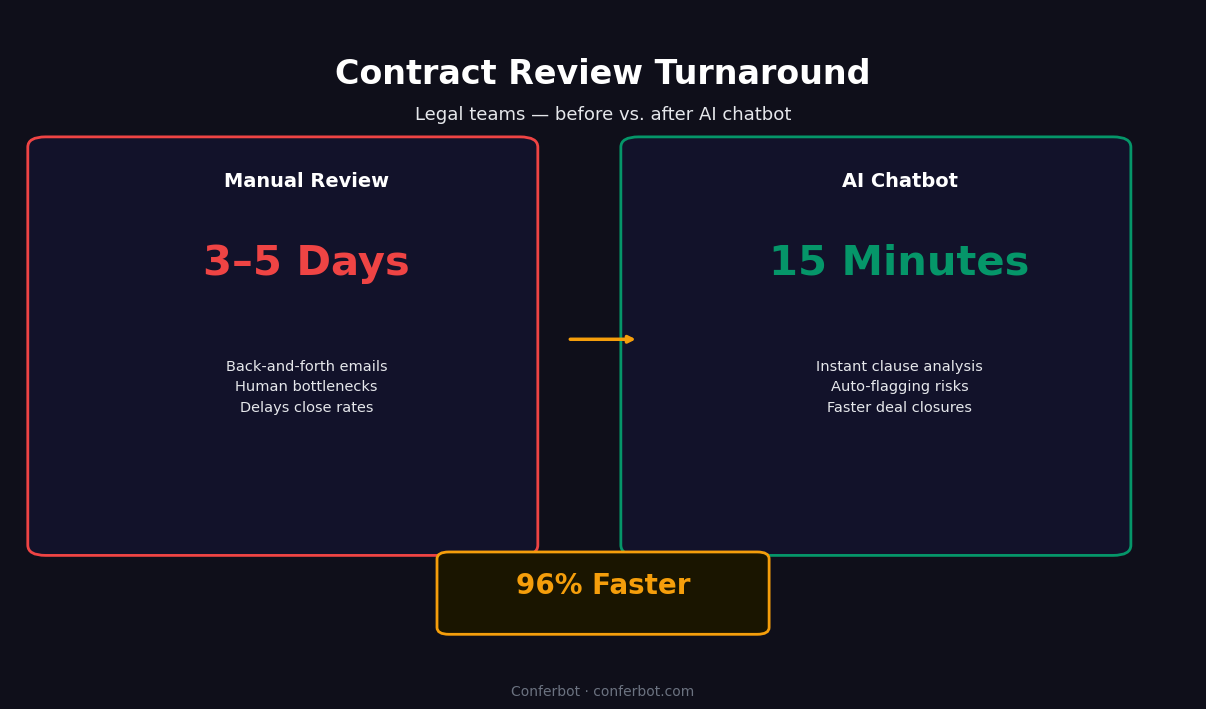
Contract review bottlenecks impose a real cost on the business -- delayed vendor onboarding, stalled deal closings, deferred project starts. Reducing legal review cycle time from 5-7 business days to 1-2 days has quantifiable commercial value: faster time-to-revenue for sales contracts, faster access to critical vendor services, and reduced negotiation friction that improves counterparty relationships. Business stakeholders who regularly experience legal review delays are often strong advocates for contract review automation investment.
Risk Reduction Value
Manual review processes miss things. When a team is processing high volumes of contracts under time pressure, non-standard clauses get through. The value of risk reduction is harder to quantify than time savings, but the cost of a single missed unfavorable liability clause, a data processing agreement that violates GDPR, or a non-compete that is unenforceable in the relevant jurisdiction can easily exceed the annual cost of a contract review assistant. Consistent, systematic review of every contract against defined standard positions reduces this tail risk.
Justifying the Investment
Use the ROI calculator to model the specific return for your organization based on your contract volumes, average review times, and personnel costs. View the Conferbot pricing page for platform costs at your scale. For most legal operations teams processing more than 50 contracts per month, the payback period for a contract review assistant is under three months. For teams processing 200 or more contracts per month, it is typically under six weeks.
Setup Guide: Deploying Your Contract Review Assistant
Deploying a contract review assistant is a structured implementation process that differs from consumer-facing chatbot deployments. The primary setup work is in configuring the clause library and playbooks to reflect your organization's actual legal standards. Here is the step-by-step process.
Step 1: Define Your Scope and Contract Types
Start by identifying the contract categories you want the assistant to review and prioritize by volume and risk. High-volume, lower-risk categories (NDAs, standard vendor agreements) are ideal starting points because they generate the largest time savings with the lowest implementation risk. Document the contract types in scope and gather five to ten representative examples of each type from your existing contract repository. These examples will be used to test the assistant's extraction and deviation detection accuracy.
Step 2: Build Your Clause Library and Playbooks
Work with your legal team to define standard positions for each clause type in each contract category. For each clause, document: the preferred language (your standard form), the acceptable range (deviations that are acceptable without escalation), and the escalation triggers (deviations that require senior counsel review). This is the most time-intensive setup step, but it is also the most important -- the quality of your playbooks directly determines the accuracy and usefulness of the deviation reports. Conferbot's template provides pre-built playbooks for NDAs, SaaS agreements, employment contracts, and lease agreements that you can customize rather than building from scratch.
Step 3: Configure Integration with Your Document Systems
Connect the assistant to your document management system or email inbox using the API integration panel. Set up the automated submission triggers -- new files added to designated folders, contract status changes in your CLM, or manual submission through the chatbot interface. Configure the metadata write-back so that extracted contract data and review results are stored in your document management system as structured, searchable attributes.
Step 4: Test with Real Contracts
Run the representative contract samples through the assistant and review the extraction results and deviation reports. Identify any clauses where extraction is inaccurate or inconsistent, and refine the clause identification rules for those cases. Test the deviation detection by submitting contracts that include known non-standard terms and verifying that they are correctly flagged at the appropriate severity level. This testing phase typically requires two to three rounds of refinement before production accuracy meets the team's standards.
Step 5: Configure Routing and Notifications
Set up the routing rules that determine which risk level routes to which reviewer role. Configure notification channels -- WhatsApp, email, or Slack -- through Conferbot's integrations hub so that reviewers are notified promptly when a contract is assigned to them. Set up obligation tracking alerts for key contract milestones. Test the full routing workflow end-to-end with a sample contract at each risk level.
Step 6: Launch, Monitor, and Expand
Go live with the initial contract categories in scope. Monitor extraction accuracy and deviation detection rates weekly for the first month, refining playbooks based on any systematic misses. Track time savings and cycle time improvements to build the internal data needed to justify expanding the scope to additional contract types. Use the analytics dashboard to identify which contract types would benefit most from being added to the automated review scope based on volume and current manual review time.
Contract Review Assistant FAQ
Everything you need to know about chatbots for contract review assistant.
Why Use a Template vs Building from Scratch?
Templates encode years of optimization data into the conversation flow before you start.
| Factor | Conferbot Template | Build from Scratch | Hire a Developer |
|---|---|---|---|
| Time to deploy | 10 minutes | 2-8 hours | 2-6 weeks |
| Cost | Free | Your time | $5,000-$25,000 |
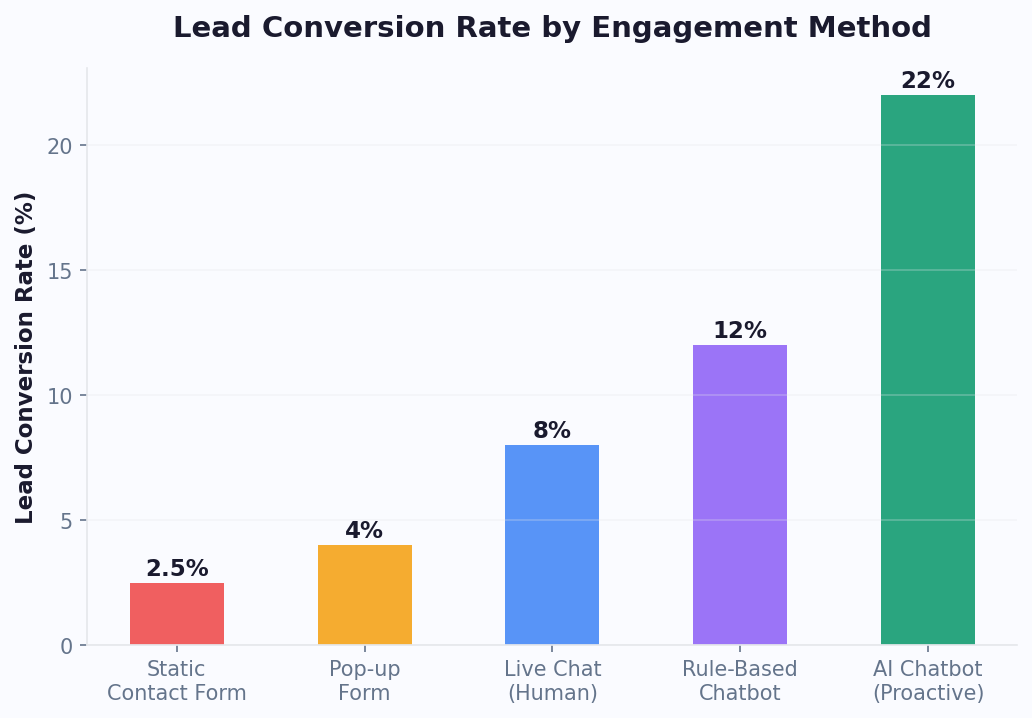
| Day-1 conversion | 15-22% | 5-8% | 10-15% |
| Proven flows | Yes, data-tested | No | Depends |
| Updates included | Automatic | Manual | Paid |
| Multi-channel | 8+ channels | 1 channel | Extra cost |
| Analytics | Built-in | Must build | Extra cost |
Related Legal and Compliance Templates
Explore more chatbot templates in this category



Ready to Deploy Contract Review Assistant?
Join 50,000+ businesses. Free forever plan available. No credit card required.