
Retirement Planning Assistant Chatbot
Free Finance Chatbot Template
A comprehensive retirement planning chatbot that helps users assess their current savings, project future growth, and receive personalized recommendations for reaching their retirement goals. Users input their age, savings, and contribution details to receive a detailed projection and actionable next steps. Perfect for financial advisors, retirement plan providers, and wealth management firms.


What Is a Retirement Planning Assistant Chatbot?
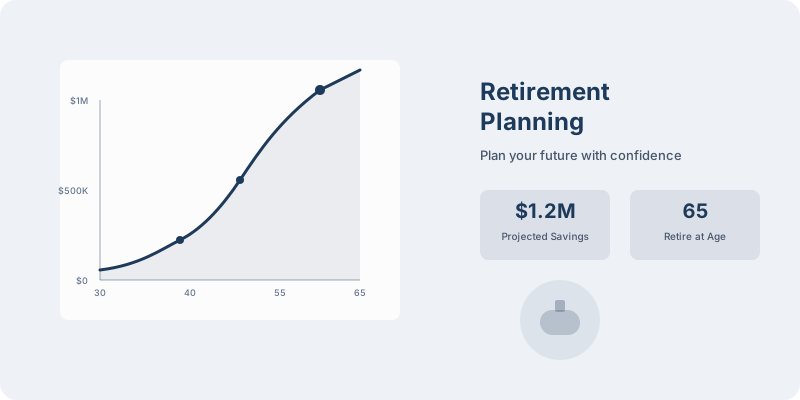
A retirement planning assistant chatbot is an AI-powered conversational tool deployed by financial services firms — banks, RIAs, broker-dealers, insurance companies, and credit unions — to guide clients through retirement readiness assessments, savings projections, account comparisons, and next-step recommendations. Unlike static retirement calculators, which require users to already understand the inputs, the chatbot conducts a structured interview, explains concepts as they arise, and delivers a personalized retirement snapshot that motivates action and drives qualified advisory appointments.
The Problem With Passive Retirement Tools
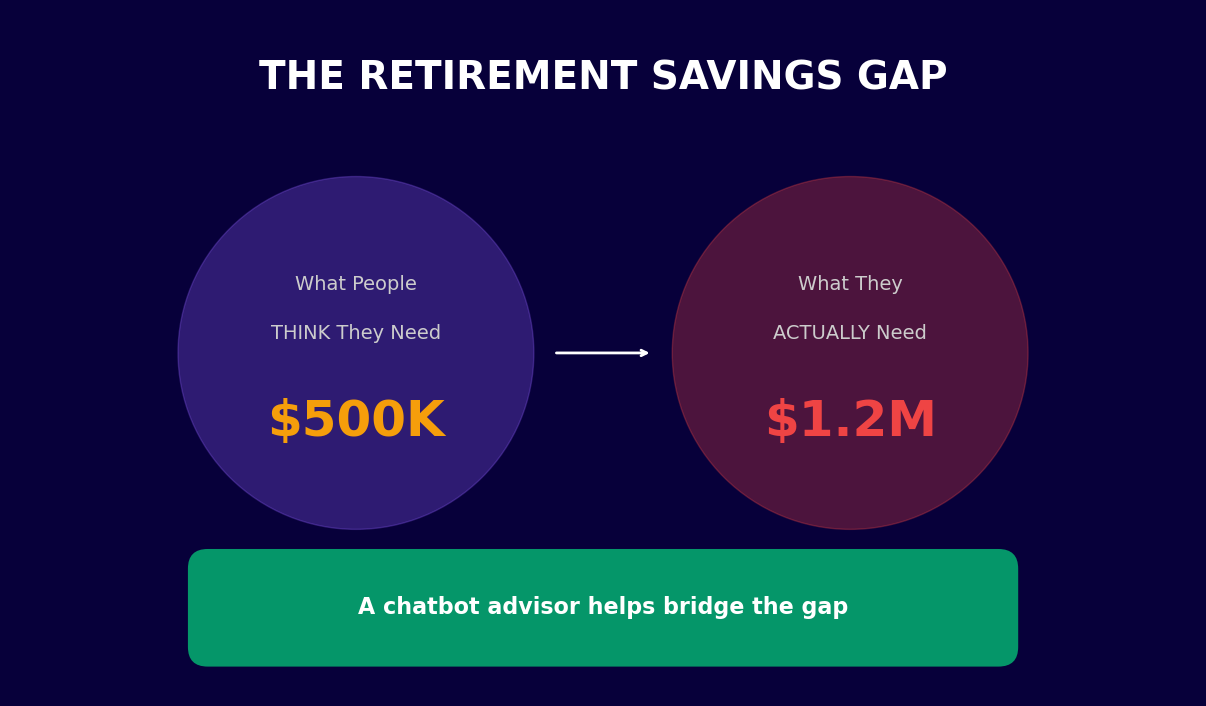
Financial institutions invest heavily in retirement planning tools that most clients never use. The average retirement calculator on a bank or brokerage website has an engagement rate below 4% and a completion rate below 12%. The reasons are consistent: clients do not know what to enter for "expected rate of return," they find the terminology intimidating, and when they do complete the form, the result is a number with no context or next step. A chatbot eliminates every one of these barriers.
When a client asks "Am I on track for retirement?" the chatbot asks about their current age, target retirement age, current savings, monthly contributions, and income needs in retirement — conversationally, with explanations at each step. It runs the projection, explains the gap or surplus in concrete monthly terms, and closes with a clear next step: "Based on your numbers, increasing your monthly contribution by $340 closes the gap completely. Want to schedule a 20-minute call with an advisor to review your allocation strategy?" This guided flow converts passive tool usage into active advisory engagement.
Who Deploys This Template
- Registered Investment Advisors (RIAs): Qualify prospects, identify planning needs, and book discovery calls at scale without adding advisor capacity.
- Banks and credit unions: Deepen existing customer relationships by surfacing retirement gaps and positioning proprietary products — IRAs, annuities, managed accounts — as solutions.
- Broker-dealers: Support advisor teams with a pre-meeting engagement tool that gathers client data and delivers an agenda for the advisory conversation.
- Insurance companies: Identify clients approaching retirement who may benefit from annuity products or long-term care coverage, and route them to the appropriate product specialist.
- FinTech platforms: Provide personalized retirement guidance as a value-added feature that increases user engagement and reduces churn.
Explore how Conferbot's AI chatbot builder handles the complex conditional logic required for multi-scenario retirement projections, and how the NLP engine interprets free-text financial questions without requiring users to use precise terminology.
How the Retirement Planning Assistant Works
The retirement planning assistant operates through a structured conversational assessment that collects seven to nine data points, runs a Monte Carlo-style projection model in the background, and delivers a personalized retirement readiness score with specific, actionable recommendations. Every question is designed to be answerable without financial expertise, and every answer triggers a context-aware response that builds the client's understanding progressively.
Conversation Flow Overview
| Step | Question Asked | Data Captured | Calculation Triggered |
|---|---|---|---|
| 1. Current age | "How old are you today?" | Current age | Years to retirement base calculation |
| 2. Target retirement age | "At what age would you like to retire?" | Target retirement age | Accumulation period (years to grow) |
| 3. Life expectancy horizon | "For planning purposes, how long do you want your retirement savings to last? (20 years / 25 years / 30 years / 35 years)" | Distribution period | Total nest egg requirement multiplier |
| 4. Retirement income need | "How much monthly income would you need in retirement to cover your lifestyle? (In today's dollars is fine)" | Target monthly income | Annual distribution need; inflation-adjusted future value |
| 5. Expected Social Security | "Do you expect to receive Social Security? If so, roughly how much per month?" | SS monthly benefit estimate | Gap between needed income and guaranteed income |
| 6. Current retirement savings | "What is the approximate total value of your current retirement accounts — 401(k), IRA, and similar?" | Current portfolio value | Future value projection with contribution growth |
| 7. Monthly contributions | "How much are you contributing to retirement accounts each month across all accounts?" | Monthly contribution amount | Contribution growth to retirement |
| 8. Employer match | "Does your employer match any of your 401(k) contributions? If yes, roughly how much per month?" | Employer match | Effective contribution rate; missed match alert |
| 9. Risk tolerance | "How would you describe your investment approach? (Conservative / Moderate / Growth / Aggressive)" | Risk profile | Expected return assumption for projection |
Projection Model
After collecting inputs, the chatbot runs a compound growth projection using the client's stated risk profile to set an expected annual return assumption (conservative: 4.5%, moderate: 6%, growth: 7.5%, aggressive: 9%). It calculates the projected portfolio value at retirement, compares it to the total capital needed to fund the client's stated income for their planning horizon, and expresses the result as a retirement readiness percentage and a monthly gap or surplus figure. The result screen explains the methodology in plain language: "At your current pace, your savings are projected to cover 73% of your retirement income needs. The monthly shortfall is $620. Here are three ways to close that gap."
Scenario Comparison
After the primary projection, the chatbot offers to model alternative scenarios: What if you retire at 67 instead of 65? What if you increase contributions by $200/month? What if markets return 1% less than expected? This scenario exploration keeps clients engaged, deepens their understanding of the key levers, and naturally surfaces product opportunities — a client who sees that an additional $200/month closes their gap entirely is motivated to open or increase a Roth IRA or increase their 401(k) deferral. Connect this flow to Conferbot's no-code builder to customize the projection logic for your firm's preferred model.
Key Features of the Retirement Planning Assistant Template
The retirement planning assistant template is not a single-purpose calculator. It is a full client engagement tool that handles projection modeling, product education, lead qualification, advisor routing, and compliance safeguards in one integrated flow. Here is a detailed look at every feature that makes this template production-ready for financial services firms.
Feature Matrix
| Feature | Description | Firm Benefit | Client Benefit |
|---|---|---|---|
| Multi-account aggregation prompt | Asks clients to include all account types (401k, IRA, Roth, pension, brokerage) in their savings input | More accurate lead qualification; avoids underestimating client assets | Realistic full-picture projection rather than single-account view |
| Inflation adjustment | Applies configurable inflation rate (default 3%) to future income needs and Social Security estimates | Defensible, realistic projections that hold up in advisor review | Understands why today's $5,000/month needs to be $9,000+/month in 20 years |
| Social Security integration | Captures estimated SS benefit and subtracts from income gap calculation | Reduces overstated savings gaps that discourage clients from engaging | Sees how SS changes the picture and when to claim strategically |
| Employer match alert | Flags when client is not capturing full employer match | Positions 401k contribution increase as free money, not sacrifice | Immediately actionable recommendation with quantified dollar impact |
| Retirement readiness score | Single percentage score summarizing projection vs. need | Clear metric for segmenting clients by urgency and product fit | Intuitive benchmark that motivates action without overwhelming detail |
| Account type education | Explains 401(k), traditional IRA, Roth IRA, and pension trade-offs when relevant | Reduces advisor time spent on basic education in first meeting | Makes informed decisions about account type without needing an advisor first |
| Advisor appointment booking | Books discovery call directly in the chatbot with calendar integration | Converts chatbot engagement to pipeline with zero manual follow-up | Schedules while motivated, not days later after interest fades |
| Compliance guardrails | Built-in disclaimers, no specific investment recommendations, educational framing throughout | Reduces regulatory exposure; maintains suitability boundaries | Clear that projections are educational estimates, not advice |
Retirement Readiness Score Explained
The readiness score is expressed as a percentage of retirement income needs that the current trajectory covers. A score above 100% means the client is on track or ahead. A score of 73% means their current savings rate and balance will fund 73% of their target income, leaving a 27% gap. The score updates in real time as clients model different scenarios, making it a dynamic planning tool rather than a static snapshot.
Scores below 80% trigger a more detailed remediation flow — the chatbot walks the client through the specific actions (contribution increase, retirement age adjustment, Social Security optimization, expense reduction) that would close the gap and quantifies each option's impact. This guidance layer is what distinguishes the chatbot from a pure calculator and positions it as a genuine planning tool. Review all available integration options in Conferbot's integrations hub for connecting to financial planning software and CRM platforms.
Ready to try Retirement Planning Assistant Chatbot?
Deploy this template in under 10 minutes. No coding required.
Use This Template Free →Use Cases: 401(k), IRA, Pension, and Beyond
Retirement planning encompasses multiple account types, tax regimes, and income sources that interact in complex ways. The retirement planning assistant chatbot handles each of these contexts with tailored conversation flows that educate clients on the specific account type they are working with and surface the right advisory next steps based on their situation. Here is how the chatbot addresses each major retirement planning scenario.
401(k) Optimization
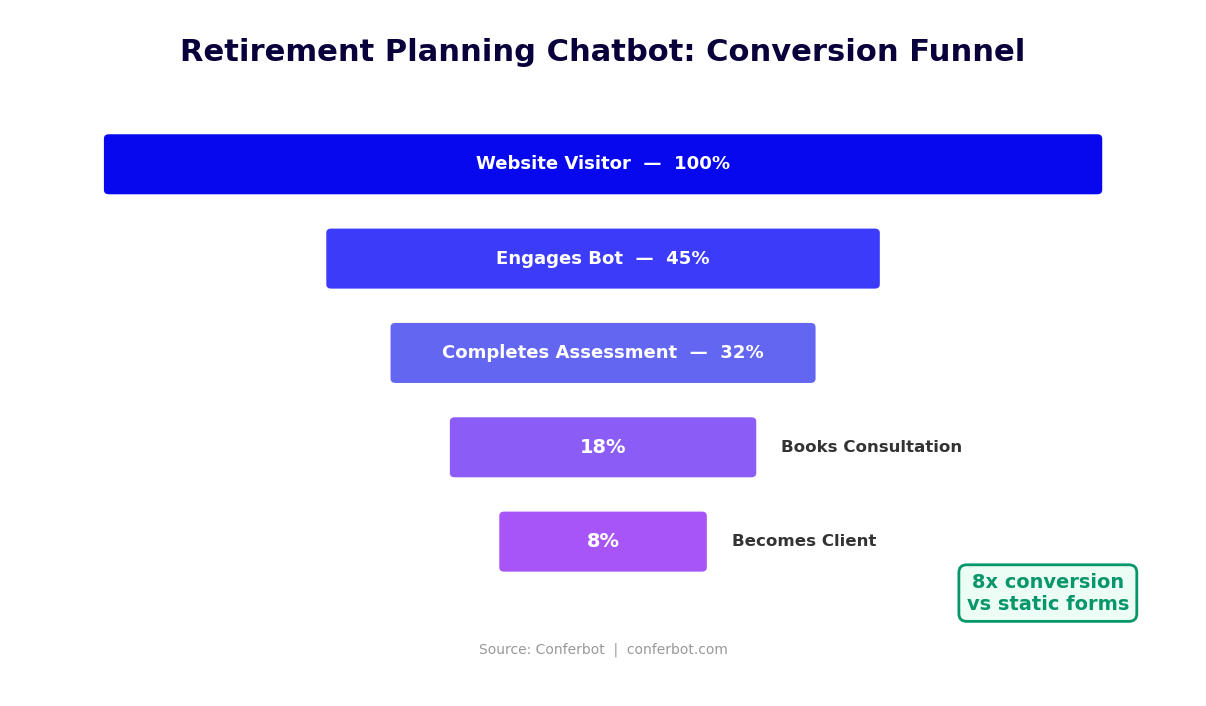
The 401(k) is the primary retirement savings vehicle for most working Americans, yet the average deferral rate is only 7.3% — well below the 15% that most financial planners recommend. The chatbot identifies low-deferral clients immediately by collecting their contribution percentage and employer match. When a client reveals they contribute 5% with a 4% employer match up to 6%, the bot flags the missed match: "You are currently leaving approximately $1,840 in free employer contributions on the table each year by not contributing at least 6%. Increasing your contribution by just 1% would capture this immediately." This specific, quantified insight is far more compelling than a generic "maximize your employer match" reminder.
The chatbot also handles 401(k)-specific planning questions: Roth 401(k) vs. traditional 401(k) comparison (with explanation of tax-now vs. tax-later trade-offs based on the client's current vs. expected future tax bracket), catch-up contribution eligibility for clients 50 and older, and 401(k) rollover guidance for clients who have changed jobs and have old accounts sitting in former employer plans.
IRA Strategies
The traditional IRA vs. Roth IRA decision is one of the most consequential retirement planning choices a client can make, and it depends on factors that vary by individual: current income, expected retirement income, tax bracket trajectory, and state of residence. The chatbot collects the relevant inputs and explains the trade-off without making a specific recommendation (maintaining appropriate advisory boundaries): "Based on your income and tax situation, there are meaningful trade-offs between the two options. Your advisor can help model which approach generates better after-tax retirement income given your specific circumstances."
Pension and Defined Benefit Plans
Clients with defined benefit pension plans — government employees, teachers, some corporate employees — have a fundamentally different retirement planning situation. The chatbot captures estimated pension income alongside Social Security and models the combined guaranteed income stream, then calculates how much supplemental savings is needed to cover any remaining gap. For clients with pension decisions approaching — such as choosing between a lump sum distribution and a lifetime annuity — the chatbot explains the key factors in the decision and routes them to an advisor for a personalized recommendation.
Self-Employed and Small Business Owners
| Account Type | 2026 Contribution Limit | Best For | Key Advantage |
|---|---|---|---|
| SEP-IRA | Up to 25% of compensation, max $69,000 | Self-employed, sole proprietors | Simple setup, high contribution limits |
| Solo 401(k) | $23,000 employee + 25% employer, max $69,000 | Self-employed with no employees | Highest contribution potential; Roth option available |
| SIMPLE IRA | $16,000 employee; employer 2-3% match required | Small businesses with employees | Easy administration; mandatory employer contribution builds loyalty |
| Defined Benefit Plan | Up to $275,000 annual benefit | High-income business owners over 50 | Highest possible tax-deferred savings; actuarially determined |
When the chatbot identifies a self-employed client, it routes the conversation to the appropriate account type comparison and quantifies the tax savings available through each option. A high-income sole proprietor contributing only to a traditional IRA at $7,000/year may be missing $50,000+ in annual tax-deferred contribution capacity through a Solo 401(k) — a gap the chatbot surfaces immediately and uses to motivate an advisor meeting. See the finance and banking templates library for additional financial services chatbot templates.
Compliance Considerations for Financial Services Chatbots
Deploying a retirement planning chatbot in a regulated financial services environment requires careful attention to the boundary between financial education and investment advice. In the United States, providing personalized investment advice is a regulated activity under the Investment Advisers Act of 1940 and FINRA rules. A chatbot that crosses this line — by recommending specific securities, suggesting specific allocation percentages, or personalizing recommendations in ways that constitute advice — creates significant regulatory exposure. This section covers how to deploy a retirement chatbot that delivers genuine value while staying clearly within appropriate boundaries.
Key Regulatory Distinctions
| Activity | Regulatory Status | How Chatbot Handles It |
|---|---|---|
| Showing retirement savings projections | Education — generally permissible | Displays with clearly labeled assumptions and limitations |
| Explaining 401(k) vs. IRA trade-offs | Education — generally permissible | Presents factual comparison with no directional recommendation |
| Recommending a specific mutual fund or ETF | Investment advice — requires registration | Never recommended by chatbot; routed to registered advisor |
| Telling a client to increase contributions by a specific amount | Gray area — depends on context and framing | Framed as illustrative scenario ("if you increased by X, here is the impact") not directive |
| Suggesting a client roll over their 401(k) | Fiduciary consideration — requires analysis | Bot explains rollover mechanics; routes to advisor for suitability analysis |
| Providing Social Security claiming guidance | Education — permissible; strategy requires expertise | Explains trade-offs of claiming ages; routes complex strategy to advisor |
Required Disclosures
The chatbot includes standard disclosures at three points in the conversation: at the start (framing the tool as educational), at the results screen (noting that projections are estimates based on stated assumptions, not guarantees), and before any product-adjacent conversation (clarifying that the chatbot does not provide personalized investment advice). These disclosures are configurable to match your firm's compliance language and can be reviewed by your compliance team before deployment.
Data Privacy and Security
Retirement planning conversations involve sensitive personal financial data — income, savings balances, account types, and retirement goals. This data is subject to Gramm-Leach-Bliley Act (GLBA) requirements for financial institutions, which mandate appropriate safeguards for customer financial information. Conferbot's platform encrypts all data in transit (TLS 1.3) and at rest (AES-256), provides complete audit logs of all conversations, and offers data residency options for firms with specific regulatory requirements. All third-party data processors — CRM platforms, calendar systems, email providers — must be covered by appropriate data processing agreements.
State-Specific Considerations
Investment adviser registration requirements vary by state. Firms registered at the SEC level (assets under management above $110 million) operate under federal rules. State-registered advisers must comply with each state's specific rules, some of which impose additional disclosure requirements or advertising restrictions that affect how chatbot output can be framed. Consult with your compliance counsel before deploying client-facing chatbot content in all states where your firm is registered. Conferbot's configurable compliance module allows different disclosure language to be shown based on the client's stated state of residence.
Review Conferbot's security and compliance documentation and connect through the chatbot API integration layer to your firm's existing compliance logging and supervision systems.
Integration With Financial Planning Software and CRM Platforms
A retirement planning chatbot generates its maximum value when it is tightly integrated into the firm's existing technology stack — financial planning software, CRM, portfolio management systems, and communication platforms. Without these integrations, the chatbot creates a data silo: advisors must manually review chatbot conversations and re-enter client data into their planning tools. With them, the chatbot becomes a first-touch data collection and triage layer that feeds clean, structured client data directly into the firm's workflow.
Financial Planning Software Integration
Leading financial planning platforms including eMoney Advisor, MoneyGuidePro, RightCapital, NaviPlan, and Orion Planning can receive chatbot-collected data via API or structured data export. The retirement planning chatbot captures the exact inputs these platforms need to build a client plan: current age, retirement age, savings balances by account type, contribution rates, income needs, Social Security estimates, and risk tolerance. When the chatbot routes a client to an advisor, the planning software is already pre-populated with that client's data — the advisor's first meeting starts from a position of informed analysis rather than data collection.
CRM Platform Connections
| CRM Platform | Integration Type | Data Pushed | Automation Triggered |
|---|---|---|---|
| Salesforce Financial Services Cloud | Native API | Full client profile, readiness score, conversation transcript | Lead assignment, task creation, email sequence enrollment |
| HubSpot | Native integration | Contact record with all financial inputs as custom properties | Deal creation, sequence enrollment, advisor notification |
| Redtail CRM | Webhook | Client record with planning inputs and appointment details | Activity logging, task assignment |
| Wealthbox | API | Contact with retirement snapshot, opportunity record | Workflow trigger, advisor task |
| Practifi | API | Prospect record with full assessment data | Segmentation, pipeline stage update |
| Custom CRM | Webhook / REST API | All data fields as configurable JSON payload | Any automation the CRM supports |
Calendar and Meeting Integration
The advisor booking flow within the chatbot connects to Google Calendar, Microsoft Outlook, and scheduling platforms including Calendly, Acuity, and Chili Piper. When a client books a discovery call through the chatbot, the meeting includes a structured pre-meeting summary — the client's retirement readiness score, key data points, identified planning gaps, and the specific questions or concerns the client expressed during the chatbot conversation. Advisors arrive at every first meeting fully prepared, shortening the discovery phase and accelerating time-to-plan. This integration is handled through Conferbot's calendar booking module.
Communication Platform Integration
Post-assessment follow-up is critical for converting chatbot engagement into advisory relationships. Clients who score below 80% retirement readiness and do not book an advisor call immediately should enter a follow-up sequence — not a generic marketing email, but a personalized message that references their specific gap and re-offers the appointment. Conferbot integrates with email platforms (Mailchimp, Klaviyo, HubSpot Email, Constant Contact) and SMS/WhatsApp platforms to trigger these personalized sequences automatically. The omnichannel deployment capability ensures consistent follow-up across the client's preferred communication channel.
50,000+ businesses use Conferbot templates to automate conversations
ROI for Financial Services Firms: Advisor Pipeline and AUM Impact
For financial advisory firms, the return on investment for a retirement planning chatbot is measured in two currencies: advisor pipeline (discovery calls booked) and assets under management (AUM) growth from new clients who engage through the chatbot. Both metrics are directly trackable, and the economics are compelling at every firm size — from solo RIAs to large broker-dealers with hundreds of advisors.
Pipeline Generation Economics
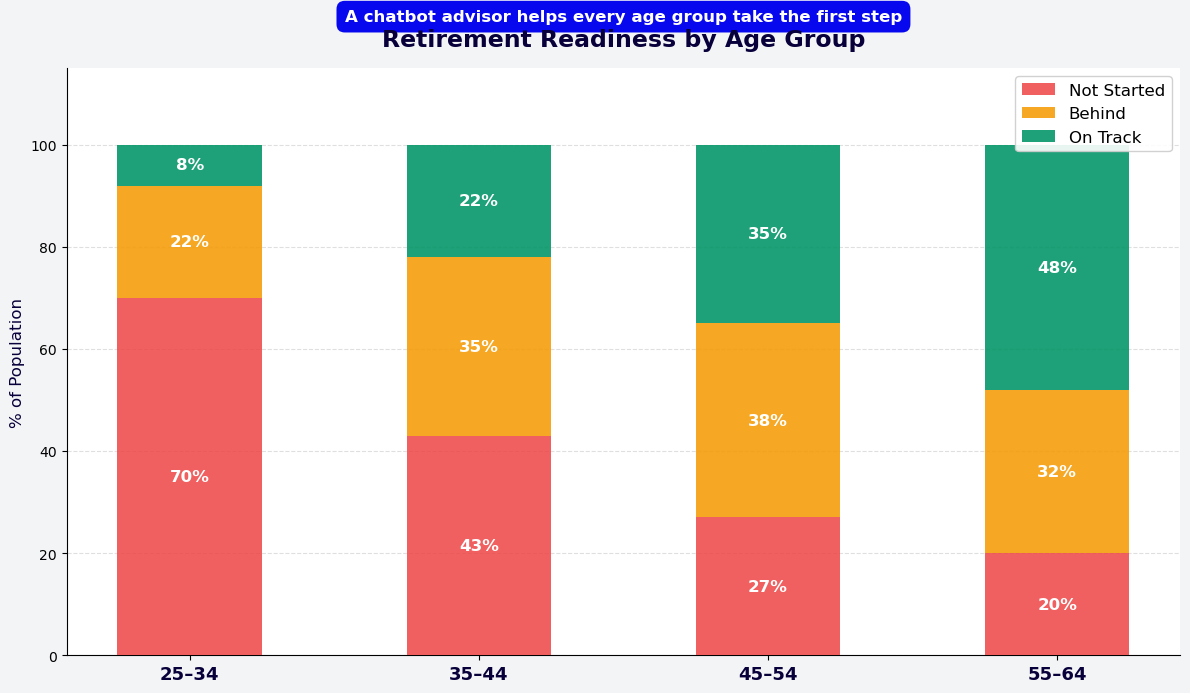
The average RIA spends $400-$700 to acquire a single qualified advisory prospect through paid advertising and traditional marketing. A retirement planning chatbot on a firm's website converts existing organic traffic into qualified prospects at a cost of $15-$45 per prospect — an 85-95% reduction in cost per qualified lead. For a firm generating 5,000 monthly website visitors with a pre-chatbot lead rate of 0.8% (40 leads), deploying the retirement chatbot typically yields:
- Increased capture rate: 4.2% chatbot engagement rate = 210 monthly assessments completed
- Qualification improvement: 58% of assessment completers identified as "planning gap present and advising interest expressed" = 122 qualified prospects
- Booking conversion: 34% of qualified prospects book a discovery call through the chatbot = 41 advisor meetings per month
- New client conversion: At a 25% advisor meeting-to-client conversion rate = 10 new clients per month from chatbot-generated meetings
AUM and Revenue Impact
| Metric | Conservative | Moderate | Strong |
|---|---|---|---|
| New clients from chatbot per month | 4 | 10 | 18 |
| Average investable assets per new client | $280,000 | $420,000 | $650,000 |
| New AUM per month | $1.12M | $4.2M | $11.7M |
| Annual AUM added via chatbot | $13.4M | $50.4M | $140.4M |
| Fee revenue at 1% AUM (year 1) | $134,000 | $504,000 | $1,404,000 |
| Chatbot platform cost (annual) | $3,588 | $5,988 | $5,988 |
| ROI multiple | 37x | 84x | 234x |
Advisor Efficiency Impact
Beyond new client acquisition, the chatbot improves the productivity of existing advisors. Each advisor discovery meeting that was preceded by a chatbot assessment saves 20-35 minutes of data collection time in the meeting — that time is reallocated to higher-value planning conversation. For an advisor running 8 discovery meetings per month, that is 2.5-4.5 hours of capacity recovered per advisor per month. At scale, this means a firm can grow AUM per advisor without adding headcount — improving the economics of the advisory business. Estimate the full impact of deployment for your firm using the chatbot ROI calculator, and explore Conferbot pricing for financial services teams.
Setup Guide: Deploying a Retirement Planning Chatbot for Your Firm
Financial services firms face unique deployment considerations that differ from retail or e-commerce chatbot implementations. Compliance review, brand standards, advisor workflow integration, and data security requirements all add steps to the process. This setup guide walks through every stage — from compliance clearance to advisor training to post-launch optimization — ensuring a deployment that is both effective and appropriately governed.
Phase 1: Compliance and Legal Review (Week 1)
Before configuring the chatbot, submit the template conversation flows to your compliance team for review. The key questions they will assess are: Does any chatbot output constitute personalized investment advice under applicable regulations? Are disclaimers adequate and prominent? Does the data collection scope comply with your privacy policy and GLBA obligations? Conferbot's compliance documentation package — including a copy of all default conversation flows, disclosure language, and data handling specifications — is available for download to support this review process.
Most compliance teams require 3-5 business days to review a chatbot template. Common requested changes include additional prominence of disclaimers, specific language adjustments for certain state-registered firms, and modifications to the advisor referral language. Build this buffer into your deployment timeline.
Phase 2: Configuration (Week 1-2)
Load the Retirement Planning Assistant template and customize the following elements:
- Contribution limit figures: Update to current IRS contribution limits for 2026 — 401(k), IRA, catch-up contributions for those 50+, and self-employed account maximums.
- Expected return assumptions: Set the rate assumptions for each risk profile to match your firm's standard planning assumptions or capital market expectations.
- Inflation rate: Set the default inflation assumption used in future income projections (typically 2.5%-3.5% depending on your planning philosophy).
- Advisor routing rules: Configure how leads are assigned based on asset level, geographic region, advisor specialty (retirement, estate planning, business owners), and availability.
- Compliance language: Input the approved disclaimer and disclosure language from your compliance review.
- CRM field mapping: Map each chatbot data field to the corresponding CRM or planning software field using the integration configuration panel.
Phase 3: Integration and Testing (Week 2)
Connect your CRM, financial planning software, and advisor calendars using Conferbot's integrations hub. Test the complete flow end-to-end: run a simulated client through the full assessment, verify that the lead record is created correctly in the CRM with all data fields populated, confirm that the calendar booking triggers correctly and sends the pre-meeting summary to the assigned advisor, and review the automated follow-up sequence that fires for leads who do not book an appointment.
Phase 4: Advisor Training and Launch (Week 3)
Before going live, brief your advisor team on what the chatbot collects, how leads are scored and routed, what the pre-meeting summary they will receive looks like, and how to reference the chatbot assessment in the opening of a discovery meeting. Advisors who understand and trust the tool embrace it as a business development asset. Advisors who receive chatbot-generated leads without context or training tend to ignore them. A 30-minute team briefing at launch makes the difference between adoption and abandonment.
Phase 5: Post-Launch Optimization (Ongoing)
Monitor performance weekly for the first month using Conferbot's chatbot analytics dashboard. Track the assessment completion rate (target: 65%+), the appointment booking rate among qualified leads (target: 30%+), and the no-show rate for chatbot-booked discovery calls (target: below 15%). Identify the step in the conversation flow with the highest drop-off rate and A/B test alternative question framing to improve it. Most firms achieve their target completion rate within 45-60 days of launch through iterative optimization of 2-3 key conversation steps.
Retirement Planning Assistant Chatbot FAQ
Everything you need to know about chatbots for retirement planning assistant chatbot.
Why Use a Template vs Building from Scratch?
Templates encode years of optimization data into the conversation flow before you start.
| Factor | Conferbot Template | Build from Scratch | Hire a Developer |
|---|---|---|---|
| Time to deploy | 10 minutes | 2-8 hours | 2-6 weeks |
| Cost | Free | Your time | $5,000-$25,000 |
| Day-1 conversion | 15-22% | 5-8% | 10-15% |
| Proven flows | Yes, data-tested | No | Depends |
| Updates included | Automatic | Manual | Paid |
| Multi-channel | 8+ channels | 1 channel | Extra cost |
| Analytics | Built-in | Must build | Extra cost |
Ready to Deploy Retirement Planning Assistant Chatbot?
Join 50,000+ businesses. Free forever plan available. No credit card required.