
Discord Community Chatbot
Free Technology Chatbot Template
Community onboarding bot with role assignment and interest matching



What Is a Discord Community Chatbot?
A Discord community chatbot is an AI-powered assistant deployed within Discord servers to automate community management tasks — member onboarding, role assignment, FAQ handling, event coordination, moderation, support ticketing, engagement tracking, and content recommendations — transforming chaotic, high-volume servers into well-organized communities that scale without proportional increases in moderator workload. In 2026, with Discord surpassing 200 million monthly active users and the platform expanding far beyond gaming into education, business, creator communities, and Web3 projects, the demand for intelligent community automation has never been higher.
Managing a thriving Discord community manually is unsustainable beyond a few hundred members. New members flood in without understanding server rules or channel purposes, questions are asked repeatedly in the wrong channels, events are missed because announcements get buried, moderation requires 24/7 vigilance across multiple timezones, and support requests pile up without a clear resolution workflow. These operational challenges intensify as communities grow — a server that was manageable at 500 members becomes chaotic at 5,000 and completely unmanageable at 50,000 without automation.
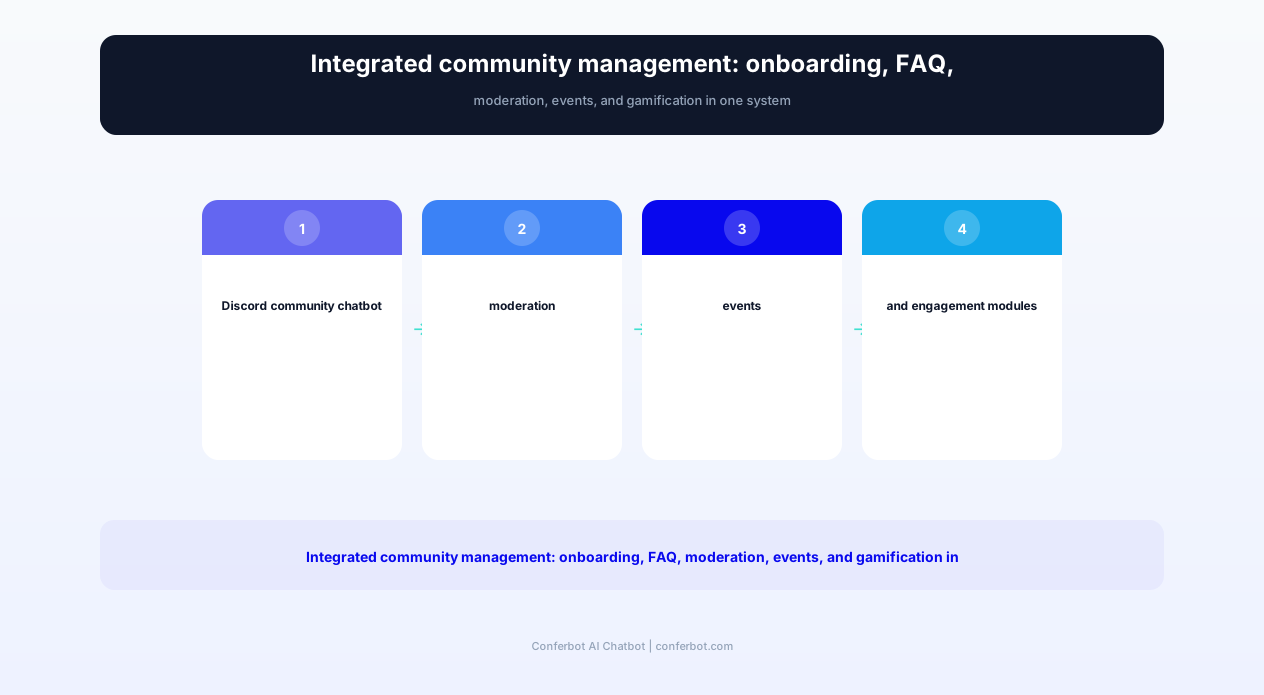
The Conferbot Discord community chatbot template addresses every major community management challenge simultaneously. It greets new members with a guided onboarding flow, assigns roles based on interests and verification status, answers repeated questions from a configurable knowledge base, schedules and promotes events with RSVP tracking, enforces server rules through intelligent moderation, creates and manages support tickets, runs engagement programs (giveaways, challenges, XP systems), and provides community analytics that inform growth strategy. All of this operates autonomously — your moderator team supervises rather than executes.
Notable precedents validate the approach: NRG Esports launched its AI chatbot "Volt" in 2026 to manage its massive Discord community, demonstrating that even professional esports organizations with dedicated community teams benefit from AI automation. The gaming community market is growing at 15% annually, and communities that adopt AI-powered management consistently outperform manually-managed servers in retention, engagement, and member satisfaction metrics. Build your community chatbot with Conferbot's AI chatbot builder and deploy across your website and messaging channels alongside your Discord presence.
Automated Member Onboarding: First Impressions That Drive Retention
The first 5 minutes after a new member joins your Discord server determine whether they become an active, engaged community participant or a silent lurker who leaves within a week. Research on community platforms shows that 70% of new members who do not engage within the first 24 hours never become active participants. The Discord community chatbot transforms the onboarding experience from a confusing wall of channels into a guided, personalized welcome flow that orients new members, assigns relevant roles, and encourages immediate participation.
Welcome Flow: From Join to First Interaction
When a new member joins, the chatbot immediately sends a welcome DM (or posts in the welcome channel, configurable) that:
- Introduces the community: Brief description of what the server is about, its values, and what members gain from participating
- Presents server rules: Core rules in digestible format with acknowledgment button (required before gaining channel access)
- Offers role selection: Interest-based roles that unlock relevant channels and notifications
- Suggests first actions: "Introduce yourself in #introductions," "Check out today's discussion in #general," "Browse upcoming events in #events"
- Provides FAQ access: "Have questions? Ask me anything about the server anytime!"
Verification Gates and Anti-Spam
For servers experiencing bot raids or spam waves, the chatbot implements verification gates that new members must pass before accessing the full server. Options range from simple (react to a message, answer a basic question) to rigorous (CAPTCHA, account age requirements, connected social accounts). The verification system filters out automated spam accounts while providing legitimate new members with a clear, quick path to full access. Servers implementing verification gates report 95%+ reduction in spam while maintaining smooth onboarding for real users.
Progressive Role Assignment
Rather than overwhelming new members with every channel simultaneously, the chatbot implements progressive disclosure through staged role assignment:
- Stage 1 (Join): Basic access — welcome channel, rules, role selection
- Stage 2 (Verified): Full community access — general chat, interest channels, events
- Stage 3 (Active, earned): Advanced features — voice channels, media sharing, special channels
- Stage 4 (Trusted, earned): Community privileges — suggestions channel, moderation nominations, beta access
This progressive system gives new members a sense of advancement and reward for engagement while protecting the community from day-one access to sensitive features. Track onboarding completion rates and stage progression through Conferbot's analytics dashboard.
Personalized Channel Recommendations
Based on the roles a new member selects during onboarding, the chatbot recommends specific channels, pinned messages, and ongoing discussions most relevant to their interests. A member who selects "Game Development" and "Pixel Art" roles receives: "Check out #gamedev-showcase for inspiration, our weekly #pixel-art-challenge, and the pinned resource list in #learning-resources." This personalized guidance dramatically increases first-day engagement compared to leaving new members to explore 40+ channels blindly.
FAQ Handling and Knowledge Base: Eliminating Repetitive Questions
Every active Discord server has a set of questions that get asked repeatedly — sometimes dozens of times per day in large communities. "How do I get the verified role?" "When is the next event?" "What are the rules about self-promotion?" "How do I submit a ticket?" These questions consume moderator time, clutter channels, and frustrate experienced members who see the same conversations cycling endlessly. The Discord community chatbot eliminates this pattern by providing instant, accurate answers from a configurable knowledge base — accessible via direct mention, DM, or dedicated channel.
Natural Language Question Handling
Built on Conferbot's NLP engine, the chatbot understands questions in natural language rather than requiring exact keyword matches. "how do i get mod" "can I become a moderator" "moderator application process" and "mod requirements" all trigger the same answer about the moderation application process. This natural language understanding means the chatbot handles the variety of ways real community members phrase their questions — not just the exact wording an admin anticipated when writing the FAQ.
Context-Aware Responses
The chatbot delivers answers appropriate to where the question is asked. A question in #general receives a brief answer with a link to the detailed FAQ channel. The same question in a DM receives the full detailed response. A question in a topic-specific channel receives an answer contextualized to that topic. This context awareness prevents the chatbot from delivering walls of text in casual chat channels while still providing comprehensive information when appropriate.
Self-Updating Knowledge Base
The chatbot's FAQ system learns from moderator interactions. When a moderator answers a question the chatbot could not handle, the admin can flag the exchange for addition to the knowledge base — the chatbot learns the new Q&A pair and handles similar questions automatically going forward. Over time, this creates a continuously expanding knowledge base that covers an increasingly comprehensive range of community questions without ongoing admin maintenance.
FAQ Categories for Large Communities
For servers with extensive information needs, the chatbot organizes FAQ into browsable categories:
| Category | Example Questions | Typical Volume | Time Saved/Week |
|---|---|---|---|
| Server rules & policies | "Can I promote my stream?" "What counts as spam?" | 15-30/day | 3-5 hours |
| Roles & permissions | "How do I get the artist role?" "Why can't I post images?" | 10-20/day | 2-4 hours |
| Events & scheduling | "When is the next tournament?" "How do I join game night?" | 5-15/day | 1-3 hours |
| Technical support | "Bot commands list?" "How do I use the ticket system?" | 5-10/day | 1-2 hours |
| Community programs | "How does XP work?" "Giveaway rules?" "Partner requirements?" | 5-10/day | 1-2 hours |
A large community server answering 50+ repetitive questions daily saves 8-16 hours of moderator time per week — the equivalent of a part-time staff member — while providing faster, more consistent answers than manual responses. Members get instant help at any hour, moderators focus on complex situations that require human judgment, and the community knowledge base grows organically over time.
Ready to try Discord Community Chatbot?
Deploy this template in under 10 minutes. No coding required.
Use This Template Free →Event Scheduling, RSVP Tracking, and Community Programming
Events are the heartbeat of active Discord communities — game nights, AMAs, watch parties, tournaments, workshops, voice chat hangouts, and collaborative sessions drive engagement and create the shared experiences that bond community members together. But event management in Discord is manual and fragile: announcements get buried, RSVPs are imprecise (reactions on a message), reminders require moderator intervention, and post-event follow-up rarely happens. The chatbot automates the entire event lifecycle from creation to post-event feedback.
Event Creation and Announcement
Authorized users create events through a conversational flow with the chatbot: event name, description, date/time (with timezone conversion for global communities), capacity limit (if applicable), requirements (roles, verification level), and recurring schedule (one-time, weekly, monthly). The chatbot generates a rich event announcement embed with all details, posts it to the configured events channel, and creates the Discord Scheduled Event for native integration with member calendars.
RSVP Management and Capacity Control
Members RSVP via reaction buttons (Going / Maybe / Not Going) on the event announcement. The chatbot tracks RSVPs in real time, maintains a waitlist when capacity is reached, and provides the event organizer with attendance estimates that account for historical show-up rates (similar to the calendar booking approach but for community events). When a Going member changes to Not Going, the first waitlisted member is automatically promoted and notified — ensuring maximum attendance for capacity-limited events.
Multi-Timezone Reminder Sequences
For global communities spanning multiple timezones, the chatbot sends event reminders that display the event time in each member's local timezone. The default reminder sequence mirrors the research-backed approach: 24 hours before (planning reminder), 1 hour before (preparation reminder), and 5 minutes before (start notification). Members who RSVP'd "Going" receive all three; "Maybe" members receive only the 24-hour and 1-hour reminders; non-respondents receive a single 1-hour "Last chance to join!" notification.
Recurring Event Automation
For regular community programming (weekly game nights, biweekly AMAs, monthly tournaments), the chatbot handles recurring event creation automatically — posting fresh announcements on schedule, carrying over RSVP lists from previous instances, tracking attendance patterns, and adjusting timing based on which recurrences get the highest turnout. A community manager sets up the recurring schedule once; the chatbot manages every future instance autonomously.
Post-Event Engagement
After events conclude, the chatbot posts a follow-up: event summary/highlights, attendance statistics, feedback request (1-5 star rating plus optional comment), and a teaser for the next event. This post-event engagement loop captures community sentiment, identifies what works and what does not, and maintains momentum between events. Events with post-event follow-up sequences generate 30-40% higher attendance at subsequent events compared to those without follow-up — members feel heard and valued, increasing their commitment to future participation.
Intelligent Moderation: Automated Rule Enforcement Without Heavy-Handed Bots
Community moderation is the most time-consuming and emotionally demanding aspect of Discord server management. Moderators must monitor conversations across dozens of channels 24/7, enforce rules consistently, handle disputes fairly, and maintain a welcoming environment — all while avoiding the perception of being overly restrictive or biased. The Discord community chatbot implements intelligent moderation that handles routine enforcement automatically while escalating nuanced situations to human moderators with full context.
Content Filtering and Auto-Moderation
The chatbot monitors all channels for rule violations with configurable sensitivity:
- Spam detection: Identifies repetitive messages, mass mentions, invite link spam, and copypasta floods. Auto-removes and issues warnings.
- Prohibited content: Filters configurable word lists, link domains, and content patterns. Supports regex matching for sophisticated pattern detection.
- Self-promotion enforcement: Detects promotional content in non-promotional channels and redirects to appropriate channels with a friendly message rather than deletion.
- Raid protection: Detects unusual join patterns (10+ joins within 60 seconds) and activates lockdown protocols: increased verification requirements, message rate limits, and moderator alerts.
Progressive Warning System
Rather than binary ban/no-ban enforcement, the chatbot implements a progressive discipline system that educates before it punishes:
| Offense Level | Action Taken | Member Communication | Moderator Notification |
|---|---|---|---|
| First offense (minor) | Warning DM + message removal | "Hey! Just a reminder that [rule]. No worries, just keep it in mind." | Logged, no alert |
| Second offense | Warning DM + temporary slow mode | "This is your second reminder about [rule]. Please review #rules." | Alert in mod channel |
| Third offense | Temporary mute (1-24 hours) | "You've been temporarily muted for repeated [violation]. Duration: [time]." | Alert + action log |
| Severe/repeated | Escalation to human moderator | "A moderator will review this situation." | Priority alert + full context |
Context-Aware Enforcement
The chatbot applies rules contextually rather than blindly. A word that is a rule violation in #general might be perfectly acceptable in an 18+ channel or a specific topic discussion. Channel-specific rule configurations allow nuanced enforcement that matches community expectations for each space. The chatbot also considers member history and tenure — a trusted long-term member who accidentally posts a link in the wrong channel receives a gentle redirect rather than the same warning a brand-new account would get.
Moderator Assistance Tools
Beyond automated enforcement, the chatbot provides moderator utilities: member history lookup (join date, warning count, previous infractions), bulk action tools (remove all messages from a banned user), incident reporting (members report issues directly to the chatbot, which creates a private thread for moderator review), and decision logging (moderator actions are recorded with reasoning for transparency and consistency). These tools make the human moderation that remains more efficient and consistent. Integrate moderation logs with external tracking through Conferbot's API integration.
Support Ticket System: Organized Help Without Channel Clutter
Members who need individual assistance — account issues, purchase problems, partnership inquiries, bug reports, or sensitive situations — need a private, organized channel for communication rather than posting in public chat. The Discord community chatbot implements a full ticket system that creates private threads for each support request, routes tickets to appropriate team members, tracks resolution status, and ensures no request falls through the cracks.
Ticket Creation Flow
Members create tickets by reacting to a message in the support channel, using a slash command, or messaging the chatbot directly. The chatbot asks category-selection questions to route the ticket appropriately:
- Technical issue: Routes to tech support team
- Billing/purchase: Routes to business team
- Report a member: Routes to moderation team
- Partnership/collaboration: Routes to community management
- General question: Attempts FAQ answer first, creates ticket if unresolved
Once categorized, the chatbot creates a private thread visible only to the member and the assigned support team. The member receives instructions on what information to provide, and the support team receives a notification with the ticket category and initial details.
SLA Tracking and Escalation
Each ticket category has configurable SLA targets (response time and resolution time). The chatbot monitors open tickets against these targets and escalates when SLAs are at risk: alerting the assigned team member at 50% of SLA time, escalating to a team lead at 75%, and notifying server admin at 100%. This ensures that no ticket lingers indefinitely — every request gets timely attention regardless of volume.
Resolution Workflow
Support team members resolve tickets through the chatbot with structured closure: resolution summary (logged for future reference), member satisfaction check (was your issue resolved? 1-5 stars), and follow-up scheduling (if needed). Resolved tickets are archived with full conversation history, searchable for future reference when similar issues arise. The chatbot tracks resolution metrics: average response time, resolution time, satisfaction score, and first-contact resolution rate — surfacing these in the analytics dashboard.
Self-Service Deflection
Before creating a ticket, the chatbot attempts to resolve the issue through its knowledge base — presenting relevant FAQ answers and asking "Did this resolve your question?" Only if the member confirms the FAQ did not help does a human ticket get created. This self-service deflection typically resolves 30-50% of potential tickets automatically, dramatically reducing support team workload while providing members with faster resolution for common issues.
Ticket Analytics
| Metric | Without Ticket Bot | With Ticket Bot | Impact |
|---|---|---|---|
| Average first response time | 2-8 hours | Under 5 minutes (auto) / 30 min (human) | 95%+ faster |
| Requests lost in chat | 15-30% forgotten | 0% (all tracked) | 100% accountability |
| Auto-resolved (FAQ deflection) | 0% | 30-50% | Reduced team workload |
| Member satisfaction | Variable | 4.2-4.5/5 average | Consistent quality |
| Resolution time | 24-72 hours | 4-12 hours | 75% faster |
50,000+ businesses use Conferbot templates to automate conversations
Engagement Programs: XP Systems, Giveaways, and Community Challenges
Retaining Discord community members requires more than good content and responsive moderation — it requires active engagement mechanisms that reward participation, create social dynamics, and give members reasons to return daily. The Discord community chatbot implements gamification systems that transform passive lurking into active engagement through XP/leveling, giveaways, challenges, leaderboards, and exclusive rewards that create a sense of progression and community belonging.
XP and Leveling System
Members earn XP for community participation: sending messages, reacting to posts, joining voice channels, attending events, helping other members, and completing challenges. XP accumulates toward levels that unlock progressive rewards — new roles with colors and permissions, access to exclusive channels, custom emoji rights, and community recognition. The chatbot manages XP tracking, level calculations, and reward distribution automatically, posting level-up announcements that celebrate member milestones and motivate continued engagement.
Configurable XP Rules
- Message XP: 10-20 XP per message (with cooldown to prevent spam-farming)
- Quality bonus: Messages that receive reactions earn 2x XP (community-validated quality)
- Voice participation: 5 XP per minute in voice channels (encourages verbal engagement)
- Event attendance: 100-500 XP for attending community events (rewards commitment)
- Help bonus: 50 XP when a member's answer is marked as helpful (rewards community support)
- Challenge completion: Variable XP for completing community challenges (drives specific behaviors)
Giveaway Management
The chatbot runs giveaways end-to-end: creates announcement embeds with prize details and duration, tracks entries via reaction, enforces eligibility requirements (account age, server tenure, role requirements), selects winners via verifiable random selection, announces results, and DMs winners for prize delivery coordination. Giveaways are one of the most effective engagement tools — a well-run giveaway can boost daily active members by 40-60% during its duration and retain 15-20% of that increase permanently.
Community Challenges
Periodic challenges drive specific engagement behaviors: "Share your best screenshot this week," "Write a guide for beginners," "Invite 3 friends who are active for 7 days," "Maintain a 7-day activity streak." The chatbot tracks challenge participation, validates completion criteria, distributes rewards, and maintains leaderboards that create friendly competition. Challenges can be tied to community goals (growing membership, increasing content creation, boosting event attendance) while providing individual rewards that motivate participation.
Leaderboards and Social Proof
Weekly and monthly leaderboards displayed in a dedicated channel showcase top contributors across multiple dimensions: most helpful, most active, highest XP earned this week, most events attended, and longest activity streak. These leaderboards create social proof that motivates participation ("if they can reach Level 20, so can I") and recognize members who contribute disproportionately to community health. Top leaderboard positions unlock exclusive rewards: custom roles, special channel access, input on community decisions, or physical merchandise for larger communities.
Complete Feature Matrix: Discord Community Chatbot vs. Manual Management
The Discord community chatbot consolidates dozens of individual bot functions and manual moderator tasks into a single, integrated system. Below is the comprehensive feature matrix showing every capability alongside the operational and community impact of each feature.
| Feature | Description | Operational Benefit | Community Benefit |
|---|---|---|---|
| Automated onboarding | Guided welcome flow with rules acceptance and role selection | Zero moderator time per new member | Clear orientation, faster integration |
| Verification gates | Anti-bot/spam verification before full access | 95% spam reduction | Cleaner, safer community space |
| NLP FAQ system | Natural language question answering from knowledge base | 8-16 hours/week moderator time saved | Instant answers at any hour |
| Event lifecycle management | Creation, RSVP, reminders, follow-up automation | Eliminates manual event admin | Never miss events, easy participation |
| Progressive moderation | Warnings, mutes, escalation with context | Consistent enforcement, reduced mod burnout | Fair, transparent rule enforcement |
| Ticket support system | Private thread tickets with SLA tracking | Zero requests lost, measurable SLAs | Guaranteed response, private support |
| XP/leveling system | Participation rewards with progressive unlocks | Self-sustaining engagement loops | Sense of progression and recognition |
| Giveaway automation | End-to-end giveaway management with eligibility | Hands-off giveaway execution | Fair, exciting community prizes |
| Content recommendations | Personalized channel and discussion suggestions | Increased content discovery | Relevant content without searching |
| Analytics dashboard | Growth, engagement, retention, and health metrics | Data-driven community decisions | Continuously improving community |
| Role management | Self-serve role selection and conditional assignment | Eliminates manual role requests | Instant access to relevant channels |
| Raid protection | Automatic lockdown on unusual join patterns | Protection without 24/7 vigilance | Safe from coordinated attacks |
Before/After: Community Health Metrics
| Metric | Manual Management | With Community Chatbot | Improvement |
|---|---|---|---|
| New member 7-day retention | 25-35% | 55-70% | +100% or more |
| Daily active members (% of total) | 8-15% | 20-35% | +130-150% |
| Messages per day (engagement) | Baseline | +40-60% | Significant increase |
| Moderator hours required/week | 20-40 hours | 5-10 hours | -75% |
| Rule violations (visible in chat) | 5-15/day | 1-3/day (auto-handled) | -80% |
| Support request resolution time | 24-72 hours | 4-12 hours | -75% |
| Event attendance rate (of RSVPs) | 40-55% | 65-80% | +45-50% |
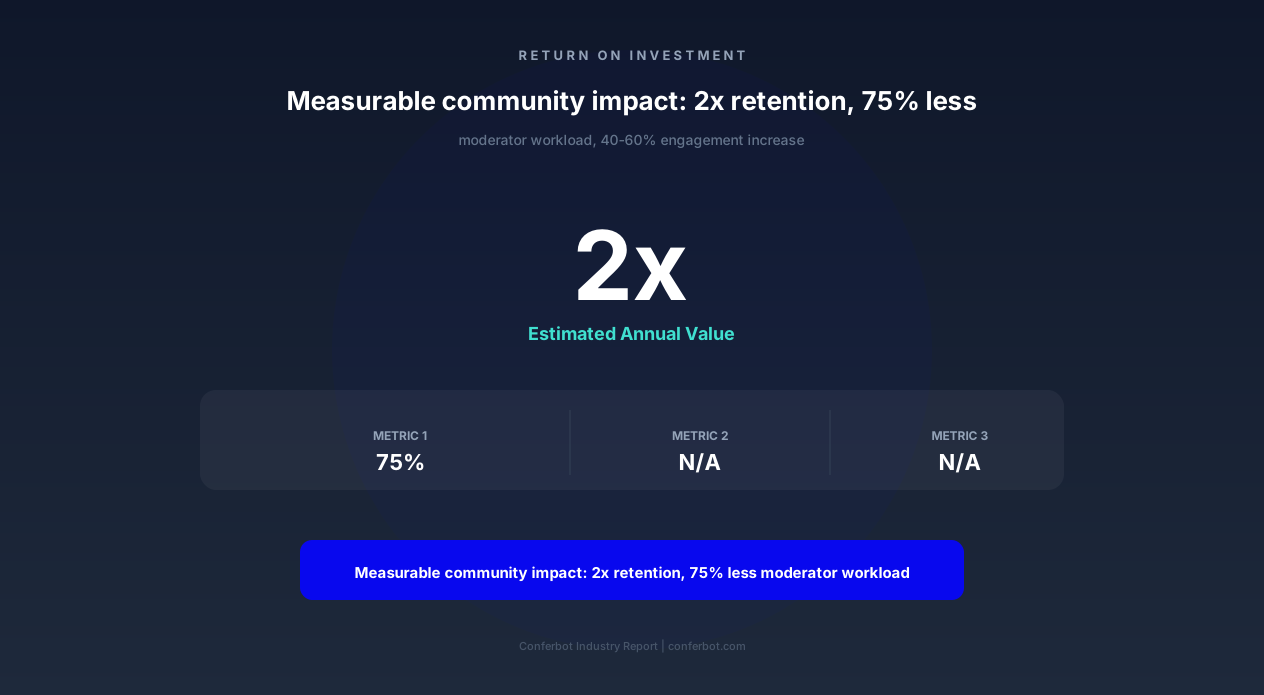
The compound effect of these improvements creates a virtuous cycle: better onboarding drives higher retention, engaged members create more content, quality content attracts new members, and automated moderation maintains community standards as scale increases. Communities using integrated management chatbots grow 2-3x faster than manually managed servers because the operational ceiling is removed — you can scale from 1,000 to 50,000 members without proportionally scaling your moderator team.
Setup Guide: Deploying the Discord Community Chatbot on Your Server
The Discord community chatbot deploys directly to your server through Discord's bot integration system and connects to Conferbot's management dashboard for configuration, analytics, and content management. Setup takes 30-45 minutes for a complete deployment covering onboarding, FAQ, moderation, events, and engagement features — with each module independently configurable and activatable.
Step 1: Bot Creation and Server Integration (10 minutes)
Create a bot application through the Discord Developer Portal, generate the bot token, and configure required permissions (read messages, send messages, manage roles, manage channels, create threads, moderate members). Invite the bot to your server with the generated OAuth2 URL. Connect the bot token to Conferbot's chatbot builder to link the Discord bot to your management dashboard.
Step 2: Configure Onboarding Flow (10 minutes)
Define your welcome message content, rules text, and available self-assign roles. Configure verification requirements (if any): account age minimum, CAPTCHA, or question-based verification. Set the welcome channel and whether new members receive DMs or channel messages. Test the flow by leaving and rejoining (or using a test account) to verify the experience matches your intentions.
Step 3: Populate FAQ Knowledge Base (10 minutes)
Add your server's most frequently asked questions and answers. Start with the 15-20 questions your moderators answer most often — you can expand over time. Organize by category for browsable FAQ access. Test by asking questions in various phrasings to verify the NLP engine matches correctly. Configure which channels the FAQ bot monitors and responds in.
Step 4: Set Moderation Rules (5 minutes)
Configure auto-moderation triggers: word filters, link restrictions, spam thresholds, and raid detection sensitivity. Define the progressive warning escalation: how many warnings before mute, mute duration, and escalation-to-human threshold. Set channel-specific rule exceptions (e.g., links allowed in #resources but not in #general). Configure the moderator notification channel for escalated situations.
Step 5: Configure Events and Engagement (10 minutes)
Set up event announcement channel, RSVP tracking preferences, and reminder timing. Configure XP system parameters: XP per message, cooldown period, level thresholds, and rewards per level. Create initial community challenge (if desired). Configure giveaway eligibility defaults. All engagement features can be enabled/disabled independently — start with what fits your community and expand over time.
Step 6: Launch and Monitor (ongoing)
Activate the bot and monitor the first 24-48 hours through the analytics dashboard. Watch for: FAQ questions the bot cannot answer (add them), moderation false positives (adjust sensitivity), and onboarding drop-off points (simplify if needed). The first week typically requires 2-3 adjustment sessions; after that, the bot operates largely autonomously with weekly analytics review informing gradual optimization. Extend your community chatbot presence to your website and WhatsApp for unified community management across all platforms.
Discord Community Chatbot FAQ
Everything you need to know about chatbots for discord community chatbot.
Why Use a Template vs Building from Scratch?
Templates encode years of optimization data into the conversation flow before you start.
| Factor | Conferbot Template | Build from Scratch | Hire a Developer |
|---|---|---|---|
| Time to deploy | 10 minutes | 2-8 hours | 2-6 weeks |
| Cost | Free | Your time | $5,000-$25,000 |
| Day-1 conversion | 15-22% | 5-8% | 10-15% |
| Proven flows | Yes, data-tested | No | Depends |
| Updates included | Automatic | Manual | Paid |
| Multi-channel | 8+ channels | 1 channel | Extra cost |
| Analytics | Built-in | Must build | Extra cost |
Ready to Deploy Discord Community Chatbot?
Join 50,000+ businesses. Free forever plan available. No credit card required.