
Product Recommendation Quiz Chatbot
Free Ecommerce And Retail Chatbot Template
Smart product matching quiz for e-commerce stores



What Is a Product Recommendation Quiz Chatbot?
A product recommendation quiz chatbot is an interactive conversational tool that guides shoppers through a series of personalized questions to match them with the ideal product from your catalog. Unlike passive product filters or search bars that require customers to know what they want, a quiz chatbot mimics the experience of a knowledgeable in-store sales associate -- asking about preferences, needs, lifestyle, and budget to deliver curated recommendations that feel handpicked rather than algorithmically generated.
The psychology behind quiz-based commerce is powerful. Shoppers face decision fatigue when confronted with hundreds or thousands of product options. A study by Columbia University found that consumers are 10x more likely to purchase when presented with 6 options versus 24. The quiz chatbot solves this by narrowing the entire catalog down to 2-5 perfectly matched recommendations through engaging conversation, transforming overwhelming choice into confident decision-making.
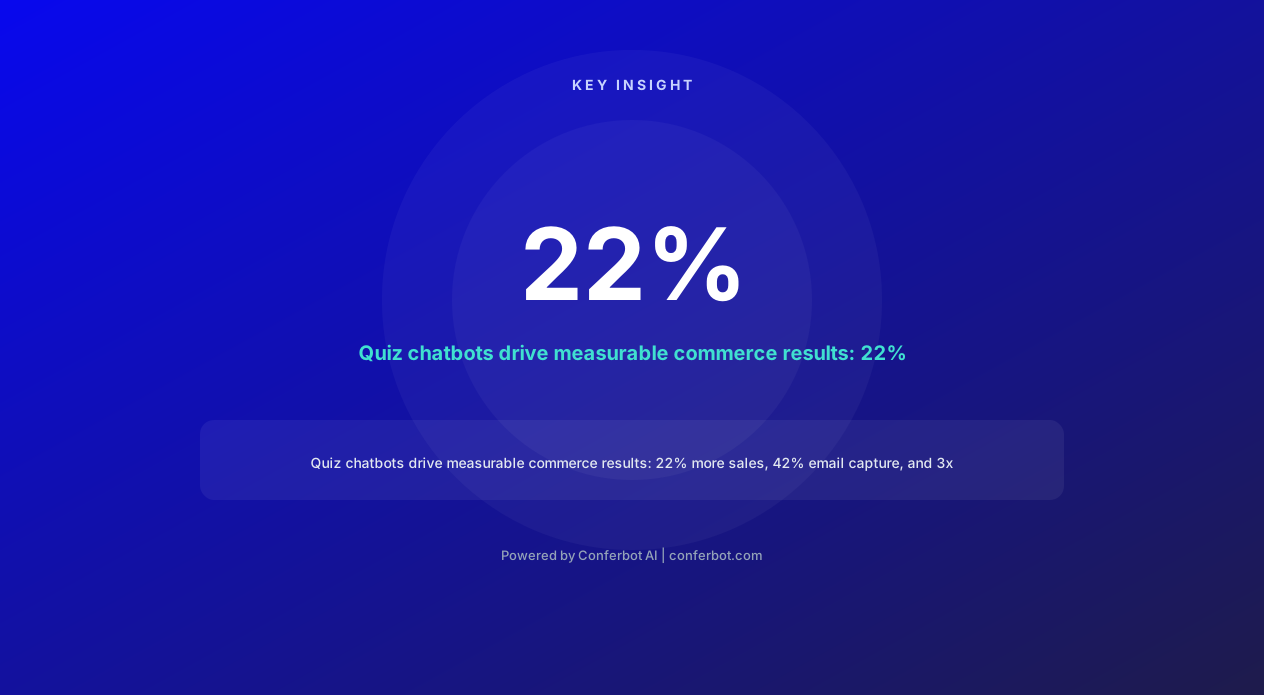
The numbers confirm the approach works at scale. Brands deploying product quiz chatbots report a 22% surge in sales from quiz-engaged shoppers compared to non-quiz visitors. Email opt-in rates through quiz flows reach 42% (versus 2-5% for generic popups), according to Octane AI data. Most compelling, customers who purchase based on quiz recommendations show 3x higher average order value because they trust the recommendation and often add suggested complementary products.
Conferbot's AI chatbot builder powers product recommendation quizzes that combine conversational AI with your product catalog data, dynamically matching quiz responses to product attributes for recommendations that improve with every interaction. The quiz deploys on your website, WhatsApp, and social channels, capturing leads and driving purchases wherever your customers engage.
This page covers the mechanics of quiz-based product recommendation, the psychology that makes it convert, quiz types for different industries, lead capture strategies, implementation architecture, and a complete guide to building your first product quiz.
How Product Quizzes Drive Sales: The Psychology
Product recommendation quizzes are not gimmicks -- they leverage well-documented psychological principles that make customers more likely to buy, buy more, and buy again. Understanding these principles helps you design quizzes that convert rather than quizzes that merely entertain.
The Commitment and Consistency Principle
Robert Cialdini's research on persuasion shows that once people commit to a process, they feel compelled to follow through. Each quiz question the customer answers represents a micro-commitment. By the time they reach the results page, they have invested 2-3 minutes of active engagement and made 5-10 deliberate choices. This investment creates psychological pressure to act on the recommendation -- abandoning the results feels like wasting the time already spent. Quiz completion rates of 80-90% confirm this: once someone starts, they almost always finish.
The Endowment Effect
When a customer receives a personalized recommendation, they feel a sense of ownership over the result before they even purchase. The product is no longer a generic item on a shelf -- it is "their" product, selected specifically for their preferences and needs. This endowment effect makes customers less price-sensitive and more likely to purchase at full price, which is why quiz-recommended purchases show 3x higher AOV and significantly lower discount-seeking behavior.
Paradox of Choice Resolution
Barry Schwartz's paradox of choice research demonstrates that more options create anxiety, not satisfaction. A store with 500 products on a category page generates decision paralysis. The quiz chatbot resolves this by taking the customer from 500 options to 3 curated picks through guided conversation. The customer feels relief, not restriction -- they trust the expert system to surface the best matches and buy with confidence rather than spending 45 minutes comparing product pages.
Personalization as Social Proof
A personalized recommendation carries implicit social proof: "This was chosen for you based on people like you." The quiz creates the perception that the recommendation algorithm has processed thousands of similar profiles and found the optimal match. This perceived expertise transfers trust from an anonymous product listing to a recommended solution, reducing the perceived risk of purchase.
The Reciprocity Trigger
The quiz provides genuine value before asking for anything -- it educates the customer about their needs, helps them understand their preferences, and delivers a curated result. This triggers reciprocity: the customer feels the brand has helped them, and they want to reciprocate with a purchase or at minimum an email signup. This is why quiz email opt-in rates reach 42% compared to the 2-5% typical of generic popup forms.
Data-Driven Personalization Loop
Every quiz completion feeds data back into the recommendation engine. Over time, the system learns which question-answer combinations correlate with purchases, returns, and satisfaction scores. This creates a personalization flywheel: better data produces better recommendations, which produce more purchases, which generate more data. Brands running quizzes for 6+ months report recommendation accuracy improvements of 35-50% compared to their launch-day algorithms.
Quiz Types for Every Ecommerce Vertical
The product recommendation quiz adapts to virtually any ecommerce category. The key is matching the quiz format to the decision complexity and emotional context of the purchase. Here are proven quiz types across major verticals.
Style and Fashion Quizzes
Fashion quizzes ask about style preferences (minimalist vs. bold), lifestyle context (office wear vs. weekend casual), body confidence areas, color preferences, and budget range. They output outfit recommendations, capsule wardrobe suggestions, or specific item matches. Fashion brands like Stitch Fix built billion-dollar businesses on this exact model. A well-designed style quiz reduces return rates by 25-35% because customers receive items aligned with their actual taste rather than impulse selections.
Skincare and Beauty Quizzes
Skincare quizzes collect information about skin type (oily, dry, combination, sensitive), primary concerns (acne, aging, hyperpigmentation, redness), current routine complexity, ingredient preferences/allergies, and climate. They output personalized routines with morning and evening product recommendations. Brands like Proven Skincare and Function of Beauty use quiz-first models, with 68% of quiz completers making a purchase according to industry benchmarks.
Nutrition and Supplement Quizzes
Supplement quizzes assess health goals (energy, sleep, immunity, fitness), dietary restrictions (vegan, gluten-free), current supplement usage, lifestyle factors (stress level, exercise frequency), and age/gender. They output personalized supplement stacks with dosage recommendations. Brands like Care/of and Persona report 4x higher conversion rates from quiz-engaged visitors versus direct shoppers.
Home and Furniture Quizzes
Home decor quizzes explore aesthetic preferences (modern, farmhouse, bohemian, industrial), room dimensions, existing furniture colors, budget range, and functional requirements. They output room-specific product recommendations with styling suggestions. Furniture retailers using quiz recommendations report 40% fewer returns because customers receive items that actually fit their space and taste.
Electronics and Tech Quizzes
Tech quizzes identify use cases (gaming, productivity, creative work, casual use), technical requirements (storage, battery life, screen size), brand preferences, budget range, and ecosystem compatibility (Apple vs. Android vs. Windows). They output device recommendations with specification comparisons. Electronics retailers report 30% higher AOV from quiz recommendations because the quiz identifies premium features customers actually need, justifying higher-priced options.
Pet Product Quizzes
Pet quizzes collect information about pet type, breed, age, size, activity level, dietary restrictions, and behavioral needs. They output food, toy, and accessory recommendations tailored to the specific animal. Pet brands using quizzes report 60% subscription conversion rates from quiz completers because personalized recommendations build confidence in recurring purchases.
Gift Finder Quizzes
Gift quizzes are unique because the buyer is not the end user. They collect recipient relationship, age, interests, occasion, and budget. They output gift suggestions ranked by relevance and uniqueness. Gift-focused quizzes see peak engagement during holiday seasons and drive 35% of Q4 revenue for stores that prominently feature them in their navigation and marketing.
Ready to try Product Recommendation Quiz Chatbot?
Deploy this template in under 10 minutes. No coding required.
Use This Template Free →Complete Feature Matrix
The product recommendation quiz chatbot template includes every feature needed to build, deploy, and optimize high-converting quizzes. Each feature is designed to maximize both conversion rates and data collection value.
| Feature | Description | Operational Benefit | Customer Benefit |
|---|---|---|---|
| Visual question cards | Image-based answer options with product photography or lifestyle imagery | 20-30% higher completion rates vs. text-only quizzes | Engaging, visual experience that feels like browsing a magazine |
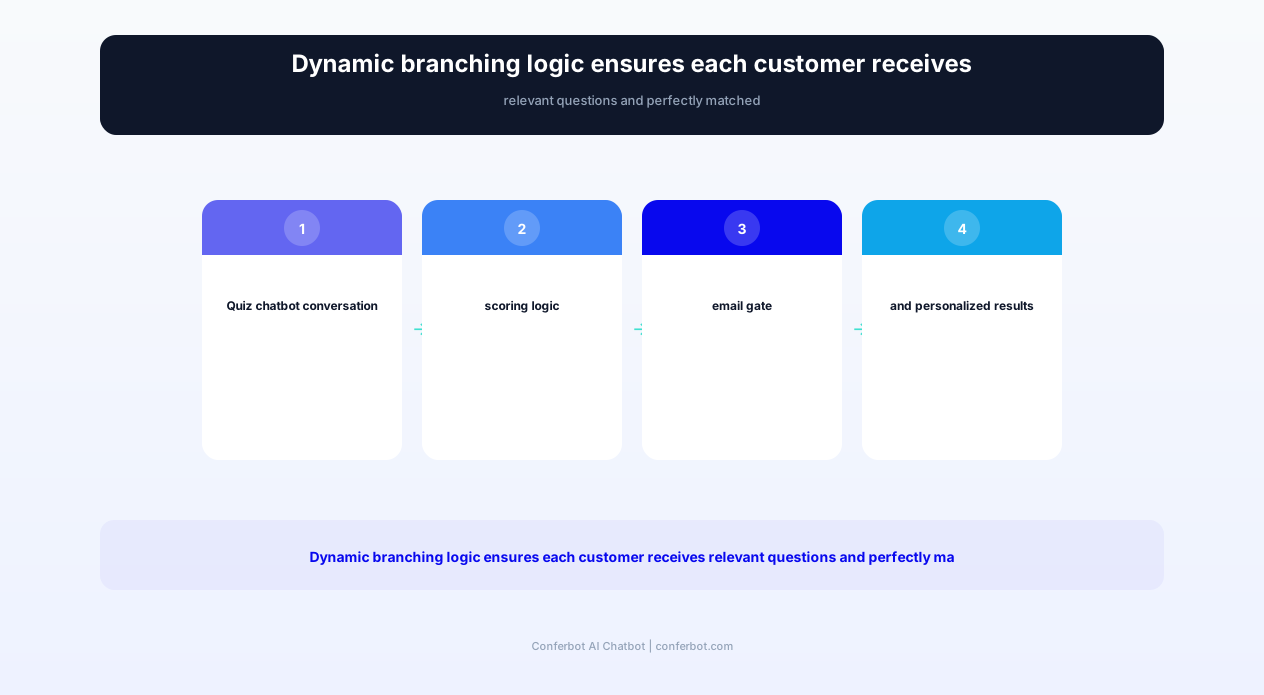
| Dynamic branching logic | Questions adapt based on previous answers, skipping irrelevant paths | Shorter quizzes with more precise matching, reducing drop-off | Only asked relevant questions, no repetitive or confusing prompts |
| Weighted scoring engine | Each answer maps to weighted product attributes for algorithmic matching | Accurate recommendations without manual product tagging for each quiz path | Results genuinely match stated preferences, building trust in recommendations |
| Email capture gate | Configurable email collection before or after results, with value exchange messaging | 42% opt-in rates build marketing lists with preference data attached | Clear value exchange -- email for personalized results and future offers |
| Social sharing results | Shareable result cards for Instagram, Facebook, Twitter, and Pinterest | Organic viral distribution -- each share drives 3-5 new quiz takers | Fun, shareable content that reflects their personality and preferences |
| Results page with CTAs | Personalized results page with product cards, add-to-cart buttons, and bundle offers | Direct conversion path from recommendation to purchase in one click | Seamless shopping experience with no navigation friction |
| Retargeting pixel integration | Fires Facebook, Google, and TikTok pixels at each quiz stage for audience building | Builds retargeting audiences of quiz completers for high-intent ad campaigns | Relevant retargeting ads showing their recommended products (not random items) |
| A/B testing framework | Test different question sequences, imagery, copy, and result layouts | Continuous conversion optimization with statistical significance reporting | Improving experience over time based on what resonates with similar shoppers |
| Multi-language support | Quiz content and results translated into 30+ languages automatically | Single quiz serves global audience without manual translation | Native language experience regardless of geographic location |
| Progress indicator | Visual progress bar showing quiz completion percentage | Reduces abandonment by showing completion is close (sunk cost effect) | Knows exactly how many questions remain, reducing uncertainty |
| Recommendation explanation | Shows why each product was recommended based on specific quiz answers | Increases trust in recommendations, reducing post-purchase doubt | Understands the reasoning, feels confident the recommendation fits |
All features are configurable through Conferbot's visual builder without code. Advanced users can extend functionality through custom JavaScript logic and API webhooks for real-time product matching against external recommendation engines.
Lead Capture and Email Marketing Integration
Product quizzes are the highest-converting lead generation mechanism in ecommerce because they offer a genuine value exchange: the customer shares their preferences and email in return for personalized recommendations they actually want. This section covers the strategy and mechanics of maximizing lead capture from your quiz chatbot.
The 42% Opt-In Rate Explained
Generic email popups ("Subscribe for 10% off!") convert at 2-5% because they offer a weak value exchange -- the customer gives up privacy for a small discount they may not need. Quiz chatbots achieve 42% email opt-in rates (documented by Octane AI across 3,000+ brand deployments) because the value exchange is immediate and personalized: "Enter your email to see your personalized results and save them for later." The customer has invested 2-3 minutes answering questions and genuinely wants to see their results -- the email gate feels like saving progress, not surrendering data.
Gate Placement Strategy
Where you place the email capture within the quiz flow significantly impacts both opt-in rate and list quality:
- Pre-results gate (recommended): Collect email after the last question but before showing results. Opt-in rates: 35-45%. This is the highest-converting placement because anticipation peaks just before results.
- Mid-quiz gate: Collect email after 2-3 questions when engagement is established. Opt-in rates: 25-35%. Lower conversion but captures more leads since some will not finish.
- Post-results optional: Show results freely, then offer email for saving results and future updates. Opt-in rates: 15-25%. Lower conversion but highest list quality since only genuinely interested subscribers opt in.
Preference Data Enrichment
The quiz email is not just an email -- it comes attached with rich preference data that transforms your marketing. Each subscriber enters your email platform with:
- Quiz answers (style preferences, budget range, skin type, etc.)
- Recommended products (what the algorithm matched for them)
- Quiz completion timestamp and device type
- Traffic source (which ad, page, or channel drove them to the quiz)
This data enables hyper-targeted email segmentation from day one. Instead of blasting your entire list with the same promotion, you send skincare emails to people who said "anti-aging" and different skincare emails to those who said "acne." Segmented emails driven by quiz data show 4-6x higher click rates than broadcast emails.
Email Platform Integrations
The quiz chatbot integrates directly with major email marketing platforms through native API connections:
- Klaviyo: Quiz data maps to custom properties, enabling flows triggered by specific quiz answers
- Mailchimp: Subscribers tagged by quiz results for automated journey entry
- Omnisend: Quiz completion triggers custom automation workflows with product recommendations
- ActiveCampaign: Contact scoring based on quiz engagement depth and purchase intent signals
- ConvertKit: Visual automations triggered by quiz segment assignment
Post-Quiz Email Sequences
The most effective post-quiz sequences follow this pattern:
- Email 1 (immediate): "Your personalized results" -- recap recommendations with product links and a time-limited offer
- Email 2 (24 hours): Social proof from customers with similar quiz profiles who purchased and loved the recommendations
- Email 3 (72 hours): Educational content related to their quiz answers (e.g., "Your skin type: what it means and how to care for it")
- Email 4 (7 days): Reminder of saved recommendations with any new stock or price changes
This sequence converts 15-25% of quiz completers into purchasers within the first week, with additional conversions continuing over the following 30 days as education and trust build.
Before and After: Measurable Impact
The following metrics represent aggregate performance data from ecommerce stores deploying Conferbot's product recommendation quiz template across fashion, beauty, supplements, electronics, and home goods verticals.
| Metric | Before Quiz Chatbot | After Quiz Chatbot | Improvement |
|---|---|---|---|
| Email list growth rate (monthly) | 200-500 subscribers | 2,000-5,000 subscribers | 5-10x faster list growth |
| Email opt-in rate | 2-5% (popups) | 35-42% (quiz gate) | 8-20x higher conversion |
| Average order value | $45 (self-selected) | $135 (quiz-recommended) | 3x higher AOV |
| Conversion rate (quiz visitors) | 2-3% (site average) | 12-18% (quiz completers) | 5-6x higher conversion |
| Return rate | 25-35% (wrong product fit) | 12-18% (matched products) | 40-50% fewer returns |
| Time on site | 1:45 average | 4:30 for quiz participants | 2.5x longer engagement |
| Product page views per session | 3-4 pages | 6-8 pages (post-quiz browsing) | 2x more discovery |
| Customer lifetime value (12 months) | $120 baseline | $280 for quiz-acquired customers | 133% higher LTV |
| Social shares per month | Minimal organic sharing | 500-2,000 quiz result shares | Viral acquisition channel |
| Retargeting ROAS | 3-4x (generic audiences) | 8-12x (quiz-based audiences) | 2-3x better ad performance |
ROI Calculation Example
Consider an online skincare brand generating $200,000/month in revenue with 50,000 monthly visitors and a 2.5% conversion rate. After deploying a skin type quiz chatbot:
- Quiz engagement: 15% of visitors start the quiz = 7,500 quiz starts/month
- Quiz completion: 85% complete = 6,375 completions/month
- Email capture: 40% opt-in = 2,550 new subscribers/month (with rich preference data)
- Direct quiz conversion: 15% of completers buy = 956 orders from quiz at $135 AOV = $129,060/month additional revenue
- Email sequence conversion: 20% of opted-in non-buyers convert within 30 days = 319 additional orders x $95 AOV = $30,305/month
- Total monthly revenue impact: $159,365 (79.7% increase on baseline)
- Annual email list value: 30,600 preference-enriched subscribers generating $50-100/subscriber/year = $1.5-3M in email-attributed revenue
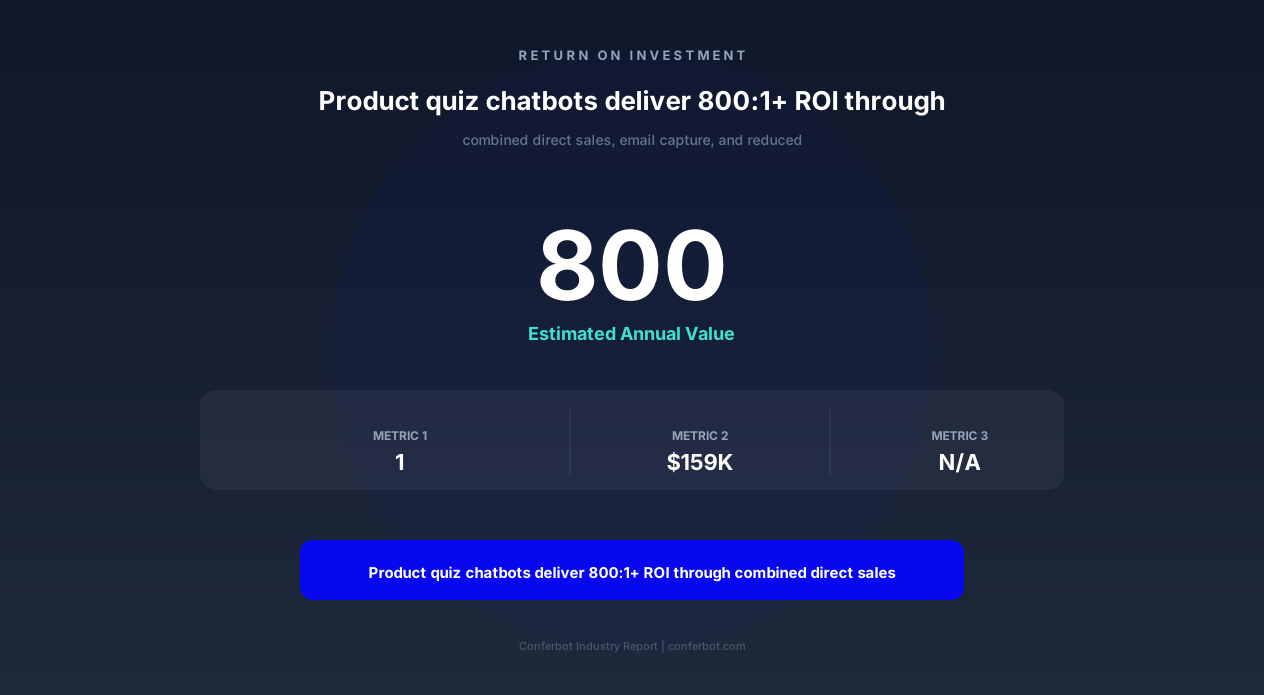
Against a Conferbot subscription of $49-199/month, the quiz chatbot delivers 800:1+ ROI within the first month of deployment.
50,000+ businesses use Conferbot templates to automate conversations
Building Your First Product Quiz: Step-by-Step
Building a high-converting product recommendation quiz requires thoughtful question design, proper product mapping, and strategic deployment. This guide walks you through the complete implementation process using Conferbot's visual chatbot builder.
Step 1: Define Your Quiz Objective
Before building questions, clarify what the quiz should accomplish:
- Product matching: Guide customers to specific SKUs (best for catalogs with 10-200 products)
- Category narrowing: Help customers find the right category (best for 200+ product catalogs)
- Bundle creation: Build personalized product bundles (best for complementary product ranges)
- Lead qualification: Segment visitors by purchase intent and preference for targeted follow-up
Step 2: Design Your Question Flow (5-8 Questions)
The ideal quiz length is 5-8 questions. Fewer feels superficial; more causes drop-off. Structure your questions in this order:
- Questions 1-2 (Warm-up): Easy, engaging questions that build momentum. Use image-based answers. Example: "What's your style vibe?" with lifestyle images.
- Questions 3-5 (Core matching): Questions that map directly to product attributes. These determine the recommendation. Example: "What's your primary skin concern?"
- Questions 6-7 (Refinement): Budget range, preferences, or deal-breakers that narrow within the matched category. Example: "What's your monthly skincare budget?"
- Question 8 (Optional qualifier): A question that segments for marketing purposes without affecting the recommendation. Example: "How did you hear about us?"
Step 3: Map Answers to Product Attributes
Each answer option connects to product attributes in your catalog through weighted scoring. In Conferbot's flow builder, you assign weights to each answer-attribute pair:
- Answer "I want to reduce wrinkles" maps to attribute "anti-aging" with weight 10
- Answer "I have oily skin" maps to attribute "oil-control" with weight 8 and "lightweight" with weight 6
- Answer "My budget is $50-100" maps to price range filter $50-$100
The scoring engine sums weights across all questions and returns products with the highest cumulative match score. This approach scales infinitely -- adding new products only requires tagging their attributes, not rebuilding the quiz.
Step 4: Design the Results Page
The results page is where conversion happens. Include these elements:
- Personalized headline: "Your Perfect [Category] Match" or "Based on your answers, we recommend..."
- Primary recommendation: One hero product with image, description, price, and prominent add-to-cart button
- Secondary recommendations: 2-3 alternative matches for different preferences or budgets
- Explanation: Brief text explaining why each product matches their quiz answers
- Bundle offer: "Complete the set" section with complementary products at a bundle discount
- Social share buttons: Shareable result card with the customer's quiz profile type
Step 5: Configure Email Capture
Place the email gate between the last question and the results page. Use copy that emphasizes value: "Enter your email to see your personalized results and get exclusive offers on your matched products." Include a privacy reassurance: "We'll only send you offers relevant to your quiz results. Unsubscribe anytime."
Step 6: Set Up Retargeting and Analytics
Configure pixel events at each quiz stage: quiz_started, quiz_question_answered (with question number), quiz_completed, email_captured, result_viewed, product_clicked, and product_purchased. These events power retargeting audiences (show quiz product ads to completers who did not buy) and conversion attribution in your analytics platform.
Step 7: Deploy and Promote
Embed the quiz on high-traffic pages: homepage hero section, collection pages (as an alternative to filters), blog posts (contextual entry points), and dedicated landing pages for ad traffic. The chatbot widget can also proactively suggest the quiz to browsing visitors who show engagement signals but have not added anything to cart after 60+ seconds.
Retargeting and Advertising Integration
Quiz data transforms your paid advertising from spray-and-pray to precision targeting. Every quiz interaction generates signals that feed your ad platforms with high-intent audience data and personalized creative angles.
Building Quiz-Based Custom Audiences
The quiz chatbot fires pixel events at each stage, creating layered custom audiences in Facebook/Meta Ads, Google Ads, and TikTok Ads:
- Quiz starters (did not complete): Retarget with "Finish your quiz" creative -- 30-40% will return and complete
- Quiz completers (did not purchase): Show dynamic ads featuring their specific recommended products -- 8-12x ROAS typical
- Quiz completers by segment: Create lookalike audiences based on your highest-LTV quiz segments for prospecting
- Email opt-ins from quiz: Suppress from cold campaigns (they are in your email flow) to avoid wasted spend
Dynamic Product Ads from Quiz Data
Connect quiz results to your product catalog feed for dynamic retargeting that shows each person their specific recommendations. Instead of showing generic bestsellers, the ad creative says "Still thinking about the [Product Name] we recommended for your [quiz type]?" This personalization lifts retargeting CTR by 3-4x compared to generic catalog ads.
Prospecting with Quiz Insights
Aggregate quiz data reveals which customer segments are most valuable. If you discover that quiz takers who answer "anti-aging + sensitive skin + $100+ budget" have 5x the LTV of other segments, you build lookalike audiences from that specific segment and target prospecting ads directly at similar profiles. This quiz-informed prospecting consistently outperforms interest-based targeting because it is based on actual customer preference data rather than Facebook's inferred interests.
Quiz as Ad Destination
Running ads that send traffic directly to the quiz (rather than a product page or homepage) often outperforms traditional landing pages:
- Ad creative: "Not sure which [product type] is right for you? Take our 60-second quiz!"
- Landing page: The quiz itself (no distractions, immediate engagement)
- Conversion event: Quiz completion (optimize for this initially), then purchase (once you have volume)
Brands using quiz-destination ads report 40-60% lower CPA compared to product page destinations because the quiz engagement creates a warming step that filters out low-intent traffic and converts high-intent visitors at much higher rates. The quiz effectively replaces your landing page as a conversion mechanism.
Attribution and ROAS Tracking
Track quiz-attributed revenue through UTM parameters, post-quiz purchase cookies, and email flow attribution. The full attribution chain includes: ad click > quiz start > quiz completion > email capture > immediate purchase (or) email sequence purchase (or) retargeting ad purchase. Multi-touch attribution shows that the quiz typically receives 40-60% attribution credit in the conversion path, making it one of the highest-value touchpoints in the funnel.
Quiz Optimization Best Practices
A well-optimized quiz can double its conversion rate compared to a first-draft deployment. These best practices are drawn from A/B testing data across thousands of quiz implementations on the Conferbot platform.
Question Design Rules
- Use images over text: Visual answer options have 20-30% higher engagement than text-only. Show lifestyle imagery, product photos, or color palettes rather than bullet-point text lists.
- Limit to 3-4 answer options per question: More options create decision fatigue within the quiz itself. If you need more granularity, use a follow-up question rather than a 6-option multiple choice.
- Front-load engaging questions: Start with fun, identity-related questions ("What's your weekend style?") before asking practical questions ("What's your budget?"). Early engagement prevents drop-off.
- Make every question feel relevant: If a question doesn't clearly connect to the recommendation, remove it. Customers will abandon quizzes that feel like market research surveys.
- Use conversational language: "What bugs you most about your skin?" outperforms "Select your primary dermatological concern." The chatbot should feel like talking to a friend, not filling out a form.
Completion Rate Optimization
Target an 80-90% completion rate for quizzes launched from the website chatbot. If your rate falls below 75%, investigate:
- Quiz length: Shorten to 5-6 questions if drop-off occurs at questions 7-8
- Progress bar: Always show progress -- "Question 3 of 6" reduces uncertainty
- Mobile optimization: Ensure tap targets are large, images load fast, and scrolling is minimal
- Speed: Total quiz time should be 60-120 seconds. If questions require thinking, simplify them.
Results Page Conversion Optimization
The results page should convert 15-25% of viewers into purchasers. Optimize by:
- Single primary CTA: One hero product with a large "Add to Cart" button, not five equal options
- Urgency elements: Limited-time quiz discount ("15% off your match -- expires in 24 hours")
- Social proof: "347 people with your profile bought this in the last month"
- Explanation transparency: "We recommended this because you said [specific answer]" builds trust
- Bundle upsell: "Complete your routine" or "Pair it with" section adds 25-40% to AOV
Continuous Testing Framework
Run A/B tests on these elements in order of impact:
- Email gate placement (pre-results vs. post-results)
- Number of questions (5 vs. 7 vs. 8)
- First question (test 3-4 opening questions for best completion rate)
- Results page layout (single product vs. grid vs. ranked list)
- Discount strategy (percentage vs. free shipping vs. gift with purchase)
Test one variable at a time with minimum 500 quiz completions per variant for statistical significance. Most brands find their optimized quiz within 4-6 weeks of iterative testing, after which gains come from seasonal refresh and new product additions rather than structural changes.
Product Recommendation Quiz Chatbot FAQ
Everything you need to know about chatbots for product recommendation quiz chatbot.
Why Use a Template vs Building from Scratch?
Templates encode years of optimization data into the conversation flow before you start.
| Factor | Conferbot Template | Build from Scratch | Hire a Developer |
|---|---|---|---|
| Time to deploy | 10 minutes | 2-8 hours | 2-6 weeks |
| Cost | Free | Your time | $5,000-$25,000 |
| Day-1 conversion | 15-22% | 5-8% | 10-15% |
| Proven flows | Yes, data-tested | No | Depends |
| Updates included | Automatic | Manual | Paid |
| Multi-channel | 8+ channels | 1 channel | Extra cost |
| Analytics | Built-in | Must build | Extra cost |
Ready to Deploy Product Recommendation Quiz Chatbot?
Join 50,000+ businesses. Free forever plan available. No credit card required.
Social Sharing and Viral Growth Mechanics
Product recommendation quizzes have a unique viral property: people love sharing their results. This section explains how to design for shareability and leverage quiz results as an organic acquisition channel.
Why People Share Quiz Results
Quiz result sharing taps into identity expression -- one of the strongest motivators for social media behavior. When someone shares "I'm a Minimalist Classic type" or "My skin profile is Sensitive-Dry-Anti-Aging," they are expressing something about themselves to their network. This self-expression motivation means sharing is not a chore you must incentivize -- it is something customers actively want to do. Brands report that 25-35% of quiz completers share their results on at least one platform without any explicit prompt.
Designing Shareable Result Cards
The shareable result is a visual card (1080x1080 for Instagram/Facebook, 1200x675 for Twitter) that includes:
Avoid including specific product recommendations on the share card -- that feels like advertising. The card should feel like a personality insight that happens to come from your brand.
Platform-Specific Sharing Mechanics
Each platform requires different sharing approaches:
Viral Loop Metrics
Track viral coefficient (K-factor) to measure organic growth from sharing:
A K-factor approaching 1.0 means the quiz is nearly self-sustaining -- almost every completer generates one new completer through sharing. Some brands achieve K-factors above 1.0 during viral moments, creating exponential growth without ad spend. Even steady-state K-factors of 0.5-0.8 mean your paid acquisition cost is effectively halved because organic sharing generates half your quiz traffic free.
Incentivized Sharing (Use Carefully)
While organic sharing is ideal, you can boost sharing rates with incentives: "Share your results for 10% off your recommended products." This increases share rates to 45-60% but can feel transactional. The most effective incentive is social -- "Challenge your friends to take the quiz and compare results" -- which increases sharing without discounting your products.