What Changed: Meta's January 2026 WhatsApp Business Policy Update
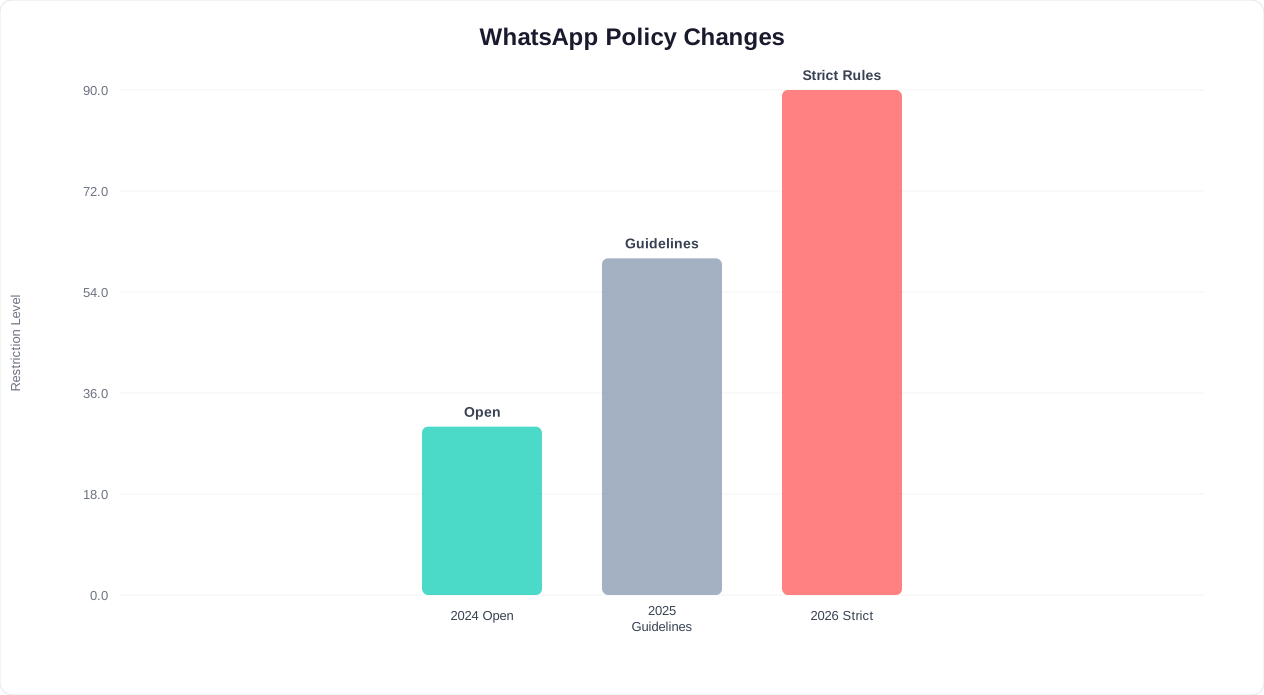
On January 15, 2026, Meta rolled out its most significant update to WhatsApp Business policies since the platform opened its API to chatbot providers. The update — officially titled the "AI-Assisted Business Messaging Guidelines" — introduces new rules specifically targeting AI-powered chatbots, automated messaging flows, and conversational AI agents operating on WhatsApp. (source: WhatsApp Business Platform documentation). (source: Meta for Developers WhatsApp API).
This is not a minor tweak. The update reflects Meta's growing concern about three trends:
- AI impersonation: Chatbots pretending to be human agents without disclosure
- Spam through automation: Businesses using AI to send high-volume unsolicited messages that technically comply with old opt-in rules but violate the spirit of user consent
- Unregulated AI advice: Chatbots providing medical, legal, or financial advice without appropriate disclaimers or human oversight
📱 WhatsApp Scale
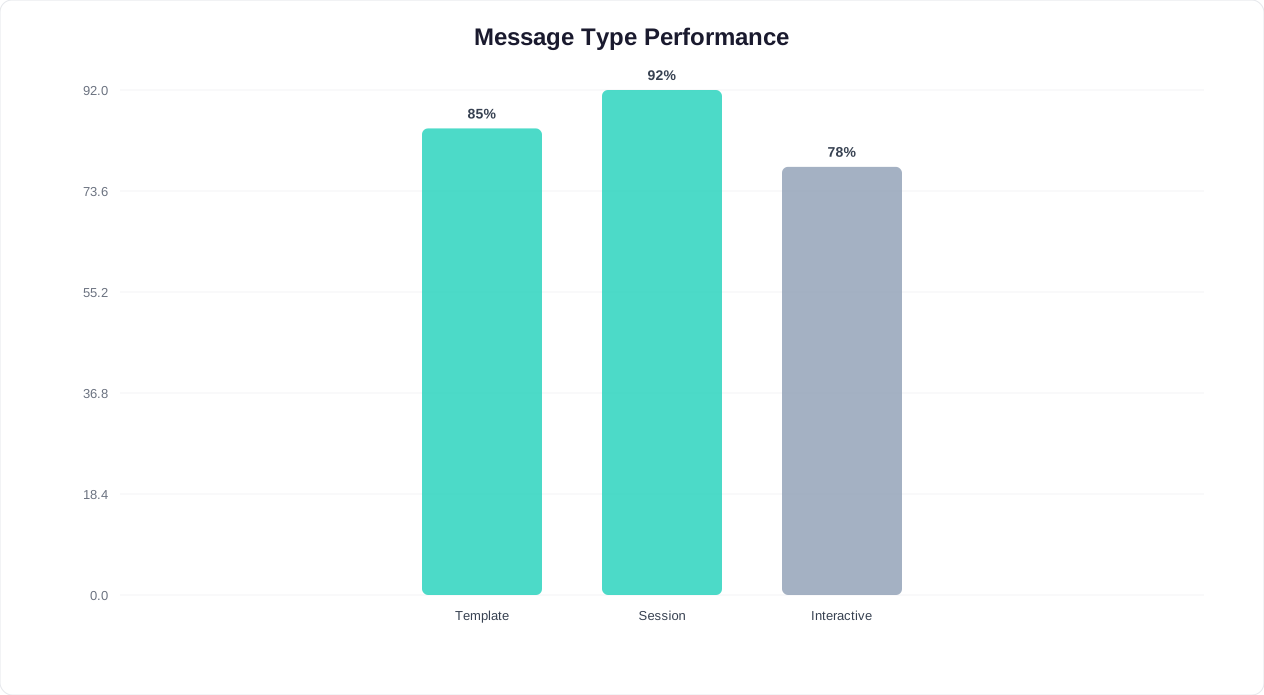
With 3 billion active users and 85% message open rates, WhatsApp is the highest-engagement business messaging channel. The January 2026 policy update ensures AI chatbots maintain that trust.
The 7 Key Changes at a Glance
| # | Rule | Before (Pre-2026) | After (January 2026+) |
|---|---|---|---|
| 1 | AI Disclosure | No requirement to disclose AI use | Must clearly state that the user is interacting with an AI chatbot within the first message |
| 2 | Human Handoff | Optional — bots could handle everything | Must provide a clear, accessible path to a human agent in every conversation |
| 3 | Sensitive Topics | No specific restrictions on AI-generated advice | AI must not provide specific medical diagnoses, legal counsel, or financial advice without disclaimers and human review pathways |
| 4 | Message Frequency | Follow template message limits | New daily cap on proactive messages per user (max 3 business-initiated conversations per user per 24 hours) |
| 5 | Opt-Out Mechanism | Must honor unsubscribe requests | Must include a visible opt-out option in every proactive (business-initiated) message. "STOP" must work universally. |
| 6 | Data Usage Transparency | Privacy policy required | Must inform users how conversation data is used for AI training within the conversation itself (not just in external privacy policy) |
| 7 | Conversation Quality Score | Basic quality rating system | Enhanced quality scoring: low-quality conversations (high block rate, low response rate) trigger progressive throttling and eventual suspension |
Why This Matters for Your Business
Non-compliance is no longer just a policy violation — it has immediate operational consequences. Meta's new enforcement framework operates on a three-strike system: (source: Meta Business Suite commerce policy). (source: WhatsApp Commerce Policy FAQ).
- Warning: First violation results in a warning notification through the WhatsApp Business Manager. Your messaging continues uninterrupted, but the violation is logged.
- Throttling: Second violation within 90 days triggers message rate limiting. Your bot can only send 50% of its normal template message volume for 14 days.
- Suspension: Third violation within 90 days results in a 7-30 day suspension of your WhatsApp Business API access. During suspension, your bot cannot send or receive any messages.
For businesses that rely on WhatsApp as a primary customer channel, a 30-day suspension can mean hundreds of thousands of dollars in lost revenue and customer trust that takes months to rebuild.
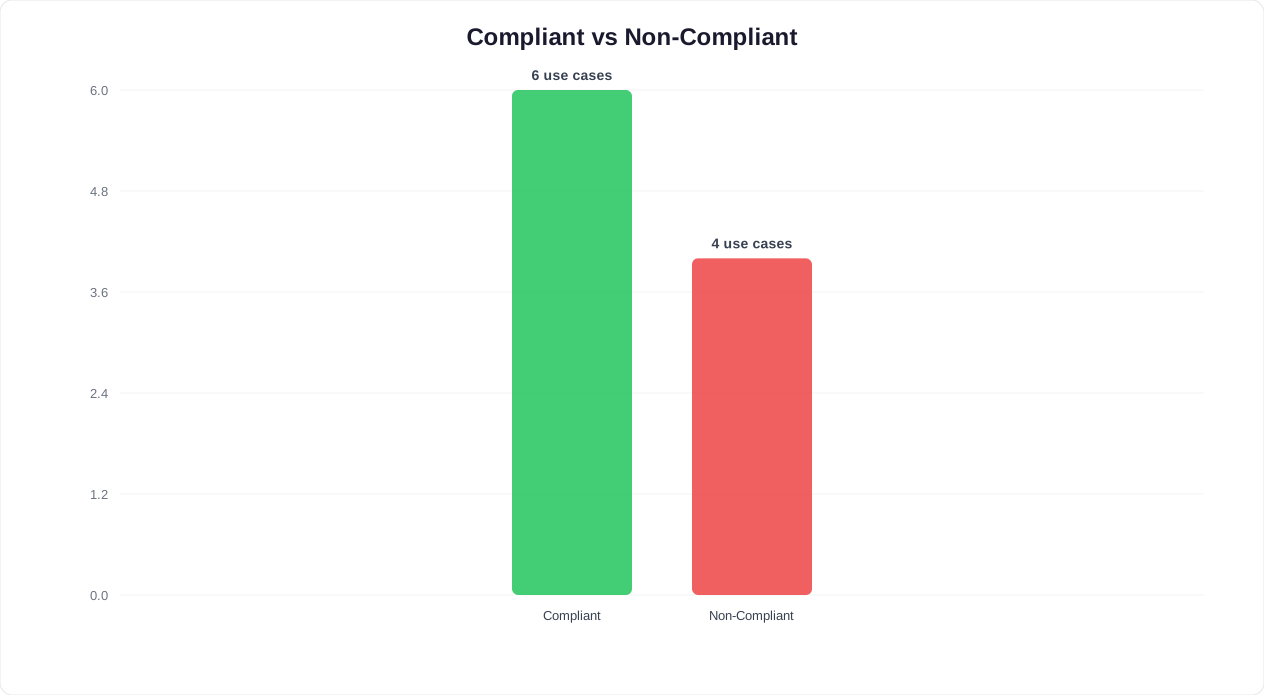
What's Allowed: Compliant WhatsApp Chatbot Use Cases
The good news: the vast majority of legitimate business chatbot use cases remain fully compliant under the new rules. You do not need to shut down your WhatsApp bot. You need to ensure it follows the updated guidelines. Here are the use cases that are explicitly allowed and encouraged by Meta.
1. Customer Support (Fully Compliant)
Using AI chatbots for customer support is not only allowed but actively encouraged by Meta. This includes:
- Answering FAQs about products, services, pricing, and policies
- Troubleshooting common issues with step-by-step guidance
- Providing order status updates and tracking information
- Processing returns, exchanges, and refund requests
- Collecting customer feedback and satisfaction surveys
Compliance requirement: Disclose AI use in the first message and provide a "Talk to a human" option that connects to a live agent via live chat.
2. Appointment Booking (Fully Compliant)
Automated scheduling through WhatsApp remains one of the highest-value and most compliant use cases:
- Showing available time slots from your calendar system
- Booking, confirming, and canceling appointments
- Sending appointment reminders (within the new 3-per-day proactive message limit)
- Rescheduling with one-tap buttons
Compliance requirement: Appointment reminders count toward the 3 business-initiated messages per user per 24 hours limit. Combine confirmation and reminder into fewer messages rather than sending separate ones for each. Use calendar booking features that integrate directly with WhatsApp.
3. Order Updates and Transactional Messages (Fully Compliant)
Transactional messages triggered by a customer action are fully compliant:
- Order confirmations
- Shipping notifications with tracking links
- Delivery confirmations
- Payment receipts
- Subscription renewal notices
Compliance note: Transactional messages triggered by a user action (placing an order, making a payment) are exempt from the 3-per-day proactive message limit. However, follow-up marketing messages ("Based on your purchase, you might like...") do count and require separate opt-in.
4. Lead Capture and Qualification (Compliant with Guidelines)
Using chatbots to capture and qualify leads is allowed, with specific guardrails:
- Responding to user-initiated inquiries about your products or services
- Asking qualifying questions (budget, timeline, needs) within an active conversation
- Collecting contact information for follow-up
- Scheduling sales calls or demos
Compliance requirement: Lead capture must happen within a user-initiated conversation window (the 24-hour session). You cannot send cold outbound messages to collect lead information from users who have not contacted you first.
5. E-Commerce Product Discovery (Compliant with Guidelines)
Helping users find and purchase products through WhatsApp chat is compliant:
- Product catalog browsing through the bot
- Product recommendations based on stated preferences
- Size/color/variant selection assistance
- Cart management and checkout links
Compliance requirement: If using AI to generate product recommendations, disclose that recommendations are AI-generated. Do not imply that a human stylist or expert selected the items unless one actually did.
Related: How to Train a Chatbot on Your Knowledge Base: Step-by-Step Guide for 2026
What's NOT Allowed: Non-Compliant Use Cases to Avoid
These use cases are now explicitly prohibited or heavily restricted under the January 2026 policy. If your WhatsApp chatbot does any of the following, you need to modify or remove those features immediately.
1. AI Impersonation (Banned)
Your chatbot must not pretend to be a human. This includes:
- Using a human name without an "AI" or "Bot" label (e.g., "Sarah from Sales" without disclosing it is a bot)
- Typing delay simulations designed to make the bot appear human
- Responding "I'm a real person" or similar claims when asked
- Using a human photo as the chatbot's profile picture without an AI disclosure label
What to do instead: Name your bot clearly ("[Your Business] AI Assistant") and include a first-message disclosure: "Hi! I'm [Business Name]'s AI assistant. I can help with [capabilities]. You can ask to speak with a human at any time."
⚠️ Critical Rule
AI impersonation is now fully banned. Your bot must disclose it is AI in the first message, cannot simulate typing delays to appear human, and must never claim to be a real person.
2. Unsolicited Bulk Messaging (Banned)
The new rules crack down hard on high-volume proactive messaging:
- Sending promotional messages to users who have not interacted with your business in the last 30 days
- Sending more than 3 business-initiated conversations to the same user in a 24-hour period
- Re-engaging users who have opted out or blocked your number
- Purchasing or scraping phone number lists for WhatsApp outreach
Penalties: Bulk messaging violations trigger immediate throttling (no warning) because Meta's systems detect them automatically through pattern analysis.
3. Unqualified Medical, Legal, or Financial Advice (Restricted)
AI chatbots are now restricted from providing specific professional advice in regulated fields:
- Medical: Cannot provide diagnoses, treatment recommendations, or medication advice. Can provide general health information with a disclaimer and a referral to consult a healthcare professional.
- Legal: Cannot provide legal opinions, contract interpretations, or case assessments. Can provide general legal information with a disclaimer.
- Financial: Cannot provide specific investment advice, tax guidance, or financial planning recommendations. Can provide general financial literacy information.
What to do instead: Include a clear disclaimer: "This information is for general purposes only and does not constitute [medical/legal/financial] advice. Please consult a qualified professional for advice specific to your situation." Then offer to connect the user with a qualified human professional.
4. Misleading AI-Generated Content (Banned)
- Generating fake reviews, testimonials, or endorsements through the chatbot
- Creating deepfake audio or video messages that impersonate real people
- Presenting AI-generated statistics or research as factual without source attribution
- Using AI to generate misleading product claims or health benefits
5. Data Harvesting Without Disclosure (Banned)
- Collecting user data through conversations without informing users what data is collected and how it is used
- Using conversation data to train AI models without explicit user consent
- Sharing user conversation data with third parties without disclosure
- Storing sensitive data (payment info, health info) in chatbot logs without encryption and data handling disclosure
Related: Chatbot to Human Handoff: Setup Guide, Best Practices, and Message Templates
Regional Enforcement Differences
While Meta's WhatsApp Business Policy applies globally, enforcement intensity varies significantly by region. The European Union, driven by GDPR alignment, sees the strictest enforcement — businesses operating in the EU can expect faster account reviews and lower tolerance for policy violations. In the United States and United Kingdom, enforcement follows a graduated warning system, giving businesses more time to correct issues before suspension.
For businesses operating across multiple regions, the safest approach is to comply with the strictest regional standard. This means implementing EU-level consent mechanisms, data retention policies, and opt-out workflows regardless of where your primary audience is located. A single chatbot configuration that meets the highest compliance bar eliminates the complexity of region-specific logic and reduces the risk of accidental violations when users travel or relocate.
Template Message Approval Changes
The January 2026 update also tightened the template message approval process. Template messages — the pre-approved outbound messages businesses send to initiate conversations — now require more explicit categorization. Meta introduced three new rejection categories: misleading urgency, insufficient opt-out language, and ambiguous promotional intent. Businesses report that template approval times have increased from an average of 24 hours to 48-72 hours as Meta's review team applies stricter scrutiny.
To avoid template rejections, follow these updated guidelines: include a clear unsubscribe mechanism in every marketing template, avoid countdown timers or artificial scarcity language, and explicitly state the promotional nature of the message in the first line. Utility templates — such as appointment confirmations and shipping updates — continue to receive faster approval, typically within 12 hours, provided they contain no promotional language.
The Complete WhatsApp Chatbot Compliance Checklist (2026)
Use this checklist to audit your WhatsApp chatbot against every requirement in Meta's January 2026 policy. Go through each item and verify compliance. Any "No" answer needs immediate attention.
✅ Compliance Checklist
Use this checklist to audit every aspect of your WhatsApp chatbot. Any "No" answer on a Critical-priority item needs immediate attention to avoid throttling or suspension.
AI Disclosure and Transparency
| Requirement | Status | Priority |
|---|---|---|
| First message clearly states the user is interacting with an AI chatbot | Required | Critical |
| Bot profile name includes "AI," "Bot," or "Assistant" label | Required | High |
| Bot does not use a real human photo as profile picture without AI label | Required | High |
| Bot does not simulate typing delays to appear human | Required | Medium |
| AI-generated recommendations are labeled as AI-generated | Required | Medium |
Human Handoff
| Requirement | Status | Priority |
|---|---|---|
| Every conversation includes a visible option to reach a human agent | Required | Critical |
| Human handoff option works during business hours (not a dead link) | Required | Critical |
| After-hours handoff includes expected response time ("Our team will respond by 9 AM") | Recommended | Medium |
| Handoff preserves conversation context (agent sees chat history) | Recommended | Medium |
Messaging Limits and Opt-Out
| Requirement | Status | Priority |
|---|---|---|
| Business-initiated messages limited to 3 per user per 24 hours | Required | Critical |
| Every proactive message includes a visible opt-out option | Required | Critical |
| "STOP" keyword triggers immediate opt-out from all proactive messages | Required | Critical |
| Opted-out users are not re-contacted unless they re-initiate | Required | High |
| No messages sent to users inactive for 30+ days without re-opt-in | Required | High |
Sensitive Topics
| Requirement | Status | Priority |
|---|---|---|
| Medical chatbots include "not medical advice" disclaimers | Required (if applicable) | Critical |
| Legal chatbots include "not legal advice" disclaimers | Required (if applicable) | Critical |
| Financial chatbots include "not financial advice" disclaimers | Required (if applicable) | Critical |
| Sensitive topic conversations offer human professional referral | Required (if applicable) | High |
Data and Privacy
| Requirement | Status | Priority |
|---|---|---|
| Users informed within conversation how their data is used | Required | High |
| Data handling disclosure appears before collecting personal info | Required | High |
| Sensitive data (payment, health) is encrypted in storage | Required | Critical |
| No conversation data shared with third parties without disclosure | Required | High |
| Users can request data deletion through the chatbot | Recommended | Medium |
Quality and Performance
| Requirement | Status | Priority |
|---|---|---|
| Block rate stays below Meta's threshold (currently <5%) | Required | Critical |
| Response rate stays above 80% (bot responds to 80%+ of messages) | Required | High |
| Template message approval obtained before sending proactive messages | Required | Critical |
| Quality rating monitored weekly in WhatsApp Business Manager | Recommended | Medium |
Related: Chatbot Analytics: 10 Metrics You Must Track to Prove ROI in 2026
How to Make Your Existing WhatsApp Bot Compliant: Step-by-Step
If you already have a WhatsApp chatbot running, here is a practical action plan to bring it into full compliance with the January 2026 rules. Most businesses can complete this in 2-4 hours.
Step 1: Update Your First Message (15 minutes)
Your chatbot's opening message must now include an AI disclosure. Before and after examples:
Before (non-compliant):
"Hi! Welcome to [Business Name]. How can I help you today?"
After (compliant):
"Hi! I'm [Business Name]'s AI assistant. I can help you with orders, bookings, product questions, and more. You can type 'agent' at any time to speak with a human team member. How can I help?"
This single change satisfies three requirements at once: AI disclosure, capability description, and human handoff path.
💡 Quick Win
Updating your first message to include AI disclosure + capability list + human handoff path satisfies three compliance requirements in a single change — a 15-minute fix.
Step 2: Add Human Handoff to Every Flow (30 minutes)
Go through each chatbot flow and ensure a "Talk to a human" or "Speak with an agent" option is accessible:
- Add it as a persistent button in your chatbot menu
- Include it in every fallback response ("I didn't quite understand that. Would you like to speak with a team member?")
- Recognize keywords like "human," "agent," "person," "representative" and trigger handoff automatically
- Configure your live chat integration so handoff actually works — do not create a dead-end "someone will contact you" message
Step 3: Audit Your Proactive Messages (30 minutes)
Review all template messages and automated sequences:
- Count how many business-initiated messages a single user can receive in 24 hours. If it exceeds 3, consolidate messages or space them across multiple days.
- Add an opt-out line to every proactive message: "Reply STOP to unsubscribe from these updates."
- Review your contact lists: remove any user who has not interacted with your business in the last 30 days. These users need a re-opt-in before you can message them again.
Step 4: Add Required Disclaimers (15 minutes)
If your chatbot operates in medical, legal, or financial domains, add disclaimers to relevant conversation flows:
Medical example: "This health information is for general awareness only. It does not replace advice from a qualified medical professional. Would you like me to help you find a doctor near you?"
Legal example: "This is general legal information, not legal advice. For advice specific to your situation, please consult a licensed attorney. I can help you schedule a consultation if you'd like."
Step 5: Add Data Usage Disclosure (15 minutes)
Before collecting personal information (name, email, phone, address), add a brief disclosure:
"To help you better, I'll need a few details. Your information is used only to process your request and is stored securely. We never share your data with third parties. You can ask us to delete your data at any time. Ready to continue?"
Step 6: Monitor Quality Score (Ongoing)
After making these changes, monitor your WhatsApp Business quality rating weekly:
- Log in to WhatsApp Business Manager → Phone Numbers → Quality Rating
- Check for a "Green" quality rating (good), "Yellow" (warning), or "Red" (at risk)
- If Yellow or Red, review recent block rates and user reports to identify the problematic messages
- Track your quality score trend over 30 days to ensure improvements are taking hold
How Conferbot Keeps Your WhatsApp Bot Compliant by Default
Building and maintaining WhatsApp compliance from scratch is time-consuming. That is why Conferbot's WhatsApp integration is designed to enforce compliance by default — so you can focus on business results instead of policy audits.
Built-In Compliance Features
- Automatic AI disclosure: When you deploy a Conferbot chatbot on WhatsApp, the first message automatically includes an AI disclosure statement. You can customize the wording, but the disclosure cannot be removed — preventing accidental non-compliance.
- Human handoff always accessible: Every Conferbot WhatsApp bot includes a persistent "Speak with a human" option that connects to your live chat team. It recognizes 15+ variations of handoff requests ("human," "agent," "real person," "talk to someone," etc.) in 70+ languages.
- Message frequency management: Conferbot tracks business-initiated messages per user per 24-hour window and automatically queues messages that would exceed the 3-message limit. Queued messages are sent in the next 24-hour window, ensuring you never trigger a frequency violation.
- Automatic opt-out handling: When a user sends "STOP" or any common unsubscribe keyword, Conferbot immediately opts them out of all proactive messages and confirms: "You've been unsubscribed. You won't receive proactive messages from us. You can still message us anytime for help." This is handled at the platform level — you do not need to build it into your flows.
- Data usage notices: Before collecting personal data, Conferbot inserts a brief, customizable data usage notice. This happens automatically in lead capture flows, ensuring you are compliant even if you forget to add it manually.
Sensitive Topic Guardrails
If your chatbot operates in healthcare, legal, or financial services, Conferbot provides:
- Automatic disclaimers: When the AI detects a conversation entering sensitive territory (symptom descriptions, legal questions, investment inquiries), it automatically appends the appropriate disclaimer before its response.
- Human escalation triggers: For high-stakes queries ("Is this medication safe with my condition?", "Can I sue my landlord?"), the bot automatically suggests speaking with a qualified professional and offers to connect them with your human team.
- Audit logging: All conversations involving sensitive topics are flagged and logged separately for compliance review. Your compliance team can review these conversations weekly to ensure the bot's responses meet regulatory standards.
Quality Score Monitoring
Conferbot's analytics dashboard integrates with WhatsApp's quality metrics to give you early warning of quality issues:
- Real-time quality score tracking (Green/Yellow/Red status)
- Block rate monitoring with alerts when approaching Meta's threshold
- User report analysis showing which messages trigger the most negative feedback
- Automated recommendations for improving quality score based on conversation data
Getting Started
To deploy a compliant WhatsApp chatbot with Conferbot:
- Connect your WhatsApp Business API account to Conferbot (5 minutes)
- Choose or build your chatbot (use a template or the drag-and-drop builder)
- Compliance features are enabled automatically — review and customize the default disclosure and disclaimer messages
- Deploy and monitor through the analytics dashboard
All compliance features are included in every Conferbot plan — no add-ons or enterprise upgrades required.
The Real Cost of Non-Compliance: Revenue Impact and Recovery Timeline
Understanding the financial impact of WhatsApp policy violations makes the case for proactive compliance investment. Based on aggregate data from businesses that experienced account actions in early 2026, here is what non-compliance actually costs.
Direct Revenue Impact by Violation Severity
| Violation Level | Action Taken | Duration | Estimated Revenue Loss (Mid-Size Business) |
|---|---|---|---|
| Warning | Logged violation, no service disruption | N/A | $0 direct, but remediation costs $500-1,500 in team time |
| Throttling | 50% message volume reduction | 14 days | $8,000-25,000 in lost conversations and delayed follow-ups |
| Suspension | Complete API access disabled | 7-30 days | $25,000-150,000 depending on channel dependency |
| Permanent Ban | Number blacklisted, no recovery | Permanent | $100,000+ including rebuilding audience on new number |
Hidden Costs Beyond Direct Revenue
The financial damage extends far beyond the suspension period itself:
- Customer trust erosion: Users who message during a suspension and get no response often switch to competitors permanently. According to HubSpot's State of Customer Service 2025, 67% of customers will not return to a brand after a single unresolved service interaction.
- Opt-in list decay: Inactive users accumulate during suspension, requiring expensive re-engagement campaigns afterward.
- Team disruption: Support teams scramble to redirect conversations to email or phone, increasing handling time by 3-4x during the suspension period.
- Competitive vulnerability: Competitors with active WhatsApp channels capture leads that would have come to you. Recovery takes 60-90 days post-reinstatement to return to pre-suspension lead volumes.
Compliance Investment vs. Non-Compliance Cost
The math is straightforward. A proper compliance audit and remediation (following the checklist in this guide) takes 4-8 hours of team time, costing approximately $200-500. A single throttling event costs $8,000-25,000. The ROI on compliance investment is 1,600-12,500%. For businesses already running compliant chatbots, maintaining compliance requires approximately 30 minutes per week of quality score monitoring and template review. For a comprehensive view of chatbot metrics that indicate compliance health, see our chatbot statistics 2026 overview.
Recovery Playbook After a Violation
If you do receive a warning or throttling, here is the priority action sequence:
- Immediate (within 1 hour): Pause all proactive template messages. Review the specific violation cited in the WhatsApp Business Manager notification.
- Day 1: Complete the full compliance checklist above. Fix every identified gap, not just the cited violation.
- Day 2-3: Resume messaging at 25% of normal volume with fully compliant templates only.
- Day 7-14: Gradually increase volume while monitoring quality score daily. If quality rating returns to Green, resume normal operations.
- Day 30: Conduct a retrospective. Document what caused the violation, what systemic changes prevent recurrence, and update your chatbot best practices playbook accordingly.
Businesses that follow this recovery playbook typically restore full messaging privileges within 14-21 days and return to pre-violation performance within 45-60 days. Those that simply wait out the throttling period without making changes face repeat violations and escalating penalties. For a complete guide to building a compliant WhatsApp chatbot from the ground up, see our WhatsApp chatbot creation guide.
Was this article helpful?
Build and deploy in 10 minutes. No coding needed.
WhatsApp Business Chatbot Rules 2026 FAQ
Everything you need to know about chatbots for whatsapp business chatbot rules 2026.
About the Author

Conferbot Team specializes in conversational AI, chatbot strategy, and customer engagement automation. With deep expertise in building AI-powered chatbots, they help businesses deliver exceptional customer experiences across every channel.
View all articles