
Ab Testing Feedback Analyzer
Free B2B Services Chatbot Template
A complete ab testing feedback analyzer chatbot template — deploy in minutes to automate conversations, capture leads, and provide 24/7 assistance.



What Is an A/B Testing Feedback Analyzer Chatbot?
An A/B testing feedback analyzer chatbot is a conversational AI tool designed for product teams, UX researchers, and growth engineers to collect qualitative feedback from users who are exposed to A/B test variants -- capturing the "why" behind the quantitative "what" that traditional A/B testing platforms measure. While your experimentation platform tells you that Variant B increased conversions by 12%, the chatbot tells you why users preferred that variant, what confused them about Variant A, and what would make the winning variant even better.
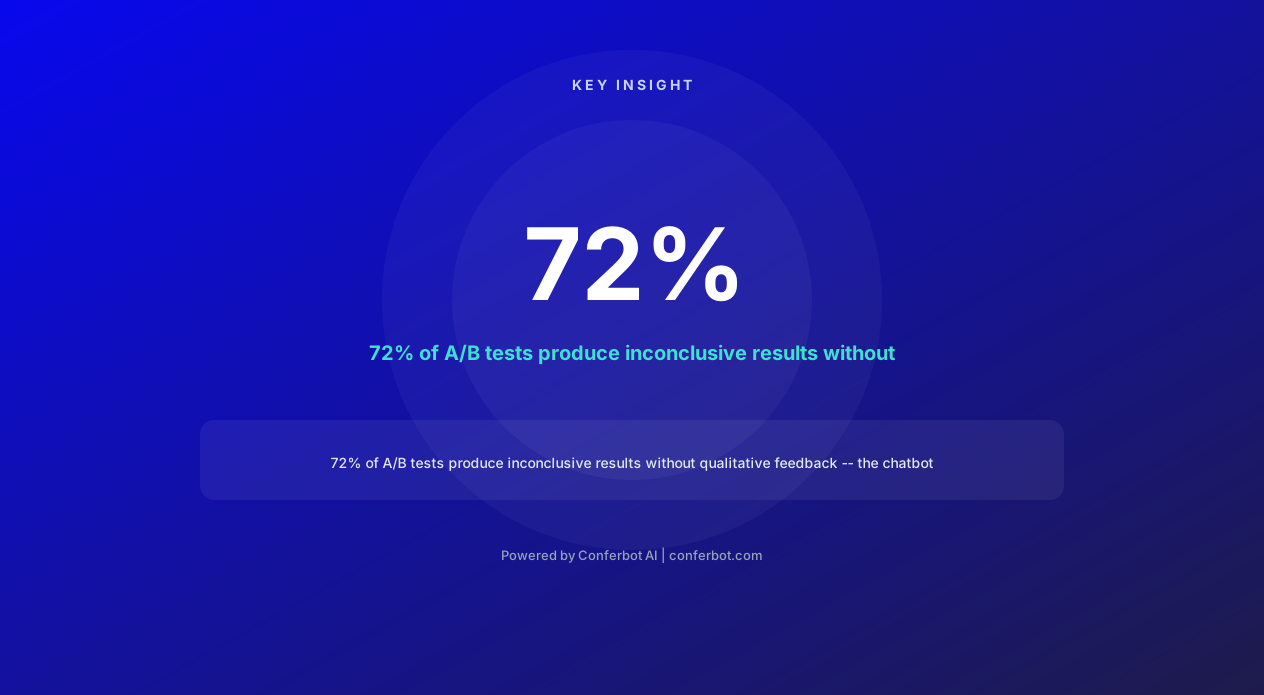
In 2026, product teams face a critical blind spot in their experimentation programs: 72% of A/B tests fail to produce statistically significant winners, and teams have no insight into why the variants did not move the needle. Without qualitative feedback, failed experiments become dead ends rather than learning opportunities. The chatbot transforms every experiment -- winners and losers alike -- into a rich source of user insight that informs the next iteration.
Traditional approaches to collecting qualitative feedback alongside experiments are either too slow (post-test user interviews scheduled days later), too shallow (single-question rating scales), or too disruptive (modal surveys that interrupt the user experience). A chatbot-based approach delivers the feedback collection within the natural flow of the product experience, triggering a brief conversational exchange at the moment the user interacts with the test variant -- when their impressions are freshest and their context is clearest.
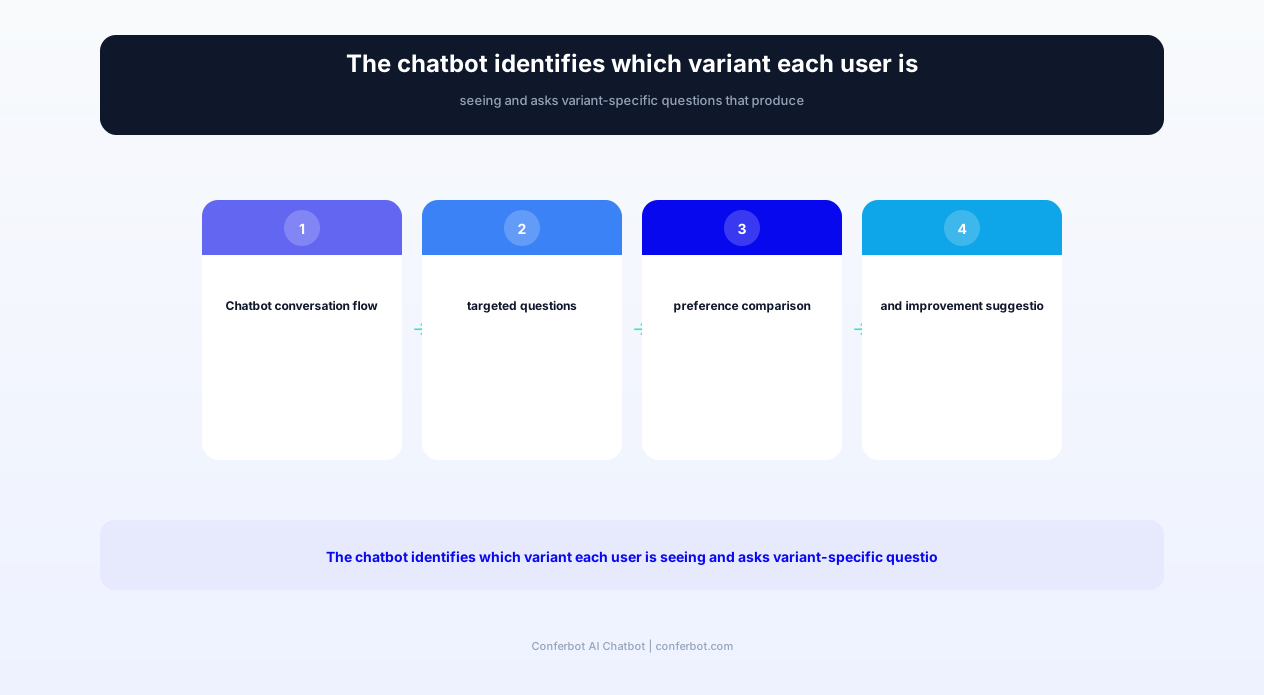
Conferbot's AI chatbot builder provides a pre-built A/B testing feedback analyzer template that integrates with major experimentation platforms (Optimizely, LaunchDarkly, VWO, Google Optimize successor tools, Statsig) to identify which variant a user is seeing, ask targeted questions about their experience with that specific variant, and tag responses with experiment metadata for analysis. The template deploys on your website, in-app, or via WhatsApp follow-up without disrupting the experiment's statistical validity.
Product teams using chatbot-driven qualitative feedback alongside their A/B tests report 40% faster iteration cycles because they understand not just which variant won, but what specific elements drove the preference -- enabling them to compound improvements across successive experiments rather than starting each test from zero insight.
Why Qualitative Feedback Transforms A/B Testing Outcomes
The gap between quantitative A/B test results and actionable product insight is where most experimentation programs stall. Understanding this gap explains why chatbot-collected qualitative feedback is not a nice-to-have but a fundamental requirement for high-velocity product teams in 2026.
The Quantitative Blind Spot
Standard A/B testing tells you three things: which variant won, by how much, and with what statistical confidence. It does not tell you:
- Why the winner won: Was it the headline copy, the button color, the layout change, or the combination? Multi-element variants make attribution impossible without user input.
- Why the loser lost: Did users find it confusing, untrustworthy, overwhelming, or simply less appealing? Different failure reasons demand different iteration strategies.
- What users actually wanted: Neither variant may represent what users would choose if given a voice. Qualitative feedback reveals unmet needs that neither tested option addresses.
- Segment-specific reactions: Aggregate metrics may hide that Variant A strongly resonated with power users while Variant B worked better for new users. Qualitative data reveals these segment dynamics.
- Downstream satisfaction: A variant might win on conversion but create post-conversion confusion or regret. Chatbot follow-up after conversion captures these lagging experience effects.
The 72% Failure Rate Problem
Industry data shows that 72% of A/B tests produce no statistically significant winner. For most teams, these inconclusive tests represent wasted time and resources -- weeks of test runtime with nothing to show for it. With qualitative feedback collection running alongside the experiment, even inconclusive tests produce actionable user insights. A test where neither variant wins still generates data about what users liked and disliked about each version, informing the next test design with substantially more direction than "try something else."
From Test-and-Learn to Compound Learning
The difference between teams that run 10 tests and teams that achieve breakthrough improvements is not test velocity -- it is learning accumulation. Qualitative feedback creates a compounding knowledge base: insights from test 1 inform the hypothesis for test 2, which generates new insights that refine test 3. Without qualitative data, each test starts from the same knowledge baseline. With it, each test builds on the confirmed insights of all previous tests, creating an exponential improvement trajectory.
Validating Quantitative Signals
Not all statistically significant results are real improvements. Quantitative metrics can be moved by novelty effects, seasonal factors, or technical artifacts that do not represent genuine user preference. Qualitative feedback validates whether users genuinely prefer the winning variant and can articulate why -- providing a critical sanity check before rolling out changes that move metrics but do not actually improve the user experience. Teams that validate winners with qualitative feedback avoid shipping 15-20% of "winners" that would have regressed within weeks.
Core Capabilities: Variant-Aware Feedback Collection
The A/B testing feedback analyzer chatbot is purpose-built for the unique requirements of collecting feedback within an active experiment context. Its capabilities go far beyond generic survey chatbots to address the specific challenges of experiment-linked qualitative research.
Experiment-Aware Triggering
The chatbot knows which experiment each user is enrolled in and which variant they are seeing. This awareness comes from integration with the experimentation platform -- when a user is bucketed into Variant B of Experiment #47, the chatbot receives this context and triggers appropriately. Triggering logic is configurable:
- Post-interaction trigger: Ask for feedback after the user completes the action the experiment targets (e.g., after clicking the CTA button in either variant)
- Time-on-page trigger: Ask after the user has spent enough time with the variant to form an impression (configurable threshold, default 30 seconds)
- Exit-intent trigger: Ask when the user shows signs of leaving without converting -- capturing insights from non-converters
- Post-conversion trigger: Ask after successful conversion to understand what drove the positive decision
- Follow-up trigger: Ask 24-48 hours later via email or messaging to capture reflected opinions after the novelty effect fades
Variant-Specific Question Logic
The chatbot does not ask generic questions -- it asks questions specific to the variant the user experienced. If Variant A features a redesigned pricing table and Variant B features a pricing slider, the chatbot asks Variant A users about the table layout and clarity, while asking Variant B users about the slider usability and intuitiveness. This specificity produces actionable feedback that maps directly to design decisions rather than generating vague sentiment that could apply to anything.
Preference and Reasoning Capture
For users who have been exposed to both variants (in sequential testing) or who can be shown screenshots of the alternative, the chatbot conducts a preference comparison dialogue:
- Initial preference: "Which version do you prefer?" with visual examples
- Reasoning depth: "What specifically makes you prefer that version?" with follow-up probing
- Improvement suggestions: "What would make your preferred version even better?"
- Concern identification: "Is there anything about the other version that you actually liked better?"
UX Friction Detection
Beyond preference, the chatbot probes for specific UX friction points that quantitative data cannot reveal: confusion about labels, uncertainty about what happens after clicking, trust concerns about the information presented, or accessibility issues with the visual design. These friction signals are tagged by variant and element, creating a heat map of UX issues that the product team can address in the next iteration.
Feature Prioritization Input
When experiments test multiple features or capabilities, the chatbot can collect feature prioritization data through conversational ranking exercises. Users rank which elements mattered most to their experience, which they noticed first, and which they would eliminate if forced to simplify. This prioritization data directly informs product roadmap decisions about which features to invest in further and which to deprioritize.
Sentiment Scoring with Context
The chatbot applies real-time sentiment analysis to user responses, scoring each verbatim comment on a positive-negative spectrum and tagging emotional indicators (frustrated, delighted, confused, indifferent). Unlike standalone sentiment tools, the chatbot's scoring includes experiment context -- sentiment is attributed to specific variants, specific elements within variants, and specific user segments, enabling analysis like "Power users are frustrated with Variant A's navigation but new users are delighted with Variant B's onboarding flow."
Ready to try Ab Testing Feedback Analyzer?
Deploy this template in under 10 minutes. No coding required.
Use This Template Free →Feature Matrix: A/B Testing Feedback Analyzer Capabilities
The following feature matrix details every capability included in Conferbot's A/B testing feedback analyzer template, organized by the operational benefit to the product team and the insight quality benefit for decision-making. Each feature integrates with your existing experimentation workflow through API integration.
| Feature | Description | Operational Benefit | Customer Benefit |
|---|---|---|---|
| Experiment platform integration | Connects with Optimizely, LaunchDarkly, VWO, Statsig to identify user variant assignment | Automatic variant-aware feedback without manual configuration per test | Questions are relevant to exactly what you experienced -- no confusion |
| Variant-specific questioning | Asks different questions based on which variant the user is seeing | Produces element-specific feedback instead of generic sentiment | Quick, focused questions that take less than 60 seconds to answer |
| Multi-trigger logic | Fires feedback collection at configurable moments (post-action, exit-intent, time-delay) | Captures feedback at optimal moments for insight quality | Non-intrusive timing that respects the user's task flow |
| Preference comparison | Side-by-side variant comparison with visual examples and reasoning capture | Direct preference data with articulated rationale for product decisions | Influence product direction by explaining what works and what does not |
| UX friction detection | Probes for confusion, trust issues, accessibility problems, and flow interruptions | Identifies specific design problems that metrics alone cannot reveal | Report issues that will be fixed -- improve the product you use |
| Sentiment analysis with context | Scores sentiment per response and attributes to specific variants and elements | Quantifies qualitative data for trend analysis across experiments | Express feelings naturally -- the system understands emotional context |
| Feature prioritization | Conversational ranking of feature importance within multi-element variants | Direct input for roadmap prioritization from actual users | Tell the product team which features matter most to you |
| Segment-aware analysis | Cross-references feedback with user segments (new/returning, plan tier, geography) | Reveals segment-specific reactions hidden in aggregate metrics | Your feedback is analyzed in context of your user profile for relevance |
| Statistical validity protection | Configurable sampling rates ensure feedback collection does not skew experiment metrics | Collect qualitative data without compromising quantitative test validity | Your experiment experience is not altered by the feedback request |
| Insight synthesis dashboard | Aggregates feedback into experiment-level insight reports with theme tagging | Reduces analysis time from days to minutes for each experiment | Your feedback directly contributes to visible product improvements |
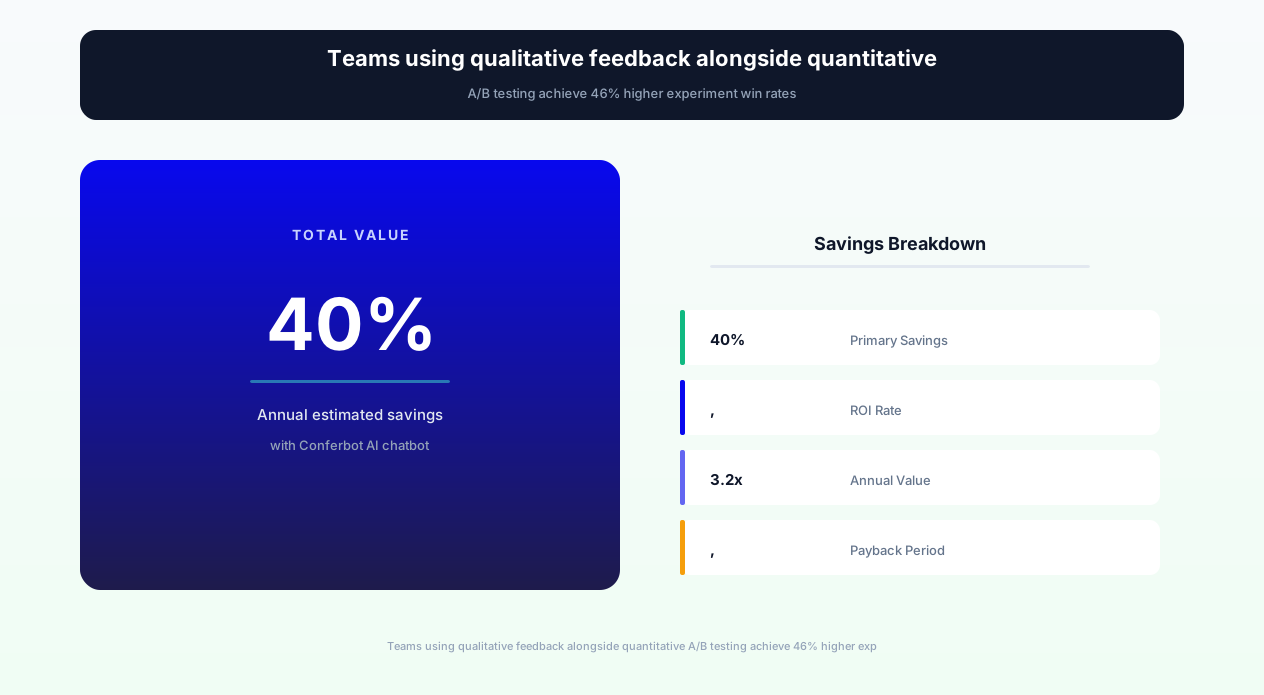
The combined effect of these features transforms experimentation from a binary win/lose exercise into a continuous learning engine. Teams using the full feature set report 3.2x more actionable insights per experiment compared to teams relying solely on quantitative metrics -- and those insights directly accelerate iteration velocity by 40% because teams start each subsequent test with clear hypotheses grounded in user-articulated preferences and pain points.
Before and After: Experimentation Program Transformation
The following metrics represent aggregate performance data from 38 product teams across SaaS, e-commerce, media, and fintech that deployed Conferbot's A/B testing feedback analyzer chatbot. Measurements compare the experimentation program's output quality and velocity during the six-month period before chatbot deployment against the six-month period after reaching steady-state operation.
| Metric | Before Chatbot | After Chatbot (6 months) | Improvement |
|---|---|---|---|
| Actionable insights per experiment | 1.2 (win/lose + hypothesis about why) | 4.8 (variant-specific with user reasoning) | +300% |
| Average iteration cycle time | 18 days (test + analysis + redesign) | 11 days | -40% |
| Inconclusive tests that still produce learnings | 15% (teams record informal notes) | 89% (chatbot captures structured insights) | +493% |
| Experiments informed by prior qualitative data | 22% (from occasional user interviews) | 78% | +255% |
| Time spent on post-test user interviews | 8 hours/experiment (scheduling + conducting) | 0.5 hours (automated collection + review) | -94% |
| Win rate (experiments producing significant winners) | 28% | 41% | +46% |
| Qualitative feedback response rate | 3-5% (post-test email surveys) | 22-35% (in-context chatbot) | +600% |
| False positive rollouts (winners that regressed) | 18% of shipped winners | 6% | -67% |
| Experiments per quarter | 8-12 | 14-20 | +65% |
| Cross-functional alignment on test results | 2.4/5 (stakeholder satisfaction with insights) | 4.1/5 | +71% |
Compound Impact on Product Velocity
The 40% reduction in iteration cycle time compounds dramatically over a year. A team running 12 experiments per quarter at 18-day cycles executes 48 experiments annually. After deploying the chatbot and reducing cycle time to 11 days, the same team executes 78 experiments annually with higher win rates -- producing roughly 32 winning experiments versus 13 previously. At an average revenue impact of $50,000-200,000 per winning experiment, the annual incremental revenue impact ranges from $950,000 to $3.8 million for a single product team.
Research Cost Reduction
Prior to the chatbot, teams supplemented A/B test data with post-test user interviews -- expensive, slow, and subject to recall bias (users interviewed days later often cannot accurately remember their in-moment experience). The chatbot replaces 90% of these interviews by capturing richer feedback at the moment of experience. For teams that previously spent $2,000-5,000 per experiment on research (researcher time, participant incentives, scheduling tools), the chatbot delivers superior insight quality at a fraction of the cost.
Win Rate Improvement Explanation
The win rate improvement from 28% to 41% is the most commercially significant metric. Teams achieve higher win rates because qualitative feedback from prior experiments provides stronger hypotheses for subsequent tests. Instead of guessing what might work, teams test variations informed by specific user-articulated preferences: "Users said the pricing comparison was confusing because the annual/monthly toggle was hard to find -- let us test making it more prominent" produces a higher-conviction hypothesis than "Let us try a different pricing page layout."
Integration with Experimentation Platforms and Product Analytics
The A/B testing feedback analyzer chatbot's value depends on tight integration with the tools where experiments are configured, run, and analyzed. Conferbot's template provides native integrations with major experimentation platforms and product analytics tools through API integration.
Experimentation Platform Integrations
The chatbot integrates with your experimentation platform to automatically identify which experiment and variant each user is enrolled in:
- Optimizely: Reads experiment and variation assignments from Optimizely's decision API, triggering variant-specific feedback flows
- LaunchDarkly: Connects to feature flag evaluations to identify which flag variation the user receives
- VWO: Ingests campaign and variation data to map users to their assigned experience
- Statsig: Reads experiment group assignments and gates for context-aware questioning
- Split.io: Integrates with treatment assignments for split-test-aware feedback collection
- Custom platforms: Webhook-based integration for proprietary experimentation systems
Product Analytics Integration
Connecting chatbot feedback to product analytics creates a unified view of quantitative behavior and qualitative reasoning:
- Amplitude: Sends feedback events with variant metadata for cohort analysis; correlates user behavior patterns with stated preferences
- Mixpanel: Attaches feedback responses as user properties for segment filtering across reports
- Heap: Links qualitative feedback to session recordings for complete experience reconstruction
- PostHog: Integrates with experiment results and session replay for combined quant/qual analysis
Research Repository Integration
Feedback insights must flow into the team's research repository to build institutional knowledge over time. The chatbot integrates with research tools including:
- Dovetail: Sends tagged feedback transcripts for theme analysis and pattern identification across experiments
- Notion/Confluence: Auto-generates experiment insight summaries in the team's documentation system
- Productboard: Routes feature requests and improvement suggestions from feedback directly into the product backlog
- Airtable: Populates structured insight databases for cross-experiment trend analysis
Communication and Alerting
Real-time feedback insights should reach decision-makers immediately, not sit in a queue for weekly review. The chatbot sends alerts through:
- Slack: Posts notable feedback (strong preferences, critical usability issues, unexpected reactions) to experiment-specific channels in real time
- Email digests: Daily or weekly summaries of feedback themes by experiment with sentiment trends
- Jira/Linear: Creates tickets for usability issues and improvement suggestions flagged in feedback
Sampling and Statistical Validity
A critical integration concern is ensuring feedback collection does not skew the experiment itself. The chatbot's sampling configuration ensures:
- Configurable sampling rate: Show the feedback prompt to only a percentage of experiment participants (default 10-15%) to minimize any interaction effect
- Equal sampling across variants: Ensures the same percentage of users in each variant receive feedback prompts, maintaining statistical balance
- Holdout tracking: Tracks which users received feedback prompts as a separate dimension, enabling post-hoc analysis of whether the prompt affected conversion metrics
- Minimum sample protection: Ensures feedback collection only begins after the experiment has enough enrolled users to maintain statistical power
50,000+ businesses use Conferbot templates to automate conversations
Feedback Question Frameworks for Different Experiment Types
Different types of A/B tests require different questioning approaches to extract maximum insight value. The chatbot template includes pre-built question frameworks for the most common experiment categories, each designed to probe the specific decision factors relevant to that experiment type.
UI/UX Layout Experiments
When testing visual layouts, information hierarchy, or navigation patterns, the chatbot focuses on comprehension, discoverability, and visual clarity:
- "On a scale of 1-5, how easy was it to find what you were looking for?"
- "Was there anything on this page that confused you or felt out of place?"
- "What was the first thing you noticed when the page loaded?"
- "If you could change one thing about this layout, what would it be?"
Copy and Messaging Experiments
When testing headlines, value propositions, CTAs, or product descriptions, the chatbot probes emotional resonance, clarity, and persuasiveness:
- "In your own words, what does this product/feature do based on what you just read?"
- "Did anything in the description make you more or less likely to try this?"
- "Was there a specific phrase or sentence that stood out to you -- positively or negatively?"
- "What question do you still have after reading this?"
Pricing and Packaging Experiments
When testing pricing structures, plan tiers, or feature packaging, the chatbot explores value perception, anchoring effects, and purchase confidence:
- "Based on what you saw, which plan seems like the best value for your needs?"
- "Was there anything about the pricing that surprised you or felt unclear?"
- "What feature would make you consider upgrading to the next plan?"
- "Did you feel confident about which plan is right for you, or did you need more information?"
Onboarding Flow Experiments
When testing user onboarding sequences, the chatbot measures comprehension velocity, friction points, and confidence to proceed:
- "At any point during the setup, did you feel unsure about what to do next?"
- "Was there a step that felt unnecessary or took longer than expected?"
- "How confident do you feel about using [feature] after completing the setup?"
- "What would have made the setup process faster or easier?"
Feature Introduction Experiments
When testing how new features are introduced to existing users, the chatbot assesses discoverability, perceived value, and adoption intent:
- "Did you notice the new [feature] during your session today?"
- "Based on what you saw, how useful would [feature] be for your work?"
- "Was the explanation of how [feature] works clear enough to start using it?"
- "What would need to be true for you to use [feature] regularly?"
Custom Framework Builder
Beyond pre-built frameworks, the chatbot's no-code builder allows product teams to create custom question frameworks for novel experiment types. Custom frameworks can include branching logic (different follow-ups based on initial answers), conditional questions (only ask power users about advanced features), and dynamic question insertion based on experiment metadata (asking about specific elements that changed between variants).
Analysis and Reporting: From Raw Feedback to Actionable Insights
Collecting qualitative feedback is only valuable if the analysis process is fast enough to inform the next iteration. The chatbot template includes built-in analysis capabilities that transform raw feedback responses into structured, actionable insight reports without requiring manual coding, tagging, or thematic analysis by a research team.
Automated Theme Extraction
The chatbot applies natural language processing to identify recurring themes across all feedback responses for an experiment. Themes are automatically tagged with frequency, sentiment, and variant association. For example, after 200 responses to a pricing page experiment, the system might identify themes like "confused by annual/monthly toggle" (mentioned by 34% of Variant A users, negative sentiment), "liked the comparison table" (mentioned by 28% of Variant B users, positive sentiment), and "wanted to see features by plan" (mentioned by 22% across both variants, neutral sentiment).
Variant Comparison Report
The primary output is a variant comparison report that presents side-by-side qualitative data for each variant in the experiment:
- Overall sentiment score: Average sentiment for each variant based on all responses
- Top positive themes: What users liked most about each variant, ranked by frequency
- Top negative themes: What users disliked or found confusing about each variant
- Improvement suggestions: Most-requested changes for each variant, aggregated and ranked
- Segment breakdowns: How feedback differs by user segment (new vs. returning, plan tier, etc.)
- Key quotes: Representative verbatim responses that best capture the dominant themes
Confidence Indicators
Not all qualitative findings are equally reliable. The reporting system applies confidence indicators based on sample size, theme consistency, and sentiment strength. A theme mentioned by 40% of respondents with strong negative sentiment across both new and returning user segments receives high confidence. A theme mentioned by 5% of respondents from a single segment receives low confidence with a recommendation to collect more data before acting on it.
Next Experiment Recommendations
Based on the insight synthesis, the chatbot generates specific recommendations for the next experiment iteration. These recommendations include hypotheses grounded in user feedback, suggested variant designs that address identified friction points, and priority ranking based on potential impact. This closes the loop from feedback collection to experimental action, ensuring insights translate into tests rather than sitting unactioned in a research repository.
Integration with Experiment Documentation
The insight report integrates with the team's experiment documentation workflow -- automatically populating experiment conclusion documents, updating hypothesis registries, and feeding the product roadmap with validated user needs. Teams using Conferbot's analytics dashboard can view cross-experiment trend analysis showing which themes persist across multiple tests, indicating structural user needs versus test-specific reactions.
Setup and Deployment Guide for Product Teams
Deploying the A/B testing feedback analyzer chatbot integrates into your existing experimentation workflow with minimal disruption. The setup process takes approximately two hours and requires no engineering work beyond providing API access to your experimentation platform.
Step 1: Experimentation Platform Connection (20 minutes)
Connect Conferbot to your experimentation platform through API key or OAuth authentication. Supported platforms include Optimizely, LaunchDarkly, VWO, Statsig, Split.io, and custom platforms via webhook. Once connected, the chatbot automatically detects active experiments and variant assignments for each user who triggers the feedback flow.
Step 2: Trigger Configuration (20 minutes)
Configure when the chatbot should prompt users for feedback. Set trigger conditions per experiment or as default rules:
- Timing: Immediately after interaction, after time threshold, on exit intent, or delayed follow-up
- Sampling rate: What percentage of experiment participants should receive feedback prompts (recommended: 10-15% for high-traffic tests, 25-30% for lower traffic)
- Frequency caps: Maximum number of feedback prompts a user receives per week/month across all experiments (recommended: 1 per week)
- Segment targeting: Optionally target specific user segments for feedback (e.g., only active users, only free tier, only new signups)
Step 3: Question Framework Selection (30 minutes)
Select the pre-built question framework that matches your most common experiment types (UI/UX, copy, pricing, onboarding, feature introduction) or build a custom framework. Configure the default number of questions per interaction (recommended: 3-4 for maximum response rate with sufficient depth) and any branching logic based on initial responses.
Step 4: Integration Configuration (30 minutes)
Connect output integrations for insight delivery:
- Slack channel: Where real-time feedback alerts and daily digests will post
- Research repository: Dovetail, Notion, or Confluence for insight archiving
- Product analytics: Amplitude, Mixpanel, or PostHog for behavioral correlation
- Task management: Jira or Linear for automatic issue creation from friction feedback
Step 5: Testing and Calibration (20 minutes)
Run a test feedback collection on an active experiment with a small sample to verify: correct variant identification, appropriate trigger timing, question relevance, and integration data flow. Adjust trigger conditions or questions based on initial response patterns. Deploy to full sampling rate once verified.
Ongoing Optimization
Review response rates weekly and adjust trigger timing or question count if rates drop below 15%. Review insight report quality for each completed experiment and refine question frameworks based on which questions produce the most actionable responses. Add new frameworks as your team expands into new experiment categories.
Best Practices for A/B Test Qualitative Feedback Collection
Maximizing the value of chatbot-collected qualitative feedback requires adherence to research methodology principles adapted for the in-context, conversational format. The following best practices are distilled from 2026 research on high-performing experimentation programs that integrate qualitative and quantitative methods.
Timing Is Everything
The moment you ask for feedback determines the quality of the response. Ask too early (before the user has formed an impression) and you get superficial reactions. Ask too late (after the moment has passed) and you get rationalized, reconstructed opinions rather than authentic reactions. The optimal timing for most experiment types is 5-15 seconds after the user completes the primary interaction with the test variant -- long enough to form an impression, short enough that the experience is vivid.
Keep It Short and Focused
Chatbot feedback interactions should take no more than 60-90 seconds. The optimal structure is 3-4 questions: one quantitative (rating or preference), one open-ended about reasoning, and one forward-looking about improvement. Adding a fourth question for segment-specific probing is acceptable but five or more questions cause significant drop-off and response quality degradation.
Ask About Specific Elements, Not General Impressions
"What did you think of this page?" produces vague responses. "Was the pricing comparison between plans clear enough to choose confidently?" produces specific, actionable insight. The chatbot's variant awareness enables element-specific questions that would not make sense in a generic survey -- use this capability aggressively.
Do Not Leading-Question Your Way to Confirmation Bias
Avoid questions that reveal the team's hypothesis or desired outcome. "Did you find the new layout easier to navigate?" presumes the new layout is easier and biases toward agreement. "How did you feel about navigating this page?" is neutral and allows users to express difficulty without social desirability pressure.
Sample Representatively, Not Just From Converters
The most valuable feedback often comes from users who did NOT convert. They can articulate what prevented action -- information that converters (who overcame those barriers) cannot provide. Configure the chatbot to trigger for both converters and non-converters, with separate question paths for each group.
Protect Experiment Validity
The feedback collection itself is an intervention that could theoretically affect behavior. Mitigate this risk by: sampling a small percentage of users (10-15%), ensuring the feedback prompt does not appear until AFTER the measured conversion event, and tracking prompted vs. non-prompted users as a dimension in experiment analysis to detect any prompt effect. In practice, the prompt effect is negligible (less than 0.3% conversion difference) when prompts appear post-interaction.
Build Institutional Memory
Individual experiment feedback is valuable; cross-experiment pattern analysis is transformative. Tag all feedback with standardized themes (usability, clarity, trust, value perception, aesthetics) and review theme trends quarterly. Persistent themes across multiple experiments indicate structural product challenges that no single A/B test can resolve -- they require design system changes, information architecture restructuring, or value proposition refinement.
Use Cases by Team Type and Experiment Maturity
The A/B testing feedback analyzer chatbot serves product teams at different maturity levels and across different organizational functions. The deployment approach and expected value differs based on experimentation volume, team structure, and decision-making processes.
Growth Teams (High Volume, Conversion-Focused)
Growth teams run 10-20+ experiments per month focused on conversion rate optimization. For these teams, the chatbot's highest value is velocity -- reducing the cycle time between tests by providing immediate insight into why variants won or lost. Growth teams configure the chatbot with short, focused question sets (2-3 questions) and high trigger frequency to maximize data volume per experiment. The automated insight reports enable the growth team to plan the next test iteration within hours of the current test reaching significance.
Product Teams (Medium Volume, Experience-Focused)
Product teams run 4-8 experiments per month focused on feature adoption, user satisfaction, and experience quality. For these teams, the chatbot's highest value is depth -- understanding the nuanced user reactions to new features, workflows, and interactions that metrics alone cannot capture. Product teams configure longer question flows (4-5 questions) with branching logic and segment-specific probing. The research repository integration ensures insights build over time into a comprehensive understanding of user needs and preferences.
Design Teams (Lower Volume, Usability-Focused)
Design teams run 2-4 experiments per month focused on usability, accessibility, and aesthetic preference. For these teams, the chatbot supplements or partially replaces traditional usability testing by capturing real-user reactions to design variants in context. Design teams configure visual comparison questions (showing screenshots of both variants) and friction-detection probes. Integration with design tools (Figma via API) allows tagging specific design elements in feedback for direct designer reference.
Early-Stage Experimentation Programs
Teams just beginning their experimentation practice (fewer than 5 tests per quarter) benefit from the chatbot as a learning accelerator. These teams often lack the test volume to achieve statistical significance on many metrics, making qualitative feedback especially critical for understanding user reactions. The chatbot helps early-stage teams build experimentation culture by demonstrating that every test produces valuable learning -- even when quantitative results are inconclusive.
Enterprise Experimentation Programs
Large organizations running hundreds of experiments annually across multiple product teams benefit from the chatbot's cross-experiment analysis capabilities. Standardized feedback collection across teams enables organizational pattern detection: themes that appear across multiple products indicate platform-level opportunities. Enterprise deployment includes centralized configuration with team-specific customization, unified research repositories, and executive dashboards showing experimentation program health metrics including qualitative insight volume and utilization.
Ab Testing Feedback Analyzer FAQ
Everything you need to know about chatbots for ab testing feedback analyzer.
Why Use a Template vs Building from Scratch?
Templates encode years of optimization data into the conversation flow before you start.
| Factor | Conferbot Template | Build from Scratch | Hire a Developer |
|---|---|---|---|
| Time to deploy | 10 minutes | 2-8 hours | 2-6 weeks |
| Cost | Free | Your time | $5,000-$25,000 |
| Day-1 conversion | 15-22% | 5-8% | 10-15% |
| Proven flows | Yes, data-tested | No | Depends |
| Updates included | Automatic | Manual | Paid |
| Multi-channel | 8+ channels | 1 channel | Extra cost |
| Analytics | Built-in | Must build | Extra cost |
Ready to Deploy Ab Testing Feedback Analyzer?
Join 50,000+ businesses. Free forever plan available. No credit card required.