
Law Firm Client Intake Chatbot
Free B2B Services Chatbot Template
Confidential client intake for law firms with case routing



What Is a Law Firm Client Intake Chatbot?
A law firm client intake chatbot is an AI-powered conversational assistant that handles the initial client engagement process for law firms -- qualifying potential clients, assessing case viability, collecting essential information, routing inquiries to the appropriate practice area, and scheduling consultations. It operates 24/7 on your firm's website, capturing leads that would otherwise bounce during evenings, weekends, and holidays when your intake team is unavailable.
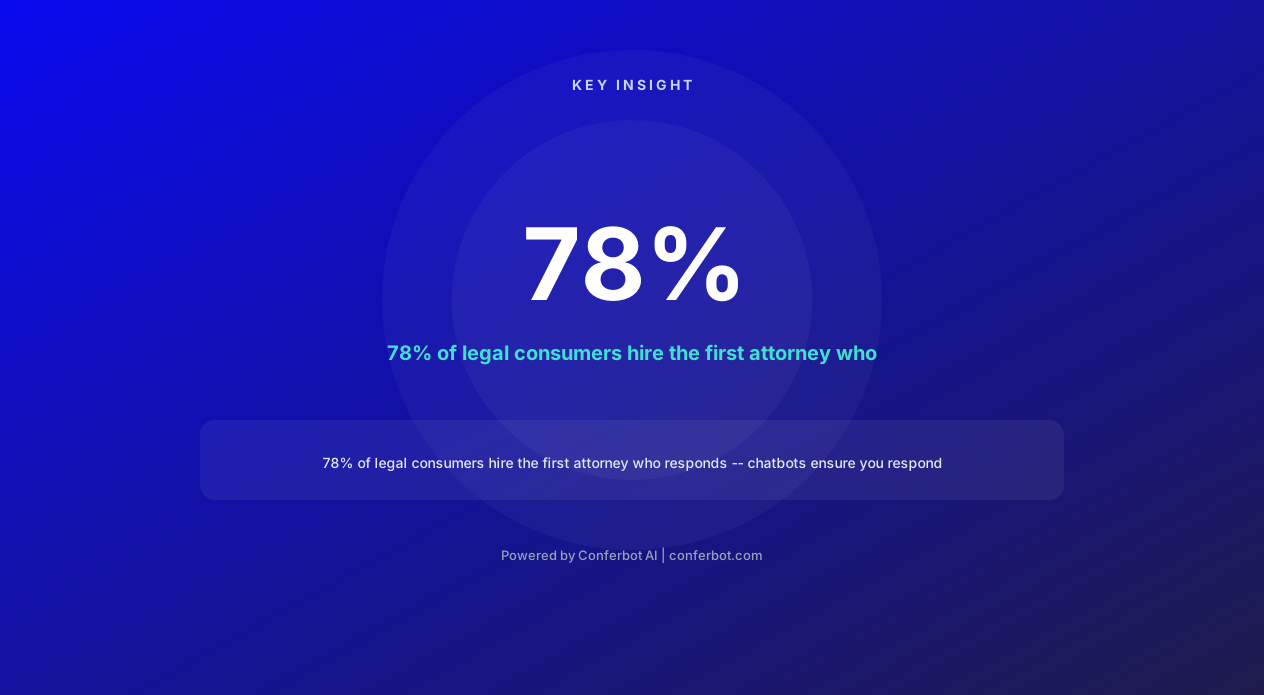
Legal services is one of the most expensive advertising verticals in existence. Google Ads cost-per-click for legal terms ranges from $15-$40+ per click, with personal injury keywords exceeding $100+ per click in competitive markets. When a potential client clicks your ad at 9 PM on a Saturday and finds a contact form with a promise to "respond within 24-48 hours," the probability of conversion drops to near zero -- they will click the next result and hire whoever responds first. Studies show that 78% of legal consumers hire the first attorney who responds to their inquiry.
The client intake process at most law firms remains painfully manual. A potential client calls or submits a form. An intake coordinator calls them back (hours or days later), spends 15-30 minutes qualifying the case, collects basic information, checks for conflicts, and schedules a consultation. The entire process costs the firm $50-150 per qualified lead in staff time alone -- on top of the $15-40+ already spent acquiring the click. And for every qualified lead, 3-5 unqualified inquiries consume staff time without generating revenue.
Conferbot's AI chatbot builder provides a law-firm-specific intake template that engages potential clients in real time, assesses case viability through intelligent questioning, collects critical details, performs basic conflict screening, explains fee structures, and books consultations directly into attorney calendars via calendar integration. Firms using chatbot intake report a 30% reduction in time-to-close because qualified leads reach attorneys faster and with complete information already collected.
Existing legal chatbot services like LawDroid and Smith.ai charge $100-500+ per month for similar functionality. Conferbot provides the same capabilities at a fraction of the cost while offering deeper customization for your specific practice areas and intake workflow.
The AI-Powered Intake Workflow
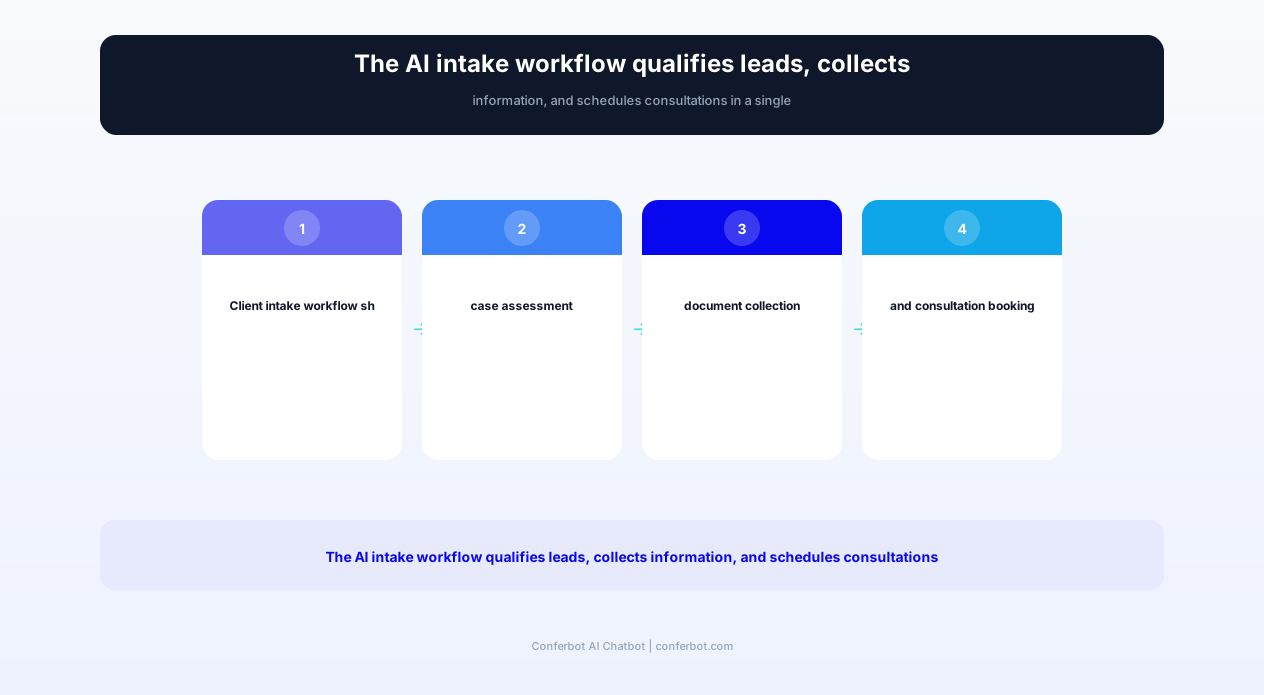
The chatbot transforms client intake from a linear, staff-dependent process into an intelligent, automated workflow that qualifies leads, collects information, and routes cases simultaneously. Here is how the complete intake flow works from first click to scheduled consultation.
Initial Engagement and Trust Building
When a visitor lands on your firm's website, the chatbot initiates contact with a professional greeting that establishes credibility: "Welcome to [Firm Name]. I'm the firm's intake assistant, and I'm here to help you understand if we can help with your legal matter. Everything you share is confidential. Would you like to tell me briefly what's going on?" This opening accomplishes three things: it identifies itself honestly as an AI assistant, establishes confidentiality expectations, and invites the visitor to engage without pressure.
Practice Area Identification
The chatbot determines which practice area the inquiry relates to through natural language understanding. The visitor does not need to know legal terminology -- they describe their situation in everyday language ("My landlord won't return my security deposit" or "I was rear-ended and my back hurts"), and the bot classifies the inquiry into the appropriate practice area: personal injury, family law, criminal defense, immigration, real estate, employment, business law, estate planning, or other areas your firm handles.
If the inquiry falls outside your firm's practice areas, the bot politely explains this and, optionally, provides a referral to a partner firm -- maintaining goodwill and potential future referral relationships.
Case Viability Assessment
Once the practice area is identified, the chatbot asks targeted questions to assess case viability. These questions are configured per practice area:
- Personal injury: When did the accident occur? Were you treated medically? Was a police report filed? Were any other parties involved? Do you have insurance?
- Family law: Are you married? Do you have children? Are there shared assets? Has the other party filed anything? Are there safety concerns?
- Criminal defense: Have you been charged? What is the charge? When is your court date? Are you in custody? Have you spoken to another attorney?
- Immigration: What is your current status? What are you trying to accomplish? Are there any deadlines? Do you have any removal proceedings?
This assessment filters out cases your firm cannot or does not want to take (statute of limitations expired, jurisdiction issues, case type mismatch) before consuming attorney time.
Information Collection
For viable cases, the chatbot collects essential intake information:
- Full legal name and contact information (phone, email, preferred contact method)
- Opposing party names (for conflict checking)
- Key dates and deadlines (statutes of limitation, court dates, filing deadlines)
- Relevant documents (the bot can request photo uploads of accident scenes, contracts, court papers)
- Prior attorney involvement (have they consulted or retained another attorney?)
Conflict Checking
The chatbot performs a preliminary conflict check by comparing the opposing party name against your firm's conflict database (accessed through API integration with your case management system). If a potential conflict is detected, the bot pauses intake and notifies the appropriate attorney for manual review before proceeding.
Consultation Scheduling
Qualified leads are offered immediate consultation scheduling through calendar integration. The bot shows available consultation slots based on the assigned attorney's calendar, handles timezone detection, sends calendar invitations, and delivers confirmation with any pre-consultation preparation instructions (documents to bring, office directions, virtual meeting links for remote consultations).
Complete Feature Matrix
The law firm client intake chatbot template includes features designed specifically for legal practice operations, ethical requirements, and the high-stakes nature of client acquisition in law.
| Feature | Description | Operational Benefit | Customer Benefit |
|---|---|---|---|
| Practice area classification | NLP-based routing of client inquiries to appropriate practice areas from plain language descriptions | Eliminates misrouted calls and ensures right attorney sees right cases | Connected with the right legal help without knowing legal terminology |
| Case viability screening | Practice-area-specific questions assessing statute of limitations, jurisdiction, and case merit | Filters unviable cases before consuming attorney time (saves 3-5 hours/week) | Honest, immediate feedback on whether they have a case worth pursuing |
| Conflict check integration | Checks opposing party names against firm's conflict database in real time | Catches conflicts before engagement, preventing ethical violations | Protected from inadvertent conflicts of interest from the first interaction |
| Document collection | Secure upload interface for contracts, photos, court documents, and correspondence | Complete case file available before first consultation, saving preparation time | Shares evidence immediately without mailing, faxing, or waiting for office hours |
| Consultation scheduling | Real-time calendar booking with attorney availability, timezone handling, and reminders | Zero scheduling back-and-forth, reduces no-shows by 40% with automated reminders | Books consultation instantly at their preferred time without phone tag |
| Fee structure explanation | Explains billing models (contingency, hourly, flat fee, retainer) based on case type | Pre-qualifies clients on budget fit before consultation | Understands cost expectations upfront without awkward money conversations |
| Urgency triage | Identifies time-sensitive matters (upcoming court dates, filing deadlines, imminent harm) | Urgent cases escalated immediately to duty attorney rather than waiting in queue | Critical legal deadlines are flagged and addressed with appropriate urgency |
| Multi-language support | Intake conversations in 50+ languages with professional legal terminology | Serves non-English-speaking communities without bilingual staff | Explains legal situation in their native language, reducing confusion and anxiety |
| After-hours capture | 24/7 intake operation capturing leads at any hour with immediate acknowledgment | Captures $15-40 per click leads that would bounce after hours (40% of legal searches happen outside business hours) | Gets legal help when they need it, not when it is convenient for the firm |
| CRM/case management sync | Pushes qualified leads directly into Clio, MyCase, PracticePanther, or Salesforce | Eliminates manual data entry, creates matters automatically with complete intake data | Seamless experience without repeating information during first meeting |
| Ethical compliance guardrails | Disclaimers about non-attorney communication, no legal advice delivery, privilege notices | Protects firm from unauthorized practice of law claims and ethical violations | Clear understanding that this is intake assistance, not legal counsel |
All features comply with ABA Model Rules of Professional Conduct and state bar ethical guidelines. The chatbot never provides legal advice, always identifies itself as an AI tool, and maintains appropriate confidentiality notices throughout the conversation.
Ready to try Law Firm Client Intake Chatbot?
Deploy this template in under 10 minutes. No coding required.
Use This Template Free →Intelligent Practice Area Routing
Law firms with multiple practice areas need intake systems that route potential clients to the right attorney efficiently. The chatbot's routing intelligence eliminates the common frustration of being transferred multiple times or explaining a situation repeatedly to different people.
Natural Language Classification
Potential clients do not think in legal categories. They say "My husband hit me and I need to leave" not "I need a family law attorney specializing in domestic violence protective orders." The chatbot's NLP engine classifies natural language descriptions into practice areas with 95%+ accuracy, trained on thousands of legal intake conversations across all major practice areas.
Classification mapping includes:
- "I was in a car accident" → Personal Injury → Auto Accident sub-specialty
- "My business partner is stealing from the company" → Business Law → Partnership Disputes
- "I'm being deported" → Immigration → Removal/Deportation Defense
- "My employer fired me because I'm pregnant" → Employment Law → Discrimination/Wrongful Termination
- "I want to make sure my kids are taken care of if something happens to me" → Estate Planning → Wills and Trusts
Multi-Issue Detection
Many legal situations span multiple practice areas. A domestic violence victim may need family law (protective order, custody), criminal law (pressing charges), and immigration law (if immigration status is tied to the abusive spouse). The chatbot detects multi-issue situations and routes the intake to the primary practice area while flagging the secondary areas for cross-referral within the firm.
Attorney Assignment Logic
Within each practice area, the chatbot can assign cases based on configurable rules:
- Round-robin: Distribute evenly among attorneys in the practice group
- Expertise matching: Route slip-and-fall cases to the PI attorney with premises liability experience
- Capacity-based: Route to the attorney with the most availability (fewest active cases)
- Value-based: High-value cases (potential damages exceeding a threshold) route to senior partners
- Geographic: For multi-office firms, route to the nearest office based on client location
Referral Management for Declined Cases
When a case falls outside your firm's practice areas or does not meet viability criteria, the chatbot does not simply say "We can't help." Instead, it:
- Explains why this particular case is not a fit for your firm (without providing legal advice)
- Offers referrals to partner firms that handle the relevant practice area (configurable referral network)
- Collects the contact information with permission to follow up if circumstances change
- Provides general legal resources (court self-help centers, legal aid organizations) for clients who may not be able to afford representation
This approach maintains professional relationships, builds referral reciprocity, and demonstrates community responsibility -- all of which strengthen your firm's reputation and generate return referrals over time.
Before and After: Measurable Impact
The following metrics represent typical performance improvements for law firms deploying the client intake chatbot, based on data from firms ranging from solo practitioners to 50+ attorney regional firms.
| Metric | Before Chatbot | After Chatbot | Improvement |
|---|---|---|---|
| Average response time to new inquiries | 4-24 hours (business hours only) | Under 10 seconds (24/7) | 99.9% faster |
| Lead capture rate (after-hours) | 15-20% (form submissions only) | 55-70% (chatbot engagement) | 3-4x more after-hours leads captured |
| Intake staff time per qualified lead | 20-30 minutes | 3-5 minutes (review only) | 80-85% time reduction |
| Consultation no-show rate | 25-35% | 10-15% | 50-60% reduction in no-shows |
| Time from first contact to consultation | 3-7 days | Same day or next day | 70-85% faster |
| Time-to-close (first contact to retention) | 14-30 days | 7-14 days | 30% reduction |
| Unqualified leads consuming attorney time | 40-60% of consultations | 10-15% (pre-screened) | 75% fewer wasted consultations |
| Cost per qualified lead (including ad spend + staff time) | $150-400 | $60-120 | 60-70% cost reduction |
| Monthly qualified leads generated | 20-40 (limited by staff hours) | 50-100+ (unlimited by automation) | 2-3x more qualified leads |
| Client satisfaction with intake experience | 65% (frustration with delays) | 88% (immediate, professional service) | +23 points |
ROI Calculation for a Mid-Size Law Firm
Consider a 10-attorney firm spending $15,000/month on Google Ads (average $25 CPC = 600 clicks/month), with a current intake team of 2 coordinators and a 20% lead-to-client conversion rate:
- After-hours lead recovery: 40% of clicks occur after hours. Currently losing 80% of these (192 leads lost/month). Chatbot captures 60% = 115 additional engaged leads/month. At 20% conversion and $3,000 average case value = $69,000/month additional revenue
- Intake staff savings: 1 coordinator can be reassigned to higher-value work (or eliminated) = $45,000-60,000/year
- Faster conversion (30% time-to-close reduction): Cases retained 7-14 days faster means revenue recognition acceleration and reduced "shopping" where prospects hire a competitor during your delay
- Consultation no-show reduction: 50% fewer no-shows x $200 attorney time per no-show x 40 consultations/month = $4,000/month saved
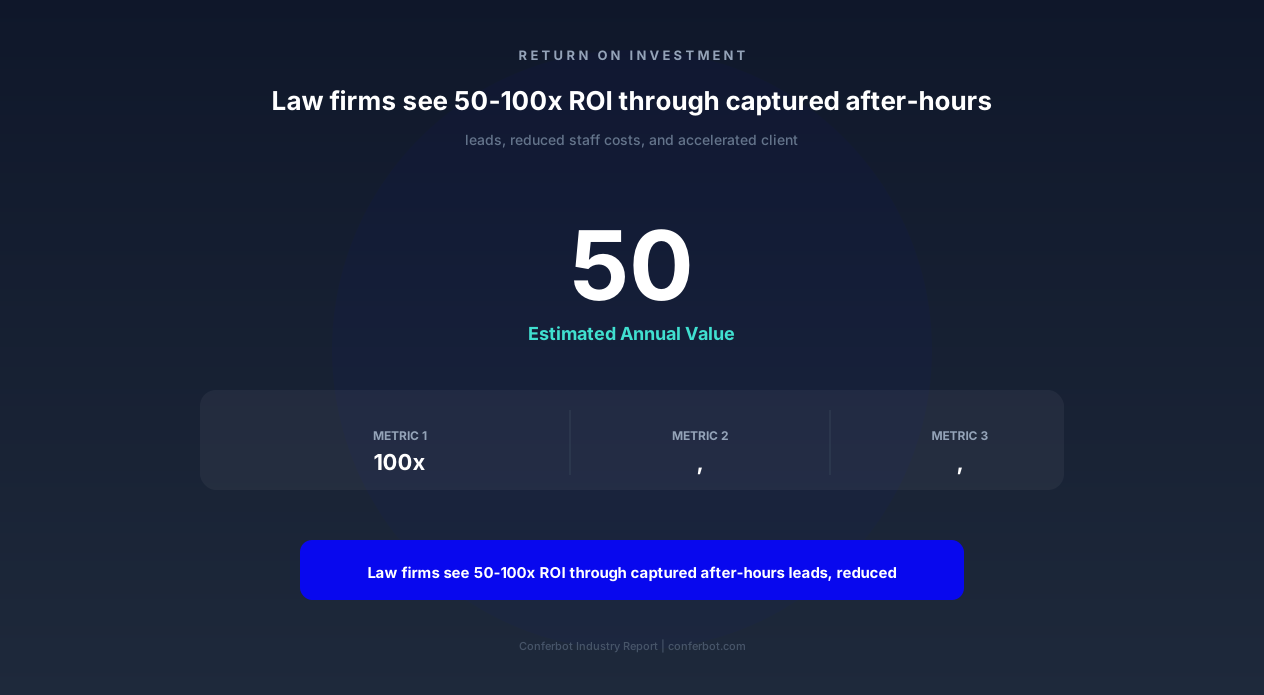
- Total annual impact: $900,000+ in captured revenue and operational savings
Against a Conferbot subscription and setup cost, law firms typically see 50-100:1 ROI within the first quarter of deployment.
Ethical Compliance and Bar Association Guidelines
Legal chatbots operate in a heavily regulated profession. The ABA Model Rules of Professional Conduct and state-specific bar ethics opinions create requirements that a legal intake chatbot must satisfy. Conferbot's law firm template is designed with these requirements built in -- not bolted on as an afterthought.
ABA Model Rule 5.3: Supervising Non-Lawyer Assistance
Rule 5.3 requires that lawyers supervise non-lawyer assistants, which extends to AI tools. The chatbot satisfies this requirement by:
- Operating under parameters configured and approved by a supervising attorney
- Never providing legal advice or opinions -- only collecting information and scheduling
- Routing all substantive legal questions to a licensed attorney for response
- Maintaining complete conversation logs for attorney review and supervision
ABA Model Rule 1.6: Confidentiality
Rule 1.6 requires protection of information relating to client representation. The chatbot implements:
- Encryption: All conversations encrypted in transit (TLS 1.3) and at rest (AES-256)
- Access controls: Only authorized firm personnel access conversation data
- Data retention policies: Configurable retention periods with secure deletion
- Prospective client notice: Clear disclosure that sharing information does not create an attorney-client relationship, while noting the duty of confidentiality still applies to prospective clients under Rule 1.18
ABA Model Rule 7.1: Communications Concerning a Lawyer's Services
The chatbot's language must not be misleading about the firm's services. It avoids:
- Guarantees of outcomes or results
- Comparative claims that cannot be substantiated
- Implying specialization without proper certification
- Creating unjustified expectations about achievable results
Unauthorized Practice of Law Prevention
The most critical ethical boundary for a legal chatbot is avoiding the unauthorized practice of law. The template includes hard-coded guardrails:
- No legal advice: The bot never interprets law, recommends legal strategies, or opines on case merits. It says "An attorney will need to evaluate that" not "You probably have a strong case."
- No document preparation: The bot collects information but does not draft legal documents, contracts, or court filings
- No legal interpretation: When asked "What does this contract clause mean?", the bot responds: "That's a question for our attorneys -- let me schedule you a consultation to review the contract."
- Clear AI disclosure: Every conversation includes a notice that the user is interacting with an AI assistant, not a licensed attorney
State-Specific Compliance
Different states have varying rules about legal chatbot use. The template accommodates:
- California: Compliance with California's Rule 1.0 (electronic communications requirements) and advertising rules
- New York: Adherence to NY attorney advertising guidelines and Part 1200 requirements
- Florida: Compliance with Florida Bar advertising regulations (among the strictest nationally)
- Texas: Adherence to Texas Disciplinary Rules of Professional Conduct regarding solicitation
Your supervising attorney should review the chatbot's configured language, disclaimers, and operational parameters to ensure compliance with your specific jurisdiction's requirements before deployment.
50,000+ businesses use Conferbot templates to automate conversations
Case Management and CRM Integration
A chatbot that collects intake information into a separate silo creates more work, not less. The law firm template integrates directly with your existing case management software and CRM through API connections, ensuring that intake data flows seamlessly into your established workflows.
Clio Integration
Clio is the most widely-used practice management platform. The chatbot integrates with Clio to:
- Create new contacts from chatbot intake data (name, phone, email, address)
- Open new matters with practice area classification, assigned attorney, and intake notes
- Run conflict checks against Clio's contact database in real time
- Schedule consultations directly into Clio's calendar with matter linking
- Attach uploaded documents to the newly created matter
MyCase Integration
For firms using MyCase, the chatbot pushes intake data directly into the platform:
- New lead creation with full contact information and case summary
- Practice area and case type tagging for pipeline management
- Task creation for follow-up actions (conflict check completion, engagement letter preparation)
- Calendar event creation for scheduled consultations
PracticePanther Integration
PracticePanther users benefit from automated intake-to-matter creation:
- Contact and matter creation from chatbot data
- Custom field mapping (chatbot answers populate specific PracticePanther fields)
- Workflow trigger activation (new matter triggers your firm's onboarding workflow)
- Time entry creation for intake-related billable time (if applicable)
Salesforce for Law Firms
Larger firms using Salesforce as their CRM receive complete lead pipeline management:
- New lead creation with source tracking (which page, which ad campaign)
- Lead scoring based on case viability assessment and potential value
- Pipeline stage automation (New Inquiry → Qualified → Consultation Scheduled → Retained)
- Revenue attribution from marketing spend through to retained case value
Lawmatics and Legal CRM Platforms
Legal-specific CRM platforms like Lawmatics receive enriched intake data:
- Automated drip campaign enrollment based on practice area and case status
- Lead nurturing sequences for prospects not yet ready to retain
- Referral tracking when the bot routes cases to partner firms
- Pipeline value forecasting based on case type and historical conversion rates
Custom Webhook Integration
For firms using proprietary systems or platforms without native integration, the chatbot supports custom webhooks that POST structured intake data to any endpoint. The JSON payload includes all collected information (contact details, case summary, practice area, urgency level, documents) in a standardized format that your development team can map to any internal system.
Step-by-Step Setup for Law Firms
Deploying the law firm client intake chatbot requires thoughtful configuration that reflects your firm's practice areas, intake criteria, and ethical obligations. This guide covers the complete setup process.
Step 1: Define Your Practice Area Configuration
For each practice area your firm handles, configure:
- Intake questions: The 5-8 screening questions that determine case viability for this practice area
- Viability criteria: Minimum requirements a case must meet (e.g., statute of limitations not expired, injury requiring medical treatment, minimum damages threshold)
- Attorney assignment: Which attorney or team handles this practice area, with overflow rules
- Fee structure: How to explain billing for this practice area (contingency for PI, hourly for family law, flat fee for immigration applications)
- Urgency indicators: What constitutes an urgent matter in this practice area (upcoming court date, filing deadline, safety threat)
Step 2: Configure Ethical Compliance Settings
Review and customize the ethical compliance parameters:
- Jurisdiction: Select your state(s) for jurisdiction-specific compliance language
- Disclaimers: Review auto-generated disclaimers (AI disclosure, no attorney-client relationship, no legal advice) and customize language to match your firm's tone
- Confidentiality notice: Configure the prospective client confidentiality notice per Rule 1.18
- Advertising compliance: Ensure the chatbot's language does not make impermissible claims about results or expertise
Step 3: Connect Your Case Management System
In the integration settings, connect Clio, MyCase, PracticePanther, or your preferred platform. Map chatbot fields to your system's fields:
- Contact name → Client Name field
- Practice area → Matter Type field
- Case summary → Intake Notes field
- Opposing party → Conflict Check field
- Consultation date → Calendar Event
Step 4: Set Up Calendar Integration
Connect attorney calendars through Conferbot's calendar integration:
- Sync available consultation slots from Google Calendar, Outlook, or Clio Calendar
- Set consultation duration per practice area (30 min for initial phone screens, 60 min for in-person)
- Configure buffer time between appointments
- Enable timezone detection for virtual consultations
- Set up automated reminders (24 hours and 1 hour before consultation)
Step 5: Configure the Conflict Check Database
Connect your conflict check system. The chatbot collects opposing party names and checks them against your database. Configure the response for potential conflicts: either notify the supervising attorney for review or automatically decline the intake with an appropriate explanation and referral.
Step 6: Deploy on Your Website
Install the chatbot widget on your law firm's website. Recommended placements:
- All pages: Floating widget in the corner for general availability
- Practice area pages: Embedded intake form within the page content
- Landing pages (for ads): Full-page chatbot experience as the primary CTA
- Contact page: Replace or supplement your traditional contact form
Step 7: Test with Sample Scenarios
Before going live, test the complete intake flow with realistic scenarios covering each practice area. Verify that viability screening accepts valid cases and declines invalid ones, conflict checks function correctly, consultations book into the right attorney's calendar, and case management records create properly. Have a supervising attorney review the chatbot's language for ethical compliance.
Post-launch, monitor the analytics dashboard for intake volume, qualification rates, consultation booking rates, and no-show rates. Adjust screening questions and viability criteria based on feedback from attorneys about lead quality.
Legal Chatbot Market: Alternatives Compared
The legal chatbot market includes several established players alongside general-purpose chatbot platforms. Understanding the landscape helps you choose the right solution for your firm's size, budget, and technical requirements.
LawDroid
LawDroid is a legal-specific chatbot platform focused on client intake and document automation. Pricing starts at $99/month for basic intake and scales to $500+/month for advanced features. LawDroid's strengths include legal-specific templates and integrations with legal practice management platforms. Limitations include rigid conversational flows (rule-based, not AI-powered natural language), limited multi-channel support, and pricing that scales with volume.
Smith.ai
Smith.ai provides virtual receptionist services combining AI chatbots with human agents for overflow. Pricing starts at $140/month for 20 live chats, scaling to $700+/month for higher volumes. Smith.ai's strength is the human backup for complex conversations. Limitations include per-conversation pricing that becomes expensive at scale, limited customization of the chatbot personality, and dependence on their staff availability for escalations.
Lawmatic
Lawmatics offers a CRM with built-in intake forms and basic chatbot functionality. At $199-$499/month, it is a full CRM platform with chatbot as a secondary feature. Its strength is the integrated pipeline management. Limitations include basic chatbot logic (form-based rather than conversational), no multi-channel deployment, and higher price point for firms that primarily need intake automation.
Generic Chatbot Platforms (Drift, Intercom, HubSpot)
General-purpose chatbot platforms can be configured for legal intake but lack legal-specific features. They require custom development for practice area routing, ethical compliance, conflict checking, and legal CRM integration. Pricing ranges from $50-500+/month depending on features. The significant limitation is the development investment required to build legal-specific functionality from scratch.
Conferbot Law Firm Template
Conferbot provides a legal-specific template with AI-powered natural language understanding, pre-built ethical compliance guardrails, direct integrations with legal practice management platforms, and multi-channel deployment at $49-199/month with unlimited conversations.
| Capability | LawDroid | Smith.ai | Lawmatics | Conferbot |
|---|---|---|---|---|
| AI natural language understanding | Rule-based | Hybrid (AI + human) | Form-based | Full LLM-powered |
| 24/7 autonomous operation | Yes | Limited hours | Yes (forms only) | Yes |
| Legal ethical compliance built-in | Yes | Partial | Basic | Yes (configurable) |
| Practice area routing | Yes | Yes | Basic | Yes (NLP-powered) |
| Conflict check integration | Limited | No | No | Yes (real-time) |
| Multi-channel (website + WhatsApp) | Website only | Website + phone | Website only | Website + WhatsApp + Messenger |
| Monthly cost | $99-$500+ | $140-$700+ | $199-$499 | $49-$199 |
| Unlimited conversations | Tiered | No (per-chat pricing) | N/A | Yes |
For law firms seeking a comprehensive, affordable, and ethically compliant intake solution in 2026, Conferbot offers the best combination of AI capabilities, legal-specific features, and cost efficiency.
Best Practices for Legal Client Intake Chatbots
Deploying a chatbot in a legal context requires more careful consideration than most industries due to ethical obligations, the emotional state of potential clients, and the high stakes of legal matters. These best practices ensure your chatbot performs effectively while maintaining professional standards.
Tone: Professional Empathy, Not Cold Efficiency
Potential legal clients are often in distress -- accident victims, people facing criminal charges, those going through divorce. The chatbot's tone must balance professional competence with genuine empathy. Configure responses that acknowledge the human situation: "I understand this is a difficult time" before collecting information, not "Please provide the following details." Warmth and professionalism are not mutually exclusive, and they significantly impact whether stressed potential clients complete the intake process or abandon it.
Speed is Everything in Legal Lead Conversion
The data is unambiguous: 78% of legal consumers hire the first attorney who responds. In personal injury specifically, the "golden hour" after an accident is when clients are most likely to retain counsel. Configure the chatbot to deliver maximum value in the first 60 seconds: acknowledge the situation, ask the most important qualifying question, and provide immediate next steps. A potential client who sees "An attorney will review your case within 1 business day" has already mentally moved to the next firm.
Never Overscreen
A common mistake is configuring too many screening questions that filter out potentially valid cases. A chatbot that asks 15 questions before scheduling a consultation will lose 60-70% of legitimate leads to abandonment. The screening should be light enough to filter clearly non-viable cases (wrong practice area, obviously expired statute of limitations) while passing borderline cases through for attorney review. When in doubt, schedule the consultation -- a 30-minute attorney consultation is cheaper than losing a $100,000 case because the chatbot was too aggressive in filtering.
Provide Immediate Value
The chatbot should deliver something useful in every interaction, even for inquiries that are not viable cases:
- Statute of limitations information ("In your state, you typically have 2 years from the date of injury to file a claim -- let us confirm whether your timeline is still open")
- Referrals to appropriate resources (legal aid, bar association referral services, self-help court resources)
- General process education ("Here's what typically happens in a personal injury case..." -- without providing specific legal advice)
Monitor Conversion Metrics Obsessively
Track these metrics weekly and optimize continuously:
- Chat engagement rate: What percentage of website visitors engage with the chatbot? (Target: 5-15%)
- Qualification rate: What percentage of engagements result in a qualified lead? (Target: 20-40%)
- Consultation booking rate: What percentage of qualified leads schedule a consultation? (Target: 60-80%)
- Consultation show rate: What percentage of scheduled consultations actually occur? (Target: 80-90%)
- Retention rate: What percentage of consultations result in client retention? (Target: 40-60%)
Multiply these rates to calculate your funnel yield: 100 visitors × 10% engagement × 30% qualification × 70% booking × 85% show × 50% retention = approximately 1 new client per 100 visitors. Each improvement at any stage compounds across the entire funnel.
Integrate with Your Marketing Stack
Connect chatbot data to your advertising and analytics platforms to close the attribution loop. You need to know which Google Ads keywords generate qualified leads (not just clicks), which practice areas have the highest cost-per-retention, and which landing pages produce the best intake chatbot engagement rates. This data directly informs your marketing budget allocation and can save thousands in wasted ad spend.
Law Firm Client Intake Chatbot FAQ
Everything you need to know about chatbots for law firm client intake chatbot.
Why Use a Template vs Building from Scratch?
Templates encode years of optimization data into the conversation flow before you start.
| Factor | Conferbot Template | Build from Scratch | Hire a Developer |
|---|---|---|---|
| Time to deploy | 10 minutes | 2-8 hours | 2-6 weeks |
| Cost | Free | Your time | $5,000-$25,000 |
| Day-1 conversion | 15-22% | 5-8% | 10-15% |
| Proven flows | Yes, data-tested | No | Depends |
| Updates included | Automatic | Manual | Paid |
| Multi-channel | 8+ channels | 1 channel | Extra cost |
| Analytics | Built-in | Must build | Extra cost |
Ready to Deploy Law Firm Client Intake Chatbot?
Join 50,000+ businesses. Free forever plan available. No credit card required.