
WhatsApp Business Chatbot
Free Support And Faq Chatbot Template
Multi-purpose WhatsApp business bot with ordering, support, and bookings


What Is a WhatsApp Business Chatbot?
A WhatsApp Business chatbot is an automated conversational assistant that operates within the WhatsApp messaging platform, enabling businesses to engage customers at scale through the messaging app they already use daily. Unlike website chatbots that require visitors to come to you, a WhatsApp chatbot meets customers in their personal messaging inbox -- the same space where they talk to friends and family -- creating an intimacy and engagement level that no other business communication channel can match.
WhatsApp has over 2 billion monthly active users across 180+ countries in 2026, making it the world's most-used messaging platform. In markets like India, Brazil, Indonesia, and much of Europe, WhatsApp is not just a messaging app -- it's the primary communication infrastructure. Businesses that deploy chatbots on WhatsApp gain access to this massive user base through a channel that delivers 98% open rates (compared to 20% for email) and 45-60% click-through rates on messages (compared to 2-5% for email).
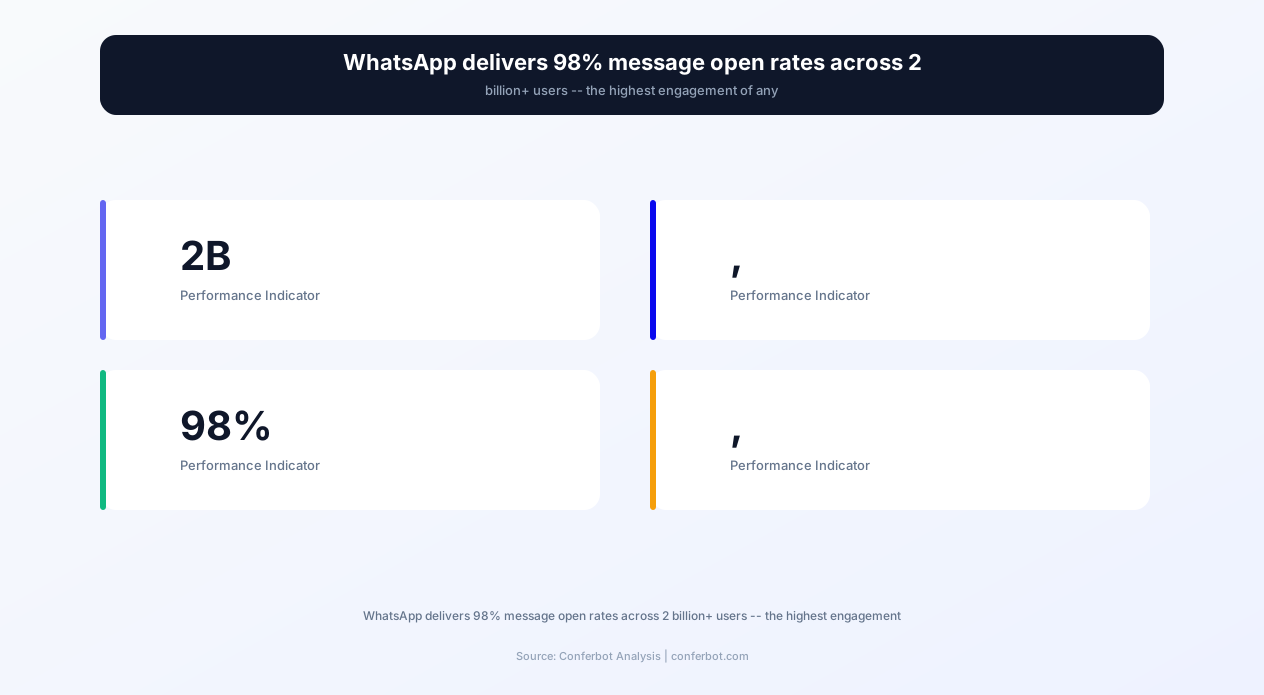
The business case is compelling: 37% of North American consumers already use WhatsApp for business communication, and this number is growing rapidly. For businesses serving international markets, the penetration is even higher -- over 80% in Latin America, Southeast Asia, and parts of Europe. A WhatsApp chatbot transforms what was traditionally a manual, one-to-one communication channel into a scalable automation platform that handles thousands of simultaneous conversations.
Conferbot's WhatsApp Business chatbot template leverages the official WhatsApp Business API (not the limited WhatsApp Business App) to deliver enterprise-grade automation: automated replies to inbound messages, interactive product catalog browsing within WhatsApp, order placement and payment link delivery, appointment booking with calendar integration, FAQ handling with natural language understanding, broadcast messaging to segmented audiences, and intelligent routing to human agents when needed.
This template is designed for businesses ready to move beyond the basic WhatsApp Business App's limited automation (single greeting message, away messages, quick replies) into full conversational AI that handles complex multi-turn interactions, maintains customer context across conversations, and integrates with your existing business systems through API connections.
How WhatsApp Business Chatbot Works: API Architecture
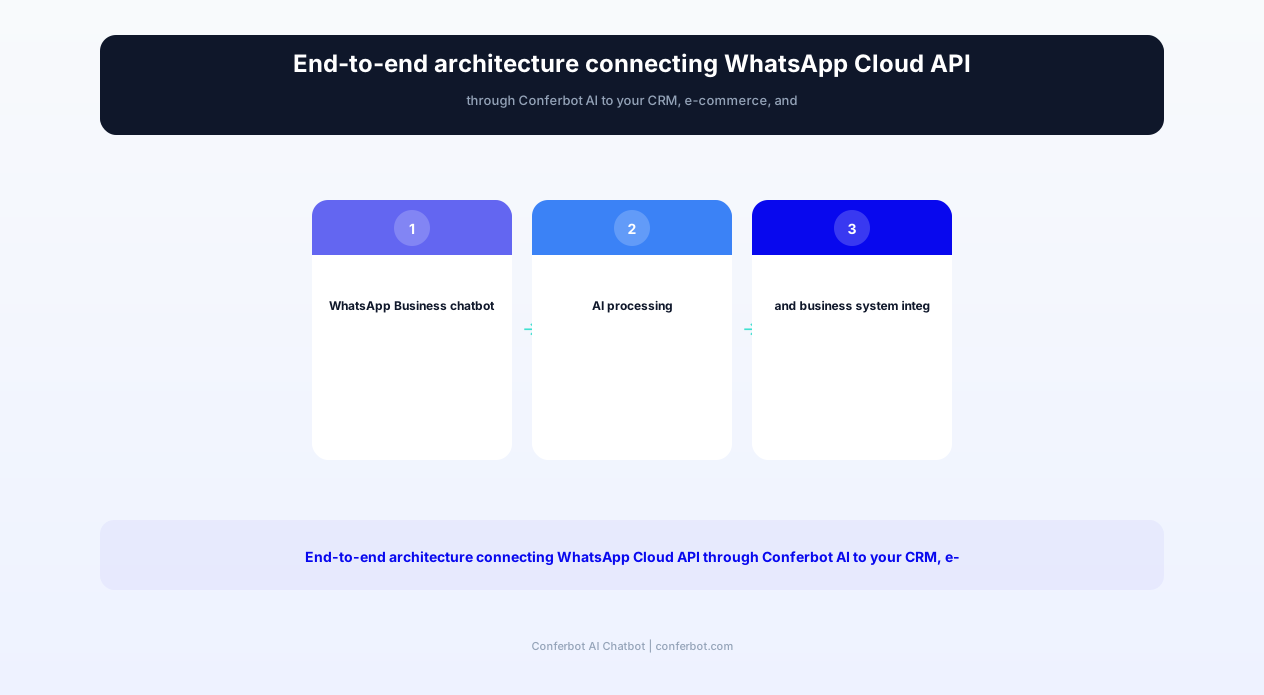
Understanding the WhatsApp Business API architecture is essential for appreciating the chatbot's capabilities and deployment requirements. The system operates through three interconnected layers: WhatsApp's cloud infrastructure, Conferbot's AI engine, and your business systems.
WhatsApp Business API vs. WhatsApp Business App
Critical distinction: the WhatsApp Business App (free, phone-based) supports only manual responses and basic quick replies. The WhatsApp Business API (what this template uses) enables full programmatic automation, unlimited concurrent conversations, multi-agent access, and integration with external systems. The API is the only path to true chatbot functionality on WhatsApp.
Message Types & Templates
WhatsApp enforces specific rules about business messaging to protect user experience:
- Session messages: Once a customer messages you, a 24-hour "conversation window" opens. During this window, the chatbot can send any message type freely -- text, images, documents, interactive buttons, product cards, and lists.
- Template messages: Outside the 24-hour window, businesses can only send pre-approved message templates. These templates must be submitted to Meta for review and cannot be promotional spam. The chatbot uses templates for: order confirmations, appointment reminders, shipping updates, and re-engagement messages.
- Interactive messages: Within conversations, the chatbot uses WhatsApp's native interactive elements -- reply buttons (up to 3 options), list menus (up to 10 sections), product cards, and catalog messages -- for structured interactions that don't require typing.
Conversation Flow Architecture
When a customer sends a message to your WhatsApp Business number, the flow proceeds as follows:
- Message receipt: WhatsApp cloud delivers the message to Conferbot's webhook endpoint via the Cloud API.
- Context loading: The system retrieves the customer's conversation history, profile data, and any open service tickets for context continuity.
- Intent classification: The AI engine analyzes the message to determine intent -- is this a product inquiry, order status check, appointment request, complaint, or general question?
- Action execution: Based on intent, the bot either responds directly (FAQ answers), queries external systems (order lookup), initiates a multi-step flow (appointment booking), or escalates to a human agent.
- Response delivery: The formatted response is sent back through the WhatsApp API with appropriate interactive elements (buttons, lists, product cards).
Business System Integration
The chatbot connects to your existing business tools through Conferbot's API integration framework: CRM systems (HubSpot, Salesforce) for customer data, e-commerce platforms (Shopify, WooCommerce) for product catalog and orders, scheduling tools for appointment booking, and payment processors (Stripe, Razorpay) for in-chat payment links. This integration means the bot operates with real-time business data rather than static, outdated information.
Compliance & Opt-in Management
WhatsApp requires explicit customer opt-in before businesses can send outbound messages. The chatbot manages opt-in collection through multiple touchpoints: website forms that include WhatsApp opt-in checkbox, first-contact acknowledgment flows, and QR code scans that register consent. All opt-in records are maintained for compliance with both WhatsApp's policies and regional privacy regulations (GDPR, CCPA).
Complete Feature Matrix: WhatsApp Business Chatbot
This template delivers comprehensive WhatsApp Business automation covering customer service, commerce, marketing, and operational workflows. Every feature leverages WhatsApp's native interactive elements for the best possible user experience.
| Feature | Description | Operational Benefit | Customer Benefit |
|---|---|---|---|
| Automated Replies | AI-powered responses to inbound messages with natural language understanding, context memory, and multi-turn conversation handling | Handles 80-90% of inbound messages without human intervention, available 24/7/365 | Instant responses any time of day, no waiting for business hours or agent availability |
| Catalog Browsing | Interactive product catalog using WhatsApp's native product cards, multi-product messages, and category navigation within chat | Drives sales directly within WhatsApp without requiring website visits, reduces friction | Browse and shop products without leaving WhatsApp, familiar interface |
| Order Placement | End-to-end ordering within WhatsApp: item selection, quantity, customization, address confirmation, and payment link generation | New sales channel with 3-5x higher conversion than web for WhatsApp-native customers | Complete purchases through text messages in under 2 minutes |
| Payment Links | Secure payment link delivery via WhatsApp with support for Stripe, Razorpay, PayU, and regional processors | Immediate payment collection, reduced accounts receivable, lower cart abandonment | Pay securely through trusted processors without sharing card details in chat |
| Appointment Booking | Calendar-integrated scheduling with real-time slot availability, confirmation, reminders, and rescheduling within WhatsApp | Eliminates phone-based scheduling, reduces no-shows by 40% through automated reminders | Book appointments conversationally at any hour with instant confirmation |
| FAQ Automation | AI-powered knowledge base that handles common questions about pricing, hours, policies, services, and product details | Deflects 70-85% of repetitive questions, frees team for complex customer needs | Accurate answers within seconds without navigating websites or waiting for callbacks |
| Broadcast Messaging | Targeted bulk messaging to segmented customer lists using approved templates for promotions, updates, and re-engagement | 98% open rate marketing channel, 10-15x higher engagement than email campaigns | Relevant updates and offers delivered to preferred channel, easy opt-out |
| Customer Segmentation | Automatic tagging and segmentation based on purchase history, interaction patterns, preferences, and engagement level | Enables targeted campaigns with 3-5x better conversion than unsegmented broadcasts | Receive only relevant messages matching interests and purchase patterns |
| Order Tracking | Proactive shipping updates and on-demand order status with carrier tracking integration | Reduces "where is my order" inquiries by 75%, proactive communication builds trust | Real-time order updates in WhatsApp without checking email or visiting websites |
| Human Handoff | Intelligent escalation to live agents with full context, conversation history, and customer sentiment analysis | Agents receive complete context, resolve escalated issues 50% faster with suggested responses | Seamless transition to human support when needed, no repeating information |
All features leverage WhatsApp's native UI elements -- interactive buttons, list menus, product cards, and rich media -- ensuring the experience feels native to WhatsApp rather than a generic bot transplanted onto the platform. This native approach achieves 3-4x higher engagement rates compared to text-only chatbot implementations.
Ready to try WhatsApp Business Chatbot?
Deploy this template in under 10 minutes. No coding required.
Use This Template Free →Before vs. After: WhatsApp Business Communication Transformation
Businesses transitioning from manual WhatsApp communication (or no WhatsApp presence) to automated chatbot-powered engagement see dramatic improvements across response times, customer satisfaction, sales conversion, and operational efficiency.
| Metric | Before (Manual/No WhatsApp) | After (WhatsApp Chatbot) | Improvement |
|---|---|---|---|
| Message response time | 2-24 hours (manual reply) | Under 3 seconds | 99.9% faster |
| Message open rate | 20% (email alternative) | 98% (WhatsApp) | +390% increase |
| Click-through rate on promotions | 2-5% (email) | 45-60% (WhatsApp) | +1000% increase |
| Simultaneous conversations handled | 3-5 per agent | Unlimited concurrent | Infinite scalability |
| After-hours availability | Auto-reply: "We'll get back to you" | Full service 24/7 | 100% availability |
| Appointment no-show rate | 25-35% | 8-12% | -65% reduction |
| Lead response rate | 35-45% respond to email | 85-92% respond on WhatsApp | +105% increase |
| Customer satisfaction score | 3.8/5.0 average | 4.6/5.0 average | +21% improvement |
| Cost per customer interaction | $5-12 (phone/email support) | $0.05-0.15 (automated) | -98% cost reduction |
| Revenue from messaging channel | $0 (support only) | 15-30% of total revenue attributed to WhatsApp | New revenue channel |
The most striking metric is the engagement differential: 98% open rates versus 20% for email fundamentally changes how businesses think about customer communication. A promotional message sent to 1,000 email subscribers reaches approximately 200 inboxes with 10-25 clicks. The same message sent to 1,000 WhatsApp subscribers reaches 980 inboxes with 450-600 interactions. This 20-40x engagement multiplier means WhatsApp delivers ROI that email marketing can no longer match in most markets.
For service businesses specifically, the appointment no-show reduction from 25-35% to 8-12% through automated WhatsApp reminders represents thousands in recovered revenue annually. A dental practice with 20 appointments/day at $200 average value and 30% no-show rate loses $1,200/day. Reducing no-shows to 10% through WhatsApp reminders recovers $800/day -- over $200,000 annually from a single chatbot feature.
Industry Use Cases: WhatsApp Chatbot Across Business Types
WhatsApp Business chatbots serve diverse industries, each leveraging the platform's unique characteristics -- intimacy, immediacy, and multimedia capabilities -- in distinct ways. Here are the primary deployment patterns by industry.
E-commerce & Retail
Retail businesses use WhatsApp chatbots as a complete commerce channel. Customers browse product catalogs using WhatsApp's native product cards, ask questions about materials and sizing, place orders through conversational flows, receive payment links, and get shipping updates -- all within a single WhatsApp conversation thread. Particularly powerful for businesses in markets where WhatsApp is the dominant communication platform (India, Brazil, Middle East): customers prefer ordering via WhatsApp over navigating a website. E-commerce brands report that their WhatsApp channel achieves 3-5x higher conversion rates than their website because the conversational format reduces friction and the trusted platform context increases purchase confidence.
Healthcare & Clinics
Medical practices deploy WhatsApp chatbots for appointment scheduling (patients message any time, bot checks availability and confirms slots), prescription refill reminders, lab result notifications, pre-appointment preparation instructions, and post-visit follow-up. The chatbot handles sensitive health information with encryption and compliance safeguards. Clinics report 40% reduction in no-shows and 60% reduction in scheduling phone calls -- freeing reception staff for in-person patient care.
Real Estate
Real estate agencies use WhatsApp chatbots for property inquiry handling (instant responses to listing questions at any hour), virtual tour scheduling, document collection for applications, viewing appointment booking, and market update broadcasts to buyer lists. Agents report that leads contacted within 5 minutes are 21x more likely to convert than those contacted after 30 minutes -- WhatsApp chatbot response times of under 3 seconds capture this urgency advantage automatically.
Education & Training
Educational institutions deploy WhatsApp bots for admissions inquiries, course information delivery, enrollment processing, fee payment reminders, schedule notifications, and student support. Parents particularly appreciate WhatsApp communication because it fits their existing messaging habits. Training companies use broadcast messaging to announce new courses with 45-60% enrollment rates from WhatsApp campaigns versus 3-5% from email announcements.
Restaurants & Food Delivery
Restaurants use WhatsApp chatbots for order placement (menu browsing, customization, payment), table reservations, delivery tracking, loyalty program management, and promotional broadcasts for daily specials or events. The multimedia capability allows sending food photos that drive impulse ordering -- a strategy that increases average order value by 25-35% compared to text-only menus. WhatsApp ordering also eliminates the commission fees charged by delivery platforms (15-30% per order).
Financial Services
Banks, insurance companies, and fintech firms use WhatsApp chatbots for account inquiries, transaction alerts, loan application status updates, KYC document collection, payment reminders, and product recommendations. The end-to-end encryption of WhatsApp provides an additional security layer that customers trust. Financial institutions report that WhatsApp-based collection reminders achieve 3x higher payment rates than email or SMS reminders because the personal, conversational format creates a stronger sense of urgency and reciprocity.
Travel & Tourism
Travel agencies and tour operators use WhatsApp chatbots for itinerary delivery, real-time trip updates, emergency support during travel, booking modifications, and post-trip feedback collection. The multimedia capability enables sharing maps, boarding passes, hotel confirmations, and local guides directly in chat. During-trip support via WhatsApp is particularly valued by international travelers who may not have access to phone calls but always have WhatsApp connectivity.
WhatsApp Broadcast Marketing: The 98% Open Rate Channel
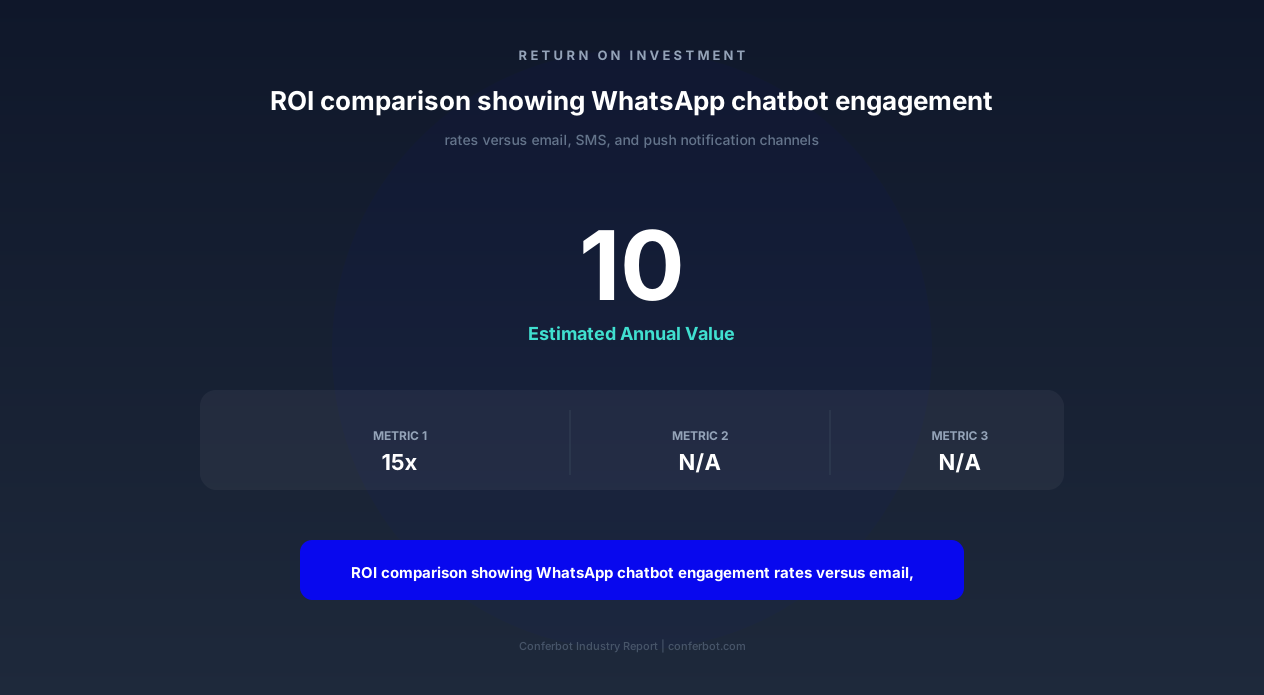
WhatsApp broadcast messaging is the highest-engagement marketing channel available in 2026. With 98% open rates and 45-60% click-through rates, it outperforms email (20% open, 2-5% CTR), SMS (85% open, 15-20% CTR), and push notifications (5-15% open, 1-3% CTR) by wide margins. A WhatsApp chatbot with broadcast capability transforms your customer list into a high-performing marketing channel.
Broadcast vs. Spam: Understanding WhatsApp's Rules
WhatsApp strictly prohibits unsolicited bulk messaging. Legitimate broadcast marketing requires:
- Explicit opt-in: Customers must actively consent to receive marketing messages from your business number.
- Template approval: Marketing message templates must be submitted to Meta for review before use. Templates that are clearly promotional must be categorized as "marketing" templates.
- Easy opt-out: Every broadcast must include a clear mechanism for unsubscribing.
- Relevance signals: WhatsApp monitors recipient feedback (blocks, reports). High block rates degrade your quality score and can result in messaging restrictions.
The chatbot manages all these requirements automatically -- collecting and recording consent, using approved templates, including opt-out mechanisms, and monitoring quality scores to prevent account restrictions.
Segmentation Strategies That Drive Results
The chatbot builds customer segments based on interaction data, purchase history, and expressed preferences. Effective broadcast strategies include:
- Purchase-based segments: Send product restock notifications to customers who previously purchased that item. "Your favorite moisturizer is back in stock" achieves 35-45% purchase rates because it's genuinely relevant.
- Behavior-based triggers: Customers who browsed but didn't purchase receive a follow-up with the specific products they viewed. "Still interested in the blue linen shirt? Here's 10% off for the next 24 hours."
- Lifecycle stages: New subscribers receive a welcome series. Inactive customers (60+ days) receive re-engagement campaigns. VIP customers receive early access to sales.
- Geographic targeting: Local businesses can broadcast event invitations, location-specific offers, or weather-triggered promotions to customers in specific areas.
Campaign Performance Metrics
WhatsApp broadcast campaigns consistently deliver results that would be exceptional in any other channel:
- Flash sale announcements: 98% open rate, 52% CTR, 18-25% purchase conversion
- Back-in-stock notifications: 98% open rate, 61% CTR, 35-45% purchase conversion
- Abandoned cart recovery: 98% open rate, 48% CTR, 15-25% cart recovery
- Loyalty rewards notifications: 98% open rate, 55% CTR, 40% redemption rate
- Event/appointment reminders: 98% open rate, 72% CTR, 88-92% attendance
Cost-Effectiveness
WhatsApp Business API conversations are priced by Meta in conversation categories: marketing conversations ($0.02-0.06 per conversation depending on region), utility conversations ($0.01-0.03), and service conversations (first 1,000/month free). Even at the marketing rate, WhatsApp broadcast is dramatically more cost-effective than alternatives when measured on a cost-per-engagement basis. A $0.05 WhatsApp message that gets opened by 98% of recipients costs $0.05 per engagement. An email at $0.01 that gets opened by 20% costs $0.05 per engagement -- but the WhatsApp engagement is a message read with high likelihood of action, while the email engagement is merely an inbox preview.
50,000+ businesses use Conferbot templates to automate conversations
Implementation Guide: Launch Your WhatsApp Chatbot
Deploying a WhatsApp Business chatbot requires specific technical setup due to Meta's API access requirements. This guide walks through each step from initial application to live deployment.
Step 1: WhatsApp Business API Access (1-3 Days)
Apply for WhatsApp Business API access through Meta's Business Manager. Requirements:
- Verified Meta Business Manager account
- Business phone number (not currently registered on WhatsApp)
- Business website with matching domain
- Business description and category
Conferbot is an official WhatsApp Business Solution Provider (BSP), which accelerates the approval process. Most applications are approved within 24-48 hours when submitted through Conferbot's partnership channel versus 3-7 days for direct applications.
Step 2: Phone Number Configuration (30 Minutes)
Register your business phone number with the WhatsApp Business API. You can use a new number or migrate an existing WhatsApp Business App number (note: migration from personal WhatsApp is permanent). The number will display your business name, logo, and verification badge (green checkmark for verified businesses) to customers -- building trust before the conversation even begins.
Step 3: Message Template Submission (24-48 Hours)
Submit your outbound message templates to Meta for approval. The chatbot template includes pre-written templates for common use cases:
- Welcome message (utility)
- Order confirmation (utility)
- Shipping update (utility)
- Appointment reminder (utility)
- Promotional offer (marketing)
- Abandoned cart recovery (marketing)
- Feedback request (utility)
- Re-engagement (marketing)
Template review typically takes 24-48 hours. Utility templates have higher approval rates than marketing templates. The chatbot includes template best practices that maximize approval probability.
Step 4: Chatbot Flow Configuration (2-4 Hours)
Configure the chatbot's conversation flows within Conferbot's visual builder. Map your business knowledge (products, services, policies, hours, locations) into the AI knowledge base. Set up automated workflows for each primary use case: product inquiries, order management, appointment booking, and FAQ handling. The template provides pre-built flows that you customize rather than building from scratch.
Step 5: Business System Integration (1-3 Hours)
Connect your business systems through API integrations:
- CRM: Customer data sync for personalized conversations (HubSpot, Salesforce, Zoho)
- E-commerce: Product catalog and order data (Shopify, WooCommerce, custom platforms)
- Calendar: Appointment availability and booking (Google Calendar, Calendly)
- Payment: Payment link generation (Stripe, Razorpay, PayPal)
- Helpdesk: Ticket creation for escalated issues (Zendesk, Freshdesk, Intercom)
Step 6: Entry Point Configuration (1 Hour)
Set up the ways customers will discover and initiate conversations with your WhatsApp chatbot:
- wa.me links: Direct links to your WhatsApp business number on website, social media, and email signatures
- QR codes: Printable codes for physical locations, packaging, and marketing materials
- Click-to-WhatsApp ads: Facebook and Instagram ads that open a WhatsApp conversation directly
- Website widget: "Chat on WhatsApp" button on your website
- Phone number display: Your WhatsApp number listed on Google My Business, directories, and marketing
Step 7: Testing & Launch (2-4 Hours)
Test every conversation flow by messaging your business number. Verify: automated replies work correctly, business system queries return accurate data, escalation routing functions properly, template messages display correctly, and payment links generate valid sessions. Invite 5-10 team members or beta customers to test before full launch. Monitor the first 24-48 hours closely through the analytics dashboard.
Advanced Automation: Workflows, Sequences & Triggers
Beyond basic question-and-answer automation, advanced WhatsApp chatbot configurations enable sophisticated multi-step workflows that nurture leads, manage customer lifecycles, and drive revenue through intelligent sequencing.
Drip Sequences
Automated message sequences delivered over time based on customer actions or lifecycle stage:
- Welcome sequence (New subscribers): Day 1: Brand introduction + first-purchase offer → Day 3: Best-seller showcase → Day 7: Social proof (reviews/testimonials) → Day 14: Limited offer to convert
- Post-purchase sequence: Immediately: Order confirmation → Day 2: Shipping update → Day 5: Delivery confirmation + usage tips → Day 14: Review request → Day 30: Repurchase reminder
- Win-back sequence (Inactive 60+ days): Day 1: "We miss you" + exclusive offer → Day 7: New arrivals showcase → Day 14: Final offer before removal from active list
Each sequence respects WhatsApp's 24-hour window rule -- messages beyond the window use approved templates, while messages within active conversations can be free-form.
Trigger-Based Automation
The chatbot responds to business events in real-time through webhook triggers:
- Cart abandonment: When a customer adds items to cart but doesn't complete checkout (detected via e-commerce platform webhook), the bot sends a WhatsApp message within 1 hour.
- Price drop alerts: When a product a customer previously viewed drops in price, they receive an automatic notification with the new price and purchase link.
- Appointment reminders: 24 hours and 1 hour before scheduled appointments, the bot sends confirmation requests with reschedule options.
- Review triggers: 3-5 days after order delivery (detected via tracking webhook), the bot requests a review with a direct link to the review platform.
- Birthday/anniversary: On customer birthdays (from CRM data), the bot sends a personalized offer or greeting.
Conditional Logic & Branching
Advanced chatbot flows use conditional logic to create personalized experiences at scale:
- Customer value segmentation: High-value customers ($500+ lifetime spend) receive VIP-level responses with priority escalation and exclusive offers. New customers receive educational content and trust-building messages.
- Intent-based routing: A message expressing frustration ("This is terrible" or "I'm very disappointed") triggers immediate priority escalation regardless of the topic. Positive messages trigger upsell opportunities.
- Time-based logic: Messages received during business hours route to available agents if the bot can't resolve. After-hours messages receive automated resolution or next-morning callback scheduling.
- Location-based personalization: Customers in different regions receive location-specific information (nearest store, local delivery options, regional promotions).
Multi-Channel Orchestration
The WhatsApp chatbot coordinates with other channels rather than operating in isolation. If a customer doesn't respond to a WhatsApp message within 48 hours, the system can trigger an email follow-up. If a customer begins a conversation on your website but needs to leave, the bot offers to continue via WhatsApp. Cart recovery sequences can start on-site and escalate to WhatsApp for higher engagement. This orchestration ensures maximum reach without redundant messaging across channels.
Analytics & Optimization
Every automation sequence is tracked with granular analytics: delivery rate, read rate, response rate, conversion rate, and revenue attribution. A/B testing of message timing, content variations, and offer types enables continuous optimization. The chatbot identifies underperforming sequences automatically and suggests improvements based on patterns in high-performing conversations across similar business types.
WhatsApp Policy Compliance & Best Practices
WhatsApp enforces strict policies to protect user experience and prevent spam. Violating these policies can result in messaging restrictions, number bans, or permanent account termination. Understanding and adhering to these rules is essential for sustainable WhatsApp chatbot operations.
Opt-In Requirements
Businesses must collect explicit opt-in before sending any outbound messages (messages not initiated by the customer). Valid opt-in methods include:
- Website forms with explicit WhatsApp communication checkbox (not pre-checked)
- SMS opt-in with clear disclosure of WhatsApp communication
- In-app opt-in during account creation or checkout
- Physical forms at point of sale
- QR code scans that include consent language
- Click-to-WhatsApp ads (clicking the ad constitutes opt-in for that business)
The chatbot maintains a compliance database recording when, where, and how each customer opted in -- essential documentation if Meta audits your opt-in practices.
Quality Score Management
WhatsApp assigns a quality score to your business number based on customer feedback signals: blocks, reports, and message read patterns. Quality tiers:
- Green (High quality): Low block/report rates. Full messaging capability with highest sending limits.
- Yellow (Medium quality): Moderate negative signals. Warning state -- address issues before degradation.
- Red (Low quality): High block/report rates. Messaging limits restricted, risk of number ban.
The chatbot protects your quality score through: relevant, targeted messaging (not broadcast spam); frequency capping (limiting messages per customer per day/week); easy opt-out in every message; sentiment monitoring that pauses sequences for dissatisfied customers; and audience hygiene (removing unresponsive contacts from broadcast lists).
24-Hour Conversation Window
Once a customer messages your business, a 24-hour "conversation window" opens during which you can send any message type freely. After 24 hours of inactivity, you can only reach that customer using pre-approved message templates. The chatbot optimizes for this constraint by: maximizing resolution within the first conversation (reducing need for follow-up), using the window strategically for cross-sell/upsell messages, and ensuring template messages are engaging enough to reopen windows when sent.
Content Restrictions
WhatsApp prohibits certain content types in business messaging:
- No alcohol, tobacco, or cannabis promotion (varies by region)
- No multi-level marketing or get-rich-quick schemes
- No gambling promotion
- No adult content
- No political advertising
- No misleading health claims
The chatbot's content filters prevent sending messages that violate these policies, protecting your account from accidental violations.
Data Protection & Privacy
WhatsApp conversations are end-to-end encrypted, but businesses must still comply with privacy regulations (GDPR, CCPA, LGPD) regarding the data they collect from conversations. The chatbot supports: data minimization (collecting only necessary information), right to erasure (customer data deletion on request), consent records, data export capability, and configurable retention policies that auto-delete conversation data after defined periods.
Best Practices for Long-Term Success
Businesses that thrive on WhatsApp long-term follow these principles: respond quickly (within 5 minutes during business hours), be genuinely helpful (not just promotional), respect frequency preferences, make opting out easy and immediate, personalize every interaction, and measure success by customer satisfaction -- not just message volume. The chatbot embodies these principles through its design: prioritizing resolution over sales, limiting promotional frequency, and monitoring satisfaction signals continuously.
WhatsApp Business Chatbot FAQ
Everything you need to know about chatbots for whatsapp business chatbot.
Why Use a Template vs Building from Scratch?
Templates encode years of optimization data into the conversation flow before you start.
| Factor | Conferbot Template | Build from Scratch | Hire a Developer |
|---|---|---|---|
| Time to deploy | 10 minutes | 2-8 hours | 2-6 weeks |
| Cost | Free | Your time | $5,000-$25,000 |
| Day-1 conversion | 15-22% | 5-8% | 10-15% |
| Proven flows | Yes, data-tested | No | Depends |
| Updates included | Automatic | Manual | Paid |
| Multi-channel | 8+ channels | 1 channel | Extra cost |
| Analytics | Built-in | Must build | Extra cost |
Ready to Deploy WhatsApp Business Chatbot?
Join 50,000+ businesses. Free forever plan available. No credit card required.