
API Support Chatbot
Free Technology Chatbot Template
A developer-focused API support chatbot that helps troubleshoot integration issues, error codes, rate limits, and authentication problems. Developers can describe their issue type, share error codes and endpoints, specify their programming language, and get tailored code examples or escalation to the engineering team. Perfect for API-first companies, developer platforms, and SaaS products with public APIs looking to reduce developer support tickets and improve DX.



What Is an API & Developer Support Chatbot?
An API support chatbot is a conversational assistant built for developers integrating with your API. It helps them diagnose error codes, find the right endpoints, get working code examples in their language, understand rate limits and authentication, and troubleshoot integration issues — all without waiting for a support ticket response or searching through hundreds of pages of documentation. It is a developer advocate that never sleeps, never gets backlogged, and answers the same question the thousandth time with the same patience as the first.
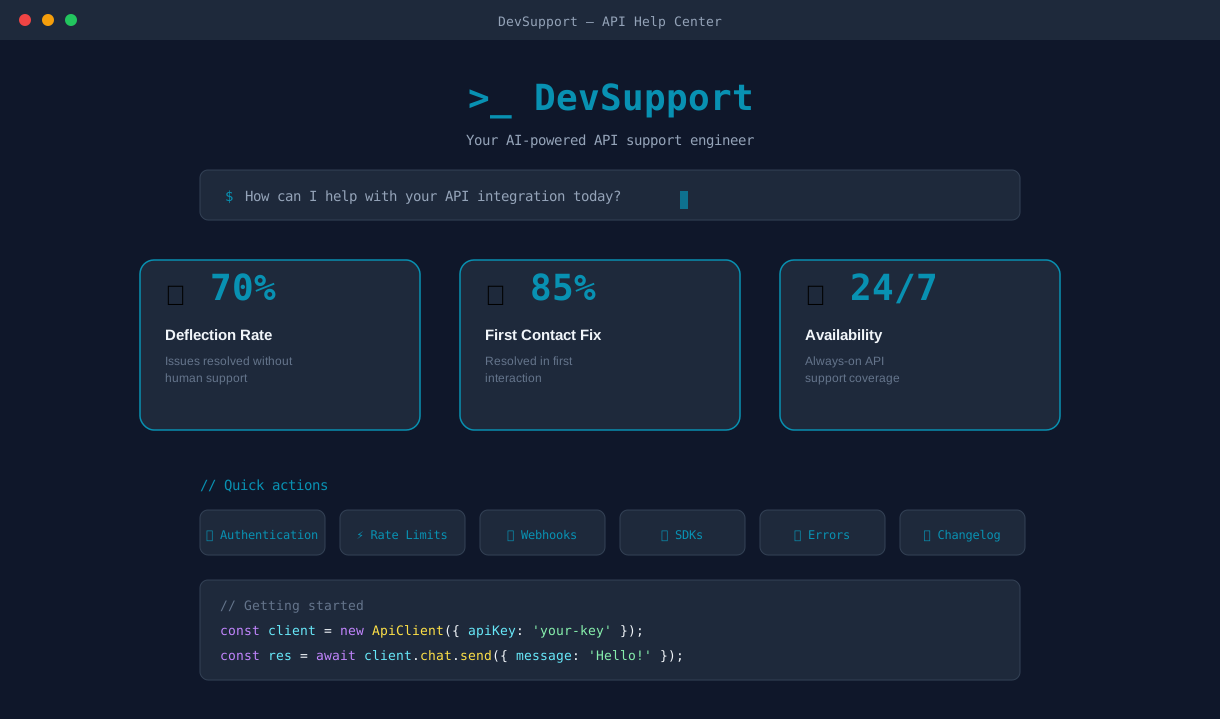
Developer experience is a competitive differentiator for API-first companies. Research from developer platforms shows that developers abandon APIs within 15 minutes if they cannot get a basic integration working. The most common abandonment triggers are unclear error messages, missing code examples, authentication confusion, and inability to find the right endpoint. These are exactly the problems a chatbot can solve instantly, at the moment the developer needs help, without context-switching to a support portal or waiting 24-48 hours for an email response.
Traditional developer support scales poorly. As your API user base grows, support ticket volume grows with it — and developer support tickets are among the most expensive to resolve because they require engineering-level knowledge. An API support chatbot handles the 70-80% of questions that are repetitive — error code lookups, authentication setup, pagination examples, webhook configuration — leaving your developer relations team free to focus on complex integration architecture, partnership support, and developer community building.
Conferbot's API support chatbot template deploys on your developer documentation site, API portal, or dashboard using a no-code visual builder. It integrates with your existing docs and provides instant, conversational access to everything a developer needs to integrate successfully. This guide covers deployment, configuration, and optimization for 2026.
Error Diagnosis: Turning Cryptic Codes into Clear Fixes
Error messages are the most frustrating part of API integration. A developer hits a 422 response, reads "Unprocessable Entity," and has no idea which field in their 15-field request body caused the rejection. They search your docs, maybe find a generic HTTP status code reference, and still cannot connect it to their specific problem. This cycle wastes hours and drives developers to competitor APIs that communicate errors more clearly.
How Error Diagnosis Works
The chatbot's error diagnosis flow starts with a simple prompt: "Paste your error response or tell me the error code you are seeing." The developer can paste a full JSON error response, a status code, or a natural language description of the problem. The chatbot parses the input, identifies the specific error, and delivers a targeted explanation with the fix.
| Error Code | Common Cause | Chatbot Response Includes |
|---|---|---|
| 401 Unauthorized | Missing or invalid API key | Auth header format, key regeneration link, common mistakes |
| 403 Forbidden | Insufficient permissions or wrong plan | Required scopes, plan comparison, upgrade path |
| 404 Not Found | Wrong endpoint URL or resource ID | Correct endpoint URL, versioning note, resource format |
| 422 Unprocessable | Validation failure on request body | Field-by-field validation rules, example of valid payload |
| 429 Too Many Requests | Rate limit exceeded | Current limits, retry-after header, backoff strategy |
| 500 Internal Server | Server-side issue | Status page link, retry guidance, support escalation |
Contextual Troubleshooting
Beyond the error code itself, the chatbot asks follow-up questions to narrow down the root cause. For a 401 error, it asks: "Are you passing the API key in the Authorization header or as a query parameter?" For a 422, it asks: "Which endpoint are you calling?" and then displays the exact request body schema with required fields highlighted. This contextual approach resolves 85% of error-related questions without any human involvement — the developer gets the answer, fixes the code, and moves on.
For errors that cannot be diagnosed automatically — intermittent 500 errors, unexpected response formats, or edge cases not covered in the documentation — the chatbot collects the error details, request context, and the developer's contact information, then creates a support ticket with full diagnostic context. The support engineer receives a structured report rather than a vague "API not working" email.
Code Examples: Working Snippets in Every Language
Developers do not want to read documentation paragraphs — they want working code they can copy, paste, and adapt. The fastest path from "I want to integrate your API" to "I have a working integration" is a code example in the developer's language that they can run immediately. An API support chatbot delivers these examples on demand, tailored to the specific endpoint, authentication method, and programming language the developer is using.
Language-Specific Code Generation
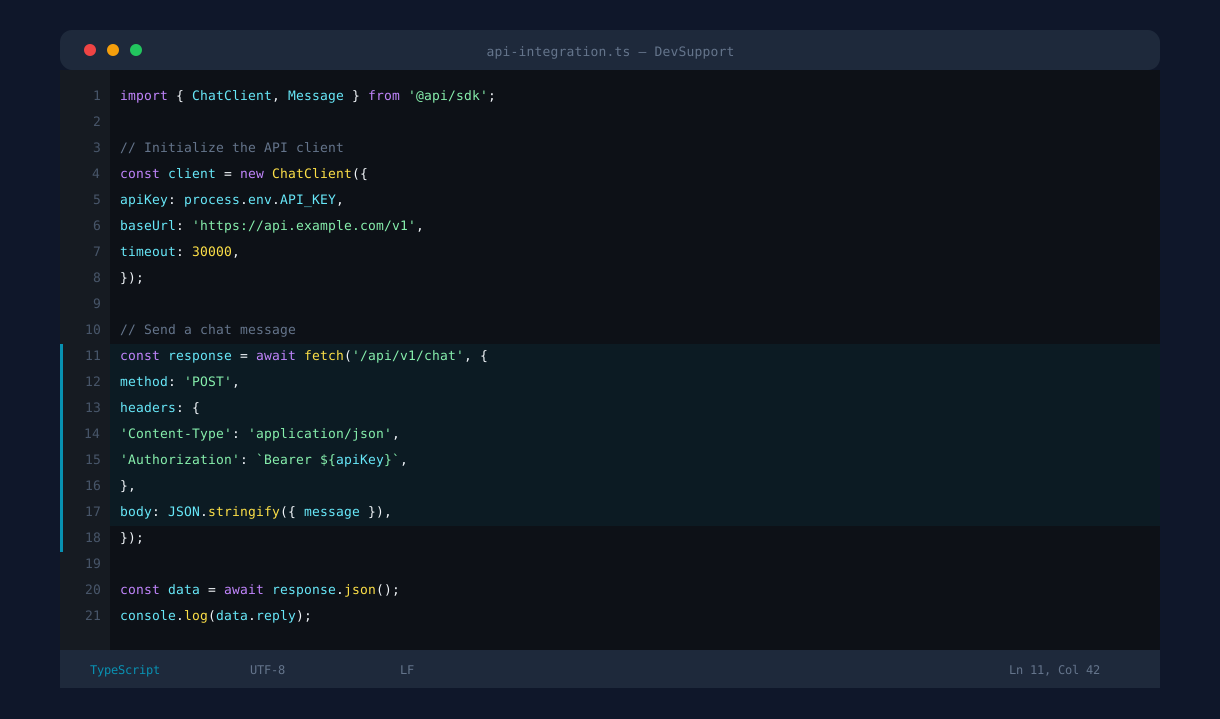
When a developer asks for help with a specific endpoint, the chatbot asks which programming language they are using — Python, JavaScript/Node.js, cURL, Ruby, PHP, Go, Java, or C# — and delivers a complete, working code example for that language. The example includes the correct import/require statements, authentication header setup, request body construction, the API call itself, and response handling with error checking.
Example Quality Standards
Every code example generated by the chatbot follows these principles:
Complete and runnable: The snippet includes everything needed to execute — imports, configuration, the API call, and response handling. No "... add your logic here" placeholders that leave the developer guessing.
Idiomatic: Python examples use the requests library, not urllib. JavaScript examples use fetch or axios, not XMLHttpRequest. Each language example follows the conventions that developers in that ecosystem expect.
Error-aware: Examples include try/catch blocks and status code checking, so the developer sees best practices for error handling from the start rather than discovering the need for error handling when their integration fails in production.
Parameterized: Placeholder values are clearly marked (YOUR_API_KEY, your-resource-id) so the developer knows exactly what to replace, and the chatbot notes which values are required versus optional.
Beyond Single Endpoints
Developers frequently need examples for multi-step workflows — create a resource, then update it, then list all resources with filtering. The chatbot handles these compound requests by delivering sequential examples that build on each other, with notes about which values from step 1 are used in step 2. This workflow-oriented approach is far more useful than isolated endpoint examples, because real integrations always involve multiple API calls working together.
Ready to try API Support Chatbot?
Deploy this template in under 10 minutes. No coding required.
Use This Template Free →Endpoint Discovery: Finding the Right API for the Job
Large APIs can have hundreds of endpoints organized across dozens of resource types. A developer who knows they want to "get a list of users who signed up this month" may not know whether that is a GET /users endpoint with query parameters, a POST /users/search endpoint, or a reporting endpoint entirely. Searching documentation by keyword often returns too many results or none at all. The chatbot bridges this gap by understanding the developer's intent and mapping it to the correct endpoint.
Intent-Based Endpoint Matching
The developer describes what they want to accomplish in natural language: "I need to get all invoices from the last 30 days," "How do I update a user's email address," or "Is there an endpoint for bulk creating contacts?" The chatbot matches the intent to the correct endpoint and responds with the full details: HTTP method, URL path, required parameters, optional query parameters, and a link to the full reference documentation.
| Developer Says | Chatbot Maps To | Response Includes |
|---|---|---|
| "Get all orders from last week" | GET /orders?created_after=... | Date filter format, pagination, sort options |
| "Update customer address" | PATCH /customers/{id} | Required fields, partial update vs. full replace |
| "Delete a webhook" | DELETE /webhooks/{id} | Webhook ID format, confirmation behavior |
| "Upload a file" | POST /files (multipart) | Multipart encoding, file size limits, accepted types |
| "Search users by email" | GET /users?email=... | Exact vs. partial match, case sensitivity |
API Versioning Guidance
When your API has multiple versions, endpoint discovery becomes even more important. The chatbot knows which endpoints exist in which versions, which endpoints are deprecated, and what the migration path looks like. If a developer asks about an endpoint that was removed in v3, the chatbot explains the change and provides the v3 equivalent. This proactive versioning guidance prevents developers from building on deprecated endpoints that will break in future releases.
Authentication Scopes
Each endpoint may require different authentication scopes or permission levels. The chatbot includes scope requirements in every endpoint response, so the developer knows before writing any code whether their current API key has sufficient permissions. If the endpoint requires a scope they do not have, the chatbot explains how to generate a new key with the required permissions or how to request elevated access from their account administrator.
Rate Limit Guidance: Helping Developers Stay Within Bounds
Rate limiting is one of the most common sources of developer confusion and integration failures. Developers build an integration that works perfectly in development with 10 test requests, then deploy to production where it immediately starts hitting 429 responses because the production workload sends 1,000 requests per minute. An API support chatbot provides proactive rate limit guidance that prevents these failures before they happen.
Plan-Specific Limit Information
Rate limits vary by plan tier, and developers frequently do not know their current limits. The chatbot asks the developer which plan they are on — or detects it from their API key if the integration supports it — and displays the exact limits for their tier:
| Plan | Requests/Minute | Requests/Day | Burst Limit |
|---|---|---|---|
| Free / Sandbox | 60 | 1,000 | 10/sec |
| Starter | 300 | 50,000 | 30/sec |
| Professional | 1,000 | 500,000 | 100/sec |
| Enterprise | Custom | Custom | Custom |
Best Practices for Staying Under Limits
The chatbot delivers actionable strategies for managing rate limits, including exponential backoff implementation (with code examples in the developer's language), request batching for endpoints that support it, caching strategies to reduce redundant calls, and webhook-based architectures that replace polling. These recommendations are not generic — they are specific to your API's capabilities. If your API supports batch endpoints, the chatbot shows how to convert 100 individual calls into a single batch request.
Retry-After Header Handling
When a developer is already hitting rate limits, the chatbot explains the Retry-After header, shows how to read it programmatically, and provides a production-ready retry wrapper function. This is one of the most common error-diagnosis-to-code-example workflows: the developer comes in with a 429 error, and leaves with a resilient retry mechanism that handles rate limiting gracefully in production.
For developers whose workload genuinely exceeds their plan's limits, the chatbot provides a clear upgrade path with a comparison of what each plan tier offers, and can collect their contact information for the sales team to discuss enterprise pricing. This turns a frustrating rate-limit error into a natural upgrade conversation.
Sandbox Support: Safe Testing and Developer Onboarding
The sandbox or test environment is where every API integration begins — and where many fail before they ever reach production. Developers need to understand how the sandbox differs from production, which test credentials to use, how test data works, and what behaviors are simulated versus real. An API support chatbot provides instant sandbox guidance that accelerates the critical first-integration experience.
Sandbox Setup Walkthrough
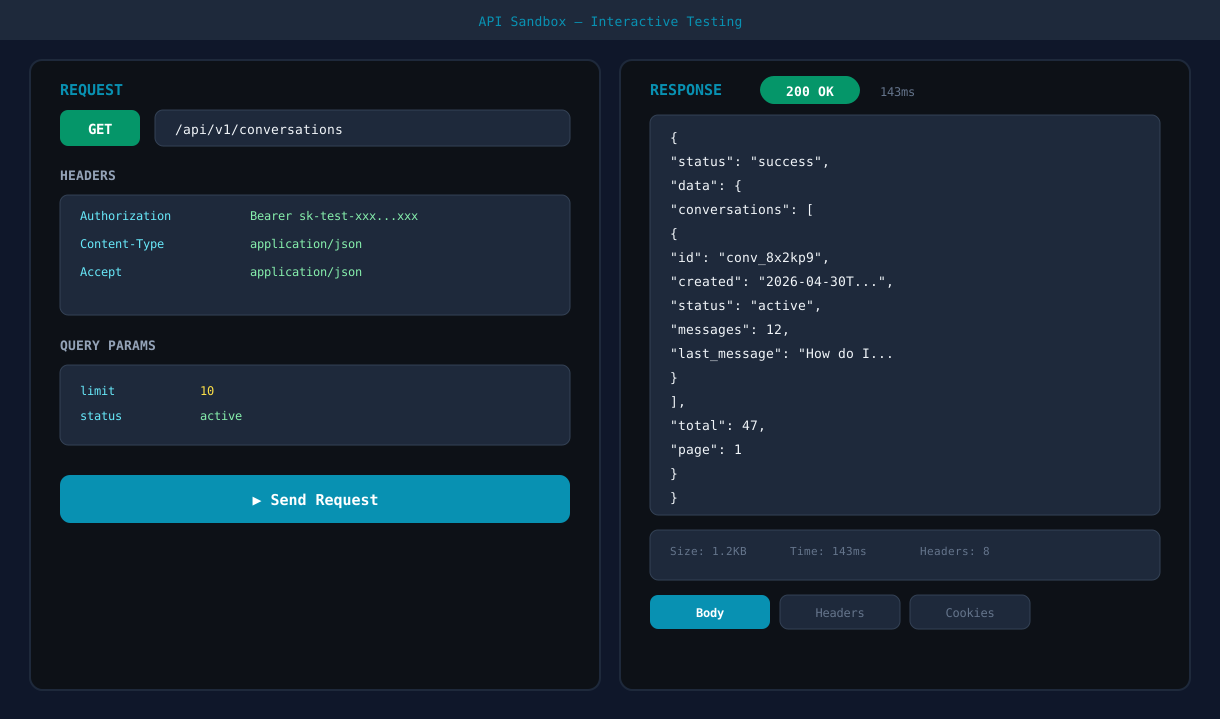
The chatbot walks new developers through sandbox setup step by step: creating a sandbox API key, configuring the base URL for the test environment, understanding test data (pre-populated resources, test credit card numbers, simulated webhook events), and making the first successful API call. This guided onboarding replaces the multi-page "Getting Started" guide with an interactive experience where the developer can ask questions at each step.
Sandbox vs. Production Differences
One of the most common developer support questions is "why does X work differently in sandbox?" The chatbot maintains a clear reference of sandbox-specific behaviors:
| Feature | Sandbox Behavior | Production Behavior |
|---|---|---|
| Payments | Simulated — no real charges | Live payment processing |
| Webhooks | Triggered on demand for testing | Triggered by real events |
| Email/SMS | Suppressed or sent to test inbox | Delivered to real recipients |
| Rate limits | Higher limits for testing | Plan-specific limits apply |
| Data retention | Reset periodically | Persistent |
Production Readiness Checklist
When the developer is ready to go live, the chatbot provides a production readiness checklist: switch API keys from sandbox to production, update the base URL, implement proper error handling and retry logic, set up webhook signature verification, configure rate limit handling, and enable monitoring. This checklist catches the most common go-live mistakes — hardcoded sandbox URLs, missing error handling, and unverified webhooks — before they cause production incidents.
Implementation and ROI
Deploying Conferbot's API support chatbot on your developer portal takes under an hour with the no-code builder. Configure your endpoint catalog, error code mappings, code example templates, and rate limit tiers, then embed the chatbot alongside your API reference documentation. API-first companies that deploy developer support chatbots see a 70% reduction in developer support tickets, a 40% improvement in time-to-first-integration, and measurably higher developer satisfaction scores.
The ROI compounds as your API user base grows. Each developer support ticket costs $25-75 to resolve (engineering-level support is expensive). If you receive 500 developer tickets per month and the chatbot deflects 70%, you save $8,750-26,250 monthly in direct support costs — and the developers get instant answers instead of waiting 24-48 hours. Explore all chatbot templates or learn how API integrations can connect your chatbot to external services for richer developer experiences.
50,000+ businesses use Conferbot templates to automate conversations
Multi-Channel Deployment: Meeting Developers Where They Are
Developers do not always live on your documentation site. They work across multiple platforms throughout their day — IDEs, Slack channels, GitHub repositories, and internal portals. A truly effective API support chatbot meets developers wherever they are already working, reducing the friction of context-switching and making it effortless to get help at the moment of need. Conferbot's omnichannel deployment ensures your developer support chatbot is available across every surface where developers encounter integration questions.
Documentation Site and Developer Portal
The primary deployment channel for most API support chatbots is the developer documentation site itself. The chatbot appears as a persistent widget on every documentation page, contextually aware of which endpoint or guide the developer is currently viewing. If a developer is reading the authentication page and opens the chatbot, it anticipates auth-related questions and can proactively offer: "Need help with API key setup or OAuth configuration?" This contextual awareness makes the chatbot feel integrated rather than bolted on.
Slack and Team Messaging
Many API providers maintain a developer community Slack workspace or Discord server. The chatbot deploys as a Slack bot that responds to direct messages and channel mentions, providing the same error diagnosis, code examples, and endpoint discovery capabilities within the messaging tool developers already have open all day. When a developer posts a question in a community channel, the bot can respond instantly with the relevant documentation link or code snippet, reducing the load on developer advocates who would otherwise answer the same questions repeatedly.
Integrated Knowledge Base
The chatbot draws from your knowledge base to deliver answers that go beyond pre-programmed responses. When developers ask questions about advanced use cases, migration guides, or best practices that span multiple documentation pages, the chatbot synthesizes information from across your knowledge base into a single coherent answer. This is particularly valuable for complex questions like "How do I migrate from v2 to v3?" where the answer requires pulling information from the changelog, the migration guide, and multiple endpoint reference pages.
Monitoring Developer Support Performance
Conferbot's analytics dashboard provides visibility into how developers interact with the chatbot across all channels. Track which error codes are asked about most frequently (suggesting documentation gaps), which endpoints generate the most questions (suggesting usability issues), and which languages are requested most often for code examples (informing SDK investment priorities). These analytics transform the chatbot from a support tool into a product intelligence source — every developer question is a signal about where your API experience can improve.
For teams managing multiple API products or versions, the chatbot's analytics reveal which API versions still generate significant traffic, helping you plan deprecation timelines with real usage data rather than guesswork. Integration with your ticket system ensures that escalated developer questions are tracked, trended, and fed back into documentation improvements that prevent future tickets on the same topic. See pricing plans to find the right tier for your developer support volume.
API Support Chatbot FAQ
Everything you need to know about chatbots for api support chatbot.
Why Use a Template vs Building from Scratch?
Templates encode years of optimization data into the conversation flow before you start.
| Factor | Conferbot Template | Build from Scratch | Hire a Developer |
|---|---|---|---|
| Time to deploy | 10 minutes | 2-8 hours | 2-6 weeks |
| Cost | Free | Your time | $5,000-$25,000 |
| Day-1 conversion | 15-22% | 5-8% | 10-15% |
| Proven flows | Yes, data-tested | No | Depends |
| Updates included | Automatic | Manual | Paid |
| Multi-channel | 8+ channels | 1 channel | Extra cost |
| Analytics | Built-in | Must build | Extra cost |
Ready to Deploy API Support Chatbot?
Join 50,000+ businesses. Free forever plan available. No credit card required.