
The SaaS Churn Crisis: Why Onboarding Is the Highest-Leverage Fix
SaaS churn is not just a retention problem -- it is a compounding revenue crisis that erodes growth faster than most founders realize. According to ProfitWell's State of Retention report, the median SaaS company loses between 5-7% of its customers every month during the first year of a cohort's lifecycle, and companies with poor onboarding experiences see voluntary churn rates 2.5x higher than those with structured activation programs. When you compound that loss over 12 months, it means that a SaaS business acquiring 1,000 new users per month could be losing 600-700 of them before they ever become long-term customers.
The financial impact is staggering. If your customer acquisition cost (CAC) is $200 per user and you lose 60% during onboarding, you are burning $120,000 per month on users who never generate revenue. Over a year, that is $1.44 million in wasted acquisition spend -- money that could have funded product development, additional marketing, or customer success teams. Gainsight's customer success benchmarks show that a 5% improvement in retention translates to a 25-95% increase in profitability, making onboarding optimization one of the highest-ROI investments a SaaS company can make.
The reason onboarding is such a high-leverage fix is that the vast majority of churn happens before users experience product value. Mixpanel's product benchmark data reveals that 80% of churned trial users never completed a single activation milestone. They signed up, explored briefly, hit friction or confusion, and left. The product did not fail them -- the onboarding did. These users had enough intent to sign up, which means the marketing worked. The gap is between signup and value realization, and that is exactly the gap an AI-guided onboarding chatbot is designed to close.

Traditional onboarding approaches -- email drip campaigns, static product tours, and knowledge base articles -- were designed for a different era. Email drips have 20-30% open rates and 2-4% click rates, meaning 70-80% of your onboarding content never reaches the user. Product tours are skipped by over 90% of users. Knowledge bases are visited by fewer than 1% of trial users during their first session. These channels are too slow, too passive, and too one-size-fits-all to address the real-time, individualized nature of onboarding friction.
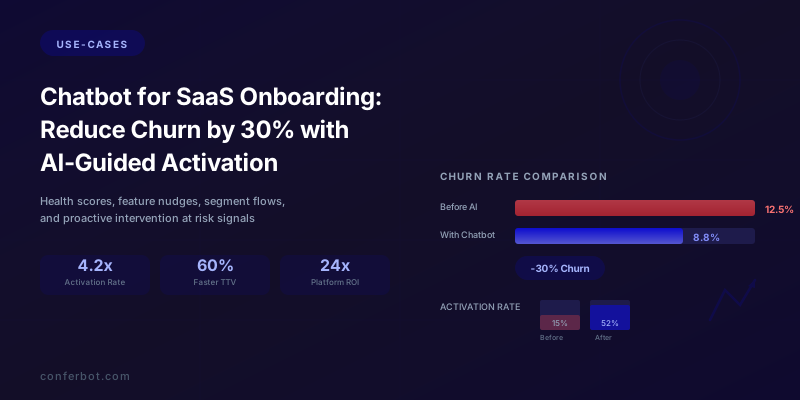
An AI chatbot changes the equation fundamentally. It is present inside the product during the critical first session, responding in real time to user behavior and questions. It adapts its guidance based on the user's role, goals, and progress. It detects confusion before the user asks for help and intervenes proactively. Companies that deploy AI-guided onboarding chatbots report 30% or greater reductions in first-quarter churn, with some seeing improvements as high as 45% when combined with product analytics integration. This article breaks down exactly how to achieve that result, covering the complete architecture from segment-based flows to health score monitoring to proactive intervention at risk signals.
Whether you are a seed-stage startup trying to improve trial conversions or a growth-stage company optimizing net revenue retention, the principles in this guide apply. The goal is the same: get every user to their aha moment as fast as possible, and keep them engaged long enough for the product to become indispensable. An AI chatbot builder like Conferbot makes this achievable without a dedicated engineering team, allowing you to deploy sophisticated onboarding automation in days rather than months.
Accelerating Time-to-Value: From Signup to Aha Moment in Minutes
Time-to-value (TTV) is the single metric that most strongly predicts whether a trial user will convert to a paid customer. It measures the elapsed time between a user's first login and the moment they experience the product's core value for the first time -- the aha moment when they think, "This solves my problem. I need this." According to Amplitude's product analytics research, users who reach their activation milestone within the first session are 4.2x more likely to convert to paid than users who take more than 48 hours to activate. Every hour added to TTV reduces conversion probability by approximately 8%.
The problem is that most SaaS products are designed with feature completeness in mind, not activation speed. A project management tool might have 50 features, but the aha moment is just one: creating a project, adding tasks, and seeing the board come together. An analytics platform might offer 200 report types, but the aha moment is connecting a data source and seeing the first insight. The chatbot's job is to identify the user's specific aha moment and create the shortest possible path to reach it, ignoring everything else until that moment is achieved.
The Activation Path Mapping Framework
Before building your chatbot flows, you need to map the activation paths for each user segment. Start by analyzing your existing data to answer two questions: (1) What actions do retained users complete that churned users do not? and (2) How quickly do retained users complete those actions? The intersection of these answers defines your activation milestones.
| Product Type | Activation Milestone | Median TTV Without Chatbot | Target TTV With Chatbot |
|---|---|---|---|
| Project management | Create project + add 3 tasks + invite 1 member | 3.2 days | 12 minutes |
| CRM | Import 10 contacts + log 1 interaction | 4.1 days | 8 minutes |
| Email marketing | Import list + create campaign + send test | 2.8 days | 15 minutes |
| Analytics platform | Connect data source + view first report | 5.6 days | 20 minutes |
| Chatbot platform | Build bot + add 5 responses + deploy to site | 2.4 days | 10 minutes |
| Helpdesk software | Create inbox + add 1 agent + resolve 1 ticket | 3.7 days | 18 minutes |
The difference between days and minutes is not about simplifying the product -- it is about removing the decision paralysis, wandering, and silent confusion that extends TTV. The chatbot achieves this compression through four mechanisms working in sequence:
1. Immediate intent capture. Within the first two messages, the chatbot identifies what the user wants to accomplish: "What brings you to [Product] today?" with 3-4 quick-select options mapped to your top use cases. This eliminates the exploration phase where users click through menus trying to figure out where to start. Research from Pendo's State of Product-Led Growth report shows that users who are given a clear first action within 30 seconds of login are 2.3x more likely to complete their first session.
2. Guided step-by-step completion. Once intent is identified, the chatbot walks the user through each activation step conversationally. Not a list of instructions -- an interactive dialogue. "Let us set up your first project. What should we name it?" The chatbot collects inputs, triggers actions in the product via API, validates completion, and bridges to the next step. The user never faces a blank page wondering what to do.
3. Contextual obstacle removal. When a user stalls -- spends more than 90 seconds on a step, clicks back and forth, or asks a question -- the chatbot intervenes with targeted help. "Having trouble with the CSV import? The most common issue is date formatting. Here is a quick fix." This prevents the silent frustration that causes users to close the tab and never return. With Conferbot's conditional logic engine, you can build branching help flows that address the top 5 obstacles for each activation step.
4. Progress reinforcement. After each completed step, the chatbot reinforces momentum: "Done! You are 3 of 4 steps from your first live report. Users who reach this point convert at 4x the average rate. Ready for the next step?" Progress bars, social proof, and forward momentum language create psychological commitment to completing the journey.

The compounding effect of TTV compression on revenue is significant. If your product has a 14-day trial and the median TTV without a chatbot is 4 days, users have only 10 remaining days to build habits and justify the purchase. Compressing TTV to under 1 hour gives users nearly the full 14 days to develop dependency on the product. That is not just an onboarding improvement -- it is a fundamental shift in the conversion economics of your trial funnel. A study by ProfitWell found that SaaS companies in the top quartile of TTV performance have 2.1x higher net revenue retention than the median.
Segment-Based Onboarding Flows: One Size Does Not Fit All
The biggest mistake in SaaS onboarding is treating every user the same. A solo freelancer signing up for a project management tool has fundamentally different needs, technical sophistication, and success criteria than an enterprise IT manager evaluating the same product for a 200-person team. A first-time user exploring your category needs orientation. A power user switching from a competitor needs migration support and feature mapping. A marketing lead exploring for procurement needs ROI data and security documentation. An AI onboarding chatbot can detect these segments in real time and route each user through a tailored activation path that matches their specific context.
Core Segmentation Dimensions
Effective onboarding segmentation operates across four dimensions, each of which the chatbot can identify through a brief qualifying conversation in the first 30 seconds:
Dimension 1: Role and decision authority. Is the user an individual contributor who will use the product daily, a manager evaluating for their team, or an executive/procurement lead assessing vendor fit? Each role has different activation needs. ICs need hands-on setup. Managers need to see team collaboration features. Executives need ROI projections and security assurances.
Dimension 2: Use case and primary goal. Within any product category, users have distinct goals. A CRM user might be focused on sales pipeline management, customer support tracking, or marketing automation. The chatbot routes each to the relevant activation path, skipping features that are irrelevant to their immediate goal.
Dimension 3: Technical sophistication. A developer evaluating an analytics platform wants API documentation and webhook setup. A marketing manager wants drag-and-drop dashboards and one-click integrations. Detecting this dimension prevents the chatbot from either overwhelming non-technical users or boring technical ones.
Dimension 4: Competitive context. Users switching from a specific competitor have existing mental models and workflows. A chatbot that recognizes "I am switching from [Competitor]" can offer migration tools, feature mapping guides, and targeted comparisons that address the user's specific switching concerns.
Building Segment-Specific Flows
Here is how the chatbot qualification conversation maps to divergent onboarding paths:
Chatbot opening message: "Welcome to [Product]! To give you the fastest path to value, I have two quick questions. First, what is your primary role?" [Individual user] [Team lead / manager] [Evaluating for my company]
Follow-up (if Individual user): "Great! What is the main thing you want to accomplish with [Product]?" [Option A: Use case 1] [Option B: Use case 2] [Option C: Use case 3] [Something else -- tell me]
Follow-up (if Team lead): "How large is the team that will be using [Product]?" [2-5 people] [6-20 people] [21-100 people] [100+]
Follow-up (if Evaluating): "Are you currently using another tool for this, or starting fresh?" [Switching from [Competitor A]] [Switching from [Competitor B]] [Starting fresh] [Just exploring options]
Each combination of answers routes the user to a different onboarding sequence:
| Segment | Onboarding Priority | Chatbot Flow Focus | Target TTV |
|---|---|---|---|
| Solo user, Use Case A | Reach first output | Hands-on setup wizard, complete first task, celebrate | 5-10 min |
| Team lead, 6-20 people | Invite team + demonstrate collaboration | Quick project setup, invite flow, show real-time collab | 15-20 min |
| Evaluator, switching from Competitor A | Show differentiation + ease migration | Feature comparison, data import tool, security docs | 20-30 min |
| Evaluator, just exploring | Demonstrate ROI + build business case | Interactive demo with sample data, ROI calculator, case studies | 10-15 min |
| Enterprise IT manager, 100+ people | SSO/security setup + pilot proposal | Security questionnaire answers, SSO guide, pilot program offer | Schedule call |
The segment-based approach typically improves activation rates by 35-50% compared to one-size-fits-all onboarding because every interaction is relevant to the user's context. There is no wasted time showing a solo freelancer enterprise features, and no risk of underwhelming an enterprise evaluator with a consumer-grade setup wizard. The chatbot's natural language processing can also detect segment signals from free-text responses -- if a user mentions "my team," "our company," or "compliance requirements" in their first message, the chatbot can route them to the appropriate segment without requiring explicit selection.
Conferbot's analytics dashboard lets you monitor activation rates by segment, identify which segments are underperforming, and iterate on the flows. If your "switching from Competitor A" segment has a 25% activation rate while your "solo user" segment is at 65%, you know exactly where to focus your optimization effort.
Related: AI Chatbot for SaaS Onboarding: Reduce Churn and Speed Up User Activation
Feature Adoption Nudges: Driving Stickiness Beyond Initial Activation
Activation is not the end of onboarding -- it is the beginning of habit formation. Users who reach their aha moment in the first session are 4x more likely to convert, but they still need to develop regular usage patterns and discover the features that make the product indispensable. This is where feature adoption nudges come in: targeted, behavior-triggered chatbot messages that introduce the right feature at the right moment to deepen engagement and increase switching costs.
The concept is straightforward but the execution requires precision. Pendo's product analytics data shows that the average SaaS user engages with only 20-30% of available features. The features they miss are often the ones that would make them stickiest -- integrations that automate workflows, collaboration features that involve their team, analytics that demonstrate ROI to their boss. A chatbot that surfaces these features at contextually appropriate moments can increase feature adoption rates by 2-3x compared to feature announcement emails or in-app banners.
The Progressive Feature Discovery Framework
Organize your product's features into three adoption tiers mapped to the user's maturity:
Tier 1 -- Foundation Features (Day 1-3): The core features that deliver the primary value proposition. These are the features covered during initial activation. Every user should be using them within 72 hours.
Tier 2 -- Multiplier Features (Day 4-14): Features that amplify Tier 1 value. Integrations, automation, team collaboration, templates, and reporting. These are the features that transform the product from useful to essential. Introducing them too early overwhelms beginners; introducing them after the user has enough context makes them feel like superpowers.
Tier 3 -- Power Features (Week 3+): Advanced capabilities for mature users. API access, custom workflows, advanced analytics, admin controls, and white-labeling. These features create deep switching costs and are the primary drivers of long-term retention.
Behavior-Triggered Nudge Examples
Each nudge fires based on a specific behavioral signal that indicates readiness:
Completion-based nudges:
- User creates 3 projects manually --> "You are creating projects like a pro! Want to save time? You can build project templates so new projects come pre-loaded with your standard structure. Takes 2 minutes to set up. [Create a template] [Tell me more]"
- User adds 5 team members --> "Your team is growing! With 5 members, role-based permissions help everyone see only what is relevant to them. [Set up permissions] [Skip for now]"
- User exports 2 reports --> "You are exporting reports regularly. Want them delivered automatically? Schedule weekly reports to your inbox or Slack channel. [Set up auto-reports] [Maybe later]"
Friction-based nudges:
- User manually copies data between features --> "I noticed you are transferring data from [Feature A] to [Feature B] manually. There is a built-in sync that does this automatically. Want me to enable it? [Yes, set it up] [How does it work?]"
- User repeatedly visits the integrations page without connecting anything --> "Interested in connecting your tools? The most popular integration for users like you is [specific integration]. Takes about 3 minutes. [Connect now] [See all integrations]"
Usage-threshold nudges:
- User has 50+ items --> "You have created 50+ [items] this month -- impressive! At this volume, bulk operations and keyboard shortcuts will save you hours. [Show me shortcuts] [I am fine for now]"
- User has been active for 7 consecutive days --> "You have used [Product] every day this week! Power users at this stage love our Zapier integration -- it connects [Product] to 5,000+ other apps. [Explore Zapier integration] [Not right now]"

Nudge Frequency and Fatigue Management
The line between helpful and annoying is thin. Apply these guardrails to prevent nudge fatigue:
- Maximum 2 feature nudges per session, with at least 10 minutes between them
- Never interrupt a user who is actively completing a task -- queue the nudge for the next natural pause
- If a user dismisses a nudge, do not show it again for at least 7 days
- If a user dismisses 3 nudges in a row across sessions, reduce nudge frequency by 50% for 14 days
- Always provide a "Do not show me tips" option that the user can toggle in settings
The goal is to feel like a knowledgeable colleague who occasionally says, "Hey, did you know about this?" rather than an aggressive salesperson pushing features. Intercom's research on onboarding and retention confirms that well-timed nudges improve feature adoption by 2-3x, but over-messaging decreases overall engagement by 15-20%. The chatbot's ability to read behavioral context is what makes nudges feel helpful rather than intrusive.
Related: AI Chatbot for Customer Retention: Reduce Churn by 30% With Proactive Engagement
Customer Health Score Monitoring: Predicting Churn Before It Happens
The most expensive churned customer is the one you could have saved. Customer health scoring is the practice of aggregating multiple behavioral signals into a single composite score that predicts the likelihood of churn or expansion for each user. When integrated with an AI onboarding chatbot, health scores become actionable: the chatbot can automatically detect deteriorating health scores and trigger personalized intervention sequences before the user makes the decision to cancel.
Gainsight's customer success research shows that companies using proactive health score monitoring reduce churn by 20-30% compared to those relying on reactive support alone. When you add an AI chatbot as the intervention mechanism, the impact increases because the chatbot can act immediately -- at 2 AM on a Sunday when no CSM is available -- and at scale across thousands of users simultaneously.
Building a Chatbot-Integrated Health Score Model
A robust health score combines data from four categories, weighted by their predictive power for your specific product:
| Health Factor | Weight | Data Source | Healthy Signal | At-Risk Signal |
|---|---|---|---|---|
| Login frequency (7-day rolling) | 25% | Product analytics | 5+ days/week | Less than 2 days/week |
| Core feature usage depth | 25% | Product analytics | Using 3+ core features | Using 1 or fewer features |
| Chatbot interaction quality | 20% | Chatbot analytics | Engaged responses, feature exploration | Dismissals, negative sentiment |
| Activation milestone progress | 15% | Product + chatbot | All milestones completed | Stalled at early milestone |
| Support ticket sentiment | 15% | Support system | No tickets or resolved satisfied | Open tickets, negative CSAT |
Each factor generates a 0-100 subscore, and the weighted composite produces an overall health score:
- 80-100 (Healthy): User is engaged, activated, and expanding usage. Chatbot focuses on feature discovery nudges and expansion opportunities.
- 60-79 (Neutral): User is active but not deepening engagement. Chatbot increases nudge frequency and introduces Tier 2 features.
- 40-59 (At Risk): User shows declining engagement or stalled activation. Chatbot triggers proactive re-engagement sequence.
- 0-39 (Critical): User is likely to churn within 14 days. Chatbot triggers urgent intervention and escalates to human CSM.
Real-Time Health Score Dashboard
The chatbot should feed health score data into a dashboard that your customer success team can monitor. Key views include:
- Cohort health distribution: What percentage of users from each signup cohort are in each health bracket? Healthy cohorts should show 60%+ users at 80+ health scores by week 4.
- Health score trends: Which users are improving and which are declining? A user whose score drops from 75 to 50 in one week is more urgent than a user who has been stable at 50 for three weeks.
- Segment health comparison: Are certain segments (e.g., solo users vs. teams) systematically healthier? This reveals structural onboarding gaps that need flow-level fixes, not individual interventions.
- Chatbot intervention efficacy: When the chatbot intervenes on at-risk users, what percentage recover to healthy status within 7 days? This measures the ROI of your intervention sequences.

Conferbot's analytics and reporting tools provide the foundation for health score tracking. Every chatbot interaction -- messages sent, responses received, features explored, nudges accepted or dismissed -- is logged and available through the analytics API. When combined with your product analytics platform (Mixpanel, Amplitude, or similar), you have a complete picture of each user's health that powers both automated chatbot intervention and manual CSM outreach for your highest-value accounts.
The key insight is that health scores are not just diagnostic -- they are prescriptive. A health score of 45 does not just tell you "this user is at risk." It tells you why they are at risk (low login frequency? stalled activation? negative sentiment?) and enables the chatbot to deliver the specific intervention most likely to address the specific risk factor driving the score down.
Proactive Intervention at Risk Signals: Saving Users Before They Leave
Reactive customer success is dead. By the time a user submits a cancellation request, contacts support with a complaint, or simply stops logging in, the window for effective intervention has usually closed. ProfitWell's churn prevention research shows that proactive outreach to at-risk users is 3.5x more effective at preventing churn than reactive outreach after a cancellation request. An AI chatbot is the ideal vehicle for proactive intervention because it operates 24/7, can act within minutes of detecting a risk signal, and scales effortlessly to thousands of concurrent at-risk users.
The Risk Signal Detection Framework
Proactive intervention requires a tiered system of risk signals, each mapped to a specific intervention sequence:
Tier 1 -- Early Warning Signals (subtle, requires monitoring)
- Login frequency decline: User who logged in daily now logs in every 3-4 days. The chatbot sends a low-pressure check-in: "Hey [Name], we noticed you have been less active this week. Everything going well with [Product]? Here are 3 things that power users are doing this month: [relevant features]."
- Feature usage narrowing: User who previously used 4-5 features now only uses 1-2. The chatbot introduces a relevant unused feature: "Your [Feature A] usage has been great! Did you know [Feature B] works even better when paired with it? Most users see a 2x productivity boost."
- Chatbot dismissal rate increase: User who previously engaged with chatbot suggestions now dismisses 3+ in a row. The chatbot adjusts tone: "I want to make sure my suggestions are actually helpful. What would be most useful for you right now?" [More advanced tips] [Fewer messages] [Connect me to a person]
Tier 2 -- Active Risk Signals (clear, requires prompt action)
- 72+ hours inactive during trial period: Multi-channel re-engagement via in-app message + email: "You are halfway through your trial and your project [name] is waiting for you. Here is what has changed since your last visit: [updates]. [Resume where I left off]"
- Pricing page visit without conversion: The user is evaluating whether to pay. The chatbot offers value reinforcement: "I see you are looking at plans. Based on your usage so far, here is what you have accomplished: [metrics]. On the Pro plan, you would also get [specific feature relevant to their use case]. Want to see a comparison?"
- Negative sentiment in support interaction: If the user expressed frustration in a recent support ticket or chatbot conversation, the chatbot follows up: "I saw you had an issue with [specific problem] earlier. Has that been resolved? If not, I can connect you with a specialist right now."
Tier 3 -- Critical Risk Signals (urgent, requires immediate intervention)
- Data export or account deletion page visit: The user is actively preparing to leave. The chatbot triggers an emergency retention offer: "Before you go, I want to make sure we have done everything we can. Would a 15-minute call with our product specialist help? We can also offer [specific incentive] to give [Product] another shot."
- Cancellation flow initiation: The chatbot intercepts the cancellation process (without blocking it) to understand why: "We are sorry to see you considering cancellation. To help us improve, could you share what did not meet your expectations?" [Price too high] [Missing features] [Too complicated] [Found an alternative] [Other]. Based on the response, the chatbot offers a targeted save: discounted plan, feature walkthrough, simplified setup, or competitive comparison.
- Team member removal: If a team admin starts removing members, it signals organizational disengagement. The chatbot addresses the admin: "I noticed some team changes. Is there anything about the team experience we can improve? Teams that use [collaboration feature] see 40% higher engagement."
Intervention Efficacy by Signal Type
| Risk Signal | Intervention Timing | Save Rate (No Chatbot) | Save Rate (With Chatbot) |
|---|---|---|---|
| Login decline (early) | Within 24 hours | 5-8% | 22-30% |
| 72+ hours inactive | At hour 72 | 3-5% | 15-22% |
| Pricing page without conversion | Within 5 minutes | 8-12% | 25-35% |
| Cancellation flow entry | Immediately | 10-15% | 28-40% |
| Data export initiated | Immediately | 2-4% | 8-14% |
The aggregate impact of these interventions is the 30% churn reduction that this article's title promises. No single intervention achieves 30% on its own. It is the cumulative effect of catching dozens of small risk signals early and addressing each with a targeted, contextual response. The chatbot's advantage over human CSMs is not intelligence -- it is speed, consistency, and scale. A human CSM might notice a login decline after reviewing a weekly report. The chatbot notices it within 24 hours and acts immediately, while the user still has momentum and emotional connection to the product.
With Conferbot's AI chatbot builder, you can configure these intervention sequences visually, mapping risk signals to specific message templates and escalation paths. The platform's live chat integration ensures that when the chatbot determines a human touch is needed, the handoff is seamless -- the CSM receives the full conversation history and health score context before the first message.
Integrating Your Chatbot With Product Analytics: Mixpanel, Amplitude, and Beyond
An onboarding chatbot operating in isolation is like a sales rep who cannot see the CRM -- it has to guess what the user needs rather than knowing. The real power of an AI-guided onboarding system emerges when the chatbot is bidirectionally integrated with your product analytics platform. The analytics platform tells the chatbot what the user has done (and has not done) in the product. The chatbot tells the analytics platform what the user has said, asked, and expressed interest in. Together, they create a complete behavioral and conversational profile that drives hyper-personalized onboarding at scale.
Architecture: How the Integration Works
The integration operates through a real-time event pipeline with two data flows:
Flow 1: Product events to chatbot (analytics --> chatbot). Your product analytics platform (Mixpanel, Amplitude, Heap, or Segment) tracks user actions: page views, feature usage, button clicks, API calls, errors. These events are forwarded to the chatbot platform via webhook or API, where they trigger chatbot responses. For example, when Mixpanel fires a "user_visited_pricing_page" event, the chatbot receives it and can trigger a contextual message within seconds.
Flow 2: Chatbot events to analytics (chatbot --> analytics). Every chatbot interaction generates events that should flow back to your analytics platform: messages sent, user responses, features explored via chatbot, nudges accepted or dismissed, sentiment scores, and qualification data (role, use case, team size). These events enrich user profiles in your analytics platform, enabling more sophisticated segmentation and funnel analysis.
Key Event Mappings
| Product Analytics Event | Chatbot Action Triggered |
|---|---|
| user_signed_up | Welcome message + segment qualification flow |
| activation_step_1_completed | Congratulations + bridge to step 2 |
| activation_stalled (no step completion in 2+ hours) | Proactive help offer for the specific stalled step |
| feature_X_page_viewed (but not used) | Feature introduction nudge with tutorial |
| error_encountered | Contextual error resolution message |
| pricing_page_viewed | Value reinforcement + plan comparison help |
| session_ended_without_activation | Follow-up message (in-app next login or email) |
| 7_day_inactive | Re-engagement sequence across channels |
The technical implementation varies by platform. For Mixpanel, you can use their Webhooks feature to forward events to your chatbot's API endpoint. For Amplitude, the Sync feature or a custom integration via their Export API achieves the same result. If you use Segment as your customer data platform, you can route events to both your analytics tool and your chatbot platform simultaneously through Segment's destination configuration.
Enriched User Profiles for Hyper-Personalization
When chatbot data flows into your analytics platform, you can create enriched user profiles that power more sophisticated onboarding:
- Chatbot-declared intent: "The user said they are a marketing manager looking to automate email campaigns" -- this qualitative data from the chatbot conversation enriches the quantitative behavioral data from analytics.
- Chatbot-detected friction points: "The user asked 3 questions about CSV import formatting" -- this reveals a specific obstacle that quantitative data (time on page) would not explain.
- Chatbot-assessed sentiment: "User sentiment shifted from positive to neutral over the last 3 interactions" -- this early warning signal feeds into the health score model.
- Chatbot-captured competitive context: "User mentioned they are switching from [Competitor]" -- this triggers segment-specific onboarding and enables win/loss analysis by competitor.
The result is an onboarding system that knows not just what the user has done, but why they are here, what they are trying to accomplish, where they are struggling, and how they feel about the experience. This level of insight was previously available only through expensive, unscalable 1:1 CSM conversations. With the chatbot + analytics integration, it is available for every user at every stage of their journey.
Conferbot's integrations hub supports direct connections to Mixpanel, Amplitude, Segment, Google Analytics, and custom webhook endpoints, making this bidirectional data flow achievable without custom engineering. The platform also provides pre-built event templates for common onboarding scenarios, reducing setup time from weeks to hours.
Related: Chatbot Analytics: 10 Metrics You Must Track to Prove ROI in 2026
In-App Guidance Patterns: Designing Contextual Chatbot Experiences
Where and how the chatbot appears within your product matters as much as what it says. An onboarding chatbot that sits in a generic corner widget delivers a fundamentally different experience than one that appears contextually on the pages and features where users need help most. The most effective SaaS onboarding chatbots use a combination of placement strategies, each designed for a specific type of guidance.
Placement Pattern 1: The Persistent Widget
The persistent widget is the familiar chat bubble in the bottom-right corner that is accessible on every page. This is the baseline -- it ensures the user always has access to help. However, it should not be the only placement. A persistent widget that only shows "Need help?" has a 2-4% engagement rate. A persistent widget that shows contextual messages based on the current page -- "I see you are on the integrations page. Want help connecting your first tool?" -- has a 15-25% engagement rate.
Best practices for the persistent widget:
- Show a contextual message (not just "How can I help?") based on the current page within 5 seconds of page load
- Display a progress indicator showing onboarding completion: "3 of 5 steps complete"
- Show the chatbot's avatar and name to create personality and approachability
- Collapse to a small icon after 10 seconds if the user does not engage, to avoid obscuring content
Placement Pattern 2: Inline Guidance Panels
Inline guidance panels are chatbot-powered help sections embedded directly within the product interface, adjacent to the feature they explain. Instead of a floating widget, the chatbot appears as a contextual panel on the side of the page or below a feature section. This pattern works best for complex features that require step-by-step guidance.
Example implementation: When a user visits the "Create Automation" page for the first time, an inline panel appears on the right side with the chatbot saying: "Automations save you hours of repetitive work. Let me help you create your first one. What do you want to automate?" [When a new lead arrives, notify my team] [When a task is overdue, send a reminder] [Custom automation -- describe it]
The inline panel feels like part of the product rather than a separate chat interface, which reduces the psychological barrier to engagement. Users who would never click a chat widget will interact with an inline panel because it appears to be a native product feature.
Placement Pattern 3: Empty State Takeovers
Empty states -- the screens users see before they have created any data -- are the most critical onboarding moments in a SaaS product. An empty dashboard, an empty project list, an empty inbox. These moments are when users feel the most lost and are most likely to abandon. The chatbot should take over empty states with an interactive activation prompt rather than a static "Get started" message.
Example: Instead of an empty dashboard with a "Create your first project" button, the chatbot takes over the center of the page: "Welcome to your workspace! I am going to help you set up your first project in about 3 minutes. It will be way faster than figuring it out on your own. Ready?" [Let us do it] [Show me around first] [I already know what I am doing]
Empty state takeovers have the highest engagement rates of any chatbot placement -- typically 40-60% -- because the user has no alternative content to engage with and the chatbot fills the void with purposeful action.
Placement Pattern 4: Feature-Triggered Spotlights
When the chatbot detects that a user has not yet tried a high-value feature, it can spotlight that feature with a targeted overlay that appears when the user navigates to a related area. Unlike tooltips that point to UI elements, spotlights are mini-conversations that explain the value proposition and offer to demonstrate the feature.

Engagement rates by placement pattern:
| Placement Pattern | Avg. Engagement Rate | Best For |
|---|---|---|
| Persistent widget (contextual) | 15-25% | Always-available help, FAQ, navigation |
| Inline guidance panel | 25-35% | Complex feature setup, step-by-step tasks |
| Empty state takeover | 40-60% | First-time activation, initial setup |
| Feature spotlight | 20-30% | Feature discovery, Tier 2/3 adoption |
The most effective onboarding systems use all four patterns in combination, with the chatbot backend maintaining a single conversation thread regardless of which placement the user interacts with. A user who starts a conversation in the empty state takeover can continue it later via the persistent widget without losing context. This continuity is critical -- it means the chatbot always remembers what the user has already done and said, eliminating the frustrating "start over" experience that plagues disconnected help systems.
Building these placement patterns requires a chatbot platform that supports rich media and custom embeds. Conferbot's embed options include standard widgets, inline panels, full-page takeovers, and API-driven custom placements, giving you complete control over where and how the chatbot appears within your product.
Related: Chatbot Prompt Engineering: How to Write System Prompts That Actually Work
Measuring Impact: The Metrics That Prove Your Onboarding Chatbot Works
An onboarding chatbot that cannot prove its impact will eventually lose executive support and budget. You need a measurement framework that connects chatbot activity to the business outcomes leadership cares about: revenue, retention, and efficiency. Here is the complete metrics stack, organized from leading indicators (predict future outcomes) to lagging indicators (confirm past outcomes).
Leading Indicators (measure daily, act weekly)
1. Activation rate by cohort. What percentage of users from each signup week reach the activation milestone? This is your north star metric. Target: 50%+ activation rate for chatbot-guided users, measured weekly by cohort.
2. Time-to-value (median). How long does the median user take to reach activation? Track this daily and alert on increases. Target: under 1 hour for products with self-serve activation paths.
3. Chatbot engagement rate. What percentage of new users interact with the onboarding chatbot? Low engagement (under 30%) indicates a placement, timing, or messaging problem. Target: 50%+ engagement rate in the first session.
4. Activation step completion rates. Which specific steps in the activation path are causing drop-off? If Step 3 (e.g., "invite a team member") has a 40% completion rate while Steps 1 and 2 are at 80%, you know exactly where to focus chatbot guidance improvements.
5. Feature adoption breadth. How many distinct features does the average user engage with by day 7, 14, and 30? Chatbot nudges should systematically increase this number over time. Track by tier (Foundation, Multiplier, Power).
Lagging Indicators (measure monthly, report quarterly)
6. Trial-to-paid conversion rate. The ultimate measure of onboarding effectiveness. Compare conversion rates for chatbot-engaged users vs. non-engaged users within the same cohort to isolate the chatbot's impact. Target: 20-40% improvement over baseline.
7. First-month churn rate. What percentage of users who convert to paid churn within their first month? High first-month churn indicates that activation was superficial -- users converted but did not build deep enough habits. The chatbot's post-activation feature nudges should reduce this metric.
8. Net revenue retention (NRR). For cohorts that went through chatbot-guided onboarding, what is the NRR at 3, 6, and 12 months? This is the metric that ties onboarding to long-term business value. Target: 110%+ NRR for chatbot-guided cohorts.
9. Customer health score distribution. What percentage of users are in each health bracket (Healthy, Neutral, At Risk, Critical) at day 30, 60, and 90? The chatbot should shift the distribution toward Healthy over time.
10. Support ticket volume from new users. If the chatbot is effectively guiding users through onboarding, support ticket volume from new users (first 30 days) should decrease. This also represents a direct cost saving that you can quantify.
The ROI Calculation
To present chatbot ROI to leadership, use this framework:
| Metric | Before Chatbot | After Chatbot | Impact |
|---|---|---|---|
| Trial-to-paid conversion rate | 12% | 18% | +50% more paying customers |
| Monthly signup volume | 1,000 | 1,000 | (constant) |
| New paying customers / month | 120 | 180 | +60 customers / month |
| Average revenue per customer (monthly) | $50 | $50 | (constant) |
| Incremental monthly revenue | -- | $3,000 | $36,000 / year additional |
| First-month churn rate (paid) | 15% | 10% | -33% churn reduction |
| LTV improvement (estimated) | -- | +22% | Compounding retention gains |
| Support tickets from new users / month | 450 | 280 | -38% ticket reduction |
| Support cost savings / month | -- | $1,700 | At $10/ticket average |
For a product with 1,000 monthly signups and $50 ARPU, the chatbot generates approximately $56,400 in annual incremental value ($36,000 in new revenue + $20,400 in support cost savings). At a Conferbot pricing tier of $49-199/month, the ROI is 24x-96x. Even conservative estimates show payback within the first month.
The key to a credible ROI presentation is the A/B test. Run the chatbot-guided onboarding for 50% of new signups and the existing onboarding for the other 50% for at least 4 weeks. Compare activation rates, conversion rates, and churn rates between the two groups. This controlled experiment eliminates the argument that improvements were caused by other factors (seasonal trends, product changes, marketing mix). Conferbot's analytics platform supports cohort comparison views that make this analysis straightforward.
Related: How to Calculate Chatbot ROI: Formula, Benchmarks, and Free Calculator
Implementation Roadmap: From Zero to 30% Churn Reduction in 90 Days
Deploying an onboarding chatbot that delivers measurable churn reduction is not a weekend project, but it does not need to be a six-month initiative either. The following 90-day roadmap breaks the implementation into four phases, each delivering incremental value while building toward the full vision described in this guide.
Phase 1: Foundation (Weeks 1-2)
Objective: Deploy a basic onboarding chatbot that guides users through the activation path.
Activities:
- Define your activation milestone (the specific action most correlated with retention)
- Map the 3-5 steps from signup to activation
- Build the core onboarding flow in Conferbot's chatbot builder with segment qualification (2-3 segments to start)
- Write copy for welcome messages, step guidance, completion celebrations, and error help for each step
- Deploy the chatbot as a persistent widget on all product pages
- Set up basic analytics: chatbot engagement rate, step completion rates, activation rate
Expected impact: 10-15% improvement in activation rate from guided onboarding alone.
Phase 2: Intelligence (Weeks 3-5)
Objective: Add proactive triggers and behavior-based interventions.
Activities:
- Implement inactivity triggers (session stall, day-1 no-return, mid-trial absence)
- Implement confusion triggers (repeated page visits, error encounters, back-and-forth navigation)
- Add milestone celebration triggers with next-step bridges
- Connect product analytics (Mixpanel, Amplitude, or Segment) for bidirectional event flow
- Build the customer health score model with initial weights
- Implement nudge frequency guardrails to prevent fatigue
Expected impact: Additional 8-12% improvement in activation rate; first signs of churn reduction in early cohorts.
Phase 3: Personalization (Weeks 6-9)
Objective: Deploy segment-specific flows and feature adoption nudges.
Activities:
- Expand segment qualification to 5-8 segments based on role, use case, team size, and competitive context
- Build segment-specific activation paths with tailored messaging and step sequences
- Implement Tier 2 and Tier 3 feature adoption nudges triggered by behavioral signals
- Add in-app guidance patterns: inline panels for complex features, empty state takeovers, feature spotlights
- Implement risk signal detection and proactive intervention sequences for at-risk users
- Begin A/B testing chatbot-guided vs. control onboarding for statistical validation
Expected impact: Cumulative 20-25% improvement in activation rate; measurable churn reduction in month-2 retention data.
Phase 4: Optimization (Weeks 10-13)
Objective: Refine based on data and achieve the 30% churn reduction target.
Activities:
- Analyze A/B test results and identify highest-impact flows for doubling down
- Recalibrate health score weights based on actual churn correlation data
- Optimize intervention messaging based on save rate data by signal type
- Expand multi-channel reach: add email and WhatsApp touchpoints for re-engagement sequences
- Build executive dashboard showing ROI metrics: incremental revenue, churn reduction, support cost savings
- Document playbooks for ongoing maintenance and iteration
Expected impact: 30%+ churn reduction confirmed via A/B test; clear ROI documentation for continued investment.
Resource Requirements
| Resource | Phase 1 | Phase 2 | Phase 3 | Phase 4 |
|---|---|---|---|---|
| Product manager | 40% | 30% | 30% | 20% |
| Chatbot builder / copywriter | 80% | 60% | 60% | 30% |
| Developer (analytics integration) | 10% | 40% | 20% | 10% |
| Customer success lead | 10% | 20% | 30% | 40% |
| Conferbot platform cost | $99-199/month (Growth or Business plan) | |||
The total investment is modest relative to the return. A single product manager, a content-focused chatbot builder, and part-time developer support can deliver the full implementation within 90 days. The Conferbot platform handles the chatbot infrastructure, conditional logic, analytics, and multi-channel delivery -- you focus on the strategy, messaging, and integration with your product's data layer.
For teams that want to move faster, Conferbot's professional services team can compress the timeline to 45-60 days by handling the technical integration and providing best-practice flow templates based on your product category. View pricing and plan details to determine the right tier for your implementation.
Benchmarks and What Top SaaS Companies Are Achieving
The 30% churn reduction figure in this article's title is not aspirational -- it is the median result reported by SaaS companies that implement comprehensive AI-guided onboarding systems. To ground these numbers in reality, here are benchmarks from industry research and anonymized case data across different SaaS categories.
Industry Benchmark Data
According to ProfitWell's retention benchmarks, SaaS companies in the top quartile of onboarding effectiveness achieve the following metrics:
| Metric | Bottom Quartile | Median | Top Quartile | Top 10% |
|---|---|---|---|---|
| Trial-to-paid conversion | 5-8% | 12-18% | 22-30% | 35%+ |
| First-month churn (paid) | 15-25% | 8-12% | 4-7% | Under 3% |
| 90-day retention | 30-40% | 55-65% | 75-85% | 90%+ |
| Net revenue retention | 80-90% | 95-105% | 110-125% | 130%+ |
| Activation rate (first session) | 5-10% | 15-25% | 35-50% | 60%+ |
Companies with AI-guided onboarding chatbots consistently perform in the top quartile across these metrics. The chatbot is not the only factor -- product quality, market fit, and pricing all matter -- but it is the intervention that closes the gap between product potential and user realization of that potential.
Benchmark by SaaS Category
Churn reduction from onboarding chatbot deployment varies by product complexity and user sophistication:
- Simple self-serve tools (e.g., form builders, scheduling apps): 20-25% churn reduction. Lower baseline churn means smaller absolute improvement, but higher percentage of addressable churn captured.
- Mid-complexity collaboration tools (e.g., project management, CRM): 25-35% churn reduction. These products benefit most from segment-based flows and feature adoption nudges because they have enough features to create discovery opportunities.
- Complex technical platforms (e.g., analytics, developer tools, marketing automation): 30-45% churn reduction. High baseline churn from onboarding complexity means large absolute improvement. These products also see the biggest TTV compression because the gap between signup and value is widest.
- Enterprise / team-dependent products: 15-25% churn reduction from the chatbot alone, but significantly higher when combined with human CSM escalation triggered by chatbot health scores.
The Compounding Effect on Revenue
The financial impact of churn reduction compounds dramatically over time. Consider a SaaS company with $100K in monthly recurring revenue (MRR) and a 10% monthly churn rate versus the same company with a 7% monthly churn rate (a 30% reduction):
- At 10% monthly churn: After 12 months, the $100K MRR cohort retains approximately $28K in MRR. Cumulative revenue over 12 months: $686K.
- At 7% monthly churn: After 12 months, the $100K MRR cohort retains approximately $42K in MRR. Cumulative revenue over 12 months: $779K.
- Difference: $93K in additional revenue from a single cohort's improved retention -- a 13.5% increase in total revenue from a 3-point churn reduction.
Now multiply that by every cohort that signs up each month. Over 12 months with 1,000 new signups per month, the cumulative revenue difference between 10% and 7% monthly churn exceeds $500K. This is why Harvard Business Review's research consistently shows that retention improvements have a higher ROI than acquisition improvements for SaaS businesses past the initial growth stage.
The onboarding chatbot is the most cost-effective way to achieve these retention gains. Compared to hiring additional CSMs ($60K-$120K per year each, handling 50-200 accounts), a chatbot at $99-$199/month handles unlimited users with consistent quality. Compared to rebuilding your product's onboarding UX (3-6 month engineering project), a chatbot can be deployed in weeks and iterated without engineering resources. Compared to increasing marketing spend to replace churned users (typically 5-7x the cost of retention), preventing churn is always more efficient.
The data is clear: AI-guided onboarding is not a nice-to-have for SaaS companies serious about growth. It is a core retention infrastructure investment that pays for itself within the first month and compounds in value every month thereafter. Start with the 90-day roadmap in the previous section, measure relentlessly, and iterate based on what the data tells you. The 30% churn reduction is achievable -- and for many products, it is just the beginning.
Related: How to Measure Chatbot ROI: The Complete Framework with Formulas and Benchmarks
Was this article helpful?
Chatbot for SaaS Product Onboarding FAQ
Everything you need to know about chatbots for chatbot for saas product onboarding.
About the Author

Conferbot Team specializes in conversational AI, chatbot strategy, and customer engagement automation. With deep expertise in building AI-powered chatbots, they help businesses deliver exceptional customer experiences across every channel.
View all articles
