
- Conferbot을 사용하면 로펌이 30개 이상의 노드 유형을 갖춘 노코드 비주얼 빌더 하나로 WhatsApp, Messenger, Instagram, 웹사이트 등 8개 채널에 AI 챗봇을 배포할 수 있습니다.
- 안내식 대화 흐름으로 고객 접수를 자동화하고, Google Calendar 연동으로 상담을 예약하며, GPT-4, Claude, Gemini 같은 AI 모델로 일반적인 법률 질문에 답변합니다.
- 무료 플랜은 월 300건의 대화와 빌더 전체 기능을 포함합니다. 더 많은 대화량, 고급 리드 점수 산정, 맞춤 브랜딩이 필요한 로펌을 위해 월 $19부터 유료 플랜이 제공됩니다.
- 실시간 채팅과 상담원 전환 기능으로 고가치 잠재 고객이나 복잡한 사건 문의를 전체 대화 맥락, 우선순위, 내부 메모와 함께 변호사에게 원활하게 전달합니다.
- Zapier(5,000개 이상의 앱)와 커스텀 웹훅을 통해 기존 업무 도구에 연결하여 사건 관리 시스템 연동, CRM 데이터 전송, 자동 리드 라우팅 워크플로가 가능합니다.
로펌이 Conferbot을 선택하는 이유
모든 규모의 로펌이 Conferbot을 신뢰하여 모든 잠재 고객 문의를 확보하고, 반복적인 접수 업무를 자동화하며, 변호사가 같은 질문에 답변하는 대신 법률 업무에 집중할 수 있도록 합니다.
기존 법률 업무 시스템과 손쉽게 연결
웹훅과 Zapier를 통해 고객 접수 데이터를 사건 관리 또는 CRM 시스템에 전송합니다. 상담 예약은 캘린더와 동기화되고 서류는 보안 스토리지로 자동 라우팅됩니다.
법률 업무 자동화에 필요한 모든 것
로펌이 더 많은 고객을 확보하고, 접수를 자동화하며, 대규모로 일반적인 법률 질문에 즉시 답변할 수 있도록 설계된 전용 도구입니다.
고객 접수 봇
30개 이상의 노드 유형을 사용하는 노코드 비주얼 빌더로 상세한 접수 흐름을 구축하세요. 안내식 대화와 조건 로직, 증빙 서류 파일 업로드를 통해 사건 유형, 상황 세부 사항, 연락처 정보, 긴급도를 수집합니다.
상담 예약
Google Calendar 또는 Outlook과 연동하여 잠재 고객이 가용 시간을 확인하고 챗봇을 통해 직접 상담을 예약할 수 있습니다. 가용 시간이 자동 업데이트되며 전체 접수 세부 정보가 첨부된 채로 예약이 동기화됩니다.
사건 문의 봇
업무 분야 정보를 AI 기반 지식 베이스에 로드하세요. GPT-4, Claude, Gemini가 적절한 면책 조항과 함께 일반적인 법률 질문에 답변하여, 잠재 고객이 상담을 예약할 때까지 관심을 유지하면서 반복적인 문의를 줄입니다.
서류 수집
계약서, 신분증, 사건 증거, 증빙 파일을 채팅 내 파일 업로드로 안전하게 수집합니다. 파일은 전송 중 및 저장 시 암호화되며 웹훅을 통해 자체 시스템으로 라우팅할 수 있습니다.
리드 점수 산정
조건 노드와 점수 로직을 사용하여 사건 유형, 긴급도, 관할권, 적합성별로 리드를 검증합니다. 고점수 잠재 고객은 상담원 전환을 통해 우선 처리하고, 우선순위가 낮은 문의는 지식 베이스에서 자동 응답합니다.
법률 FAQ
업무 분야, 수수료, 프로세스, 일반적인 법률 질문에 대한 AI 생성 기사로 종합적인 지식 베이스를 구축합니다. 웹사이트, WhatsApp 및 6개 이상의 채널에 동시 배포합니다.
Powered by leading AI models including GPT-4, Claude, and Gemini.
간단한 3단계로 시작하세요
몇 달이 아닌 몇 분 만에 법률 챗봇을 배포하세요. 코딩이 필요 없습니다.
템플릿 선택
고객 접수, 상담 예약, 법률 FAQ를 위한 사전 제작된 법률 챗봇 템플릿을 선택하거나, 비주얼 빌더에서 30개 이상의 드래그 앤 드롭 노드 유형으로 처음부터 구축하세요.
맞춤 설정 및 연동
업무 분야 콘텐츠를 AI 기반 지식 베이스에 가져오세요. 예약을 위해 Google Calendar 또는 Outlook을 연결하고, 웹훅 또는 Zapier로 사건 관리나 CRM 시스템에 리드를 전송하며, GPT-4, Claude, Gemini를 활성화하세요.
배포 및 모니터링
웹사이트, WhatsApp, Facebook Messenger 및 5개 이상의 채널에 출시하세요. 실시간 분석 대시보드로 리드 캡처, 접수 완료율, 상담 예약을 추적하세요.
모든 규모의 로펌이 신뢰하는 솔루션
개인 사무소부터 다분야 로펌까지, 법률 전문가들은 Conferbot을 사용하여 24시간 고객 문의를 확보하고 접수를 자동화합니다.
Why Law Firms Need AI Chatbots
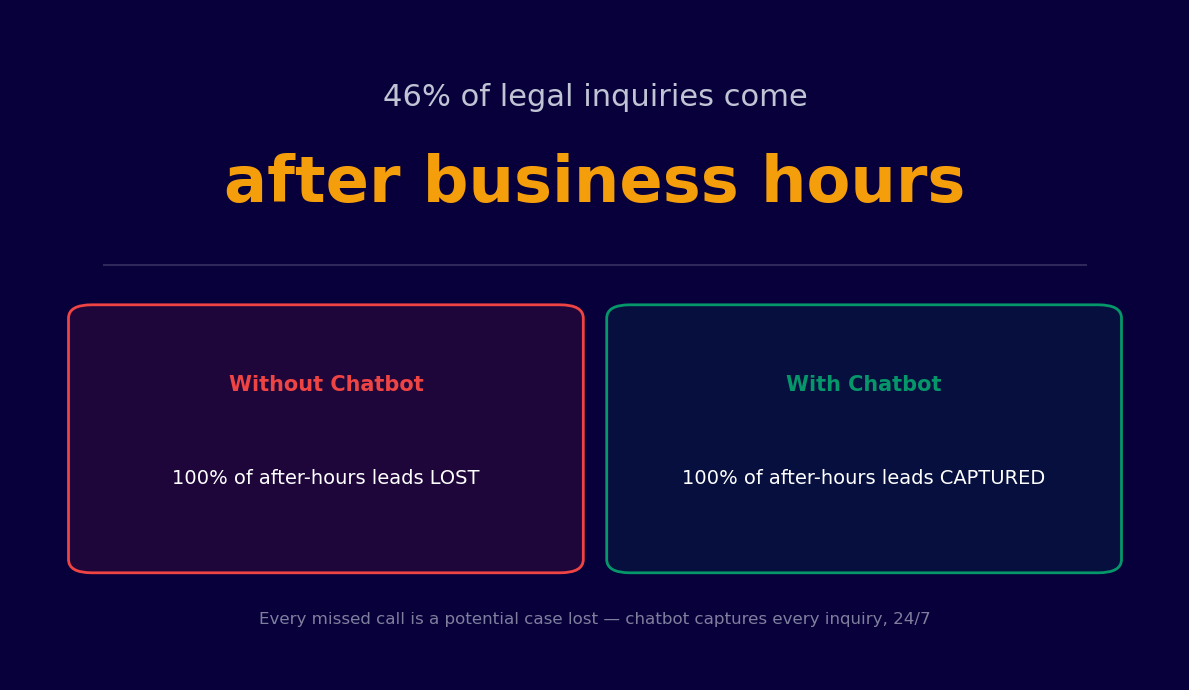
Law firms face a paradox that costs them millions in recoverable revenue every year: prospective clients are ready to engage at all hours, but intake processes are built around business-hours staffing. A potential client searching for a personal injury attorney at 10 PM, or a small business owner who realizes they need contract counsel on a Sunday afternoon, will contact multiple firms and hire the first one that responds. Research is unambiguous -- law firms lose 46% of inbound leads by failing to respond within 24 hours, and the majority of those losses happen outside normal office hours.
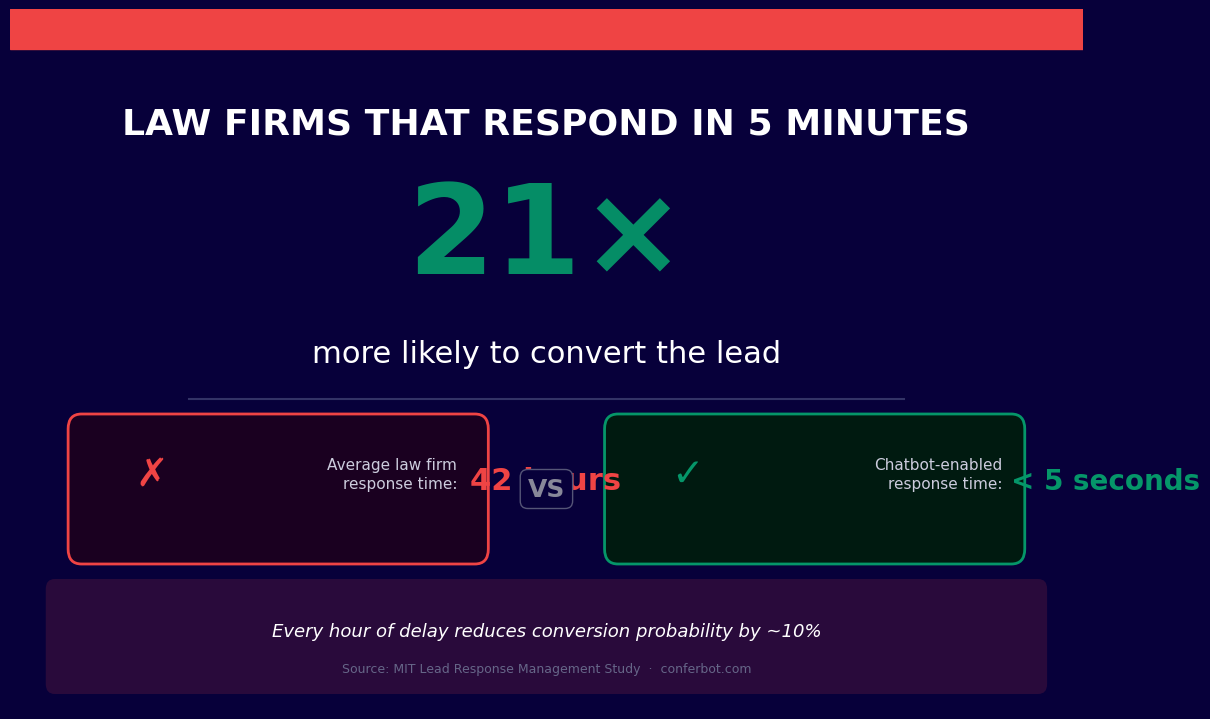
A legal chatbot is an AI-powered conversational agent that closes this gap. Deployed on your firm's website, it engages every prospective client the moment they arrive, qualifies their matter, routes them to the appropriate practice area, schedules a consultation, and begins collecting the intake information attorneys need before a first meeting -- whether it is 9 AM on a Tuesday or midnight on a Friday.
Beyond lead capture, legal chatbots deliver operational value throughout the client lifecycle. Automated intake reduces the administrative time required per new matter by 60-70%. Billing FAQ bots handle routine invoice and retainer questions without partner involvement. Document collection workflows gather discovery materials and signatures conversationally. And conflict-check pre-screening protects the firm from inadvertently engaging adverse parties.
Conferbot's AI chatbot builder includes legal-specific templates for client intake, consultation scheduling, and FAQ handling. The platform's calendar booking integration connects directly to attorney availability, and the live chat handoff ensures that complex matters reach a qualified team member the moment human judgment is required. No code is required to build, test, and deploy.
This guide covers every significant chatbot application for law firms and legal services organizations in 2026, from first-touch lead capture to post-matter client retention.
Client Intake Automation and Case Qualification
Client intake is the most labor-intensive administrative process in most law firms. A new matter requires collecting the prospective client's contact information, a description of their legal matter, relevant dates, prior legal history, and enough preliminary detail for an attorney to determine whether the firm can and should take the case. Done manually by a receptionist or paralegal, a thorough intake takes 15-30 minutes per prospective client. Done poorly, it leaves attorneys with insufficient context for a first consultation -- wasting everyone's time.
Structured Intake Without Staff Involvement
A legal intake chatbot conducts a structured intake interview conversationally, guiding prospective clients through each required question at their own pace. The bot collects contact details, matter description, key dates (accident date, contract date, employment termination date, etc.), jurisdiction, relevant parties, and any documents the client has already gathered. All responses are organized and delivered to the assigned attorney before the consultation begins.
This eliminates the redundant work of having a paralegal call the client to gather information that could have been collected automatically. Attorneys enter every consultation prepared, and prospective clients experience the firm as organized and professional from the very first interaction.
Case Type Qualification and Viability Pre-Screening
Not every inbound inquiry represents a viable matter. Personal injury firms, for example, need to quickly determine whether a potential case has damages, liability, and a defendant with insurance coverage or assets. Immigration firms need to identify whether a prospective client's situation falls within the practice's scope. A chatbot can ask the qualifying questions that determine case viability before any attorney time is invested.
Cases that do not meet the firm's criteria are handled gracefully -- the bot provides a respectful response, offers referral resources where appropriate, and closes the conversation without consuming attorney or paralegal time. Cases that do qualify are immediately routed to the correct practice area team with a complete intake summary.
| Intake Stage | Manual Process | Chatbot Process | Time Saved |
|---|---|---|---|
| Initial contact collection | Receptionist call, 5-10 min | Automated, immediate | 100% of staff time |
| Matter description | Paralegal interview, 15-20 min | Structured bot interview | 60-70% of staff time |
| Case qualification | Attorney review of raw notes | Structured summary delivered pre-call | 30-50% of attorney prep time |
| After-hours inquiries | Voicemail, lost lead | Full intake completed immediately | 100% lead recovery |
Consultation Scheduling and Calendar Management
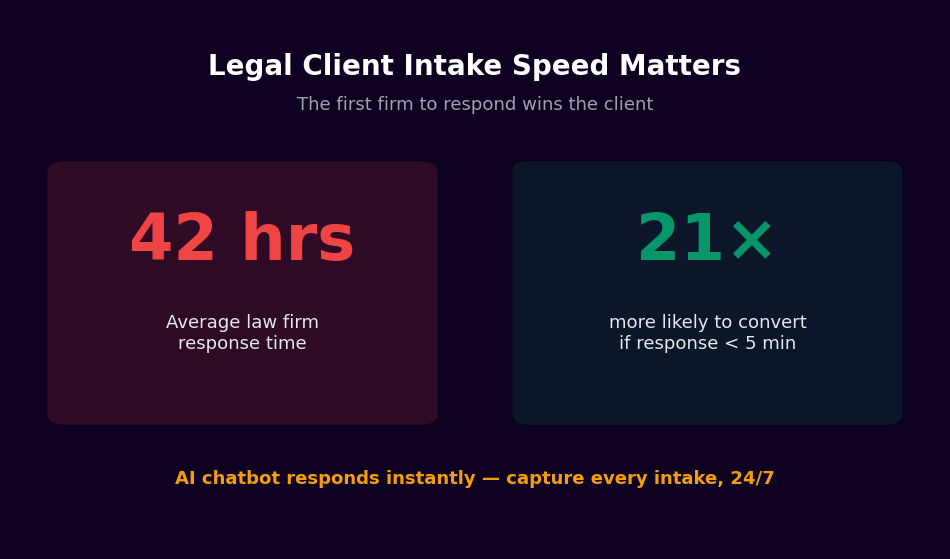
Scheduling a first consultation is frequently the point where prospective clients abandon the engagement process. If a firm's only scheduling option is calling during business hours to speak with a receptionist, a significant portion of after-hours and weekend inquiries will contact a competitor who offers easier scheduling. Automated consultation booking removes this friction entirely.
Real-Time Attorney Availability Booking
Conferbot's calendar booking integration connects your chatbot directly to attorney and paralegal calendars. After a prospective client completes the initial intake questions, the bot presents available consultation slots in real time and confirms the booking immediately. The attorney receives a notification with the confirmed time and the intake summary the bot has already collected.
For firms that offer free initial consultations, this workflow converts website visitors into booked appointments without any staff intervention. For firms that charge consultation fees, the bot can collect payment information or direct the client to a payment page before confirming the slot.
Automated Confirmation and Preparation Instructions
After a consultation is booked, the chatbot sends an immediate confirmation with the date, time, attorney name, and any preparation instructions -- documents to gather, questions to consider, or forms to complete before the appointment. A reminder is sent 24 hours before the consultation, reducing no-shows and ensuring clients arrive prepared.
Routing by Practice Area
Firms with multiple practice areas need to ensure that consultations are booked with the appropriate attorney. The chatbot uses the case type information gathered during intake to route bookings to the correct team. A family law matter goes to the family law calendar. A business formation inquiry routes to the corporate group. An employment claim is directed to the employment attorneys. This routing happens automatically based on the client's intake responses, without requiring a receptionist to make judgment calls.
Document Collection and Conflict Check Pre-Screening
Two of the most time-consuming administrative tasks in legal practice -- gathering client documents and checking for conflicts of interest -- are prime candidates for chatbot automation. Both involve collecting structured information from clients, and both directly affect when an attorney can begin substantive work on a matter.
Conversational Document Collection
Sending a new client a long list of required documents via email and waiting for a response is inefficient and frustrating for both parties. A chatbot handles document collection conversationally, explaining what each document is needed for, providing upload prompts in a logical order, confirming receipt, and following up automatically when expected documents have not been received.
Using Conferbot's API integration, collected documents can be routed directly to your document management system or client portal, tagged by matter number and document type. Attorneys can review a complete, organized document set rather than an unstructured email attachment chain.
Conflict Check Pre-Screening
Before an attorney can agree to represent a client, the firm must confirm there is no existing relationship with an adverse party that would create a conflict of interest. The chatbot collects the names of all parties involved in the matter -- opposing parties, business entities, individuals -- as part of the intake flow and flags the matter for conflict review before a consultation is confirmed.
This does not replace the firm's formal conflict check process, but it ensures that the intake team has the information needed to run the check immediately, rather than discovering the required information is missing when the attorney attempts to open a new matter file. Potential conflicts are identified and addressed before the attorney invests preparation time.
Signature and Consent Collection
Engagement letters, fee agreements, and HIPAA-equivalent legal privacy notices require client signatures before work begins. The chatbot can deliver these documents for electronic signature and collect completed forms before the first consultation, ensuring the client relationship is properly documented from the start.
Billing FAQ Automation and After-Hours Lead Capture
Billing inquiries and after-hours lead capture represent two distinct but equally important chatbot applications for law firms. The first reduces the administrative burden on billing staff and eliminates a common source of client frustration. The second directly addresses the 46% lead loss rate that makes after-hours coverage one of the highest-ROI investments a firm can make.
Billing FAQ Handling
Billing questions consume significant time at firms of every size. Clients ask about invoice line items, retainer balances, billing rates, payment methods, installment arrangements, and the status of outstanding invoices. Most of these questions have straightforward answers that do not require partner involvement -- but they arrive during hours when partners and billing staff are least available.
A billing FAQ chatbot answers common questions instantly: it explains billing rate structures, describes what specific charges cover, provides retainer balance information (via integration with your practice management system), outlines accepted payment methods, and escalates unusual billing disputes to the appropriate staff member through live chat handoff with full context.
After-Hours Lead Capture
The 46% lead loss figure is not abstract -- it represents cases that went to competing firms because a prospective client tried to reach you after 5 PM, got a voicemail, and called the next name on their search results list. A chatbot solves this by being available every hour of every day, collecting the same structured intake information a paralegal would gather during business hours, and delivering a formatted lead summary to the attorney of record the next morning.
After-hours leads that complete a chatbot intake tend to be higher quality than leads collected via web forms, because the conversational intake collects more nuanced information and the prospective client has already invested the time to provide it. Attorneys who start the next morning with three qualified, fully intaked leads in their inbox are positioned to begin follow-up calls immediately rather than spending the first two hours of the day handling preliminary screening.
| Metric | Without After-Hours Chatbot | With After-Hours Chatbot |
|---|---|---|
| After-hours leads captured | ~0% (voicemail) | 100% (bot completes intake) |
| Lead response time | Next business day, often 12-24 hours | Intake complete immediately; attorney notified at open of business |
| Lead quality | Name and callback number only | Full structured intake summary |
| Billing inquiry resolution time | Wait for billing staff callback | Instant for common questions |
Practice Area Routing and Live Chat Escalation
Multi-practice firms face a routing challenge that is more complex than it appears. A prospective client describing a situation involving a business dispute may actually need a corporate litigator, a commercial contracts specialist, or an employment attorney -- and routing to the wrong practice area wastes everyone's time. Intelligent chatbot routing solves this at scale.
Intelligent Practice Area Identification
Conferbot's AI chatbot builder allows firms to train the bot on the characteristics of each practice area's typical matters. When a prospective client describes their situation in natural language, the bot identifies the most appropriate practice group and routes accordingly. Complex matters where practice area identification is genuinely ambiguous are escalated to a human intake specialist for manual routing.
Dedicated Practice Area Flows
Each practice area can have its own intake flow, tailored to the specific information its attorneys need before a first consultation. The personal injury intake flow asks about accident date, nature of injuries, treatment received, and insurance coverage. The estate planning flow asks about estate size, existing documents, family structure, and primary objectives. The employment law flow asks about employment dates, termination circumstances, and any prior HR complaints. Each flow collects exactly the information that practice area needs -- no more, no less.
Seamless Live Chat Escalation
Legal matters are inherently sensitive, and some prospective clients will have questions or concerns that a chatbot cannot appropriately address. When a conversation requires nuanced legal judgment, involves a client in distress, or raises a situation the bot's flows do not cover, it escalates immediately to a live team member through Conferbot's live chat feature. The escalating attorney or paralegal receives the full conversation history and intake data already collected, so the client never has to repeat themselves.
Live chat escalation is also the safety net that makes ambitious chatbot automation responsible in a legal context. The bot handles high-volume, structured interactions. The human team handles everything that requires judgment, empathy, or legal expertise.
How to Build a Legal Chatbot with Conferbot
Building a legal chatbot with Conferbot is straightforward and does not require technical expertise. The following steps will take you from zero to a live client-facing chatbot that captures leads and automates intake.
Step 1: Map Your Current Intake Process
Document every question your intake team asks prospective clients, along with the qualifying criteria that determine case viability for each practice area. This mapping exercise is the most important step -- it defines what your chatbot needs to ask and what responses should trigger escalation versus automated routing.
Step 2: Choose Your Deployment Channel
Most law firms begin with a website chatbot. The website is where the majority of prospective client searches terminate, and a well-positioned chatbot widget captures visitors who would otherwise leave without engaging. Add additional channels as volume warrants. Conferbot supports deployment across website, WhatsApp, and other messaging platforms from a single dashboard.
Step 3: Build Your Intake Flows by Practice Area
Use the legal and compliance templates in Conferbot's template library as your starting point. Customize each practice area flow with your firm's specific qualifying questions, acceptable case criteria, and escalation rules. Configure routing logic based on case type responses.
Step 4: Connect Your Calendar
Integrate Conferbot's calendar booking with your attorneys' scheduling systems. Set availability windows for each practice area, configure consultation types (free initial consultation, paid consultation, telephone screening), and define the intake information required before a booking can be confirmed.
Step 5: Configure Live Chat Escalation
Define the conditions under which the bot should escalate to a human: urgent legal situations, matters outside your practice areas, clients expressing distress, or any matter type where the bot's confidence in routing is low. Set up live chat routing to the appropriate team members and configure out-of-hours handling for escalations that arrive when staff are unavailable.
Step 6: Integrate with Your Practice Management System
Use Conferbot's API integration to connect intake data to your practice management software. Intake summaries, collected documents, and booking confirmations flow directly into new matter records, eliminating manual data entry and ensuring the attorney has complete information in a single location.
Get Started with Legal Chatbots Today
Every prospective client who contacts your firm after hours and receives a voicemail is a potential case that will be filed by a competitor by morning. Legal chatbots are the most direct solution available to this problem, and they deliver additional value across intake efficiency, staff time savings, and client experience quality throughout the matter lifecycle.
Launch in 3 Steps
- Sign up free at app.conferbot.com/signup -- no credit card required. The free plan is sufficient for initial testing and small-volume deployments.
- Start with a legal template from the legal and compliance library, or build a custom intake flow with the AI chatbot builder.
- Connect your calendar using calendar booking integration and publish your bot to begin capturing after-hours leads immediately.
Why Law Firms Choose Conferbot
- After-hours lead capture -- Full intake completed for every inquiry, regardless of time, with structured summaries delivered to attorneys at start of business
- Case qualification automation -- Pre-screen cases against your criteria before any attorney time is invested
- Calendar booking -- Real-time consultation scheduling connected to attorney availability
- Live chat escalation -- Seamless handoff to human team members with full conversation context
- API integration -- Connect intake data to your practice management system via REST API and webhooks
- No code required -- Visual builder lets legal ops and administrative staff build and modify flows without IT involvement
See how chatbots are delivering results in adjacent professional services industries: healthcare, insurance, real estate, HR, and technology.
Create your free legal chatbot now and stop losing leads to after-hours voicemail in 2026.
Legal FAQ
Everything you need to know about chatbots for legal.
Chatbots for Other Industries
Discover how businesses in other industries use AI chatbots to automate support, capture leads, and grow.

Continue Exploring
Explore features, connect third-party tools, and browse ready-made templates.