
Competitor Comparison
Free B2B Services Chatbot Template
A complete competitor comparison chatbot template — deploy in minutes to automate conversations, capture leads, and provide 24/7 assistance.


What Is a Competitor Comparison Chatbot?
A competitor comparison chatbot is a conversational AI assistant that guides prospects through structured product comparisons -- presenting feature matrices, pricing breakdowns, use-case-specific recommendations, migration assistance, and objection handling -- through an interactive conversation on your website, landing pages, WhatsApp, or sales enablement channels. It transforms the passive "vs." page experience into an active, personalized evaluation conversation that addresses each prospect's specific decision criteria and competitive concerns.
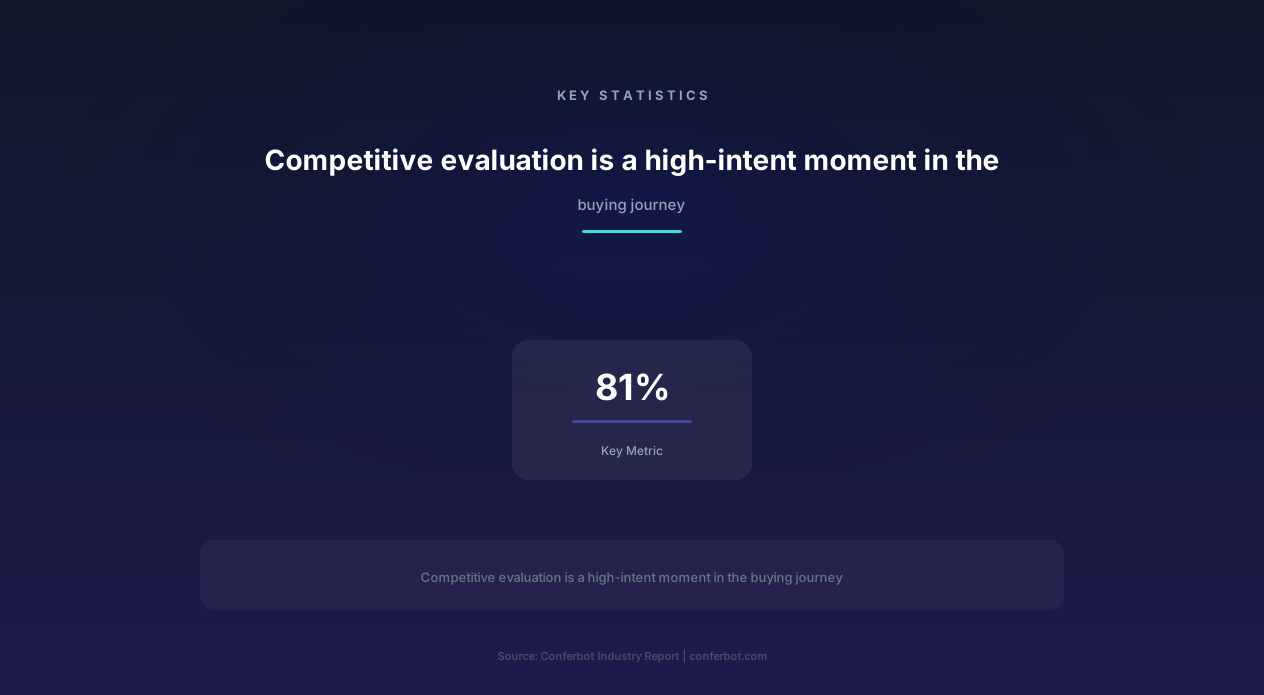
The competitor comparison moment is one of the highest-intent points in the B2B buying journey. 81% of buyers research competitors before making a purchase decision, and the vast majority of this research happens before they ever speak with a sales representative. Prospects are comparing features, reading reviews, checking pricing, and forming opinions about your product relative to alternatives -- all independently and often on competitor websites. The organization that provides the best comparison experience during this evaluation phase captures a disproportionate share of buying decisions.
Traditional "vs." pages and static comparison charts address this need partially, but they suffer from fundamental limitations. They are one-size-fits-all (a startup evaluating your product has different comparison priorities than an enterprise), they cannot answer follow-up questions, they cannot adapt based on which specific competitor the prospect is evaluating, and they cannot transition the prospect from comparison to action (booking a demo, starting a trial, or speaking with sales). A comparison chatbot solves all four limitations by making the evaluation experience conversational, personalized, and action-oriented.
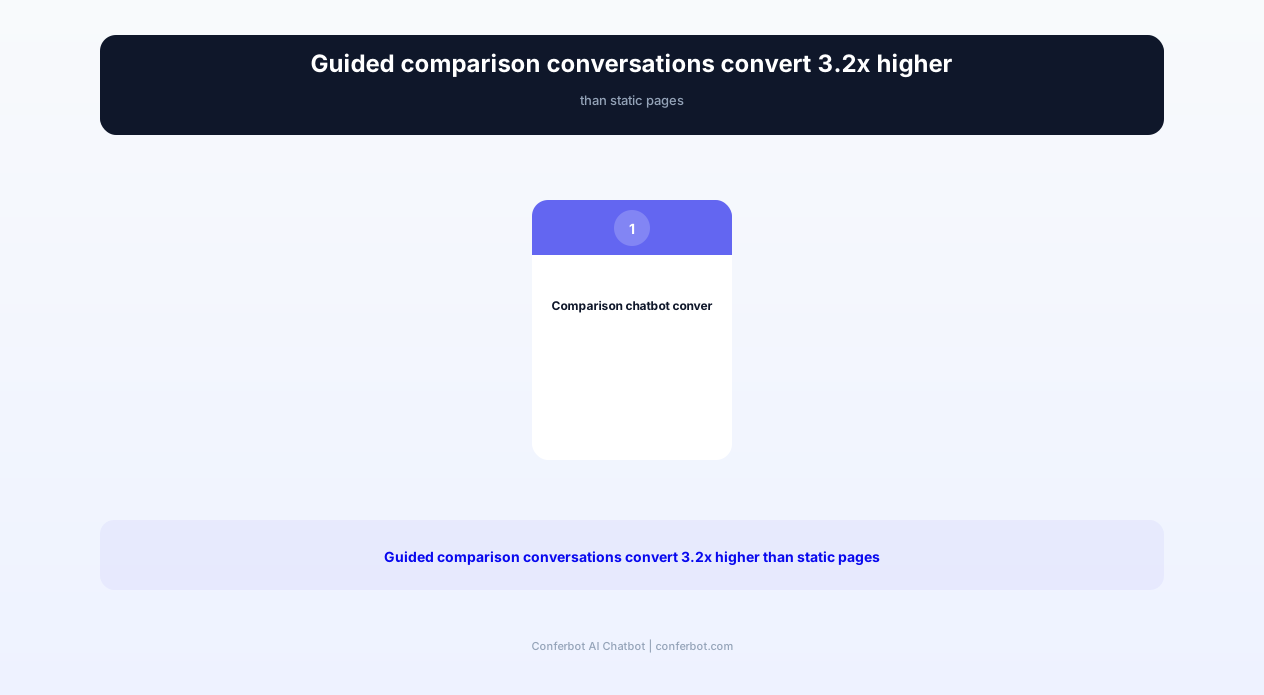
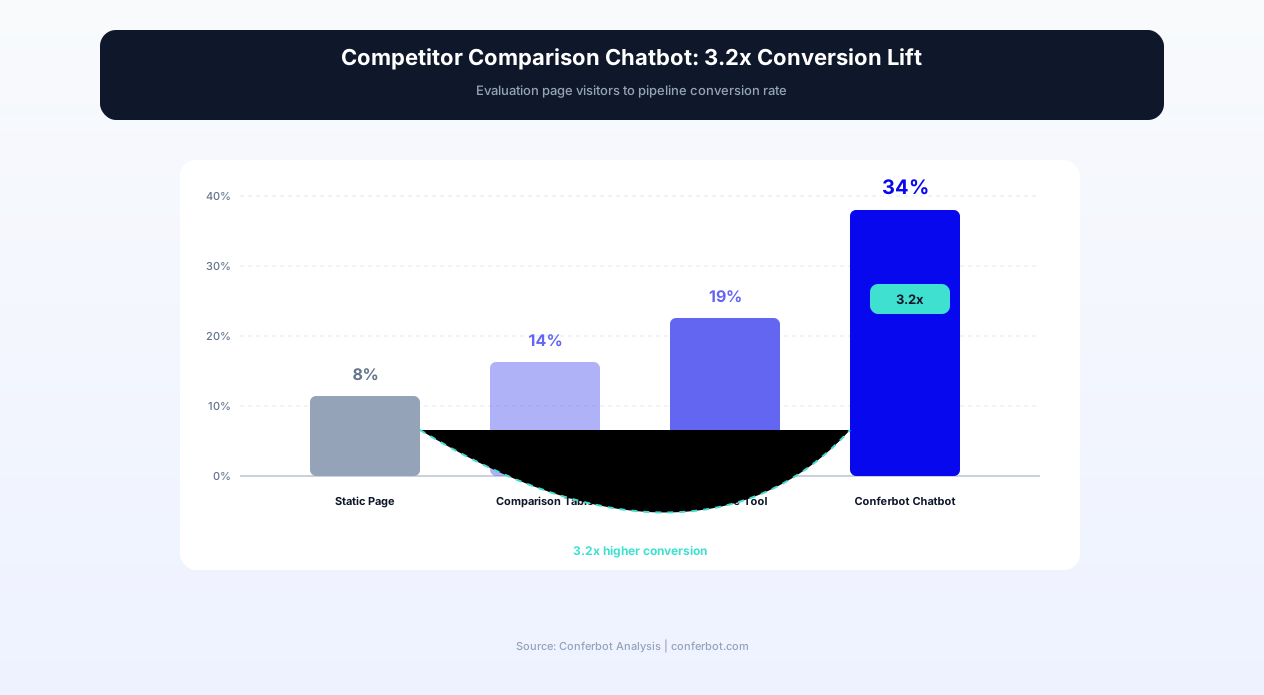
The conversion impact is substantial: comparison-guided leads convert 3.2x higher than leads from static comparison pages. The reason is engagement depth -- a prospect who spends 4-5 minutes in a guided comparison conversation has invested cognitive effort into understanding your differentiation, has had their specific objections addressed, and arrives at the demo or trial with pre-formed positive conclusions rather than unresolved questions. In 2026, SaaS and product companies deploying comparison chatbots report higher conversion rates from evaluation to pipeline, shorter sales cycles, and dramatically higher win rates against named competitors.
Conferbot's AI chatbot builder powers this template with dynamic feature matrix presentation, competitor-specific conversation flows, objection handling libraries, and seamless handoff to sales through calendar integration for demo scheduling.
How the Competitor Comparison Chatbot Works: Guided Evaluation to Decision
The competitor comparison chatbot follows a structured evaluation flow that mirrors how a skilled sales engineer would guide a prospect through a competitive evaluation -- understanding their specific needs, presenting relevant differentiation, addressing concerns, and moving toward a decision.
Competitor Identification
The conversation begins by identifying which competitor(s) the prospect is evaluating against. The chatbot asks directly: "Which solutions are you currently comparing? I can help highlight the key differences relevant to your use case." This direct approach works because prospects at the comparison stage are actively seeking this information -- they arrived at your comparison page or chatbot precisely because they want to understand differentiation. The chatbot supports specific competitor selection from a list or free-text input for competitors not in the pre-configured set.
When a prospect names a specific competitor, the chatbot loads the competitor-specific conversation flow: tailored feature comparisons, known strengths and weaknesses, common switching reasons, pricing comparison points, and the specific objections that prospects evaluating that competitor typically raise. Each named competitor has a dedicated conversation branch with different emphasis, examples, and proof points. A prospect evaluating Competitor A (known for low pricing) receives a value-vs-cost conversation; a prospect evaluating Competitor B (known for enterprise features) receives a simplicity-and-speed conversation.
Use Case Discovery for Personalized Comparison
After identifying the competitor, the chatbot discovers the prospect's specific use case to personalize the comparison. A generic feature matrix is less persuasive than a comparison filtered to the capabilities that actually matter for this prospect's situation. The chatbot asks: "What is the primary use case you are evaluating for? What matters most in your decision?" and uses the response to weight the comparison toward relevant capabilities.
A prospect who states "We need better reporting and analytics" sees the comparison emphasize analytics capabilities, report customization, dashboard features, and data export options -- areas where your product has clear advantages over the named competitor. A prospect who states "We need faster implementation" sees the comparison emphasize time-to-value, onboarding support, implementation complexity, and customer success resources. This use-case-filtered comparison is dramatically more persuasive than a comprehensive but unfocused feature-by-feature matrix that forces the prospect to identify which differences matter.
Interactive Feature Matrix Presentation
The chatbot presents feature comparisons in digestible, interactive segments rather than overwhelming the prospect with a 50-row comparison table. It groups features by category (core functionality, integrations, analytics, support, pricing) and presents one category at a time with explanation and context. For each comparison point, the chatbot provides not just a checkmark/X but a brief explanation of the practical implication: "Both products offer workflow automation, but our workflows support conditional branching and multi-step triggers, while [Competitor] limits workflows to linear sequences. For your use case with complex approval chains, this means you can automate the full process rather than building workarounds."
This explained comparison is far more effective than a static feature matrix because it connects feature differences to practical outcomes. A checkmark tells the prospect that a feature exists; an explanation tells them why the difference matters for their specific situation. The chatbot adapts the level of detail to the prospect's engagement -- prospects who ask follow-up questions receive deeper technical comparisons; prospects who move quickly through categories receive executive-level summaries.
Pricing Comparison and Value Framing
Pricing comparison is among the most requested and most sensitive topics in competitive evaluation. The chatbot handles pricing with a value-framing approach: it presents your pricing clearly, acknowledges the competitor's pricing position, and frames the comparison in terms of total cost of ownership and value delivered rather than list price alone. "Their base plan is $20/user/month less, but it does not include the analytics module or API access that you mentioned needing. When you add those to their plan, the effective cost is similar but you get a more integrated experience with us."
This honest, nuanced pricing discussion builds trust. Prospects who have already researched competitor pricing are not fooled by evasive responses or claims that ignore price differences. Acknowledging the competitor's pricing advantage where it exists and then providing a compelling value justification is more persuasive than pretending the price difference does not exist.
Objection Handling and Concern Resolution
Throughout the comparison conversation, the chatbot handles objections that arise naturally. When a prospect says "But I read that [Competitor] has better customer support," the chatbot addresses this specifically: "That was true historically. In 2026, we have invested heavily in support -- our current response time is under 2 hours with 95% first-contact resolution, compared to industry reports of 8-12 hour response times from [Competitor]. Here is a recent G2 review mentioning our support improvement." Each objection is mapped to a prepared response with evidence (review quotes, data points, feature updates) that resolves the concern without dismissing the prospect's research.
Transition to Action
After the comparison is complete, the chatbot transitions the prospect toward a decision action: "Based on what you have told me, I think a personalized demo focused on [specific use case] would be the fastest way to see the difference in action. Would you like to schedule a 20-minute call with our solutions team?" For prospects not ready for sales engagement, the chatbot offers lower-commitment actions: a free trial with guided setup, a detailed comparison PDF for sharing with their team, or a case study from a customer who switched from the named competitor. The goal is always to advance the evaluation -- never to leave the prospect without a clear next step.
Key Features of the Competitor Comparison Chatbot
An effective comparison chatbot requires capabilities that go beyond standard chatbot functionality -- handling the nuanced, high-stakes dynamics of competitive evaluation where prospects are actively deciding between your product and alternatives.
| Feature | Description | Operational Benefit | Customer Benefit |
|---|---|---|---|
| Competitor-specific conversation flows | Dedicated comparison logic, messaging, and proof points for each named competitor | Consistent, optimized positioning against each competitor regardless of sales rep skill | Prospects receive relevant differentiation specific to the exact alternative they are evaluating |
| Use-case-filtered comparison | Tailors feature comparison to the prospect's stated priorities and use case | Higher conversion because comparison addresses what actually matters to each prospect | Prospects see only relevant differences rather than wading through irrelevant feature lists |
| Interactive feature matrix | Presents features in digestible segments with context and practical implications explained | Higher engagement time (4-5 min avg) and deeper understanding of differentiation | Clear understanding of what each difference means in practice, not just checkmarks |
| Objection handling library | Pre-configured responses to common competitive objections with evidence and proof points | Consistent objection handling across all prospect interactions without sales team involvement | Concerns addressed immediately with evidence rather than left unresolved until a sales call |
| Pricing value-frame presentation | Honest pricing comparison with total cost of ownership and value justification context | Reduces price-based losses by reframing evaluation criteria before sales engagement | Transparent pricing context enables confident budgeting decisions |
| Migration assistance guidance | Provides switching cost assessment, migration timeline, and data transfer process overview | Reduces switching barrier perception that prevents evaluation from progressing to action | Prospects understand exactly what switching involves -- reducing uncertainty and fear |
| Social proof integration | Surfaces relevant customer reviews, case studies, and switch stories during comparison | Third-party validation increases credibility beyond vendor-provided comparisons | Real customer perspectives provide authentic validation of comparison claims |
| Demo scheduling with context | Books personalized demos with the specific comparison points pre-loaded for the sales engineer | Sales team enters demo calls with full competitive context and prepared positioning | Demo focuses on the specific capabilities the prospect cares about, not generic overview |
| Comparison PDF generation | Creates personalized comparison documents that prospects can share with their buying committee | Enables champion-driven internal selling with your positioning embedded in shared materials | Easy-to-share comparison for stakeholders who were not part of the chatbot conversation |
| Competitive intelligence capture | Logs which competitors are mentioned, what objections arise, and which features matter most | Aggregated competitive intelligence informs product roadmap and marketing strategy | Product improvements driven by real competitive feedback patterns |
Competitor-Specific Battlecard Logic
The chatbot's knowledge base includes detailed battlecard content for each configured competitor: their known strengths (acknowledged honestly to build trust), their weaknesses relative to your product, common reasons customers switch away from them, pricing structure and comparison methodology, and the specific objections prospects evaluating them typically raise. This battlecard knowledge allows the chatbot to engage in competitor-specific conversations at a depth that matches or exceeds what a well-prepared sales engineer could deliver -- but available 24/7 without requiring sales team involvement for the initial comparison.
Battlecard content is maintained through a dedicated panel in the Conferbot dashboard where product marketing updates competitor information as the landscape evolves. When a competitor launches a new feature or changes pricing, the battlecard update is reflected in all future chatbot conversations immediately -- ensuring that comparison conversations never reference outdated competitive intelligence. This is a structural advantage over human sales teams, where competitive knowledge varies by rep recency of training and often lags market changes by weeks or months.
Migration Assistance: Reducing Switching Barriers
One of the most powerful conversion tools for prospects evaluating a switch from a competitor is reducing the perceived switching cost. The chatbot provides concrete migration guidance: "Switching from [Competitor] typically takes 2-3 weeks. Our migration team handles the data transfer -- we have a dedicated connector for [Competitor]'s data format that makes the process hands-off for your team. Here is what the timeline looks like..." This concrete, specific migration information transforms switching from an unknown risk into a known, manageable process -- directly addressing the inertia that keeps prospects with inferior solutions because "the devil you know" feels safer than an unknown migration.
For prospects using the chatbot through WhatsApp or other messaging channels, the migration guidance can be shared as a structured document that the prospect forwards to their technical team for review, facilitating the internal alignment needed to approve a platform switch.
Ready to try Competitor Comparison?
Deploy this template in under 10 minutes. No coding required.
Use This Template Free →Before and After: Competitive Evaluation Without and With the Chatbot
The difference between passive comparison content and active comparison guidance produces measurable impacts on conversion rates, sales cycle length, and competitive win rates. The following data represents results from SaaS and technology companies deploying comparison chatbots on their competitive evaluation pages.
| Metric | Before (Static vs. Pages) | After (Comparison Chatbot) | Improvement |
|---|---|---|---|
| Comparison page to pipeline conversion | 3-5% of visitors convert | 12-18% of visitors convert | 3.2x higher conversion rate |
| Average time on comparison content | 45-90 seconds | 4-6 minutes | 4-5x longer engagement |
| Competitive win rate (deals where competitor mentioned) | 35-45% | 55-68% | +20-25 percentage points |
| Sales cycle length (competitive deals) | 45-60 days | 30-42 days | 25-35% shorter |
| Sales engineer time per competitive deal | 3-5 hours of comparison/positioning work | 1-2 hours (focused on advanced technical questions) | 50-70% reduction |
| Comparison content shared internally (buying committee) | 8-12% of visitors share with colleagues | 25-35% of chatbot users request shareable comparison | 3x higher internal sharing |
| Demo show rate from comparison engagement | 55-65% (from static page CTA) | 80-88% (from chatbot-booked demo) | +25 percentage points |
| Objections surfaced before sales call | 0-1 known objections pre-call | 3-5 objections pre-addressed by chatbot | Sales enters prepared for specific concerns |
The Before Experience: Static Comparison Pages
Traditional comparison pages present a feature matrix -- a grid of checkmarks showing what your product has versus what the competitor has. The visitor lands on the page, scans the table for 45-90 seconds, sees that you claim superiority on most dimensions (as every vendor does on their own comparison page), and forms one of two conclusions: either they believe you are better and look for a CTA (converting at low rates because the static page did not address their specific concerns), or they remain skeptical because vendor-provided comparisons are inherently biased. In either case, the page does not capture what the prospect specifically cares about, does not address their particular objections, and does not adapt to whether they are a startup or an enterprise evaluating different criteria.
The fundamental limitation of static comparison content is that it is optimized for the average prospect rather than the specific prospect. It answers the generic question "How does Product A compare to Product B?" but cannot answer the specific question "How does Product A compare to Product B for my particular use case, at my scale, with my constraints?" This specificity gap is where conversion opportunity is lost.
The After Experience: Guided Comparison Conversations
With the comparison chatbot, the same prospect arrives at the comparison page and is greeted with: "Comparing us with [Competitor detected from page URL or asked directly]? I can help you understand the key differences for your specific situation. What is your primary use case?" The prospect engages because this is exactly what they came for. Over 4-5 minutes of conversation, they receive a comparison filtered to their priorities, have their specific concerns addressed with evidence, understand the migration path and switching costs, and book a demo focused precisely on the capabilities they care about.
The sales rep receiving this demo booking gets full context: which competitor the prospect is evaluating, what features matter most, which objections were raised (and how the chatbot addressed them), what pricing sensitivity exists, and what the prospect's specific evaluation criteria are. The demo is prepared against these criteria rather than delivered as a generic product tour. This specificity produces higher demo-to-opportunity conversion because the presentation directly addresses the prospect's stated evaluation framework.
Impact on Competitive Win Rates
The most significant business impact is on competitive win rates. Organizations deploying comparison chatbots consistently report 20-25 percentage point improvements in win rates against named competitors. The improvement comes from three mechanisms: earlier positioning (the chatbot shapes the evaluation criteria before the competitor has a chance to), pre-handled objections (common concerns are addressed with evidence before the sales call), and better-prepared sales teams (full competitive context from the chatbot conversation informs every sales interaction).
Competitive Intelligence: Capturing and Leveraging Evaluation Data
Beyond its conversion function, the comparison chatbot serves as a real-time competitive intelligence system -- capturing data about who prospects evaluate against, what features they care about, which objections arise most frequently, and how the competitive landscape evolves over time.
Competitor Frequency Analysis
The chatbot tracks which competitors are mentioned most frequently in evaluation conversations. This data reveals your actual competitive landscape -- which may differ from your assumptions. You might discover that a competitor you rarely discuss in internal strategy sessions is the most common alternative your prospects evaluate, or that a new market entrant is gaining evaluation share rapidly. Quarterly competitive frequency reports inform product positioning, marketing investment, and battlecard priority. Track trends through Conferbot Analytics to identify competitive dynamics before they become evident in win/loss data.
Feature Priority Intelligence
Every comparison conversation reveals which features and capabilities matter most to prospects evaluating specific competitors. Aggregated across hundreds of conversations, this data produces a clear picture of your market's decision criteria: "68% of prospects evaluating Competitor X care most about reporting capabilities; 52% prioritize API integrations; 41% mention pricing as a key factor." This feature priority data is gold for product teams deciding where to invest development resources and for marketing teams deciding which capabilities to emphasize in messaging and content.
Objection Pattern Recognition
The chatbot logs every objection raised during comparison conversations, categorized by competitor and topic. Over time, patterns emerge: "45% of prospects evaluating Competitor Y raise concerns about our implementation timeline" or "30% of enterprise prospects mention our lack of SOC 2 certification as a blocker." These patterns identify the specific barriers preventing conversion in competitive deals -- enabling product, engineering, and compliance teams to prioritize the changes that will have the highest win-rate impact.
Switching Trigger Identification
Prospects currently using a competitor who are evaluating your product reveal why they are considering a switch. These switching triggers -- often specific pain points with their current vendor -- are invaluable for outbound marketing and competitive campaigns. "25% of prospects switching from Competitor Z cite recent price increases; 20% cite declining support quality; 18% cite missing features they need for growth." This trigger intelligence informs targeted outbound campaigns aimed at competitor customer bases experiencing the specific pain points your product resolves.
Win/Loss Competitive Correlation
By connecting chatbot interaction data with downstream sales outcomes (won vs. lost deals), the system identifies which comparison conversation patterns correlate with wins. You might discover that prospects who engage with the migration assistance section win at 2x the rate of those who skip it (because migration confidence reduces switching friction), or that prospects who ask about specific integration capabilities close faster when they receive a technical deep-dive versus a summary response. These correlations optimize the chatbot's conversation flow over time -- emphasizing the paths that produce wins and de-emphasizing or restructuring paths that correlate with losses.
Market Positioning Feedback Loop
The chatbot creates a continuous feedback loop between market perception and positioning strategy. When prospects consistently raise objections about a specific positioning claim (e.g., "You say you are easier to implement, but our research suggests otherwise"), this signal indicates a gap between messaging and market perception that needs addressing -- either through better proof points, product improvements, or messaging adjustments. This real-time market perception data is more actionable than annual brand research or quarterly analyst reports because it reflects actual evaluation-stage buyer perceptions at the moment of decision.
Use Cases: SaaS, Enterprise Tech, Agencies, and E-commerce Platforms
Competitor comparison chatbots serve any market where prospects actively evaluate alternatives before purchasing. The chatbot adapts to different competitive dynamics, purchase complexity levels, and buyer sophistication across industries.
SaaS Products (Horizontal and Vertical)
SaaS is the most natural fit for comparison chatbots because the buying journey is digital-first, evaluation involves feature-level comparison, and switching costs are relatively well-defined. Horizontal SaaS products (project management, CRM, marketing automation) face crowded competitive landscapes with 5-15 viable alternatives. The chatbot handles multi-competitor comparison efficiently: "We are looking at you, Competitor A, and Competitor B" triggers a three-way comparison filtered to the prospect's use case, highlighting where your product wins against each alternative on different dimensions.
Vertical SaaS products (industry-specific solutions) face fewer competitors but more specialized evaluation criteria. The chatbot for a vertical SaaS company emphasizes industry-specific functionality, regulatory compliance, and the depth of domain expertise that horizontal competitors cannot match. It may compare against both direct vertical competitors and horizontal platforms that prospects sometimes consider ("Why choose a dedicated healthcare solution vs. adapting a generic platform?").
Enterprise Technology Platforms
Enterprise technology purchases ($50K-$5M) involve extensive evaluation by buying committees with technical, operational, and executive stakeholders. The comparison chatbot serves as a pre-sales resource that handles the initial evaluation questions these stakeholders bring: the CTO asks about architecture and scalability; the VP of Operations asks about implementation and change management; the CFO asks about TCO and ROI. The chatbot answers each stakeholder's comparison questions at the appropriate depth, then routes to the enterprise sales team with full context about which stakeholders engaged and what their specific concerns were.
For enterprise deals, the comparison chatbot's most valuable output is the personalized comparison document that a champion can circulate internally. Enterprise buying decisions involve internal consensus, and the champion needs ammunition to build the case for your solution among stakeholders who will not interact with the chatbot directly. The generated comparison PDF -- tailored to this prospect's use case with their specific evaluation criteria addressed -- becomes an internal advocacy tool that works even when your sales team is not in the room.
Digital Agencies and Professional Services
Agencies face comparison against both other agencies and in-house alternatives ("Should we hire an agency or build an internal team?"). The chatbot handles both comparison types: against named agency competitors with differentiation on expertise, team size, pricing model, and past results; and against the in-house option with arguments about speed, expertise breadth, and total cost comparison including hiring, management, and tool costs. This dual-comparison capability addresses the two primary alternatives that agency prospects evaluate.
E-commerce Platforms and Marketplaces
E-commerce platform decisions (Shopify vs. WooCommerce vs. BigCommerce vs. custom) involve evaluating technical capabilities, pricing at scale, ecosystem integrations, and growth limitations. The chatbot guides merchants through this evaluation with questions about their current monthly revenue, catalog size, technical capabilities, and growth trajectory -- then presents a comparison filtered to their stage. A $10K/month startup has different platform needs than a $2M/month enterprise merchant, and the comparison emphasis shifts accordingly. Deploy the chatbot on your website alongside landing pages targeting each competitor's customer base through the no-code builder.
B2B Marketplace and Vendor Comparison
Companies operating in B2B marketplaces or vendor comparison categories (G2, Capterra, TrustRadius) deploy comparison chatbots on the landing pages where visitors arrive from these platforms. A prospect clicking through from a G2 comparison page arrives at your site having just read third-party reviews -- the chatbot engages these high-intent visitors with direct comparison conversation: "Coming from G2? You have probably seen the reviews. Let me help you understand the specific differences relevant to your use case." This contextual engagement captures the intent at its peak, converting third-party research into direct engagement before the prospect moves to the next tab and the next competitor.
50,000+ businesses use Conferbot templates to automate conversations
Setup Guide: Deploying Your Competitor Comparison Chatbot
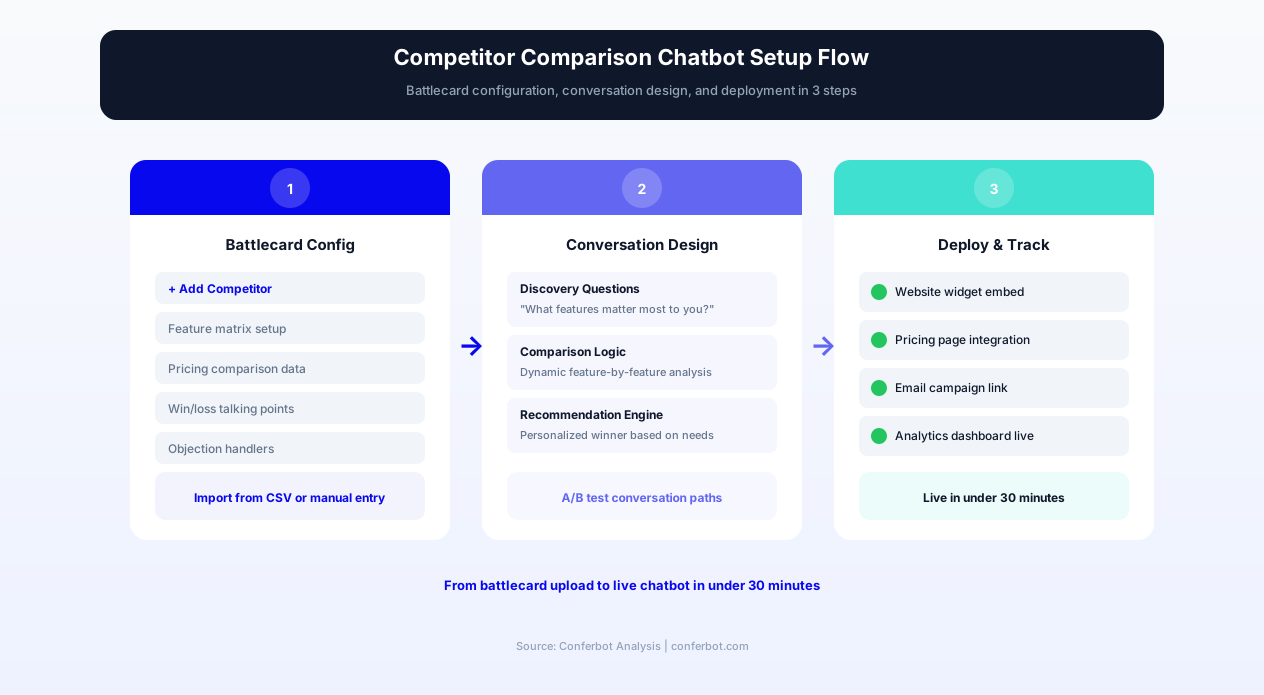
Setting up the competitor comparison chatbot requires building your competitive knowledge base, configuring comparison flows for each competitor, connecting to sales systems, and deploying on high-intent evaluation pages. Most companies complete setup in one day for their top 3-5 competitors.
Step 1: Identify and Prioritize Competitors
Start by identifying the competitors your prospects most frequently evaluate against. Review sales call notes, lost deal reasons, website analytics (which "vs." pages get the most traffic), and ask your sales team "who do we compete against most often?" Prioritize the top 3-5 competitors for initial chatbot configuration -- these high-frequency competitors will cover 70-80% of competitive conversations. Additional competitors can be added over time as battlecard content is developed.
Step 2: Build Competitor Battlecard Content
For each prioritized competitor, build the battlecard content in the Conferbot dashboard. Enter: competitor overview (positioning, market segment, primary audience), feature-by-feature comparison data (with honest assessment of where they are strong), pricing comparison methodology, known weaknesses and common switching reasons, objection responses for typical concerns prospects raise about your product relative to this competitor, migration path and timeline, and relevant customer switch stories or case studies. Work with product marketing and competitive intelligence teams to ensure accuracy.
Step 3: Configure Comparison Conversation Flows
Design the conversation flow for each competitor using the no-code builder. Configure: the opening question (competitor identification or confirmation if arriving from a vs. page), use case discovery questions, feature comparison segments (grouped by category for digestible presentation), pricing comparison framing, objection handling triggers (keywords that activate specific responses), and the transition to action (demo booking, trial start, or content delivery). Test each flow by role-playing common prospect scenarios to verify that the comparison feels natural and addresses the right concerns in the right order.
Step 4: Connect Sales and Calendar Systems
Connect the calendar integration for demo scheduling directly from comparison conversations. Configure rep routing (which reps handle which competitor expertise), meeting type (competitive demo vs. general demo), and the context that flows into the meeting invite. Connect your CRM through the API integration panel to log comparison interactions as lead activities, capturing competitor mentions and objection data in the CRM record for sales team reference during subsequent conversations.
Step 5: Deploy on High-Intent Evaluation Pages
Deploy the chatbot on your highest-intent evaluation surfaces: dedicated "vs." comparison pages (your site/competitor-name pages), pricing pages (where evaluation-stage visitors compare value), feature pages that address competitive differentiators, and landing pages receiving traffic from comparison search queries or G2/Capterra referrals. Configure page-specific openings: visitors on a "vs. Competitor X" page receive "Comparing us with Competitor X? Let me highlight the key differences for your use case" rather than a generic greeting.
Step 6: Launch, Monitor, and Optimize
Launch with your top 3-5 competitors configured and monitor initial conversations through Conferbot Analytics. Track: comparison-to-demo conversion rates by competitor, objection frequency by topic, engagement depth (conversation length and messages exchanged), and downstream win rates for chatbot-engaged versus non-engaged competitive deals. Review conversation transcripts weekly during the first month to identify gaps -- questions the chatbot cannot answer, objections it handles poorly, or competitor claims that need updated responses. Iterate the battlecard content based on real conversation data.
Content Strategy: Building Effective Comparison Conversations
The effectiveness of a comparison chatbot depends on the quality of its competitive content -- the accuracy of comparisons, the persuasiveness of differentiation framing, and the authenticity of its responses. Building effective comparison conversations requires a specific content strategy that balances advocacy with credibility.
The Honesty Principle: Acknowledge Competitor Strengths
The most counterintuitive but most effective comparison strategy is honest acknowledgment of competitor strengths. Prospects researching alternatives are not naive -- they have read reviews, seen competitor demos, and formed their own impressions. A comparison chatbot that claims superiority on every dimension damages its own credibility. Instead, the chatbot acknowledges specific competitor strengths and then reframes the evaluation: "You are right that [Competitor] has a more extensive template library. If pre-built templates are your primary criterion, they are a strong choice. However, most of our customers tell us that the ability to customize templates without code -- which [Competitor] does not support -- is more valuable than template quantity."
This acknowledge-and-reframe approach builds trust because it demonstrates objectivity. A prospect who feels the chatbot is giving them a genuine assessment rather than a sales pitch engages more deeply, asks more questions, and gives more weight to the areas where your product genuinely excels. Organizations that train their comparison chatbots with this honesty principle report 25-30% higher engagement depth and significantly higher demo conversion rates than those using one-sided comparison messaging.
Evidence Hierarchy: Third-Party Validation Over Self-Claims
Every comparison claim is more persuasive when supported by evidence outside the vendor's own assertion. The chatbot's evidence hierarchy prioritizes: independent review quotes (G2, Capterra, TrustRadius), specific customer case studies with named companies and quantified results, analyst assessments (Gartner, Forrester), and verifiable product screenshots or documentation links. Vendor claims without evidence are the least persuasive comparison content and should be used only when no external validation is available.
The chatbot surfaces this evidence naturally within comparison conversations: "Do not just take our word for it -- here is what a recent G2 reviewer said about this exact capability: [quote]" or "A company similar to yours, [Customer Name], switched from [Competitor] six months ago and reported [specific quantified improvement]." This evidence-layered approach converts at higher rates because it reduces the "of course they say they are better" skepticism that prospects bring to vendor-provided comparisons.
Segmented Messaging by Buyer Persona
Different stakeholders in the buying committee care about different comparison dimensions. The chatbot detects buyer persona through role discovery and adjusts its comparison emphasis:
- Technical evaluator: Architecture, scalability, API depth, security, integration complexity
- Business owner: Use case fit, time-to-value, ROI, business outcomes, customer success
- Executive sponsor: Strategic alignment, vendor stability, market position, total cost, risk
- End user/champion: Ease of use, learning curve, daily workflow impact, team adoption
By filtering comparison content through the appropriate persona lens, the chatbot ensures that each stakeholder receives the comparison information that is most relevant to their evaluation criteria. An executive does not need a deep technical comparison; an engineer does not need the ROI calculation. This persona-filtered approach produces more relevant, shorter conversations that respect the evaluator's time while addressing their specific decision dimensions.
Dynamic Content Updates and Competitive Monitoring
Competitive landscapes evolve constantly: competitors launch features, change pricing, rebrand, or pivot positioning. The comparison chatbot's content must evolve with the market. Establish a monthly competitive review cadence where product marketing reviews and updates battlecard content based on: competitor product releases, pricing changes, new customer reviews (both positive and negative), analyst report updates, and sales team feedback about new objections or competitive claims they are encountering. The chatbot's advantage over static comparison pages is that updates are reflected immediately in all conversations -- no page redesign or republishing required.
ROI Analysis: Revenue Impact of Guided Competitive Evaluation
The financial impact of a competitor comparison chatbot is measurable through three primary value streams: higher conversion from evaluation-stage visitors, improved competitive win rates, and reduced sales engineering time on competitive positioning work.
Conversion Rate Value
The 3.2x conversion improvement from comparison chatbot engagement directly translates to pipeline generation. For a company with 5,000 monthly visitors to competitive evaluation pages (vs. pages, pricing pages during evaluation, feature comparison content) converting at 4% versus 13%:
- Previous monthly conversions from evaluation pages: 200 (5,000 x 4%)
- New monthly conversions with chatbot: 650 (5,000 x 13%)
- Additional monthly pipeline entries: 450
- At 20% pipeline-to-close rate and $25,000 ACV: $2,250,000 additional monthly pipeline value
- Annual additional closed revenue (at 20% close): $2,700,000
Competitive Win Rate Improvement Value
A 20-25 percentage point improvement in competitive win rates has direct revenue impact on existing pipeline. For a sales team running 50 competitive deals per quarter at $40,000 average deal size with a previous 40% win rate improving to 62%:
- Previous quarterly competitive wins: 20 ($800,000)
- New quarterly competitive wins: 31 ($1,240,000)
- Quarterly incremental revenue from improved win rate: $440,000
- Annual incremental revenue: $1,760,000
Sales Cycle Compression Value
The 25-35% reduction in competitive deal cycle length produces cash flow acceleration and higher annual deal volume. Deals that previously took 52 days now close in 36 days -- representing 16 days of accelerated revenue recognition per deal. For a team closing 200 deals annually, this compression adds capacity for approximately 35-50 additional deals within the same calendar year without adding headcount. At $30,000 average deal size, cycle compression represents $1,050,000-$1,500,000 in additional annual revenue capacity.
Sales Engineering Time Recovery
The chatbot handles the initial competitive comparison that would otherwise require sales engineer involvement -- typically 3-5 hours per competitive deal spent preparing custom comparison decks, researching competitor features, and conducting initial technical comparison calls. With the chatbot handling initial evaluation and pre-qualifying the prospect's specific comparison questions, sales engineers spend 1-2 hours per deal focused on advanced technical depth rather than foundational comparison. For a team handling 200 competitive deals annually, this represents 400-600 hours of recovered engineering time -- equivalent to 20-30% of a full-time sales engineer's capacity.
Compound Effect: Better Pipeline Quality
Beyond direct revenue metrics, the comparison chatbot produces a compound quality effect. Prospects who engage with guided comparison arrive at sales calls better informed, with realistic expectations, and with their primary objections pre-addressed. These higher-quality conversations close faster, require less sales team effort, and produce higher customer satisfaction post-purchase (because expectations were set accurately during the comparison phase). This quality compound is harder to quantify but is consistently reported by sales teams as one of the most valued aspects of chatbot-engaged deals: "These prospects already understand the difference and come in ready to go deep on implementation rather than re-litigating the comparison."
Competitor Comparison FAQ
Everything you need to know about chatbots for competitor comparison.
Why Use a Template vs Building from Scratch?
Templates encode years of optimization data into the conversation flow before you start.
| Factor | Conferbot Template | Build from Scratch | Hire a Developer |
|---|---|---|---|
| Time to deploy | 10 minutes | 2-8 hours | 2-6 weeks |
| Cost | Free | Your time | $5,000-$25,000 |
| Day-1 conversion | 15-22% | 5-8% | 10-15% |
| Proven flows | Yes, data-tested | No | Depends |
| Updates included | Automatic | Manual | Paid |
| Multi-channel | 8+ channels | 1 channel | Extra cost |
| Analytics | Built-in | Must build | Extra cost |
Ready to Deploy Competitor Comparison?
Join 50,000+ businesses. Free forever plan available. No credit card required.