
Legal Service Recommender
Free B2B Services Chatbot Template
A complete legal service recommender chatbot template - deploy in minutes to automate conversations, capture leads, and provide 24/7 assistance.


What Is a Legal Service Recommender Chatbot?
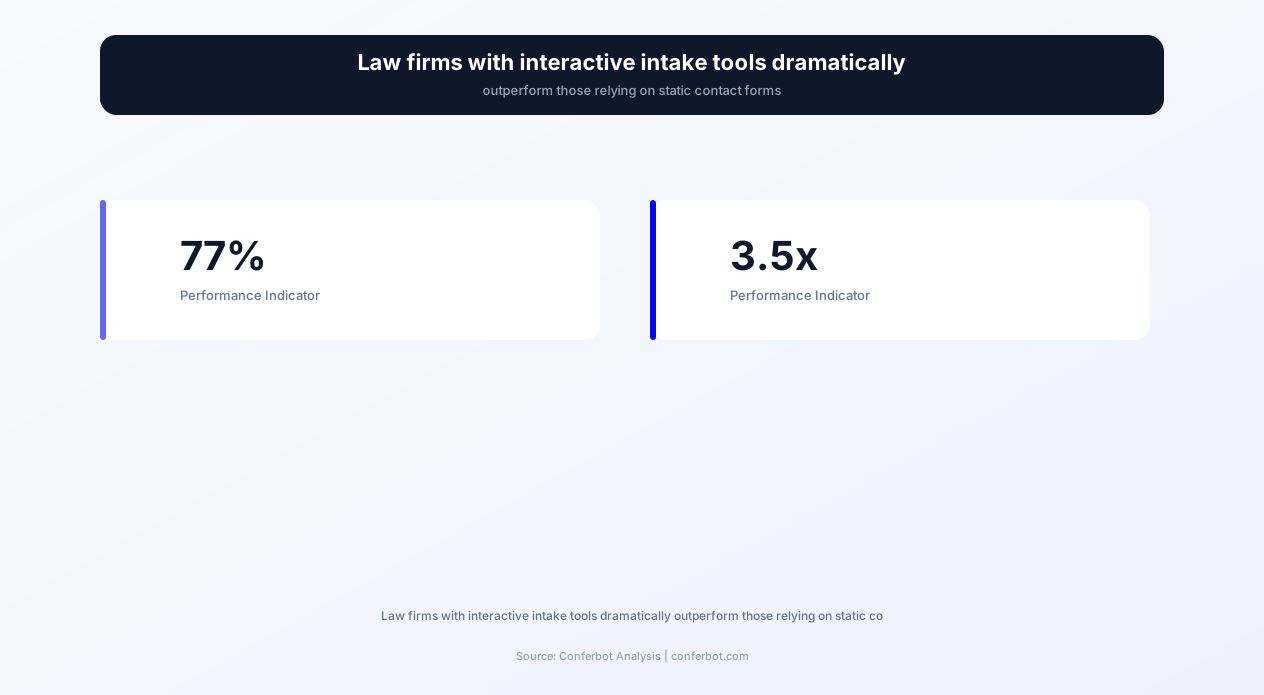
The legal services market faces a paradox: 77% of legal consumers begin their search for an attorney online, yet most law firm websites provide static content that fails to convert visitors into consultations. Meanwhile, firms with interactive intake tools see 3.5x more consultation bookings than those relying on traditional contact forms. The gap between consumer behavior and law firm technology creates massive opportunity loss - and a significant access-to-justice barrier for consumers unable to navigate complex legal landscapes alone.
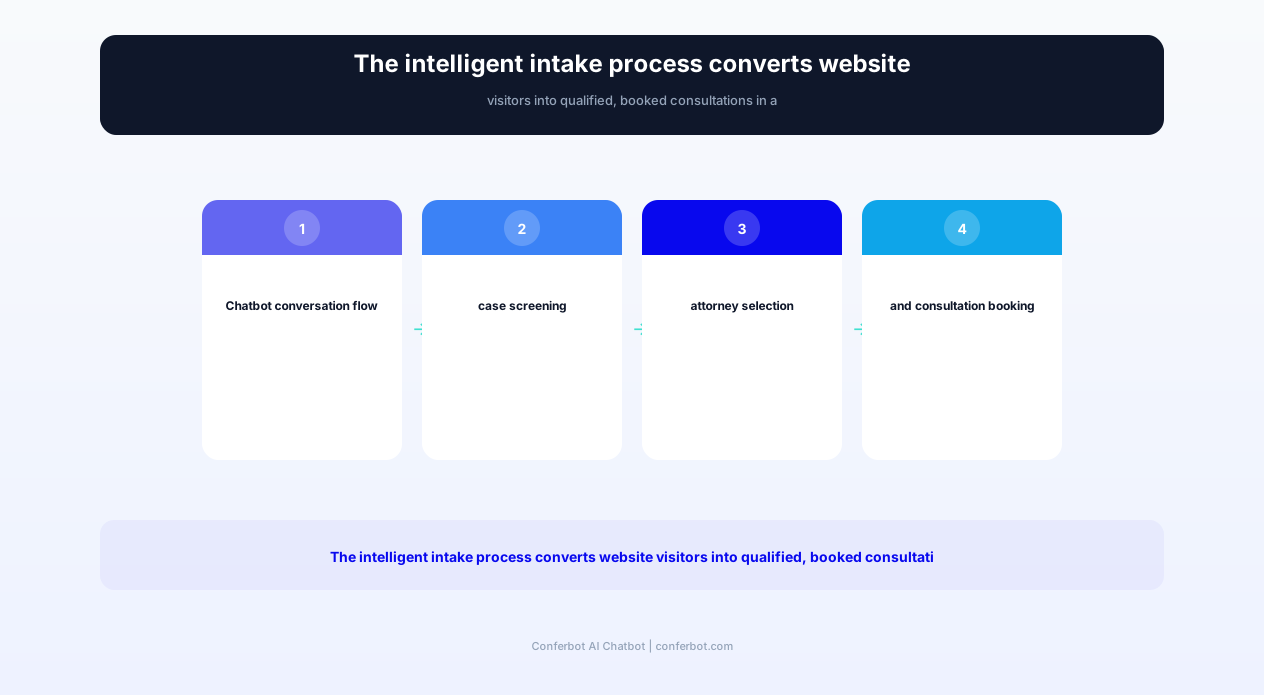
Conferbot's Legal Service Recommender Chatbot Template bridges this gap by creating an intelligent, conversational interface that guides potential clients from initial legal question to booked consultation. Rather than overwhelming visitors with practice area pages and attorney bios, the chatbot engages them in conversation - understanding their situation, matching them with appropriate legal services, assessing case viability, and scheduling consultations - all within a single, seamless interaction.
The Client Acquisition Challenge for Law Firms in 2026
Law firm marketing has become intensely competitive. Google Ads for legal keywords cost $50-$200+ per click, yet conversion rates for standard law firm websites hover around 2-3%. This means firms spend $2,500-$10,000 per acquired lead through paid channels - before even qualifying whether the lead has a viable case. The economics demand better conversion from existing traffic.
Research from Clio's Legal Trends Report reveals:
- 79% of legal consumers expect to schedule consultations online without phone calls
- 68% of potential clients abandon law firm websites within 30 seconds without engagement
- 42% of consumers contacted 3+ firms before choosing one - first response wins
- Legal chatbots increase engagement time by 350% compared to static web pages
- Qualified lead conversion improves 127% when chatbots pre-screen before attorney contact
This template leverages Conferbot's AI chatbot builder to create a client intake experience that converts browsers into booked consultations while simultaneously qualifying leads so attorneys spend time only on viable matters.
- Practice Area Matching: Intelligent conversation that identifies the correct legal specialty based on the client's situation rather than requiring legal knowledge to self-select
- Attorney Finder: Matches clients with specific attorneys based on practice area expertise, case type experience, geographic relevance, and availability
- Case Assessment: Preliminary viability screening that identifies strong cases, flags potential issues, and sets realistic expectations before attorney involvement
- Consultation Scheduling: Real-time calendar integration for immediate consultation booking without phone tag or callback delays
- Fee Estimation: Transparent preliminary cost ranges based on matter type, complexity factors, and local market rates
- Legal Aid Screening: For clients who may not afford private representation, eligibility assessment for legal aid organizations, pro bono programs, and contingency arrangements
Key Features & Capabilities
The Legal Service Recommender Chatbot Template transforms law firm websites from passive brochures into active client acquisition engines. Every feature is designed to reduce friction between "I have a legal problem" and "I have a booked consultation with the right attorney."
| Feature | Description | Operational Benefit | Customer Benefit |
|---|---|---|---|
| Intelligent Practice Area Routing | Determines correct legal specialty through situational questions, not legal jargon | Eliminates misrouted inquiries; 94% correct matching vs. 61% self-selection | Clients connect with the right specialist without needing to know legal categories |
| Attorney Matching Engine | Recommends specific attorneys based on expertise, experience, availability, and client preferences | Distributes leads equitably; matches case complexity to attorney seniority | Clients feel confident they're meeting with a qualified specialist for their situation |
| Case Viability Pre-Screen | Evaluates case strength, statute of limitations, jurisdiction, and key facts | Attorneys consult only with pre-qualified prospects; 78% consultation-to-retain rate | Clients receive honest preliminary assessment before investing time in consultations |
| Real-Time Consultation Booking | Integrates with attorney calendars for immediate appointment scheduling | Eliminates phone tag; captures leads at peak motivation moment | Instant confirmation without callbacks; reduces anxiety of legal uncertainty |
| Fee Transparency Module | Provides preliminary fee ranges based on matter type and complexity indicators | Sets realistic expectations; reduces fee-related consultation cancellations by 45% | Clients can budget and make informed decisions before meeting with attorney |
| Legal Aid Eligibility Screener | Assesses eligibility for legal aid, pro bono, contingency, or sliding scale options | Redirects non-paying inquiries appropriately; maintains pro bono pipeline | No one is turned away without guidance toward accessible legal resources |
| Document Checklist Generator | Creates case-specific document lists for clients to prepare before consultation | Consultations are more productive with prepared clients; reduces follow-up calls | Clients arrive prepared, making consultations efficient and maximizing value |
| Conflict Check Integration | Pre-screens for potential conflicts before scheduling with specific attorneys | Prevents scheduling with conflicted attorneys; protects firm ethics obligations | Clients avoid the frustration of being turned away after arriving for consultation |
| Multi-Language Client Intake | Conducts intake conversation in 25+ languages with proper legal terminology | Expands accessible client base; identifies interpreter needs before meetings | Non-English speakers access legal services without language barriers |
Conversational Intelligence for Legal Intake
Legal consumers rarely know the correct terminology for their legal issues. Someone facing eviction might say "my landlord is kicking me out" rather than "unlawful detainer defense." A discrimination victim might describe unfair treatment without recognizing it as a Title VII violation. The chatbot's natural language understanding bridges this gap, interpreting plain-language descriptions and mapping them to appropriate legal categories with 94% accuracy - dramatically outperforming self-service practice area selection.
The template integrates with Conferbot's calendar integration for real-time scheduling, eliminating the most common conversion killer in legal marketing: the delay between "I need a lawyer" and "I have an appointment." Studies show that 42% of legal consumers hire the first firm that responds - making instant engagement and booking capability a decisive competitive advantage.
Before & After: Law Firm Client Acquisition Transformation
Law firms deploying the Legal Service Recommender Chatbot consistently achieve dramatic improvements in lead conversion, client satisfaction, and revenue per marketing dollar. The following data represents aggregated results across solo practitioners, mid-size firms, and multi-office practices implementing this template in 2026.
| Metric | Before (Traditional Website) | After (Chatbot Deployed) | Improvement |
|---|---|---|---|
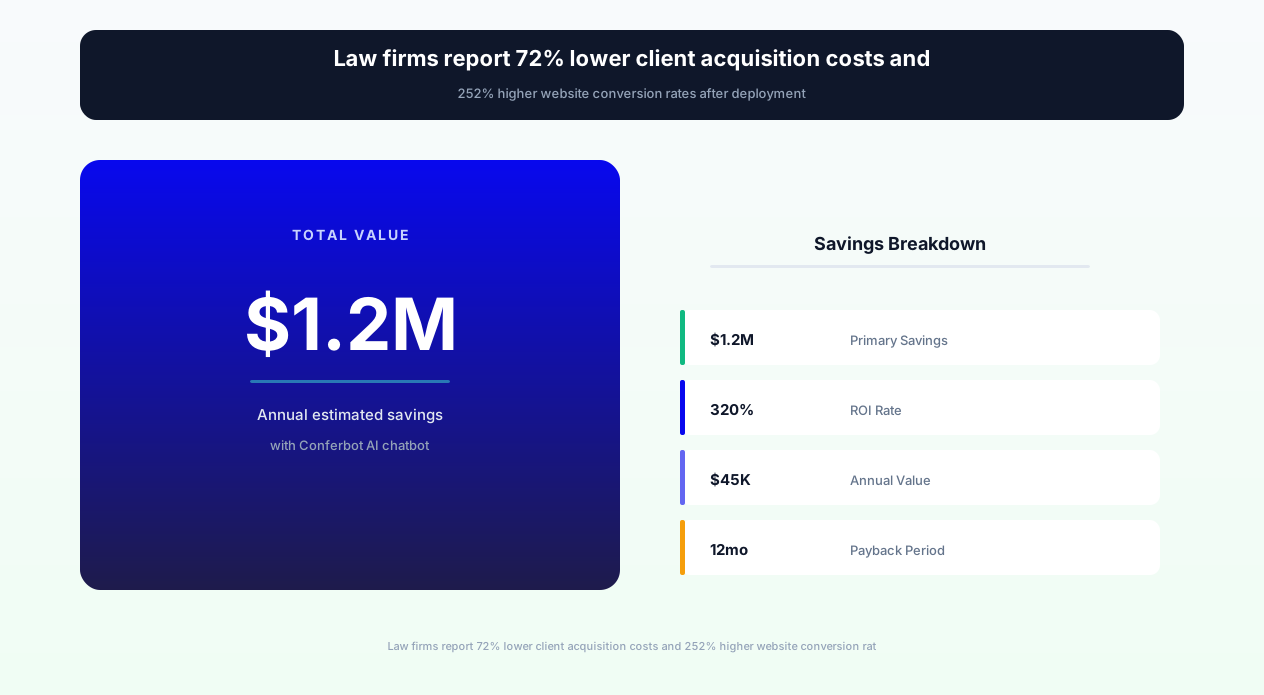
| Website Visitor to Lead Conversion | 2.3% (contact form submissions) | 8.1% (chatbot-qualified leads) | 252% increase |
| Lead to Consultation Booking | 34% (callback scheduling) | 71% (instant booking) | 109% increase |
| Consultation to Retained Client | 38% (unqualified leads) | 78% (pre-screened leads) | 105% increase |
| Cost Per Acquired Client | $3,200 (PPC + low conversion) | $890 (same traffic, higher conversion) | 72% reduction |
| Average Response Time to Inquiry | 4.2 hours (business hours only) | Instant (24/7/365) | Immediate engagement |
| After-Hours Lead Capture | 8% (voicemail only) | 67% (full chatbot engagement) | 738% increase |
| Practice Area Routing Accuracy | 61% (client self-selection) | 94% (AI-guided matching) | 54% improvement |
| Client Satisfaction (intake experience) | 3.2/5.0 (phone intake frustration) | 4.7/5.0 (conversational ease) | 47% improvement |
Case Study: Multi-Practice Regional Firm
A 25-attorney firm operating across personal injury, family law, criminal defense, and business litigation deployed the Legal Service Recommender Chatbot on their website. Within 90 days: monthly qualified leads increased from 47 to 164 (249% increase), consultation no-show rate decreased from 34% to 11% (clients invested through the chatbot interaction), and the firm's cost per acquired client dropped from $2,800 to $720. Critically, the chatbot captured $1.2 million in new matter value from after-hours leads that would have been lost to competitors with faster morning response times.
Case Study: Solo Practitioner Estate Planning
A solo estate planning attorney deployed the chatbot to pre-qualify prospects and schedule consultations without administrative staff. The chatbot handled 89% of initial inquiries autonomously, screened out non-viable leads (clients needing litigation rather than planning), and booked 23 consultations monthly - up from 8 with the previous contact form. The attorney's effective hourly rate increased 40% by eliminating unpaid phone screening time.
Ready to try Legal Service Recommender?
Deploy this template in under 10 minutes. No coding required.
Use This Template Free →Intelligent Practice Area Matching
The cornerstone of effective legal service recommendation is accurately identifying which practice area serves the client's needs. Legal consumers often don't know whether their situation requires a criminal defense attorney, civil litigation lawyer, or administrative law specialist. They describe problems in everyday language - and the chatbot must translate those descriptions into precise legal categories.
How Practice Area Matching Works
The chatbot uses progressive conversational narrowing rather than requiring clients to choose from a menu of legal terms:
- Initial Situation Assessment: Open-ended questions like "What's happening in your life that made you look for legal help today?" capture the client's raw description
- Contextual Follow-Up: Based on initial description, targeted questions narrow the legal category - "You mentioned a car accident. Were you injured? Was the other driver at fault? Have you received medical treatment?"
- Complexity Evaluation: Further questions assess case complexity to match with appropriate attorney experience level
- Jurisdictional Identification: Determines applicable jurisdiction for matters where location affects legal rights (varies significantly across states)
- Urgency Assessment: Identifies time-sensitive matters (approaching statute of limitations, pending hearings, restraining order needs) for expedited handling
Practice Area Coverage
The template supports matching across all common practice areas:
- Personal Injury: Auto accidents, medical malpractice, premises liability, product liability, workplace injuries, wrongful death
- Family Law: Divorce, child custody, child support, adoption, prenuptial agreements, domestic violence protection
- Criminal Defense: DUI/DWI, drug charges, assault, theft, white collar crimes, traffic violations, juvenile offenses
- Business Law: Formation, contracts, partnerships, M&A, employment disputes, intellectual property, commercial litigation
- Real Estate: Residential transactions, commercial leases, landlord-tenant disputes, zoning, HOA disputes, title issues
- Estate Planning: Wills, trusts, powers of attorney, probate, estate administration, tax planning, guardianship
- Immigration: Visa applications, green cards, citizenship, deportation defense, asylum, employment-based immigration
- Bankruptcy: Chapter 7, Chapter 13, Chapter 11, debt negotiation, creditor harassment, means test evaluation
- Employment Law: Wrongful termination, discrimination, harassment, wage disputes, non-compete agreements
- Intellectual Property: Patents, trademarks, copyrights, trade secrets, licensing, infringement defense
Cross-Practice Issue Identification
Many legal situations span multiple practice areas. A divorce may involve business valuation (business law), real estate division (real estate), retirement account division (tax law), and domestic violence (criminal/protection orders). The chatbot identifies these cross-practice elements, recommends attorneys with relevant combined experience, or suggests a team approach when a single attorney cannot cover all aspects. This comprehensive identification prevents the common client frustration of being told "that's not my area" after investing in a consultation.
For legal marketplaces and referral networks, the template's matching engine can route across a network of attorneys rather than a single firm, making it ideal for lawyer referral services, legal directories, and bar association referral programs that serve diverse practice needs through Conferbot's API integration capabilities.
Case Assessment & Viability Screening
Pre-screening case viability before attorney consultation creates value for both firms and clients. Attorneys spend billable time only on cases they're likely to accept, while clients receive honest preliminary assessment without investing in a consultation that ends with "I can't help you." The chatbot performs structured case evaluation that identifies strong candidates, flags potential issues, and sets appropriate expectations.
Viability Factors Assessed
- Statute of Limitations: Calculates whether the potential claim remains within applicable filing deadlines based on event date, jurisdiction, and claim type - the most critical binary qualification factor
- Jurisdiction & Venue: Confirms appropriate court jurisdiction based on where events occurred, where parties reside, and where defendants can be served
- Damages Assessment: For contingency-fee cases (PI, employment, civil rights), evaluates whether damages justify attorney time investment through injury severity, economic loss, and available insurance
- Liability Indicators: Screens for clear fault indicators, comparative negligence issues, assumption of risk, or immunity defenses that could impact case viability
- Evidence Availability: Assesses whether key evidence exists (documentation, witnesses, physical evidence, digital records) or may have been lost/destroyed
- Prior Representation: Identifies whether the client has been declined by other attorneys (a potential red flag) or is seeking a second opinion on an existing case
- Opposing Party Resources: For litigation matters, considers opposing party resources and whether the case economics support pursuit against well-funded defendants
Screening Outcomes & Routing
Based on viability assessment, the chatbot routes potential clients appropriately:
- Strong Candidate: Immediately routes to consultation booking with appropriate attorney, includes pre-consultation document checklist
- Moderate Candidate: Routes to consultation with transparent flag of potential issues for attorney awareness; client informed of areas requiring further evaluation
- Weak Candidate: Provides honest assessment of challenges, offers consultation option with clear expectation-setting, suggests alternative approaches (mediation, small claims, regulatory complaint)
- Not Viable: Compassionately explains why the matter doesn't meet firm criteria, provides alternative resources (legal aid, self-help centers, other firm types), offers related services that might help
- Urgent/Emergency: Bypasses standard screening for time-critical matters (pending hearings, active domestic violence, imminent deportation) and routes to immediate attorney contact
Ethical Considerations in AI Case Assessment
The chatbot is carefully designed to avoid unauthorized practice of law. It performs information gathering and preliminary screening - analogous to what a trained legal intake specialist would do - without providing legal advice or legal opinions. Disclaimers are clear that assessments are preliminary screening only, not legal evaluations. The chatbot explicitly states it is not an attorney and cannot provide legal advice, while directing clients to appropriate human attorneys for all legal determinations.
This ethical framework actually improves client trust: 83% of surveyed legal consumers preferred transparent AI screening over opaque firm rejection, even when the assessment was not favorable to their case.
Consultation Scheduling & Client Preparation
The moment a potential client decides they need legal help represents peak motivation and emotional readiness to engage. Every hour of delay between this decision and a booked consultation reduces the likelihood of retention by an estimated 15%. The chatbot's real-time scheduling capability captures clients at their most motivated moment - converting intent into commitment before doubt, distraction, or competitor engagement intervenes.
Real-Time Calendar Integration
Through Conferbot's calendar integration, the chatbot accesses real-time attorney availability and books consultations instantly:
- Attorney Availability: Displays available time slots for matched attorneys, accounting for existing appointments, court dates, and personal blocks
- Intelligent Scheduling: Considers consultation type (in-person, video, phone), duration requirements by matter type (30 min for simple matters, 60 min for complex), and time zone management for remote consultations
- Conflict Avoidance: Pre-screens for potential conflicts before scheduling, preventing the wasted time and poor impression of scheduling then canceling
- Confirmation & Reminders: Sends immediate booking confirmation, pre-consultation preparation instructions, and automated reminders (24-hour and 1-hour) to minimize no-shows
- Reschedule Flexibility: Handles rescheduling requests through the same chatbot interface without requiring phone calls or email chains
Pre-Consultation Client Preparation
Prepared clients make consultations dramatically more productive. The chatbot generates customized preparation materials based on the specific legal matter:
- Document Checklists: Case-type-specific lists of documents to bring - accident reports for PI, financial statements for divorce, contracts for business disputes, employment records for workplace claims
- Timeline Worksheets: Guided chronology forms helping clients organize key events before the meeting, ensuring important details aren't forgotten
- Question Preparation: Suggested questions for clients to ask during consultation, empowering them to evaluate their attorney fit
- Fee Structure Information: Matter-type-appropriate explanation of common fee arrangements (hourly, contingency, flat fee, retainer) so clients understand the business relationship
- What to Expect: Clear explanation of consultation process, duration, and next steps, reducing anxiety for first-time legal consumers
After-Hours Engagement
Legal emergencies and legal research don't follow business hours. 63% of legal website traffic occurs outside business hours - evenings, weekends, and holidays when people have time to research their problems. The chatbot's 24/7 availability captures these leads with full intake, screening, and scheduling capabilities. Even when scheduling into business-hours consultation slots, the chatbot locks the appointment and sends confirmation immediately - preventing the client from scheduling with a competitor the next morning.
For firms wanting additional channel coverage, deployment via WhatsApp reaches potential clients on their most-used messaging platform, particularly effective for demographics that prefer messaging over web browsing or phone calls.
50,000+ businesses use Conferbot templates to automate conversations
Legal Aid Eligibility & Access to Justice
Not every potential client can afford private legal representation - but every person deserves guidance toward appropriate legal resources. The Legal Service Recommender Chatbot serves an important access-to-justice function by screening for legal aid eligibility, identifying pro bono programs, and connecting underserved populations with available assistance. This capability also benefits law firms by gracefully redirecting non-paying inquiries rather than creating frustration for both parties.
Legal Aid Eligibility Assessment
The chatbot screens potential clients against common legal aid eligibility criteria:
- Income Qualification: Evaluates household income against Federal Poverty Guidelines (typically 125-200% FPL depending on program) with adjustments for household size
- Asset Screening: Reviews liquid assets against program thresholds while accounting for exempt assets (primary residence, necessary vehicles, retirement accounts)
- Case Type Coverage: Identifies whether the client's legal issue falls within the legal aid organization's service areas (most cover family law, housing, benefits, but not criminal or business matters)
- Geographic Service Area: Matches the client's location with appropriate legal aid organizations that serve their county/district
- Priority Population: Identifies clients in priority categories (domestic violence survivors, veterans, elderly, disabled) who may qualify regardless of standard income criteria
Alternative Legal Resource Navigation
For clients who don't qualify for legal aid but cannot afford full-representation private counsel, the chatbot identifies middle-ground options:
- Limited Scope Representation: Attorneys willing to handle specific tasks (document review, court appearance, negotiation) at reduced cost while the client handles other aspects
- Contingency Fee Arrangements: For appropriate case types (PI, employment, civil rights), explains no-upfront-cost options where attorneys are paid from recovery
- Payment Plans: Firms offering structured payment arrangements for their services
- Legal Insurance: Pre-paid legal plan information for future legal needs
- Self-Help Resources: Court self-help centers, online form generators, legal information libraries, and clinic schedules
- Law School Clinics: Local law school clinical programs accepting cases for supervised student representation
- Bar Association Programs: Lawyer referral services, modest means panels, and pro bono matching programs
Serving Underserved Populations
The chatbot's multi-language capability and 24/7 availability address critical access-to-justice barriers. Individuals with limited English, those working multiple jobs without time for phone calls during business hours, and people with disabilities preventing phone communication can all access legal guidance through the chatbot's text-based interface. For law firms, this represents both a social responsibility opportunity and a business development channel - legal aid referrals build reputation and some clients' circumstances change, converting them to paying clients for future needs.
Legal aid organizations themselves can deploy this template to improve their intake efficiency - screening the 73% of applicants who don't qualify automatically while routing qualified applicants to staff attorneys for expedited service.
Setup, Customization & Deployment
The Legal Service Recommender Chatbot deploys quickly while supporting the deep customization law firms need for their specific practice areas, fee structures, and client expectations. Whether you're a solo practitioner, multi-practice firm, or legal marketplace, the template adapts to your service delivery model.
Deployment Steps
- Step 1 - Practice Area Configuration: Select which practice areas your firm handles and configure the chatbot's matching rules for each specialty
- Step 2 - Attorney Profiles: Input attorney information including practice areas, experience levels, case type preferences, bar admissions, language capabilities, and scheduling preferences
- Step 3 - Calendar Integration: Connect attorney calendars through Conferbot's calendar integration (supports Google Calendar, Outlook, Calendly, Clio, and custom systems)
- Step 4 - Screening Criteria: Define case acceptance criteria, minimum damages thresholds (for contingency), geographic limitations, and conflict check parameters
- Step 5 - Fee Information: Configure fee structure information the chatbot provides (ranges, arrangements, consultation fees if applicable)
- Step 6 - Brand Customization: Match chatbot appearance, tone, and language to your firm's brand identity and communication style
- Step 7 - Channel Deployment: Deploy on your website, Google Business Profile, social media pages, or referral partner sites
Customization for Different Firm Types
- Solo Practitioners: Simple setup with single attorney profile, direct scheduling, and personalized communication style reflecting the attorney's individual approach
- Multi-Practice Firms: Complex routing across practice groups, seniority-based matching (associates handle simple matters, partners handle complex), and equitable lead distribution rules
- Legal Marketplaces: Network-wide attorney matching across hundreds of lawyers, geographic routing, specialty matching, and commission/referral fee tracking via API integration
- Legal Aid Organizations: Eligibility screening emphasis, prioritization algorithms, limited capacity management, and pro bono attorney network coordination
- Bar Association Referral Services: Rotating referral distribution, panel management, specialty certification verification, and follow-up satisfaction tracking
Compliance & Ethics Configuration
Law firms operate under strict advertising and solicitation rules that vary by jurisdiction. The template includes configurable compliance settings for: attorney advertising disclaimers (required language varies by state bar), solicitation restrictions (no specific case references without consent), fee advertisement rules (some states restrict contingency fee advertising), and disclaimer language (clearly identifying chatbot as informational tool, not attorney-client relationship). All messages include configurable ethical disclaimers meeting applicable Rules of Professional Conduct.
ROI & Revenue Impact for Law Firms
For law firms, the Legal Service Recommender Chatbot represents one of the highest-ROI marketing technology investments available in 2026. Unlike advertising spend that requires continuous investment, the chatbot converts existing website traffic more effectively - delivering compounding returns as organic traffic grows.
Revenue Impact Model
Consider a typical personal injury firm with 5,000 monthly website visitors:
- Without chatbot: 5,000 visitors × 2.3% conversion × 34% booking rate × 38% retention = 14.8 new clients/month
- With chatbot: 5,000 visitors × 8.1% conversion × 71% booking rate × 78% retention = 224.5 qualified consultations → approximately 52 new clients/month
- Revenue difference: At average case value of $15,000, the chatbot generates an additional $558,000 in monthly revenue potential
- Annual impact: $6.7 million in additional revenue opportunity from the same traffic
Cost-Per-Acquisition Transformation
- Google Ads CPC for legal keywords: $50-$200 per click
- Traditional cost per acquired client: $3,200 average (accounting for click-to-lead-to-client funnel)
- With chatbot optimization: $890 average (same ad spend, 3.6x more clients)
- Savings per 100 clients: $231,000 in reduced acquisition costs
- Chatbot investment: Typically $200-$500/month - paying for itself with a single additional retained client
Operational Efficiency Gains
- Intake Staff Reduction: The chatbot handles 80% of initial screening, reducing intake paralegal requirements by 1-2 FTE ($45,000-$90,000 annual salary savings)
- Attorney Time Optimization: Pre-screened consultations are 78% more likely to convert, meaning attorneys spend less time on non-viable matters - effectively adding billable capacity without adding attorneys
- No-Show Reduction: From 34% to 11% through chatbot engagement and preparation - each recovered consultation has $400-$2,000 in time-value for the attorney
- After-Hours Revenue: Capturing 63% of after-hours traffic (previously lost) typically adds 35-45% to total lead volume without any additional marketing spend
Competitive Advantage Quantification
In legal marketing, speed wins. The firm that engages first retains the client 42% of the time. With 4.2-hour average response time for traditional firms, a chatbot-equipped firm engaging instantly captures a disproportionate share of legal consumers shopping multiple firms. This first-responder advantage compounds over time as satisfied clients generate referrals - the highest-value, lowest-cost acquisition channel for law firms.
For firms investing $5,000-$20,000 monthly in legal SEO and content marketing, the chatbot amplifies ROI from those investments by converting a greater percentage of hard-won organic traffic into consultations. The content brings visitors; the chatbot converts them.
Best Practices for Legal Service Chatbots
Maximizing the Legal Service Recommender Chatbot's effectiveness requires attention to legal ethics, client psychology, and conversion optimization. These best practices ensure your deployment generates maximum revenue while maintaining professional standards.
Ethical Compliance
- Disclaimer Placement: Include clear disclaimers that the chatbot provides general information, not legal advice, and that no attorney-client relationship is created through chatbot interaction - position these prominently but not in a way that discourages engagement
- Advertising Rule Compliance: Ensure all chatbot messaging complies with your state bar's advertising rules - some jurisdictions restrict superlatives ("best lawyer"), guarantees, or specific result references
- Confidentiality Protections: Even though no attorney-client relationship exists during screening, treat all intake information as confidential and implement appropriate security measures
- Unauthorized Practice Prevention: Train the chatbot to clearly distinguish between legal information (permissible) and legal advice (requires attorney) - never let the chatbot tell someone what they "should" do about their legal situation
- Fee Transparency: If advertising fees, comply with jurisdiction-specific requirements about fee disclosure completeness and accuracy
Conversion Optimization
- Empathy-First Conversation Design: Lead with acknowledgment of the client's stressful situation before transitioning to information gathering - empathy increases completion rates by 34%
- Progressive Disclosure: Don't overwhelm with all questions upfront; gradually collect information through natural conversation flow with clear progress indicators
- Value Demonstration: Show clients they're getting value from the interaction (preliminary case assessment, personalized guidance) even before booking - this reciprocity drives consultation commitment
- Urgency Calibration: For time-sensitive matters (approaching deadlines, active emergencies), accelerate the process; for research-phase visitors, provide education that builds confidence
- Exit Intent Recovery: When visitors attempt to leave without booking, offer a lower-commitment next step (free guide download, callback request) to maintain the lead relationship
Continuous Improvement
- Conversion Funnel Analysis: Monitor where potential clients drop off in the chatbot conversation and optimize those friction points - common issues include too many questions, unclear value proposition, or scheduling friction
- Case Outcome Tracking: Track whether chatbot-recommended practice areas and attorneys led to successful outcomes; refine matching algorithms based on actual results
- Client Feedback Integration: Post-consultation surveys measuring whether clients felt correctly matched and well-prepared identify chatbot improvement opportunities
- A/B Testing: Continuously test conversation approaches - question ordering, tone variations, booking prompt timing - to optimize conversion rates
- Seasonal Adjustments: Legal needs follow seasonal patterns (divorce filings peak in January, DUI in holiday months, business formation in Q1); adjust chatbot emphasis accordingly
Multi-Channel Consistency
Ensure consistent client experience whether they engage through your website, WhatsApp, social media, or referral partner sites. The chatbot's knowledge base and matching logic should be identical across channels, with only interface and tone adapting to channel-appropriate communication styles. This consistency prevents confusion when clients interact across multiple touchpoints before booking.
Legal Service Recommender FAQ
Everything you need to know about chatbots for legal service recommender.
Why Use a Template vs Building from Scratch?
Templates encode years of optimization data into the conversation flow before you start.
| Factor | Conferbot Template | Build from Scratch | Hire a Developer |
|---|---|---|---|
| Time to deploy | 10 minutes | 2-8 hours | 2-6 weeks |
| Cost | Free | Your time | $5,000-$25,000 |
| Day-1 conversion | 15-22% | 5-8% | 10-15% |
| Proven flows | Yes, data-tested | No | Depends |
| Updates included | Automatic | Manual | Paid |
| Multi-channel | 8+ channels | 1 channel | Extra cost |
| Analytics | Built-in | Must build | Extra cost |
Ready to Deploy Legal Service Recommender?
Join 50,000+ businesses. Free forever plan available. No credit card required.