
Tattoo Shop Chatbot
Free Beauty And Salon Chatbot Template
Tattoo consultation booking with style matching and artist selection


What Is a Tattoo Shop Chatbot?
A tattoo shop chatbot is an AI-powered booking and client engagement system designed specifically for tattoo studios — handling consultation scheduling with deposit collection, portfolio and style browsing, artist matching based on specialization, detailed aftercare instructions, touch-up scheduling, waitlist management, pricing guidance, and custom design request intake — automating the repetitive communication that consumes hours of artist and front-desk time while capturing every potential client who visits your studio's website or social media, whether at 2 PM or 2 AM.
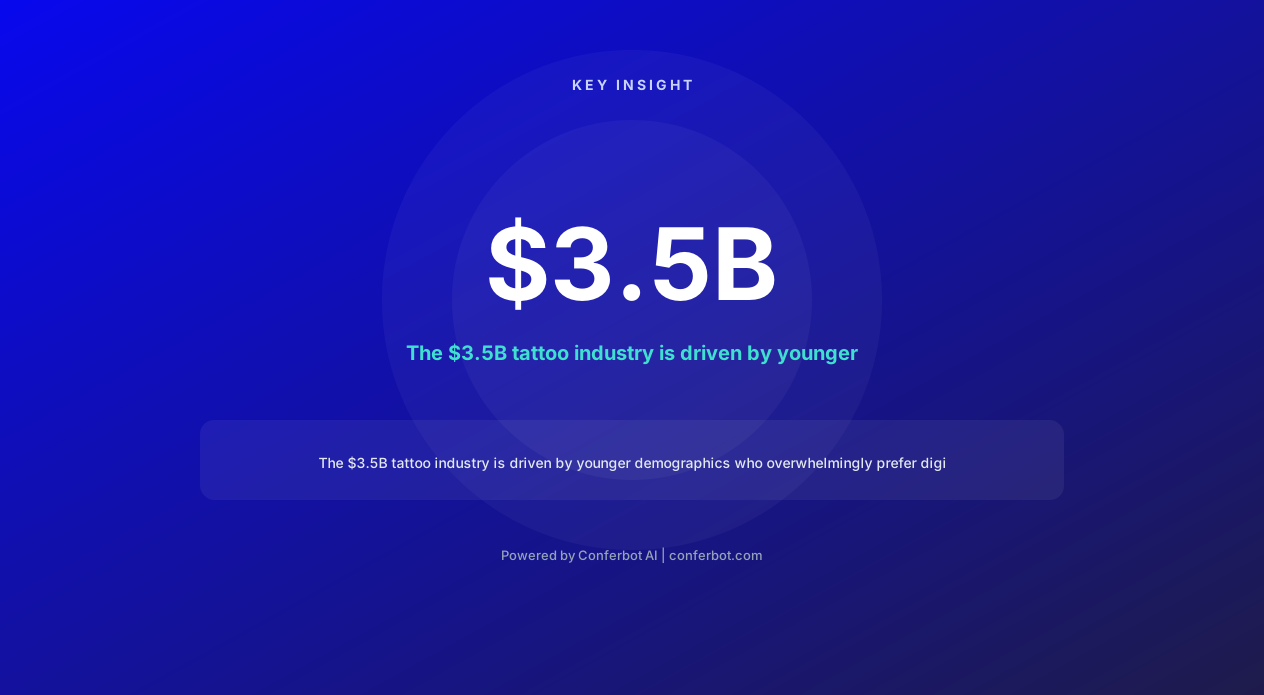
The tattoo industry in the United States represents a $3.5 billion market in 2026, with 32% of Americans having at least one tattoo — a number that rises to 41% among millennials and 38% among Gen Z. These younger demographics who are driving industry growth overwhelmingly prefer digital booking over phone calls: they want to browse portfolios at midnight, submit design references at 3 AM when inspiration strikes, and book consultations without the social anxiety of a phone call. Studios that force all booking through phone calls or walk-ins are invisible to this growing market segment during the hours they are most active.
Tattoo studios face a unique operational challenge: the consultation and booking process is significantly more complex than most service businesses. Clients need to describe their vision, view artist portfolios to find stylistic matches, understand pricing (which varies enormously by size, complexity, placement, and artist), commit with a deposit ($50-$200 standard), receive preparation instructions, and sometimes wait weeks or months for their preferred artist's availability. Managing this multi-step process through Instagram DMs and phone calls is chaotic, time-consuming, and results in lost bookings when responses are delayed.
Built on Conferbot's AI chatbot builder, the tattoo shop chatbot handles this entire intake pipeline automatically — from the initial "I want a tattoo" inquiry through deposit collection and appointment confirmation. It deploys on your studio's website, integrates with your booking system via API, and can engage potential clients through WhatsApp and Instagram where the majority of tattoo inspiration and discovery happens. No more lost DMs, forgotten callback promises, or deposit collection phone tag.
Consultation Booking With Deposit Collection: Securing Commitment Instantly
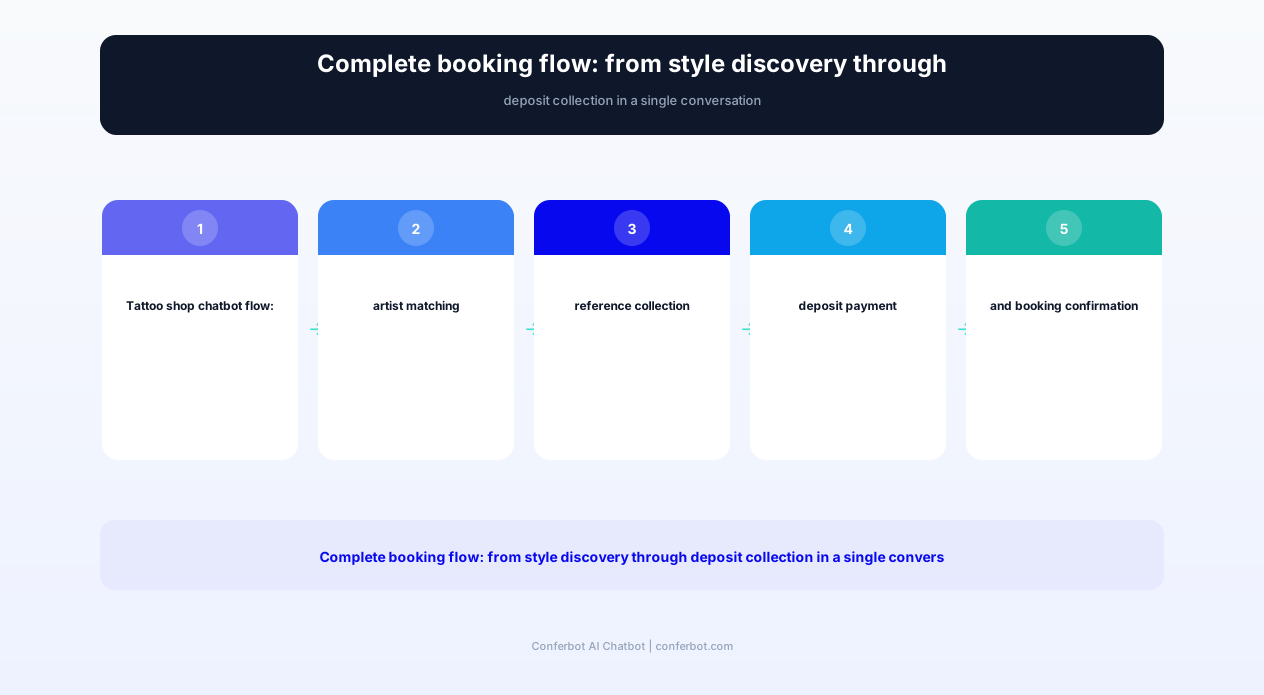
The consultation booking process is where most tattoo shops lose potential clients. The traditional flow — client messages on Instagram, artist responds hours or days later, back-and-forth about availability, finally agrees on a time, then the deposit discussion — has so many friction points that a significant percentage of interested clients fall off before committing. The chatbot compresses this entire process into a single, seamless conversation that ends with a confirmed appointment and collected deposit.
Why Deposits Are Non-Negotiable for Tattoo Studios
Tattoo studios universally require deposits for a critical reason: artist time is the scarcest resource, and a no-show consultation means 30-60 minutes of blocked time that could have served a paying client. Standard deposits of $50-$200 (varying by appointment length and artist demand) serve three purposes:
- Commitment signal: Clients who pay a deposit show up at 90%+ rates versus 60-70% for non-deposited consultations
- Design time compensation: For custom pieces, artists invest hours in design before the appointment. The deposit partially compensates this creative work.
- Revenue protection: No-shows and last-minute cancellations in tattooing are particularly costly because the artist likely turned away other clients for that slot.
Chatbot-Integrated Deposit Flow
After the client selects their artist, service type, and preferred appointment time, the chatbot presents the deposit requirement with clear terms: "To confirm your consultation with [Artist Name], a $[amount] deposit is required. This will be applied toward your tattoo cost. Deposits are refundable with 48+ hours cancellation notice." The client enters payment information within the chat interface — no separate payment page, no email invoice that gets lost in spam, no awkward phone conversation about money. The deposit processes instantly, the appointment confirms immediately, and both client and artist receive confirmation.
Deposit Policy Communication
The chatbot clearly communicates studio deposit policies to set expectations:
- Standard consultation: $50-$75 deposit, applied to session cost
- Full-day session: $100-$200 deposit, applied to session cost
- Guest artist booking: 50% of estimated session cost (limited availability)
- Refund policy: Full refund with 48hr notice, 50% with 24hr notice, forfeited for no-show or same-day cancellation
- Rescheduling: Free rescheduling with 48hr notice, deposit transfers to new date
Reducing No-Shows in Tattoo Studios
The deposit collection alone reduces consultation no-shows from the industry-typical 30-40% to under 10%. Combined with the chatbot's automated reminder system (48hr and 24hr reminders with easy reschedule option), studios implementing the full chatbot system report 92-95% consultation show-up rates — meaning nearly every scheduled slot generates revenue, maximizing artist productivity and studio profitability. Process all deposits through Conferbot's integrated payment system connected via API.
Portfolio Browsing and Style Discovery: Matching Clients With Artists
One of the most time-consuming aspects of tattoo studio communication is helping potential clients find the right artist for their vision. Clients often know what they want aesthetically but lack the vocabulary to describe it — "something flowy with nature elements" could mean Japanese-inspired botanical, American traditional flowers, fine-line botanical illustrations, or watercolor-style organic pieces. The chatbot bridges this communication gap by presenting style options visually and guiding clients toward the artist whose work best matches their aesthetic preferences.
Style Category Presentation
The chatbot presents major tattoo style categories with example images from your studio's actual artists:
- Traditional/Old School: Bold lines, limited color palette, iconic imagery (roses, eagles, anchors)
- Neo-Traditional: Traditional foundation with expanded color and detail
- Realism/Photorealism: Portraits, animals, scenes rendered with photographic accuracy
- Japanese/Irezumi: Large-scale work with traditional Japanese motifs and techniques
- Fine Line/Minimalist: Delicate single-needle work, small detailed pieces
- Blackwork/Geometric: Bold black patterns, sacred geometry, ornamental
- Watercolor: Painterly style with color splashes and soft edges
- Lettering/Script: Typography-focused work from simple to elaborate calligraphy
- Illustrative: Combines multiple styles with artistic interpretation
Artist Matching Algorithm
Based on the client's selected style, size preference, and body placement, the chatbot recommends specific artists from your roster with relevant portfolio examples: "For fine-line botanical work on the forearm, I'd recommend Sarah — she specializes in delicate floral illustrations. Here are some examples of her recent work in this style." The client views curated portfolio images within the chat, eliminating the need to browse entire Instagram feeds or navigate complex portfolio websites. If the recommended artist is booked out, the chatbot offers alternatives: "Sarah's next availability is 6 weeks out. Would you like to join her waitlist, or would you like to see [Alternative Artist]'s fine-line work? They have openings next week."
Reference Image Collection
The chatbot collects reference images and design descriptions as part of the intake process: "Please share any reference images, Pinterest boards, or photos that show the style, elements, or placement you're imagining. The more references, the better your artist can prepare!" Clients upload reference images directly in the chat, which are compiled into a reference package that the assigned artist reviews before the consultation. This pre-consultation reference collection means consultations start with alignment rather than starting from scratch — saving 15-20 minutes per consultation.
Portfolio Engagement as Lead Generation
The portfolio browsing feature serves as a top-of-funnel engagement tool — clients who are not ready to book immediately can browse styles and artists, save favorites, and return later when they are ready to commit. The chatbot captures their preferences and contact information during browsing: "Would you like me to notify you when [Artist] posts new work in this style, or when they have new booking availability?" This soft lead capture converts casual browsers into future bookings without the pressure of an immediate commitment.
Ready to try Tattoo Shop Chatbot?
Deploy this template in under 10 minutes. No coding required.
Use This Template Free →Tattoo Pricing Guidance: Setting Expectations Without Committing to Quotes
Pricing is the most frequently asked — and most difficult to answer — question in tattooing. Unlike fixed-price services, tattoo pricing depends on dozens of variables: size, complexity, placement (some body areas are more time-consuming), style (realism takes longer than traditional), color vs. black-and-grey, artist experience level, and session count for larger pieces. The chatbot handles pricing questions with appropriate guidance that sets realistic expectations without committing to quotes that change after consultation.
Pricing Framework Communication
The chatbot presents your studio's pricing structure transparently:
| Size Category | Typical Range | Session Time | Common Examples |
|---|---|---|---|
| Micro/Mini (1-2 inches) | $80–$150 | 15-30 minutes | Small symbols, initials, tiny florals |
| Small (2-4 inches) | $150–$350 | 1-2 hours | Wrist pieces, small animals, text |
| Medium (4-6 inches) | $350–$700 | 2-4 hours | Forearm pieces, shoulder work |
| Large (6-10 inches) | $700–$1,500 | 4-8 hours (1-2 sessions) | Half-sleeve sections, back panels |
| Extra large (full sleeve, back) | $2,000–$8,000+ | Multiple sessions | Full sleeves, chest pieces, back pieces |
Factors That Affect Pricing
The chatbot educates clients on pricing variables, reducing the sticker shock that sometimes occurs at consultations:
- Complexity: Simple line work vs. detailed shading vs. full color realism. A 3-inch piece can range from $150 (simple outline) to $500+ (detailed realism).
- Placement: Ribs, feet, hands, and neck require more time due to skin texture, pain management breaks, and technical difficulty.
- Custom design vs. flash: Custom pieces include design time; flash selections are typically discounted as no additional design work is needed.
- Artist tier: Apprentice artists offer lower rates for similar quality as they build portfolios. Senior artists and guest artists command premium pricing.
- Color: Full-color work typically costs 20-30% more than black-and-grey due to additional time for color mixing, layering, and technique.
Handling "How Much for [vague description]?" Questions
The chatbot handles the universal "how much would a [description] cost?" question without overcommitting: "Based on what you've described (a medium-sized floral piece on the forearm in fine-line style), I'd estimate $400-$600. However, exact pricing depends on the specific design your artist creates during your consultation. The consultation is where we finalize the design, confirm placement and size, and provide an exact quote. Would you like to book a consultation?" This approach gives clients a realistic range (preventing quote shock) while correctly framing the consultation as the venue for final pricing.
Shop Minimum Communication
Every studio has a minimum charge — typically $80-$150 regardless of tattoo size. The chatbot communicates this upfront: "Our studio minimum is $100, which applies to any piece regardless of size or time required. This covers the cost of sterile supplies, setup, and artist preparation time." Communicating the minimum early prevents the awkward situation where a client expecting a $40 tattoo arrives and discovers the minimum exceeds their budget.
Aftercare Instructions: Automated Healing Guidance That Protects Your Work
Proper aftercare is critical for tattoo healing — and one of the areas where client education most frequently fails. Verbal aftercare instructions given to a client who just sat through a multi-hour tattoo session are poorly retained. Printed sheets get lost. And clients who experience normal healing stages (peeling, itching, color settling) often panic and either over-treat or under-treat their new tattoo, potentially damaging the work. The chatbot delivers structured, timed aftercare guidance that reaches clients at exactly the right moments during their healing journey.
Immediate Post-Session Instructions
Within an hour of the appointment ending, the chatbot sends comprehensive first-day instructions: "Congratulations on your new tattoo! Here's your healing guide for the next 24 hours: [detailed instructions for bandage removal, first wash, moisturizer application, clothing recommendations, and activity restrictions]." This immediate delivery ensures the client has written instructions accessible on their phone before the verbal instructions fade from memory.
Timed Healing Stage Guidance
The chatbot sends stage-appropriate messages throughout the healing process:
- Day 1-3: Washing frequency, moisturizer type and application, what is normal (redness, swelling, mild oozing), what is not normal (excessive heat, spreading redness, pus)
- Day 4-7: Peeling and flaking guidance ("This is normal — do NOT pick or scratch"), reduced washing frequency, continued moisturizing, sun exposure avoidance
- Day 7-14: Itching management (pat, don't scratch), color settling expectations ("colors may look muted during this stage — they will brighten as healing completes"), activity restrictions (no swimming, no gym)
- Day 14-30: Long-term care transition, sunscreen importance, when to resume normal activities, when to schedule touch-up if needed
Healing Concern Assessment
During the healing period, the chatbot is available for questions about the healing process: "Is my tattoo supposed to look like this?" The chatbot can assess described symptoms against normal healing progressions and provide appropriate guidance — whether that is reassurance ("peeling at day 5 is completely normal"), specific advice ("apply a thin layer of unscented moisturizer 3-4 times daily"), or referral to the artist or a medical professional ("what you're describing sounds unusual — please send a photo to [studio email] or consult your doctor if you see signs of infection").
Product Recommendations
The chatbot recommends specific aftercare products your studio trusts or sells: "For moisturizing during healing, we recommend [Product A] or [Product B]. Both are fragrance-free, petroleum-free, and formulated for tattoo healing. Available at the studio or online at [link]." This recommendation serves the client (clear guidance on what to buy) and the studio (additional product sales revenue, confidence that clients are using quality products on your work).
Touch-Up Scheduling Trigger
At the 4-6 week mark (when healing is complete), the chatbot follows up: "Your tattoo should be fully healed by now! How does it look? If you notice any areas where ink has fallen out or color is uneven, touch-ups are complimentary within 3 months of your original session. Would you like to schedule a touch-up appointment?" This proactive follow-up captures touch-up needs before clients either accept imperfections permanently or delay so long that they exit the complimentary window. Deliver all aftercare sequences through WhatsApp for maximum engagement during the critical healing period.
Waitlist Management: Handling High-Demand Artists and Limited Availability
Popular tattoo artists often have waitlists stretching weeks or months — creating a management challenge that most studios handle poorly. Potential clients who are told "the waitlist is 3 months" with no structure often forget, lose interest, or book with a different artist before their turn arrives. A well-managed waitlist maintains client interest, provides regular updates, and converts waitlisted clients at high rates when their slot becomes available. The chatbot manages this entire process without staff intervention.
Waitlist Registration
When a client's preferred artist has no near-term availability, the chatbot offers structured waitlist registration: "Artist [Name] is currently booked through [date]. Would you like to join the waitlist? I'll notify you as soon as new dates open. There's no obligation, and you'll be first to know when availability appears." The registration captures: client name, contact info, desired style/piece description, size estimate, flexibility level (specific artist only, or open to similar-style alternatives), and preferred notification method.
Waitlist Communication and Engagement
Rather than silent waiting, the chatbot maintains engagement with waitlisted clients:
- Monthly updates: "You're currently #12 on [Artist]'s waitlist. Estimated timeline: 6-8 weeks. In the meantime, check out their latest work: [link]"
- Cancellation opportunities: When a booked client cancels, waitlisted clients receive priority notification: "A slot just opened with [Artist] on [date]! Would you like to claim it? First to confirm gets it."
- Alternative offers: "While you wait for [Artist], [Other Artist] has similar style work and current availability. Would you like to see their portfolio?"
- Book drop alerts: "New dates for [Artist] just released for [month]! Waitlist members get 24-hour early access before public booking opens."
Priority Booking for Returning Clients
The chatbot tracks client history and offers priority booking to returning clients: "Welcome back! As a returning client of [Artist], you get first access to new booking dates before the general waitlist. [Artist] just opened dates for [month] — would you like to book?" This loyalty mechanism rewards repeat clients, reduces waitlist frustration for your best customers, and incentivizes clients to return to the same studio rather than trying new shops when availability is limited.
Guest Artist Management
For studios hosting guest artists (visiting artists for limited engagements), the chatbot manages the entire guest booking pipeline: announces guest artist availability with portfolio preview, collects booking requests during a limited window, processes deposits, confirms appointments, and sends pre-appointment information specific to the guest artist's requirements. Guest artist spots often sell out within hours of announcement — the chatbot handles the volume surge that would overwhelm manual booking processes.
| Feature | Description | Operational Benefit | Customer Benefit |
|---|---|---|---|
| Structured waitlist registration | Captures preferences and contact for notification | Organized queue vs. informal promises | Clear position and timeline expectations |
| Automated position updates | Monthly status notifications to waitlisted clients | Zero staff time on waitlist communication | Never wondering "did they forget about me?" |
| Cancellation backfilling | Instant notification to waitlist on cancellations | Fills slots that would otherwise sit empty | Chance for earlier appointment |
| Priority booking for returns | Early access for established clients | Higher retention of high-value clients | Rewarded loyalty, faster access |
| Guest artist pipeline | End-to-end guest booking management | Handles volume spikes seamlessly | Fair access to limited guest spots |
| Alternative artist suggestions | Recommends similar-style available artists | Converts waitlist into immediate bookings | Discover artists they might love |
| Book drop notifications | Alerts when new dates release | Fills new dates from warm leads instantly | First access to preferred dates |
| Waitlist analytics | Demand data by artist and style | Informs hiring and scheduling decisions | Better availability over time |
50,000+ businesses use Conferbot templates to automate conversations
Custom Design Request Intake: Structured Briefs That Save Artist Hours
Custom tattoo design is the highest-value service a studio offers — and the most communication-intensive. Translating a client's vision into a design brief that an artist can work from requires gathering detailed information: subject matter, style, size, placement, reference images, elements to include, elements to avoid, color preferences, and personal significance. When this information is gathered through back-and-forth Instagram DMs over several days, it is chaotic, incomplete, and frustrating for both parties. The chatbot structures this intake into a comprehensive brief completed in a single conversation.
Design Brief Questionnaire
The chatbot walks clients through a structured design intake:
- Subject/concept: "What is the main subject or concept? (e.g., 'a wolf howling at the moon', 'memorial piece for my grandmother', 'geometric mandala')"
- Style preference: Selected from visual examples (realism, traditional, fine-line, etc.)
- Size and placement: Body area selection with approximate size in inches or relative terms (quarter-sleeve, palm-sized, full back)
- Color preference: Full color, black-and-grey, limited palette, or specific colors required
- Elements to include: Specific items, symbols, text, dates, or imagery that must be incorporated
- Elements to avoid: Things the client does NOT want (helpful for artist creative direction)
- Reference images: Upload reference photos, inspiration images, Pinterest boards
- Personal significance: Story or meaning behind the piece (helps artist capture emotional intent)
- Budget range: Expected investment level for the completed piece
- Timeline: Any deadline (event, trip, memorial date) or flexible timing
Brief Compilation and Artist Delivery
The chatbot compiles all responses into a structured design brief document — organized, complete, and immediately usable by the assigned artist. No more scrolling through 47 DMs to piece together what the client wants. No more starting a design and realizing a critical detail was never discussed. The brief includes all reference images in one place, all requirements clearly stated, and budget/timeline context that helps the artist plan their approach. Artists report saving 30-45 minutes per custom piece in communication time when briefs come from the chatbot versus unstructured messages.
Expectation Setting for Custom Work
The chatbot sets realistic expectations about the custom design process: "Custom designs require 2-5 hours of artist time to create. Your artist will present the design at your consultation appointment, where you can request revisions. One round of revisions is included; additional revisions may incur a design fee. Design is finalized and approved before tattooing begins — we never tattoo a design you haven't seen and approved." This upfront communication prevents the most common source of custom tattoo disputes: clients who expect unlimited revisions or artists who tattoo without final approval.
Design Revision Management
After the consultation where the design is presented, the chatbot facilitates revision requests: "Did you love the design, or would you like some changes? You can describe adjustments here and I'll pass them to your artist. Common revision requests: size adjustment, element repositioning, adding/removing detail, color changes." This structured revision process keeps communication organized and documented — protecting both client and artist from misunderstandings about what was requested versus what was delivered.
Setup Guide: Deploying the Tattoo Shop Chatbot for Your Studio
The tattoo shop chatbot deploys without requiring technical expertise — configuration uses the same creative and operational knowledge that running a tattoo studio already requires. Your artists, styles, pricing, policies, and brand voice are all you need. From template selection to live deployment takes 30-45 minutes, after which the chatbot immediately begins capturing the after-hours inquiries, managing waitlists, and collecting deposits that previously required manual effort or were lost entirely.
Step 1: Configure Artists and Portfolios (15 minutes)
Add each artist to the chatbot with their profile: name, photo, style specializations (up to 5 per artist), experience level, booking availability calendar, portfolio highlight images (5-10 per artist), and individual pricing tier. The chatbot uses this information to match client style preferences to appropriate artists and display relevant portfolio examples during the matching conversation. Update artist profiles whenever new work is completed or availability changes.
Step 2: Set Pricing and Deposit Structure (5 minutes)
Configure your pricing framework: shop minimum, hourly rate ranges by artist tier, size-based estimate ranges, and deposit requirements by appointment type. Set your refund policy parameters: refund window (48hr is standard), cancellation fee structure, and rescheduling terms. The chatbot communicates these consistently to every client without the variability of different staff members quoting different policies.
Step 3: Configure Aftercare Sequences (5 minutes)
The template includes research-based aftercare sequences for standard tattoos. Customize product recommendations with your studio's preferred or stocked aftercare products. Adjust timing if your artists recommend different protocols. Add any studio-specific aftercare policies (e.g., "free touch-ups within 90 days" or "come back for a check at 2 weeks"). The aftercare sequence activates automatically after each appointment.
Step 4: Set Up Payment Integration (5 minutes)
Connect your payment processor (Stripe, Square, or PayPal) for deposit collection within the chat interface. Configure deposit amounts by appointment type and artist tier. Test the payment flow to ensure deposits process correctly and confirmations deliver to both client and studio. All deposit transactions sync to your accounting system via API integration.
Step 5: Deploy to Channels (5 minutes)
Install the chatbot on your studio website with a single embed code. Connect WhatsApp for clients who prefer messaging (increasingly common for younger demographics). Add a "Book via Chat" link in your Instagram bio that opens the chatbot. Each channel shares the same booking logic, portfolio content, and deposit collection — ensuring consistent experience regardless of where clients find you.
Step 6: Configure Waitlist and Notifications (5 minutes)
Set waitlist parameters for each artist: maximum waitlist size, notification preferences when new dates open, and priority rules for returning clients. Configure notification channels for the studio (email, Slack, SMS) to receive deposit confirmations, new bookings, and waitlist activity. Review chatbot performance weekly through the analytics dashboard — tracking booking conversion rate, deposit collection success, portfolio engagement, and aftercare message open rates.
Before/After: Studio Operations
| Metric | Before Chatbot | After Chatbot | Impact |
|---|---|---|---|
| DM/message response time | 4-24 hours | Instant (24/7) | Zero lost inquiries |
| Consultation no-show rate | 30-40% | 5-8% | -85% |
| Artist time on booking admin | 5-8 hours/week each | 0.5-1 hour/week | -85-90% |
| Custom design brief quality | Incomplete, scattered | Structured, comprehensive | 30-45 min saved per piece |
| After-hours booking capture | 0 (lost until next day) | 40-60% of total bookings | Major revenue recovery |
| Waitlist conversion rate | 40-50% (many forget) | 75-85% | +50-70% |
Tattoo Shop Chatbot FAQ
Everything you need to know about chatbots for tattoo shop chatbot.
Why Use a Template vs Building from Scratch?
Templates encode years of optimization data into the conversation flow before you start.
| Factor | Conferbot Template | Build from Scratch | Hire a Developer |
|---|---|---|---|
| Time to deploy | 10 minutes | 2-8 hours | 2-6 weeks |
| Cost | Free | Your time | $5,000-$25,000 |
| Day-1 conversion | 15-22% | 5-8% | 10-15% |
| Proven flows | Yes, data-tested | No | Depends |
| Updates included | Automatic | Manual | Paid |
| Multi-channel | 8+ channels | 1 channel | Extra cost |
| Analytics | Built-in | Must build | Extra cost |
Ready to Deploy Tattoo Shop Chatbot?
Join 50,000+ businesses. Free forever plan available. No credit card required.