
No-Show Reduction Chatbot
Free Booking And Scheduling Chatbot Template
Appointment confirmation and rescheduling bot that reduces no-shows by 40%



What Is a No-Show Reduction Chatbot?
A no-show reduction chatbot is an AI-powered appointment management system that actively works to prevent missed appointments through multi-channel reminders, frictionless rescheduling, confirmation requests, waitlist backfilling, and predictive intervention — turning the passive "hope they show up" approach into an active retention engine that recovers revenue before it is lost. In 2026, appointment no-shows cost businesses globally an estimated $150 billion per year, with individual businesses in high no-show industries (beauty, healthcare, automotive, restaurants) experiencing rates of 30-50% that directly erode profitability.
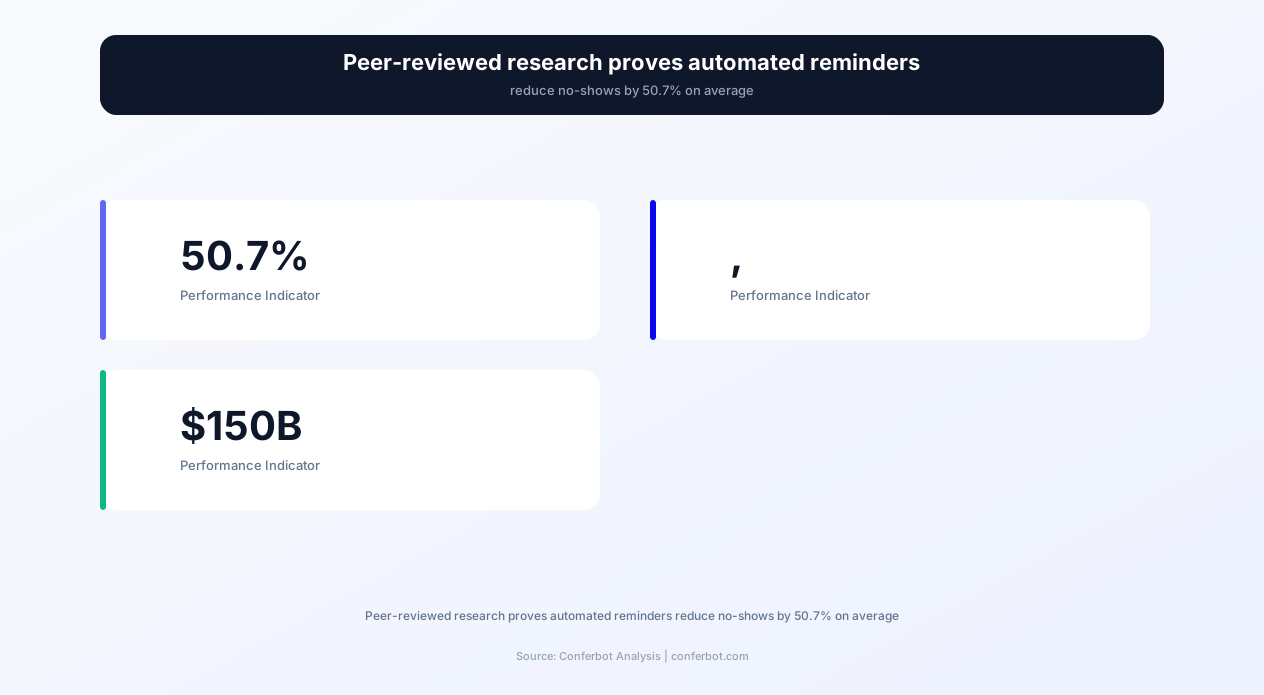
Peer-reviewed research published in medical journals demonstrates that automated reminder systems reduce no-show rates by 50.7% — cutting a 30% no-show rate to approximately 15%, which for a business with 200 monthly appointments means recovering 30 appointments that would otherwise be lost. At an average appointment value of $100-$300, that is $3,000-$9,000 in monthly recovered revenue from a single automation.
The Conferbot no-show reduction chatbot goes far beyond simple SMS reminders. It implements a complete appointment retention strategy: sending reminders at optimized intervals across multiple channels (SMS, email, WhatsApp), making rescheduling as easy as replying "reschedule," automatically backfilling cancellation slots from your waitlist, collecting deposits that create financial commitment, tracking cancellation reasons to identify patterns, and using predictive scoring to identify high-risk appointments that need extra intervention. Built on Conferbot's AI chatbot builder, it integrates with your existing booking system and deploys without disrupting your current workflow.
Whether you run a salon with 40% no-show rates, a medical practice losing $200 per empty slot, an auto shop with bays sitting idle, or a restaurant hemorrhaging revenue from reserved-but-empty tables, this chatbot template transforms your no-show problem from an accepted cost of business into a solved problem with measurable ROI within the first month of deployment.
The True Cost of No-Shows: Why This Is a $150B Problem
Most businesses underestimate the cost of no-shows because they calculate only the direct revenue loss — the price of the missed appointment. The true cost includes cascading operational impacts that multiply the financial damage far beyond the appointment fee itself. Understanding the full cost framework makes the ROI case for a no-show reduction chatbot undeniable.
Direct Revenue Loss
The immediate calculation: if your average appointment generates $150 in revenue and you experience 8 no-shows per week, that is $1,200 in weekly lost revenue — $62,400 annually. For a salon with $80 average tickets and 15 weekly no-shows, that is $62,400. For a dental practice with $250 average appointments and 10 weekly no-shows, that is $130,000. These are not theoretical projections; they are revenue that was booked, expected, and lost because the client simply did not appear.
Idle Resource Costs
When an appointment no-shows, the allocated resources — staff time, room/equipment reservation, prepared materials — are wasted regardless of whether revenue is collected. A stylist being paid $25/hour who sits idle for a no-show appointment generates $0 revenue while costing $25+ in wages. A dental hygienist with $45/hour cost and a $250 appointment that no-shows represents $45 in wasted labor plus $250 in lost revenue — $295 total cost per incident. A mechanic bay allocated for a no-show service appointment is a $150-$500 opportunity cost that cannot be recovered.
Cascading Schedule Disruption
No-shows do not just eliminate one appointment — they disrupt the schedule structure that maximizes daily throughput. A 10 AM no-show in a salon creates a gap that is usually too short-notice to fill with a new client but too long to productively use. Staff momentum is broken, the day's rhythm is disrupted, and the overall daily productivity drops by more than just the single lost appointment. Businesses with back-to-back scheduling (medical, dental, beauty) are most affected because gaps cannot be compressed.
Opportunity Cost: The Client Who Could Not Book
Perhaps the most invisible cost: every no-show appointment is a slot that was unavailable to another client who actually wanted it. If your books are full (or nearly full) and you turn away requests — then a booked client no-shows — you have lost revenue twice: once from the no-show and once from the turned-away client who would have actually appeared. During peak demand periods, this double-loss effect makes no-shows catastrophically expensive.
| Industry | Average No-Show Rate | Average Appointment Value | Monthly Cost (200 appointments) | Annual Revenue Loss |
|---|---|---|---|---|
| Hair salons / barbershops | 30–40% | $75–$120 | $4,500–$9,600 | $54,000–$115,200 |
| Medical / dental practices | 20–30% | $150–$350 | $6,000–$21,000 | $72,000–$252,000 |
| Auto repair / service | 20–30% | $200–$500 | $8,000–$30,000 | $96,000–$360,000 |
| Restaurants (reservations) | 15–25% | $50–$150/table | $1,500–$7,500 | $18,000–$90,000 |
| Fitness / personal training | 25–35% | $40–$100 | $2,000–$7,000 | $24,000–$84,000 |
| Professional services (consulting) | 10–20% | $200–$500 | $4,000–$20,000 | $48,000–$240,000 |
When you account for direct revenue loss, idle resource costs, schedule disruption, and opportunity costs, the true cost of no-shows is typically 1.5-2.5x the appointment value. A $100 no-show appointment actually costs $150-$250 in total business impact. This multiplier makes the ROI calculation for a no-show reduction system overwhelmingly positive even at modest improvement levels.
Multi-Channel Reminder System: SMS, Email, WhatsApp, and Push Notifications
The foundation of no-show reduction is ensuring clients remember their appointment — which sounds obvious but is the primary cause of most no-shows. Life gets busy, appointments booked weeks ago fade from memory, and without active reminders, a significant percentage of clients simply forget. The no-show reduction chatbot implements a scientifically optimized multi-channel reminder sequence that reaches clients where they actually pay attention, at the times when reminders are most effective.
Optimal Reminder Timing: The Research-Backed Sequence
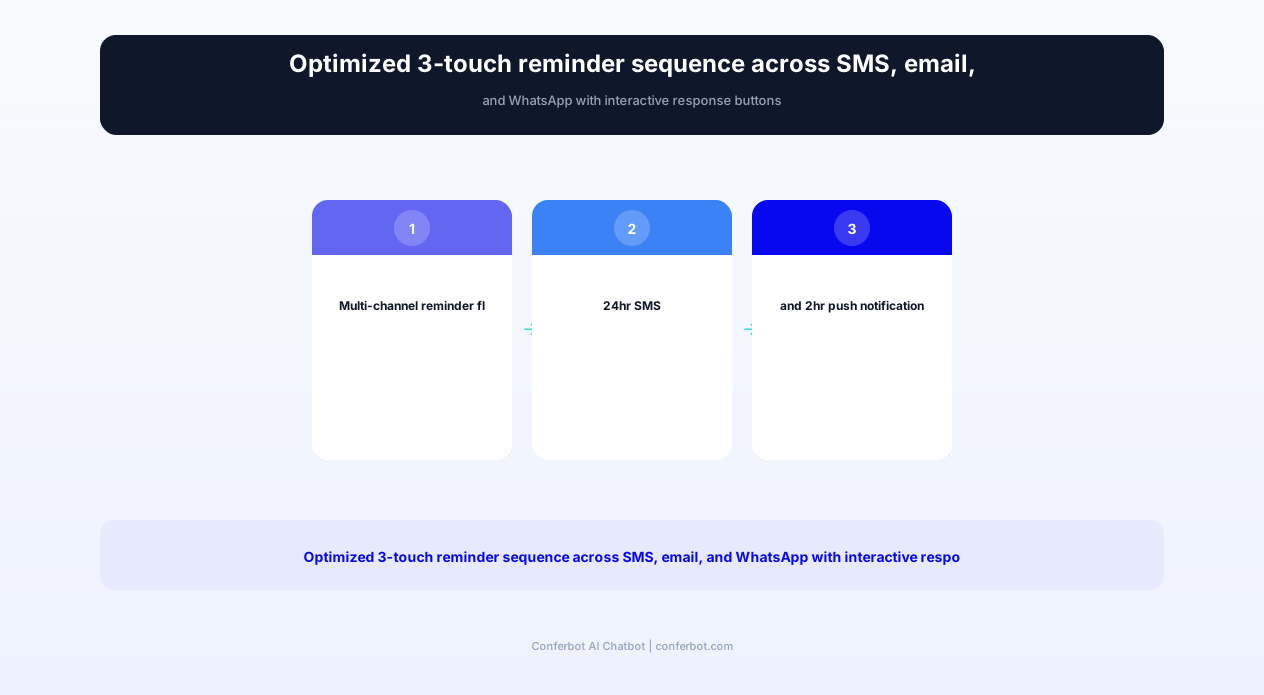
Research on appointment attendance identifies three critical reminder windows that maximize show-up rates:
- 48-72 hours before: The "planning window" — enough advance notice for clients to arrange their schedule, find childcare, request time off, or plan transportation. This reminder prevents the "I completely forgot I had that" no-shows.
- 24 hours before: The "confirmation window" — triggers active decision-making about attendance. Clients who are going to cancel typically do so at this stage, giving you time to backfill from your waitlist.
- 2-4 hours before: The "departure trigger" — the final nudge that prompts the client to stop what they are doing and begin traveling to the appointment. Reduces the "I meant to go but time got away from me" no-shows.
Channel Selection: Meeting Clients Where They Are
Different clients respond to different channels. A single-channel approach (SMS only or email only) inevitably misses the segment that does not check that channel regularly. The multi-channel approach ensures at least one reminder reaches the client through their preferred medium:
- SMS: 98% open rate, typically read within 3 minutes. Best for the 24-hour and same-day reminders where immediacy matters.
- Email: Best for the 48-72 hour reminder where additional information (directions, preparation instructions, what to bring) adds value beyond the reminder itself.
- WhatsApp: 95%+ open rate in markets where WhatsApp dominates. Supports rich formatting, interactive buttons for confirm/reschedule, and two-way conversation.
- Push notification: Ideal for the same-day reminder, appearing directly on the client's lock screen without requiring them to open any app.
Interactive Reminders: Confirm, Reschedule, or Cancel
Static reminders ("You have an appointment tomorrow at 2 PM") are significantly less effective than interactive reminders that require a response. The chatbot's reminders include three clear action buttons:
- Confirm: Client taps to confirm attendance → appointment marked confirmed in your system, no further reminders needed
- Reschedule: Client taps to reschedule → chatbot presents available alternative times, completes rebooking in 30 seconds
- Cancel: Client taps to cancel → slot immediately released to waitlist, cancellation reason collected
Interactive reminders reduce no-shows by an additional 15-20% beyond static reminders because they force active decision-making. A client who confirms has psychologically committed to attending. A client who reschedules preserves the relationship and revenue. A client who cancels gives you time to backfill — which is infinitely better than a silent no-show discovered only when the appointment time arrives. Configure your complete reminder sequences through Conferbot's API integration with your booking platform.
Ready to try No-Show Reduction Chatbot?
Deploy this template in under 10 minutes. No coding required.
Use This Template Free →Frictionless Rescheduling: Making It Easier to Reschedule Than to No-Show
A critical insight about no-shows: many clients who do not appear actually intended to reschedule but found the process too inconvenient. Calling during business hours, waiting on hold, navigating a phone tree, or sending an email and waiting for a response — these friction points mean that busy clients default to simply not showing up rather than investing the effort to reschedule. The no-show reduction chatbot eliminates this friction entirely by making rescheduling a 30-second, any-time, any-channel interaction.
One-Tap Rescheduling from Reminders
When a client receives a reminder and taps "Reschedule," the chatbot immediately presents the next available time slots in a clean, tappable format. The client selects a new time, receives instant confirmation, and the process is complete — no phone calls, no waiting, no business-hours restriction. This entire interaction takes under 30 seconds and can happen at 11 PM on a Sunday when the client realizes they have a conflict. The original slot is simultaneously released for waitlist backfilling.
Proactive Conflict Detection
The chatbot can integrate with calendar APIs to detect potential scheduling conflicts. If a client books a Tuesday at 2 PM appointment and later adds a conflicting event to their Google Calendar, the chatbot can send a proactive message: "We noticed you may have a scheduling conflict with your appointment Tuesday at 2 PM. Would you like to reschedule to another time?" This predictive intervention catches conflicts before they become no-shows — addressing the problem at its source rather than hoping the client remembers to call and reschedule.
Rescheduling Without Penalty
Businesses that impose rescheduling fees or minimum notice periods for changes inadvertently incentivize no-shows. A client facing a $25 rescheduling fee may decide to simply not show up rather than pay to move the appointment — resulting in 100% revenue loss instead of the preserved revenue that a free reschedule would have maintained. The chatbot's default configuration makes rescheduling completely frictionless and penalty-free, on the principle that a rescheduled appointment is infinitely better than a no-show: you retain the client relationship, preserve future revenue, and free the slot for backfilling.
Rescheduling Analytics
The chatbot tracks rescheduling patterns that reveal operational insights: which days/times have the highest reschedule rates (suggesting these slots are inconvenient for your client base), how far in advance rescheduling typically happens (informing your waitlist notification timing), and which services have the highest reschedule-to-no-show ratio (indicating client commitment levels by service type). These analytics, accessible through Conferbot's analytics dashboard, inform scheduling policy decisions that reduce no-shows structurally rather than just treating symptoms.
Automated Rebooking Suggestions
When a client cancels without immediately rebooking, the chatbot follows up with a personalized rebooking suggestion: "I understand you needed to cancel your Thursday haircut. Would you like me to find you a time next week instead? Here are some openings that match your usual preferences." This gentle follow-up recovers a significant percentage of cancellations that would otherwise become permanent client losses — the client intended to rebook eventually but needed the nudge to actually do it. Connect rescheduling flows to your existing booking platform through calendar integration.
Waitlist Backfilling: Automatically Filling Cancelled Slots
Even the best no-show reduction system cannot prevent all cancellations — life events, emergencies, and genuine schedule conflicts will always generate some last-minute openings. The difference between a business that loses this revenue and one that recovers it is waitlist backfilling: the automated process of immediately offering cancelled slots to waitlisted clients who want earlier availability. The no-show reduction chatbot manages this entire process without staff involvement.
How Automated Waitlist Backfilling Works
When a client cancels or reschedules (releasing a slot), the chatbot instantly identifies waitlisted clients who:
- Requested the same service type
- Are available on the day/time of the opening
- Have not been offered a waitlist opening in the last 24 hours (preventing notification fatigue)
These qualifying clients receive an immediate notification: "Great news! A [service] opening just became available on [date] at [time]. Would you like to book it? Reply YES to confirm or PASS to skip." First responder gets the slot. If declined or no response within a configurable window (typically 30-60 minutes), the next person on the waitlist is notified.
Waitlist Priority and Fairness
The chatbot maintains waitlist priority based on configurable criteria: first-come-first-served (fairest), loyalty tier (rewards frequent clients), or flexibility score (clients who indicated they can come on short notice get priority for last-minute openings). This priority system ensures that your most valuable or most flexible clients get first access to openings while maintaining perceived fairness for all waitlisted clients.
Revenue Recovery Metrics
Businesses with active waitlist backfilling typically recover 40-65% of cancelled appointment revenue. For a salon with 15 weekly cancellations at $90 average value, backfilling 50% of those slots recovers $675/week — $35,100 annually in revenue that would otherwise be lost. The chatbot handles this entirely autonomously: detecting the cancellation, identifying qualified waitlist candidates, sending the notification, confirming the booking, and updating your schedule — all within minutes of the original cancellation, without a single staff action.
Short-Notice Notification Preferences
Not all waitlisted clients can accommodate same-day or next-day openings. The chatbot captures notification preferences at waitlist registration: "How much advance notice do you need for an opening? Same day / 24 hours / 48+ hours." Clients who select "same day" receive first priority for last-minute cancellations; those requiring 48+ hours receive notification only for cancellations with sufficient lead time. This preference matching increases the acceptance rate of waitlist offers from 20-30% (untargeted) to 50-70% (preference-matched).
| Backfill Metric | Without Chatbot Automation | With Chatbot Automation | Improvement |
|---|---|---|---|
| Time from cancellation to backfill offer | 2-4 hours (staff notices gap) | Under 60 seconds | Instant |
| Waitlist clients notified per opening | 1-2 (manual calls) | Sequential until filled | Exhaustive |
| Slot fill rate | 15-25% | 40-65% | +160-260% |
| Staff time per backfill | 10-15 minutes | 0 minutes | Fully automated |
| Revenue recovered monthly (200 appts, 20% cancel rate) | $900-$1,500 | $2,400-$3,900 | +$1,500-$2,400 |
Waitlist backfilling is the second-highest ROI feature of the no-show reduction chatbot (after reminders themselves) because it recovers revenue that is already lost through cancellation — turning a negative event into a neutral or even positive one when a waitlisted client is delighted by early availability.
Deposit Collection: Creating Financial Commitment That Prevents No-Shows
Behavioral economics teaches that people are significantly more likely to follow through on commitments when there is a financial stake involved — even a small one. A $25 deposit on a $100 appointment creates psychological commitment disproportionate to its monetary value: the client has "invested" in the appointment and is motivated to protect that investment by attending. The no-show reduction chatbot integrates deposit collection into the booking flow, making it a natural, frictionless part of scheduling rather than an awkward manual request.
Optimal Deposit Strategies by Industry
Deposit requirements vary by industry norms and appointment value:
- Beauty/Salon: $25-$50 flat deposit or 25-50% of service price. Industry standard for high-value services (color, extensions, bridal). Clients expect it for appointments over $100.
- Tattoo studios: $50-$200 deposit standard. Applied to final balance. Non-refundable for no-shows. Industry-universal and accepted without resistance.
- Restaurants: $25-$50 per person for large party reservations (6+). Protects against the devastating revenue loss of a 10-top no-show.
- Consulting/coaching: Full session prepayment or 50% deposit. Professional service clients expect to pay for blocked time.
- Healthcare: $25-$50 no-show fee charged after missed appointments rather than pre-collected deposits. Medical norms differ from retail.
Chatbot-Integrated Payment Collection
The chatbot collects deposits seamlessly within the booking conversation via Conferbot's payment integration. After confirming the appointment details, the chatbot presents the deposit requirement with clear terms: "To confirm your appointment, a $50 deposit is required. This will be applied to your service total. You can cancel with full refund up to 24 hours before your appointment." The client enters payment information without leaving the chat interface, receives instant confirmation, and the appointment is locked in — both on your calendar and in the client's financial commitment.
No-Show Reduction Impact of Deposits
Businesses that implement deposits consistently report 60-80% reductions in no-show rates for deposited appointments compared to non-deposited ones. A salon that previously experienced 35% no-shows for color appointments sees rates drop to 8-12% when $50 deposits are required. The financial commitment creates a psychological shift: the appointment changes from "something I planned to do" to "something I have already paid for" — and people protect their financial investments.
Refund Policies That Balance Retention and Deterrence
The chatbot communicates your refund policy clearly during deposit collection, eliminating disputes and setting expectations. Common configurations include:
- Full refund if cancelled 24+ hours before: Encourages early cancellation (giving you backfill time) while deterring day-of no-shows
- 50% refund if cancelled 12-24 hours before: Moderate deterrent that acknowledges last-minute life events
- No refund for same-day cancellation or no-show: Maximum deterrent for high-value, hard-to-fill slots
- Full refund always, but deposit required to hold slot: Soft commitment approach that reduces no-shows through psychology without financial penalty
The optimal policy depends on your industry norms, client relationship dynamics, and how easily you can backfill cancelled slots. The chatbot enforces whichever policy you configure, handling refund processing automatically when clients cancel within the full-refund window and communicating forfeiture clearly when they do not.
50,000+ businesses use Conferbot templates to automate conversations
Predictive No-Show Scoring: Identifying At-Risk Appointments Before They Fail
The most sophisticated capability of the no-show reduction chatbot is predictive scoring — using historical patterns and behavioral signals to identify which upcoming appointments are most likely to result in no-shows, enabling proactive intervention before the appointment is missed rather than reactive damage control afterward. This shifts the no-show reduction strategy from prevention (reminders for everyone equally) to precision (intensified intervention for high-risk appointments).
Risk Factors the Scoring Model Tracks
The predictive model evaluates each upcoming appointment against signals correlated with no-show probability:
- Client history: Previous no-show count and frequency. A client with 2+ prior no-shows is 4-6x more likely to no-show again than a client with a perfect attendance record.
- Booking lead time: Appointments booked far in advance (3+ weeks) have higher no-show rates than those booked within the current week — more time means more opportunity for conflicts to arise.
- Day and time patterns: Monday mornings and Friday afternoons typically have higher no-show rates. Early morning slots (before 9 AM) show elevated risk for non-morning-people.
- Reminder response: Clients who do not confirm after the 48-hour reminder are 3x more likely to no-show than those who confirm immediately.
- Booking method: Online self-bookings have slightly higher no-show rates than phone bookings (lower commitment friction at booking time).
- Weather forecast: For certain industries (beauty, dining, fitness), severe weather on the appointment day correlates with elevated no-show rates.
Intervention Strategies by Risk Level
The chatbot assigns each appointment a risk score (Low / Medium / High / Critical) and applies escalating intervention strategies:
| Risk Level | Score Range | Reminder Strategy | Additional Intervention |
|---|---|---|---|
| Low | 0-25 | Standard 3-reminder sequence | None needed |
| Medium | 26-50 | Additional reminder at 4 hours before | Personalized message with preparation details |
| High | 51-75 | 5 reminders including morning-of | Direct confirmation request + easy reschedule offer |
| Critical | 76-100 | Maximum frequency across all channels | Staff alert for personal outreach + waitlist pre-notification |
Overbooking Intelligence
For businesses comfortable with strategic overbooking (common in airlines, increasingly adopted in services), the predictive score informs overbooking decisions. If Tuesday at 2 PM has three appointments and two score as High risk, the chatbot can alert staff to consider booking a fourth client for that slot — knowing statistically that at least one (and likely two) of the high-risk appointments will cancel or no-show. This revenue optimization strategy requires careful calibration but can recover 10-15% additional revenue from historically high-no-show time slots.
Continuous Learning
The predictive model improves over time as it processes more data from your specific business. After 90 days of operation, the model has enough history to identify patterns unique to your client base, service types, and scheduling dynamics — producing increasingly accurate predictions that enable more precise intervention targeting. Review prediction accuracy and model performance through Conferbot's analytics dashboard with clear visualizations of predicted vs. actual no-show rates by risk tier.
Cancellation Reason Tracking: Turning Data Into Structural Improvements
Every cancellation and no-show has a reason — and when you aggregate those reasons over hundreds of instances, patterns emerge that reveal structural problems you can fix at the source. The no-show reduction chatbot systematically collects cancellation reasons, categorizes them, and surfaces trends that inform operational decisions far more valuable than any individual no-show prevention. This transforms cancellation data from an afterthought into a strategic improvement engine.
Reason Categories and Collection Method
When a client cancels via the chatbot (whether proactively or in response to a reminder), the chatbot asks a brief, non-intrusive question: "We understand — things come up! Would you mind sharing why you need to cancel? This helps us improve." Options include:
- Schedule conflict: Work meeting, family obligation, or other commitment arose after booking
- Forgot: Simply forgot about the appointment (reminder system gap)
- Financial: Cannot afford the service at this time
- Health: Feeling unwell or medical issue
- Transportation: Cannot get to the appointment (car trouble, weather, distance)
- No longer needed: The original need resolved or changed
- Found alternative: Went with a different provider
- Dissatisfied with previous experience: Not returning due to past issues
- Other: Free-text explanation
Pattern Analysis and Structural Solutions
After collecting reasons over 2-3 months, patterns reveal actionable insights:
- High "forgot" rate: Your reminder timing or channel needs adjustment — add an additional touchpoint or switch to a channel with higher engagement
- High "schedule conflict" rate: Your booking lead times may be too long, or you need flexible rescheduling options more prominently offered
- High "financial" rate: Consider payment plans, lower-cost service options, or booking confirmation messaging that reinforces value
- High "transportation" rate: Consider offering directions/parking info proactively, or explore mobile/home-visit service options
- High "found alternative" rate: Competitive issue — your booking-to-appointment interval allows too much time for comparison shopping
Segmented No-Show Analysis
The chatbot's analytics break down no-show rates by every measurable dimension: by service type, by provider/stylist/therapist, by day of week, by time of day, by booking channel, by client age/tenure, by lead time, and by whether a deposit was collected. This segmentation often reveals that a business's "30% no-show rate" is actually composed of 10% no-shows for established clients and 55% for first-time clients — a distinction that completely changes the intervention strategy. First-time clients might need deposits; established clients might need only reminders.
Win-Back Sequences for Chronic No-Shows
Clients with repeated no-shows receive tailored re-engagement that addresses likely barriers. Rather than simply blacklisting frequent no-shows (which loses lifetime client value permanently), the chatbot initiates a win-back sequence: acknowledging the pattern without blame, offering flexible alternatives (shorter appointments, different times, mobile service), and making rebooking exceptionally easy. Clients who respond to win-back sequences often become more reliable than average because the underlying barrier has been identified and addressed. Track all cancellation patterns and win-back effectiveness through the analytics dashboard.
Setup Guide: Deploying the No-Show Reduction Chatbot With Your Booking System
The no-show reduction chatbot integrates with your existing booking platform rather than replacing it — layering intelligent reminders, rescheduling flows, waitlist management, and predictive scoring on top of whatever scheduling system you already use. Deployment connects to your calendar, configures reminder sequences, and begins reducing no-shows within 24 hours of activation.
Step 1: Connect Your Booking System (5 minutes)
The chatbot integrates with major booking platforms via Conferbot's API integration: Google Calendar, Calendly, Acuity, Square Appointments, Mindbody, Vagaro, Booksy, Fresha, and custom systems via webhook. Connection requires API key or OAuth authorization — a 2-minute process for most platforms. Once connected, the chatbot has real-time access to your appointment schedule, enabling it to send timely reminders and manage rescheduling against live availability.
Step 2: Configure Reminder Sequences (10 minutes)
Define your reminder schedule: how many reminders, at what intervals, through which channels, and with what messaging. The template provides research-backed defaults (72hr email, 24hr SMS, 2hr push) that you can customize based on your industry, client preferences, and previous no-show patterns. Each reminder message is fully editable — update the tone, add preparation instructions, include directions, or adjust the confirm/reschedule/cancel button labels to match your brand voice.
Step 3: Set Up Waitlist Backfilling (5 minutes)
Configure waitlist parameters: how quickly after cancellation to notify waitlist clients, how long to wait for a response before moving to the next person, maximum number of waitlist clients to notify per opening, and notification channel preferences. Enable or disable waitlist backfilling for specific service types (some high-preparation services cannot be backfilled on short notice).
Step 4: Configure Deposit Collection (optional, 5 minutes)
If using deposits, connect your payment processor (Stripe, Square, PayPal) and configure deposit amounts by service type, refund policy rules, and the messaging that communicates deposit requirements to clients during booking. The chatbot handles the entire payment flow within the conversation interface — no separate payment page or redirect required.
Step 5: Deploy Client-Facing Channels (5 minutes)
Install the chatbot on your website for web-based booking and rescheduling. Connect WhatsApp for reminder delivery and two-way rescheduling conversations. Configure SMS delivery for clients who prefer text messages. Each channel uses the same logic and shares conversation history — a client who receives a reminder via SMS and reschedules via WhatsApp has a seamless experience.
Step 6: Activate Predictive Scoring (automatic after 30 days)
Predictive no-show scoring activates automatically after the chatbot has processed enough appointment data to identify patterns — typically 30 days of operation with 100+ completed appointments. No configuration is needed; the model trains itself on your specific business data and begins producing risk scores that improve over time. Review prediction accuracy and intervention effectiveness through the analytics dashboard to fine-tune escalation thresholds.
Before/After Implementation Results
| Metric | Before Implementation | After 30 Days | After 90 Days |
|---|---|---|---|
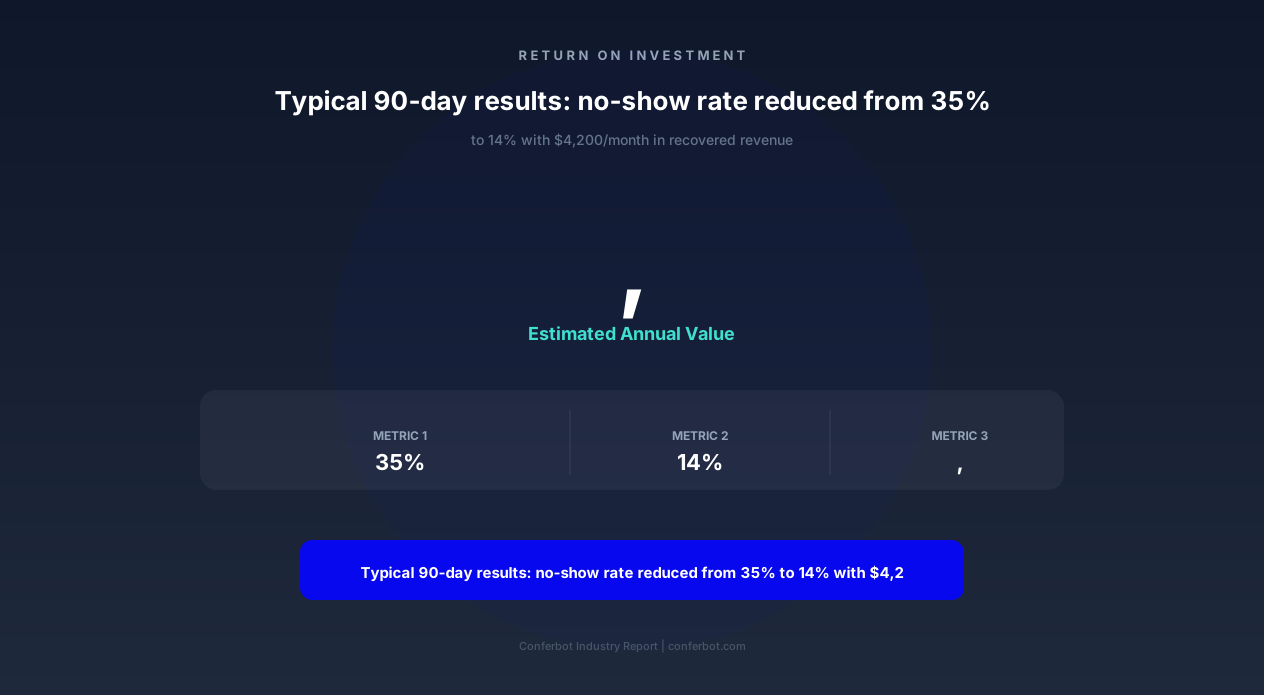
| No-show rate | 28–35% | 15–20% | 10–14% |
| Cancellation with advance notice | 20% of cancellations | 65% of cancellations | 80% of cancellations |
| Waitlist fill rate | 0% (no system) | 35–45% | 50–65% |
| Revenue recovered monthly | $0 | $2,800–$4,500 | $4,000–$7,200 |
| Staff time on reminder calls | 3–5 hours/week | 0 hours | 0 hours |
| Client satisfaction (survey) | Baseline | +12% improvement | +18% improvement |
The improvement curve accelerates over time as the predictive model trains, cancellation reason data reveals structural fixes, and your team optimizes processes around the chatbot's capabilities. Most businesses reach steady-state performance after 90 days with no-show rates 50-65% below their pre-chatbot baseline — matching the peer-reviewed finding of 50.7% average reduction.
No-Show Reduction Chatbot FAQ
Everything you need to know about chatbots for no-show reduction chatbot.
Why Use a Template vs Building from Scratch?
Templates encode years of optimization data into the conversation flow before you start.
| Factor | Conferbot Template | Build from Scratch | Hire a Developer |
|---|---|---|---|
| Time to deploy | 10 minutes | 2-8 hours | 2-6 weeks |
| Cost | Free | Your time | $5,000-$25,000 |
| Day-1 conversion | 15-22% | 5-8% | 10-15% |
| Proven flows | Yes, data-tested | No | Depends |
| Updates included | Automatic | Manual | Paid |
| Multi-channel | 8+ channels | 1 channel | Extra cost |
| Analytics | Built-in | Must build | Extra cost |
Ready to Deploy No-Show Reduction Chatbot?
Join 50,000+ businesses. Free forever plan available. No credit card required.