
Photography Session Booking Chatbot
Free Booking And Scheduling Chatbot Template
Creative photography session booking with style matching



What Is a Photography Session Booking Chatbot?
A photography session booking chatbot is an AI-powered conversational assistant that handles the complete client booking journey for photographers: session type selection, package comparison, availability checking, deposit collection, style preference gathering, location coordination, and shot list building -- converting website visitors and social media inquiries into booked, deposit-paying clients without the photographer needing to spend hours on email back-and-forth. In 2026, with the US photography industry valued at over $12 billion and the average wedding photographer charging $2,500-$5,000 per event, automating the administrative side of client booking is not a luxury -- it is the difference between shooting full-time and spending half your week answering the same five questions about pricing and availability.
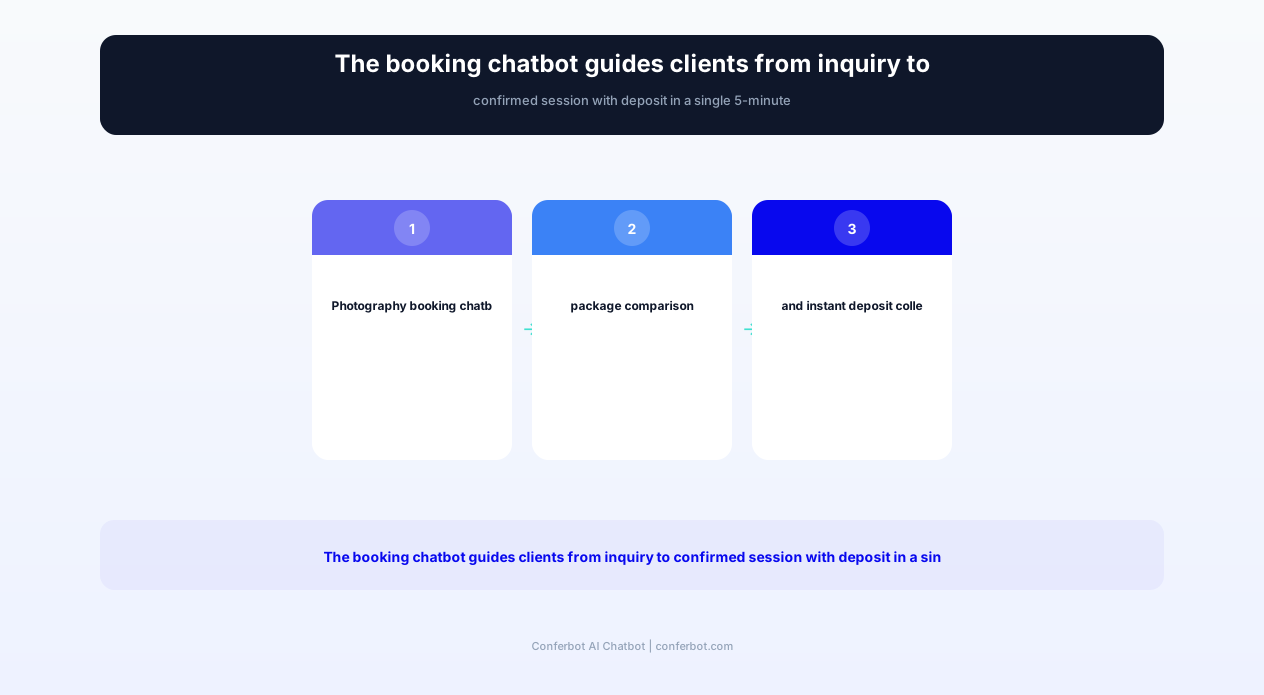
Photographers face a unique booking challenge: their service is highly personalized, emotionally significant to clients (especially for weddings and family portraits), and requires substantial pre-event coordination. A wedding inquiry is not a simple appointment booking -- it involves date checking, package selection, travel considerations, timeline planning, vendor coordination, and stylistic alignment. Each inquiry typically requires 5-15 email exchanges before a booking is confirmed. The chatbot compresses this into a single 5-minute conversation that captures all necessary information, presents relevant packages, and secures the booking with a deposit.
The business impact of booking automation is substantial. Photography businesses report that online booking reduces administrative time by 60%, no-show rates drop significantly with deposit requirements, and immediate engagement converts 3-4x more inquiries into booked sessions compared to the industry-standard "fill out a contact form and I'll get back to you within 48 hours" approach. When a potential client is comparing three photographers for their wedding, the one who responds instantly with availability, pricing, and a seamless booking experience wins the job more often than the photographer with the superior portfolio who takes two days to respond.
Built on Conferbot's no-code chatbot builder, the photography booking chatbot deploys on your website, WhatsApp, Instagram DM, and Facebook Messenger -- all channels where photography clients actively search and inquire. It integrates with your calendar, payment processor, and CRM through API integration, creating a seamless flow from inquiry to booked session. This guide covers the complete system: session type handling, package presentation, availability management, deposit collection, client preference gathering, and the booking data from photographers using chatbot automation.
How the Photography Booking Chatbot Works: From Inquiry to Booked Session
The photography booking chatbot follows a conversation architecture designed around the natural decision-making process of a photography client: What type of session do I need? What packages are available and what do they include? Is the photographer available on my preferred date? How much is the deposit? What should I expect? Each stage provides value while progressively moving the client toward a confirmed booking.
Stage 1: Session Type Selection
The conversation opens by identifying what the client needs: wedding photography, engagement session, family portraits, individual/headshot portraits, newborn session, maternity session, event photography (corporate, parties, conferences), commercial/product photography, or boudoir. This classification determines the subsequent flow: weddings involve date-specific availability and complex packages, while headshot sessions may offer same-week scheduling with simpler pricing. Each session type has its own conversation path optimized for its specific booking requirements and client concerns.
Stage 2: Package Presentation and Comparison
Based on the selected session type, the chatbot presents available packages with clear comparisons: what is included (hours of coverage, number of edited images, albums, prints), what each package costs, and the key differences between tiers. For wedding photography, this might be: Essential ($2,500 -- 6 hours, 300 edited images, online gallery), Premium ($4,000 -- 8 hours, 500 images, engagement session included, album), and Luxury ($6,000 -- 10 hours, unlimited images, two photographers, album, canvas prints). The chatbot explains the differences conversationally rather than presenting a static price list, helping clients understand the value of each tier and making the decision process easier.
Stage 3: Availability Check and Date Selection
The client provides their preferred date (or date range) and the chatbot checks real-time availability through calendar integration. For weddings and events on specific dates, it confirms immediately whether the date is open, tentatively held, or already booked. If the preferred date is unavailable, the chatbot suggests nearby available dates. For non-date-specific sessions (portraits, headshots), it presents available slots in the coming weeks. This instant availability check eliminates the days of email back-and-forth that typically occurs when clients inquire about dates and wait for manual responses.
Stage 4: Style Preference Quiz
Understanding the client's aesthetic preferences before the session ensures alignment and reduces the need for extensive pre-session consultations. The chatbot presents a style quiz: Do you prefer light and airy or dark and moody? Candid/documentary or posed and editorial? Indoor or outdoor? Natural or dramatic lighting? Do you have Pinterest boards or reference photos you love? The responses are saved to the client's booking record, giving the photographer a clear understanding of expectations before the first meeting. This pre-session style alignment reduces re-editing requests by 30-50% and increases client satisfaction scores.
Stage 5: Location Coordination
For on-location sessions, the chatbot handles location logistics: Does the client have a specific venue or location in mind? Would they like suggestions from the photographer's favorite spots? Are there travel requirements (distance from the photographer's base, travel fees for destinations beyond a certain radius)? For studio sessions, it confirms the studio address and provides preparation instructions. Location preferences, parking information, and access details are all documented in the booking record so the photographer arrives prepared.
Stage 6: Deposit Collection and Booking Confirmation
With the session type, package, date, and preferences confirmed, the chatbot collects the booking deposit. It presents the deposit amount (typically 25-50% of the package price or a flat retainer fee), provides a secure payment link, and processes the payment through integrated payment providers (Stripe, Square, PayPal). Upon successful deposit, the client receives an immediate booking confirmation with: session date and time, location details, package summary, remaining balance and due date, preparation tips for their session type, and the photographer's contact information for any additional questions.
Key Features: Package Selection, Availability, Deposits, and Shot Lists
The photography booking chatbot combines client engagement, booking management, payment processing, and pre-session preparation into a single conversational experience. Each feature addresses specific pain points in the photography business workflow: the repetitive pricing inquiries, the availability back-and-forth, the deposit collection friction, and the pre-session preparation that determines whether a session exceeds expectations or requires re-shoots.
Interactive Package Comparison
Rather than directing clients to a static pricing page where they must compare packages on their own, the chatbot presents packages conversationally based on the client's stated needs and budget. It highlights the differences between tiers in terms that matter to the client: "The Premium package includes an engagement session -- would you like a pre-wedding shoot to get comfortable in front of the camera?" This contextual presentation increases package upgrade rates by 20-35% compared to static price lists because clients understand the value of premium features in relation to their specific situation.
| Feature | Description | Operational Benefit | Customer Benefit |
|---|---|---|---|
| Interactive package comparison | Conversational presentation of packages tailored to client needs and budget | 20-35% increase in premium package selection; higher average booking value | Understand package differences in context of their specific needs |
| Real-time availability checking | Instant date availability from synced calendar with alternative suggestions | Eliminate days of email back-and-forth for date confirmation | Know immediately if their date is available without waiting |
| Automated deposit collection | Secure payment link within conversation with instant booking confirmation | 75% fewer no-shows; cash flow secured before session | Secure their date immediately without delays |
| Style preference quiz | Visual style assessment capturing aesthetic preferences and reference images | 30-50% fewer revision requests; better session preparation | Confidence that the photographer understands their vision |
| Shot list builder | Collaborative must-have shot checklist built from templates and client input | No forgotten shots; fewer "can we reshoot" requests | Guarantee that important moments are captured |
| Location coordination | Venue/location collection with travel fee calculation and logistics documentation | Arrive prepared with parking, access, and timing details | Clear logistics without multiple coordination emails |
| Add-on service upselling | Contextual suggestions for albums, prints, extra hours, and second photographer | 15-25% increase in average booking value through relevant add-ons | Discover options they didn't know were available |
| Pre-session preparation guides | Automated delivery of what-to-wear, timeline, and preparation tips | Better-prepared clients produce better images with less direction needed | Feel confident and prepared walking into the session |
Shot List Builder
For weddings and events, the shot list is critical. The chatbot builds a collaborative shot list starting from a category template (family formals, bridal party, reception moments, detail shots) and adding client-specific requests. It asks: "Are there specific family groupings you want photographed?" "Any special items or details you want captured (rings, shoes, invitation, venue details)?" "Are there cultural traditions or ceremonies we should prepare for?" The resulting shot list is saved to the booking record and shared with the photographer before the event, ensuring nothing important is missed on the day.
Automated Deposit and Payment Processing
The deposit collection system eliminates the friction that kills bookings. When a client decides on a package and date, the chatbot generates a secure payment link on the spot. No separate invoicing step, no "I'll send you a payment link later," no multi-day gap between decision and commitment. The deposit is processed immediately, the date is locked in the calendar, and the booking is confirmed -- all within the same conversation. This immediacy reduces the "I'll think about it and get back to you" dropout rate by 60-70% because the client converts their enthusiasm into commitment while it is fresh.
Pre-Session Preparation Automation
After booking, the chatbot delivers preparation content based on the session type and timeline: what to wear guides (sent 2 weeks before), timeline logistics (sent 1 week before), preparation day tips (sent 24 hours before), and reminder messages (sent 2 hours before). For weddings, this includes vendor coordination information, ceremony timeline confirmation, and family photo list finalization. This automated preparation sequence ensures clients arrive at their session well-prepared, confident, and ready to be photographed -- producing better images and higher client satisfaction without the photographer manually sending each preparation email.
Add-On Service Recommendation
Based on the client's selected package and session type, the chatbot suggests relevant add-ons: extra hours of coverage, second photographer for large events, engagement session (if not included), album upgrade, canvas prints, digital negatives, rush editing, and additional locations. These suggestions are presented naturally: "Many couples add a second photographer for their ceremony to capture multiple angles simultaneously. Would you like to add this for $500?" This contextual upselling increases average booking value by 15-25% without feeling aggressive, simply by making clients aware of options they may not have considered.
Ready to try Photography Session Booking Chatbot?
Deploy this template in under 10 minutes. No coding required.
Use This Template Free →Benefits for Photography Businesses
Photography is a unique business: highly creative work supported by significant administrative overhead. For every hour behind the camera, photographers spend 2-3 hours on emails, scheduling, client coordination, editing, and business management. The booking chatbot eliminates the largest administrative time drain -- the inquiry-to-booking conversion process -- while simultaneously improving conversion rates, reducing no-shows, and increasing average booking values.
Eliminate 60% of Administrative Booking Time
The average photographer spends 10-15 hours per week on administrative tasks, with booking-related communication being the largest category. Each inquiry typically requires 5-15 email exchanges to move from initial question to confirmed booking: pricing questions, availability checks, package explanations, date confirmations, deposit logistics, and preparation details. The chatbot handles this entire sequence in a single 5-minute conversation. Photographers report reclaiming 8-12 hours per week after deploying the chatbot -- time redirected to shooting, editing, marketing, or simply having a personal life outside their business.
3-4x Higher Inquiry-to-Booking Conversion
The photography industry's average inquiry-to-booking conversion rate is 20-30%. The primary conversion killer is response time: potential clients often contact multiple photographers simultaneously and book with whoever responds first with relevant information. The chatbot provides instant responses with pricing, availability, and booking capability at any hour. Photographers using chatbot booking report conversion rates of 50-65%, capturing clients during their decision-making moment rather than losing them to a 48-hour email response delay. For a photographer receiving 20 inquiries per month, this improvement means 4-7 additional bookings -- $10,000-$35,000 in additional monthly revenue.
Reduce No-Shows with Deposit Requirements
Portrait and mini-session no-shows are a persistent problem, with rates of 15-25% for non-deposit bookings. Each no-show costs the photographer their time, the opportunity cost of the blocked slot, and the emotional frustration of preparation wasted. The chatbot's integrated deposit collection -- required at the moment of booking, not as a separate follow-up step -- reduces no-shows to 3-5%. The deposit creates commitment: a client who has paid $200 upfront is far less likely to ghost than one who simply said "see you Saturday" via text message.
Increase Average Booking Value Through Upselling
The chatbot's contextual add-on suggestions increase average booking values by 15-25% without aggressive sales tactics. A wedding client who selected the Essential package is gently informed: "Many couples find that adding an engagement session helps them feel more relaxed and natural on their wedding day -- would you like to add this for $400?" A portrait client is offered print packages during booking rather than after the session (when print sales typically drop). This conversational upselling captures revenue that photographers typically leave on the table because they feel uncomfortable selling during email exchanges.
Professional Client Experience from First Contact
The chatbot creates a polished, professional booking experience that reflects the quality of your photography. Clients receive immediate engagement, clear pricing, seamless scheduling, and helpful preparation guidance -- a client experience that demonstrates the same attention to detail they will receive during their session. This professional first impression sets expectations, builds trust, and differentiates your business from competitors whose booking process involves slow email responses and manual invoicing. In a market where clients choose based on both portfolio quality and overall professionalism, the booking experience matters.
Work Across Time Zones and During Shoots
Photographers cannot answer inquiries while they are actively shooting -- which is precisely when they are demonstrating the work that generates inquiries. A photographer shooting a Saturday wedding cannot respond to Sunday inquiry emails until Monday, by which time the potential client has already booked someone else. The chatbot handles all inquiries during shoots, after hours, and across time zones with zero delay. Destination and travel photographers whose clients are often in different time zones benefit particularly: a client in New York can book a destination photographer in Bali at 11 PM Eastern without waiting for business hours on the other side of the world.
Booking Revenue and Conversion Data
The financial impact of a photography booking chatbot is measurable through higher conversion rates (more bookings from the same inquiries), increased average booking values (through package upgrades and add-ons), reduced no-shows (through deposit requirements), and time savings (administrative hours returned to revenue-generating activities). The data from photographers using chatbot booking demonstrates consistent improvements that typically deliver positive ROI within the first week.
Before vs. After: Photography Business Metrics
| Metric | Without Chatbot | With Photography Chatbot | Impact |
|---|---|---|---|
| Inquiry to booking conversion | 20-30% | 50-65% | 2-3x improvement |
| Average response time to inquiry | 6-48 hours | Under 10 seconds | Instant engagement |
| Session no-show rate | 15-25% | 3-5% | 75-85% reduction |
| Average booking value | $1,800-$3,000 | $2,300-$4,000 | 20-30% increase |
| Hours/week on booking admin | 10-15 hours | 2-4 hours | 70-80% reduction |
| Clients selecting premium packages | 25-35% | 40-55% | +15-20 percentage points |
| Add-on service attachment rate | 10-20% | 35-50% | 2-3x improvement |
| Client satisfaction (preparation quality) | 75-80% | 92-96% | +15-18 percentage points |
Revenue Impact Calculation
Consider a wedding photographer receiving 25 inquiries per month with an average booking value of $3,500. Without a chatbot, 25% convert (6 bookings x $3,500 = $21,000/month). With a chatbot converting 55% at a 25% higher average value ($4,375), the same inquiries produce 14 bookings x $4,375 = $61,250/month. That is a $40,250 monthly revenue increase from the same number of inquiries -- nearly tripling monthly revenue without spending an additional dollar on marketing. Even a portrait photographer at lower price points sees dramatic improvement: 40 inquiries at $500 average going from 30% conversion ($6,000/month) to 60% conversion at $625 average ($15,000/month).
Time Value Recovery
Administrative time recovered by the chatbot has direct revenue value. A photographer charging $300/hour for their shooting time who recovers 10 hours/week from admin can redirect that time to: 2-3 additional portrait sessions ($1,500-$2,250/week in additional shooting revenue), marketing activities that generate future bookings, editing work (reducing outsourcing costs by $500-$1,000/week), or personal time (preventing burnout that leads to business closure). The time recovery alone justifies the chatbot investment multiple times over before counting the conversion and revenue improvements.
No-Show Cost Elimination
Each no-show costs the photographer their time (preparation + blocked schedule), the opportunity cost of the slot (a booking that could have taken that time), and often travel costs. For a portrait photographer with a $500 session value and 20% no-show rate handling 15 sessions/month, no-shows cost $1,500/month in directly lost revenue. Reducing no-shows to 4% saves $1,200/month. For wedding photographers with $3,500+ bookings, even a single prevented no-show per quarter (through deposit requirements) saves more than the annual chatbot subscription cost.
Session Types: Weddings, Portraits, Events, and Commercial
The photography booking chatbot handles distinct conversation flows for each session type, ensuring clients receive relevant questions, appropriate package presentations, and session-specific preparation guidance. Each type has unique booking requirements, timeline considerations, and client concerns that the chatbot addresses with tailored conversational paths.
Wedding Photography
Wedding bookings are the most complex: they involve specific date availability (weekends book 12-18 months ahead), multi-hour packages with various coverage options, coordination with other vendors (venue, planner, DJ, florist), timeline planning (getting ready, ceremony, portraits, reception), and substantial pre-event preparation. The chatbot handles: date availability checking, package comparison (hours, photographers, albums, engagement session inclusion), venue logistics, timeline preferences, and shot list building. It also collects information about the wedding party size, important family dynamics (divorced parents, step-families), and special traditions or cultural elements that affect photography planning.
Portrait Sessions (Family, Individual, Senior)
Portrait sessions are typically shorter and more flexible in scheduling. The chatbot presents: session duration options (30 min mini, 60 min standard, 90 min extended), location choices (studio, outdoor location, client's home), number of outfit changes included, and digital image delivery details. For family portraits, it asks about family size (which affects session duration and posing complexity), ages of children (which affects the best time of day and session approach), and whether pets are included. For senior portraits, it captures outfit quantity, location preferences, and yearbook deadline requirements.
Event Photography (Corporate, Parties, Conferences)
Event photography bookings require: event date and hours, venue address, event type and purpose (conference documentation, corporate headshots, holiday party, product launch), number of attendees, specific deliverable requirements (images for social media, print publications, internal use), and turnaround time expectations. The chatbot also asks about event-specific needs: whether a press wall or step-and-repeat backdrop is needed, whether speaker headshots should be captured separately, and whether real-time social media posting is required (which commands a premium).
Commercial and Product Photography
Commercial photography has different pricing structures (often day rates or per-image rates) and involves usage rights, creative briefs, and production requirements. The chatbot collects: intended use of images (advertising, packaging, website, social media), number of products or setups needed, whether styling or props are required, background preferences, and delivery specifications (resolution, file format, retouching level). It presents commercial rate structures and connects clients with the photographer for creative brief development once the basic parameters are established.
Newborn and Maternity
Newborn sessions have unique timing requirements: ideally scheduled within 5-14 days of birth. The chatbot captures: due date (for tentative booking), preferred session style (lifestyle at home vs. posed in studio), family inclusion preferences, and specific pose or prop requests. It provides preparation guidance specific to newborn sessions: room temperature requirements, feeding schedule considerations, and what to bring to the studio. For maternity sessions, timing is discussed (typically 28-35 weeks), wardrobe guidance is provided, and partner inclusion preferences are captured.
Mini Sessions and Special Events
Seasonal mini sessions (holiday, spring, back-to-school) are high-volume, time-limited bookings that benefit enormously from chatbot automation. The chatbot presents: available dates and time slots (typically 20-30 minute blocks), included deliverables (5-10 edited images), pricing, and location details. For photographers running 20+ mini sessions in a weekend, the chatbot manages the entire booking schedule, collects deposits, sends preparation guides, and coordinates timing -- handling in minutes what would take hours of manual booking management.
businesses worldwide use Conferbot templates to automate conversations
How to Set Up Your Photography Booking Chatbot in 30 Minutes
The Conferbot photography booking chatbot deploys rapidly without technical skills. Photographers -- who are typically creative professionals without coding backgrounds -- have the chatbot live and booking clients within 30 minutes using the visual no-code builder. Here is the complete process.
Step 1: Configure Your Session Types and Packages (10 minutes)
Start with the Photography Session Booking template from Conferbot's AI chatbot builder. Add your session types (wedding, portrait, event, commercial, newborn, etc.) and configure packages for each: name, description, hours included, number of edited images, deliverables (album, prints, online gallery), and pricing. Set up add-on services (extra hours, second photographer, albums, rush editing) with their prices. Define the deposit amount for each session type (flat amount or percentage of total).
Step 2: Connect Your Calendar and Payments (10 minutes)
Sync your calendar through calendar integration (Google Calendar, Apple Calendar, Calendly, or HoneyBook). Set available days and hours for each session type. Connect your payment processor (Stripe or Square recommended) for deposit collection. Configure your booking confirmation message with all relevant details: what happens next, when the client will hear from you, and preparation timeline.
Step 3: Set Up Style Quiz and Preparation Content (5 minutes)
Customize the style preference quiz for your photography specialty. Add or remove style options based on what you offer. Configure preparation guides for each session type: what-to-wear tips for portrait clients, timeline questionnaires for wedding clients, and shot list templates for event clients. These guides are delivered automatically based on session type and timing -- you configure them once and they serve every client consistently.
Step 4: Deploy Across Your Client Channels (5 minutes)
Install the chatbot on your photography website. Connect to Instagram DM (where many photography inquiries originate). Deploy on WhatsApp for clients who prefer messaging. Add to Facebook Messenger for inquiries from your Facebook portfolio page. Each channel uses the same chatbot with unified booking data -- a client who starts on Instagram and completes on your website sees a seamless experience.
Step 5: Test the Complete Booking Flow
Test each session type by booking a mock session as a client. Verify: packages display correctly, availability reflects your actual calendar, deposit payment processes successfully, booking confirmation arrives with correct details, and preparation guides deliver on the right timeline. Check that the shot list builder produces a useful checklist and that style quiz responses are saved to the booking record. Invite a friend or colleague to test from their perspective and provide feedback on the client experience.
Step 6: Optimize Based on Client Interactions (Ongoing)
After the first month, review chatbot analytics: which session types get the most inquiries, where in the conversation clients drop off, which packages are most popular, and what questions clients ask that the chatbot does not address. Add common questions to the chatbot's FAQ capability, refine package descriptions based on what clients seem confused about, and adjust pricing presentation if the conversion data suggests price sensitivity at certain thresholds.
Why Conferbot Is the Best Booking Platform for Photographers
Photography-specific booking platforms like HoneyBook, Dubsado, and Studio Ninja charge $20-$60/month for CRM and booking features. While these tools are excellent for contract management and invoicing, they do not provide conversational engagement that captures leads -- they require the photographer to first get the client to visit a booking page. Conferbot addresses the gap before those tools: engaging the inquiry, qualifying the client, presenting packages, and collecting the deposit in a conversation that occurs wherever the client first reaches out -- your website, Instagram, WhatsApp, or Messenger.
Conversational Engagement Where Clients Actually Inquire
Photography clients inquire through Instagram DMs, website contact forms, Facebook messages, and WhatsApp. Traditional booking platforms require redirecting clients from these channels to a separate booking page -- a friction point where 40-60% of potential clients drop off. Conferbot engages clients in the channel where they initiated contact, completing the entire booking without channel switching. The client never needs to "visit our website to see pricing" or "click this link to check availability" -- everything happens in the conversation they already started.
Instagram DM Integration for Photographers
Instagram is the primary portfolio and discovery platform for photographers. When potential clients see your work and send a DM saying "How much do you charge for wedding photography?" the chatbot responds instantly with package information, availability, and booking capability -- right there in the Instagram conversation. No redirecting to a website, no "I'll send you a link to my pricing" delay. This Instagram-native booking captures the client during their moment of inspiration, when they have just seen your work and are most enthusiastic about booking.
Visual Style Communication
Photography is inherently visual, and client preferences are best communicated visually. The chatbot supports image sharing within the conversation: showing portfolio examples for each session type, presenting style options visually (light vs. dark editing, candid vs. posed), and receiving reference photos from clients. This visual communication capability is unique to Conferbot's chatbot -- traditional booking forms cannot accommodate the visual back-and-forth that photography clients need to feel confident in their booking decision.
Flexible Pricing for Solo and Studio Photographers
From solo portrait photographers to multi-photographer studios, Conferbot's pricing works at every scale. A solo photographer booking 5-10 sessions per month pays a fraction of what they would spend on a traditional CRM/booking platform. A busy studio booking 50+ sessions monthly gets unlimited conversations without per-booking fees. The flat-rate model means your chatbot costs are predictable regardless of how successful your marketing becomes -- success is not penalized with escalating platform fees.
Complements Existing CRM Tools
Conferbot does not replace your existing workflow tools -- it enhances them. The chatbot integrates with HoneyBook, Dubsado, and Studio Ninja, feeding booked clients into your existing contract and invoicing workflow. It also connects with Pic-Time, Pixieset, and ShootProof for gallery delivery automation. Your existing workflow remains intact while the chatbot handles the lead engagement layer that those tools do not address.
Built for Creative Professionals
Conferbot's no-code builder is designed for creative professionals who want beautiful, branded client experiences without coding. Customize the chatbot's appearance to match your photography brand: colors, fonts, avatar, and language style. A fine art wedding photographer's chatbot speaks differently than a sports event photographer's -- and both can be configured without technical skills, reflecting the unique brand voice that photography clients respond to.
Photography Session Booking Chatbot FAQ
Everything you need to know about chatbots for photography session booking chatbot.
Why Use a Template vs Building from Scratch?
Templates give you a proven starting structure instead of a blank canvas.
| Factor | Conferbot Template | Build from Scratch | Hire a Developer |
|---|---|---|---|
| Time to deploy | 10 minutes | 2-8 hours | 2-6 weeks |
| Cost | Free | Your time | Custom dev quote |
| Proven flows | Yes, pre-built | No | Depends |
| Updates included | Automatic | Manual | Paid |
| Multi-channel | 8+ channels | 1 channel | Extra cost |
| Analytics | Built-in | Must build | Extra cost |
Learn More About Chatbots
Go deeper on how booking and scheduling chatbots work and how to pick the right builder.
Ready to Deploy Photography Session Booking Chatbot?
Start with a free-forever plan. No credit card required.