
AI Sales Assistant Chatbot
Free B2B Services Chatbot Template
Intelligent B2B sales qualification and lead capture



What Is an AI Sales Assistant Chatbot?
An AI sales assistant chatbot is a conversational AI system designed to support the entire sales process -- from initial lead capture and qualification through meeting scheduling, objection handling, product demonstrations, pricing delivery, and follow-up sequences. Unlike basic lead capture forms that collect information passively, a sales assistant chatbot actively engages prospects in dialogue, qualifying them in real-time while building rapport and moving them toward a purchase decision.
The sales landscape has shifted dramatically in 2026. 41% of all business chatbots are deployed for sales functions, making it the single most popular business chatbot use case. Companies implementing AI sales assistants report an average 67% increase in sales attributed to chatbot interactions, driven by faster response times, 24/7 availability, consistent qualification methodology, and the ability to handle multiple sales conversations simultaneously.
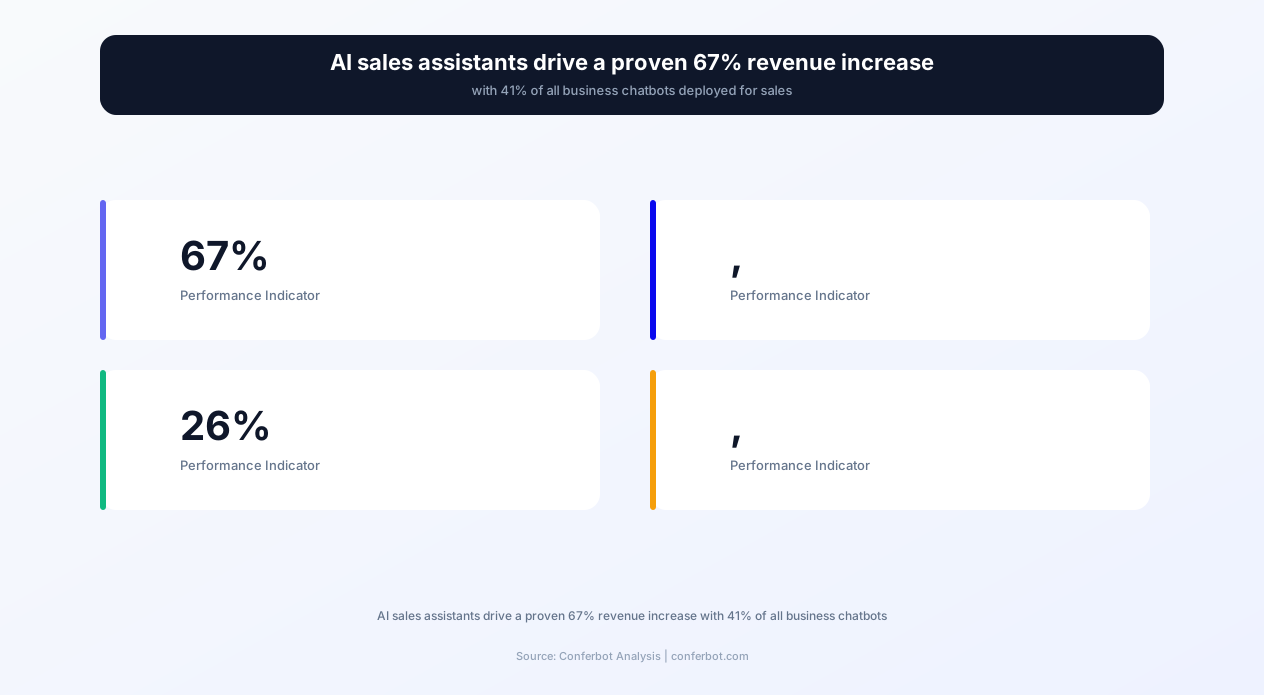
Consider the economics: 26% of all sales interactions now involve a chatbot at some point in the journey. The average B2B sales development representative (SDR) costs $60,000-90,000 annually (salary + benefits + tools) and handles 50-80 conversations per day during business hours. An AI sales assistant handles unlimited simultaneous conversations, operates 24/7 including weekends and holidays, never has a bad day, and maintains perfect consistency in qualification criteria and messaging. The cost? A fraction of a single SDR's compensation.
Conferbot's AI sales assistant template goes far beyond simple question-and-answer flows. It implements proven sales methodologies (BANT, MEDDIC, SPIN) in conversational format, integrates with your CRM through API connections, schedules meetings directly on sales reps' calendars via calendar integration, delivers dynamic pricing quotes based on prospect inputs, handles common objections with configurable response frameworks, and routes qualified leads to the right salesperson based on territory, deal size, or product interest.
This page provides a comprehensive guide to deploying an AI sales assistant: architecture, lead scoring methodology, objection handling frameworks, CRM integration patterns, competitive positioning approaches, and ROI analysis with real performance benchmarks from B2B and high-consideration B2C sales teams.
How an AI Sales Assistant Chatbot Works: The Selling Engine
An effective AI sales assistant operates through a pipeline that mirrors the human sales process but executes it at machine speed and scale. Each stage is designed to move the prospect closer to a qualified meeting or direct purchase decision.
Stage 1: Engagement & Intent Detection
The chatbot identifies visitor intent within the first exchange. High-intent signals (pricing page visits, product comparison page views, demo request page visits) trigger a proactive sales-oriented greeting: "I see you're exploring our Enterprise plan -- would you like me to walk you through how it compares to what you're currently using?" Lower-intent signals (blog visits, homepage browsing) receive a softer approach: "Happy to help if you have any questions about [product/service]." This intent-aware engagement achieves 3-5x higher conversation rates than generic "How can I help you?" openers.
Stage 2: Qualification Framework
Once engaged, the chatbot runs prospects through your configured qualification framework conversationally -- not as a rigid checklist, but as a natural dialogue:
- BANT (Budget, Authority, Need, Timeline): "What's driving your evaluation right now?" (Need) → "Are you the decision-maker or part of a buying team?" (Authority) → "Have you allocated budget for this?" (Budget) → "When are you looking to implement?" (Timeline)
- MEDDIC (Metrics, Economic Buyer, Decision criteria, Decision process, Identify pain, Champion): For enterprise deals requiring deeper qualification before routing to sales engineers.
- Custom frameworks: Configure any qualification methodology that matches your sales process -- industry, company size, use case, current solution, switching triggers.
The AI adapts question order based on conversation flow -- if a prospect volunteers budget information early, the bot doesn't ask again. This conversational intelligence is what separates an AI assistant from a form-as-chat-widget.
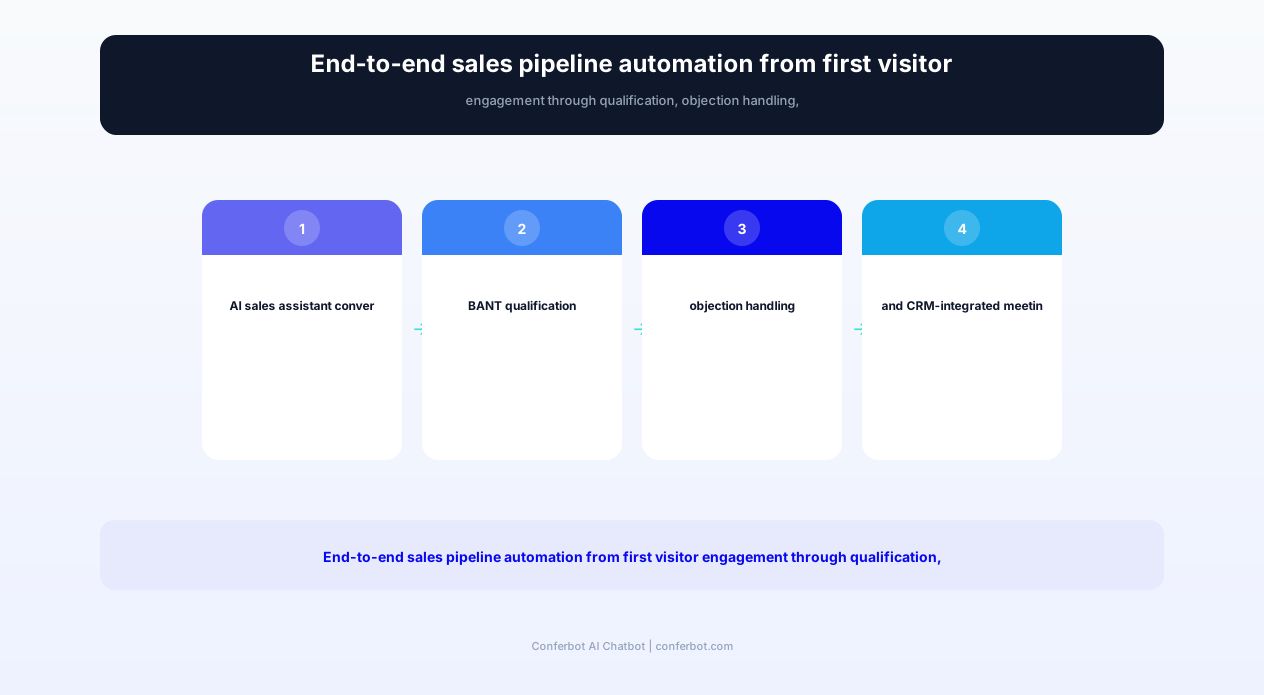
Stage 3: Lead Scoring & Routing
Based on qualification responses, behavioral signals, and firmographic data, the chatbot assigns a lead score in real-time. Scoring criteria are configurable:
- Firmographic score: Company size, industry, revenue (pulled from clearbit/enrichment integrations)
- Behavioral score: Pages visited, time on site, return visits, content downloaded
- Qualification score: BANT/MEDDIC responses, pain level, timeline urgency, budget confirmation
- Engagement score: Response quality, question depth, conversation length
High-scoring leads route to senior sales reps or direct meeting scheduling. Mid-scoring leads enter nurture sequences. Low-scoring leads receive self-serve resources. This tiered routing ensures your sales team spends time only on prospects most likely to close.
Stage 4: Meeting Scheduling
For qualified leads, the chatbot schedules meetings directly -- no email back-and-forth required. It checks real-time availability across assigned sales reps' calendars, presents available slots, books the meeting, sends calendar invites to both parties, and delivers a meeting confirmation with a brief of the qualification data. This instant scheduling captures intent while it's hot -- 78% of deals go to the first vendor that responds meaningfully.
Stage 5: Follow-Up & Nurture
Not every conversation converts immediately. The chatbot maintains ongoing engagement with leads that don't convert in the first session: follow-up messages based on timing triggers, relevant content delivery based on expressed interests, re-engagement when the prospect returns to the website, and milestone-based outreach (quarterly planning period, budget cycle alignment). This automated nurture keeps your pipeline warm without manual SDR effort.
Complete Feature Matrix: AI Sales Assistant Capabilities
This template includes every capability a sales organization needs to automate the top and middle of the funnel while maintaining the consultative, human-feeling engagement that complex sales require.
| Feature | Description | Operational Benefit | Customer Benefit |
|---|---|---|---|
| Intelligent Lead Scoring | Multi-factor scoring combining firmographic, behavioral, qualification, and engagement signals in real-time | Sales team focuses only on high-probability leads, increasing close rate by 30-50% | Qualified prospects reach the right expert faster without unnecessary steps |
| Meeting Scheduling | Calendar-integrated booking with real-time rep availability, timezone detection, and automatic invite delivery | Eliminates 3-5 email round-trips per meeting, books meetings while intent is hot (78% first-responder advantage) | Book a sales meeting in 30 seconds without email back-and-forth or phone tag |
| Objection Handling | Configurable response frameworks for price, competitor, timing, and authority objections with A/B testing | Consistent, tested objection responses increase qualification-to-meeting rate by 25-40% | Immediate, thoughtful answers to concerns rather than waiting for a rep callback |
| Dynamic Pricing Quotes | Configure pricing logic that generates custom quotes based on company size, usage tier, contract length, and feature selection | Delivers pricing instantly (no waiting for manual quote), creates urgency with time-limited offers | Transparent pricing delivered immediately without sales pressure or hidden costs |
| Product Demo Delivery | Interactive product tours, video demos, and feature walkthroughs delivered contextually based on prospect interests | Self-serve demo reduces live demo demand by 30%, pre-educates prospects before sales calls | Explore the product at own pace, on own schedule, focused on relevant features |
| CRM Integration | Bidirectional sync with Salesforce, HubSpot, Pipedrive -- creating contacts, updating deals, logging activities automatically | Zero manual CRM entry, complete conversation history in deal timeline, no data gaps | Sales rep has full context on first call -- no repeating information already shared |
| Follow-Up Sequences | Automated multi-touch follow-up based on lead status, engagement level, and timing triggers across email and chat | No lead falls through the cracks, consistent follow-up without manual tracking | Helpful, timely follow-up with relevant content rather than generic check-ins |
| Competitive Positioning | Intelligent comparison responses when prospects mention competitors, highlighting differentiators without disparaging rivals | Consistent competitive messaging, captures competitive intel from conversations for sales strategy | Honest, helpful comparisons that aid decision-making rather than biased sales claims |
| Multi-Channel Deployment | Unified sales assistant across website, WhatsApp, LinkedIn (via integration), and email with shared conversation context | Capture leads wherever they engage, maintain context across channel switches | Start a conversation on website, continue on WhatsApp -- no information lost |
| Sales Analytics & Attribution | Pipeline attribution, conversation-to-revenue tracking, rep performance comparison, and conversion funnel analytics | Clear ROI measurement, identify top-performing flows and messaging, data-driven optimization | Continuous improvement means better, more relevant sales experiences over time |
Each feature is designed to operate autonomously for straightforward sales interactions while seamlessly escalating complex, high-value conversations to human sales representatives with full context. The goal is not to replace salespeople but to ensure they spend 100% of their time on qualified, high-value conversations rather than repetitive qualification and scheduling tasks.
Ready to try AI Sales Assistant Chatbot?
Deploy this template in under 10 minutes. No coding required.
Use This Template Free →Before vs. After: Sales Team Performance Transformation
The impact of an AI sales assistant is measurable across every key sales performance indicator. These metrics represent aggregated results from B2B SaaS companies, professional services firms, and high-consideration B2C businesses that deployed AI sales assistants.
| Metric | Before (Manual Sales Process) | After (AI Sales Assistant) | Improvement |
|---|---|---|---|
| Lead response time | 42 minutes average (business hours only) | Under 5 seconds (24/7) | 99.8% faster |
| Lead qualification rate | 15-20% of inbound leads qualified | 35-45% of inbound leads qualified | +125% increase |
| Meetings booked per month | 40-60 meetings (per SDR) | 150-300 meetings (chatbot-assisted team) | +275% increase |
| Meeting show rate | 62% of booked meetings attended | 78% of booked meetings attended | +26% increase |
| Cost per qualified lead | $150-300 (SDR time + tools) | $15-40 (chatbot-qualified) | -87% cost reduction |
| Sales cycle length | 45-90 days average | 30-65 days average | -28% reduction |
| After-hours lead capture | Form fill only (5-8% conversion) | Full qualification + booking (18-25% conversion) | +212% increase |
| SDR time on admin tasks | 65% of time (data entry, scheduling, research) | 20% of time (complex escalations only) | -69% reduction |
| Pipeline value generated/month | $250K-500K per SDR | $600K-1.2M per chatbot-augmented SDR | +140% increase |
| Overall revenue impact | Baseline | +67% average increase | 67% revenue growth |
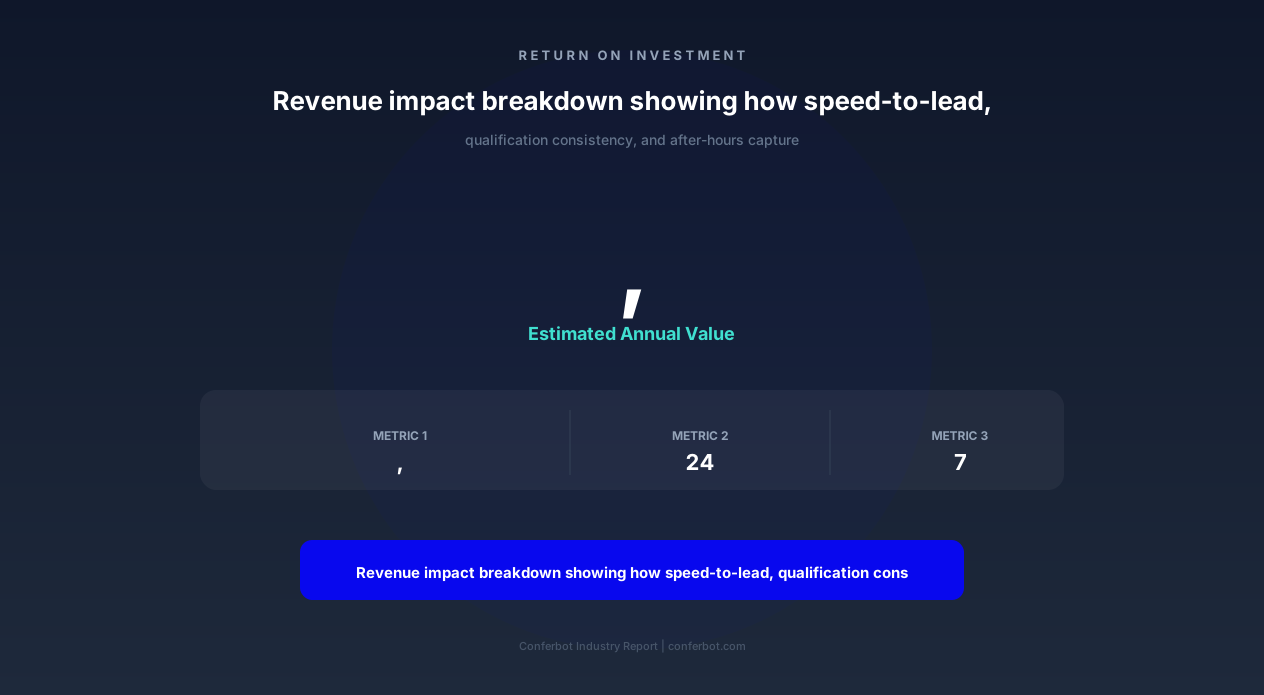
The 67% revenue increase figure comes from the compounding effect of multiple improvements: faster response times capture more leads (speed-to-lead), better qualification improves close rates, automated scheduling eliminates friction, 24/7 availability captures after-hours opportunities, and consistent follow-up prevents pipeline leakage. No single improvement drives 67% alone -- it's the system-level impact of automating the entire top-of-funnel.
The most overlooked metric is after-hours lead capture. Research shows that 35-50% of B2B website traffic occurs outside business hours. Without a sales chatbot, these visitors either fill out a form (5-8% do) or leave without any interaction (92-95%). An AI assistant engaging these visitors at the same quality level as during business hours represents a massive expansion of your effective selling hours without additional headcount.
Objection Handling Framework: AI-Powered Sales Responses
Objection handling is where an AI sales assistant truly differentiates from basic chatbots. The template includes pre-configured response frameworks for the most common sales objections, each designed to acknowledge the concern, reframe the perspective, and advance the conversation toward a resolution.
Price Objections
"Your price is too high" / "We can't afford this"
The bot responds with a value-framing approach rather than discounting: it quantifies the cost of the current problem, presents ROI calculations specific to the prospect's situation (using qualification data already collected), and introduces pricing flexibility options (annual vs. monthly, starter tier, phased implementation). If configured, it can offer a time-limited incentive for immediate commitment. The key principle: never lead with discounting, always lead with value demonstration.
Competitor Objections
"We're already using [Competitor]" / "How do you compare to [Competitor]?"
The chatbot delivers honest, factual comparisons that highlight genuine differentiators without disparaging the competitor. It acknowledges what the competitor does well while focusing on areas where your solution provides unique value. The bot collects competitive intelligence (which competitor, what they like/dislike) and routes this data to your sales team for personalized follow-up. Response framework: "Great choice -- [Competitor] is solid for [their strength]. Where we differ is [unique value prop], which is particularly relevant because you mentioned [their stated pain point]."
Timing Objections
"Not the right time" / "Maybe next quarter" / "We're too busy right now"
Timing objections are often true -- but they're also often soft rejections disguising other concerns. The bot probes gently: "I understand -- what would need to change for this to become a priority?" This question reveals whether it's a genuine timing issue (budget cycles, implementation capacity) or a masked objection. For genuine timing issues, the bot schedules a future follow-up at the prospect's suggested timeline and adds them to a nurture sequence with relevant content.
Authority Objections
"I need to check with my boss" / "I'm not the decision-maker"
Rather than accepting this as a dead end, the bot facilitates the internal selling process: "Completely understand -- would it help if I prepared a brief summary you could share with your team? What are the main things they'd want to know?" It then generates a shareable summary document with the prospect's specific use case, relevant case studies, and pricing -- making it easy for the prospect to champion the solution internally.
Trust & Risk Objections
"We've been burned before" / "How do I know this will work?" / "What if it doesn't deliver?"
The bot responds with social proof relevant to the prospect's industry and size: case studies with specific metrics, customer testimonials, relevant awards or certifications, and risk-reduction mechanisms (free trials, money-back guarantees, pilot programs). For high-value deals, it offers a reference call with a similar customer. The key is matching proof to the specific doubt -- a startup worries about different risks than an enterprise.
Objection A/B Testing
Every objection response can be A/B tested with the analytics system tracking which response variants lead to higher meeting booking rates or deal progression. Over time, the chatbot develops a data-proven objection handling playbook specific to your product, market, and buyer personas -- an asset that continuously improves with every conversation.
CRM Integration: Seamless Pipeline Management
An AI sales assistant without CRM integration is a glorified form. The real power emerges when every chatbot conversation automatically creates, updates, and enriches your CRM records -- eliminating manual data entry while providing sales reps with complete context for every deal.
Supported CRM Platforms
Conferbot integrates natively with the leading sales CRM platforms through API connections:
- Salesforce: Contact/Lead creation, Opportunity management, Activity logging, Custom object support
- HubSpot: Contact creation, Deal pipeline management, Meeting booking, Engagement tracking
- Pipedrive: Person/Organization creation, Deal creation and stage updates, Activity scheduling
- Zoho CRM: Lead/Contact management, Deal tracking, Task creation
- Custom CRM: REST API webhook integration for any system with an API endpoint
What Gets Synced Automatically
Every chatbot conversation generates the following CRM actions without any manual intervention:
- New contact/lead creation: Name, email, phone, company, job title -- all collected conversationally and pushed to CRM.
- Lead scoring: The chatbot's qualification score maps to your CRM's lead scoring fields, enabling consistent prioritization across all lead sources.
- Conversation transcript: Full conversation history attached to the contact record, so sales reps see exactly what was discussed, what questions were asked, and what objections were raised.
- Deal/Opportunity creation: For qualified leads, a deal is created in your pipeline with estimated value (based on company size and stated needs), stage set to "Qualified," and close date estimated from stated timeline.
- Activity logging: Every chatbot interaction logged as an activity on the contact record -- calls, emails, and chatbot conversations appear in a unified timeline.
- Custom field population: Qualification data (budget range, timeline, decision-maker status, current tools, team size) maps to custom CRM fields for segmentation and reporting.
Smart Rep Assignment
The chatbot routes qualified leads to the right sales representative based on configurable rules:
- Territory: Geographic region of the prospect's company
- Deal size: Enterprise vs. mid-market vs. SMB based on company size or stated budget
- Product interest: Specific product line or service type
- Round-robin: Equal distribution across team members for fairness
- Performance-based: Route to reps with highest close rates for similar deal profiles
- Availability: Skip reps who are on PTO or at capacity
When a meeting is booked, the assigned rep receives the calendar invite along with a structured brief: prospect overview, qualification responses, pain points identified, objections raised, competitive mentions, and suggested talking points for the call.
Pipeline Visibility
The analytics dashboard provides a real-time view of chatbot-generated pipeline: conversations today, leads qualified, meetings booked, pipeline value created, and revenue attributed. This visibility enables sales leadership to understand exactly how the AI assistant contributes to pipeline targets and adjust configurations (qualification criteria, routing rules, messaging) based on performance data.
Enrichment & Data Quality
The chatbot enriches CRM data beyond what forms collect. Through natural conversation, it captures information that prospects rarely provide on forms: current solution pain points, budget approval process details, competing vendors under evaluation, internal champion identification, and decision timeline drivers. This rich qualitative data gives sales reps a significant advantage when they pick up the conversation.
businesses worldwide use Conferbot templates to automate conversations
Implementation Guide: Deploy Your AI Sales Assistant
Implementing an AI sales assistant with Conferbot involves configuration across three layers: the conversation engine (what the bot says), the integration layer (where data flows), and the routing layer (who handles what). Most sales teams complete deployment within 1-2 business days.
Step 1: Sales Process Mapping (1-2 Hours)
Before configuring the chatbot, document your current sales process:
- What qualification criteria define a "Sales Qualified Lead" (SQL)?
- What are your top 5 most common prospect questions?
- What objections do your reps handle most frequently?
- What's your current meeting booking process?
- How are leads routed to reps?
- What information do reps need before a first call?
This documentation becomes the foundation for chatbot configuration -- the bot will mirror your proven sales process at scale.
Step 2: Qualification Flow Configuration (2-3 Hours)
Build your qualification conversation flow in the visual builder. Configure:
- Qualification questions: 3-5 questions that determine SQL status (aligned to BANT, MEDDIC, or your custom framework)
- Scoring weights: Assign point values to each response option (e.g., "Decision-maker" = 10 points, "Evaluating" = 5 points, "Just browsing" = 1 point)
- Threshold definition: Score threshold that triggers meeting scheduling (e.g., 25+ points = qualified, book meeting; 15-24 = nurture; below 15 = self-serve)
- Disqualification criteria: Factors that immediately disqualify (wrong industry, too small, location outside service area)
Step 3: Objection Response Configuration (1-2 Hours)
Configure responses for your top 5-10 objections. For each objection:
- Define trigger phrases that indicate the objection (e.g., "too expensive," "over budget," "can't afford" all map to the Price objection)
- Configure the response framework (acknowledge → reframe → evidence → advance)
- Add relevant case studies, ROI calculations, or social proof specific to each objection type
- Define the follow-up action after objection handling (continue qualification, schedule meeting, enter nurture)
Step 4: CRM Integration (1-2 Hours)
Connect your CRM and map data fields:
- Authenticate with your CRM platform (OAuth for Salesforce, HubSpot, Pipedrive)
- Map chatbot data points to CRM fields (company name → Account Name, budget range → Custom Field "Budget Range")
- Configure deal creation rules (when to create a deal, initial stage, estimated value calculation)
- Set up rep assignment rules (territory, deal size, round-robin configuration)
- Test with a sample conversation to verify data flows correctly
Step 5: Calendar & Meeting Integration (30 Minutes)
Connect sales rep calendars through Conferbot's calendar integration:
- Connect Google Calendar or Microsoft 365 for each rep
- Define available meeting hours per rep (respecting working hours and buffer time)
- Configure meeting types (15-min discovery call, 30-min demo, 60-min technical deep-dive)
- Set up automatic meeting confirmation emails with prep materials
Step 6: Channel Deployment & Testing (1-2 Hours)
Deploy the chatbot on your sales-critical pages: pricing page, product pages, comparison pages, and demo request pages via the website widget. Extend to WhatsApp for outbound prospect engagement. Run 20+ test conversations covering: qualification paths (qualified, disqualified, nurture), each objection type, meeting scheduling edge cases (no availability, timezone issues), and CRM data verification.
Step 7: Team Enablement (1 Hour)
Brief your sales team on how to work alongside the AI assistant: how to access chatbot-generated leads in CRM, what data to expect in the meeting brief, how the qualification scoring works, and how to provide feedback (marking leads as good/bad quality to improve scoring over time). The best results come from teams that view the chatbot as a team member -- providing it feedback and working collaboratively rather than treating it as a black box.
Competitive Intelligence: AI-Powered Sales Differentiation
In competitive markets, how your chatbot handles competitor mentions can make or break deals. The AI sales assistant includes a sophisticated competitive positioning module that responds to competitor questions with fact-based, helpful comparisons that advance the sale without resorting to FUD (fear, uncertainty, doubt) tactics.
Competitor Detection & Response
The chatbot recognizes competitor mentions in natural conversation -- whether direct ("How do you compare to [Competitor]?") or indirect ("We're currently using [Competitor] but exploring alternatives"). Upon detection, the bot:
- Acknowledges the competitor positively (builds credibility through objectivity)
- Asks what prompted the evaluation (identifies switching triggers and pain points)
- Highlights 2-3 genuine differentiators relevant to the prospect's stated needs
- Offers specific evidence (case studies from competitive displacements, feature comparisons, benchmark data)
- Logs the competitive intelligence to CRM for sales team follow-up
Configuring Competitive Playbooks
For each primary competitor, configure:
- Their strengths: What the competitor genuinely does well (acknowledging this builds trust)
- Their weaknesses: Factual limitations, not opinions or unsubstantiated claims
- Your differentiators: Capabilities you offer that the competitor doesn't (or does poorly)
- Migration path: How easy/difficult it is to switch from the competitor to your solution
- Displacement case studies: Customers who switched from that specific competitor and why
- Common switching triggers: Why customers typically leave that competitor
Competitive Intelligence Collection
Every competitive mention becomes intelligence: which competitors are mentioned most frequently, what their perceived strengths are (from your prospects' perspectives), what pain points drive evaluation against them, and how your win/loss rates vary by competitive situation. This data -- aggregated across hundreds or thousands of conversations -- provides your sales leadership with market intelligence that would otherwise require expensive competitive analysis subscriptions.
The Consultative Approach
The chatbot positions your company as a trusted advisor rather than a pushy seller. When a prospect mentions they're evaluating multiple vendors, the bot offers genuinely helpful guidance: "Here are the three key questions to ask any vendor in this space" or "Based on what you've described, here's what I'd prioritize in your evaluation criteria." This consultative stance builds trust and positions your solution as the one recommended by the most knowledgeable source -- the AI that helped them structure their evaluation process.
Win/Loss Analysis Integration
The chatbot's competitive data feeds into win/loss analysis: which competitor mentions correlate with closed-won deals versus closed-lost, which differentiator messaging works best against specific competitors, and which prospect profiles are most/least winnable in competitive situations. Over time, this data refines your competitive strategy with statistically significant insights rather than anecdotal rep feedback.
Sales Analytics & Continuous Optimization
The AI sales assistant generates more actionable sales data in one month than most teams collect in a year through traditional CRM reporting. Every conversation is a data point -- what messaging works, where prospects drop off, which objections are hardest to overcome, and what drives successful qualification.
Funnel Analytics
Track conversion at every stage of the chatbot sales funnel:
- Engagement rate: % of visitors who start a conversation (benchmark: 5-15% on sales pages)
- Qualification rate: % of conversations that complete qualification (benchmark: 35-55%)
- Meeting booking rate: % of qualified leads that book a meeting (benchmark: 60-80%)
- Show rate: % of booked meetings that are attended (benchmark: 70-85%)
- Opportunity rate: % of meetings that create pipeline opportunities (benchmark: 40-60%)
Each stage's conversion rate is broken down by traffic source, time of day, day of week, and visitor segment -- revealing optimization opportunities invisible in aggregate data.
Message-Level Performance
Individual chatbot messages are measured for effectiveness: which greetings produce the highest engagement rates, which qualification questions produce the highest completion rates, which objection responses lead to meeting bookings versus conversation endings, and which follow-up sequences produce the highest re-engagement. This granular data enables systematic A/B testing at every conversation touchpoint.
Revenue Attribution
Full revenue attribution from first chatbot interaction to closed deal. The system tracks: pipeline value generated (deals created from chatbot-qualified leads), closed revenue (deals won that originated from chatbot conversations), average deal size (chatbot-sourced vs. other sources), sales cycle length (time from first chatbot interaction to closed-won), and cost-per-acquisition (chatbot cost divided by closed deals). Most organizations discover that chatbot-sourced leads have 20-30% higher close rates than form-sourced leads because the conversational qualification produces better-qualified, better-prepared prospects.
AI Learning & Optimization
The chatbot improves continuously through several feedback mechanisms:
- Sales rep feedback: Reps mark leads as "good quality" or "poor quality" after first meetings, which tunes the scoring model.
- Conversation outcome correlation: The system identifies which conversation patterns (questions asked, responses given, objections encountered) correlate with positive outcomes and optimizes toward those patterns.
- A/B test results: Winning message variants automatically replace underperformers after statistical significance is reached.
- Unrecognized intent detection: Questions the bot couldn't answer are flagged for human review and knowledge base expansion.
Reporting for Sales Leadership
Automated weekly and monthly reports for sales leadership include: total conversations, qualified leads generated, meetings booked, pipeline created, revenue attributed, cost per lead, comparison to targets, top-performing traffic sources, and recommended optimizations. These reports enable data-driven decisions about chatbot investment, configuration changes, and team resource allocation without requiring manual analysis.
AI Sales Assistant Chatbot FAQ
Everything you need to know about chatbots for ai sales assistant chatbot.
Why Use a Template vs Building from Scratch?
Templates give you a proven starting structure instead of a blank canvas.
| Factor | Conferbot Template | Build from Scratch | Hire a Developer |
|---|---|---|---|
| Time to deploy | 10 minutes | 2-8 hours | 2-6 weeks |
| Cost | Free | Your time | Custom dev quote |
| Proven flows | Yes, pre-built | No | Depends |
| Updates included | Automatic | Manual | Paid |
| Multi-channel | 8+ channels | 1 channel | Extra cost |
| Analytics | Built-in | Must build | Extra cost |
Learn More About Chatbots
Go deeper on how b2b services chatbots work and how to pick the right builder.
Ready to Deploy AI Sales Assistant Chatbot?
Start with a free-forever plan. No credit card required.