
SaaS Trial Onboarding Chatbot
Free Technology Chatbot Template
A guided SaaS trial onboarding chatbot that personalizes the trial experience based on user role, goals, and feature interests. New trial users are walked through key features - analytics, integrations, API access, and automation - with setup assistance and upgrade guidance. Perfect for SaaS products looking to improve trial-to-paid conversion, reduce time-to-value, and ensure new users discover the features that matter most to them.



What Is a SaaS Trial Activation Chatbot?
A SaaS trial activation chatbot is a conversational assistant that guides free trial users through a structured onboarding journey - from their first login to their upgrade decision. It proactively surfaces the features that matter most for the user's use case, delivers day-by-day nudges that build momentum, detects when users are stuck or disengaged, and presents upgrade prompts at moments of peak value realization. It is the product tour guide, onboarding specialist, and upgrade advisor that every trial user gets, without requiring a single human touchpoint.
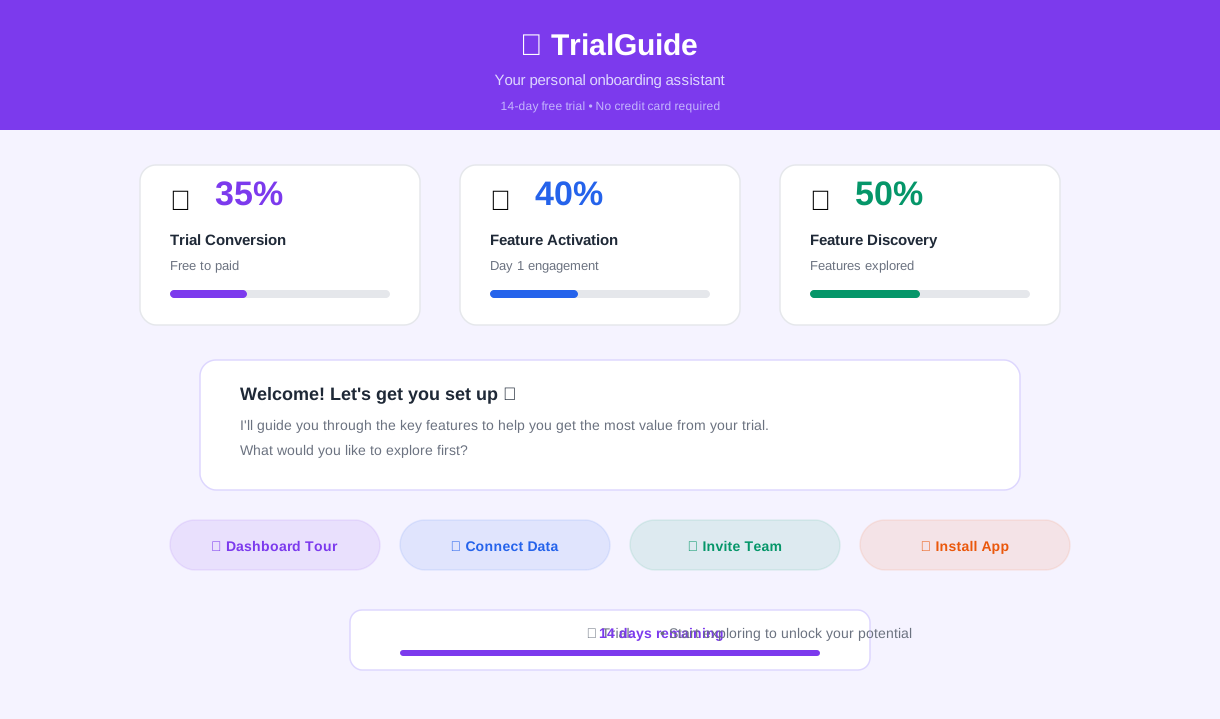
The economics of SaaS trial conversion are stark. The average free trial converts at 15-25% for opt-in trials (no credit card required) and 40-60% for opt-out trials (credit card upfront). That means 40-85% of every trial cohort signs up, pokes around, and leaves without ever experiencing the core value of the product. The primary reason is not product-market fit - these users signed up because they had a need. The reason is activation failure: they did not complete the steps necessary to experience the product's value before the trial expired.
A trial activation chatbot addresses this by ensuring every user completes the critical activation milestones - creating their first project, inviting a team member, connecting an integration, running their first report - through a guided, conversational experience that adapts to the user's pace and use case. Users who complete activation milestones convert at 3-5x the rate of users who do not, so every additional user the chatbot pushes past the activation threshold translates directly to revenue.
Conferbot's SaaS trial chatbot template deploys on your product dashboard or marketing site using a no-code visual builder. It integrates with your product analytics to trigger contextual messages and works alongside your existing onboarding emails and in-app tours. This guide covers everything you need to deploy, optimize, and measure trial activation automation in 2026.
Day-by-Day Trial Orchestration: Structured Momentum Building
The most effective trial onboarding is not a single product tour on day one followed by silence until the trial expiration email. It is a structured sequence of touchpoints that build momentum over the trial period, each one moving the user closer to the activation milestone. A trial activation chatbot delivers this sequence through proactive, contextual messages timed to the user's trial day and engagement level.
The 14-Day Trial Playbook
| Trial Day | Chatbot Action | Goal |
|---|---|---|
| Day 1 | Welcome + use case selection + first-step guidance | First value moment within 10 minutes |
| Day 2 | Check-in on first step + suggest next feature | Build on day 1 momentum |
| Day 3-4 | Feature spotlight based on use case | Expand product surface area |
| Day 5-6 | Team collaboration prompt (invite colleagues) | Create organizational buy-in |
| Day 7 | Mid-trial value summary + integration suggestion | Demonstrate cumulative value |
| Day 8-10 | Advanced feature discovery | Reveal depth beyond basics |
| Day 11-12 | Value quantification + ROI snapshot | Build the business case for purchase |
| Day 13 | Trial ending reminder + upgrade options | Create urgency with value framing |
| Day 14 | Final conversion prompt + offer | Close the upgrade |
Adaptive Timing
Not every user progresses at the same pace. Power users may complete all activation milestones by day 3 and be ready for an upgrade conversation on day 5. Casual explorers may not complete their first project until day 7. The chatbot adapts its sequence based on the user's actual engagement - accelerating for fast movers and providing additional guidance for slower ones. A user who has not logged in since day 2 gets a re-engagement message on day 4 with a direct link to their unfinished setup, not the same day-4 message that an active user receives.
Use Case Personalization
On day 1, the chatbot asks: "What is the primary goal you want to achieve with [product]?" The user selects from 3-5 predefined use cases - for example, a project management tool might offer "manage a team project," "track personal tasks," "run client work," or "coordinate a product launch." This selection personalizes the entire trial journey: which features are highlighted first, which integrations are suggested, which templates are recommended, and which value metrics are emphasized. A project manager coordinating a product launch gets a different day-5 message than a freelancer tracking personal tasks - because different use cases have different activation milestones and different value propositions.
Feature Discovery: Surfacing the Right Feature at the Right Moment
Most SaaS products have dozens of features, but trial users typically interact with only 3-5 of them before making their upgrade decision. The features they try - and the order in which they try them - heavily influence whether they convert. A trial activation chatbot ensures that every user discovers the features most relevant to their use case, in the order most likely to create an "aha moment" that locks in the value perception.
Progressive Feature Introduction
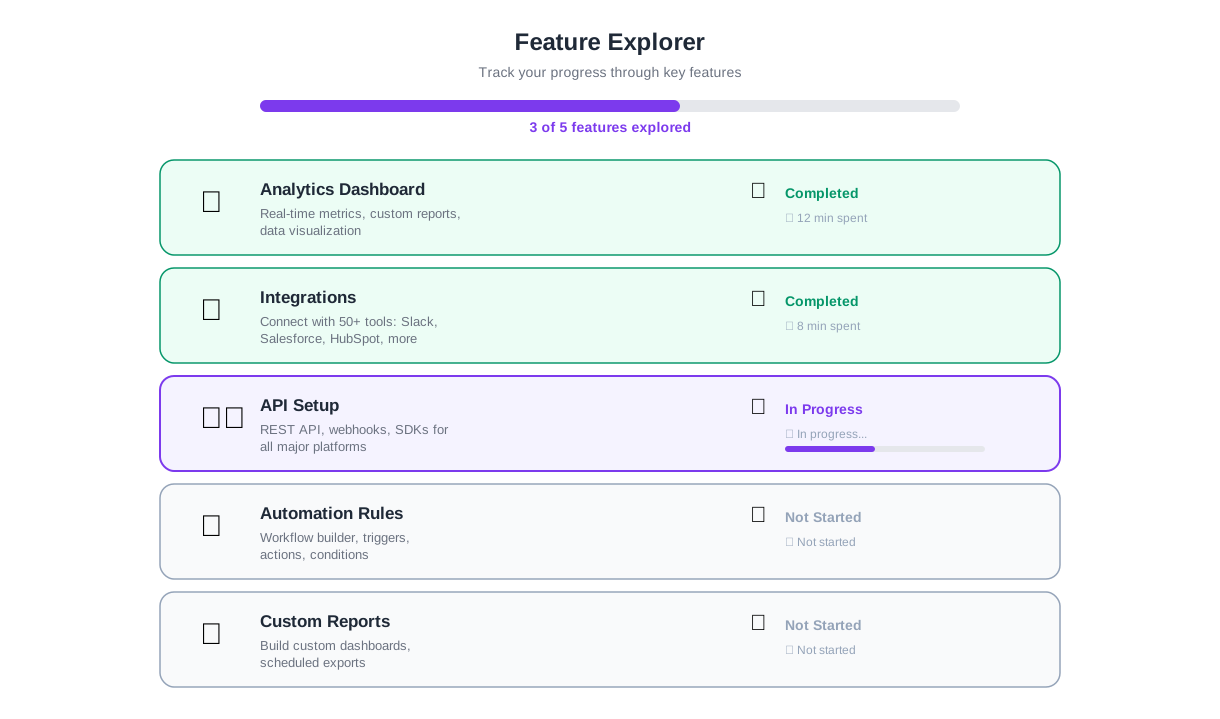
Instead of overwhelming users with a feature list, the chatbot introduces one feature at a time, explains why it matters for the user's use case, and provides a one-click path to try it. Each feature introduction follows a simple structure:
Context: "Now that you have [completed previous milestone], here is something that will make it even more powerful."
Benefit: A one-sentence explanation of what the feature does and why the user should care - in outcome language, not product language.
Action: A direct link or button to open the feature, with a brief instruction on how to get started.
Feature Engagement Tracking
The chatbot tracks which features each user has tried and which they have not. If a user completes the core workflow but has not explored integrations, the chatbot highlights integrations. If they have connected integrations but have not invited team members, the chatbot emphasizes collaboration. This gap-based approach ensures that feature discovery is always additive - the chatbot never tells users about something they have already found.
| Feature Category | Activation Signal | Conversion Impact |
|---|---|---|
| Core workflow | Created first project/item | Baseline - required for any conversion |
| Team collaboration | Invited 1+ team member | +65% conversion lift |
| Integrations | Connected 1+ external tool | +45% conversion lift |
| Reporting/Analytics | Viewed first report or dashboard | +30% conversion lift |
| Automation/Workflows | Created first automated rule | +55% conversion lift |
| Mobile app | Logged in via mobile | +25% conversion lift |
Feature-Blocked Users
When a user attempts a feature and does not complete the setup, the chatbot recognizes the drop-off and follows up: "I noticed you started setting up [feature] but did not finish. Would you like a quick walkthrough, or is something blocking you?" This proactive intervention catches users at the exact moment of friction - when they are interested enough to try but stuck enough to abandon. Addressing that friction point converts a potential churn signal into an activation success.
Ready to try SaaS Trial Onboarding Chatbot?
Deploy this template in under 10 minutes. No coding required.
Use This Template Free →Friction Detection: Catching Users Before They Churn
Every trial user who churns gives signals before they leave. They stop logging in. They start a setup wizard and abandon it halfway. They visit the pricing page three times without clicking upgrade. They send a support ticket about a basic feature and do not return after receiving the answer. A trial activation chatbot monitors these signals and intervenes before the user mentally checks out.
Disengagement Signals
The chatbot tracks engagement patterns and triggers re-engagement flows when it detects risk signals:
| Signal | Risk Level | Chatbot Response |
|---|---|---|
| No login for 48+ hours | Medium | Re-engagement message with direct link to unfinished task |
| Setup wizard abandoned | High | "Need help finishing setup? Here is where you left off" |
| Pricing page viewed 2+ times | Medium-High | Proactive offer: "Have questions about pricing? I can help" |
| No activation milestone by day 5 | High | Personalized setup shortcut based on use case |
| Support ticket filed | Medium | Follow-up after resolution: "Did that fix the issue? Here is the next step" |
| No return after day 7 | Critical | Last-chance value message with offer to extend trial |
Proactive Problem Solving
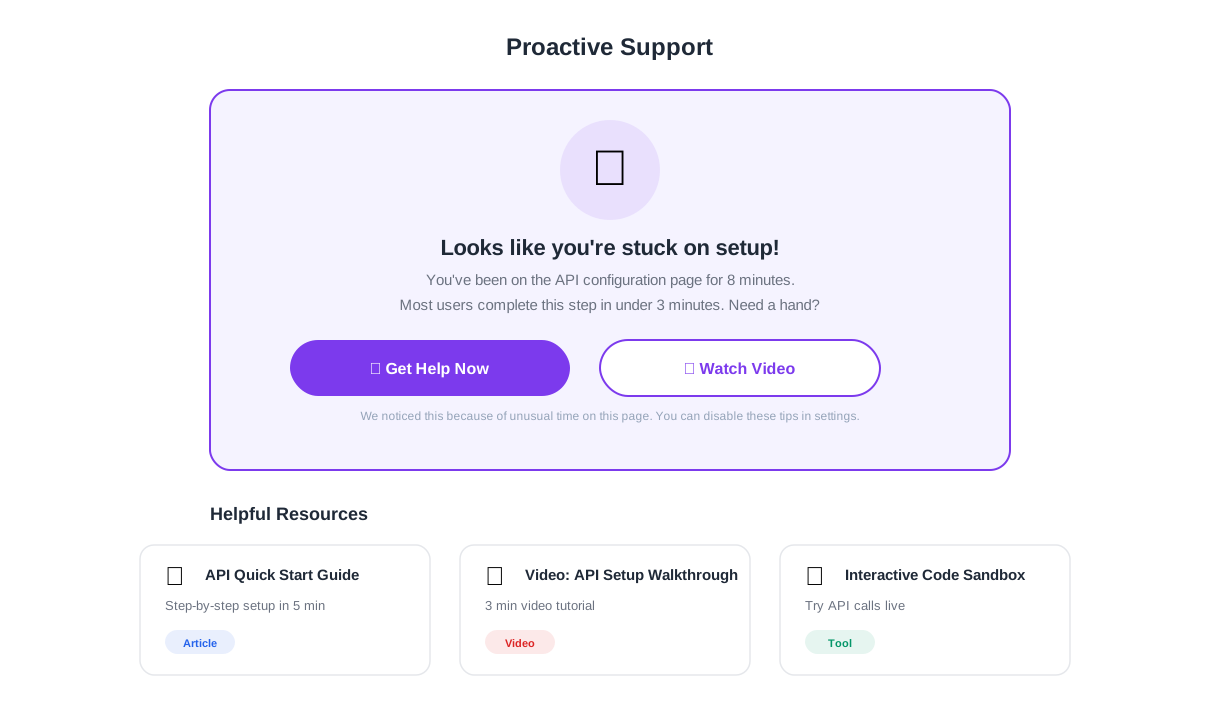
The chatbot does not just detect friction - it attempts to resolve it. When a user has been stuck on the integration setup page for more than 5 minutes, the chatbot offers step-by-step guidance specific to the integration they selected. When a user has created a project but not added any data, the chatbot offers to import sample data so they can see what the product looks like when populated. When a user has explored the product alone but has not invited team members, the chatbot explains the collaboration features and offers a pre-written invitation email they can send to colleagues.
Trial Extension as a Retention Tool
For users who show genuine interest (they have logged in multiple times, tried features, but have not yet reached the activation milestone), the chatbot can offer a trial extension as a retention mechanism. "I see you have been exploring [product] but have not finished setting up [key feature]. Would an extra 7 days help? I can extend your trial right now." This offer is powerful because it removes the time pressure that causes premature abandonment while signaling that the company values the user's experience over a rigid conversion timeline. Trial extensions convert at 25-40% higher rates than standard trial expiration flows, because the users who accept them are self-selecting as interested.
Upgrade Prompts: Converting at Peak Value Moments
The timing of an upgrade prompt matters more than the offer itself. A prompt that arrives when the user has just experienced a clear value moment - their first successful report, their first automated workflow, their first team collaboration session - converts at 3-4x the rate of a generic "your trial expires in 3 days" email. A trial activation chatbot identifies these peak value moments and delivers contextually relevant upgrade messages precisely when the user is most receptive.
Trigger-Based Upgrade Messages
Rather than time-based prompts alone, the chatbot uses behavior-triggered prompts tied to value realization events:
After first team member joins: "Your team is growing! On the Pro plan, you can add unlimited team members and manage permissions. Upgrade now to keep the momentum going."
After hitting a free-tier limit: "You have used 8 of your 10 free projects - that is great progress. Upgrade to Pro for unlimited projects and keep building."
After viewing an analytics report: "Your first report looks great. On the Pro plan, you get advanced analytics, custom dashboards, and scheduled reports. Want to see what is available?"
After creating an automation: "You just saved yourself 2 hours/week with that automation. Pro plan users create unlimited automations - want to unlock the full potential?"
Soft vs. Hard Prompts
The chatbot uses a graduated prompt intensity that matches the trial timeline:
| Trial Phase | Prompt Style | Approach |
|---|---|---|
| Days 1-5 | No upgrade prompts | Focus entirely on activation and value discovery |
| Days 6-10 | Soft prompts | Mention paid features contextually, no pressure |
| Days 11-12 | Value-framed prompts | Quantify value received + show what more is available |
| Days 13-14 | Urgency prompts | Trial ending + clear CTA + potential offer |
Objection Handling
When a user sees an upgrade prompt and responds with hesitation - "I am not ready yet," "It is too expensive," "I need to talk to my manager" - the chatbot has specific responses for each objection. For price concerns, it breaks down the cost per user per day and compares it to the value already demonstrated. For timing concerns, it offers a trial extension. For internal approval needs, it generates a shareable ROI summary the user can send to their manager. This conversational objection handling converts users who would otherwise have silently churned at the end of their trial.
50,000+ businesses use Conferbot templates to automate conversations
Value Quantification: Building the Business Case for Upgrade
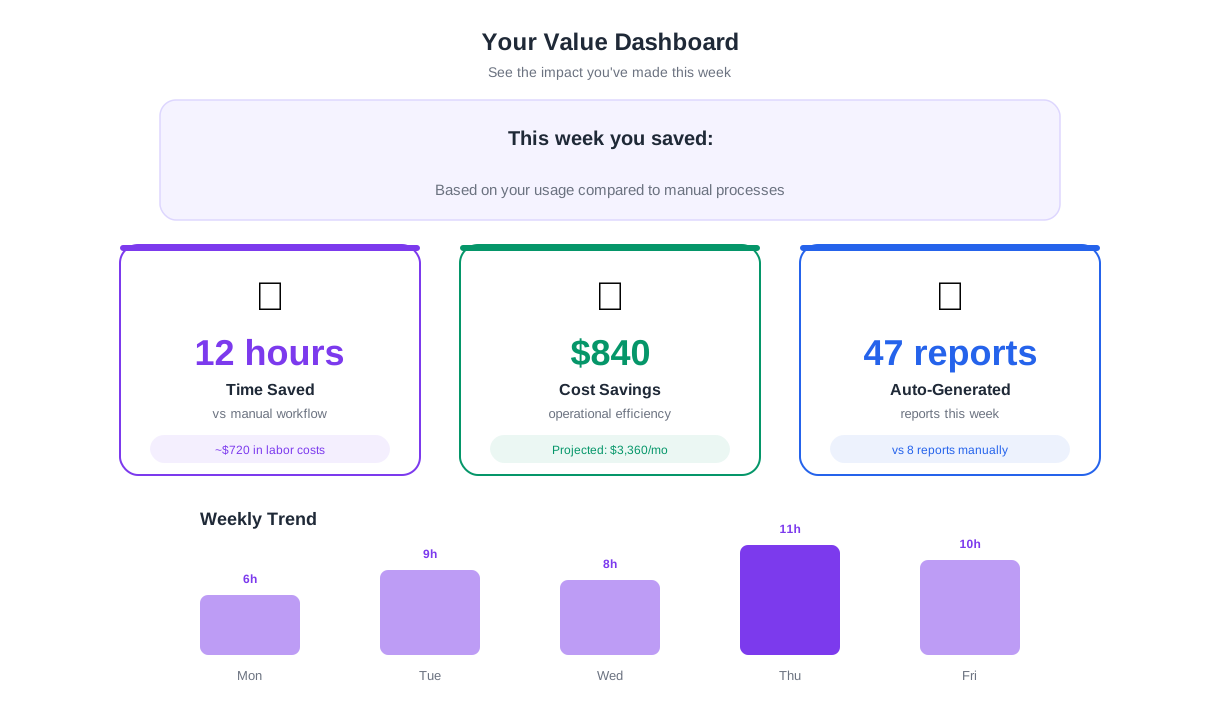
The most effective upgrade driver is not a discount code - it is a clear, personalized demonstration of the value the user has already received during their trial. When a user can see that the product saved them 12 hours, managed 47 tasks, or generated 8 reports during their 14-day trial, the upgrade decision becomes a simple math problem rather than a leap of faith. A trial activation chatbot tracks and communicates this value throughout the trial period.
Personalized Value Dashboards
The chatbot compiles usage data into a personalized value summary that it shares at key moments (mid-trial and pre-expiration):
| Value Metric | What It Measures | Impact on Conversion |
|---|---|---|
| Time saved | Estimated hours saved through automation and efficiency | Highest conversion driver - tangible, relatable |
| Tasks/items managed | Volume of work processed through the platform | Shows product is embedded in workflow |
| Team engagement | Number of active team members, actions per member | Multi-user engagement = higher conversion and retention |
| Integrations active | External tools connected | Integration stickiness reduces churn risk |
| Features used | Percentage of available features explored | Broader usage = higher perceived value |
ROI Projection
Beyond showing what the user has done during the trial, the chatbot projects the annual value: "In 14 days, you saved an estimated 8 hours. Over a full year, that projects to 208 hours saved - worth approximately $10,400 at an average knowledge worker salary. The Pro plan costs $49/month." This ROI framing transforms the price from an expense into an investment with a clear, quantified return. Users who see a positive ROI projection convert at significantly higher rates than those who only see a price tag.
Manager-Ready Summaries
For B2B SaaS products where the trial user is not the budget holder, the chatbot generates a shareable summary document: a one-page overview of what the team accomplished during the trial, projected annual value, plan pricing, and a comparison of the free tier versus the recommended paid plan. The user can share this summary with their manager, finance team, or procurement department as a ready-made business case. This removes one of the biggest conversion blockers in B2B SaaS - the internal approval process - by giving the champion the ammunition they need to get buy-in.
Implementation and ROI
Deploying the SaaS trial chatbot with Conferbot takes under an hour using the no-code builder. Configure your activation milestones, feature discovery sequence, upgrade tiers, and value metrics, then embed the chatbot in your product dashboard. SaaS companies that deploy trial activation chatbots see trial-to-paid conversion increase by 25-35%, activation rates improve by 40%, and time-to-first-value decrease by 50%. For a product with 1,000 trial signups per month and a $50/month price point, a 10-percentage-point conversion improvement adds $60,000 in annual recurring revenue - from a single chatbot deployment.
The chatbot integrates with your existing analytics infrastructure to pull engagement data and trigger contextual messages based on real product usage events. Connect to your integrations hub to sync trial activity with your CRM, enabling your sales team to see which trial users are most engaged and ready for a conversation. For mobile-first SaaS products, the chatbot also deploys through Conferbot's mobile SDK, delivering the same activation sequences within native iOS and Android apps. Ready to convert more trial users? Explore all chatbot templates or review pricing plans to find the right fit for your trial volume.
SaaS Trial Onboarding Chatbot FAQ
Everything you need to know about chatbots for saas trial onboarding chatbot.
Why Use a Template vs Building from Scratch?
Templates encode years of optimization data into the conversation flow before you start.
| Factor | Conferbot Template | Build from Scratch | Hire a Developer |
|---|---|---|---|
| Time to deploy | 10 minutes | 2-8 hours | 2-6 weeks |
| Cost | Free | Your time | $5,000-$25,000 |
| Day-1 conversion | 15-22% | 5-8% | 10-15% |
| Proven flows | Yes, data-tested | No | Depends |
| Updates included | Automatic | Manual | Paid |
| Multi-channel | 8+ channels | 1 channel | Extra cost |
| Analytics | Built-in | Must build | Extra cost |
Ready to Deploy SaaS Trial Onboarding Chatbot?
Join 50,000+ businesses. Free forever plan available. No credit card required.