
Parent Teacher Conference Scheduler
Free Education And Training Chatbot Template
A complete parent teacher conference scheduler chatbot template - deploy in minutes to automate conversations, capture leads, and provide 24/7 assistance.



How this template opens - rendered from its flow. Use the interactive preview to click through the full conversation.
What Is a Parent-Teacher Conference Scheduler Chatbot?
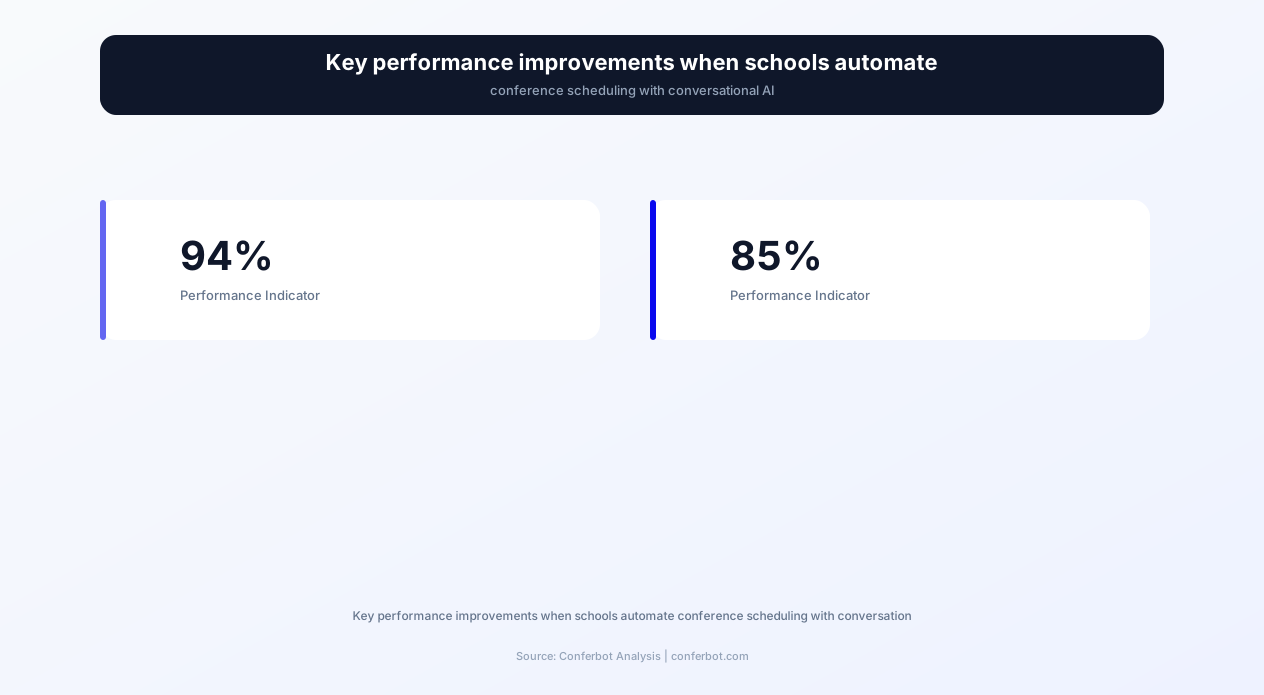
A parent-teacher conference scheduler chatbot is a conversational AI system that automates the entire conference scheduling lifecycle for schools - from initial slot publication and parent booking through multi-child coordination, reminder delivery, agenda preparation, and post-conference follow-up documentation. In 2026, with the average elementary school managing 400-600 parent-teacher conferences per semester and the average teacher conducting 25-30 conferences in 2-3 days, the logistical challenge of scheduling these events manually creates significant administrative burden, parent frustration, and scheduling conflicts that reduce participation. This chatbot eliminates scheduling friction, increases conference participation rates, and streamlines the administrative workflow that surrounds these critical school-family communication events.
Why Schools Need Automated Conference Scheduling
Parent-teacher conference scheduling is one of the most administratively intensive events in the school calendar. The traditional process - sending home paper forms, collecting preferences, manually resolving conflicts, and communicating assignments - consumes many hours of administrative staff time per conference period. For schools with 500+ students, this represents a full work week of a skilled staff member spent on logistical coordination that adds no educational value. Worse, manual processes produce suboptimal outcomes: parents are commonly assigned inconvenient times that lead to no-shows, families with multiple children often can't schedule with every teacher, and many parents receive insufficient notice or preparation information ahead of the conference.
The chatbot addresses every pain point simultaneously: parents self-schedule at their convenience (any time, any device), the system automatically coordinates multi-child families across teachers, conflicts are impossible (parents can only select from genuinely available slots), reminders are automated, and preparation materials are delivered in advance so conferences are productive rather than purely informational. The result is higher participation, better-prepared conferences, happier parents, and dramatically reduced administrative workload.
Who Deploys This Template
- Elementary schools: Manage homeroom teacher conferences for entire grade levels with multi-child family coordination.
- Middle and high schools: Coordinate conferences across multiple subject teachers per student with complex scheduling constraints.
- School districts: Standardize conference scheduling across multiple schools with consistent parent experience.
- Private and charter schools: Differentiate through professional, seamless parent communication that reflects institutional quality.
- International schools: Handle multilingual scheduling with timezone coordination for globally distributed families.
- After-school programs and tutoring centers: Schedule parent progress meetings with instructors and program coordinators.
Deploy on your school website for desktop scheduling or on WhatsApp for mobile-first parent engagement - particularly effective for reaching parents who do not regularly check school websites or email. Built with Conferbot's AI chatbot builder and integrated with school management systems through the API integration and calendar booking framework.
How the Parent-Teacher Conference Scheduler Chatbot Works
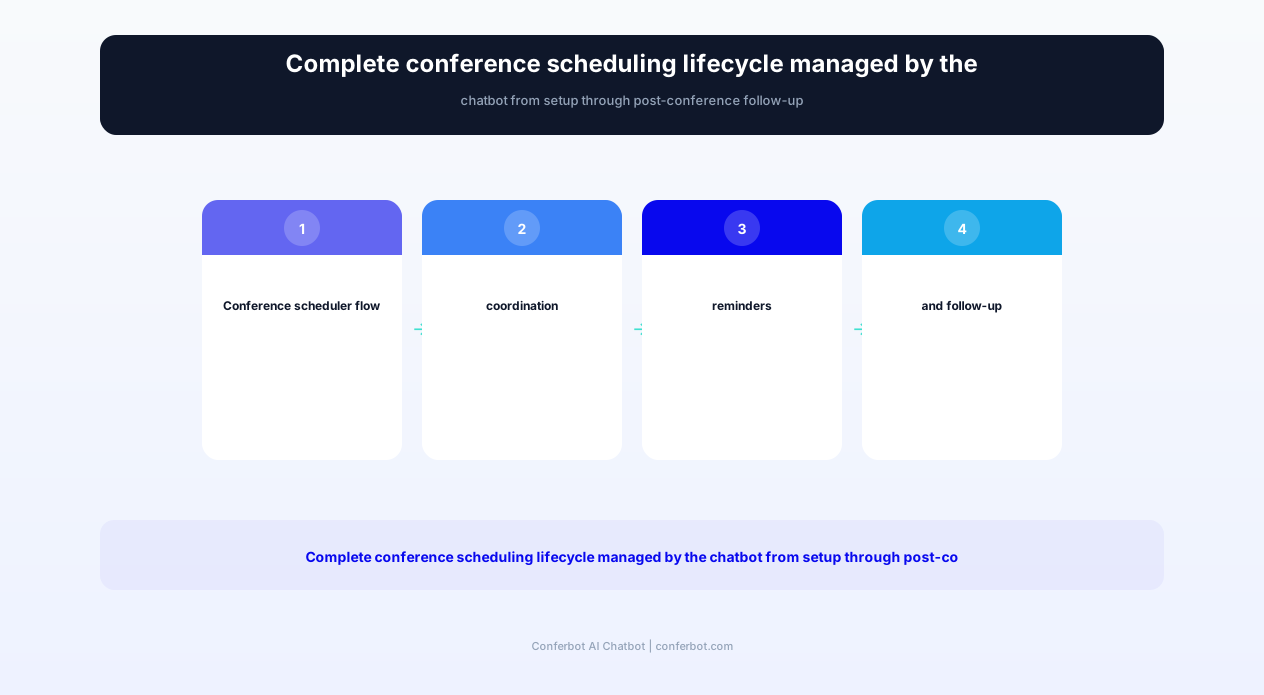
The conference scheduler chatbot manages the complete scheduling lifecycle through five phases: configuration (teachers set availability), booking (parents select slots), coordination (multi-child families are optimized), communication (reminders and preparation materials are delivered), and follow-up (post-conference notes and action items are documented). Each phase is automated with appropriate human oversight points.
Phase 1: Teacher Availability Configuration
Before the booking window opens, teachers (or administrators on their behalf) configure their availability through the chatbot or an admin interface: which days and time blocks are available for conferences, conference duration per session (typically 15 or 20 minutes), buffer time between conferences (5 minutes for transition and notes), any blocked periods (lunch, prep period, other commitments), and whether virtual/video conference options are available alongside in-person slots. The chatbot creates the available slot inventory from these parameters and publishes it to parents when the booking window opens. For schools with team-teaching or co-taught classrooms, the chatbot coordinates joint availability between paired teachers.
Phase 2: Parent Booking Process
When the booking window opens, parents receive a notification (email, SMS, or WhatsApp message) with a link or instruction to access the scheduler. The chatbot identifies the parent, confirms their children enrolled at the school, and presents available time slots for their child's teacher(s). The booking conversation is simple: "Your child Emma is in Ms. Rodriguez's 3rd grade class. Here are the available conference times: [list]. Which works best for you?" After selection, the chatbot confirms the booking, adds it to both the parent's and teacher's schedules, and sends confirmation with logistics (location, parking, check-in procedure for in-person; video link for virtual).
Phase 3: Multi-Child Family Coordination
Families with multiple children at the school face a particular scheduling challenge: they need conferences with multiple teachers, ideally scheduled consecutively to minimize school visits. The chatbot handles this automatically: "I see you have three children at Lincoln Elementary - Emma (3rd grade, Ms. Rodriguez), James (5th grade, Mr. Chen), and Sophie (1st grade, Ms. Patel). Would you like me to find times that allow you to meet all three teachers in sequence?" The chatbot identifies overlapping availability windows and presents coordinated schedules that minimize wait time between conferences and reduce the number of separate school visits required.
Phase 4: Reminder and Preparation Delivery
The chatbot sends automated communications at strategic intervals: booking confirmation immediately upon scheduling, a preparation prompt 3-5 days before the conference (with suggested topics to consider, recent student work highlights, and any teacher-prepared materials), a reminder 24 hours before with logistics and timing, and a day-of reminder 2 hours before with final logistics. For parents who have not booked by a specified date, the chatbot sends a follow-up prompt with remaining availability, ensuring maximum participation. These proactive communications substantially reduce no-shows compared with manual scheduling.
Phase 5: Post-Conference Follow-Up
After conferences conclude, the chatbot facilitates follow-up: teachers can input brief conference notes and action items through the chatbot interface, and parents receive a summary within 24 hours: "Thank you for meeting with Ms. Rodriguez today about Emma. Key discussion points: [teacher notes]. Action items: [specific next steps]. Ms. Rodriguez's availability for a follow-up conversation if needed: [link to scheduling]." This documentation creates accountability for action items discussed during the conference and provides a reference record for both parents and teachers. For parents who missed their scheduled conference, the chatbot offers rescheduling options or alternative communication methods (phone call, written update).
Key Features of the Parent-Teacher Conference Scheduler Template
The conference scheduler template includes capabilities specifically designed for the school scheduling context: multi-stakeholder coordination, accessibility requirements, translation services, and the unique constraints of school calendars and physical spaces. These features address the real-world complexity of conference scheduling that generic booking tools cannot accommodate.
Feature Matrix
| Feature | Description | Operational Benefit | Customer Benefit |
|---|---|---|---|
| Multi-child family coordination | Automatically sequences conferences for siblings across teachers | Eliminates manual coordination for multi-child scheduling | One school visit covers all children without scheduling conflicts |
| Teacher availability management | Teachers set availability with duration, buffer, and block-out controls | Teachers maintain control over their schedule without admin intermediation | Only offered times that teachers have genuinely confirmed available |
| Conflict prevention engine | Real-time slot availability ensures no double-bookings | Eliminates scheduling conflicts that require admin intervention | Guaranteed confirmed appointment without overbooking risk |
| Multilingual communication | Schedules and communicates in the family's preferred language | Reaches all families regardless of English proficiency | Full scheduling experience in comfortable language |
| Virtual/in-person hybrid | Offers video conference option alongside physical meetings | Increases participation from parents with mobility or schedule constraints | Choose the format that works best for family situation |
| Automated reminder sequence | Configurable reminders at strategic intervals before conference | Meaningfully cuts no-shows without staff follow-up | Never forget a conference with timely, helpful reminders |
| Agenda preparation assistant | Delivers pre-conference preparation prompts with discussion topic suggestions | More productive conferences when parents arrive prepared | Know what to ask and discuss for maximum conference value |
| Post-conference documentation | Captures notes and action items with automated parent delivery | Creates accountability record without additional administrative work | Written reference of discussion points and agreed next steps |
| Waitlist management | Manages waitlists for fully-booked teachers with automatic notification on cancellation | Fills cancelled slots automatically without staff intervention | Access to cancelled slots without repeatedly checking availability |
| Accessibility accommodations | Handles interpreter requests, accessibility needs, and accommodation tracking | Ensures compliance with accessibility requirements without separate coordination | Accommodations arranged proactively rather than discovered at arrival |
Multi-Child Family Coordination in Detail
The multi-child coordination feature is the template's most complex and highest-value capability. For a family with three children across different teachers, the chatbot must find time windows where all three teachers have consecutive (or near-consecutive) availability, minimizing gaps between conferences while respecting buffer times. The algorithm considers: each teacher's available slots, the desired conference duration, minimum buffer between sessions, maximum acceptable gap between conferences (parents prefer not to wait 90 minutes between a 2:00 and 3:30 conference), and the family's stated time preferences. When perfect sequential scheduling is not possible, the chatbot presents the best available option with transparent explanation: "I can schedule Ms. Rodriguez at 2:00, Mr. Chen at 2:20, but Ms. Patel's earliest availability is 3:15 - a 35-minute gap. Would you like this arrangement, or would you prefer I look at a different day where all three are available closer together?"
Multilingual Communication
Schools serve linguistically diverse communities where English may not be the primary language for a significant portion of families. The chatbot communicates in the family's preferred language throughout the entire workflow - scheduling, confirmation, reminders, preparation materials, and follow-up. Language preference is set during initial interaction or pulled from the school's student information system if configured. Common deployment languages include Spanish, Mandarin, Vietnamese, Arabic, Korean, Tagalog, and Russian, covering the primary non-English languages in US school communities. This multilingual capability dramatically improves participation among families who may not respond to English-only communication - schools report meaningfully higher conference participation among non-English-speaking families when communication occurs in their preferred language.
Ready to try Parent Teacher Conference Scheduler?
Deploy this template in under 10 minutes. No coding required.
Use This Template Free →Before and After: Conference Scheduling Performance Metrics
Schools that implement the conference scheduler chatbot measure improvements across participation rates, administrative efficiency, parent satisfaction, and conference quality. The improvements are substantial and immediate - often visible within the first conference period after deployment.
Performance Comparison: Manual Scheduling vs. Chatbot Scheduling
| Metric | Manual Process | Chatbot Scheduler |
|---|---|---|
| Parent participation rate | Held back by scheduling friction | Meaningfully higher |
| Administrative hours per conference period | Multiple staff days | A fraction of the time, mostly oversight |
| Scheduling conflicts requiring resolution | Regular manual conflict resolution | Effectively eliminated by real-time availability |
| No-show rate | Higher, driven by inconvenient assigned times | Substantially lower with automated reminders |
| Multi-child families with sequential scheduling | Rare without manual coordination | The norm, handled automatically |
| Non-English family participation | Depressed by language barriers | Meaningfully higher with native-language outreach |
| Parent satisfaction with scheduling process | Lower | Noticeably higher |
| Teacher satisfaction with schedule quality | Lower | Higher |
| Average time from notification to booking | Days | Hours |
| Conference preparation rate (parents with questions prepared) | Low | Much higher |
Understanding the Participation Improvement
Higher parent participation is one of the most impactful outcomes for student success. Research on family engagement consistently links parent-teacher communication to student academic improvement. Every parent who participates in a conference - understanding their child's progress, challenges, and opportunities - becomes a more effective partner in their child's education. The chatbot drives this improvement through: removal of scheduling friction (no more phone tag or lost forms), multilingual access (reaching families excluded by language barriers), flexible format options (virtual attendance for parents with mobility or schedule constraints), and persistent follow-up (the chatbot does not give up after one unresponded notification).
Administrative Time Savings Value
Cutting administrative time per conference period down to a fraction of the manual process frees skilled staff time that would otherwise go entirely to logistical coordination. Multiplied across several conference periods per year and across schools in a district, that reclaimed time is redirected to higher-value activities: direct student support, parent communication on academic matters, and school operations that improve educational outcomes. What time remains is spent on system oversight (reviewing the chatbot's work) and handling the small number of exceptional situations that require human intervention.
Conference Quality Impact
The jump in parent preparation - families arriving with specific questions and topics to discuss rather than passively receiving information - transforms conference quality. Prepared parents engage in dialogue rather than one-directional information delivery, ask specific questions about their child's needs, and leave with actionable understanding rather than vague impressions. Teachers report that conferences with prepared parents cover more ground in the allocated time and produce noticeably more follow-through on agreed action items because parents actively participated in developing those actions rather than passively receiving directives.
Equity and Inclusion Impact
The gain in non-English family participation addresses one of the most significant equity gaps in school-family communication. Families who do not participate in conferences due to language barriers are disproportionately the same families whose children need the most school-home coordination for academic success. By communicating in families' preferred languages and offering the convenience of mobile scheduling through WhatsApp (the primary communication tool in many immigrant communities), the chatbot reaches families who were functionally excluded by English-only, paper-form-based scheduling systems.
Advanced Scheduling Logic and Conflict Resolution
The conference scheduler's core capability is its scheduling algorithm - a constraint-satisfaction system that coordinates multiple variables simultaneously: teacher availability, parent preferences, room assignments, multi-child family sequencing, interpreter availability, and accessibility requirements. This section explains the scheduling logic that makes conflict-free coordination possible at scale.
Constraint-Based Scheduling Algorithm
The scheduler operates as a constraint satisfaction problem (CSP) solver: given a set of constraints (teacher availability, parent preferences, room capacity, required resources), it identifies valid assignments that satisfy all constraints simultaneously. Constraints include:
- Hard constraints (must be satisfied): Teacher available at that time, parent not already scheduled for another conference, room available (for in-person), no double-booking of any resource.
- Soft constraints (optimized but flexible): Parent time preference, sequential scheduling for multi-child families, minimal gaps between conferences, preferred conference format (in-person vs. virtual).
- Resource constraints: Interpreter availability for families requiring language support, accessible room availability for families with mobility needs, technology availability for virtual conferences.
Multi-Teacher Conference Models
Middle and high schools present a fundamentally different scheduling challenge than elementary schools: each student has 6-8 subject teachers, and parents may want to meet with some or all of them. The chatbot supports multiple models for this complexity:
- Arena format: All teachers available simultaneously in a large space - the chatbot reserves specific time blocks with specific teachers while managing flow to prevent wait times.
- Appointment format: Individual scheduled appointments with each teacher - the chatbot coordinates across multiple teachers' schedules to create an efficient sequential path.
- Priority format: Parents select their highest-priority teachers (typically 3-4) for scheduled appointments, with remaining teachers available in open-access format.
- Team format: Subject-area teams (humanities, STEM, arts) meet with families together in group conferences - the chatbot schedules families with team blocks.
Waitlist and Cancellation Management
When a teacher's slots fill completely, the chatbot manages a waitlist with automatic slot-filling when cancellations occur. The system: offers waitlist enrollment to parents who cannot find suitable times, ranks waitlist position by signup time, immediately notifies the next waitlisted parent when a cancellation creates an opening, gives the notified parent a time-limited window to accept (preventing indefinite holds), and moves to the next waitlisted parent if the offer expires. This automated waitlist management eliminates the administrative effort of manually matching cancellations with waiting families and ensures maximum slot utilization.
Rescheduling and Cancellation Handling
When parents need to change their scheduled conference, the chatbot handles rescheduling with awareness of cascading effects: cancelling one conference in a multi-child sequential schedule may not affect the others (if independent teachers) or may require complete rescheduling (if the sequence was optimized around that specific time). The chatbot communicates consequences: "If you cancel the 2:20 conference with Mr. Chen, your 2:00 with Ms. Rodriguez and 2:40 with Ms. Patel can remain as scheduled. Would you like me to find a new time for Mr. Chen only?" This intelligent handling of changes prevents unnecessary disruption to other confirmed appointments.
Room and Resource Assignment
For schools where conferences occur in specific rooms (teacher classrooms, conference rooms, or shared spaces), the chatbot manages room assignments alongside time assignments. It ensures: conferences are assigned to appropriate rooms (accessibility needs matched to accessible rooms), room capacity is not exceeded for group conferences, logical room sequencing for multi-child families (sequential conferences in nearby rather than distant rooms), and virtual conference resources (video links) are generated and included in confirmations for hybrid-format conferences.
Emergency Rescheduling
When emergencies require mass rescheduling - a teacher illness on conference day, a snow day closure, or a facility emergency - the chatbot handles bulk rescheduling: notifies all affected families immediately, presents alternative dates/times, and reboks those who respond while maintaining scheduling constraints. This emergency capability prevents the administrative crisis that typically follows unexpected conference cancellations, where staff must contact dozens of families individually and manually reconstruct the schedule for a different date.
Parent Communication and Engagement Optimization
The conference scheduler's communication capabilities extend beyond simple booking notifications to create a complete engagement cycle that maximizes conference value - from initial awareness through preparation, participation, and follow-through. Each communication touchpoint is designed to increase the likelihood of participation and the productivity of the conference itself.
Multi-Channel Communication Strategy
Parents engage through different channels depending on their communication habits, and the chatbot reaches families through their preferred medium: email (detailed information, formal communications), SMS/text (brief reminders, time-sensitive notifications), WhatsApp (conversational scheduling, especially effective in communities where WhatsApp is the primary communication tool), school app push notifications (for schools with dedicated mobile apps), and phone calls (automated voice messages for families who respond best to voice communication). Channel preference is configurable per family, and the chatbot adapts its message format to each channel's conventions - brief for SMS, conversational for WhatsApp, detailed for email.
Communication Timeline
The chatbot delivers messages at strategic intervals optimized for maximum engagement and preparation:
- 2 weeks before booking opens: "Save the date" awareness message informing families that conference scheduling is approaching.
- Booking window opens: Immediate notification with direct booking access link/instruction. Urgency framing: "Book early for the best time selection."
- 3 days after opening (if not booked): Follow-up for non-respondents: "Conference slots are filling. Book now to secure your preferred time."
- 5 days before conference: Preparation prompt with discussion suggestions: "Your conference is in 5 days. Here are topics you might want to discuss with [teacher name]..."
- 24 hours before: Logistics reminder: time, location, parking, check-in procedure, or video link for virtual.
- 2 hours before: Final reminder for same-day awareness.
- Within 24 hours after: Post-conference summary with notes and action items (if teacher has input them).
- 2 weeks after: Follow-up check on action items discussed during conference.
Conference Preparation Materials
The chatbot delivers preparation materials that help parents make conferences productive rather than purely informational. Pre-conference materials include: recent academic progress summary (grades, assessment scores, trends), the teacher's focus topics for this conference period (what the teacher plans to discuss), suggested questions parents might consider asking (normalized so parents do not feel awkward about not knowing what to ask), and logistics preparation (what to bring, where to go, how long the conference lasts). This preparation addresses a significant barrier to conference productivity - parents who arrive without specific questions or context tend to passively receive information rather than engaging in productive dialogue about their child's development.
Post-Conference Documentation System
After each conference, the chatbot provides teachers with a streamlined interface for documenting key discussion points and action items. The documentation template is intentionally brief (2-3 minutes to complete) to encourage compliance: key strengths discussed, areas for growth discussed, agreed action items (for home, for school, for student), and follow-up needs (additional meeting, referral, resource sharing). The documented notes are shared with parents in a formatted, friendly communication - not as a clinical report but as a helpful summary: "Thanks for meeting with me today! Here is what we discussed about Emma's progress..." This documentation creates accountability for follow-through on both sides and provides a reference record that parents can consult when supporting their child at home.
Engagement with Hard-to-Reach Families
Every school has families who are difficult to engage - those who do not respond to standard communications, who have work schedules that conflict with conference times, or who have negative associations with school institutions. The chatbot includes specific strategies for these families: graduated urgency in follow-up communications (gentle initial outreach escalating to personal tone), alternative format offers (phone conference, video call, written update as alternatives to in-person), extended hour availability (early morning or evening slots for working parents), and translation of all communications into the family's home language. Schools report that the chatbot's persistent, multilingual, multi-channel outreach reaches a meaningful share of families who did not respond to traditional paper-form scheduling methods.
businesses worldwide use Conferbot templates to automate conversations
Implementation Guide: Deploying Your Conference Scheduler
Implementing the parent-teacher conference scheduler requires school system integration, teacher configuration, parent communication setup, and testing before the first live conference period. This guide covers the implementation process with timeline estimates appropriate for school operational calendars.
Phase 1: School System Integration (Days 1-4)
Connect the chatbot to your Student Information System (SIS) - PowerSchool, Infinite Campus, Skyward, or equivalent - through Conferbot's API integration framework. The integration imports: student enrollment data (which students attend which school), family/guardian information (parent names, contact information, preferred language), student-teacher assignments (which teacher is responsible for conferencing with which family), and optionally grade/progress data (for pre-conference preparation materials). Test the data sync to verify: all students have correct teacher assignments, all families have valid contact information, and multi-child families are correctly identified and linked.
Phase 2: Teacher Configuration (Days 3-5)
Teachers set their conference availability through the admin interface or chatbot. Training needed: how to set available time blocks, conference duration, buffer times, and how to mark periods as unavailable. For schools using the chatbot for the first time, provide a template availability pattern that teachers can adjust rather than requiring them to build from scratch: "Standard conference schedule: November 14-15, 3:00-7:00 PM, 15-minute sessions with 5-minute buffers. Adjust as needed." Most teachers need 5-10 minutes to configure their availability once they understand the interface.
Phase 3: Communication Configuration (Days 4-6)
Configure the parent communication workflow: notification channels (which channels to use for each communication type), message timing (when each communication in the sequence is delivered), message content (customized for your school's tone and specific logistics), and language options (which languages are available based on your community's needs). Create the booking window schedule: when does booking open? Is there early access for specific groups? When does booking close? What happens for families who never book? Ensure all messages include your school's branding, correct logistics information, and appropriate contact information for families who need human assistance.
Phase 4: Testing and Staff Training (Days 5-8)
Test the complete workflow before the first live conference period: create test family accounts, book conferences through all supported channels, verify confirmation and reminder delivery, test multi-child coordination, confirm room assignment logic, and test the rescheduling and cancellation workflows. Train front office staff on: how to assist parents who need help with the chatbot, how to handle exceptions the chatbot cannot manage, how to access the scheduling dashboard for oversight, and how to input teacher changes or emergency schedule adjustments.
Phase 5: Parent Communication and First Launch (Days 7-10)
Before the booking window opens, send a pre-launch communication to all families explaining the new scheduling system: what it is, how to access it, why the school is implementing it (emphasizing parent convenience), and where to get help if needed. Include a brief demo or screenshots showing how simple the booking process is. Open the booking window with immediate notification delivery. Monitor the first 24 hours of booking for technical issues, confused parents (who should be redirected to help resources), and any scheduling logic problems.
Phase 6: Live Conference Support and Post-Event Review (Days 10+)
During the actual conference days, the chatbot handles: same-day reminders, late cancellation notifications to waiting families, real-time schedule updates for running-behind situations, and check-in/arrival confirmation. After the conference period, review performance metrics: participation rate, no-show rate, booking speed, parent satisfaction (quick survey), and teacher satisfaction. Document lessons learned for the next conference period - each cycle improves as scheduling parameters and communication timing are optimized based on actual results.
Ongoing Maintenance
Between conference periods, maintenance is minimal: update student-teacher assignments when class rosters change, adjust communication templates based on feedback, and prepare for the next conference period by refreshing teacher availability and updating logistics information. The chatbot handles the heavy lifting during conference periods; between periods, it requires minimal attention. Annual maintenance includes: updating for school calendar changes, refreshing language translations if new community languages are identified, and incorporating new features or improvements based on user feedback.
Use Cases and ROI Analysis for Schools
The parent-teacher conference scheduler chatbot delivers measurable value to schools through administrative time savings, increased participation rates, and improved educational outcomes linked to stronger school-family communication. ROI calculations vary by school size and current scheduling process but consistently demonstrate significant returns.
Elementary School (400-600 students)
An elementary school with 500 students, 20 classroom teachers, and 3 conference periods per year represents the most common deployment scenario. Manual scheduling for this school consumes many administrative hours per period across the year, plus teacher time resolving conflicts and communicating with families. The chatbot cuts that down to occasional oversight and exception handling, freeing the bulk of that staff time for other work. At a typical administrative hourly rate, the direct labor savings add up quickly across conference periods. The greater value, though, is the participation lift: far more parents show up and stay engaged than under manual scheduling. Research broadly links additional parent-teacher interaction to stronger student outcomes, so the additional conferences the chatbot enables represent real educational value on top of the direct cost savings.
Middle School (600-1,000 students)
Middle schools face amplified scheduling complexity because each student has 6-8 teachers. An 800-student middle school with 40+ teachers conducting conferences creates a scheduling problem of thousands of possible combinations. Manual processes typically result in arena-style conferences (parents circulate among teachers in a gymnasium) that are loud, disorganized, and inefficient - parents wait in lines, miss teachers who leave early, and have rushed conversations in noisy environments. The chatbot enables structured appointment scheduling even in middle school settings: parents select their 3-4 priority teachers for dedicated appointments while accessing remaining teachers in an organized open-access format. This hybrid approach produces significantly more productive conversations while managing the logistical complexity.
High School (1,000-2,000+ students)
High schools traditionally have the lowest parent conference participation because scheduling complexity discourages participation and adolescent student independence reduces perceived parent involvement need. The chatbot improves high school participation by making scheduling effortless and enabling targeted outreach for students who most need parent-school collaboration. Schools can configure the chatbot to prioritize outreach for: students below academic benchmarks, students with attendance concerns, students in transition years (9th grade, pre-graduation), and students on academic improvement plans. This targeted approach ensures that families whose involvement matters most for student success are reached and engaged.
School District Deployment
Districts deploying the chatbot across multiple schools achieve additional economies: centralized configuration and maintenance, consistent parent experience across schools (especially valuable for families with children at different schools), unified reporting on conference participation across the district, and reduced per-school cost through shared infrastructure. Across a 15-school district with 8,000 students, the platform cost is modest relative to the administrative hours it eliminates district-wide and the educational outcome value of the many additional parent-teacher conferences that would not have occurred under manual scheduling.
Title I and Equity-Focused Schools
Title I schools (serving high proportions of economically disadvantaged students) often struggle most with conference participation because their families face multiple barriers: non-standard work schedules, transportation limitations, language barriers, and sometimes distrust of institutional settings. The chatbot addresses every barrier: WhatsApp scheduling accessible on any smartphone, multilingual communication in families' home languages, virtual conference options eliminating transportation requirements, and extended hour scheduling for non-standard work schedules. Title I schools deploying the chatbot report the largest participation improvements because the barriers removed are proportionally larger for their communities.
Cost-Benefit Summary
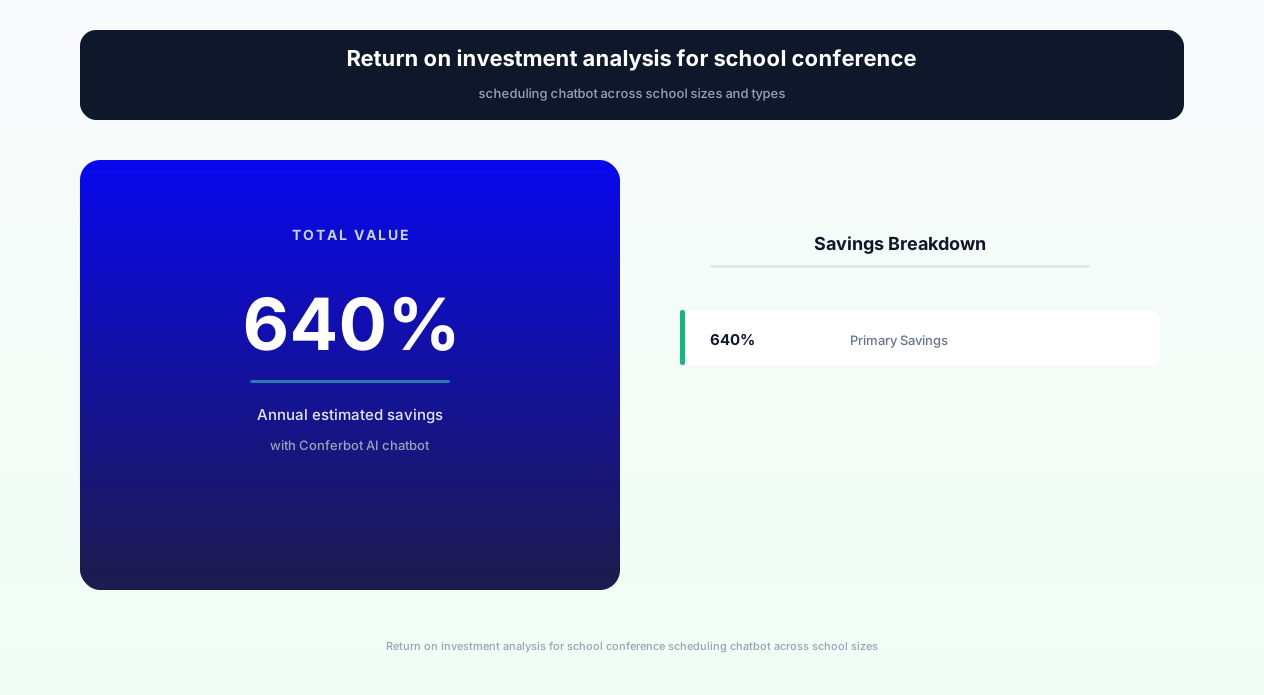
Across all school types, the conference scheduler chatbot's ROI is driven by three value streams: administrative time savings ($1,500-$3,000 annually per school), increased participation leading to improved educational outcomes (hard to quantify precisely but supported by extensive research linking parent engagement to academic achievement), and teacher satisfaction improvement (less scheduling frustration, more productive conferences, better school-family relationships). The combined value consistently and substantially exceeds chatbot deployment costs in the first year, with increasing returns as the system optimizes through repeated use and parent familiarity improves.
Parent Teacher Conference Scheduler FAQ
Everything you need to know about chatbots for parent teacher conference scheduler.
Why Use a Template vs Building from Scratch?
Templates give you a proven starting structure instead of a blank canvas.
| Factor | Conferbot Template | Build from Scratch | Hire a Developer |
|---|---|---|---|
| Time to deploy | 10 minutes | 2-8 hours | 2-6 weeks |
| Cost | Free | Your time | Custom dev quote |
| Proven flows | Yes, pre-built | No | Depends |
| Updates included | Automatic | Manual | Paid |
| Multi-channel | 8+ channels | 1 channel | Extra cost |
| Analytics | Built-in | Must build | Extra cost |
Related Education And Training Templates
Explore more chatbot templates like this one






Learn More About Chatbots
Go deeper on how education and training chatbots work and how to pick the right builder.
Ready to Deploy Parent Teacher Conference Scheduler?
Start with a free-forever plan. No credit card required.