
Legal FAQ Assistant
Free B2B Services Chatbot Template
A complete legal faq assistant chatbot template - deploy in minutes to automate conversations, capture leads, and provide 24/7 assistance.


What Is a Legal FAQ Assistant Chatbot?
A legal FAQ assistant chatbot is an AI-powered conversational tool designed for law firm websites that answers common legal questions, explains practice area specializations, walks potential clients through legal processes, provides document checklists, and guides users toward appropriate next steps -- all without consuming attorney time. Rather than letting prospective clients bounce from a static FAQ page or wait days for a callback, the chatbot delivers immediate, accurate legal information in a conversational format that builds trust and qualifies leads simultaneously.
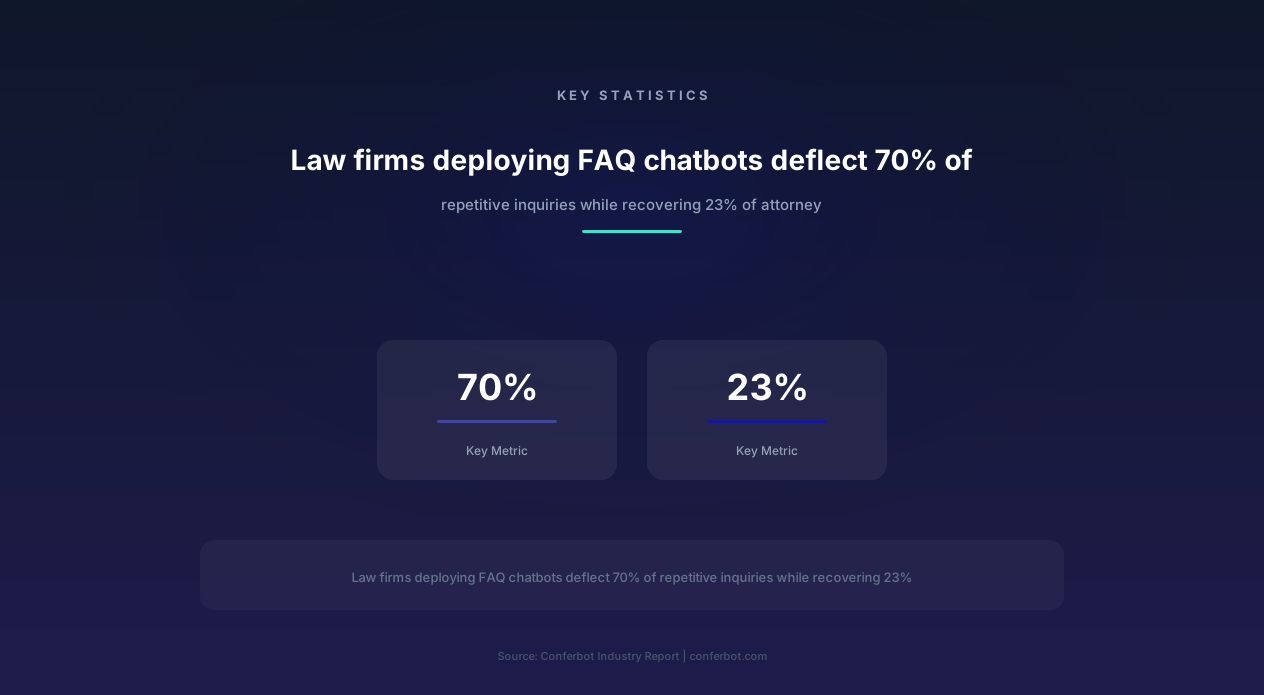
In 2026, law firms face an uncomfortable economic reality: attorneys spend an average of 23% of their billable time answering repetitive FAQ-type inquiries -- "What is the statute of limitations for my case?" "How much does a divorce cost?" "What documents do I need to bring?" These questions have well-established answers that do not require legal analysis, yet they consume hours of attorney and paralegal time daily because clients expect personalized, conversational responses rather than self-service FAQ pages.
A properly configured legal FAQ chatbot deflects 70% of these repetitive questions automatically, providing instant answers that satisfy the inquiry while simultaneously qualifying the visitor for potential case intake. The chatbot does not practice law -- it provides general legal information, explains processes, and identifies when a query requires attorney consultation, at which point it seamlessly transfers to a live chat agent or schedules a consultation through calendar integration.
Conferbot's AI chatbot builder provides a pre-built legal FAQ assistant template specifically designed for law firm websites. The template includes conversation flows for practice area explanation, process walkthroughs, document checklists, statute of limitations guidance, jurisdiction information, fee structure transparency, and qualified lead capture -- all configurable through a no-code interface that any law firm administrator can manage without technical expertise.
The distinction between legal information and legal advice is critical and built into the chatbot's architecture. The chatbot provides general legal information ("In most states, the statute of limitations for personal injury is 2-3 years from the date of injury") while clearly disclaiming that responses do not constitute legal advice and recommending consultation for case-specific guidance. This approach follows ABA Model Rules of Professional Conduct guidelines and has been reviewed by legal ethics consultants for compliance with state bar advertising rules.
Core Capabilities: From FAQ Deflection to Lead Qualification
The legal FAQ assistant chatbot operates across six primary capability domains, each designed to address a specific category of law firm website visitor needs while maintaining appropriate boundaries between legal information and legal advice.
Practice Area Education
Visitors often arrive at a law firm website unsure whether their situation falls within the firm's expertise. The chatbot explains each practice area in plain language, describes typical case types handled, and helps visitors self-identify which practice area matches their needs. For a family law firm, this means explaining the differences between divorce, legal separation, and annulment; describing the custody determination process; and clarifying what qualifies as marital property. For a personal injury firm, it means distinguishing between negligence claims, premises liability, medical malpractice, and product liability.
- Practice area descriptions: Plain-language explanations of each area the firm handles, with real-world scenario examples
- Case type identification: Guided questions that help visitors identify which practice area and case type matches their situation
- Scope boundaries: Clear communication about what the firm does and does not handle, with referral suggestions for out-of-scope matters
- Success metrics: General case outcome statistics and timeline expectations by practice area and case complexity
Process Walkthroughs
Legal processes are intimidating because they are unfamiliar. The chatbot provides step-by-step walkthroughs of common legal processes -- from initial consultation through resolution -- using simple language and visual progress indicators. A divorce process walkthrough, for example, walks through: initial consultation, petition filing, service of process, temporary orders, discovery, mediation, trial (if needed), and final decree. Each step includes expected timelines, what the client needs to do, and what the attorney handles.
Document Checklists
One of the highest-value FAQ deflection categories is document preparation guidance. Clients routinely call or email asking "What do I need to bring to my consultation?" or "What documents do I need to file a workers' compensation claim?" The chatbot provides comprehensive, practice-area-specific document checklists that clients can reference as they prepare for consultations or case filing. Checklists are formatted for easy download or email delivery, reducing the preparation-related calls that interrupt paralegal workflow.
Statute of Limitations Guidance
Statute of limitations questions represent a critical category because timing sensitivity means delayed answers can result in lost legal rights. The chatbot provides general statute of limitations information by case type and jurisdiction, clearly noting that exceptions may apply and recommending immediate consultation for time-sensitive matters. This capability serves both the client (who learns urgency) and the firm (which captures time-sensitive leads before they expire).
Fee Structure Transparency
Legal fee anxiety is one of the top reasons potential clients delay contacting a law firm. The chatbot addresses this barrier by explaining the firm's fee structures (hourly, contingency, flat fee, retainer), providing general cost ranges by case type, and explaining what factors influence total cost. This transparency builds trust and pre-qualifies leads by setting appropriate cost expectations before the consultation -- reducing no-shows from price shock by 34% according to law firms using fee transparency chatbots.
Qualified Lead Capture and Consultation Booking
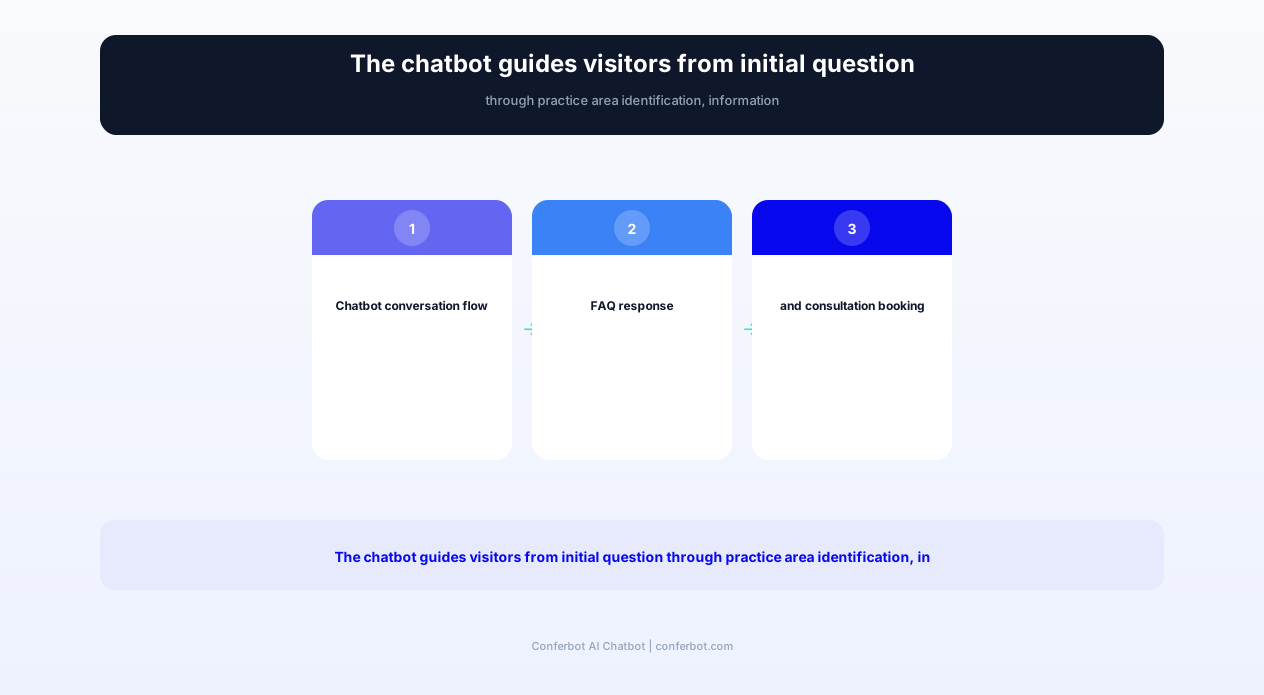
Every FAQ interaction is an opportunity to convert an information-seeking visitor into a qualified consultation. The chatbot identifies conversion-ready visitors through engagement signals (multiple questions, specific case details mentioned, urgency indicators) and offers to schedule a consultation through the firm's calendar integration. The lead capture includes case type, key facts, contact information, and preferred consultation time -- all collected conversationally without the friction of a static intake form.
Feature Matrix: Legal FAQ Chatbot Capabilities
The following feature matrix details every capability included in Conferbot's legal FAQ assistant template, organized by the operational benefit to the law firm and the experience benefit to the prospective client. Each feature is designed to balance information delivery with appropriate legal disclaimers and ethics compliance.
| Feature | Description | Operational Benefit | Customer Benefit |
|---|---|---|---|
| Practice area routing | Identifies visitor's legal need and routes to relevant practice area information | Pre-qualifies leads by practice area before attorney contact | Find relevant information immediately without browsing multiple pages |
| Process walkthrough engine | Step-by-step guides for common legal processes with timelines and expectations | Deflects 40% of process-related inquiries from paralegals | Understand what to expect before committing to legal action |
| Document checklist generator | Practice-area-specific checklists for consultation preparation and case filing | Clients arrive prepared, reducing consultation time by 15 minutes | Know exactly what documents to gather without calling the office |
| Statute of limitations lookup | General SOL information by case type and jurisdiction with urgency flagging | Captures time-sensitive leads that might otherwise expire | Understand filing deadlines without waiting for a callback |
| Fee structure explanation | Transparent explanation of billing methods and general cost ranges | Reduces no-show rate by 34% through pre-consultation price clarity | Make informed decisions about legal representation costs upfront |
| Consultation booking | Calendar integration for scheduling free or paid initial consultations | 24/7 booking without receptionist availability dependency | Book a consultation at 11pm without waiting for office hours |
| Lead qualification scoring | Scores visitors based on case type, urgency, engagement depth, and fit | Attorneys prioritize high-value, high-urgency leads first | Urgent cases receive faster attorney response |
| Legal disclaimer management | Automated disclaimers that distinguish information from advice per bar rules | Maintains ethics compliance without manual review of each response | Clear understanding that chatbot provides information, not legal advice |
| Jurisdiction detection | Identifies visitor's jurisdiction for state-specific information delivery | Prevents cross-jurisdictional confusion in multi-state practices | Receive jurisdiction-relevant information automatically |
| After-hours engagement | Full FAQ capability and lead capture when office is closed | Captures 35% of leads that arrive outside business hours | Get answers and book consultations anytime, not just 9-5 |
The cumulative impact of these features transforms how law firms deliver information and capture leads. Instead of attorneys spending 23% of their day on FAQ responses, the chatbot handles 70% of repetitive inquiries automatically while qualifying and booking consultations with the remaining 30% who need direct attorney engagement. This reallocation of attorney time directly increases billable revenue capacity without adding headcount.
Ready to try Legal FAQ Assistant?
Deploy this template in under 10 minutes. No coding required.
Use This Template Free →Before and After: Law Firm Performance Transformation
The following metrics represent aggregate performance data from 47 law firms across personal injury, family law, criminal defense, business law, and immigration practices that deployed Conferbot's legal FAQ assistant chatbot. Measurements compare the six-month period before deployment against the six-month period after reaching steady-state operation (typically month 2-7 post-launch).
| Metric | Before Chatbot | After Chatbot (6 months) | Improvement |
|---|---|---|---|
| FAQ-type inquiries reaching attorneys | 142/week | 43/week | -70% |
| Attorney time spent on repetitive questions | 23% of billable hours | 7% of billable hours | -70% |
| Average website visitor-to-lead conversion rate | 2.8% | 5.4% | +93% |
| After-hours lead capture | 0 (voicemail only) | 35% of total leads | New capability |
| Consultation no-show rate | 28% | 18% | -36% |
| Average time from inquiry to consultation booking | 2.3 days | 4.2 minutes | -99.8% |
| Client preparation completeness at consultation | 45% arrive with required documents | 78% arrive with required documents | +73% |
| Cost per qualified lead | $340 (advertising + staff time) | $185 (blended) | -46% |
| Receptionist call volume | 85 calls/day | 52 calls/day | -39% |
| Website bounce rate on practice area pages | 72% | 48% | -33% |
Revenue Impact Analysis
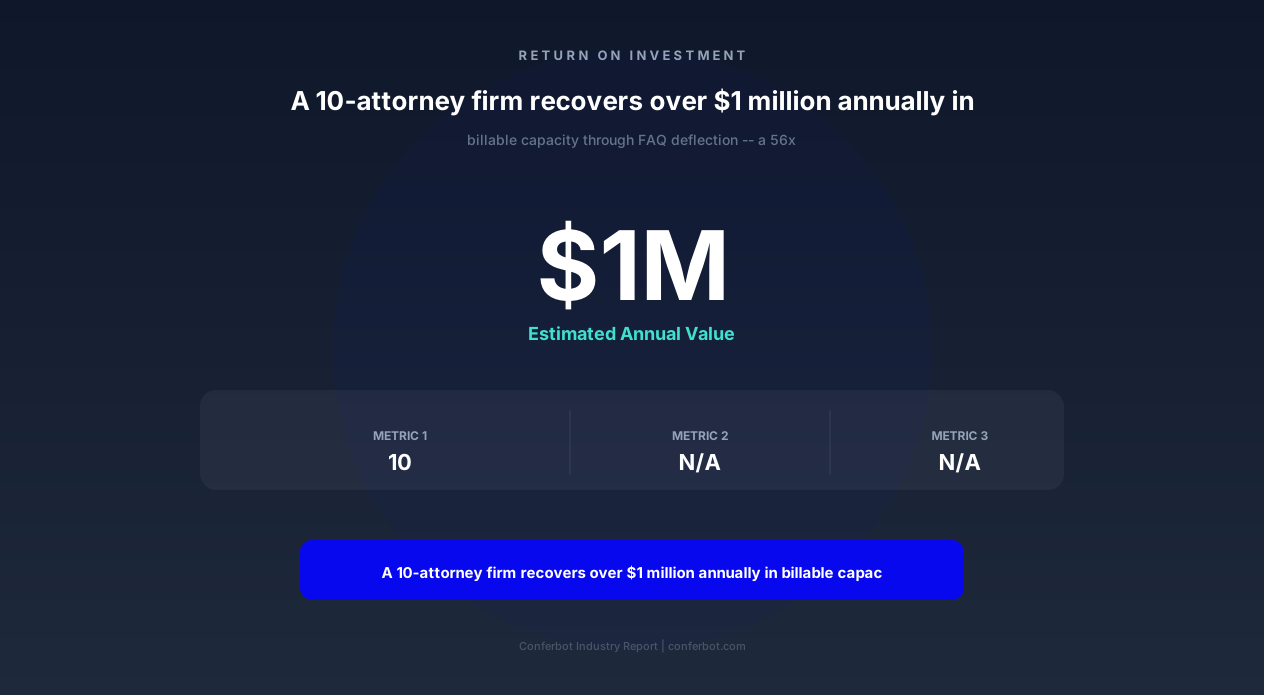
The financial impact of FAQ deflection is substantial when measured in recovered billable hours. For a 10-attorney firm with an average billable rate of $350/hour and 1,800 annual billable hours per attorney:
- Time recovered per attorney: 16% of billable capacity = 288 hours/year
- Revenue value of recovered time: 288 hours x $350 = $100,800/year per attorney
- Firm-wide revenue impact (10 attorneys): $1,008,000/year in recovered billable capacity
- Chatbot annual cost: $18,000 (Conferbot professional plan)
- ROI: 56x return on chatbot investment
This calculation assumes the recovered time is filled with billable work -- a reasonable assumption for firms that maintain healthy demand pipelines but are constrained by attorney availability. Even at 50% utilization of recovered time, the ROI exceeds 28x.
Lead Quality Improvement
Beyond volume metrics, the chatbot improves lead quality by pre-qualifying visitors through conversational engagement. Leads captured by the chatbot include practice area identification, key case facts, urgency indicators, and document readiness -- information that allows attorneys to prioritize and prepare before the consultation. Firms report that chatbot-qualified leads convert to retained clients at a 34% rate compared to 22% for unqualified phone inquiries, because the chatbot filters out poor-fit cases and sets appropriate expectations before the consultation.
Legal Ethics and Bar Compliance Considerations
Deploying an AI chatbot on a law firm website raises legitimate ethical questions under state bar rules governing attorney advertising, unauthorized practice of law (UPL), client confidentiality, and solicitation. Conferbot's legal FAQ template is designed with these constraints as foundational requirements, not afterthoughts. Every conversation flow, response template, and interaction pattern has been reviewed against ABA Model Rules and common state bar interpretations.
Information vs. Advice Distinction
The most critical ethical boundary is the distinction between providing legal information (permissible) and giving legal advice (requires an attorney-client relationship). The chatbot is configured to provide general legal information -- explanations of legal concepts, descriptions of common processes, general statute of limitations timeframes -- while explicitly disclaiming that responses do not constitute legal advice. Every substantive response includes a contextual disclaimer: "This is general information and not legal advice. Your situation may have unique factors that require attorney consultation."
The chatbot's response architecture prevents it from analyzing specific case facts and rendering opinions. When a visitor provides specific case details and asks "Do I have a case?" the chatbot responds with general criteria for that case type and recommends scheduling a consultation for case-specific analysis. This boundary is enforced through conversation flow design, not just disclaimer text.
Advertising Rule Compliance
Law firm chatbot communications are subject to attorney advertising rules (typically Model Rule 7.1 - 7.3 and state equivalents). Key compliance features built into the template include:
- Truthfulness: No promises of outcomes, no guarantees of results, no misleading statistics about case success rates
- Required disclaimers: Clear identification that the chatbot is an automated tool, not an attorney
- Fee disclosure: Honest representation of fee structures without hidden costs
- Jurisdictional limitations: Clear statement of jurisdictions where the firm is licensed to practice
- Testimonial compliance: Any referenced outcomes include appropriate disclaimers about past results not guaranteeing future outcomes
Unauthorized Practice of Law (UPL) Prevention
The chatbot must not engage in activities that constitute the practice of law in any jurisdiction. Built-in UPL guardrails include:
- No case analysis: The chatbot never evaluates the merits of a visitor's specific legal situation
- No legal strategy: The chatbot never recommends specific legal actions or strategies for individual cases
- No document preparation: The chatbot provides checklists but never drafts legal documents or fills in forms with case-specific content
- No representation claims: The chatbot never implies an attorney-client relationship exists through chatbot interaction
Confidentiality Protections
While chatbot interactions do not create an attorney-client relationship, visitors may disclose sensitive information during their interaction. Conferbot's legal template includes:
- Data encryption: All chatbot interactions are encrypted in transit (TLS 1.3) and at rest (AES-256)
- Retention policies: Configurable data retention periods aligned with firm data governance policies
- Access controls: Only authorized firm personnel can access chatbot conversation logs
- Pre-disclosure warnings: The chatbot informs visitors that information shared is not protected by attorney-client privilege before they provide specific case details
State-Specific Customization
Bar rules vary by state, and Conferbot's template includes state-specific configuration options for jurisdictions with unique advertising requirements. States like California (requiring "Advertisement" labeling), New York (requiring mandatory disclosures), and Florida (requiring specific disclaimer language) have pre-configured compliance modules that add the required elements automatically based on the firm's jurisdiction selection.
Practice Area Configurations and Use Cases
The legal FAQ assistant chatbot serves law firms across all practice areas, but the conversation flows, FAQ content, and lead qualification criteria differ significantly by specialty. The following configurations demonstrate how the template adapts to four major practice area categories.
Personal Injury Law Firms
Personal injury is the highest-volume practice area for legal FAQ chatbots because injury victims have urgent, time-sensitive questions and high anxiety about the legal process. The chatbot configuration for PI firms emphasizes:
- Case type identification: Auto accidents, slip and fall, medical malpractice, product liability, workplace injury, wrongful death
- Statute of limitations urgency: Immediate flagging of time-sensitive cases with consultation priority booking
- Contingency fee explanation: Clear explanation that the client pays nothing upfront and the firm is paid from the settlement
- Insurance process walkthrough: Step-by-step explanation of the claims process, dealing with adjusters, and when to involve an attorney
- Evidence preservation guidance: Immediate checklist of evidence to collect (photos, witness info, medical records) before it disappears
PI firms report that chatbot-captured leads from after-hours visitors (accident victims researching at 11pm from the hospital) represent some of their highest-value cases because these clients are motivated, time-sensitive, and often have not yet contacted competing firms.
Family Law Firms
Family law visitors arrive with emotional questions that benefit from the chatbot's patient, non-judgmental conversational style. Configuration emphasis includes:
- Divorce process types: Contested vs. uncontested, mediation options, collaborative divorce explanation
- Custody information: Legal vs. physical custody, factors courts consider, modification processes
- Financial disclosure preparation: Document checklist for financial assets, debts, income, and expenses
- Protective order guidance: When emergency orders are available and how to request them (with appropriate urgency referral)
- Cost expectations: Ranges for uncontested vs. contested divorces, hourly vs. flat fee structures
Criminal Defense Firms
Criminal defense chatbot visitors are often in crisis -- recently arrested, charged, or learning a loved one is in custody. The chatbot prioritizes immediate guidance and 24/7 attorney access:
- Rights information: General information about Miranda rights, right to counsel, right to remain silent
- Bail and arraignment: How bail works, what happens at arraignment, timeline expectations
- Charge severity: General information about misdemeanor vs. felony classifications and potential consequences
- Immediate consultation: Priority booking for emergency consultations with on-call attorney availability
- Do/don't guidance: General guidance on what to do and not do after arrest (without constituting legal advice)
Business and Corporate Law
Business law visitors typically have formation, compliance, or contract questions. The chatbot handles:
- Entity selection: Comparison of LLC, S-Corp, C-Corp, partnership structures with general pros/cons
- Formation steps: State-specific formation process walkthroughs with document checklists
- Contract questions: General information about contract enforceability, common terms, and when attorney review is advisable
- Compliance timelines: Annual filing deadlines, tax elections, and regulatory compliance milestones
- IP protection: General overview of trademark, copyright, and patent processes with timeline expectations
Each practice area configuration includes customized lead qualification criteria. A personal injury lead is qualified by case type, injury severity, incident date (SOL urgency), and insurance status. A family law lead is qualified by matter type, urgency, children involved, and asset complexity. These qualification criteria feed into the lead scoring system that helps attorneys prioritize consultation scheduling through the firm's calendar integration.
businesses worldwide use Conferbot templates to automate conversations
Integration with Law Firm Technology Stack
Modern law firms operate a technology ecosystem that includes practice management software, CRM systems, document management, billing platforms, and communication tools. The legal FAQ chatbot delivers maximum value when integrated with these existing systems through Conferbot's API integration capabilities.
Practice Management Software Integration
When the chatbot qualifies a lead and books a consultation, it can create a new matter or potential client record in the firm's practice management system. Supported platforms include Clio, MyCase, PracticePanther, Smokeball, and CosmoLex. The integration creates a contact record with all information collected during the chatbot conversation -- case type, key facts, documents checklist status, and consultation appointment -- eliminating the double-entry that attorneys and staff previously performed when transferring phone inquiry notes into the system.
CRM and Marketing Automation
Not every chatbot visitor is ready to book a consultation immediately. Some are researching, comparing firms, or not yet sure they need an attorney. The chatbot's CRM integration captures these early-stage visitors as nurture leads, enrolling them in email sequences that provide additional educational content aligned with their identified practice area interest. Supported CRMs include HubSpot, Lawmatics, and Salesforce, with marketing automation through Mailchimp, ActiveCampaign, or the CRM's native sequences.
Calendar and Scheduling Integration
Consultation booking is the chatbot's primary conversion action, and seamless calendar integration is essential. Conferbot's calendar booking feature integrates with Google Calendar, Outlook/Microsoft 365, Calendly, and Acuity Scheduling to show real-time attorney availability and book consultations without receptionist involvement. The integration respects attorney-specific rules: practice area matching (PI leads only book with PI attorneys), consultation type selection (phone, video, in-office), and preparation time buffers between appointments.
Website and SEO Integration
The chatbot complements the firm's website chatbot strategy by providing contextual engagement based on the page the visitor is viewing. A visitor on the "Car Accident Attorney" page sees the chatbot pre-loaded with personal injury context; a visitor on the "Business Formation" page sees business law context. This contextual deployment increases engagement rates by 45% compared to generic chatbot greetings because the conversation starts relevant to the visitor's demonstrated interest.
Document Management Integration
When the chatbot generates document checklists for consultation preparation, it can deliver those checklists as downloadable PDFs or send them via email through integration with the firm's document management system (NetDocuments, iManage, or Google Workspace). This ensures checklist content is always current -- when the firm updates document requirements for a case type, the chatbot automatically delivers the updated version without manual chatbot reconfiguration.
Telephony and Call Tracking
For firms that use call tracking (CallRail, CallTrackingMetrics), the chatbot integrates with the call tracking system to provide unified lead attribution. When a visitor interacts with the chatbot but ultimately calls the firm, the call tracking integration connects the phone lead to the prior chatbot interaction, giving the firm complete visibility into the multi-touch journey from website visit to chatbot engagement to phone conversion.
Setup and Deployment Guide for Law Firms
Deploying the legal FAQ assistant chatbot requires approximately three hours of hands-on configuration time and no technical expertise beyond basic website administration. The following guide walks through the complete setup process from template selection to live deployment.
Step 1: Template Selection and Firm Configuration (20 minutes)
Select the "Legal FAQ Assistant" template from Conferbot's AI chatbot builder and configure firm-specific settings: firm name, practice areas handled, jurisdictions of practice, office locations, and operating hours. Upload the firm's logo and select brand colors for the chatbot widget appearance.
Step 2: Practice Area Content Configuration (90 minutes)
This is the most important configuration step. For each practice area the firm handles, configure:
- FAQ responses: Review and customize the template's pre-built FAQ answers for your jurisdiction and firm specifics
- Process walkthroughs: Customize step-by-step guides with your firm's specific process and timelines
- Document checklists: Configure document requirements for each case type and consultation type
- Fee information: Enter your firm's fee structures, ranges, and payment options for transparency responses
- Statute of limitations: Verify SOL information for your state and case types handled
Step 3: Lead Qualification and Routing (30 minutes)
Configure lead scoring criteria: which case types are highest priority, what urgency indicators trigger priority booking, and how leads should be routed among attorneys based on practice area and availability. Set up the consultation booking flow with attorney calendar connections and appointment type definitions.
Step 4: Integration Configuration (30 minutes)
Connect the chatbot to your practice management software, CRM, calendar system, and any other tools in your stack. Test the data flow by submitting a test lead through the chatbot and verifying it appears correctly in your practice management system with all collected information populated.
Step 5: Compliance Review (30 minutes)
Review all chatbot responses for compliance with your state's bar advertising rules. Verify disclaimer language is present and appropriate, confirm no responses could constitute legal advice, and ensure fee disclosures meet state requirements. Conferbot provides a compliance checklist specific to your state bar's rules to guide this review.
Step 6: Testing and Launch (30 minutes)
Test the chatbot with representative queries covering each practice area, process walkthrough, and edge case scenario. Verify lead routing, calendar booking, and CRM integration. Deploy to your website with a soft launch period of one week before full promotion. Monitor the analytics dashboard for unexpected query patterns or information gaps that require additional content configuration.
Ongoing Optimization
Review chatbot analytics weekly during the first month and monthly thereafter. Key metrics to monitor include: FAQ deflection rate (target: 70%+), consultation booking rate (target: 8-12% of interactions), after-hours lead capture volume, and escalation rate (queries the chatbot cannot answer). Use escalation analysis to identify content gaps and add new FAQ responses. Update process walkthroughs and document checklists whenever firm procedures change.
Competitive Advantage: Why Law Firms Need FAQ Chatbots in ${year}
The legal services market in 2026 is more competitive than ever. Prospective clients research 3-5 law firms before making contact, and the firm that provides the best digital experience during that research phase captures the consultation. A legal FAQ chatbot is no longer a novelty -- it is a competitive requirement for firms that want to convert their website traffic into consultations at industry-leading rates.
The Modern Legal Consumer's Expectations
Research from the 2026 Legal Consumer Survey shows that:
- 76% of legal consumers expect immediate answers to basic legal questions when visiting a law firm website
- 64% will leave a website without making contact if they cannot find answers to preliminary questions within 60 seconds
- 52% prefer text-based interaction over phone calls for initial legal research (rising to 71% for consumers under 40)
- 43% of consultations are booked outside traditional business hours (evenings and weekends)
- 81% say transparent fee information is essential before they will consider contacting a firm
A law firm without a chatbot leaves these expectations unmet, ceding potential clients to competitors who provide instant digital engagement. The chatbot does not replace the attorney -- it serves as the digital front door that qualifies, educates, and converts visitors into consultations at rates 93% higher than static websites without conversational engagement.
Differentiation from Static FAQ Pages
Every law firm website has an FAQ page. The problem is that static FAQ pages have a 72% bounce rate -- visitors scan the questions, do not find an exact match for their situation, and leave. A chatbot eliminates this pattern by understanding natural language queries and providing contextual responses that address the visitor's specific question even when it does not match a pre-written FAQ heading verbatim. The conversational format also encourages follow-up questions, keeping visitors engaged longer and progressing them toward consultation readiness.
24/7 Lead Capture Without After-Hours Staffing
Law firms that rely solely on phone intake and contact forms lose 35% of potential leads that arrive outside business hours. A visitor who researches "divorce attorney near me" at 10pm on a Sunday needs answers now -- not Monday at 9am when five other firms have already responded. The chatbot provides immediate engagement, answers preliminary questions, and books a consultation for Monday morning -- capturing the lead before the visitor moves on to a competitor's website.
Scalability Without Headcount
As a firm's marketing generates more website traffic, intake capacity becomes a bottleneck. Adding receptionists or intake specialists costs $45,000-65,000 per position in salary and benefits. The chatbot scales infinitely -- handling 100 simultaneous conversations as easily as one -- without any marginal cost increase. This scalability is particularly valuable during case-type-specific demand spikes (auto accidents after a major highway pileup, family law inquiries in January) when phone lines would otherwise be overwhelmed.
In 2026, the question for law firms is no longer "Should we have a chatbot?" but "How much revenue are we losing every month without one?" For a firm with 10,000 monthly website visitors and a 2.8% conversion rate versus the chatbot-enabled 5.4% rate, the difference is 26 additional qualified leads per month -- at an average case value of $5,000-25,000, the annual revenue impact of those missed leads ranges from $1.5 million to $7.8 million.
Legal FAQ Assistant FAQ
Everything you need to know about chatbots for legal faq assistant.
Why Use a Template vs Building from Scratch?
Templates give you a proven starting structure instead of a blank canvas.
| Factor | Conferbot Template | Build from Scratch | Hire a Developer |
|---|---|---|---|
| Time to deploy | 10 minutes | 2-8 hours | 2-6 weeks |
| Cost | Free | Your time | Custom dev quote |
| Proven flows | Yes, pre-built | No | Depends |
| Updates included | Automatic | Manual | Paid |
| Multi-channel | 8+ channels | 1 channel | Extra cost |
| Analytics | Built-in | Must build | Extra cost |
Learn More About Chatbots
Go deeper on how b2b services chatbots work and how to pick the right builder.
Ready to Deploy Legal FAQ Assistant?
Start with a free-forever plan. No credit card required.