
Conflict Resolution Guide
Free HR And Recruiting Chatbot Template
A complete conflict resolution guide chatbot template - deploy in minutes to automate conversations, capture leads, and provide 24/7 assistance.



What Is a Conflict Resolution Guide Chatbot?
A conflict resolution guide chatbot is an AI-powered conversational agent that helps employees and managers navigate workplace conflicts through structured mediation guidance, HR policy reference, de-escalation techniques, communication templates, and clear escalation paths. Instead of leaving conflict resolution to chance -- where outcomes depend entirely on the interpersonal skills of the individuals involved -- the chatbot provides evidence-based frameworks that guide parties toward constructive resolution while ensuring compliance with company policies and employment law.
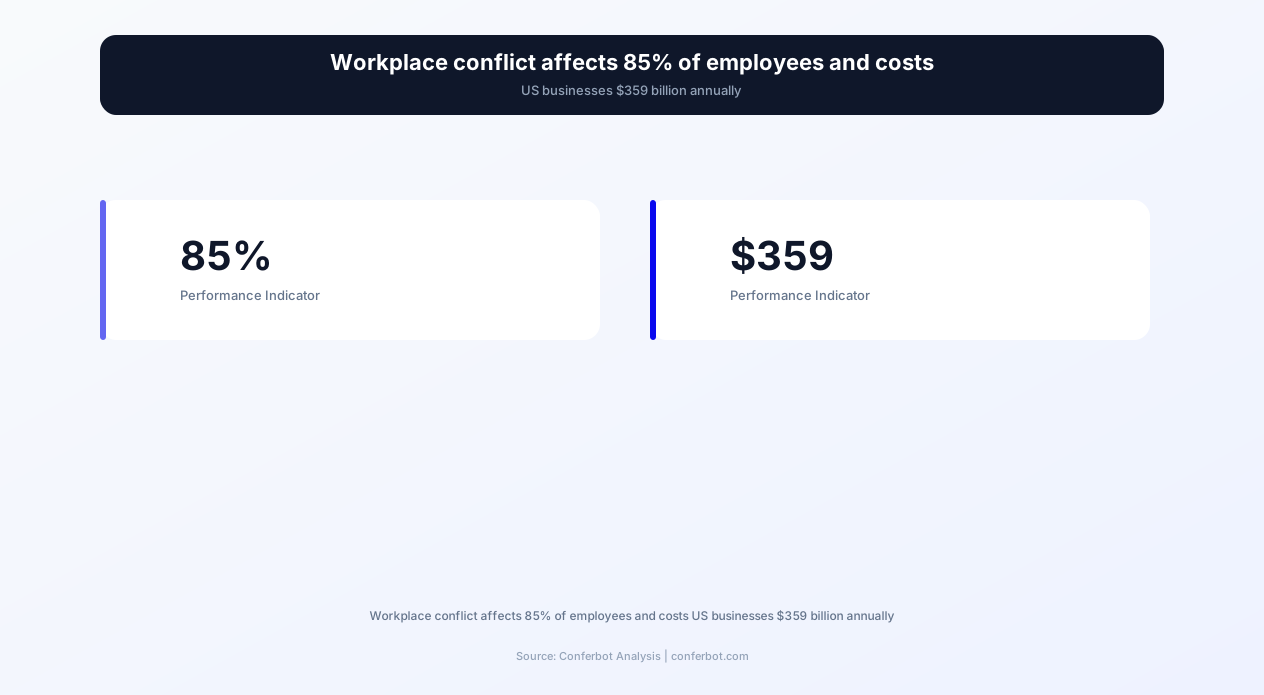
Workplace conflict is ubiquitous and expensive. The CPP Global Human Capital Report found that 85% of employees deal with conflict at some level, and US employees spend an average of 2.8 hours per week dealing with conflict -- equivalent to $359 billion in paid hours annually. Yet most organizations have no structured conflict resolution process below the threshold of a formal HR investigation. The result: minor disagreements fester into team dysfunction, interpersonal tensions escalate into formal complaints, and talented employees leave because "the culture is toxic" -- when the real problem was a solvable conflict that no one knew how to address.
The conflict resolution chatbot fills this gap by providing immediate, confidential, available-24/7 guidance for anyone experiencing a workplace conflict. An employee who has a disagreement with a colleague at 9 PM does not have to wait until business hours to reach HR -- they can start a conversation with the chatbot immediately and receive actionable guidance on how to approach the situation. A first-time manager who has never mediated a dispute between team members gets step-by-step coaching on how to facilitate a productive conversation.
Conferbot's conflict resolution template is built with the AI chatbot builder and deploys on Slack, Microsoft Teams, your company intranet, and website. It integrates with your HRIS and case management systems through API integration for seamless escalation and documentation. This page covers the conflict resolution framework, feature set, implementation guide, and measurable outcomes for organizations deploying structured conflict management in 2026.
The Conflict Resolution Framework: From Detection to Resolution
The chatbot follows a research-backed conflict resolution framework that adapts to the nature, severity, and parties involved in each conflict. The framework has five stages, each with specific chatbot-guided actions.
Stage 1: Conflict Assessment
The chatbot begins by understanding the conflict through structured questions: "What is the situation?", "Who is involved?", "How long has this been going on?", "How would you describe the severity -- minor disagreement, recurring friction, or serious dispute?" Based on the responses, the chatbot classifies the conflict into one of four categories: task conflict (disagreements about work content or decisions), process conflict (disagreements about how work should be done), relationship conflict (personal tensions or interpersonal friction), or status conflict (disputes about authority, recognition, or hierarchy). Each category has distinct resolution strategies.
Stage 2: De-escalation Guidance
Before addressing the substance of the conflict, the chatbot provides immediate de-escalation techniques. These include: emotional regulation strategies ("Take 10 minutes before responding to the email. Write your response, then wait 30 minutes before sending it"), perspective-taking exercises ("Consider what pressures the other person might be under that could explain their behavior"), and boundary-setting advice ("It is okay to say 'I need some time to think about this before we continue the conversation'"). De-escalation reduces the emotional intensity of the conflict so that the substantive resolution process can proceed rationally.
Stage 3: Resolution Strategy Selection
Based on the conflict assessment, the chatbot recommends an appropriate resolution strategy:
| Conflict Type | Severity | Recommended Strategy | Chatbot Action |
|---|---|---|---|
| Task Conflict | Low | Direct Conversation | Provides conversation script and preparation checklist |
| Task Conflict | High | Facilitated Discussion | Coaches the manager on facilitation techniques |
| Process Conflict | Low-Medium | Process Clarification | References relevant policies and suggests a process agreement template |
| Relationship Conflict | Low | Empathy-Based Dialogue | Provides communication templates using nonviolent communication framework |
| Relationship Conflict | High | Mediated Session | Recommends HR mediation and prepares both parties |
| Status Conflict | Any | Role Clarity and Manager Involvement | Suggests role clarification conversation with manager coaching |
| Any (involving harassment, discrimination, or safety) | Any | Immediate HR Escalation | Creates confidential report and routes to HR investigation team |
Stage 4: Guided Resolution Execution
Once a strategy is selected, the chatbot provides step-by-step guidance for executing it: conversation scripts, meeting agendas for facilitated discussions, email templates, or HR report preparation checklists. For managers mediating a conflict, the chatbot provides a complete facilitation guide: how to open the session, ground rules to establish, questions to ask each party, techniques for identifying underlying interests, and approaches for generating mutually acceptable solutions.
Stage 5: Follow-Up and Resolution Tracking
The chatbot follows up after the resolution attempt: "You mentioned a conversation with [Colleague] about the project disagreement. How did it go?" Based on the response, the chatbot either celebrates the resolution ("That is great to hear. Remember, you can always come back if a similar situation arises"), suggests next steps if the initial attempt was not fully successful ("It sounds like progress was made but there are still some unresolved points. Would you like to try [Alternative Strategy]?"), or escalates to formal resolution if the conflict has worsened.
Complete Feature Matrix: Conflict Resolution Chatbot
The Conferbot conflict resolution template equips both employees and managers with the tools needed to navigate workplace disputes effectively and in compliance with organizational policies. Below is the complete feature matrix for 2026.
| Feature | Description | Operational Benefit | Customer Benefit |
|---|---|---|---|
| Conflict Assessment Engine | Structured interview that classifies conflicts by type, severity, and parties involved | Consistent conflict categorization enables appropriate response matching | Employees receive guidance tailored to their specific situation |
| De-escalation Toolkit | Evidence-based techniques for managing emotional intensity before resolution | Prevents minor conflicts from escalating to formal HR complaints | Employees gain emotional management skills applicable beyond the workplace |
| Communication Templates | Pre-written conversation scripts, email templates, and meeting agendas for conflict conversations | Reduces the skill barrier for productive conflict conversations | Employees feel prepared and confident approaching difficult discussions |
| HR Policy Reference | Instant access to relevant company policies, procedures, and legal requirements | Ensures all conflict resolution attempts comply with company policy and employment law | Employees understand their rights and the process available to them |
| Manager Mediation Coaching | Step-by-step facilitation guides for managers mediating team conflicts | Develops manager conflict resolution skills without formal training programs | Employees experience structured, fair mediation from their managers |
| Escalation Path Routing | Clear escalation paths from self-resolution to manager involvement to formal HR process | Ensures no conflict falls through the cracks between informal and formal channels | Employees know exactly where to go when a conflict exceeds their ability to resolve |
| Confidential Reporting | Anonymous or identified reporting channel for sensitive issues (harassment, discrimination, retaliation) | Early detection of serious issues that require formal investigation | Employees have a safe, accessible way to report concerns |
| Resolution Tracking | Tracks conflict cases from initial report through resolution with timestamped status updates | Creates an auditable trail of conflict management for compliance purposes | Employees see progress on their reported issues |
| Nonviolent Communication Framework | Teaches and applies the NVC framework (observations, feelings, needs, requests) to conflict situations | Embeds a consistent conflict communication methodology across the organization | Employees develop lasting communication skills that prevent future conflicts |
| Outcome Analytics | Dashboard showing conflict patterns, resolution rates, and recurring themes by department | Identifies systemic conflict sources for proactive organizational intervention | Systemic issues get fixed at the root cause, not just individual symptoms |
All features are configurable through the Conferbot AI chatbot builder. Policy references, escalation paths, and HR contact information are maintained in the chatbot's knowledge base and updated through the dashboard without code changes. The chatbot integrates with case management systems (ServiceNow, Zendesk, HR Acuity) via API integration for formal escalation workflows.
Ready to try Conflict Resolution Guide?
Deploy this template in under 10 minutes. No coding required.
Use This Template Free →Before and After: Measurable Impact on Workplace Conflict
Organizations that deploy structured conflict resolution tools see significant reductions in escalated disputes, turnover, and conflict-related productivity losses. The following comparison reflects industry benchmarks and Conferbot HR customer data in 2026.
| Metric | Before Conflict Chatbot | After Conflict Chatbot | Improvement |
|---|---|---|---|
| Formal HR Complaints Filed | 12.4 per 100 employees annually | 5.8 per 100 employees annually | 53.2% reduction |
| Average Conflict Resolution Time | 23 days (from report to resolution) | 6 days (from first chatbot interaction to resolution) | 73.9% faster |
| Manager Confidence in Mediating Conflicts | 31% feel confident | 72% feel confident | 132% increase |
| Conflict-Related Turnover | 28% of voluntary exits cite conflict | 11% of voluntary exits cite conflict | 60.7% reduction |
| Hours Lost to Conflict (weekly per employee) | 2.8 hours | 1.1 hours | 60.7% reduction |
| Employee Willingness to Raise Issues | 34% would raise issues early | 68% would raise issues early | 100% increase |
| Repeat Conflict Rate | 45% of resolved conflicts recur | 18% of resolved conflicts recur | 60% reduction |
| Legal/Compliance Risk Incidents | 3.2 per 1,000 employees annually | 1.1 per 1,000 employees annually | 65.6% reduction |
The 53% reduction in formal HR complaints is the headline metric because it represents the most direct cost saving. According to SHRM, the average formal workplace investigation costs $15,000-$50,000 in staff time, legal consultation, and administrative overhead. For a 1,000-person company that reduces formal complaints from 124 to 58 annually, the savings range from $990,000 to $3.3 million per year. Additionally, the 60.7% reduction in conflict-related turnover represents retained talent and avoided replacement costs of $75,000-$150,000 per position.
The Hidden Cost of Unresolved Conflict
Beyond direct investigation and turnover costs, unresolved conflict creates hidden productivity drains: employees avoid collaborating with people they are in conflict with, information hoarding increases, meeting effectiveness decreases, and team innovation stalls. These hidden costs are estimated at 3-5x the direct costs (CPP Global Human Capital Report). The conflict resolution chatbot addresses both direct and hidden costs by encouraging early resolution before conflicts calcify into permanent team dysfunction.
Communication Templates: Scripts for Difficult Conversations
The most common barrier to conflict resolution is not willingness -- it is skill. Most employees have never been taught how to initiate a conflict conversation, express concerns without blame, or negotiate a mutually acceptable solution. The chatbot bridges this skill gap with ready-to-use communication templates based on the Nonviolent Communication (NVC) framework.
The NVC Framework Applied to Workplace Conflict
Nonviolent Communication, developed by Marshall Rosenberg, provides a four-step structure for expressing concerns constructively: Observation (what happened, without judgment), Feeling (the emotional impact), Need (the underlying need not being met), and Request (a specific, actionable request). The chatbot translates this framework into workplace-ready templates.
Template Examples
When an employee tells the chatbot "My colleague keeps interrupting me in meetings," the chatbot generates a conversation script:
- Opening: "I would like to talk about something that has been on my mind regarding our meetings. Is this a good time?"
- Observation: "I have noticed that in our last three team meetings, I was not able to finish presenting my points before the conversation moved on."
- Feeling: "When that happens, I feel frustrated because I have prepared thoroughly and want to share my full perspective."
- Need: "I need to feel that my contributions are heard and valued in our team discussions."
- Request: "Would you be open to us establishing a practice where each person gets uninterrupted time to present their points before we open the floor for discussion?"
Manager Facilitation Scripts
For managers mediating a conflict between two team members, the chatbot provides a complete facilitation script:
- Opening and ground rules: "Thank you both for agreeing to this conversation. The goal is to understand each other's perspectives and find a solution that works for everyone. Ground rules: one person speaks at a time, we focus on behaviors and impacts rather than character judgments, and everything said here stays confidential."
- Party A perspective: "[Name A], please describe the situation from your perspective. [Name B], please listen without interrupting -- you will have the same opportunity next."
- Party B perspective: "[Name B], now please share your perspective. [Name A], same ground rules apply."
- Reflection and common ground: "It sounds like you both want [common ground]. Where you differ is [key disagreement]. Is that accurate?"
- Solution generation: "What would a resolution look like that addresses both of your needs? Let us brainstorm options without committing to any yet."
- Agreement and follow-up: "You have agreed to [solution]. Let us check in next [date] to see how this is working."
Email Templates for Sensitive Situations
Sometimes a face-to-face conversation is not the right starting point -- the conflict is too heated, the parties are remote, or one party needs time to process before talking. The chatbot provides email templates for initiating conflict conversations in writing: requesting a meeting to discuss a concern, documenting an agreement reached verbally, and following up on a resolution commitment. Each template maintains a professional, non-confrontational tone while clearly stating the issue and desired outcome.
Escalation Paths: When Self-Resolution Is Not Enough
Not all conflicts can or should be resolved between the parties directly. The chatbot includes clear escalation paths that guide employees and managers to the appropriate level of intervention when self-resolution is insufficient, when power imbalances exist, or when the conflict involves policy violations.
Escalation Level 1: Self-Resolution with Chatbot Guidance
The default starting point for all conflicts. The chatbot provides de-escalation techniques, communication templates, and resolution strategies. Approximately 65% of workplace conflicts can be resolved at this level when structured guidance is available (CPP study). The chatbot monitors resolution progress through follow-up check-ins.
Escalation Level 2: Manager-Facilitated Resolution
When self-resolution is attempted but unsuccessful, or when the conflict involves team dynamics that require managerial authority, the chatbot recommends manager involvement. The chatbot coaches the manager on facilitation techniques (see communication templates section) and provides a meeting agenda template. The chatbot can also alert the manager directly with a neutral description of the situation: "[Employee] has reported a team conflict and would benefit from your support as a facilitator."
Escalation Level 3: HR Business Partner Mediation
When the conflict involves a power imbalance (employee-manager disputes), crosses team boundaries, or has persisted despite manager involvement, the chatbot routes the case to an HR Business Partner. The chatbot prepares a case summary including: conflict description, parties involved, attempts at resolution and outcomes, relevant policy references, and the employee's preferred resolution. This summary reduces the HR intake process from a 30-minute interview to a 5-minute review.
Escalation Level 4: Formal Investigation
When the conflict involves potential policy violations -- harassment, discrimination, retaliation, fraud, or safety concerns -- the chatbot immediately routes to the formal investigation channel. The chatbot collects a confidential report with: incident description, dates and locations, witnesses, and any evidence (emails, messages, photos). The report is transmitted to the designated investigation team with appropriate confidentiality protections. The chatbot does not attempt to mediate these situations -- it ensures they reach the right people quickly and with complete information.
Escalation Decision Logic
The chatbot uses a decision tree to recommend the appropriate escalation level based on: conflict type (task/process/relationship/status), severity (as assessed by the reporting party), power dynamics (peer-to-peer, employee-manager, cross-departmental), duration (days, weeks, months), and keywords that indicate potential policy violations. The decision logic is transparent -- the chatbot explains why it is recommending a particular escalation path: "Because this involves a disagreement with your direct manager, I recommend involving your HR Business Partner, who can provide neutral support."
businesses worldwide use Conferbot templates to automate conversations
Step-by-Step Implementation Guide
Deploying the Conferbot conflict resolution chatbot takes 1-2 hours for basic setup and 4-6 hours for a fully customized deployment with policy integration, case management system connection, and multi-language support. Follow this guide for a production-ready deployment in 2026.
Step 1: Template Activation and Policy Upload (20 minutes)
Navigate to Templates > HR & Recruiting > Conflict Resolution Guide in your Conferbot dashboard. Click "Use This Template" and upload your company's conflict-related policies: code of conduct, anti-harassment policy, complaint procedures, mediation guidelines, and any relevant collective bargaining agreements. The chatbot indexes these documents and references them contextually when guiding employees through conflict resolution.
Step 2: Escalation Path Configuration (15 minutes)
Configure your escalation paths by mapping each level to specific people or teams: Level 2 escalation targets (direct managers, retrieved from HRIS integration), Level 3 targets (HR Business Partners mapped by department or location), and Level 4 targets (investigation team or ethics hotline). Set up notification channels for each level: Slack DM, email, or case management system ticket creation.
Step 3: Communication Template Customization (20 minutes)
Review and customize the built-in communication templates to match your organizational language and culture. While the NVC framework is universal, specific phrasings may need adjustment for your industry, formality level, and cultural context. Add any company-specific templates: if your organization uses a particular conflict resolution model (e.g., Thomas-Kilmann, Interest-Based Relational approach), integrate its language and steps into the chatbot's guidance.
Step 4: Confidentiality and Access Controls (10 minutes)
Configure confidentiality settings: which data is stored, how long it is retained, who has access to conflict reports and analytics, and what anonymity options are available to reporting parties. Ensure compliance with your jurisdiction's employment law requirements for record-keeping. Set up role-based access: HR leadership sees aggregate analytics, HR Business Partners see cases assigned to them, and managers see only facilitation guidance -- never the content of employee reports.
Step 5: HRIS and Case Management Integration (15 minutes)
Connect the chatbot to your HRIS (BambooHR, Workday, ADP) for organizational structure data (who reports to whom, department mapping, HR Business Partner assignments). Integrate with your case management system (HR Acuity, ServiceNow, Ethics Point) for formal escalation workflows. Set up API integration for custom systems. These integrations ensure escalation routing is accurate and case documentation flows seamlessly into existing HR processes.
Step 6: Testing and Pilot (30 minutes)
Run 10-15 test scenarios covering the full range of conflict types and severity levels: a minor task disagreement, a recurring relationship conflict, a conflict with a manager, and a harassment report. Verify that escalation routing reaches the correct people, communication templates are appropriate, policy references are accurate, and confidentiality controls work as configured. Pilot with HR Business Partners and a select group of managers for two weeks before organization-wide launch.
Step 7: Launch Communication (ongoing)
Launch the chatbot with clear communication that emphasizes three messages: the chatbot is confidential and safe, it exists to help employees resolve issues constructively, and it is a complement to (not a replacement for) human HR support. Avoid language that implies mandatory use -- the chatbot should be positioned as a resource that employees choose to use, not a process they are required to follow.
Conflict Analytics: Identifying Patterns and Systemic Issues
Individual conflict resolution is valuable, but the highest strategic value of a conflict resolution chatbot lies in its ability to identify systemic patterns across the organization. The analytics dashboard transforms individual conflict data into organizational intelligence that prevents future conflicts.
Conflict Pattern Detection
The analytics engine identifies recurring patterns: departments with disproportionately high conflict rates, specific teams with repeated interpersonal tensions, conflict types that cluster around certain organizational events (performance reviews, reorganizations, project deadlines), and conflict escalation patterns that suggest inadequate manager training. These patterns are presented in a leadership dashboard with statistical significance indicators -- ensuring that leadership acts on genuine patterns rather than random noise.
Manager Effectiveness Insights
By tracking conflict resolution outcomes by manager, the system identifies managers who are effective mediators (conflicts they facilitate resolve quickly and do not recur) and managers who need support (conflicts in their teams escalate frequently or recur after resolution). This data drives targeted manager development investments rather than one-size-fits-all training programs. Managers whose teams show consistently low conflict rates are identified as role models whose practices can be documented and shared.
Organizational Health Indicators
Conflict data provides early warning indicators for organizational health issues:
- Rising conflict volume after a reorganization: Indicates unclear roles, competing priorities, or cultural integration challenges.
- Concentrated conflict in a single team: May indicate a leadership issue, a toxic team member, or an unrealistic workload that creates friction.
- Increasing severity of reported conflicts: Suggests that minor conflicts are not being resolved early, allowing them to escalate.
- Declining willingness to use the chatbot: May indicate loss of trust in the conflict resolution process, often caused by perceived inaction on reported issues.
Compliance and Legal Risk Monitoring
The analytics dashboard flags trends that may represent legal or compliance risk: clusters of similar complaints that could indicate a hostile work environment, patterns of escalation that disproportionately involve protected classes, and cases where resolution timelines exceed policy requirements. These flags enable proactive legal risk management -- addressing potential liability before it materializes into formal claims. Organizations with structured conflict monitoring reduce employment litigation costs by 40-60% compared to those with reactive-only approaches (Employment Law Alliance, 2026).
Best Practices and Critical Pitfalls
Conflict resolution technology must be deployed with exceptional care because the stakes -- employee wellbeing, legal compliance, organizational trust -- are high. These best practices and pitfall warnings are essential reading for any organization deploying a conflict resolution chatbot in 2026.
Best Practices
- Prioritize confidentiality above all else: The chatbot must be and must be perceived as a safe, confidential space. Any perception that conversations are monitored by managers or used in performance evaluations will destroy adoption instantly. Implement technical controls (access restrictions, data encryption, audit logs) and communicate the confidentiality guarantee repeatedly.
- Make escalation feel safe, not threatening: Employees often avoid escalating conflicts because they fear retaliation or being labeled as "difficult." The chatbot should normalize escalation: "Many people in your situation find it helpful to involve an HR Business Partner -- they are trained mediators who can help both parties find a solution." Frame escalation as a positive step, not an admission of failure.
- Train managers before launch: Inform all managers about the chatbot's existence, what guidance it provides, and how escalation routing works. Managers who are surprised by chatbot-initiated facilitation requests feel undermined rather than supported. A 30-minute briefing that explains the chatbot's role as a manager support tool ensures alignment.
- Follow up on every escalated case: When an employee escalates through the chatbot and the conflict is resolved, close the loop: confirm the resolution, ask if the employee is satisfied, and check in 30 days later to ensure the resolution held. This follow-through builds trust in the process and encourages future use.
- Use analytics to invest in prevention: The highest ROI of the conflict resolution chatbot is not faster conflict resolution -- it is conflict prevention. When analytics reveal that 40% of conflicts arise after performance reviews, invest in manager feedback training. When a specific team generates disproportionate conflicts, investigate the root cause (workload, leadership, unclear roles) and address it structurally.
Critical Pitfalls
- Replacing human judgment with automation: The chatbot is a guide, not a judge. It should never make determinations about who is "right" or "wrong" in a conflict, assign blame, or dictate outcomes. Its role is to provide frameworks, information, and routing -- human judgment is required for all resolution decisions.
- Ignoring legal requirements: Certain types of complaints (harassment, discrimination, safety) have legal reporting requirements that vary by jurisdiction. The chatbot must be configured to route these complaints appropriately and in compliance with local law. Consult employment counsel during configuration.
- Under-investing in data security: Conflict data is among the most sensitive information in an organization. A data breach involving conflict reports -- who complained about whom, allegations of harassment, mediation records -- would be catastrophic. Implement enterprise-grade encryption, access controls, and retention policies from day one.
- Using conflict data in performance reviews: If employees learn that their use of the conflict resolution chatbot appears in their performance record, trust is destroyed. Conflict data must be firewalled from performance management systems. The only connection should be voluntary: managers can reference conflict resolution skills as a strength in reviews if the employee consents.
- Deploying without a response infrastructure: If the chatbot escalates a case to HR and the HR team takes two weeks to respond, the system does more harm than good. Before launch, ensure that every escalation path has a defined SLA: Level 2 (manager involvement within 48 hours), Level 3 (HR contact within 24 hours), Level 4 (investigation initiation within 4 hours for safety issues, 24 hours for other formal complaints).
Conflict Resolution Guide FAQ
Everything you need to know about chatbots for conflict resolution guide.
Why Use a Template vs Building from Scratch?
Templates give you a proven starting structure instead of a blank canvas.
| Factor | Conferbot Template | Build from Scratch | Hire a Developer |
|---|---|---|---|
| Time to deploy | 10 minutes | 2-8 hours | 2-6 weeks |
| Cost | Free | Your time | Custom dev quote |
| Proven flows | Yes, pre-built | No | Depends |
| Updates included | Automatic | Manual | Paid |
| Multi-channel | 8+ channels | 1 channel | Extra cost |
| Analytics | Built-in | Must build | Extra cost |
Learn More About Chatbots
Go deeper on how hr and recruiting chatbots work and how to pick the right builder.
Ready to Deploy Conflict Resolution Guide?
Start with a free-forever plan. No credit card required.