
Intellectual Property Guide
Free B2B Services Chatbot Template
A complete intellectual property guide chatbot template - deploy in minutes to automate conversations, capture leads, and provide 24/7 assistance.


What Is an Intellectual Property Guide Chatbot?
An intellectual property guide chatbot is a conversational AI tool that helps inventors, startup founders, creative professionals, and business owners understand and navigate the complex landscape of intellectual property protection. Rather than requiring users to parse dense legal websites or schedule expensive initial consultations just to understand whether they need a patent, trademark, or copyright, the chatbot guides them through a structured dialogue that identifies their IP type, explains the protection process, estimates timelines and costs, and connects them with qualified IP attorneys when professional representation is needed.
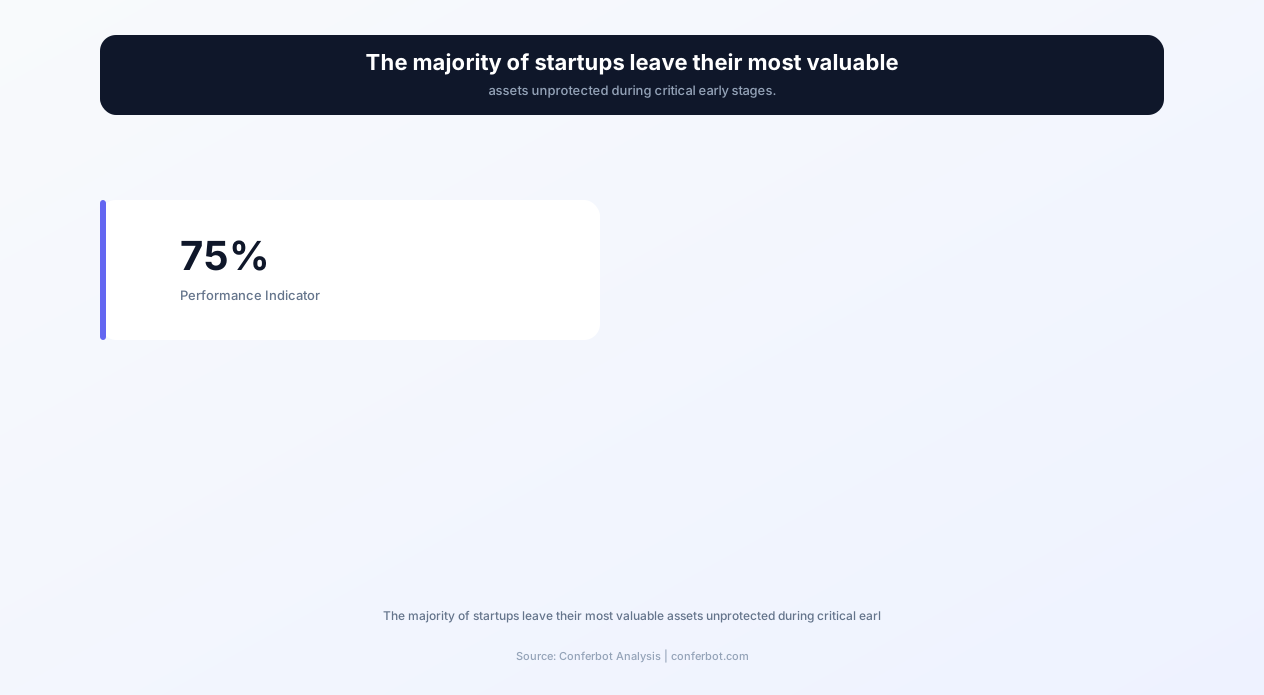
The stakes of IP protection are enormous and often underestimated. In 2026, 75% of startups fail to protect their intellectual property during the critical early stages, leaving innovations vulnerable to copying, brand names open to registration by competitors, and creative works exposed to unauthorized reproduction. The consequences range from lost competitive advantage to expensive litigation -- the average patent infringement lawsuit costs between $2 million and $5 million to litigate through trial. Early, informed action on IP protection is not optional for innovative businesses; it is existential.
Yet the barrier to that early action is not usually unwillingness -- it is confusion. The IP landscape spans multiple distinct protection types (utility patents, design patents, plant patents, trademarks, service marks, trade dress, copyrights, trade secrets), each with different requirements, processes, timelines, and costs. A first-time inventor does not know whether their innovation qualifies for patent protection, what prior art means, or whether they should file a provisional or non-provisional application. A startup founder launching a new brand does not know whether their name is available for trademark registration, what classes to file under, or what the difference is between state and federal registration. An IP guide chatbot answers these questions conversationally, immediately, and accurately.
Conferbot's AI chatbot builder enables IP law firms, legal aid organizations, inventor support networks, and startup incubators to deploy an IP guide chatbot that handles initial education, classification, and routing. The platform's NLP engine understands natural language descriptions of inventions and creative works, classifying them into appropriate IP categories and providing tailored guidance for each. Integration with calendar booking enables seamless scheduling of attorney consultations when users are ready to proceed with professional representation.
Why IP Protection Matters: The Cost of Inaction
Before examining the chatbot's features and workflows, it is essential to understand why IP protection demands early, informed attention -- and why a guided chatbot serves this need better than static informational resources.
The Financial Impact of Unprotected IP
Intellectual property represents the majority of enterprise value in 2026's knowledge economy. For technology companies, IP assets typically constitute 70-90% of total company value. For consumer brands, trademark portfolios can be worth more than physical assets. When this value is left unprotected, the financial exposure is severe:
- Patent exposure: Without patent protection, competitors can legally copy innovations. The first-mover advantage window for unpatented technology is typically 6-18 months before competitive products appear. A granted patent extends this protection to 20 years from filing date.
- Trademark vulnerability: An unregistered brand name can be registered by someone else. Trademark filings have increased 35% since 2020, meaning the window for securing desirable marks is narrowing rapidly. Recovering a name after someone else registers it costs $25,000-$100,000 in opposition or cancellation proceedings.
- Copyright gaps: While copyright exists automatically upon creation, unregistered copyrights cannot support statutory damages claims. Registration before infringement occurs enables damages of up to $150,000 per work -- without registration, recovery is limited to actual damages, which are often difficult to prove.
- Trade secret failure: Without documented reasonable measures to protect confidential information, courts will not enforce trade secret claims. A single disclosure without proper NDA coverage can destroy trade secret status permanently.
The Timing Problem
IP protection is fundamentally time-sensitive in ways that many innovators do not realize until it is too late. Patent law requires filing before public disclosure -- once an invention is publicly revealed, most jurisdictions impose a strict deadline (12 months in the US, immediate bar in most other countries) for filing. Trademark rights in the US accrue from first use in commerce, but registration provides nationwide constructive notice -- delay in registration means a competitor in another state could begin using an identical mark legally. Copyright registration must occur within three months of publication to preserve statutory damages for works already being infringed.
A chatbot that can immediately educate users about these timing constraints and connect them with qualified counsel prevents the most common and most costly IP mistake: waiting too long. The conversational format surfaces urgency without requiring users to read lengthy legal articles or navigate complex government websites.
The Knowledge Gap
Survey data consistently shows that small business owners and early-stage founders have significant misconceptions about IP protection. Common errors include believing that an LLC or DBA filing protects a business name (it does not -- only trademark registration provides meaningful brand protection), that ideas themselves can be patented (only specific implementations or processes can), or that posting content online with a copyright notice is sufficient registration (it is not). An IP guide chatbot systematically corrects these misconceptions through conversational education tailored to each user's specific situation.
How the IP Guide Chatbot Works
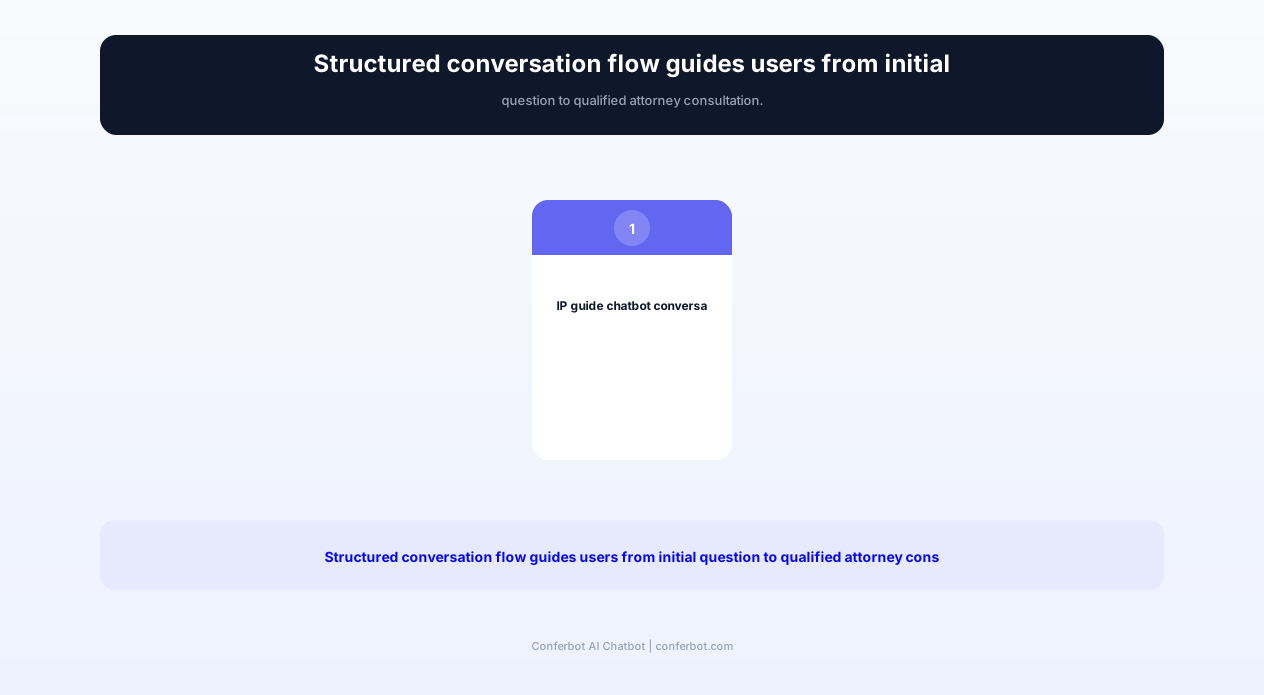
The chatbot operates through a structured conversation flow that identifies the user's situation, classifies their IP type, provides relevant guidance, and routes them to appropriate next steps. Here is the complete workflow from initial contact to resolution.
Step 1: Situation Assessment
The conversation begins with understanding what the user has created or is planning to create. The chatbot asks structured questions about the nature of their intellectual property: Is it an invention or process? A brand name or logo? A creative work? A confidential business method? Based on responses, it classifies the IP into one or more protection categories. Many innovations benefit from multiple layers of protection -- a software product might warrant patent protection for its novel algorithm, trademark protection for its brand name, copyright protection for its code and documentation, and trade secret protection for its training data or customer algorithms.
Step 2: IP Type Classification and Education
Once classified, the chatbot provides focused education on the relevant IP type. For patents, it explains the distinction between utility patents (how something works), design patents (how something looks), and plant patents. For trademarks, it covers the spectrum from word marks to design marks to trade dress. For copyrights, it explains what is and is not copyrightable, the distinction between the idea and expression, and the scope of protection. This education is delivered conversationally, not as a wall of text -- each concept is introduced only when relevant to the user's specific situation.
Step 3: Prior Art and Availability Search Assistance
For patents, the chatbot guides users through a preliminary prior art search process. It explains how to search the USPTO database, Google Patents, and international patent databases. It helps users formulate effective search queries based on the technical features of their invention. For trademarks, it assists with searching the USPTO TESS database for conflicting marks and explains the concepts of likelihood of confusion and the Nice Classification system. These searches do not replace professional searches but help users make informed decisions about whether to invest in formal filing.
Step 4: Filing Process Walkthrough
For users ready to proceed, the chatbot provides a step-by-step walkthrough of the filing process. It explains provisional vs. non-provisional patent applications, the Patent Cooperation Treaty (PCT) for international protection, the trademark application process including specimens and use-in-commerce requirements, and copyright registration through the eCO system. Each step includes timeline estimates, cost ranges, and common pitfalls to avoid.
Step 5: Cost Estimation and Budget Planning
IP protection costs vary enormously depending on complexity, geography, and representation choices. The chatbot provides realistic cost ranges based on the user's specific situation: a simple provisional patent application might cost $1,500-$3,000 with attorney assistance, while a complex utility patent through prosecution could cost $10,000-$25,000 or more. Trademark registration ranges from $250 (single class, filing yourself) to $2,000-$5,000 with attorney assistance and multiple classes. The chatbot helps users understand what drives these costs and where they can reasonably reduce expenses.
Step 6: Attorney Matching and Consultation Scheduling
When users need professional representation -- and the chatbot clearly communicates when this is recommended versus optional -- it connects them with qualified IP attorneys from a vetted network. Matching considers technology specialty (biotech, software, mechanical, chemical), budget range, geographic preference, and language needs. Through Conferbot's calendar integration, users can schedule consultations directly within the chat interface, reducing the friction between decision and action.
Ready to try Intellectual Property Guide?
Deploy this template in under 10 minutes. No coding required.
Use This Template Free →Key Features of the IP Guide Chatbot Template
The template includes features designed for the specific demands of intellectual property guidance -- where accuracy is critical, timing matters, and users need both education and actionable next steps.
| Feature | Description | Operational Benefit | Customer Benefit |
|---|---|---|---|
| IP type classifier | Natural language assessment that identifies patent, trademark, copyright, or trade secret needs from plain-English descriptions | Routes inquiries to correct guidance pathway immediately | Users get relevant information without needing to know legal categories in advance |
| Prior art search guide | Step-by-step assistance for searching USPTO, Google Patents, and WIPO databases | Reduces unqualified filings that waste attorney time | Users can assess novelty before investing in formal filings |
| Filing process walkthroughs | Interactive guides for provisional patents, trademark applications, and copyright registrations | Prepares clients with correct information before consultations | Demystifies the process and reduces anxiety about next steps |
| Cost calculator | Dynamic cost estimates based on IP type, complexity, geography, and representation model | Sets realistic budget expectations and reduces billing disputes | Enables informed financial planning before engagement |
| Timeline estimator | Current processing time estimates for USPTO, TTAB, and Copyright Office based on filing type | Manages client expectations about duration proactively | Users understand the multi-year patent timeline from the start |
| Deadline tracker | Identifies critical deadlines (statutory bars, response periods, maintenance fees) based on user's situation | Prevents malpractice exposure from missed deadlines | Users never miss filing windows or lose rights due to timing |
| Attorney matching engine | Connects users with vetted IP attorneys filtered by specialty, budget, and location | Drives qualified lead generation for partner attorneys | Users find appropriate representation without cold-calling firms |
| Document checklist generator | Produces customized lists of required documents, drawings, specimens, and declarations | Reduces incomplete submissions and office action responses | Users arrive at consultations prepared with correct materials |
| International filing advisor | Guidance on PCT, Madrid Protocol, and Berne Convention for multi-country protection | Identifies international revenue opportunities for the firm | Users understand global protection options and their costs |
| Infringement screening | Preliminary assessment of whether observed activity constitutes potential infringement | Filters urgent infringement matters from general inquiries | Users get immediate guidance on whether to pursue enforcement |
IP Type Classifier: How It Works
The IP type classifier uses Conferbot's AI integration to understand natural language descriptions of innovations and creative works. When a user says "I have built a new way to compress video files that is 40% faster than existing methods," the classifier identifies this as a potential utility patent candidate. When they say "I am launching a skincare line called GlowForge," it identifies trademark needs. When they say "I have written a training curriculum for corporate leadership development," it identifies copyright protection. The classification is not binary -- the system identifies all applicable protection types and explains why each is relevant.
Cost Calculator: Transparent Estimates
The cost calculator provides ranges rather than fixed quotes, reflecting the reality that IP costs depend on factors not fully determinable at the inquiry stage. For patent applications, key cost drivers include the number of claims, complexity of drawings, likelihood of office actions, and choice of large firm versus solo practitioner versus filing pro se. The calculator explains each cost component so users understand what they are paying for and can make informed decisions about representation. Sample ranges for 2026:
- Provisional patent application: $1,500-$4,000 (attorney-assisted) or $75-$320 (pro se, filing fees only)
- Non-provisional utility patent: $8,000-$25,000+ through grant, including prosecution
- Design patent: $2,500-$5,000 through grant
- Trademark registration (single class): $1,200-$3,000 (attorney-assisted) or $250-$350 (pro se)
- Copyright registration: $45-$125 (filing fee) plus $500-$1,500 for attorney review if needed
Patent vs. Trademark vs. Copyright: Decision Guide
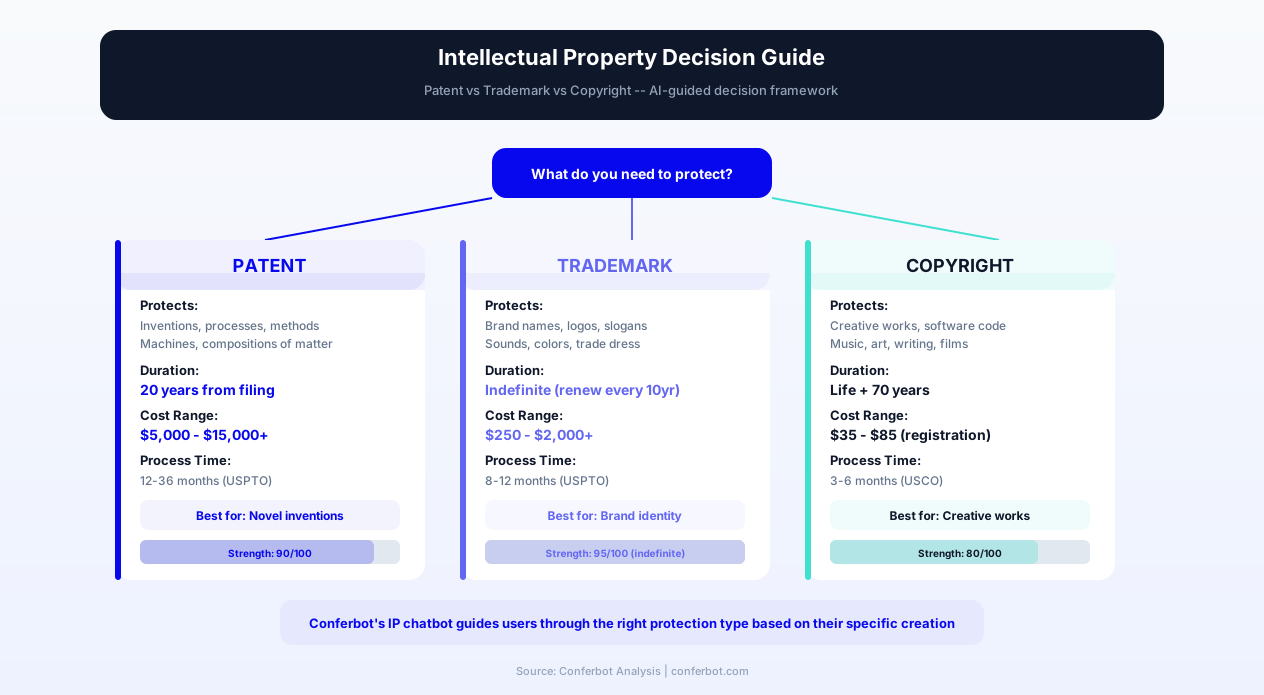
The most fundamental question the chatbot answers is "What type of IP protection do I need?" This decision determines everything that follows -- process, timeline, cost, and the scope of protection obtained. The chatbot guides users through this decision using a structured comparison framework.
| Criteria | Patent | Trademark | Copyright |
|---|---|---|---|
| What it protects | Inventions: processes, machines, manufactures, compositions of matter | Brand identifiers: names, logos, slogans, sounds, colors | Original works of authorship: text, code, art, music, film |
| Duration | 20 years from filing (utility); 15 years from grant (design) | Indefinite (with renewals every 10 years) | Life of author + 70 years; 95/120 years for works for hire |
| Registration required? | Yes -- no protection without granted patent | No -- rights from use, but registration strongly recommended | No -- exists upon fixation, but registration required for enforcement |
| Average timeline | 24-36 months (utility); 12-18 months (design) | 8-12 months (straightforward); 18-24 months (with office actions) | 3-6 months for standard processing |
| Typical cost range | $8,000-$25,000+ through grant | $1,200-$3,000 per class | $45-$125 filing fee; minimal attorney cost |
| Scope of protection | Right to exclude others from making, using, selling the invention | Exclusive use in registered classes within the jurisdiction | Right to reproduce, distribute, display, perform, and create derivatives |
| Common mistake | Disclosing invention publicly before filing | Choosing a descriptive name that cannot be registered | Assuming copyright protects ideas rather than expression |
When Multiple Protections Apply
Many innovations benefit from overlapping IP protections. A mobile application, for example, might warrant:
- Utility patent: For the novel algorithm or technical process the app implements
- Design patent: For distinctive visual user interface elements
- Trademark: For the app name, logo, and distinctive brand elements
- Copyright: For the source code, documentation, graphics, and content
- Trade secret: For proprietary training data, user behavior models, or business methods not disclosed in the patent
The chatbot identifies these overlapping opportunities through its classification dialogue, ensuring users understand the full scope of available protection rather than focusing on only one type. This comprehensive approach is particularly valuable for startups building investor-ready IP portfolios, where demonstrating multiple layers of protection significantly enhances company valuation.
The Patent Application Decision Tree
Patent applications represent the most complex and expensive IP filing process. The chatbot guides users through a decision tree that helps determine whether patent protection is appropriate for their situation:
- Is it novel? Has the invention been disclosed in any prior publication, patent, or public use anywhere in the world?
- Is it non-obvious? Would someone skilled in the relevant field consider it an unexpected advance rather than a predictable next step?
- Is it useful? Does it have a specific, substantial, and credible utility?
- Has it been publicly disclosed? If so, has less than 12 months elapsed since disclosure (US only)?
- Is patent protection commercially valuable? Will the 20-year monopoly justify the filing and maintenance costs?
If any answer suggests patent protection is inappropriate or unnecessary, the chatbot explains alternative protection strategies (trade secrets, defensive publication, rapid commercialization) that may serve the user's interests better.
Before and After: Measurable Impact of IP Guide Chatbots
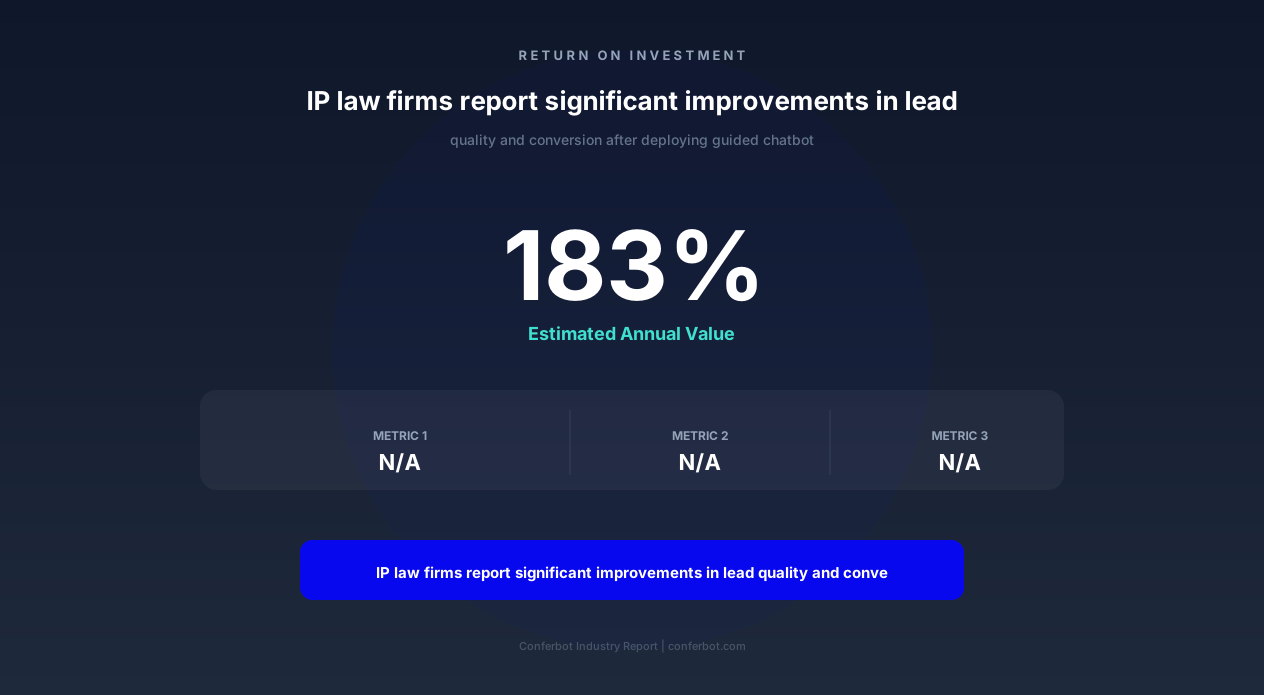
Law firms and IP service providers that deploy conversational IP guidance report significant improvements across client acquisition, consultation quality, and operational efficiency. The following metrics are drawn from IP practices using Conferbot's template across different practice sizes and specialties.
| Metric | Before Chatbot | After Chatbot | Improvement |
|---|---|---|---|
| Initial consultation conversion rate | 12% | 34% | +183% |
| Client preparation level at first meeting | 25% arrive with required documents | 78% arrive with required documents | +212% |
| Average time from inquiry to engagement | 14 days | 3 days | -79% |
| Unqualified consultation requests | 45% of bookings | 12% of bookings | -73% |
| Missed statutory filing deadlines | 8% of new matters | 1% of new matters | -88% |
| After-hours inquiry capture | 0% (office hours only) | 100% (24/7 availability) | +100% |
| Cost per qualified lead | $340 | $85 | -75% |
| Client satisfaction with onboarding | 3.2/5 | 4.6/5 | +44% |
Why These Improvements Occur
The improvements are driven by three mechanisms. First, education reduces friction: users who understand the process, timeline, and costs are more confident in proceeding to engagement. Second, qualification filters save capacity: the chatbot identifies users whose needs do not justify attorney engagement (e.g., someone seeking copyright protection for a recipe, which is not copyrightable) and redirects them appropriately, freeing attorney time for qualified matters. Third, preparation improves outcomes: clients who arrive at their first consultation with invention disclosures, prior art search results, trademark search reports, or draft specifications use attorney time far more efficiently.
Revenue Impact for IP Law Firms
For a mid-size IP boutique handling 200 new inquiries per month, the shift from 12% to 34% consultation conversion translates to an additional 44 qualified consultations monthly. At an average engagement value of $8,000 for patent matters and $2,500 for trademark matters, even converting half of those additional consultations to engagements generates $100,000-$200,000 in additional annual revenue -- from a chatbot that operates 24/7 without salary, benefits, or training costs.
businesses worldwide use Conferbot templates to automate conversations
Use Cases Across IP Practice Areas
The IP guide chatbot template serves different audiences with distinct needs. Here is how it functions across the primary use cases for IP guidance.
Startup Founders and Early-Stage Companies
Startups face unique IP challenges: limited budgets, urgent timelines, and founders who are technical experts but IP novices. The chatbot helps startups by prioritizing protections based on business stage, identifying investor-critical IP assets, explaining provisional patent strategies that buy time at lower cost, and recommending trademark searches before brand launches. For startup accelerators and incubators that deploy the chatbot for their portfolio companies, it provides consistent IP education across cohorts without requiring repeated attorney presentations.
Independent Inventors
Solo inventors often have breakthrough innovations but limited resources and no existing relationship with IP counsel. The chatbot meets them at their starting point -- often a vague awareness that "I should probably patent this" -- and guides them through the decision process. It explains the provisional patent application as a cost-effective first step, walks through the invention disclosure process, and helps them understand what makes their invention patentable versus what is likely prior art. For inventors considering pro se filing, it provides guidance on USPTO resources while clearly communicating the risks of proceeding without professional representation.
Creative Professionals
Photographers, musicians, software developers, authors, and designers produce copyrightable works continuously. The chatbot helps them understand what copyright protects (and what it does not), the benefits of formal registration, how to handle licensing and permissions, what constitutes fair use, and what to do when they discover infringement. For creative agencies, the chatbot can be deployed to educate clients about content ownership, work-for-hire doctrine, and license terms.
E-Commerce and Brand Owners
Online businesses face constant trademark challenges: counterfeit products, brand squatters, and confusingly similar competitor names. The chatbot helps brand owners understand their trademark rights, guides them through the registration process for their primary marks, explains monitoring strategies for infringement detection, and connects them with enforcement attorneys when action is needed. Integration with website chatbot deployment means the guidance is available directly on the firm's client-facing pages.
IP Law Firm Client Intake
For IP law firms themselves, the chatbot functions as an intelligent intake system. It pre-qualifies potential clients, identifies their IP type and urgency level, collects preliminary information (invention descriptions, mark specimens, work samples), and routes qualified inquiries to the appropriate attorney within the firm based on specialty. This replaces the traditional model of a receptionist taking a message and an attorney returning calls hours or days later -- the chatbot captures the inquiry immediately and delivers a qualified, documented lead to the right practitioner.
University Technology Transfer Offices
University TTOs manage IP disclosure from hundreds of faculty researchers across diverse disciplines. The chatbot helps researchers understand their obligation to disclose potentially patentable inventions, guides them through the disclosure form, explains the university's IP policy and commercialization process, and answers common questions about inventor rights, licensing revenue sharing, and startup formation. Deploying through API integration with existing university research portals embeds the guidance directly in researchers' workflow.
Setup and Customization Guide
Deploying the IP guide chatbot template requires configuration of the knowledge base, conversation flows, attorney network, and integration points. Here is a step-by-step guide to getting from template to live deployment.
Step 1: Configure Your IP Knowledge Base
The template includes comprehensive baseline knowledge about patent, trademark, and copyright law. Customize this by adding your jurisdiction-specific requirements (state trademark registration, local court procedures), your firm's practice areas and limitations (if you only handle utility patents, configure the chatbot to route design patent inquiries to partner firms), and current fee schedules. Update timeline estimates quarterly as USPTO and Copyright Office processing times fluctuate.
Step 2: Set Up Attorney Matching Rules
Configure the attorney matching engine with your team's profiles or partner network. Each attorney profile includes practice specialties (biotech patents, software patents, entertainment copyright, fashion trademarks), availability calendar, minimum engagement size, and geographic limitations. The matching algorithm considers the user's IP type, technical domain, budget range, and urgency to recommend appropriate counsel.
Step 3: Configure Cost Calculators
Update the cost calculator with your firm's actual fee ranges for each service type. If you offer fixed-fee packages (e.g., provisional patent application at $2,500, trademark registration at $1,800), configure these as specific options. If you bill hourly, provide realistic ranges based on historical matter data. Transparency in pricing builds trust and reduces the sticker shock that causes potential clients to disengage.
Step 4: Integration Setup
Connect the chatbot to your existing systems:
- Calendar: Calendar integration for scheduling consultations directly from chat
- CRM: Push qualified leads to your practice management system with all collected information
- Email: Automated follow-up sequences for users who engage but do not book consultations
- Document collection: Secure upload capability for invention disclosures, specimens, and work samples
Step 5: Deploy Across Channels
Deploy the chatbot on your website for organic visitor engagement, on WhatsApp for mobile-first users, and via API for embedding in partner platforms (accelerator portals, inventor networks, creative marketplaces). Each channel can have customized greeting messages and conversation starters tailored to the audience that typically arrives through that channel.
Step 6: Test and Refine
Before public deployment, test the chatbot with scenarios across every IP type and user persona. Verify that classification accuracy is high, that cost estimates reflect current reality, that attorney matching works correctly, and that all integration points function. Collect feedback from a small group of real users before full rollout. Use Conferbot's analytics to identify conversation drop-off points and optimize messaging at those steps.
Integrations and Multi-Channel Deployment
An IP guide chatbot delivers maximum value when it operates within the ecosystem of tools your team and clients already use. Conferbot's integration architecture supports connections to practice management systems, document platforms, and communication channels.
Practice Management System Integration
When the chatbot qualifies a lead and the user books a consultation, all collected information (IP type, description, urgency, budget, prior art findings) is automatically pushed to your practice management system as a new matter or prospect record. This eliminates double-entry and ensures the consulting attorney has full context before the meeting. Supported integrations include Clio, MyCase, PracticePanther, and custom systems via API integration.
USPTO and WIPO Database Connectivity
The chatbot can guide users through searches of the USPTO Patent Full-Text Database, the Trademark Electronic Search System (TESS), and WIPO's Global Brand Database. While it does not perform automated searches (which would require API access subject to usage restrictions), it provides step-by-step instructions, explains search operators, and helps users interpret results. For firms with professional search tool subscriptions, the chatbot can trigger search requests that are fulfilled asynchronously by search specialists.
Document Management
Secure document upload within the chat interface allows users to share invention drawings, product photos (for design patents), mark specimens (for trademarks), and work samples (for copyright). Uploaded documents are stored encrypted, linked to the user's matter record, and accessible to the assigned attorney upon engagement. This streamlines the information-gathering process that typically requires multiple email exchanges.
Multi-Channel Presence
IP questions arise in various contexts -- a founder at a networking event who suddenly realizes they need to file before their upcoming product demo, a researcher who needs quick guidance on disclosure obligations, a photographer who discovers their image on an unauthorized website. By deploying across web, WhatsApp, Messenger, and SMS, the chatbot is available wherever the question arises, not just when someone visits your website during business hours.
Analytics and Reporting
The chatbot generates reports on inquiry volume by IP type, conversion rates from chat to consultation, geographic distribution of inquiries, common questions that indicate knowledge gaps in your educational content, and revenue attribution from chatbot-sourced engagements. These analytics inform both marketing strategy and content development, creating a feedback loop that continuously improves the chatbot's effectiveness.
Compliance, Ethics, and Disclaimer Requirements
Deploying a chatbot that discusses legal topics requires careful attention to ethical rules, unauthorized practice of law boundaries, and consumer protection requirements. The template includes configurable compliance features that address these requirements.
Unauthorized Practice of Law (UPL) Boundaries
In every US jurisdiction, providing legal advice is restricted to licensed attorneys. A chatbot that provides IP guidance must operate within the boundary between legal information (permitted) and legal advice (restricted). The distinction is critical: legal information is general knowledge about how the law works ("patents last 20 years from filing"); legal advice is applying the law to a specific situation and recommending action ("you should file a provisional patent application in the next 30 days because..."). The template includes configurable disclaimer language and conversation guardrails that keep the chatbot on the information side of this line while remaining maximally helpful.
Required Disclosures
The chatbot clearly identifies itself as an automated system, not a licensed attorney. It displays appropriate disclaimers that information provided is educational and not legal advice, that no attorney-client relationship is formed through chatbot interaction, and that users should consult with a licensed attorney before making legal decisions. These disclosures are positioned at conversation start and reinforced at key decision points where users might otherwise assume they are receiving professional legal counsel.
Data Privacy and Confidentiality
Users sharing invention descriptions, business names, and creative works through the chatbot are sharing potentially sensitive pre-publication information. The template handles this with encryption in transit and at rest, configurable data retention policies, clear privacy disclosures about how information is stored and used, and technical controls that prevent chatbot training on user-submitted content. For patent-related inquiries, where premature disclosure can destroy patentability, the chatbot explicitly warns users about public disclosure risks and confirms that chat interactions are treated as confidential.
Jurisdictional Accuracy
IP law varies significantly by jurisdiction -- patent prosecution procedures differ between the USPTO, EPO, and other national offices; trademark law differs between first-to-use (US) and first-to-file (most other countries) jurisdictions; copyright duration varies internationally. The chatbot identifies the user's jurisdiction early in the conversation and tailors all subsequent information accordingly. The template defaults to US law but supports configuration for any jurisdiction where the deploying firm practices.
Continuing Education Updates
IP law evolves through legislation, case law, and agency rule changes. The chatbot's knowledge base requires regular updates to reflect changes like new USPTO fee schedules (updated annually), significant Federal Circuit decisions that change patentability standards, trademark office procedural changes, and copyright law developments. The template includes an update notification system that alerts administrators when stored information may be outdated based on known legal change calendars.
Intellectual Property Guide FAQ
Everything you need to know about chatbots for intellectual property guide.
Why Use a Template vs Building from Scratch?
Templates give you a proven starting structure instead of a blank canvas.
| Factor | Conferbot Template | Build from Scratch | Hire a Developer |
|---|---|---|---|
| Time to deploy | 10 minutes | 2-8 hours | 2-6 weeks |
| Cost | Free | Your time | Custom dev quote |
| Proven flows | Yes, pre-built | No | Depends |
| Updates included | Automatic | Manual | Paid |
| Multi-channel | 8+ channels | 1 channel | Extra cost |
| Analytics | Built-in | Must build | Extra cost |
Learn More About Chatbots
Go deeper on how b2b services chatbots work and how to pick the right builder.
Ready to Deploy Intellectual Property Guide?
Start with a free-forever plan. No credit card required.