
Business Permit Application
Free Government And Public Services Chatbot Template
A complete business permit application chatbot template - deploy in minutes to automate conversations, capture leads, and provide 24/7 assistance.


How this template opens - rendered from its flow. Use the interactive preview to click through the full conversation.
What Is a Business Permit Application Chatbot?
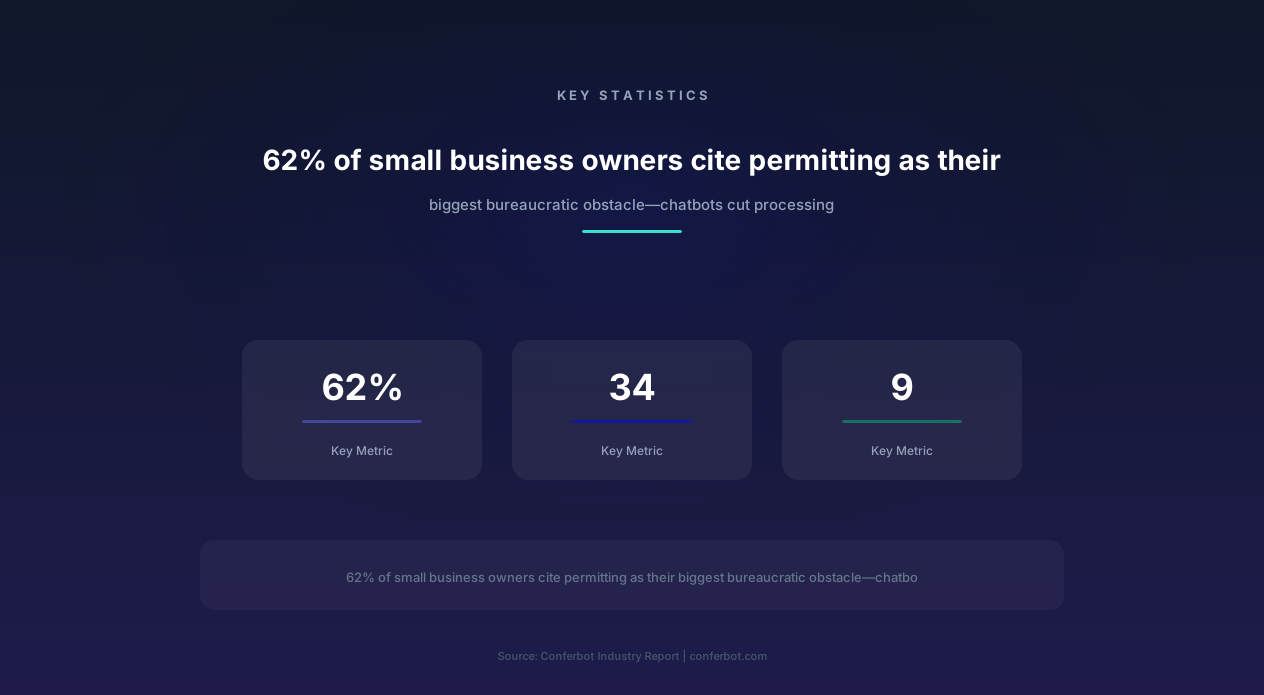
Starting or expanding a business in any municipality requires navigating a maze of permits, licenses, and regulatory approvals. According to the National Federation of Independent Business, permitting is consistently cited among the biggest bureaucratic obstacles small business owners face, and manually processed business permits can take weeks. This bureaucratic friction doesn't just frustrate entrepreneurs-it directly suppresses economic development and job creation.
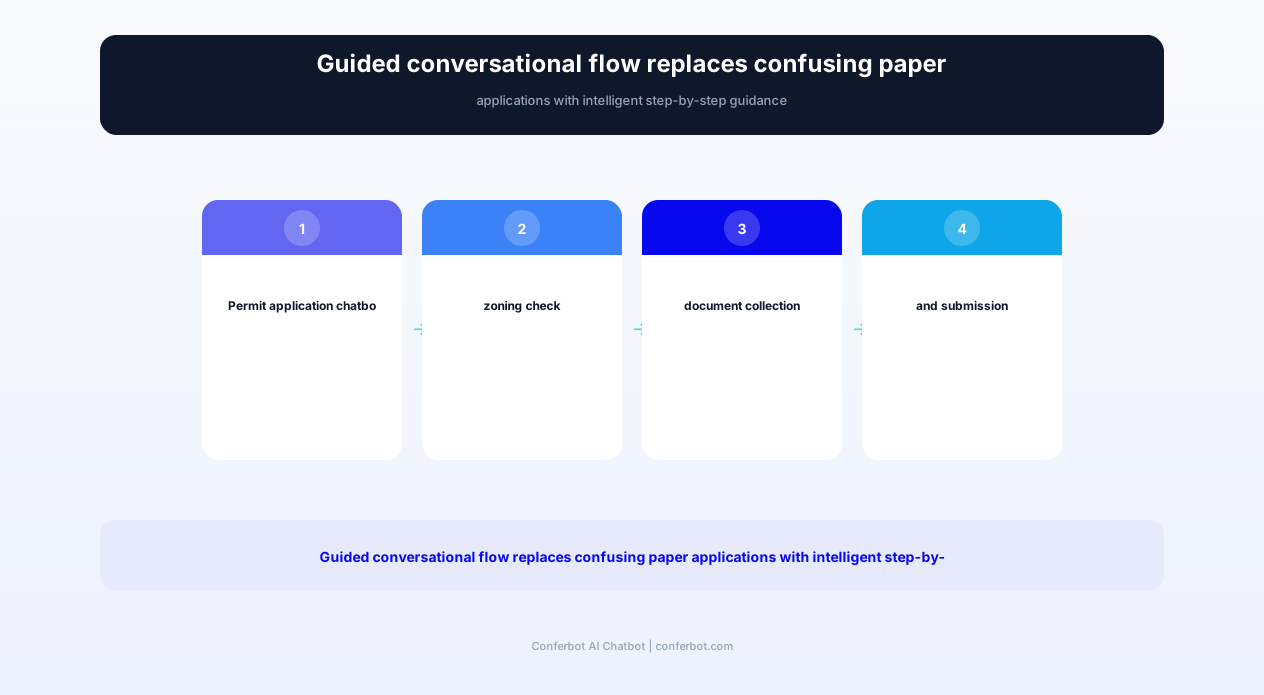
The Conferbot Business Permit Application chatbot template transforms the permitting process from a confusing, paper-heavy ordeal into a streamlined, guided digital experience. Purpose-built for municipal planning departments, city clerks, and economic development offices, this template handles the full permit lifecycle: application intake, document checklist generation, fee calculation, zoning compliance verification, inspection scheduling, and status tracking.
In 2026, cities that have implemented permit chatbots report dramatically faster processing times, meaningfully fewer incomplete applications, and measurable increases in new business registrations. The chatbot doesn't replace your permitting staff-it removes the repetitive intake work that prevents them from focusing on complex review tasks that require professional judgment.
The Hidden Cost of Permitting Friction
Research from organizations like the Kauffman Foundation and the U.S. Small Business Administration consistently points to the real cost of permitting complexity: delays, lost revenue, and professional fees for the small business, and lost tax revenue and slower job creation for the community. Confusing multi-department processes drive entrepreneurs to abandon applications midway, choose a location based on permitting ease rather than market opportunity, and make repeated in-person trips just to find out what's still missing.
Every day a business cannot open due to permitting delays represents lost wages, lost tax revenue, and lost community vitality. The Business Permit Application chatbot directly addresses these costs by eliminating the information asymmetry that causes most permitting delays-applicants simply don't know what they need until they're told they're missing something.
Key Features and Capabilities
Built with Conferbot's AI chatbot builder, the Business Permit Application template provides end-to-end permit lifecycle management through natural conversation. Every feature is designed to reduce the average 34-day processing time while maintaining the regulatory rigor your jurisdiction requires.
| Feature | Description | Operational Benefit | Customer Benefit |
|---|---|---|---|
| Permit Type Wizard | Conversational questionnaire that identifies all required permits based on business type, location, and activities | Meaningfully fewer incomplete applications; proper categorization from initial submission | Know exactly which permits you need without reading complex municipal codes |
| Zoning Compliance Check | Real-time verification of business type against zoning district regulations with conditional use identification | Prevents non-compliant applications from entering review queue; saves staff review time | Instant confirmation that your business type is allowed at your chosen location before investing further |
| Document Checklist Generator | Dynamic checklist creation based on specific permit type, business characteristics, and building conditions | Eliminates back-and-forth for missing documents; applications arrive complete | Complete, personalized list of every document needed-no surprises mid-process |
| Fee Calculator | Automatic fee computation based on permit type, square footage, construction value, and applicable surcharges | Accurate fee collection; eliminates underpayment and refund processing | Know exact costs upfront; budget accurately for permitting expenses |
| Inspection Scheduling | Self-service inspection appointment booking with inspector availability, preparation requirements, and rescheduling | Optimized inspector routes; reduced no-shows through automated reminders | Book inspections instantly without phone tag; know exactly what to prepare |
| License Renewal Engine | Proactive renewal reminders with streamlined re-application for existing license holders | Higher on-time renewal rate; reduced lapsed license enforcement actions | Never miss a renewal deadline; complete renewal in under 5 minutes |
| Status Tracking Portal | Real-time application status with stage identification, next steps, and estimated completion dates | Sharp reduction in "where's my permit?" phone calls to staff | Always know where your application stands without calling or visiting |
| Multi-Department Routing | Automatic routing to planning, fire, health, building, and environmental departments based on permit requirements | Parallel review processing; eliminates sequential bottlenecks between departments | Single application triggers all necessary reviews simultaneously; faster overall timeline |
| Conditional Use Guidance | Identifies when conditional use permits or variances are needed and guides through the public hearing process | Properly routes CUP applications; reduces planning commission meeting surprises | Understand special requirements early; prepare adequate justification before hearing |
Intelligent Permit Type Identification
One of the most common reasons for permitting delays is applicants not knowing which permits they actually need. The chatbot's permit identification engine asks plain-language questions about the business:
- Business Activity: "What will your business do?" (retail, restaurant, office, manufacturing, home-based, etc.)
- Location Details: "Where will the business operate?" (address lookup against zoning map)
- Physical Modifications: "Will you be making any changes to the building?" (triggers building permits)
- Food/Beverage: "Will you serve food or beverages?" (triggers health department permits)
- Signage: "Will you install signs?" (triggers sign permits with size/placement rules)
- Occupancy: "How many people will be in the space?" (triggers fire department review thresholds)
Based on answers, the chatbot generates a complete permit matrix showing every required permit, estimated timeline for each, associated fees, and the sequence in which they should be applied for. This single interaction eliminates what typically requires 2-3 office visits and multiple phone calls to different departments.
How It Works: The Full Permit Lifecycle
The Business Permit Application chatbot manages every stage of the permit lifecycle, from initial inquiry through final inspection approval. Here's how the system transforms each phase:
Phase 1: Discovery and Requirements (Day 1)
Before the chatbot, applicants often spent days researching which permits they needed, frequently discovering additional requirements late in the process. The chatbot completes this phase in a single 10-minute conversation:
- Business type classification mapped to your municipal code categories
- Zoning verification against your jurisdiction's zoning map with real-time compatibility check
- Complete permit list generated with department responsibilities and review sequence
- Total fee estimate including all permits, plan review fees, and inspection fees
- Timeline projection based on current workload and historical processing data
Phase 2: Application Preparation (Days 2-5)
The chatbot generates a personalized document checklist and guides applicants through preparation:
- Site plan requirements: Specifications for what the site plan must show (parking, landscaping, setbacks)
- Floor plan details: Required elements based on business type (ADA compliance, exit routes, kitchen layout)
- Supporting documents: Lease agreement, insurance certificates, contractor licenses, state registrations
- Upload capability: Secure document upload with format validation and completeness checking
- Missing item alerts: Real-time notification of any missing documents before submission
Phase 3: Submission and Review (Days 5-9)
Once all documents are uploaded, the chatbot submits the application to all required departments simultaneously rather than sequentially:
- Parallel routing: Planning, building, fire, health, and environmental reviews happen concurrently
- Deficiency notifications: If any reviewer identifies an issue, the applicant is notified immediately via chatbot with specific correction instructions
- Revision submission: Corrected documents upload through the same chatbot interface
- Approval tracking: Visual progress showing which departments have approved
Phase 4: Permit Issuance and Inspections (Day 9+)
After all reviews are complete:
- Digital permit delivery: Permits issued electronically with QR code verification
- Inspection scheduling: Self-service booking through calendar integration with inspector availability
- Pre-inspection checklist: Exactly what inspectors will verify, so applicants can prepare
- Results notification: Pass/fail results with detailed notes if corrections are needed
- Certificate of Occupancy: Final CO issuance upon all inspection approvals

Ready to try Business Permit Application?
Deploy this template in under 10 minutes. No coding required.
Use This Template Free →Permit Types Supported
The Business Permit Application chatbot handles the full spectrum of municipal business permits. Each permit type has customized workflows, document requirements, and review processes configured for your jurisdiction's specific codes and ordinances.
Business Operating Permits
- General Business License: Standard operating license required for all businesses within city limits
- Home Occupation Permit: Authorization for home-based businesses with neighbor notification requirements
- Temporary Use Permit: Short-term permits for seasonal businesses, pop-up shops, and special events
- Mobile Vendor Permit: Food trucks, mobile retail, and traveling businesses with location restrictions
- Alcohol License: Beer/wine and liquor license applications with proximity restrictions and public notice
- Cannabis License: Where applicable, cannabis business permits with strict compliance requirements
Building and Construction Permits
- Tenant Improvement: Interior modifications for commercial spaces with plan review
- Change of Use: Converting a space from one use category to another (retail to restaurant, warehouse to office)
- Sign Permit: Wall signs, monument signs, banners, and temporary signage with size/placement regulations
- Mechanical/Electrical/Plumbing: Trade-specific permits for system modifications
- Demolition Permit: Removal of structures with asbestos survey and utility disconnect requirements
- Grading Permit: Site preparation work with erosion control and drainage requirements
Health and Safety Permits
- Food Service Permit: Restaurants, cafes, catering, and food production with health department review
- Fire Prevention Permit: Businesses exceeding occupancy thresholds or handling hazardous materials
- Environmental Permit: Air quality, stormwater, and waste discharge permits for applicable businesses
- Pool/Spa Permit: Commercial aquatic facilities with health and safety compliance
Special Permits and Entitlements
- Conditional Use Permit (CUP): Uses permitted in a zone with conditions-includes public hearing process guidance
- Variance: Requests to deviate from zoning standards with justification requirements
- Design Review: Architectural and aesthetic review for designated districts
- Environmental Review: CEQA/NEPA compliance for projects triggering environmental thresholds
Each permit type workflow is fully configurable. Your planning and building departments can adjust questions, requirements, fees, and review processes without any coding through Conferbot's visual editor. When your municipal code changes, updates propagate instantly to the chatbot.
Before and After: Measurable Results
Cities implementing the Business Permit Application chatbot report transformative improvements in both operational efficiency and economic development outcomes. Here is a picture of what typically changes before and after deployment:
| Metric | Before Chatbot | After Chatbot |
|---|---|---|
| Average Permit Processing Time | Weeks, gated by manual intake | Days, with parallel department review |
| Incomplete Application Rate | High, from unclear requirements | Low, with a personalized document checklist upfront |
| Office Visits Required | Multiple in-person trips | Little to none |
| Application Abandonment Rate | Higher, from confusion and frustration | Lower, with guided step-by-step intake |
| Staff Hours on Intake/Questions | A large share of staff time | A fraction, freed up for complex review |
| New Business Registrations | Baseline | Meaningfully higher |
| Applicant Satisfaction Score | Lower | Higher |
| Fee Collection Accuracy | Prone to manual error | Automatically calculated, near-perfect accuracy |
Zoning Compliance Engine
The most expensive permitting mistake a business owner can make is leasing a space, investing in improvements, and then discovering the business type isn't permitted at that location. The chatbot's zoning compliance engine prevents this scenario entirely by providing instant zoning verification before any investment is made.
How Zoning Verification Works
When an applicant provides their proposed business address, the chatbot:
- Identifies the zoning district: Maps the address to the correct zone (C-1, C-2, M-1, R-3, etc.) from your GIS data
- Checks use compatibility: Verifies the proposed business type against permitted uses, conditional uses, and prohibited uses for that zone
- Identifies conditions: If the use is conditionally permitted, explains what conditions apply and what additional approvals are needed
- Flags restrictions: Proximity restrictions (schools, churches, residential), hours of operation limitations, and noise/traffic conditions
- Suggests alternatives: If the location doesn't work, recommends nearby zones where the business type is permitted by right
Common Zoning Scenarios Handled
- Restaurant in C-1 zone: "Yes, restaurants are permitted by right in Commercial-1. You'll need a food service permit from the health department and a fire review for kitchen exhaust systems."
- Auto repair in C-2 zone: "Auto repair is a conditional use in Commercial-2. This requires a Conditional Use Permit with a public hearing. The process typically adds 60 days. Would you like guidance on the CUP process?"
- Cannabis dispensary: "Cannabis retail is permitted in the Cannabis Overlay Zone. Your proposed address is 800 feet from a school, which is below the required 1,000-foot buffer. Here are nearby parcels within the overlay zone that meet all buffer requirements."
- Home-based business: "Home occupations are permitted in R-1 zones with conditions: no customer visits, no employees on-site, no signage, and no more than 25% of floor area used for business. Your proposed consulting business meets all conditions."
The zoning engine connects to your jurisdiction's GIS system through API integration, ensuring it always references the current zoning map including any recent amendments or overlay zone changes. When your city council approves zoning changes, the chatbot reflects them immediately.
businesses worldwide use Conferbot templates to automate conversations
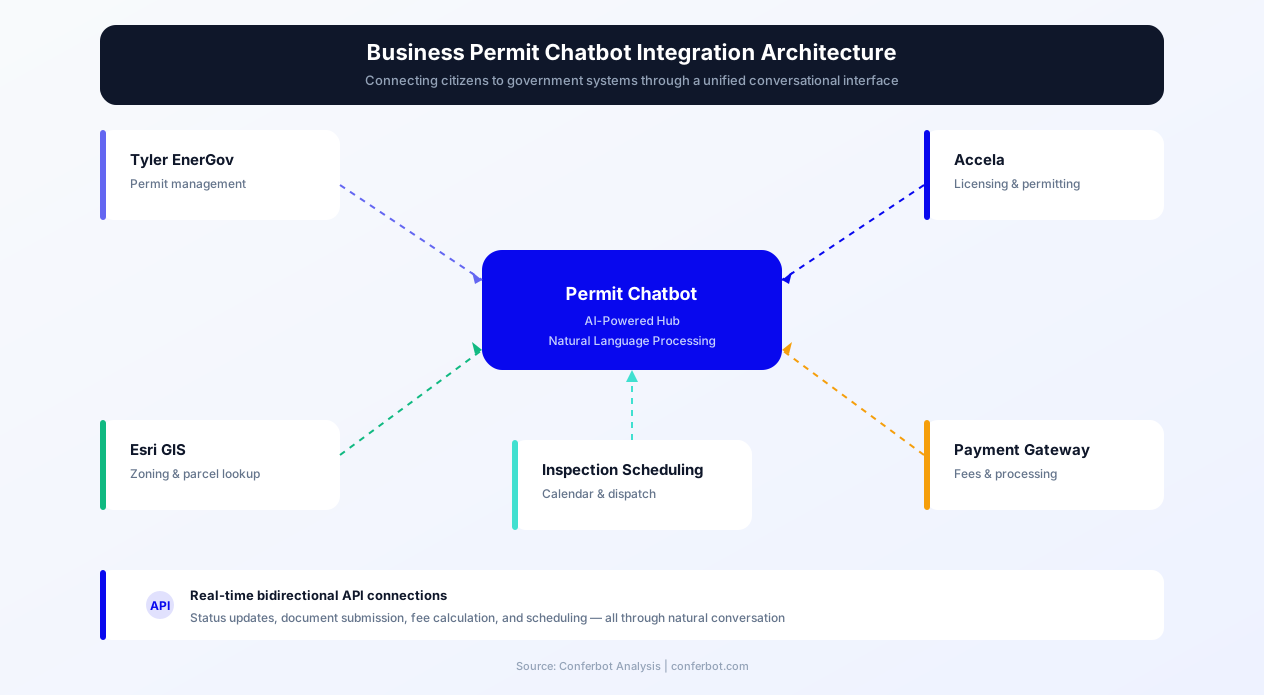
Integration with Municipal Systems
The Business Permit Application chatbot integrates with your existing permitting technology stack, adding a citizen-friendly conversational layer without requiring changes to backend systems.
Permit Management Systems
- Tyler Technologies (EnerGov/Munis): Full integration with Tyler's land management and permitting suite for application creation, routing, and status
- Accela Civic Platform: Connect to Accela's workflow engine for automated routing and review assignment
- OpenGov Permitting: Integration with OpenGov's planning and permitting cloud platform
- CommunityCore (BS&A): Building department workflow integration for Michigan-based communities
- TrackIt / ViewPermit: Popular smaller-municipality permit tracking system integration
GIS and Mapping
- Esri ArcGIS: Zoning layer access, parcel data, and spatial analysis for setback/buffer calculations
- Google Maps Platform: Address verification and geocoding for accurate parcel identification
- County GIS Services: Connection to county-maintained parcel and assessment data
Payment and Document Management
- Payment Processing: Integration with municipal payment gateways (PayPal Gov, Stripe, Invoice Cloud)
- Document Storage: Laserfiche, OnBase, or SharePoint integration for secure document retention
- Digital Signatures: DocuSign or Adobe Sign integration for application execution
- Plan Review: Bluebeam Revu integration for electronic plan review markup and collaboration
Scheduling and Communication
- Inspector Scheduling: Integration with calendar systems for inspection appointment booking
- Email Notifications: Automated status updates and deficiency notices via email
- SMS Alerts: Text message notifications for inspection results and permit readiness
Deploy across your municipal website, economic development portal, or small business resource center. The chatbot can also serve WhatsApp for communities with high mobile usage, particularly useful for reaching immigrant entrepreneurs who may face language barriers with traditional permitting processes.
Economic Development Impact
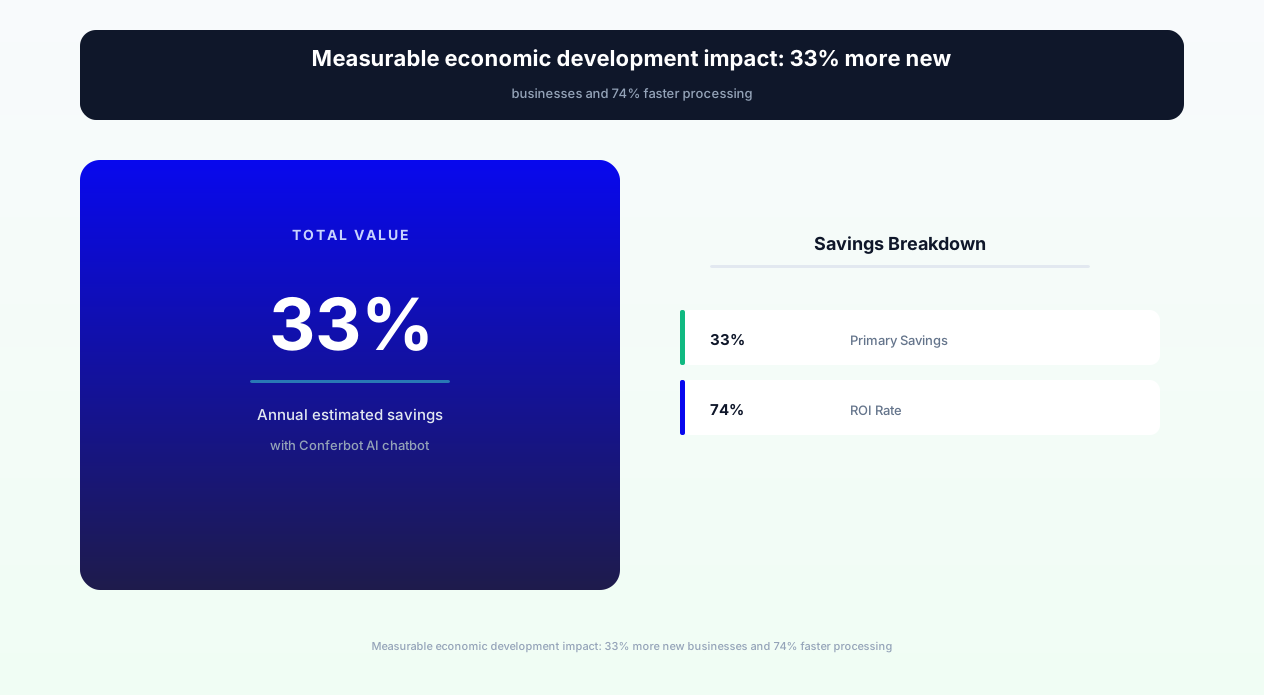
Permitting efficiency isn't just an operational metric-it's an economic development strategy. Cities that make it easy to start businesses attract more entrepreneurs, create more jobs, and generate more tax revenue. The Business Permit Application chatbot is increasingly recognized as economic development infrastructure.
The Business Attraction Effect
Research from organizations like the International City/County Management Association (ICMA) consistently finds that permitting speed is one of the top factors, after tax rates, that businesses consider when choosing where to locate. Cities with chatbot-enabled permitting report meaningfully more new business applications, more commercial lease signings as the permitting timeline becomes predictable, faster growth in sales tax revenue from earlier business openings, and more home-based business registrations as the process becomes accessible to solo entrepreneurs.
Equity and Accessibility
Traditional permitting processes disproportionately burden small and minority-owned businesses that cannot afford expeditors, attorneys, or multiple days off work for office visits. The chatbot levels the playing field:
- 24/7 availability: Entrepreneurs working day jobs can manage permits on their own schedule
- Language accessibility: Multi-language support removes barriers for non-English-speaking business owners
- No professional fees: The guided process eliminates the need for permit expeditors, saving real money for small operators
- Geographic equity: Rural residents in large counties don't need to drive to the county seat for every interaction
Small Business Success Metrics
When permitting barriers are reduced, small business survival rates improve. Cities with streamlined chatbot permitting report meaningfully higher 2-year business survival rates than cities with traditional processes, faster time from lease signing to doors-open, and higher rates of businesses maintaining current licenses.
These improvements translate directly to the municipal bottom line: more businesses means more tax revenue, more jobs, more property value appreciation, and more vibrant commercial districts. The chatbot is an investment that pays dividends across the entire local economy.
Getting Started with Your Permit Chatbot
Launching the Business Permit Application chatbot follows a structured implementation process designed for government procurement timelines and IT governance requirements.
Implementation Timeline
- Week 1-2: Discovery and Configuration - Map your permit types, fee schedules, zoning districts, and review workflows into the chatbot configuration. Conferbot's government team works with your planning and building departments to ensure accuracy.
- Week 3: Integration - Connect to your permitting system (Tyler, Accela, OpenGov), GIS platform, and payment processor. API connections are tested end-to-end.
- Week 4: Staff Training and UAT - Train counter staff, plan reviewers, and inspectors on the new system. Conduct user acceptance testing with real permit scenarios.
- Week 5: Soft Launch - Deploy on permit-specific pages with staff monitoring. Gather real applicant feedback and refine.
- Week 6: Full Launch - Activate across all municipal website pages with public announcement.
What You'll Need
- Fee schedule: Current permit fees by type (the chatbot calculates dynamically)
- Zoning map: GIS-accessible zoning layer or PDF map for manual configuration
- Document requirements: Checklist of required documents by permit type
- Review workflows: Which departments review which permit types and in what order
- Staff accounts: Dashboard access for planners, inspectors, and administrators
Procurement-Friendly Pricing
Conferbot offers government-specific pricing models designed for municipal procurement:
- Annual subscription: Predictable budgeting compatible with fiscal year planning
- No per-transaction fees: Unlimited chatbot interactions regardless of volume
- Cooperative purchasing: Available through NASPO, HGACBuy, and Sourcewell cooperative contracts
- Sole source justification: Documentation available for jurisdictions with sole-source thresholds
Ready to eliminate permitting backlogs and boost economic development? Start building your business permit chatbot today with Conferbot's free template. Our government solutions team provides hands-on implementation support to ensure your launch is successful.
For cities managing multiple permit types across several departments, Conferbot supports unlimited workflow configurations under a single account. You can deploy one unified permit chatbot or specialized bots for building, planning, fire, and health departments-whatever structure matches your organizational needs.
Business Permit Application FAQ
Everything you need to know about chatbots for business permit application.
Why Use a Template vs Building from Scratch?
Templates give you a proven starting structure instead of a blank canvas.
| Factor | Conferbot Template | Build from Scratch | Hire a Developer |
|---|---|---|---|
| Time to deploy | 10 minutes | 2-8 hours | 2-6 weeks |
| Cost | Free | Your time | Custom dev quote |
| Proven flows | Yes, pre-built | No | Depends |
| Updates included | Automatic | Manual | Paid |
| Multi-channel | 8+ channels | 1 channel | Extra cost |
| Analytics | Built-in | Must build | Extra cost |
Related Government And Public Services Templates
Explore more chatbot templates like this one





Learn More About Chatbots
Go deeper on how government and public services chatbots work and how to pick the right builder.
Ready to Deploy Business Permit Application?
Start with a free-forever plan. No credit card required.