
Bot API 10 in one minute
Between May and August 2026 Telegram shipped four Bot API releases - 10.0, 10.1, 10.2 and 10.3 - and together they are the biggest change to what a bot can do since inline keyboards. In short:
| Release | Date | Headline |
|---|---|---|
| 10.0 | May 8, 2026 | Guest mode: bots can answer in chats they are not a member of |
| 10.1 | June 11, 2026 | Rich messages, with streaming of AI-generated replies |
| 10.2 | July 14, 2026 | Ephemeral messages visible to one user, and Communities |
| 10.3 | August 24, 2026 | Buttons inside rich messages, disabled buttons, stoppable generation |
Everything below comes from Telegram's official Bot API changelog; method and field names are exactly as Telegram publishes them, so you can search the API reference for each one.
10.0: guest mode, and seeing other bots
Guest mode lets a bot receive certain messages and reply inside chats it has not joined. A user calls the bot from a conversation, the bot gets a guest_message update carrying a guest_query_id, and answers with the new answerGuestQuery method. The message tells you who called it through guest_bot_caller_user and guest_bot_caller_chat, and the bot's User object exposes supports_guest_queries.
For a support or sales bot this removes the biggest friction in group chats: a team no longer has to add the bot to every group before it can help. 10.0 also lets bots see certain messages sent by other bots in groups, adds deleteMessageReaction and deleteAllMessageReactions for moderation, a can_react_to_messages permission, and media in polls and quiz explanations.
10.1: rich messages and streamed AI replies
Rich messages are a new message type built from blocks - paragraphs, section headings, tables, lists, quotations, collapsible details, maps, photos, video, slideshows, mathematical expressions and a thinking block - instead of one string with formatting entities. Bots send them with sendRichMessage, edit them through the new rich_message parameter of editMessageText, and, most usefully for AI bots, stream them with sendRichMessageDraft, which shows a partial reply that fills in as the model writes.
That last method is what makes a Telegram assistant feel like ChatGPT rather than a bot that pauses and then dumps a wall of text. If your bot calls a language model, streaming the draft and finishing with the full message is now the native pattern. Plain sendMessage with MarkdownV2 or HTML still works exactly as before - our Telegram text formatter covers that path, including the escaping rules behind "can't parse entities".
10.1 also added join request queries (answerChatJoinRequestQuery and sendChatJoinRequestWebApp), so a bot can screen people asking to join a group with questions or a Mini App before approving them, and links as poll media.
10.2: ephemeral messages and Communities
Ephemeral messages are group messages, and commands, that only one user and the bot can see. A bot can answer a member's question in a busy group without spamming everyone, show a private menu, or confirm an action quietly. Telegram added a receiver_user and ephemeral_message_id to Message, an is_ephemeral flag on BotCommand, and dedicated methods: editEphemeralMessageText, editEphemeralMessageMedia, editEphemeralMessageCaption, editEphemeralMessageReplyMarkup and deleteEphemeralMessage. In 10.3 the send-side parameters were consolidated into a single ephemeral_message_parameters object on sendMessage and the other send methods.
Communities link several supergroups, channels and bots around one topic or audience. Bots get a Community object on ChatFullInfo and service messages when chats are added to or removed from a community.
One security change in 10.2 deserves attention if you run a Mini App: Telegram now blocks Mini App methods called from origins other than the Mini App's own domain, enabled for all Mini Apps on July 20, 2026, with an opt-out in @BotFather.
What to build with it
- An AI support assistant that streams. Send a rich draft as the answer is generated, finish with the full rich message, and honour
stopped_message_generation. - Private answers in public groups. Use ephemeral messages for account-specific replies - order status, a personal link - inside a community group.
- Help without joining. With guest mode, a bot can be called into conversations it was never added to.
- Gated communities. Join request queries plus a Mini App let you ask qualifying questions before someone gets in.
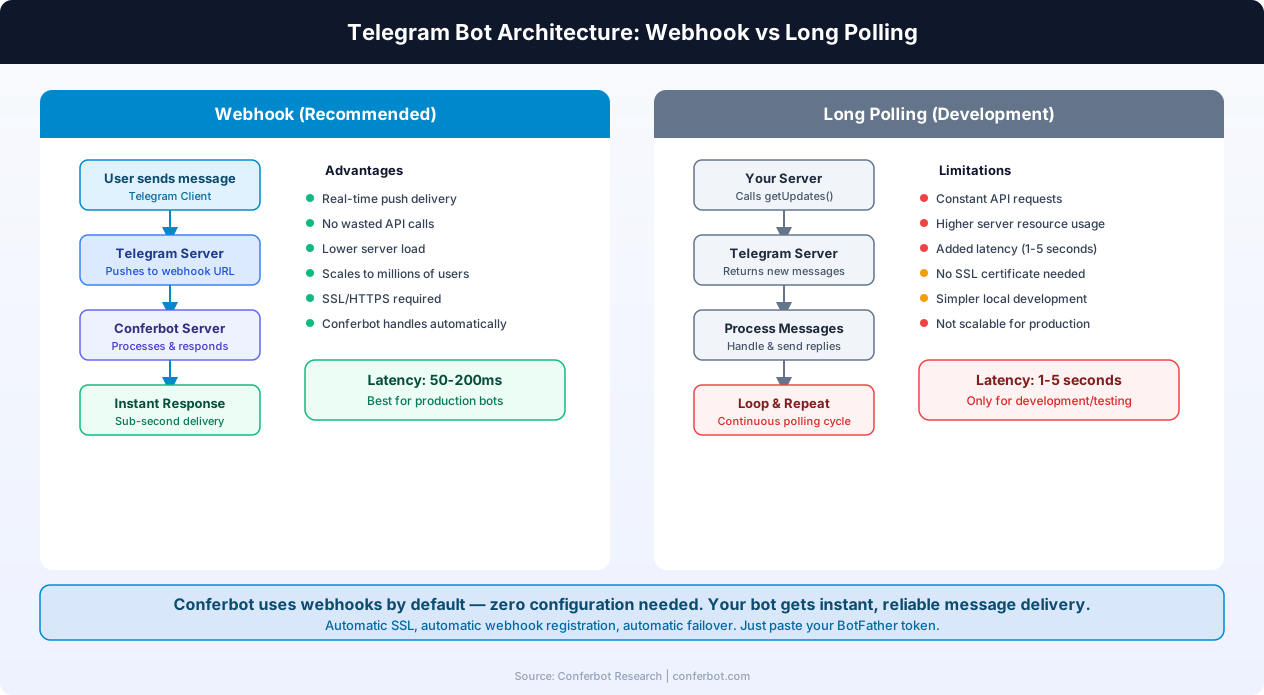
Older patterns still matter: a webhook that answers fast, a single consumer of updates, and respect for rate limits. If a bot goes quiet after you add any of this, check delivery with the Telegram webhook checker, look up the response in the Telegram error reference, compare against the Telegram limits, or work through why a Telegram bot stops responding. If you would rather not build and host the bot yourself, a Telegram chatbot on Conferbot handles the webhook and replies for you.
Was this article helpful?
Build and deploy in 10 minutes. No coding needed.
Telegram Bot API 10 FAQ
Everything you need to know about chatbots for telegram bot api 10.
About the Author
The Conferbot team writes about building, deploying, and improving AI chatbots.
View all articlesRelated Articles


From the reference shelf
Fact-checked reference pages and free tools for the platform this article covers.