
What changes on 16 November 2026
From 16 November 2026, Discord's channel-list endpoint leaves out every channel your bot cannot view, and the Gateway sends those channels obfuscated. Bots that list, log, audit or back up channels will silently see fewer of them unless the bot holds View Channel there.
Last verified: October 2026 against the Discord developer change log entry of 12 August 2026 and the Channel, Guild and Permissions resource pages.
Discord announced the change on 12 August 2026 under the title Channel Obfuscation for Users and Bots. The reasoning is short: "Channels a user doesn't have access to shouldn't be accessible or visible to that user", and because the rule now applies to users, it applies to bots too. Until now, as the entry puts it, "bots receive every channel in a guild, including ones they can't view, with full metadata over both the Gateway and the HTTP API." That stops.
| Surface | Before | After 16 Nov 2026 |
|---|---|---|
GET /guilds/{guild.id}/channels | Every channel in the guild, with full metadata | Channels the bot cannot view are omitted entirely |
Gateway (GUILD_CREATE, CHANNEL_CREATE, CHANNEL_UPDATE) | Every channel, full metadata | Non-viewable channels still dispatched, but obfuscated |
| Interaction payloads | Full channel data | Unchanged - interactions use "a separate path that does not apply obfuscation" |
There is no error, no warning header and no new status code. A bot that used to count 40 channels in a server will count fewer, and nothing in its logs will say why. That is what makes this change easy to miss: it breaks by returning less data, not by failing.
The timeline, and what you can test today
The dates come straight from Discord's documentation:
| Date | What happens | Source |
|---|---|---|
| 12 Aug 2026 | Change announced. Gateway obfuscation available as an opt-in test. | Change log |
| Now until 16 Nov | Gateway obfuscation only applies if your bot opts in, through an Identify capability or a Developer Portal toggle. No opt-in exists for HTTP. | Obfuscated Channels |
| 16 Nov 2026 | GET /guilds/{guild.id}/channels omits channels the bot lacks permission to view, and the docs state that from this date channels "will be obfuscated if your bot doesn't have permissions to view them". | Get Guild Channels |
One detail worth getting right, because some write-ups state it differently: the Gateway is not obfuscating channels for every bot yet. The Channel resource page says that "currently, channels are only obfuscated if the client has opted into the CHANNEL_OBFUSCATION capability or through the Private Channel Obfuscation developer portal toggle for testing". If your bot looks fine today, that tells you nothing about 16 November unless you have turned the test on.
Two ways to opt in to the Gateway behaviour now
- Identify capability. Send
1 << 15in thecapabilitiesfield of your Identify payload. Most libraries do not expose this field yet, so this route suits custom Gateway clients. - Developer Portal toggle. Turn on Private Channel Obfuscation on your app's Bot page. This is the easy route for a bot built on discord.js, discord.py or any other library.
Discord describes both as "temporary and for testing". For HTTP, the change log is explicit: "There is no early opt-in." You cannot preview the endpoint behaviour, so the practical test is to turn on the Gateway toggle and treat any channel that arrives obfuscated as a channel that will be missing from the HTTP list after 16 November.
What an obfuscated channel looks like
Over the Gateway, a non-viewable channel still arrives in GUILD_CREATE's channel list and in CHANNEL_CREATE and CHANNEL_UPDATE events. Its contents are reduced. Per the Obfuscated Channels section of the Channel resource:
| Field | On an obfuscated channel |
|---|---|
id, type, position, parent_id | Real values. Discord says these "will not be obfuscated". |
name | "___hidden___" |
flags | Has CHANNEL_OBFUSCATED (1 << 17) set |
permission_overwrites | A single overwrite denying VIEW_CHANNEL for the guild's @everyone role |
| Everything else (topic, nsfw, rate limits and so on) | "Nulled or reduced". Discord's guidance: "Other fields should not be relied on." |
The detection rule is the important part. Discord says to check the flag and nothing else: "To reliably detect whether a channel object has been obfuscated, check whether its flags field has the CHANNEL_OBFUSCATED channel flag (1 << 17) set. Do not rely on inspecting name or any other obfuscated field." A server can contain a real channel called ___hidden___, and the single @everyone deny overwrite also looks exactly like an ordinary private channel.
// discord.js / plain JavaScript
const CHANNEL_OBFUSCATED = 1 << 17;
const isObfuscated = (rawChannel) => ((rawChannel.flags ?? 0) & CHANNEL_OBFUSCATED) !== 0;

# Python
CHANNEL_OBFUSCATED = 1 << 17
def is_obfuscated(raw_channel: dict) -> bool:
    return bool(raw_channel.get("flags", 0) & CHANNEL_OBFUSCATED)
Check against the raw payload or your library's raw channel flags. Until libraries add a named constant for the new flag, a library's typed flags object may not know about bit 17.
How a channel becomes visible again
Obfuscation is not permanent. The moment the bot gains access - a permission overwrite change, a change to its roles, a change to a role's permissions, or the bot joining a voice channel it previously could not see - the Gateway dispatches a CHANNEL_UPDATE event with the full, unobfuscated channel. If the parent category was obfuscated too, the category gets its own CHANNEL_UPDATE. A bot that caches channels must therefore treat CHANNEL_UPDATE as the moment a channel's real name and settings first become known, not only as an edit.
What "can view" means for a bot
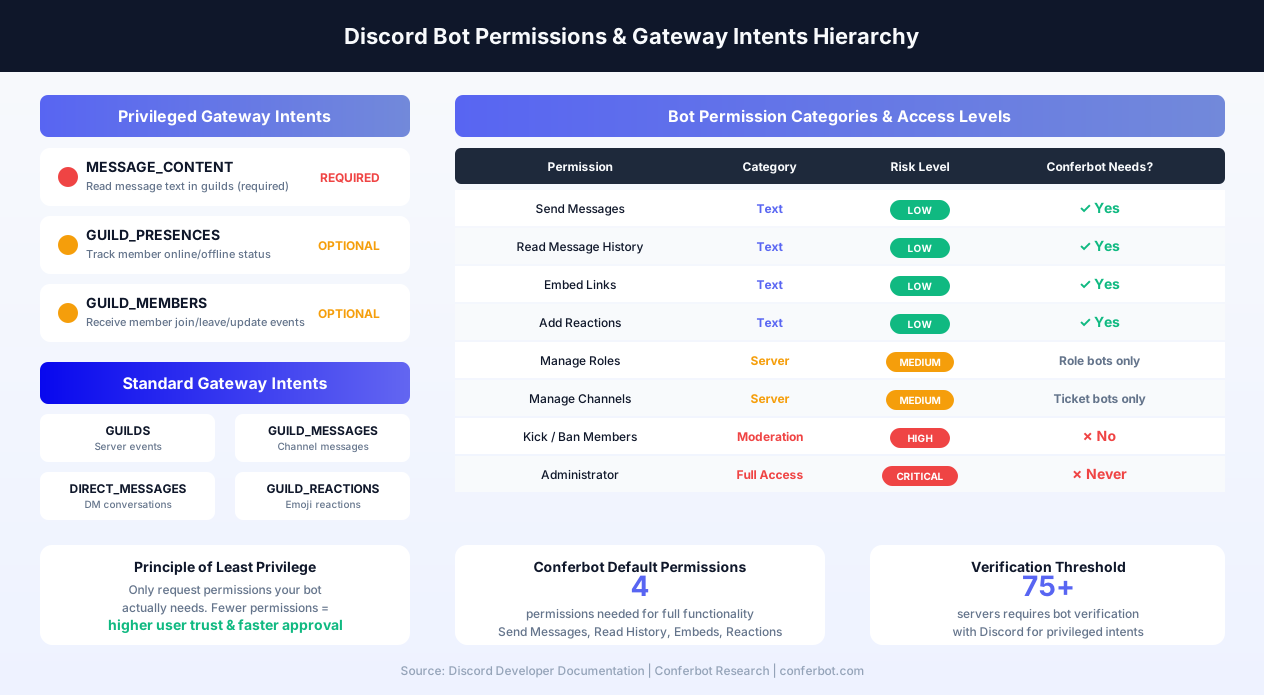
Discord defines it in the Permissions topic: "Permission to view a channel is defined by having VIEW_CHANNEL permission on a channel or by being connected to a voice channel. Channel categories are viewable if any of their child channels are viewable." In practice, four rules decide what your bot will still see:
- Effective
VIEW_CHANNELafter overwrites. Server-level role permissions are only the starting point. A channel overwrite that denies View Channel to@everyonealso applies to your bot unless one of the bot's roles, or a member overwrite for the bot, allows it back. This is the private-channel pattern, and it is exactly the case that disappears. - Administrator bypasses overwrites. The permissions docs describe
ADMINISTRATORas "Allows all permissions and bypasses channel permission overwrites", so an admin bot keeps seeing everything. That is not a reason to grant it: an Administrator bot whose token leaks can do anything in the server. - Categories follow their children. A category stays visible if at least one channel in it is visible, even if the category itself would otherwise be hidden.
- Threads need the parent. Users "must have the VIEW_CHANNEL permission to view any threads in the channel", so losing a parent channel also loses its threads. Note that
GET /guilds/{guild.id}/channelsnever returned threads anyway; the endpoint "Does not include threads".
View Channel is permission bit 1 << 10 (value 1024). The Discord permissions calculator builds the full permission integer for an invite link and shows which bits a given number includes.
Which bots break, and which do not
Discord's own scope statement is precise: the change "affects bots that read data about channels they can't view, such as bots that mirror or audit a server's full channel list, calculate permissions across every channel, or report on channel structure regardless of the bot's own access. If your bot only acts in channels it has permission to view, this change does not affect you."
| Bot type | Affected? | What you will notice |
|---|---|---|
| Server backup or template cloning | Yes | Backups quietly miss private channels, their names and their overwrites. |
| Server mirroring or sync between guilds | Yes | A sync that treats "missing from the list" as "deleted" may delete the mirrored copy. This is the most dangerous case. |
| Permission auditing and security scanners | Yes | Reports cover only the channels the bot can see, so a private channel with risky overwrites is no longer in the report. |
| Server stats, channel counters, structure reports | Yes | Totals drop. Names of hidden channels show as ___hidden___ over the Gateway. |
| Channel management bots (reorder, archive, clean up) | Partly | Positions and parent IDs remain, so ordering logic still works, but names and settings of hidden channels are unknown. |
| Support, FAQ, welcome and AI reply bots that answer where they can read | No | Nothing. They already needed View Channel to read and reply. |
| Slash-command-only apps | No | Interaction payloads are not obfuscated. |
If you run a bot built by someone else, the question to ask its developer is simple: does it ever read channels it was not explicitly given access to? If the answer is yes, it needs a fix or a permission change before 16 November.
How to check your bot in 15 minutes
- Count today. Call
GET /guilds/{guild.id}/channelsfor a test server that has at least one private channel your bot is not allowed into. Note the count and the IDs. - Turn on the test. Enable Private Channel Obfuscation on your app's Bot page in the Developer Portal (or send the
1 << 15capability on Identify) and restart the bot so it re-identifies. - Log flagged channels. On
GUILD_CREATE, log every channel whoseflagsinclude1 << 17. Those IDs are the channels the HTTP endpoint will drop on 16 November. - Diff. Anything that appears in step 1 and is flagged in step 3 is a channel your bot is about to lose. If that list is empty in a server you care about, you are fine there.
- Exercise your features. With the toggle on, run your backup, audit or sync job and read its output. Look for names printed as
___hidden___and for code paths that assume a channel's topic or settings are present. - Grep your code for calls that fetch the guild channel list and then do something with every channel. Those are the call sites to harden.
When the bot then tries to act on a channel it cannot see - fetch messages, edit it, post in it - expect a permissions error rather than an obfuscated result. Our reference pages cover the two you are most likely to meet: 50001 Missing Access and 50013 Missing Permissions. The full list is in the Discord error code directory.
Fixes, from least to most privilege
Pick the narrowest fix that gives the bot what its job requires.
1. Grant View Channel where the bot genuinely needs it
Add an overwrite that allows View Channel for the bot's role on each private channel it must read, or on the parent category if the channels are synced to it. This is the fix Discord's design expects: the bot sees what the server owner has decided it may see.
2. Ask for it during install
If your bot's purpose is auditing or backup, say so on install, and tell server owners which channels need the bot role added. Include VIEW_CHANNEL in the invite permissions so the server-level grant is there from the start, and make clear that channel overwrites can still hide channels from it.
3. Make the code honest about what it cannot see
- Never treat a channel missing from
GET /guilds/{guild.id}/channelsas deleted. Use the GatewayCHANNEL_DELETEevent for deletions. - Show users a line such as "3 channels are hidden from this bot" (you know the count and the IDs from the Gateway) rather than presenting a partial report as complete.
- Handle
CHANNEL_UPDATEas the point where a hidden channel becomes known, and refresh your cache from it. - Drop any logic that reads
nameortopicto make decisions about channels you might not be able to see.
4. Administrator, only if the bot's whole job is the full server
Because Administrator bypasses overwrites, it restores the old behaviour. It also turns a leaked token into full control of the server. Reserve it for bots whose function is genuinely whole-server and whose owners understand that trade.
Checklist before 16 November
| # | Check | Done when |
|---|---|---|
| 1 | Private Channel Obfuscation toggle turned on in a test app | Bot restarted and re-identified |
| 2 | Flagged channels (flags & 1<<17) logged per server | You have a list of channel IDs the bot will lose |
| 3 | Every "list all channels" call site reviewed | No code treats an absent channel as deleted |
| 4 | Detection uses the flag, not the name | No string match on ___hidden___ |
| 5 | CHANNEL_UPDATE refreshes the cache | A newly granted channel shows its real name without a restart |
| 6 | Owners told which channels need the bot role | Docs or install message updated |
| 7 | Error handling for 50001 / 50013 on hidden channels | Bot logs and skips instead of retrying |
If your bot only answers people where it can already read, none of this applies, and the change is a non-event. If you would rather not maintain Gateway code at all for a support or FAQ bot, a hosted chatbot builder connects to Discord with a bot token and handles the connection for you; Conferbot's Discord page shows how that works.
Related reading: Discord bot not responding covers the intents and permission causes of a silent bot, and the Discord limits reference lists the rate and gateway limits that apply alongside this change.
Was this article helpful?
Build and deploy in 10 minutes. No coding needed.
Discord Hides Channels From Bots on 16 November 2026 FAQ
Everything you need to know about chatbots for discord hides channels from bots on 16 november 2026.
About the Author
The Conferbot team writes about building, deploying, and improving AI chatbots.
View all articlesRelated Articles
From the reference shelf
Fact-checked reference pages and free tools for the platform this article covers.