
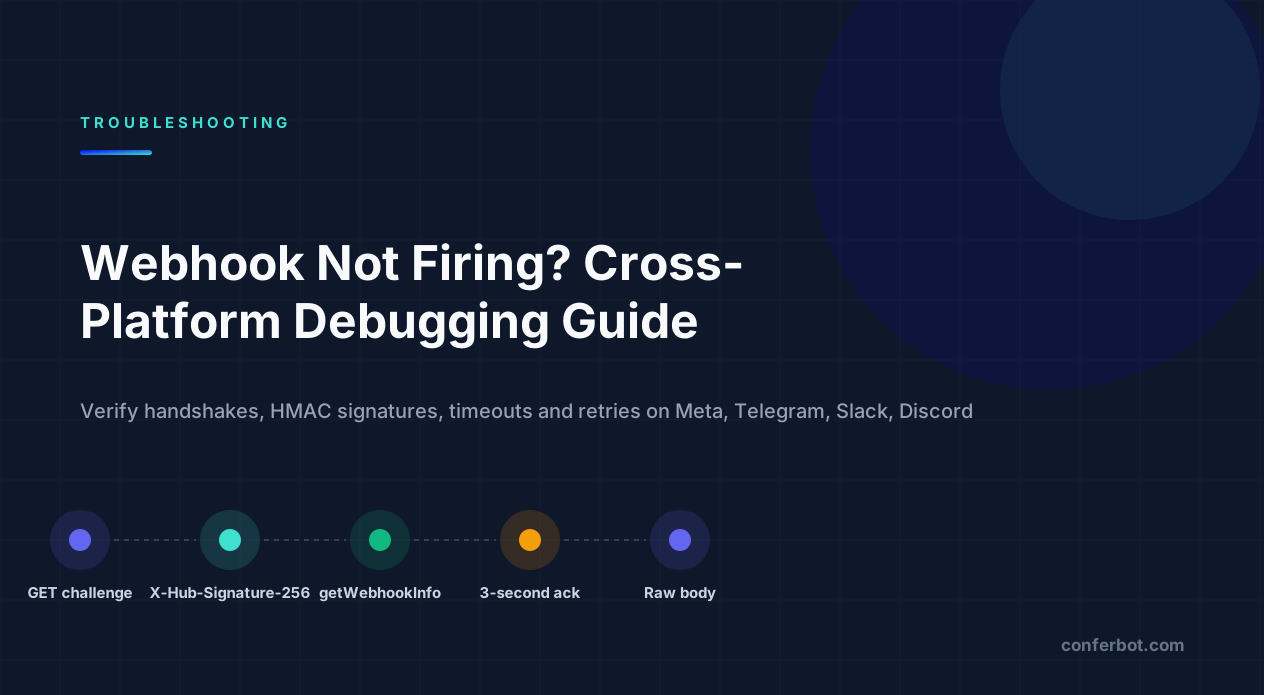
First, work out which of the three failures you have
"My webhook is not firing" describes three unrelated problems: the platform never sends the request, the request arrives but your server rejects it, or your server accepts it and then nothing happens. Each has a different place to look, and most wasted hours come from debugging the wrong one.
Last verified: August 2026 against the Meta Graph API Webhooks documentation, the Telegram Bot API reference, the Slack Events API documentation, the Discord Developer Portal and the Stripe webhooks documentation. Error codes and strings quoted are the literal values the platform returns.
A webhook is just an HTTP request the platform makes to a URL you own. That makes the debugging model simple: there is a sender, a network path, and a receiver, and exactly one of them is at fault. The table below tells you which.
| What you observe | Which side is broken | First thing to check |
|---|---|---|
| Platform dashboard shows zero deliveries / no attempts | Sender - subscription, verification or app mode | Is the subscription actually active and are the right fields selected? |
| Platform shows attempts, your server logs show nothing | Network path - DNS, TLS, firewall, wrong port, localhost | Can curl from outside your network reach the URL? |
| Your server logs a request, responds 4xx/5xx | Receiver - method, path, signature, body parsing | Exact status you return and why |
| Your server returns 200, nothing happens downstream | Receiver - async handling, wrong event type, silent exceptions | Log the raw body before any processing |
| Works once, then stops | Sender disabled it after repeated failures, or token/secret rotated | Platform's webhook status page and last_error_message |
If you only take one thing from this guide: log the raw request - method, path, headers and unparsed body - at the very top of your handler, before any framework middleware can touch it. Nearly every webhook bug becomes obvious the moment you can see what actually arrived. When the failure comes with a platform error code rather than silence, our error-code directory maps the literal string to its fix.
The universal debug order (do these before anything platform-specific)
Every platform below has its own quirks, but this sequence finds the cause of most webhook failures regardless of who is sending. Work it top to bottom and stop at the first step that fails.
- Hit the URL yourself from outside your network.
curl -i -X POST https://example.com/webhook -H "Content-Type: application/json" -d '{}'from a phone hotspot or a cloud shell. If this fails, the platform cannot reach you either - skip to the network section. - Check the status code you return for that test.
404means wrong path;405means the route exists but does not accept POST;301/308means a redirect is in the way;403usually means a WAF, Cloudflare rule or your own signature check rejecting it. - Confirm the platform thinks the webhook is configured. Every platform has a read-back: Telegram's
getWebhookInfo, Meta's App Dashboard webhook page, Slack's Event Subscriptions page, Stripe's endpoint page with its delivery log. - Trigger a real event and watch both sides. Send a message to the bot, complete a test payment. Compare the platform's "attempted delivery" log with your access log.
- Only now look at signatures and parsing. If a request reached your handler and you returned 401 or 403, the problem is inside your code, and it is almost always raw-body handling (section 7).
- Check response time. Every platform here times out somewhere between 3 and roughly 20 seconds. If your handler does real work before responding, it will eventually be retried, duplicated or disabled.
Steps 1 and 2 take two minutes and resolve a large share of reports; steps 5 and 6 are where the hard bugs live. For single-platform depth see Telegram bot not responding, Slack bot not responding and Discord bot not responding. Teams has its own version of the same checklist in Microsoft Teams bot not responding.
1. Meta webhooks (WhatsApp, Messenger, Instagram): the GET challenge and X-Hub-Signature-256
Meta uses one webhook system for WhatsApp, Messenger and Instagram, documented in the Graph API Webhooks guide. It fails in two distinct places: the one-time verification handshake, and the ongoing event POSTs.
The verification GET
When you save a callback URL in the App Dashboard, Meta sends a GET request with three query parameters: hub.mode=subscribe, hub.verify_token=<the token you typed> and hub.challenge=<random string>. You must respond 200 with the body set to the raw challenge value only - not JSON, not quoted, no trailing newline. If the token does not match the one you configured, respond 403.
// Express - verification endpoint
app.get('/webhook', (req, res) => {
  const mode = req.query['hub.mode'];
  const token = req.query['hub.verify_token'];
  const challenge = req.query['hub.challenge'];
  if (mode === 'subscribe' && token === process.env.META_VERIFY_TOKEN) {
    return res.status(200).send(challenge);   // plain text, exactly the challenge
  }
  return res.sendStatus(403);
});
The dashboard error you see when this fails is The callback URL or verify token couldn't be validated. Please verify the provided information or try again later. The causes, in order of frequency: the route only handles POST (Meta needs GET for verification and POST for events on the same URL); the verify token has a typo or trailing space in either place; the response is JSON such as {"hub.challenge":"..."} instead of the bare string; or the server is not publicly reachable over HTTPS with a valid certificate chain.
Events never arrive after verification succeeds
Verification only proves Meta can reach you. Event delivery additionally requires that you subscribe to fields on the webhook product (for WhatsApp, messages; for Messenger, messages, messaging_postbacks and friends) and, for Messenger and Instagram, that the Page itself is subscribed to your app via POST /{page-id}/subscribed_apps. An app still in Development mode only receives events for users who have a role on the app - testers, developers, admins - which is why "it worked for me and not for anyone else" almost always ends here. The Messenger-specific version of that chain is in our Messenger bot not responding guide. The Instagram one, including the consumer-app toggle that blocks delivery entirely, is in the Instagram messaging API guide.
Signature validation
Every event POST carries X-Hub-Signature-256: sha256=<hex>, an HMAC-SHA256 of the raw request body keyed with your App Secret (not the access token, not the verify token). Comparing it against a hash of the re-serialised JSON will fail whenever serialisation differs from Meta's byte layout - see section 7 for the raw-body fix. Meta expects a 200 promptly; if your endpoint fails, the docs state it retries with decreasing frequency over the next 36 hours and then drops the event, so your handler also needs to be idempotent. For WhatsApp-specific codes that surface inside those payloads, see our WhatsApp API error codes reference. Each code also has its own page in the WhatsApp error-code directory.
2. Telegram: setWebhook, getWebhookInfo and the 409 conflict
Telegram is the most transparent platform to debug because getWebhookInfo tells you exactly what went wrong with the last delivery. Call it first, every time:
curl https://api.telegram.org/bot<TOKEN>/getWebhookInfo
{
  "ok": true,
  "result": {
    "url": "https://example.com/telegram",
    "has_custom_certificate": false,
    "pending_update_count": 37,
    "last_error_date": 1755590400,
    "last_error_message": "Wrong response from the webhook: 502 Bad Gateway",
    "max_connections": 40,
    "ip_address": "203.0.113.10"
  }
}
An empty url means no webhook is set; a rising pending_update_count with a last_error_message means Telegram is trying and failing; no error and zero pending means deliveries succeed and the bug is in your handler. Every literal description Telegram returns is catalogued in the Telegram error-code directory.
last_error_message pattern | Cause | Fix |
|---|---|---|
Wrong response from the webhook: 502 Bad Gateway / 500 | Your reverse proxy reached a dead upstream, or your handler threw | Check the app process and proxy upstream; return 200 fast |
Connection timed out / Read timeout expired | Host unreachable, firewall, or handler too slow | Open the port, respond before doing work |
SSL error ... certificate verify failed | Incomplete chain, expired or self-signed cert without upload | Serve the full chain; for self-signed, upload the cert via setWebhook |
Wrong response from the webhook: 404 Not Found | Path mismatch between setWebhook URL and your route | Compare the URL in getWebhookInfo with your router |
Hard constraints from the Bot API reference: the URL must be HTTPS and the port must be one of 443, 80, 88 or 8443 - anything else fails with Bad webhook: webhook can be set up only on ports 80, 88, 443 or 8443. max_connections (1-100, default 40) caps concurrent deliveries - lowering it helps a small server, raising it helps a busy one. The rest of Telegram's webhook and rate ceilings are on the Telegram limits page. If you pass secret_token to setWebhook, Telegram sends it back on every request in the X-Telegram-Bot-Api-Secret-Token header, which is the cheapest authentication you will ever add - check it and return 403 when it does not match.
The 409 you will eventually hit
If you run a local polling script while a webhook is set, getUpdates returns:
{"ok":false,"error_code":409,"description":"Conflict: can't use getUpdates method while webhook is active; use deleteWebhook to delete the webhook first"}Webhook and long polling are mutually exclusive per bot token; the 409 reference page has the full fix. Call deleteWebhook before polling locally, and setWebhook again when you deploy - or use two bot tokens, one per environment. Our Telegram bot not responding guide covers the neighbouring conflict (terminated by other getUpdates request) and the silent-bot causes that have nothing to do with webhooks. The terminated by other getUpdates request page covers that two-process case on its own. If you would rather not run a server at all, Conferbot's Telegram channel owns the webhook for you.
3. Slack Events API: url_verification, the 3-second rule and retries
Slack's Events API starts with a handshake similar to Meta's but over POST. When you enter a Request URL, Slack POSTs a JSON body with "type":"url_verification" and a challenge field; you must echo the challenge back with 200. If you do not, the dashboard shows Your URL didn't respond with the value of the challenge parameter. - a message that also appears when your server returns an error or takes too long, not only when the value is wrong.
Acknowledge in 3 seconds, or Slack retries
Slack requires an HTTP 200 within 3 seconds of delivering an event. Miss it and Slack retries the same event up to three more times, each carrying X-Slack-Retry-Num (1, 2, 3) and X-Slack-Retry-Reason (http_timeout or http_error). If you process events synchronously - call an LLM, write to a CRM, then respond - you will see duplicated replies and eventually Slack will stop delivering events to an app that keeps failing. The fix is structural: acknowledge immediately, queue the work, and check X-Slack-Retry-Num so retries do not re-run side effects.
Signature verification
Slack signs every request with X-Slack-Signature in the form v0=<hex> - an HMAC-SHA256 of the string v0:<X-Slack-Request-Timestamp>:<raw body> keyed with your app's Signing Secret, per Verifying requests from Slack. Reject requests whose timestamp is more than five minutes old to block replays. Two traps: the body is application/x-www-form-urlencoded for slash commands and JSON for events, and in both cases you must hash the raw bytes, not the parsed object. Socket Mode sidesteps all of this for apps that cannot expose a public URL. The rest of the Slack failure modes - missing_scope, not_in_channel, event subscription gaps - are in our Slack bot not responding guide, and Conferbot for Slack handles the acknowledgement timing for you.
4. Discord interactions endpoint: Ed25519, PING/PONG and deferred responses
Discord's outbound webhook is the Interactions Endpoint URL on your application page. Saving it triggers a validation that most first attempts fail, because Discord checks two things per Interactions overview: that you answer a PING ("type": 1) with a PONG ({"type": 1}), and that you return 401 for a request with an invalid signature. An endpoint that skips signature checks fails validation even though it answers PING correctly.
Signatures are Ed25519, not HMAC. Each request carries X-Signature-Ed25519 and X-Signature-Timestamp; you verify timestamp + rawBody against your application's Public Key (from the General Information page - not the bot token, not the client secret).
const nacl = require('tweetnacl');

function verifyDiscord(req, rawBody) {
  const sig = req.get('X-Signature-Ed25519');
  const ts  = req.get('X-Signature-Timestamp');
  return nacl.sign.detached.verify(
    Buffer.from(ts + rawBody),
    Buffer.from(sig, 'hex'),
    Buffer.from(process.env.DISCORD_PUBLIC_KEY, 'hex')
  );
}
Once live, you must respond to every interaction within 3 seconds or the user sees The application did not respond. That deadline and the other interaction ceilings are listed on the Discord limits page. If the work takes longer, reply immediately with type 5 (DEFERRED_CHANNEL_MESSAGE_WITH_SOURCE) and edit the response later via the interaction token. Note that this endpoint only carries interactions - slash commands, buttons, modals. Ordinary messages still arrive over the gateway, which is a different subsystem with its own failure modes covered in our Discord bot not responding guide and handled by Conferbot's Discord integration. Gateway close codes such as 4014 (disallowed intents) have their own reference pages. The full list is in the Discord error-code directory.
5. The request never arrives: localhost, tunnels, firewalls and Cloudflare
If the platform reports attempts and your server logs nothing, the request is dying on the wire. Work through these in order.
| Cause | How to confirm | Fix |
|---|---|---|
URL is localhost / 127.0.0.1 / a LAN IP | Platform can only reach public addresses | Use a tunnel (below) or deploy |
| Firewall / security group closed | curl from outside hangs; nc -zv host 443 fails | Open 443 inbound; on Telegram only 443/80/88/8443 work |
| Cloudflare WAF / Bot Fight Mode / rate rule | Cloudflare analytics show 403 or challenge; your origin sees nothing | Add a WAF skip rule for the webhook path, or bypass the proxy for that host |
| Incomplete TLS chain | openssl s_client -connect host:443 -servername host shows unable to get local issuer certificate | Serve leaf + intermediate; Let's Encrypt fullchain.pem, not cert.pem |
| AAAA record pointing at a host with no IPv6 listener | Works from IPv4-only networks, intermittently fails elsewhere | Remove the AAAA record or bind on :: |
| DNS not propagated / wrong record after a move | dig +short host from a public resolver differs from what you expect | Wait or fix the record; platforms cache aggressively |
Testing locally with a tunnel
Run ngrok http 3000 (or cloudflared tunnel --url http://localhost:3000) and use the HTTPS URL it prints as your webhook URL. ngrok's local inspector at http://127.0.0.1:4040 shows every inbound request with headers and body and lets you replay a request against your handler after a code change, which is the fastest signature-debugging loop there is. Two caveats: free ngrok URLs change on every restart, so re-register the webhook each time; and some platforms (Meta in particular) are strict about the certificate, so always use the https:// tunnel URL, never http://.
6. Arrives but rejected: 404, 405, 403 and the trailing-slash redirect
These are the cheapest bugs to find once you have the raw request logged, and the easiest to miss without it.
| Status you return | Almost always means | Fix |
|---|---|---|
404 Not Found | Path mismatch: /webhook vs /webhooks, missing base path behind a proxy | Compare the registered URL byte-for-byte with your router |
405 Method Not Allowed | Route exists for GET only (or POST only when the platform verifies with GET) | Register both methods; Meta needs GET and POST on the same path |
301 / 308 redirect | Trailing-slash normalisation or http-to-https redirect | Most senders do not follow redirects for POST, and those that do drop the body. Register the final URL exactly |
403 Forbidden | Your own signature/token check, or a WAF in front of you | Log which check failed; whitelist the path in the WAF |
401 Unauthorized | Auth middleware applied globally is catching the webhook route | Exclude the webhook path from session/JWT middleware |
413 Payload Too Large | Body limit below payload size (common with media-heavy events) | Raise the limit for the webhook route only |
415 Unsupported Media Type | Framework rejects application/x-www-form-urlencoded or a vendor content type | Accept the content type the platform actually sends |
The redirect case is invisible in most logs: your framework answers 308 to /webhook because the route is defined as /webhook/, and your application log never shows a request because the redirect happened in the router. Next.js, Django (APPEND_SLASH) and many reverse proxies do this by default.
7. Returns 401/403 on every signed request: the raw-body problem
This is the single most common cause of "signature verification failed" across every platform in this guide. HMAC signatures are computed over the exact bytes the platform sent. If a JSON body parser runs first, you no longer have those bytes - you have an object, and JSON.stringify will happily produce different whitespace, key order or unicode escaping than the original. The hash will not match, and it will never match.
The fix is to capture the raw body before (or instead of) parsing. In Express, the cleanest approach is a route-specific raw parser:
const express = require('express');
const crypto = require('crypto');
const app = express();

// Only the webhook route gets the raw body. Everything else can keep express.json().
app.post('/webhook',
  express.raw({ type: '*/*' }),          // req.body is a Buffer here
  (req, res) => {
    const raw = req.body;                 // Buffer - do NOT JSON.parse before verifying

    // Meta: X-Hub-Signature-256 = "sha256=" + HMAC_SHA256(appSecret, raw)
    const header = req.get('X-Hub-Signature-256') || '';
    const expected = 'sha256=' + crypto
      .createHmac('sha256', process.env.META_APP_SECRET)
      .update(raw)
      .digest('hex');

    const a = Buffer.from(header), b = Buffer.from(expected);
    if (a.length !== b.length || !crypto.timingSafeEqual(a, b)) {
      return res.sendStatus(403);
    }

    res.sendStatus(200);                  // acknowledge first ...
    const event = JSON.parse(raw.toString('utf8'));
    setImmediate(() => handleEvent(event)); // ... then do the work
  }
);
The same shape works for Slack (hash v0:timestamp:raw and compare to v0=...), for Stripe (pass raw to stripe.webhooks.constructEvent) and for GitHub, Shopify and most other HMAC schemes - only the header name, the key and the prefix change. Use crypto.timingSafeEqual rather than === so that comparison time does not leak information about the expected value.
Framework-specific notes: in Express, app.use(express.json()) placed above the webhook route is the usual culprit - either move the raw route above it or use the verify callback of express.json to stash req.rawBody. In Next.js API routes, set export const config = { api: { bodyParser: false } } and read the stream yourself. In Django, use request.body, not request.POST. In Flask, use request.get_data() before anything touches request.json. And check that nothing in front of your app - a CDN, an API gateway, a "pretty JSON" proxy - is re-serialising the body on the way in.
Stripe: the same bug with a better error message
Stripe is worth a detour because payment confirmations are a common trigger for bot messages, and because its SDK names this bug precisely. Stripe signs with Stripe-Signature: t=<timestamp>,v1=<hex>, an HMAC-SHA256 over <t>.<raw body> with your endpoint's signing secret (whsec_...), and the official SDKs enforce a default 300-second tolerance on the timestamp, per the Stripe webhooks documentation.
When you pass a parsed object instead of the raw bytes, stripe-node throws:
Webhook payload must be provided as a string or a Buffer (https://nodejs.org/api/buffer.html) instance representing the _raw_ request body.Payload was provided as a parsed JavaScript object instead. Signature verification is impossible without access to the original signed material.and when the bytes differ from what was signed:
No signatures found matching the expected signature for payload. Are you passing the raw request body you received from Stripe?Both point at the raw-body fix above. Two other Stripe-specific causes: each endpoint has its own signing secret, so copying whsec_ from a different endpoint (or from the CLI's stripe listen session) fails silently with the second message; and endpoints are created per mode, so a live-mode event will never reach a test-mode endpoint.
8. Returns 200 but nothing happens: timeouts, async and silent exceptions
Once the platform shows successful deliveries and your server returns 200, the webhook is working. What is failing is your processing. The usual shapes:
- You filtered the event out. A WhatsApp status update (
statuses) arrives at the same endpoint as a message (messages); a Slackmessageevent with abot_idis your own bot's echo; Telegram sendsedited_messageandchannel_postthat yourif (update.message)never sees. Log the top-level keys of every body for a day. - You returned 200 and then crashed. Fire-and-forget processing with an unhandled promise rejection produces a clean 200 and an empty result. Wrap the async branch in its own try/catch with logging.
- You did the work first and returned 200 too late. The platform timed out, marked the delivery failed, retried, and your handler ran twice - the second run often hits a "conversation already replied" guard and does nothing visible. Acknowledge first, process after.
- Duplicate deliveries with no idempotency. Every platform here retries. Store the event ID (Meta
idon each message, Slackevent_id, Telegramupdate_id, Stripeevt_id) and skip repeats. - Outbound, not inbound, is broken. You received the event but your reply API call returned an error you swallowed. Log every non-2xx outbound response; for WhatsApp the codes are in our error code reference, and rate limits across platforms are covered in chatbot API rate limiting. The published per-platform ceilings are collected in our limits directory.
| Platform | Expects ack within | On failure |
|---|---|---|
| Slack Events API | 3 seconds | Retries up to 3 times with X-Slack-Retry-Num; persistent failure can disable event delivery |
| Discord interactions | 3 seconds | User sees The application did not respond; use a type 5 deferred response |
| Meta (WhatsApp / Messenger / Instagram) | A few seconds; return 200 immediately | Retries with decreasing frequency for up to 36 hours, then drops |
| Telegram | Short; errors appear in getWebhookInfo | Keeps retrying; pending_update_count grows |
| Stripe | Within the request timeout | Retries with backoff for up to 3 days in live mode |
9. Worked for weeks, then stopped: rotations, expiries and disabled subscriptions
A webhook that silently stops after working is rarely a code change. Check, in order:
- A secret was rotated. Meta App Secret reset, Slack Signing Secret regenerated, Stripe endpoint recreated with a new
whsec_, Telegram token revoked with/revokein BotFather. Signature checks start failing with 403 and the platform eventually backs off. For Telegram, the bot token checker confirms in one call whether the token is still live. - The certificate expired or the chain changed. Telegram will tell you in
last_error_message; Meta and Slack just stop. - The platform disabled the subscription after sustained failures. Slack emails the app collaborators; Meta shows the state on the Webhooks page. Fix the underlying error, then re-enable or re-save the URL.
- A token or permission lapsed. A Messenger Page access token revoked when the admin changed their password, a Slack app uninstalled from the workspace, a WhatsApp number whose registration dropped. Inbound events stop because the relationship that granted them ended.
- Infrastructure moved. New load balancer with a default 30 KB body limit, new CDN rule, new IPv6 address, a redirect added for SEO. Re-run the curl from section 2.
- You changed environments. A second deploy (staging) ran
setWebhookagainst the production bot token, and now Telegram delivers everything to staging. One token per environment, always.
Once stable, add a synthetic check: a scheduled job that reads the platform's status endpoint (Telegram getWebhookInfo, for example) and alerts when pending_update_count climbs, plus a counter of webhook requests per minute that alerts on zero. Webhooks fail quietly; make them loud.
Owning fewer webhooks
Everything above is plumbing: handshakes, signature schemes, acknowledgement deadlines, retry deduplication, certificate chains. None of it is your product, and every platform has a slightly different version of the same list.
Conferbot takes the webhook side off your plate for WhatsApp, Telegram, Slack, Discord, Microsoft Teams and the website widget: you connect the channel once, the platform receives and verifies the events, and the same conversation flow runs everywhere. When a flow needs to reach your own systems, it can call your API endpoint as an outbound step - which means the only webhook you still have to debug is the one you wrote, and this guide covers that one too. Conversations that need a person can be passed to live chat without leaving the channel.
Start free with Conferbot - no credit card required.
Still debugging right now? Go back to section 2 and run the curl. Whether it reaches your handler decides which half of this guide you need.
Was this article helpful?
Build and deploy in 10 minutes. No coding needed.
Webhook Not Firing? A Cross-Platform Debugging Guide for Bots FAQ
Everything you need to know about chatbots for webhook not firing? a cross-platform debugging guide for bots.
About the Author
The Conferbot team writes about building, deploying, and improving AI chatbots.
View all articlesRelated Articles

From the reference shelf
Fact-checked reference pages and free tools for the platform this article covers.