
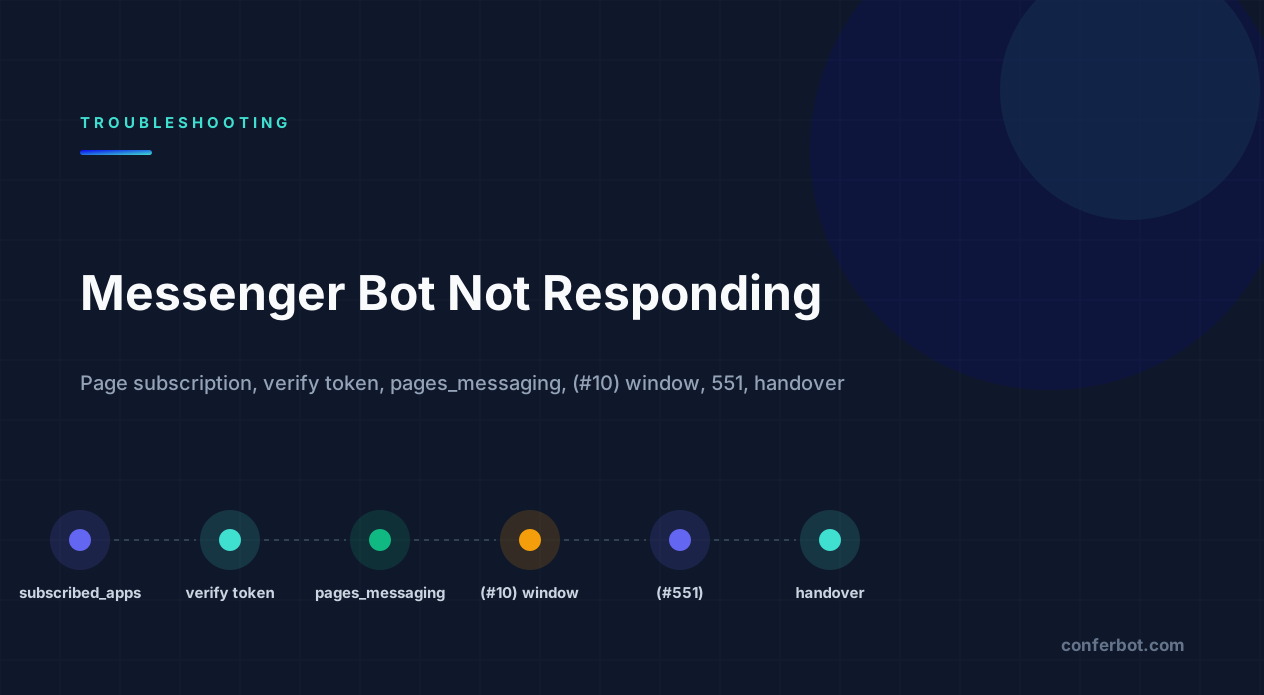
Start here: is the message reaching you, or is your reply being refused?
A Messenger bot that does not respond is either not receiving the message or not being allowed to answer it. Those are different problems with different error surfaces, and the fastest diagnostic is to decide which one you have before touching any settings.
Last verified: August 2026 against the Meta for Developers Messenger Platform documentation. Error codes and strings quoted are the literal values the platform returns.
Message the Page from an account that has a role on the app, then look at two places: your webhook logs, and the response body of your Send API call.
| What you observe | Which half | Go to |
|---|---|---|
| No POST reaches the webhook | Inbound. Page not subscribed, wrong fields, verify token mismatch, or another app owns the thread | Sections 1, 2, 7 |
| Webhook fires for admins only | Inbound. App in Development mode or missing Advanced Access | Section 3 |
Webhook fires, reply returns (#10) with "outside of allowed window" | Outbound. 24-hour window | Section 5 |
Webhook fires, reply returns (#551) | Outbound. The person is unreachable | Section 6 |
Webhook fires, reply returns 190 | Outbound. Page access token expired or revoked | Section 4 |
Webhook fires, reply returns (#230) or (#200) | Outbound. Missing pages_messaging | Section 3 |
| Bot replies, then human replies from Inbox and bot goes quiet | Handover protocol moved thread control | Section 7 |
Inbound problems are the majority, and they are almost all configuration. Outbound problems nearly always come with a literal error string, which makes them faster once you know what the codes mean - our error-code directory collects the published code sets for the platforms that document them. If your Page also has an Instagram account connected and that bot is misbehaving too, our guide to the Instagram messaging API not working covers the Instagram-specific pieces - the two share most of this plumbing.
1. The Page is not subscribed to the app - or not to the right fields
The most common inbound failure. Your app can have a perfectly verified webhook and still receive nothing, because webhooks in Messenger are delivered per Page, and a Page only sends events to apps it is subscribed to. Subscribing is a separate step from verifying the callback URL, and the dashboard does not make that obvious.
Check the current state with a Page access token:
GET https://graph.facebook.com/v21.0/{page-id}/subscribed_apps?access_token={page-access-token}A healthy response names your app and lists subscribed_fields. If data is empty, subscribe:
POST https://graph.facebook.com/v21.0/{page-id}/subscribed_apps
  ?subscribed_fields=messages,messaging_postbacks,messaging_optins,message_deliveries,message_reads
  &access_token={page-access-token}
You can do the same in the App Dashboard under Messenger > Messenger API Settings (older layouts: Messenger > Settings > Webhooks), where each connected Page has an Add Subscriptions button and a field checklist.
The fields that matter
| Field | Delivers | Without it |
|---|---|---|
messages | Text, attachments, quick reply taps | Bot never hears the user |
messaging_postbacks | Button taps, Get Started, persistent menu | Buttons do nothing |
messaging_optins | Checkbox plugin and send-to-Messenger opt-ins, recurring notification opt-ins | Web entry points fail |
messaging_referrals | m.me links with ?ref=, ads referrals | Campaign attribution lost |
messaging_handovers | Thread control changes | Handover invisible |
standby | Events while another app controls the thread | Bot is blind during human takeover |
A subscription made by one Page admin does not survive that admin losing access to the Page - the subscription is tied to the token that created it. If a bot went silent the day someone left the company, re-subscribe with a token from a current admin.
The Page also has to be published, and messaging has to be enabled on it. An unpublished Page can be messaged by its admins only, which looks identical to Development mode. And under the Page's settings, the option that shows the Message button and allows people to contact the Page privately must be on - if it is off, nobody can start a conversation at all.
2. Webhook verification: the verify token and the challenge
If the dashboard refuses to save your callback URL, you never get as far as a subscription. The dashboard error is:
The callback URL or verify token couldn't be validated. Please verify the provided information or try again later.Meta sends a GET to your URL with three query parameters - hub.mode=subscribe, hub.verify_token and hub.challenge - and expects you to compare the token against the one you typed into the dashboard, then respond 200 with the raw challenge string as the body. The failures, in order of frequency:
- Token mismatch. The string in the dashboard differs from the one in your environment variable - a trailing space, a quote character, or a different value on staging vs production.
- Wrong response body. Returning
{"hub.challenge": "..."}as JSON, or the challenge wrapped in quotes, fails. It must be the bare value. - The route only handles POST. Verification is a GET. Many frameworks 404 or 405 the GET and the dashboard reports the generic error above.
- Not reachable over HTTPS with a valid certificate. Self-signed certificates and
localhostdo not work; a tunnel such as ngrok does, but the URL changes on every restart.
app.get('/webhook', (req, res) => {
  const mode = req.query['hub.mode'];
  const token = req.query['hub.verify_token'];
  const challenge = req.query['hub.challenge'];
  if (mode === 'subscribe' && token === process.env.VERIFY_TOKEN) {
    return res.status(200).send(challenge);
  }
  return res.sendStatus(403);
});
Once verified, the same endpoint must answer every POST with a 200 within roughly 20 seconds. Do the work asynchronously and acknowledge immediately; Meta retries failed deliveries for a while and then disables the subscription, at which point you are back in section 1. The Messenger webhooks reference covers the handshake and the retry behaviour. If you want the general pattern explained, our webhook glossary entry is the short version. For the cases where the handshake passes but events still do not arrive, the cross-platform webhook debugging guide works through signature checks, timeouts and retries.
3. It only works for admins: Development mode, pages_messaging and App Review
"Messenger bot only works for admins" is the most-searched version of this problem, and it has one root cause with two faces.
An app in Development mode only receives events from, and can only send to, people who hold a role on the app - admins, developers and testers. Everyone else messaging the Page is routed to the Page inbox as if no app existed. Switching the app to Live is necessary but not sufficient: in Live mode, the app also needs Advanced Access to pages_messaging, and that is granted only through App Review. An app that is Live with Standard Access behaves, for messaging, exactly as if it were still in Development.
When the token lacks the permission entirely, the Send API says so:
{"error":{"message":"(#230) Requires pages_messaging permission to manage the object","type":"OAuthException","code":230}}Check what the token actually carries in the Access Token Debugger. For a Messenger bot you want at least pages_messaging, pages_manage_metadata (for the webhook subscription) and pages_show_list. If pages_messaging is absent from the Scopes line, the user never granted it during login, and no amount of App Review fixes a token that was minted without it - re-run the login with the full scope list.
What App Review wants
The review asks for a screencast showing a real user messaging the Page and the bot replying, a description of the use case, and a test Page with the bot live on it. Most rejections come from a recording that shows the dashboard instead of the user experience, or from requesting permissions the recording does not demonstrate. Business Verification is usually required alongside it. Meta's Messenger App Review guide lists exactly what they look for.
One more nuance: Meta's Facebook test users do not support Messenger conversations. Test with real accounts that have a role on the app - typically the Tester role - rather than with generated test users, or you will spend an afternoon debugging a limitation rather than a bug.
4. Error 190: the Page access token expired or was revoked
A bot that ran for weeks and stopped on a particular day is almost always a token failure:
{"error":{"message":"Error validating access token: Session has expired on Monday, 10-Aug-26 09:00:00 PDT. The current time is ...","type":"OAuthException","code":190,"error_subcode":463}}Code 190 is the OAuth token family; the subcode says why. 463 is expiry. 460 is "the user changed their password or logged out of the session". Other subcodes mean the user removed the app, lost their role on the Page, or the Page itself was unpublished or restricted.
The lifecycle: a short-lived user token lives about an hour, a long-lived user token about 60 days, and a Page access token obtained from a long-lived user token has no fixed expiry - but it is still tied to that user's relationship with the Page and the app. If you generated the Page token in the Graph API Explorer with a short-lived user token, it will expire with it, which is the single most common reason a bot dies a few hours after a demo.
Store the long-lived Page token, never the user token, and treat 190 as a signal to re-run the connection flow rather than something to retry. If the same Page feeds a WhatsApp number, the equivalent failure there is covered in our WhatsApp API error-codes guide - same Graph API, same code. The code 190 reference page has the subcode table.
5. "(#10) This message is sent outside of allowed window" and message tags
The Messenger Platform lets your bot reply freely for 24 hours after the user's last message. After that, a plain send is refused:
{"error":{"message":"(#10) This message is sent outside of allowed window. Learn more about the new policy here: https://developers.facebook.com/docs/messenger-platform/policy-overview","type":"OAuthException","code":10,"error_subcode":2018278}}Read the full message: code 10 is also used for "Application does not have permission for this action", which is a different problem (section 3). The subcode 2018278 is the window.
Outside the window you have three sanctioned options, and everything else is a policy violation:
| Mechanism | When it applies | How |
|---|---|---|
MESSAGE_TAG with CONFIRMED_EVENT_UPDATE, POST_PURCHASE_UPDATE, ACCOUNT_UPDATE | Non-promotional updates the user is expecting | "messaging_type": "MESSAGE_TAG", "tag": "POST_PURCHASE_UPDATE" |
HUMAN_AGENT tag | A human replying within 7 days of the user's last message (a genuine human handoff) | Requires Human Agent permission via App Review |
| Recurring notifications / marketing messages opt-in | User explicitly opted in to a topic | Uses messaging_optins and a notification token |
| One-time notification (legacy) | User tapped a one-time opt-in request | Being replaced by recurring notifications |
A tagged message that does not fit its tag - a promotion sent as ACCOUNT_UPDATE - is the fastest way to have a Page's messaging restricted, which is a different and worse failure than a single rejected send. Design the bot to finish the job inside the window, and use tags only for what they are for. The message tags reference is short and worth reading in full.
Messenger's window is more permissive than Instagram's (which has the HUMAN_AGENT tag but none of the others) and works differently from WhatsApp's template system - if you are running several channels, do not assume the rules transfer. The WhatsApp equivalent of this error is 131047, and the window itself is documented on the WhatsApp limits page.
6. "(#551) This person isn't available right now" and other recipient errors
Three errors mean the Page can see the user but cannot reach them. None of them is a bug in your bot.
{"error":{"message":"(#551) This person isn't available right now.","type":"OAuthException","code":551,"error_subcode":1545041}}551 means the user has blocked the Page, deactivated their Facebook account, or has messaging from Pages turned off. There is no way to check in advance and no workaround. Treat it as a permanent opt-out for that PSID.
{"error":{"message":"(#100) No matching user found","type":"OAuthException","code":100,"error_subcode":2018001}}2018001 is the one people misread. Recipient IDs in Messenger are Page-scoped (PSIDs): the same person has a different ID for every Page. If you stored a PSID from Page A, or from a previous app, and send it through Page B, you get this. It also appears when an app's Page tokens were regenerated under a different app ID. Do not store IDs across Pages; if you need one identity across several Pages in the same business, use the ID-matching API with a Business Manager-linked Page set.
{"error":{"message":"(#10) This Person Cannot Receive Messages: This person isn't receiving messages from you right now.","type":"OAuthException","code":10,"error_subcode":2018108}}2018108 usually means the user has muted or ignored the conversation. Again: stop sending, and let them come back.
Finally, a Messenger bot cannot start a conversation with someone who has never messaged the Page or opted in through a web plugin. If your logs show sends to users your webhook has never seen, the IDs came from somewhere that does not grant a conversation - an ad audience, a CSV - and the failures above are the expected result.
7. The handover protocol: another app owns the thread
This is the one that makes a bot appear to "randomly" stop. Messenger allows several apps on one Page, with exactly one app holding thread control for each conversation at a time. The others see events on the standby channel and cannot reply. Two common situations trigger it:
- The Page inbox took the thread. When a human replies from the Meta Business Suite inbox, the inbox app (its fixed app ID is
263902037430900) can take control. Your bot receives nothing butstandbyevents until control is passed back - typically when the agent marks the conversation Done, or when your app callstake_thread_control. - Another tool is the primary receiver. If a second automation tool was connected to the Page at some point - a trial of another platform, an ads tool, a live-chat product - it may still be the primary receiver. Primary receivers get every new conversation first.
Check and fix it in Page Settings > Advanced Messaging > Handover Protocol (in newer layouts under Meta Business Suite > Settings > Messaging > Advanced Messaging). Set your app as Primary Receiver, and make sure nothing unexpected is listed as a secondary receiver. The same screen lists the apps subscribed to the Page; remove any you no longer use.
To see who owns a given thread:
GET /{page-id}/thread_owner?recipient={psid}&access_token={page-access-token}If you intentionally run a bot plus human agents, subscribe to messaging_handovers and standby, hand threads to the inbox with pass_thread_control when a human is needed, and take them back with take_thread_control when the conversation should return to automation. The handover protocol documentation describes the full state machine. A bot that never expected handover and has no standby subscription simply appears to stop responding the first time someone answers from the inbox.
8. Rate limits, transient failures and the retry you must not do
Messenger's Send API rate limits scale with the Page's audience, so they rarely bite during testing and then appear on launch day. The throttling errors are:
{"error":{"message":"(#613) Calls to this api have exceeded the rate limit.","type":"OAuthException","code":613}}

{"error":{"message":"(#4) Application request limit reached","type":"OAuthException","code":4}}
And the transient one that deserves a retry:
{"error":{"message":"Temporary send message failure. Please try again later.","type":"OAuthException","code":1200}}Retry 1200 with backoff. Back off on 613 and 4 - the code 4 reference page covers the same Graph API throttle on the WhatsApp side. Do not retry 551, 2018001, 2018108 or the window error from section 5 - they are deterministic and repeated attempts count against the Page's quality signals. A queue that retries every non-200 indefinitely is how a small outage turns into a messaging restriction.
Two operational details: the webhook payload can batch several messaging events in one POST, and your handler must process the whole entry[].messaging[] array, not just the first item; and Meta may deliver the same event more than once, so keep handling idempotent by message ID. Both produce bots that answer "some" messages, which is the most confusing symptom of all. If you run WhatsApp, Telegram or Discord from the same service, the published ceilings for those platforms are collected in our limits directory.
9. Quick reference: symptom to cause
| What you have | Most likely cause | Section |
|---|---|---|
| No webhook events; dashboard says verified | Page not subscribed, or subscribed without messages | 1 |
| Dashboard will not accept the callback URL | Verify token mismatch or wrong challenge response | 2 |
| Works for admins only | Development mode or Standard Access to pages_messaging | 3 |
(#230) Requires pages_messaging permission | Token missing the scope | 3 |
190 subcode 463 / 460 | Token expired or invalidated | 4 |
(#10) subcode 2018278 | Outside the 24-hour window | 5 |
(#551) subcode 1545041 | User unreachable - blocked or deactivated | 6 |
(#100) subcode 2018001 | PSID from a different Page or app | 6 |
| Bot stops after a human replies from inbox | Handover: inbox holds thread control | 7 |
Only standby events arrive | Another app is the thread owner | 7 |
(#613), (#4), 1200 | Rate limit or transient failure | 8 |
| Answers some messages, not others | Batched events or duplicate delivery handled wrongly | 8 |
For the WhatsApp side of the same Graph API, the WhatsApp error-code directory lists every code with its fix. If nothing in the table matches, open the app's Webhooks page in the dashboard and look at the delivery log: it records every non-2xx your endpoint returned, and a webhook that times out consistently is eventually unsubscribed without much ceremony. That is the same "the wiring looks fine, the last hop is broken" pattern described in our guide to a chat widget not showing on a website, and the Telegram and Discord guides have the equivalent checklists for those platforms.
The 10-minute diagnostic, in order
- Subscription.
GET /{page-id}/subscribed_appslists your app withmessagesandmessaging_postbacks. - Page state. Published, messaging enabled, not restricted.
- Token. Access Token Debugger shows a Page token, the right app ID,
pages_messagingin scopes, and no expiry warning. - Mode and access. App Live,
pages_messagingat Advanced Access. If not, test only with role accounts and expect silence for everyone else. - Send a test message from a Tester account and watch the webhook log. No POST means sections 1, 2 or 7. A POST means the problem is outbound.
- Read the Send API response. Match the code and subcode to section 9.
- Thread owner. If the bot replies to new users but not to an existing conversation, check
thread_ownerfor that PSID.
Most reports end at step 1 or step 4. The ones that survive the whole list are usually on the application side: a handler that throws on an event type it did not expect (delivery receipts and reactions are common), or a callback URL pointing at the wrong deployment.
Avoiding this layer altogether
Every cause above lives in the connection between Meta and your server: Page subscriptions, a verify-token handshake, App Review for pages_messaging, token lifecycles, the window and its tags, the handover protocol, retry discipline. None of it is the conversation you are trying to have with customers, and it is the same work for every business on the platform. A managed platform owns that layer so these errors do not land on you: with Conferbot's Messenger integration you connect the Page through Meta's login flow, and the subscription, token handling, window rules and handover with human agents are handled on our side while you design the replies in the visual flow builder. The same is true for Instagram and WhatsApp if you run them alongside. You can start free to see how the connection flow works, and the Messenger link generator will give you an m.me link with a ref parameter for your ads and bio links. Once the bot is stable, our Messenger chatbot for business guide covers what to build on top of it. If human agents will share the inbox, the escalation guide explains how to design the handoff.
Was this article helpful?
Build and deploy in 10 minutes. No coding needed.
Messenger Bot Not Responding? Page Subscription, the Window, 7 More Causes FAQ
Everything you need to know about chatbots for messenger bot not responding? page subscription, the window, 7 more causes.
About the Author
The Conferbot team writes about building, deploying, and improving AI chatbots.
View all articlesRelated Articles

From the reference shelf
Fact-checked reference pages and free tools for the platform this article covers.