
When should a chat escalate to voice, video or co-browsing?
Escalate beyond text when the problem is visual, spatial, or when describing it costs more than showing it. Three signals reliably justify it:
- The customer cannot describe what they are seeing. "It says an error" after three exchanges means text has failed.
- The task has steps the customer must perform. Configuration, form completion, settings changes - guided is faster than instructed.
- The value at stake justifies the agent minutes. A high-value order or a churn-risk account earns a call; a delivery-status question does not.
What matters as much as when is where. If escalation means "here is a Zoom link", you have introduced a scheduling problem into a live conversation, and a meaningful share of customers will not follow a link out of the tab they are already in. This is the same reasoning behind chatbot-to-human handoff generally - the fewer tools a customer has to switch between mid-conversation, the more of them actually complete the conversation.
This guide covers the three escalation modes available inside a chat widget - voice, video and co-browsing - how they differ technically, when each earns the agent time it costs, and how to keep them from becoming a data-protection liability. None of these modes replace a well-designed bot flow or a solid knowledge base; they exist for the residual fraction of conversations where text genuinely runs out of road, and treating them as anything more than that is how support teams end up with an expensive tool nobody uses correctly.
It also helps to be honest about the failure case up front: escalation infrastructure that exists but is never triggered is worse than no escalation at all, because it gives the impression a hard problem is covered when in practice agents route around it by asking for a phone number or an email instead. If you are going to build this, build it so agents actually reach for it - which mostly comes down to making the offer fast, in-widget, and obviously relevant to what the customer just said.
The escalation ladder
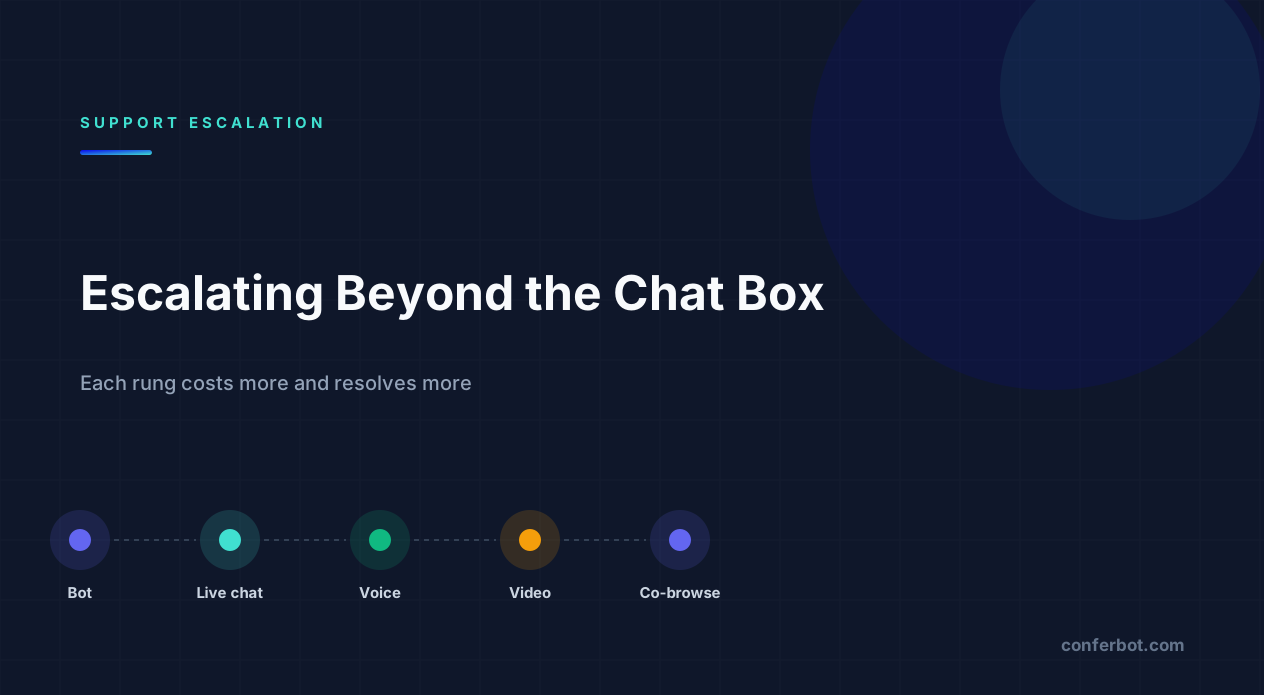
Think of support modes as rungs, each with a higher cost and a higher resolution power:
| Mode | Best for | Agent cost |
|---|---|---|
| Bot | Known questions, lookups, bookings | None |
| Live chat | Judgement calls, exceptions, negotiation | Low - agents handle several at once |
| Voice call | Emotional situations, complex explanation | High - fully serial |
| Video call | Physical products, identity checks, onboarding | High |
| Screen share | Diagnosing an error, showing a setting | High |
| Co-browsing | On-screen tasks, forms, configuration | High, but shortest to resolution |
The mistake is jumping rungs. Offering a video call for a question the knowledge base answers wastes an agent; forcing a customer through six chat turns for something co-browsing would solve in ninety seconds wastes both. A well-tuned bot resolves the bottom of the ladder itself and reserves the top three rungs for the fraction of conversations that actually need them - see our human handoff guide for how to set that threshold.
Notice, too, that cost does not rise in a straight line. Live chat is cheap per conversation because one agent covers several threads at once; the moment you move to voice, video, screen share or co-browsing, that agent is committed to exactly one customer until the session ends. This is the real reason escalation needs a gate rather than an open button on every conversation - it is not that the technology is expensive to run, it is that agent attention does not multiplex once a call starts. Staff your escalation queue with that constraint in mind rather than assuming it scales the way chat does.
Why in-browser escalation matters
The technical decision that determines whether escalation actually gets used is whether the customer has to leave the conversation.
Modern browsers support real-time voice and video natively through WebRTC (Web Real-Time Communication), which the World Wide Web Consortium and the IETF finalised as a joint standard on 26 January 2021 after roughly a decade of development. At the time of standardisation, the W3C noted that WebRTC was already supported by browsers used by 95% of web users worldwide1 - which is why it works as a baseline assumption rather than a feature you have to ask visitors to enable. That means a call can start inside the same chat widget the customer is already using: no install, no meeting link, no dial-in, no account. The customer clicks accept and is talking to the agent.
The alternative - pasting a third-party meeting link - introduces four failure points: the customer must click out, possibly install something, possibly sign in, and find their way back if it fails. Each one loses people, and none of them show up as a clean metric - they just look like an abandoned conversation in your analytics.
On Conferbot, voice and video calls run peer-to-peer over WebRTC with the signalling handled by the platform itself rather than a third-party calling vendor, and both are off by default per chatbot so you enable them deliberately rather than discovering them enabled. Call start, end, duration and outcome are written into the conversation record, so a call appears in the handoff transcript instead of vanishing from the history.
Peer-to-peer also has a privacy side-effect worth knowing: for a direct WebRTC connection, media flows agent-to-customer rather than through a vendor's servers, which is one reason to prefer it over embedding a third-party video widget that routes every call through infrastructure you do not control. When a direct path is not possible - a restrictive network on either end - a relay (TURN) server is needed as a fallback, and that is the one piece of this stack that does route media through a server, so it is worth knowing which relay provider is in use and where it is hosted if data residency matters to your business.
1 W3C, "WebRTC becomes a W3C Recommendation and multiple IETF standards", 26 January 2021.
Voice, video and screen share: what's actually different
These three modes are often talked about as one thing - "a call" - but they capture different media and solve different problems:
- Voice. Audio only. The camera stays off; the visitor's
getUserMediarequest asks for audio, not video. Best when the issue is emotional or needs a negotiation - a refund exception, a cancellation attempt - where tone carries more information than anything visual. - Video. Camera and microphone. Useful when the agent needs to see something physical: a damaged product, a device that will not power on, an ID for a verification step.
- Screen share. The visitor's browser captures their screen or a specific window through the Screen Capture API (
getDisplayMedia), a W3C specification that requires the user to actively grant permission for each session2 - there is no way to trigger it silently. The agent sees pixels: whatever is genuinely on screen, including anything the visitor forgot was on screen.
The pixel-versus-page distinction matters for the next section. Screen share hands the agent a video feed - it cannot selectively hide a single input box, because it does not know what a text field is, only what colour the pixels are. Co-browsing works at the page level instead, which is what makes field-level masking possible at all.
There is also a bandwidth and reliability difference worth knowing before you pick a default. Voice tolerates packet loss far better than video - a customer on patchy mobile data can usually sustain a voice call long after a video call would have degraded to a frozen frame. If your audience skews toward mobile or lower-bandwidth connections, defaulting to voice with video as an opt-in upgrade, rather than the other way round, will measurably reduce dropped sessions.
2 W3C, Screen Capture specification.
Co-browsing without exposing card details
Co-browsing is the highest-resolution rung and the one most teams avoid, usually for a good reason: watching a customer's screen while they type a card number is a data-protection incident waiting to happen.
The fix is field masking, applied before anything is transmitted. Because co-browsing operates on the page's DOM rather than a pixel stream, sensitive inputs can be matched by CSS selector and blanked on the way out - the agent sees the page layout and the customer's progress but never the protected values. That is the structural advantage co-browsing has over screen share: a masking rule can target [name*=card] specifically, something a raw video feed has no concept of.
Three controls make co-browsing safe to offer:
- Visitor approval. The session starts only when the customer explicitly accepts, every time -
requireVisitorApprovalis on by default and cannot be silently bypassed. - Field masking by policy. Defined centrally at workspace level with sensible presets and overridable per bot, down to fifty custom selectors.
- Remote control as a separate permission. Viewing is one thing; letting an agent click on the customer's behalf is another, and it is tracked as a distinct request-and-approve step in the session (
cobrowse_control_request/cobrowse_control_response), not a default.
Set the masking policy before you enable the feature, not after the first incident.
It is worth being precise about what masking actually protects. A masked field never leaves the visitor's browser in the first place - it is not encrypted-then-decrypted, it is simply excluded from what gets sent. That distinction matters if you are answering a security review: the agent's session never has access to the value at all, so there is no point in the pipeline where a compromised agent account or a logging bug could expose it. The trade-off is that masking is only as good as the selector list, which is why the audit step in the failure-modes table below exists - a masking policy that silently misses a custom checkout field is worse than no masking policy, because it creates false confidence.
Choosing a masking preset for your industry
Rather than writing selector lists from scratch, start from a preset built for the kind of data your page actually collects, then narrow or widen it:
| Preset | Masks | Remote control | On by default |
|---|---|---|---|
| E-commerce | Card number, CVV, checkout payment blocks | Allowed | Yes |
| Healthcare | Patient identifiers, date of birth, medical record fields | Blocked | No - opt-in per bot |
| Finance | Account and routing numbers, SSN, statement fields | Blocked | No - opt-in per bot |
| SaaS | API keys, secrets, tokens, billing fields | Allowed | Yes |
| Custom | Whatever selectors you define | Allowed | No |
Healthcare and finance ship with remote control blocked and the feature off by default - an agent should not be one click away from acting inside a patient record or a bank statement without a deliberate decision to allow it. E-commerce and SaaS ship enabled because the failure mode there is usually an abandoned checkout or a stuck configuration screen, not a regulated data category. If you serve one of these categories, start from the matching preset and layer your own selectors on top rather than opting straight into "custom" with an empty list - see our healthcare chatbot and insurance chatbot pages for the wider compliance context each vertical needs beyond co-browsing.
Designing the escalation moment
The offer itself decides whether escalation converts:
- Offer it, do not force it. A button the customer can ignore beats an automatic call invitation.
- Say what it will do. "Share your screen so I can see the error" converts better than "Start co-browse session", which sounds like software.
- Preserve the transcript. The agent should join already knowing what the bot covered - starting a call with "so, what's the problem?" wastes the entire automated conversation. This is the same context-carrying principle behind omnichannel deployments: nothing the customer already said should have to be repeated.
- Give an exit. Ending the call should return to chat, not close the conversation.
- Log the outcome. If calls do not appear in your analytics you cannot tell whether they resolve anything.
Also decide in advance who can escalate. Every agent offering video calls for routine questions will destroy your cost-per-contact - pair escalation permissions with the team roles that already govern who can do what in your workspace.
A detail teams get wrong the first time: the invitation copy should come from the agent, not the system. "Sarah wants to share your screen to help with this" reads as a person trying to help; "Escalation available - click to accept" reads as a modal dialog, and modal dialogs get dismissed on reflex. If your platform lets you customise the invite text per session rather than shipping one generic string, use that - it is a small copy change with an outsized effect on acceptance rate.
Choosing the right session type for the ticket in front of you
A support ticket rarely announces which mode it needs. Use the shape of the problem to route it:
| Ticket looks like | Route to | Why |
|---|---|---|
| "It won't let me finish checkout" | Co-browse (e-commerce preset) | Agent needs to see the form state, not the card number |
| "The item arrived damaged" | Video call | Physical evidence, not a screen state |
| "I want to cancel and I'm frustrated" | Voice call | Tone and negotiation matter more than visuals |
| "This dashboard chart looks wrong" | Screen share | Whole-window context, no sensitive fields likely on screen |
| "I can't find where to update billing" | Co-browse (SaaS preset) | Navigation problem masked around API keys and tokens |
When in doubt, start one rung lower than you think you need. A screen share that turns out to require field-level masking can be ended and restarted as a co-browse session in seconds; the reverse - discovering mid-call that co-browsing was overkill - costs nothing either, but starting high trains agents to reach for the expensive option by default.
Common escalation failures and how to fix them
Most escalation problems are not exotic - they cluster around a small set of causes:
| Symptom | Likely cause | Fix |
|---|---|---|
| Call never connects | Peer-to-peer WebRTC path blocked by a restrictive corporate firewall or symmetric NAT | Configure a TURN relay server as fallback, not just STUN |
| Customer declines the invite | Camera-on requests feel invasive for a low-trust first interaction | Offer voice or co-browse first; reserve video for cases that need it |
| Agent sees a blank or frozen page in co-browse | Visitor navigated away from the masked page or closed the tab | Show a clear "session ended" state instead of a stale frame |
| Masked field still visible | Selector doesn't match a custom or third-party checkout field | Audit selectors against the live DOM before enabling the policy workspace-wide |
| Recording missing after the call | Browser codec support gap or upload interrupted before it completed | Confirm recording status in-session rather than assuming it after the fact |
The first row is the one that quietly kills adoption: teams enable video, test it once on the office network where it works perfectly, and only discover the NAT traversal problem when real customers on real networks start reporting silent failures. Test escalation from a connection you do not control - a phone on mobile data, a laptop tethered through a hotel network - before rolling it out, not just from the office Wi-Fi where every corner case has already been engineered around.
Consent and compliance considerations
Voice, video and co-browsing all involve capturing more of the customer than a chat transcript does, which raises the compliance bar:
- Explicit consent per session. Approval should be requested every time, not remembered from a previous visit - a customer who agreed to co-browsing last month has not agreed to it today.
- Recording disclosure. If a call or session is recorded, say so before it starts, not in a footer link nobody reads.
- Data minimisation. Mask by default rather than by exception - start from the strictest preset that still lets agents do their job, not the most permissive one.
- Retention. Recordings and transcripts should follow the same retention and deletion rules as the rest of your customer data. See our GDPR compliance guide for how that applies to chatbot conversations generally.
None of this is unique to escalation - it is the same discipline covered in our chatbot security guide, applied to a channel that happens to capture audio, video or a live page instead of just text.
Regulated industries add their own layer on top of this baseline. A clinic offering video consults through a chat widget needs to think about the same consent and recording rules that apply to any telehealth interaction, not just the chatbot-specific ones - and a lender using co-browsing to walk an applicant through a form needs the masking policy to hold up under the same scrutiny as any other data-handling process in the application. Treat the escalation feature as inheriting your existing compliance obligations rather than sitting outside them, and involve whoever owns compliance at your company before the feature goes live, not after the first customer asks what happened to their recording.
Measuring whether it is worth it
Voice, video and co-browsing consume agent time serially, so they need to earn it. The metrics that answer the question:
- Resolution rate by mode. If co-browsed sessions resolve at a materially higher rate than chat for the same issue category, the cost is justified.
- Time to resolution, not handle time. A twelve-minute co-browse that ends the issue beats four chat sessions across two days - see our first contact resolution glossary entry for why this metric matters more than raw handle time.
- Repeat contact rate. The clearest signal that a mode actually solved the problem.
- Satisfaction by mode. Track CSAT split by escalation type; some audiences dislike video regardless of effectiveness.
- Escalation rate per issue category. Categories that escalate constantly are telling you where the product or the documentation is broken. Track this alongside your overall escalation rate and average handle time.
That last one is the most valuable output. High escalation on one category is a roadmap item, not a staffing problem - and it is exactly the kind of pattern that shows up in conversation analytics before it shows up anywhere else.
Where escalation fits in the wider support stack
Voice, video and co-browsing are not a replacement for a good bot, a good knowledge base, or a good human handoff flow - they are what happens after all three have been tried and the problem is still unresolved. If you find yourself escalating constantly, the fix is rarely "add another call button"; it is usually somewhere earlier in the funnel: the bot's fallback behaviour, the knowledge base's coverage, or the channel the conversation started on. A widget conversation that stalls on a visual problem is a good candidate for co-browsing; a WhatsApp conversation about the same issue usually is not, since WhatsApp and most messaging channels do not support in-thread screen capture the way a website widget does. Keep escalation concentrated where it is technically possible and where the stakes justify it, and let live chat absorb the rest.
That channel limitation also shapes where you should even mention escalation is possible. If most of your support volume genuinely arrives on Instagram or Telegram, build the best possible chat-only flow for those channels rather than designing around a video button visitors on those platforms will never see. Reserve the escalation ladder described above for the website widget, where the browser APIs that make it possible actually exist, and route anything that needs voice, video or co-browsing there deliberately - a link from a messaging channel into a widget session, for instance, rather than trying to force WebRTC into a channel that was never built for it.
Next steps
Start narrow. Enable one escalation mode for one issue category where you already know text is failing, measure resolution and repeat contact for a month, and expand only where the numbers support it.
If you are running Conferbot, voice and video are per-chatbot settings that default to off, and co-browsing masking policy is configured at workspace level with per-bot overrides and industry presets - so you can pilot on a single bot without changing anything else. Escalation sessions are recorded as first-class objects with their own lifecycle and outcome analytics, so the data exists from day one. Explore the full live chat and team features, or read how escalation connects to the rest of your channel strategy.
The teams that get the most out of this feature are rarely the ones that enable everything on day one. They pick the single issue category costing the most agent time in chat today, turn on the matching escalation mode for that category alone, and let a month of real outcome data settle the argument about whether it belongs anywhere else in the funnel.
Was this article helpful?
Build and deploy in 10 minutes. No coding needed.
Beyond Chat FAQ
Everything you need to know about chatbots for beyond chat.
About the Author
The Conferbot team writes about building, deploying, and improving AI chatbots.
View all articles
