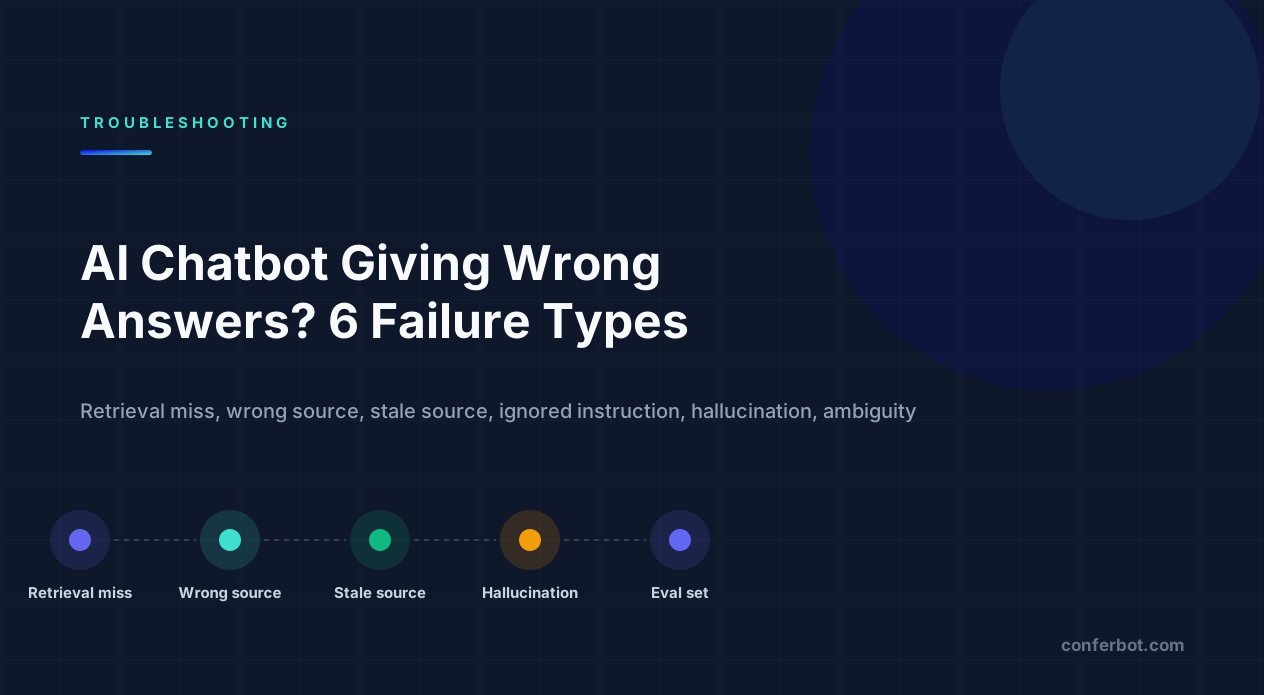
"Wrong answer" is six different failures - classify before you fix
An AI chatbot that gives wrong answers is not one problem. It is at least six, and they have almost nothing in common: the bot could not find the right content, found the wrong content, found content that used to be right, ignored an instruction you gave it, invented a detail, or answered a question the user did not actually ask. Each is reproduced, confirmed and fixed differently.
Last verified: August 2026 against current vendor documentation for knowledge-base and retrieval-based chatbot products and the published guidance of major language-model providers, including OpenAI's prompt engineering guide and Anthropic's guidance on reducing hallucinations. Error codes and strings quoted are the literal values the platform returns.
Most teams respond to a bad transcript by rewriting the system prompt. That fixes exactly one of the six classes and makes two of them worse. Use the table below to label each bad answer before touching anything.
| Failure class | What it looks like in the transcript | Where the fault is |
|---|---|---|
| Retrieval miss | "I don't have information about that" - but the answer is in your docs | Coverage, chunking, or how the question is phrased vs how the doc is written |
| Wrong source | Confident answer that is correct for a different product, plan, region or page | Duplicate or contradicting documents; missing metadata |
| Stale source | Confident answer that was correct last quarter | Old content still indexed; no recency signal |
| Instruction ignored | Answers in the wrong language, tone, length, or answers what it was told not to | Prompt structure, conflicting instructions, model settings |
| Hallucinated specifics | A price, date, URL, phone number or policy detail that appears nowhere in your content | Model filling a gap; temperature; no grounding requirement |
| Ambiguity | Reasonable answer to a different reading of the question | No clarifying step; missing user context |
The rest of this guide takes each class in turn with the same three steps - reproduce, confirm, fix - then covers the evaluation and monitoring habits that stop the same class coming back after your next content change. Much of it is generic to any knowledge-base chatbot; our explainer on preventing chatbot hallucinations goes deeper on the model side.
1. Retrieval miss: the answer exists and the bot cannot find it
Reproduce. Take the user's exact question and ask it again three ways: verbatim, rephrased using the vocabulary your documentation uses, and as a bare keyword. If the verbatim question fails and the documentation-vocabulary version succeeds, you have a retrieval miss caused by wording. If all three fail, you have a coverage gap or a formatting problem.
Confirm. Most knowledge-base chatbot tools show which sources were used for an answer. Open that panel for the failing question. A retrieval miss shows either no sources, or sources from an unrelated page. Then open your own content and search it for the answer by hand - if you cannot find it in under a minute, neither can the bot.
Fix, in order of likelihood:
| Cause | How to tell | Fix |
|---|---|---|
| Content genuinely missing | Your manual search fails too | Write it. Retrieval cannot invent coverage - this is the most common cause by a wide margin |
| Vocabulary mismatch | Doc says 'subscription renewal', users say 'auto-pay' | Add the user's words to the doc: a short FAQ line or synonym list near the answer |
| Answer buried in a long page | Page is indexed but the relevant paragraph is deep inside a 5,000-word article | Split into focused pages or add clear headings; see chunking in section 7 |
| Answer lives only in an image, PDF scan or table | Source is a screenshot, a scanned PDF or a complex layout | Re-author as text; flatten tables into sentences or simple two-column tables |
| Source never finished indexing | Page was added recently and does not appear in the source list | Re-sync and check the tool's status for that source; crawls can fail silently on login walls |
| Crawler blocked | Website source shows few pages indexed | Check robots.txt, login walls, JavaScript-only rendering |
A practical test for vocabulary coverage: take twenty real user questions from transcripts and check, for each, whether the noun the user used appears anywhere in the page that answers it. Teams are routinely surprised at how often it does not.
2. Wrong source: confident, fluent, and about the wrong thing
This is the failure that erodes trust fastest, because the answer sounds authoritative. The bot quotes the refund policy for the enterprise plan to a free user, gives UK shipping times to a US customer, or explains last year's onboarding flow because the old help article was never deleted.
Reproduce. Ask the question with and without the distinguishing context: "What is the refund window?" versus "What is the refund window on the Starter plan?" If the answer changes, the bot can disambiguate when told - the problem is that nothing forces it to ask.
Confirm. Open the sources used. Wrong-source failures show the correct source and a near-duplicate side by side, or show a single source that is correct for a different segment. Then search your content for the key phrase: if it appears on more than one page with different surrounding facts, you have contradiction.
Fix.
- Deduplicate. Every knowledge base accumulates copies: a help-centre article, a blog post that paraphrases it, an old PDF, a sales deck. Keep one canonical source per fact and remove the rest from the bot's sources even if they stay published elsewhere.
- Make differences explicit in the text. A page titled "Refund policy" that silently assumes the Pro plan is a trap. Put the qualifier in the heading and first sentence: "Refund policy (Pro and Business plans)". The retrieval layer and the model both benefit.
- Add metadata where the tool supports it. Tags for product, plan, region or audience let the bot be steered - either by filtering sources per deployment or by including the user's segment in the conversation context.
- Instruct the bot to ask when the answer depends on a variable. One line in the system instruction - "If the correct answer depends on the customer's plan, region or product, ask which one before answering" - turns a wrong-source failure into a clarifying question.
Teams that train a chatbot on a knowledge base for the first time almost always skip deduplication. Do it before launch; it is far cheaper than doing it after the transcripts arrive.
3. Stale source: it was true last quarter
Reproduce. Ask about anything that changed in the last six months - a price, a feature name, a deadline, an integration that was removed. Compare the answer to the current page. Stale-source failures are consistent: the bot gives the old answer every time, not intermittently.
Confirm. The sources panel shows the old document, or shows the current URL with a "last indexed" date older than your change. Both mean the same thing: what the bot knows and what you publish have drifted apart.
Fix.
| Situation | Fix |
|---|---|
| Old version still indexed alongside new | Delete the old source from the bot, not just from the website. Re-sync and verify the date |
| Website source not re-crawled since the change | Trigger a manual re-sync; set a sync schedule matching how often content changes; re-sync as a release step |
| Time-sensitive facts embedded in evergreen pages | Move prices, dates and limits to one page that you own the update process for; have other pages link to it rather than repeat it |
| Uploaded files (PDF, DOCX) that nobody owns | Files never update themselves. Either replace on a schedule or convert to a living page |
| Changelog or 'what's new' content contradicting the docs | Either exclude changelogs from sources, or date-stamp every entry so the model can see which is newer |
One habit fixes most of this: add a re-sync to your release checklist, next to "update the help centre". Content changes that do not reach the bot are the single largest cause of stale answers, and they are entirely procedural.
4. Instruction ignored: it knows the rule and does it anyway
You told the bot to answer only in Spanish, to keep replies under three sentences, never to discuss pricing, or always to end with a handoff offer - and it does not. This class is not a knowledge problem and no amount of content work will fix it.
Reproduce. Start a fresh conversation and give the instruction-triggering input as the first message. If the bot complies on message one and drifts by message eight, you have a context-length or conflicting-instruction problem. If it ignores the instruction from the start, the instruction itself is the problem.
Confirm. Read the full system instruction end to end, out loud if necessary. Look for: two sentences that contradict each other ("be concise" and "always explain the reasoning"); instructions phrased as suggestions ("try to"); rules buried in a long paragraph of persona text; and negative-only instructions ("don't mention competitors") with no positive alternative ("if asked about competitors, say X").
Fix.
- Put hard rules first, as a short numbered list, before any persona or tone text. Models weight the beginning of the instruction and clear structure; a rule in the sixth paragraph of a persona description is a rule that will be missed.
- Give the positive behaviour, not just the prohibition. "Do not give legal advice" becomes "If asked for legal advice, say you cannot provide it and offer to connect them with the team."
- Remove contradictions. Pick one of "concise" or "thorough". If you need both, specify when each applies.
- Lower the temperature (section 5) - a higher setting makes every instruction softer.
- Repeat critical constraints late in long conversations if your tool lets you inject a reminder, and test behaviour at message ten, not only message one.
Then test the instruction in isolation with five adversarial inputs - a user who asks in a different language, one who asks for the forbidden topic directly, one who asks indirectly - before you declare it fixed. Hard rules like these are the simplest form of AI guardrails, and they deserve the same test discipline as the content.
5. Hallucinated specifics: the invented price, URL or phone number
The bot answers a question with a concrete detail that appears nowhere in your content: a support number, a discount code, a delivery date, a link to a page that does not exist. This is the classic hallucination, and it is most dangerous precisely where it is most specific, because specific answers are the ones users act on.
Reproduce. Ask for a detail you know is not in your content - "What is your fax number?" "Do you have an office in Lisbon?" "What is the discount code for students?" A well-configured bot says it does not have that information. A poorly configured one answers.
Confirm. Search your content for the specific value. If it is absent, it was invented. If it is present but attached to something else (a different product's price), reclassify as wrong source.
Fix.
| Lever | What to change | Why it helps |
|---|---|---|
| Grounding instruction | "Answer only from the provided sources. If the sources do not contain the answer, say so and offer a human." | Gives the model an explicit, acceptable alternative to inventing |
| Temperature | Set low (0 to 0.3 on tools that expose it) for support bots | Higher values trade accuracy for variety you do not want in factual answers |
| Confidence threshold | Where the tool exposes one, require a minimum relevance before answering; below it, use the fallback | Stops the model from answering from weak matches |
| Fallback answer | A specific, useful fallback: "I'm not certain about that - would you like me to connect you with the team?" | A fallback with a next step is used; a bare "I don't know" is worked around |
| Put the specifics in the content | If users keep asking for a detail, publish it - hours, numbers, policies | A gap that users probe repeatedly is a gap, not a model fault |
| Forbid certain outputs | "Never state a URL, phone number or price that is not in the sources." | Names the exact categories that cause the most damage |
Hallucinated specifics and retrieval misses are two sides of the same gap: when the model cannot find the answer, it either admits it or invents it. Fix the gap and the behaviour. A handoff route to a person - live chat, a ticket, a callback - is what makes "I don't know" an acceptable answer instead of a dead end. Our escalation guide covers how to design that route so the context travels with the conversation.
6. Ambiguity: the right answer to a different question
"Can I change my plan?" could mean upgrade, downgrade, switch billing period or move to a different product. "Does it work with Outlook?" could be about the add-in, calendar sync or email forwarding. The bot picks one reading and answers it well, and the user leaves thinking the bot is wrong.
Reproduce. Take the failing question and write down every reading a reasonable person could have. If there are two or more and the bot answered one without asking, it is an ambiguity failure.
Confirm. Look at the turn before the bot answered. If there was no clarifying question and the sources used correspond to one reading only, confirmed.
Fix.
- Instruct it to ask one clarifying question when a query has multiple plausible readings, and to offer the options rather than an open question: "Do you mean upgrading, downgrading or changing billing frequency?"
- Give it context it can use. If the bot knows the page the user is on, the product they own or the plan they are on, most ambiguity disappears. Pass what you know. If that context lives in your CRM or billing system, a chatbot MCP server is the cleanest way to pull it in at answer time.
- Answer the common reading and name the alternative. For questions where one meaning dominates: "If you mean upgrading: ... If you meant switching to annual billing, tell me and I'll walk you through that instead."
- Fix the content. If a page titled "Changing your plan" covers only upgrades, rename it or cover the rest.
Ambiguity is the one class where the fix is partly conversational design rather than content or model settings. A bot that asks one good question is perceived as smarter than a bot that answers instantly and wrongly. In a visual flow builder that question is a single quick-reply branch placed in front of the AI step.
7. Document formatting and chunking: why the same content performs differently
Knowledge-base chatbots do not read whole documents per question. They split content into pieces (chunks), find the pieces most relevant to the question, and give those to the model - the pattern known as retrieval-augmented generation, first described in Lewis et al.'s 2020 RAG paper. How you format a document decides where the splits fall and whether a single piece contains a complete answer - which is why two documents with identical facts can produce very different answers.
Formatting that retrieves well
- One topic per heading, one question per paragraph. A heading that states the question ("How do I reset my password?") followed immediately by the complete answer is the ideal unit.
- Keep the answer self-contained. "As described above" and "see the previous section" are useless inside a chunk that does not contain the section above. Repeat the qualifier: "To reset a password on the Business plan, ..."
- Flatten complex tables. Wide comparison tables with merged cells often survive extraction as a jumble. Two-column tables and sentences survive.
- Put qualifiers early. Plan, region, product, version - in the heading and first sentence, so any chunk that starts there carries the context.
- Avoid walls of text. A 5,000-word page with three headings will be split at arbitrary points. Add headings every few hundred words.
Chunk size and overlap, where you control them
Some tools expose chunk size and overlap; many pick sensible defaults. If you can tune them, the trade-off is: smaller chunks retrieve precisely but can cut an answer in half; larger chunks keep answers whole but drag irrelevant text into the model's context and dilute the match. Overlap (repeating the last sentences of one chunk at the start of the next) protects against splits mid-answer at the cost of some duplication. Change one setting at a time and re-run your evaluation set (section 8) after each change - tuning by feel produces regressions you will not notice until a customer does.
If you do not control chunking at all, every item in the formatting list above still applies, because well-structured documents split well under almost any strategy. Our guide on training a chatbot on business data covers source preparation step by step.
8. Build a 50-question evaluation set - and run it after every content change
Everything above fixes individual answers. An evaluation set is what stops the next content edit, prompt tweak or model update from silently breaking twenty others. It does not need tooling: a spreadsheet is enough to start.
Building it
- Pull 50 real questions from transcripts, weighted toward what users actually ask - not what you wish they asked. Include the awkward phrasings.
- Write the expected answer for each in a sentence or two, and the source page it should come from. If you cannot write the expected answer, the content does not exist yet - that is a finding in itself.
- Add ten questions the bot should refuse or hand off: out-of-scope topics, requests for details you do not publish, questions that need a human.
- Add five deliberately ambiguous questions where the correct behaviour is a clarifying question.
- Tag each with its failure class from section 1 when it fails, so you can see which class dominates.
Scoring it
| Score | Meaning |
|---|---|
| Pass | Factually matches the expected answer; correct source; correct behaviour on refuse/clarify questions |
| Partial | Correct but incomplete, or correct with an unrequested extra claim that is also true |
| Fail - wrong | Contradicts the expected answer, or states something not in the sources |
| Fail - miss | Says it does not know when the answer exists |
Run the full set after every content change, every prompt change and every model or tool update, and keep the results with the date. A set of 50 takes under an hour by hand; it is the highest-leverage hour in chatbot maintenance. When the pass rate drops, the diff between the last two runs tells you which change caused it - and the failure-class tag tells you which section of this guide to open. When you are comparing two prompts or two flows rather than checking for regressions, the sample-size rules in our chatbot A/B testing guide apply - 50 questions will not separate a two-point difference.
9. Monitor transcripts: the failures you did not think to test
The evaluation set catches regressions on questions you anticipated. Transcripts catch everything else. Once a week, or daily in the first month after launch:
- Read every conversation that ended in a fallback or handoff. Each one is either a content gap, a retrieval miss, or a correct refusal - label it.
- Read a random sample of the rest. Confident wrong answers do not trigger fallbacks; you only find them by reading. Ten random transcripts a day is enough to catch systematic problems.
- Track the thumbs-down or rating signal if the tool provides one, and read every negative in full. Negative ratings cluster around the same few questions.
- Watch for repeated rephrasing. A user asking the same thing three ways is telling you about a retrieval miss or ambiguity even if they never rate anything.
- Promote recurring failures into the evaluation set. Any question that fails twice in the wild becomes a permanent test.
Keep one running list of "questions we cannot answer yet", owned by whoever owns the content. Most of the work of improving a knowledge-base chatbot is writing the three paragraphs that list keeps asking for. Our guide to chatbots versus FAQ pages makes the case for treating the two as the same content problem.
The repair sequence, in one list
When an answer is wrong, work through this in order. Most problems are resolved in the first three steps.
- Classify the failure using the table in section 1. Do not touch the prompt until you have.
- Search your content by hand for the correct answer. Missing or buried: retrieval miss - write or restructure it. Present more than once with different facts: wrong source - deduplicate. Present but outdated: stale source - re-sync and delete the old copy.
- Check the sources the bot used for that answer against what you expected.
- If the content is fine and the answer is not: check for contradicting or buried instructions, then grounding instruction and temperature, then fallback behaviour.
- If the answer is right but for the wrong reading: add a clarifying-question instruction and pass user context.
- Add the question to the evaluation set with its expected answer.
- Re-run the full set and confirm nothing else moved.
- Re-sync after every content change, as a release step, forever.
The operating principle behind all of it: a knowledge-base chatbot is exactly as good as the content it is given and the instructions it is held to. Before asking whether the model is wrong, ask whether a careful new employee, handed the same documents and the same instructions, would have answered correctly. If the answer is no, you know where to start.
Where Conferbot fits
Nothing in this guide depends on a particular product; the six failure classes, the reproduce-confirm-fix loop, the 50-question set and the weekly transcript review apply to any AI chatbot trained on your own material. If you are choosing a tool, look for three things that make the loop cheap to run: visibility into which sources produced an answer, an easy way to re-sync content and delete stale sources, and a clean path to a human when the bot should not answer. Conferbot lets you train a bot on your documents and website, set the instructions it follows, and hand a conversation to a person in live chat on your website, WhatsApp, Telegram, Slack or Microsoft Teams when it should not - and you can start free, no credit card required.
Was this article helpful?
Build and deploy in 10 minutes. No coding needed.
AI Chatbot Giving Wrong Answers? Diagnose the 6 Failure Types and Fix Each FAQ
Everything you need to know about chatbots for ai chatbot giving wrong answers? diagnose the 6 failure types and fix each.
About the Author
The Conferbot team writes about building, deploying, and improving AI chatbots.
View all articles