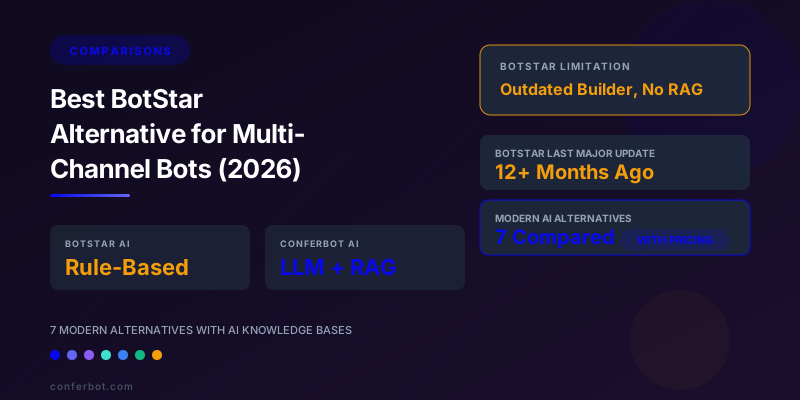
BotStar in 2026: Still Online, but Built for the Rule-Based Era
BotStar launched as a visual chatbot builder that let non-technical users create conversation flows on a drag-and-drop canvas, mainly for websites and Facebook Messenger. For a few years it was a popular low-cost option, helped by lifetime deals on AppSumo.
Then its focus changed. BotStar's team shifted its effort to its sister live chat product, and AppSumo lifetime customers were moved to its sister product Chative.io. The botstar.com site is still online: as of 6 October 2026 it lists a Free plan (1 active bot, 100 monthly sessions), Pro at $29 a month (1,000 sessions) and Agency at $299 a month. But the product has seen little visible development, and it was built around rules and keywords rather than AI that answers from your own content.
That gap is the main reason teams look for an alternative. On a rule-based builder you anticipate every question and build a branch for it. Modern platforms let you add your help articles, web pages and FAQs, and an AI answers questions from that material, including ones you did not build a branch for. They also reach far more channels than web and Messenger.
This guide is for teams on BotStar who are hitting its limits, and for anyone comparing visual chatbot builders. We compare seven alternatives on AI, channels, pricing model and fit. For more head-to-head matchups, see our comparison hub.
5 Gaps in BotStar That Push Teams to Switch
BotStar's limits are mostly a matter of when it was built. These are the five that come up most.
Gap 1: No AI That Answers From Your Content
Modern platforms let you add documents, help articles, web pages and FAQs to a knowledge base, and an AI answers customer questions from that material. Ask "What is your return policy for items over $100?" and the AI finds the relevant part of your returns page and answers in plain language.
On a rule-based builder you must predict the question, create a node for it, write the answer and wire up trigger keywords, then repeat for every question. For businesses with large help centers or product catalogues, that coverage is never complete, and answers drift out of date when the source pages change.
Gap 2: A Builder Without AI Steps
Current builders include steps that call a large language model mid-flow, look up an answer in the knowledge base, or classify what the customer wants and branch on it. Without these, every path is fixed in advance, which feels rigid to customers used to typing questions freely.
Gap 3: Limited Channels
BotStar centres on the website and Facebook Messenger. Many businesses now also need WhatsApp, Instagram DMs, Telegram, Slack or Microsoft Teams for internal bots, and in-app chat through a mobile SDK. Alternatives like Conferbot deploy one bot across 10 channels.
Gap 4: Slow Development
A platform that stops shipping is a risk for anything you build on it: integrations break as partner APIs change, and new channel features never arrive. Weigh that against how much you have invested in your current flows.
Gap 5: Analytics That Stop at Counts
Knowing how many conversations happened is not enough. You want to see which questions the bot could not answer, where people drop out of a flow, and which topics need new content. For what to track, see our chatbot analytics guide.
7 Best BotStar Alternatives Compared: AI, Channels and Pricing Model
Every alternative below adds AI answers and more channels than BotStar. Prices change often, so the table compares how each one charges; BotStar's and Conferbot's prices were checked on their sites on 6 October 2026, and Intercom's in our Intercom pricing breakdown.
| Platform | Pricing model | AI answers from your content | Main channels | Free plan | Best for |
|---|---|---|---|---|---|
| BotStar | Free; Pro $29/mo; Agency $299/mo | No, rule and keyword based | Web, Messenger | Yes | Existing users with simple flows |
| Conferbot | Free; Starter $19, Pro $39, Business $59 per workspace | Yes, from docs, URLs and FAQs you add | Web, WhatsApp, Messenger, Instagram, Telegram, Slack, Discord, LINE, Teams, mobile SDK | Yes | Non-technical teams wanting AI on many channels |
| Botpress | Free tier, then usage-based cloud plans | Yes | Web, WhatsApp, Messenger, Slack, Teams and more | Yes | Developer-led teams |
| Voiceflow | Free tier, then per-editor plans | Yes | Web; others via API | Yes | Design and product teams |
| Tidio | Tiers plus a separate Lyro AI allowance | Yes, store-focused | Web, Messenger, Instagram, email | Yes | Shopify and WooCommerce stores |
| Manychat | Free tier, then by contacts | Basic AI features | Instagram, Messenger, WhatsApp | Yes | Social-first brands |
| Chatfuel | Paid plans | Basic AI features | Messenger, Instagram, WhatsApp, web | Trial | Budget social bots |
| Intercom (Fin) | $29-132 per seat/mo (annual) plus $0.99 per Fin outcome | Yes | Web, email, WhatsApp, Messenger and more | Trial | Support teams wanting a full helpdesk |
Cost Example: 10,000 Conversations a Month on 5 Channels
On BotStar, the Agency plan ($299 a month, 5,000 sessions) is the largest listed, and it covers web and Messenger only. Conferbot's Business plan is $59 a month ($708 a year) for 10,000 conversations, 25 bots and 15 team members, with every channel included. Intercom for 3 seats plus Fin would cost several hundred dollars a month before outcomes are counted. For a framework to compare value rather than price alone, see our chatbot ROI calculator guide.
Detailed Alternative Reviews: From Rule-Based Flows to AI Answers
1. Conferbot: Best Overall BotStar Replacement for Non-Technical Teams
Conferbot keeps what BotStar users liked, a visual drag-and-drop builder, and adds AI and channels.
Why it beats BotStar:
- AI answers from your knowledge base: add help articles, web page URLs, documents and FAQs, and the AI agent answers questions from them, including ones you never built a branch for. See AI knowledge base.
- 10 channels from one bot: web, WhatsApp, Messenger, Instagram, Telegram, Slack, Discord, LINE, Microsoft Teams and a mobile SDK, all on every plan.
- Model choice: AI runs on OpenAI GPT, Anthropic Claude, Google Gemini, DeepSeek and 17 other providers.
- Flows and AI together: the no-code builder handles structured processes such as lead capture and booking, while AI handles open questions.
- Live chat handover into one inbox, on every plan including Free.
Limitations: AI answers are only as good as the content you add, so plan time to gather and tidy your help material.
Best for: teams outgrowing BotStar who want AI and more channels without developers.
2. Botpress - Best Open-Source Alternative for Developer-Led Teams
Botpress is the developer-first alternative that offers maximum control over AI chatbot architecture. It is built for teams who want to code parts of their bot and control how the AI works.
Why it beats BotStar: deep control over how the AI finds and uses your content, a wide choice of language models, a large integration library and an active developer community.
Limitations: needs developer time to build and maintain; usage-based pricing needs monitoring. Not the easiest choice for non-technical teams.
Best for: Engineering-led teams that need full control over their chatbot's AI pipeline and want to avoid vendor lock-in.
3. Voiceflow - Best Visual Builder With AI for Design-Focused Teams
Voiceflow bridges the gap between BotStar's visual approach and AI-powered capabilities. It offers a canvas-based conversation designer with built-in AI blocks for knowledge base queries, LLM responses, and intent classification. For teams that loved BotStar's visual building experience but need AI capabilities, Voiceflow is the most natural transition.
Why it beats BotStar: knowledge base and AI steps on the visual canvas, a choice of language models, and a collaborative design environment. Voiceflow's builder is more sophisticated than BotStar's while maintaining visual simplicity.
Limitations: Channel deployment is primarily through API rather than native integrations (except web). WhatsApp and Messenger deployment requires custom API work or third-party connectors. Pricing scales with AI usage. For related platform evaluations, see our chatbot technology stack guide.
Best for: Design and product teams that want a visual conversation builder with AI capabilities and are comfortable with API-based channel deployment.
4. Tidio - Best for E-Commerce Multi-Channel Bots
Tidio's Lyro AI is aimed at e-commerce support across website, Messenger, Instagram and email. For e-commerce businesses using BotStar for product-related chatbots, Tidio is a targeted upgrade.
Why it beats BotStar: native Shopify and WooCommerce integrations, store-focused AI, and Instagram DM support. For a more detailed analysis, see our Tidio alternative guide.
Limitations: Conversation caps on lower tiers. AI capabilities are optimized for e-commerce and less flexible for general use cases. Fewer channels than general-purpose platforms.
Best for: Shopify and WooCommerce stores that need product-aware chatbots across web and social channels.
5. Manychat - Best for Instagram and Social Media-First Deployment
Manychat is a leading social media automation tool, with integrations for Instagram DMs, Facebook Messenger and WhatsApp. For businesses whose multi-channel strategy is primarily social media, Manychat's depth in these channels exceeds what BotStar offers.
Why it beats BotStar: Instagram DM automation (including comment triggers), WhatsApp support, mature Messenger features, and AI add-ons for flows.
Limitations: AI is less central than on Conferbot, Botpress or Voiceflow, and the website chatbot is secondary to social channels. Best thought of as a social media automation tool with chatbot features rather than a full chatbot platform.
Best for: D2C brands and creators whose primary customer engagement happens on Instagram and Facebook.
6. Chatfuel - Best Budget Multi-Channel Bot for Messenger and Instagram
Chatfuel offers affordable chatbot deployment across Messenger, Instagram, WhatsApp, and web. It is simpler than Botpress or Voiceflow but more capable than BotStar for social channel deployment, with basic GPT integration for AI-assisted responses.
Why it beats BotStar: Four-channel deployment versus BotStar's two, basic GPT integration for AI-assisted responses, and an established track record with Messenger bots. It offers more channels than BotStar.
Limitations: AI features are simpler than the leaders on this list. Visual builder is functional but not as polished as Voiceflow or Botpress.
Best for: Small businesses that need budget-friendly chatbots on Messenger and Instagram with basic AI enhancement.
7. Intercom - Best Premium Multi-Channel AI for Support-Focused Teams
Intercom, now branded Fin and owned by Salesforce, is the premium option for support teams: its Fin AI agent answers from your help center and other sources across web, email, WhatsApp, Messenger and more. For a comprehensive evaluation, see our Intercom alternative guide.
Why it beats BotStar: a strong AI agent, a full helpdesk around it, and deep reporting on AI performance.
Limitations: Per-seat pricing ($29 to $132 per seat a month on annual billing) plus $0.99 per Fin outcome makes it the most expensive option here. Overkill for simple chatbot use cases. Complex setup compared to BotStar's simplicity.
Best for: support teams that want a full helpdesk with strong AI and can absorb usage-based costs.
How AI Knowledge Bases Work, and Why Rule-Based Builders Cannot Match Them
The biggest difference between BotStar and the alternatives is where answers come from. On a rule-based builder, every answer is written by hand and triggered by keywords. On an AI platform, answers come from content you provide.
How It Works in Plain Language
You add your material to the bot's knowledge base: help center articles, web page URLs, product pages, policy documents and FAQs. When a customer asks a question, the platform finds the parts of that material that relate to the question and a large language model writes a short answer based on them. You do not build a branch for each question; you keep the source content accurate.
Why a Rule-Based Builder Cannot Do This
A keyword-and-branch builder only knows the answers someone typed into it. It has no step that reads your documents and no language model to turn them into an answer, so covering a new topic always means building another branch by hand.
What It Means in Practice
Take a SaaS company with 200 help articles, 50 documentation pages and 30 policy pages. On a rule-based builder, someone has to turn the most common questions into hand-built branches, and the rest go unanswered. On an AI platform such as Conferbot, you add the help center and documentation URLs, and the bot can answer questions about any of those pages once they are added. When a page changes, you refresh the source instead of editing branches.
Keeping AI Answers Accurate
The common worry is that AI will make things up. Reduce the risk by keeping the knowledge base focused and current, instructing the bot to say when it does not know, testing it with real customer questions before launch, and offering a person whenever the bot is unsure. Structured flows still make sense for anything that must be exact, such as prices, bookings or refunds. Our hallucination prevention guide covers this in detail, and the glossary explains AI hallucination.
Migrating From BotStar: 4-Week Multi-Channel Transition Plan
BotStar's rule-based architecture means your current chatbot is a set of conversation flows, not a trained AI model. Migration involves recreating these flows (often simplified, since AI handles much of what required manual branching) and expanding to new channels.
Week 1: Audit, Export, and Select
- Document BotStar flows: Map every conversation flow in your BotStar workspace - the triggers, branches, responses, and integrations. Take screenshots of complex flows for reference.
- Export conversation data: Download all conversation logs from BotStar for analysis. Identify the top 20 topics customers ask about and the top 10 points where conversations drop off or fail.
- Identify knowledge base content: Gather all documents, help articles, product pages, and FAQs that your chatbot should know about. This content becomes your new bot's knowledge base.
- Select your platform: Use the comparison table and detailed reviews above. Sign up for a free tier and evaluate the builder interface.
Week 2: Build the AI Foundation
- Upload knowledge base: Import your documents, help articles, and product documentation into the new platform's knowledge base. This often replaces many of the FAQ branches you built by hand on BotStar.
- Configure AI behavior: Set the chatbot's tone, language, escalation rules, and response boundaries. Define what topics the AI should handle and which should escalate to humans.
- Recreate structured flows: For conversations that need specific structure (lead capture, appointment booking, payment processing), recreate these as structured flows using the new platform's builder. AI handles unstructured questions; structured flows handle processes.
- Configure integrations: Connect your CRM, helpdesk, scheduling tool, and e-commerce platform. Test bidirectional data flow.
Week 3: Multi-Channel Deployment
- Deploy to primary channel: Start with your highest-traffic channel (usually website). Test thoroughly with real traffic for 2 to 3 days.
- Add WhatsApp: Connect WhatsApp Business API and deploy the same chatbot to WhatsApp. Test message formatting, media handling, and quick-reply buttons.
- Add additional channels: Deploy to Messenger, Instagram, Telegram or Slack based on where your customers are.
- Configure channel-specific behavior: Adjust greetings, response formatting, and quick-reply options for each channel's unique UI conventions.
Week 4: Optimize and Scale
- Monitor AI performance: review questions the bot could not answer and add content for the gaps. Track handover rates per channel.
- A/B test conversations: Test greeting messages and when the bot offers a person. Use the new platform's A/B testing to find optimal configurations. See our A/B testing guide for methodology.
- Retire BotStar: Once performance on the new platform meets or exceeds BotStar baselines across all channels, cancel your BotStar subscription.
- Set up ongoing optimization: schedule monthly reviews of unanswered questions, knowledge base freshness and channel performance.
For conversation flow design principles that apply to multi-channel deployment, see our conversation design masterclass.
Multi-Channel Chatbot Strategy: Deploying One AI Across All Customer Touchpoints
BotStar centres on two channels, the website and Messenger. Many businesses now talk to customers on several more, and the chatbot experience should be consistent and context-aware across all of them. Here is how to think about multi-channel chatbot deployment strategically.
The Unified Brain Model
The right architecture uses a single AI brain (knowledge base + conversation logic) deployed across multiple channel interfaces. Your chatbot knows the same information whether a customer reaches it on your website, WhatsApp, Instagram, or Slack. Only the presentation layer adapts to each channel's UI conventions (quick replies on WhatsApp, rich cards on Messenger, threaded responses on Slack).
This unified approach eliminates the BotStar problem of building and maintaining separate chatbot flows for each channel. One knowledge base update or flow change applies to every channel at once.
Channel Selection Strategy
Website (mandatory): Your website is the hub. Every business should have a chatbot on their website to capture leads, answer questions, and support customers 24/7. This is the channel BotStar supports adequately - and the baseline for any replacement.
WhatsApp (high priority for global businesses): WhatsApp is the default messaging app in many countries outside North America. For businesses with international customers, WhatsApp chatbot deployment is essential. BotStar does not support WhatsApp.
Instagram DMs (high priority for D2C and lifestyle brands): Instagram is where product discovery happens for consumers. An Instagram chatbot that handles product questions, sizes, and ordering directly in DMs converts browsers into buyers.
Messenger (standard): Facebook Messenger remains relevant for businesses with active Facebook pages. BotStar supports this channel, so migration is straightforward.
Telegram (regional priority): popular in parts of Europe, the Middle East and Asia, and strong for communities and tech audiences.
Slack/Teams (internal use): For internal chatbots (IT helpdesk, HR FAQ, onboarding), Slack and Teams deployment puts the chatbot where employees already work.
Cross-Channel Conversation Continuity
The most sophisticated multi-channel implementations maintain conversation continuity across channels. A customer who starts a conversation on your website can continue it on WhatsApp without repeating information. That requires conversations from every channel to land in one place; in Conferbot they arrive in one unified inbox, and collecting an email or phone number lets your team recognise the same customer.
For businesses building their first multi-channel chatbot strategy, start with 2 to 3 channels, establish performance baselines, then add channels quarterly based on customer demand and channel-specific engagement data. Our chatbot marketing strategy guide provides a framework for channel selection and performance measurement.
Which BotStar Alternative Should You Choose? Decision Framework
Your optimal BotStar replacement depends on your team's technical capabilities, primary channels, and budget. This framework maps common BotStar user profiles to the best alternative.
If You Need: Maximum AI + Maximum Channels (Non-Technical Team)
Choose Conferbot. AI answers from your own content, a choice of GPT, Claude, Gemini and other models, 10 channels, a no-code builder and flat pricing. The most complete BotStar upgrade for teams that want AI power without developer resources.
If You Need: Full Control + Self-Hosting (Developer Team)
Choose Botpress. Developer-friendly, flexible and highly customizable. Requires developer resources but provides unlimited flexibility.
If You Need: Visual Builder + AI (Design-Focused Team)
Choose Voiceflow. The closest builder experience to BotStar but with AI knowledge base blocks, LLM integration, and a collaborative design environment. Best transition for teams that valued BotStar's visual approach.
If You Need: E-Commerce Multi-Channel Bots
Choose Tidio. Product-aware AI, native Shopify/WooCommerce integration, and deployment across web, Messenger, Instagram, and email. Purpose-built for e-commerce chatbot scenarios.
If You Need: Social Media-First Automation
Choose Manychat. Strong Instagram DM and Messenger automation, plus WhatsApp. Best for D2C brands and creators whose audience is primarily on social platforms.
If You Need: Budget Multi-Channel (Simple Flows)
Choose Chatfuel. Affordable four-channel deployment with basic GPT integration. The most BotStar-like option with additional channels and basic AI enhancement.
If You Need: Premium AI for Customer Support
Choose Intercom. A full helpdesk with a strong AI agent. Premium pricing reflects premium capabilities for support-intensive businesses.
| Your Priority | Best Alternative | Key Advantage Over BotStar |
|---|---|---|
| Best overall upgrade | Conferbot | AI answers from your content, 10 channels, no code, $0-59/mo |
| Best for developers | Botpress | Deep customization and model choice |
| Best visual builder | Voiceflow | Visual canvas with AI steps |
| Best for e-commerce | Tidio | Store integrations and Instagram |
| Best for social media | Manychat | Instagram DMs and WhatsApp |
| Best budget social bot | Chatfuel | More channels than BotStar |
| Best premium AI support | Intercom | Full helpdesk with AI agent |
Verdict: Move From Hand-Built Branches to AI That Reads Your Content
BotStar was a reasonable choice when chatbots were decision trees. Today its owners' attention is elsewhere, and the product lacks the two things most teams now want: AI that answers from their own content, and channels beyond the website and Messenger.
The case for switching:
- Coverage: an AI knowledge base answers questions you never built a branch for, as long as the answer is in your content.
- Channels: alternatives reach WhatsApp, Instagram, Telegram, Slack, Teams and more.
- Maintenance: updating a help article updates the bot, instead of editing branches.
- Platform risk: active platforms keep up with channel and API changes.
For most BotStar users, Conferbot is the closest upgrade: a no-code visual builder like the one you know, an AI agent that answers from the docs, URLs and FAQs you add, models from GPT, Claude, Gemini and more, and 10 channels on every plan, from free up to $59 a month on Business. Migration typically takes a few weeks of part-time work.
Developers wanting full control should look at Botpress; design teams at Voiceflow; social-first brands at Manychat; stores at Tidio; and support teams with budget at Intercom.
Start with Conferbot's free plan, add a few of your help pages to the knowledge base, and ask it the questions your customers ask before you commit. For more matchups, visit our comparison hub.
Was this article helpful?
Build and deploy in 10 minutes. No coding needed.
7 Best BotStar Alternatives (2026) FAQ
Everything you need to know about chatbots for 7 best botstar alternatives (2026).
About the Author
The Conferbot team writes about building, deploying, and improving AI chatbots.
View all articles