
What a chatbot flow is, and what makes it a template
A chatbot flow is the map of a single conversation: the order the bot asks things in, the branches it takes based on the answers, and the thing it does at the end. A flow template is that map with the business-specific words stripped out, so you can drop in your own and publish.
The distinction matters more than it sounds. Most people who go looking for a "chatbot flow template" are not looking for a script - they can write their own copy. They are looking for the structure: how many questions is too many, where the branch goes, what happens when the visitor types something the bot did not expect, and who picks up when the bot cannot finish. That structure is the reusable part, and it is what a good template actually gives you.
A template is not a finished bot. It is three things at once:
- A question sequence that has already been ordered for completion rate - cheap questions first, expensive ones (phone number, budget, file upload) after the visitor has invested a few turns.
- A branch map, so one flow serves several intents without becoming a maze. A booking flow that also handles reschedules is one template; two separate bots is a maintenance problem.
- A defined exit for every path, including the failure paths. Every branch ends in a booking, a stored record, a handoff to a person, or an honest "I can't do that, here is who can".
Conferbot ships 250+ templates across 27 categories in the template library, and every one of them is one of the eight structural patterns below wearing an industry costume. Learn the eight and you can read - or repair - any of the 250.
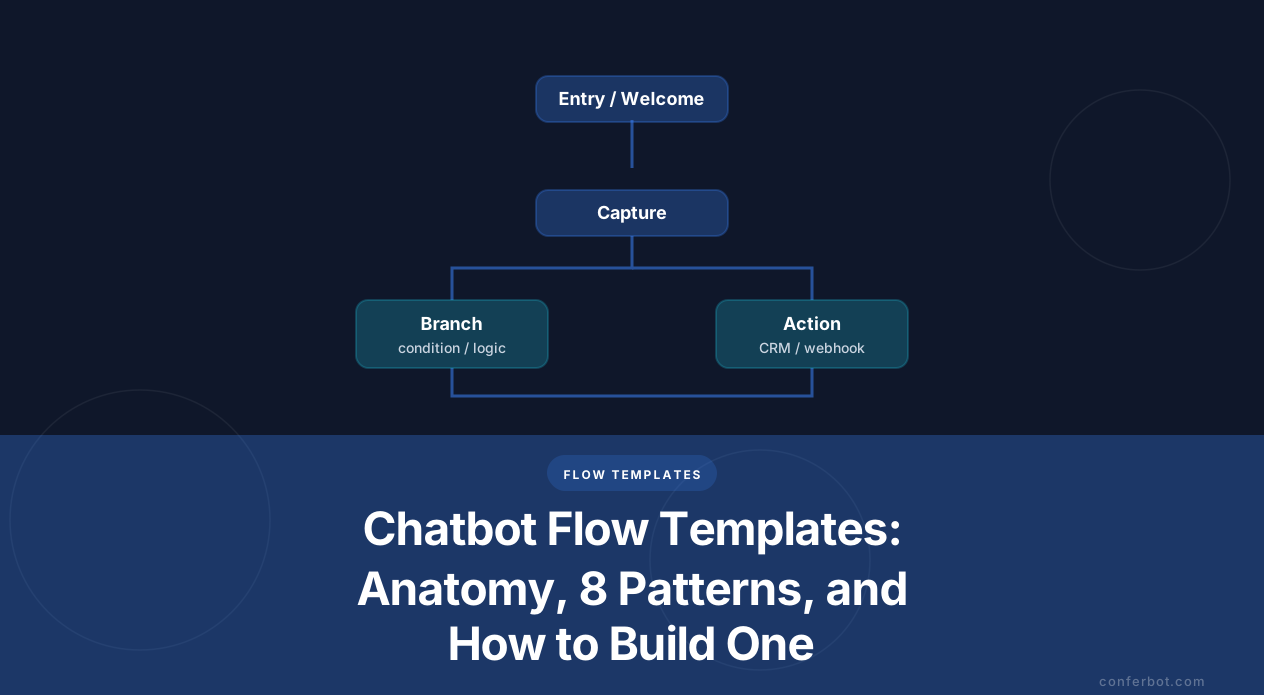
The anatomy of a flow: six parts, in order
Open any template in the Conferbot builder and you will see the same six-part skeleton. The builder groups its blocks into exactly these families, which is the fastest way to learn what a flow is made of.
| Part | What it does | Blocks you will use |
|---|---|---|
| 1. Entry | Opens with a specific offer, not "Hi, how can I help?". The opening line decides your engagement rate. | Welcome |
| 2. Capture | Collects what you need, in validated fields rather than free text you have to clean later. | Ask name, email, phone number, number, URL, location, file upload, custom question |
| 3. Choice | Turns an open question into buttons. Buttons are how you keep a flow on rails without an AI model. | Choices, select one, check several, yes/no, rating, opinion scale, image choice |
| 4. Branch | Sends different answers down different paths - by value, by business hours, by a variable you set earlier. | Condition, boolean logic, variables, math, business hours, random split |
| 5. Action | The payload. Writes the record, books the slot, charges the card, pings the channel where a human will see it. | Google Sheets, Google Calendar, Gmail, HubSpot, Zoho CRM, Notion, Airtable, Slack, Discord, Stripe, OpenAI, Zapier, webhooks |
| 6. Exit | Ends the path deliberately: confirm, redirect, hand over to a person, or schedule a follow-up. | Message, human handover, redirect, navigate, jump to, delay, email |
Two rules come out of this skeleton and are worth more than any script:
Every branch needs an exit. The single most common defect in a homemade flow is a path that just stops. The visitor answers, nothing happens, and they leave. Human handover ships on every Conferbot plan including Free, so there is never a reason to leave a dead end - the escape hatch costs you nothing.
Capture in order of cost. Ask for the thing that costs the visitor least first. Name and email before phone; phone before budget; budget before a file upload. Each answered question raises the odds the next one gets answered too, which is why question order, not question wording, is usually what moves a completion rate. The mechanics of finding where a flow leaks are in the conversation flow optimization guide.
The eight flow patterns (and the template that already does each one)
Almost every business chatbot is one of eight structures. Here is each one, the shape it takes, and a working template you can open and copy rather than build from a blank canvas.
1. Lead capture and qualification
Shape: Entry → 3-5 qualifying questions → condition on the qualifying answer → two exits (book a call now / capture and nurture). The condition is the whole point: an unqualified visitor should not reach your calendar, and a qualified one should not be put in a queue.
Watch for: asking budget in the first two turns. Move it to position four and completion rises.
Start from: B2B lead qualification template, or the advanced lead qualification bot when you score rather than gate.
2. FAQ deflection
Shape: Entry → topic buttons → answer → "did that solve it?" → yes ends, no escalates. The closing yes/no is not decoration; it is the only reliable deflection metric you will get.
Watch for: more than about seven top-level topics. Past that, group them two levels deep instead of scrolling.
Start from: banking FAQ template or the IT helpdesk template.
3. Appointment booking
Shape: Entry → service type → calendar block → contact capture → confirmation + reminder. Booking is the one pattern where the calendar step belongs before the contact details: people abandon a form for a slot they are not sure exists.
Watch for: no reschedule branch. Add one and your no-show rate moves more than any reminder copy will.
Start from: salon appointment scheduler, medical appointment scheduler, or the no-show reduction flow.
4. Order status lookup
Shape: Entry → order identifier → webhook or integration call to your store → branch on the returned status → status-specific message, with a handover branch for "not found" and "late".
Watch for: a single generic reply for every status. Delivered, in transit and delayed each need a different next step, and "delayed" is the one that becomes a ticket if you get it wrong.
Start from: order tracking assistant or the shipment tracking flow. Note that the lookup step needs webhooks or API access, which start on the Starter plan.
5. Escalation to a human
Shape: This is a fragment you paste into the other seven, not a standalone bot. Trigger → set expectation ("someone is joining, typical wait is X") → handover → business-hours branch → either live agent or capture-and-promise.
Watch for: escalating silently. Tell the visitor a person is coming, or they leave in the gap.
Start from: support triage template and the after-hours answering flow. The trigger design is covered in chatbot to human handoff best practices.
6. Quote and estimate
Shape: Entry → scope questions → math on the answers → range, never a single number → book the site visit. Quoting is the pattern that most needs the math and variable blocks rather than a static reply.
Watch for: quoting an exact figure you cannot honour. Give a band and a reason.
Start from: landscaping quote flow or the moving quote calculator.
7. Guided recommendation
Shape: Entry → 3-4 preference questions → scoring → two or three recommendations with reasons → add to cart or book. Three recommendations outperform one: a single answer reads as a sales pitch, a shortlist reads as advice.
Watch for: a quiz longer than five questions. Recommendation quality stops improving and completion keeps falling.
Start from: product recommendation quiz, gift finder, or product comparison tool.
8. Feedback and CSAT
Shape: Trigger after a resolved conversation → rating or opinion scale → branch on the score → low scores route to a person, high scores route to a review link. One question, then branch - a survey that opens with five questions gets answered by nobody.
Watch for: sending detractors to a public review page. Branch first.
Start from: feedback collection flow or the NPS survey template.
A ninth structure worth naming because it behaves differently: the re-engagement flow, which the visitor did not start. Abandoned cart recovery is the canonical example, and it is the one pattern where timing and channel matter more than the flow itself.
Building one in Conferbot: from template to live in six steps
The fastest route is never a blank canvas. Open the pattern that matches, then change four things.
- Pick the pattern, not the industry. Browse the library by what the flow does. A dental booking template and a tattoo studio booking template are the same six blocks; pick whichever is closer and rename the services.
- Rewrite the entry message. Templates ship with a generic opener because they have to. Replace it with the one offer your visitors actually want - a price, a slot, an answer - in under fifteen words.
- Cut questions until it hurts. Delete every field you will not act on this week. A four-question flow that gets finished beats a nine-question flow that gets abandoned at question six.
- Wire the action block. This is the step people skip and then wonder why the bot "does nothing". Point it at Google Sheets or Airtable for a first version, or at HubSpot, Zoho CRM, Stripe, a webhook or Zapier once the shape is settled. Conferbot ships 19 native integrations plus 2,000+ more apps via Zapier. Webhooks and API access begin on the Starter plan, so an order-lookup or CRM-write flow needs a paid plan; a capture-to-Sheets flow does not.
- Add the escape hatch. Drop a human handover block on the failure branch and on any branch where the visitor says no twice. It is available on every plan, Free included.
- Publish once, deploy many. The same flow runs on your website widget, WhatsApp, Messenger, Instagram, Telegram, Slack, Discord, LINE, Microsoft Teams and the mobile SDK - ten surfaces, no plan gate on any of them. Build it once and pick the channels.
Then watch one number for a week: the completion rate of the flow, split by the step people leave on. That single view tells you which question to delete. The full method - and how to know a change was real rather than noise - is in the flow A/B testing guide. If you want the underlying editor mechanics first, start with the visual chatbot builder guide.
Where to go next
If you know which pattern you need, go straight to the template and edit it. If you want the copy rather than the structure, two companion guides go deeper than this one:
- 7 chatbot flows you can copy-paste today - the full message scripts for support, sales, booking and lead gen.
- 5 chatbot flows that cut support tickets - the deflection patterns in detail, with the numbers behind them.
- 50+ free chatbot templates by industry - if you would rather browse by vertical than by structure.
All 250+ templates are free to open and edit, and the Free plan runs a live bot with 600 conversations a month, two chatbots and human handover included, with no card. Paid plans start at $19/month if you need webhooks, API access or branding removal; the full ladder is on the pricing page. The honest sequence is: copy a pattern, ship it this week, delete a question next week.
Was this article helpful?
Build and deploy in 10 minutes. No coding needed.
Chatbot Flow Templates FAQ
Everything you need to know about chatbots for chatbot flow templates.
About the Author
The Conferbot team writes about building, deploying, and improving AI chatbots.
View all articles