
What is a visual chatbot builder?
A visual chatbot builder is an editor where you construct a conversation as a diagram - nodes that do something, connected by arrows that decide what happens next - instead of writing code. Each node is one step: send a message, ask a question, branch on an answer, call an external system.
Every platform in this category shows you roughly the same canvas, and the marketing pages tend to look interchangeable as a result. The differences that actually matter are underneath: how many kinds of node exist, how branching and variables work, whether flows can be versioned, what a flow can talk to outside the conversation, and what the editor does once a flow has forty steps instead of six. This guide works through each of those in turn, using Conferbot's own no-code builder as a concrete reference point throughout rather than describing the category in the abstract.
The reason this is worth working through carefully rather than trusting a feature comparison table is that most of the differences only become visible once you have built something real. An eight-node demo flow looks identical across five different platforms; a forty-node flow with three branches, a webhook call and a handoff path exposes exactly which of those platforms handles complexity gracefully and which one starts fighting you. Evaluating a builder on the small case and deploying on the large case is the single most common mismatch teams run into, and it is avoidable by asking the right questions up front - which is the point of the evaluation checklist toward the end of this guide.
The anatomy of a flow
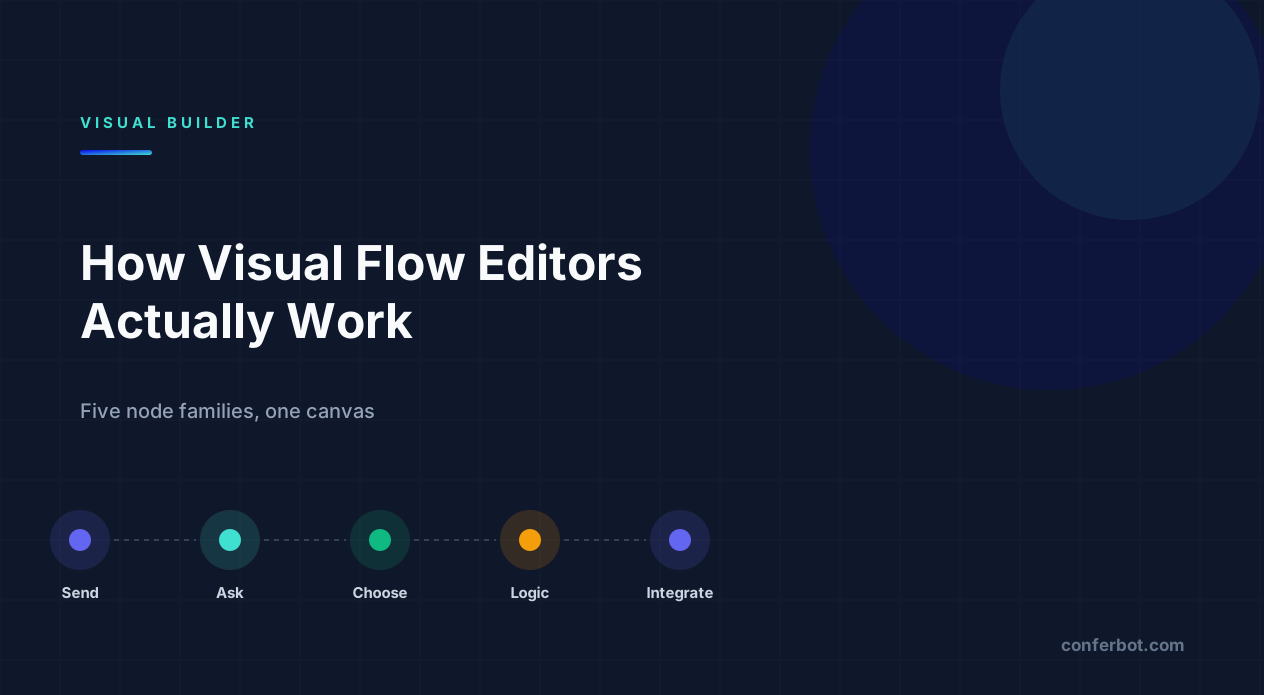
Whatever the branding, flow builders converge on five families of node. Knowing them makes evaluating any tool much faster:
| Family | What it does | Examples |
|---|---|---|
| Send | Outputs something, waits for nothing | Message, image, video, audio, file |
| Ask | Collects input and stores it | Name, email, phone, number, URL, file, location, date picker |
| Choose | Offers options and branches on the pick | Buttons, multi-select, rating, yes/no, opinion scale |
| Logic | Decides without asking the user | Condition, boolean, variable, jump-to, business hours, random split |
| Integration | Talks to something outside the bot | Webhook, CRM, spreadsheet, calendar, payment |
Count the Ask and Logic families when comparing tools. Send nodes are easy and every builder has them. A tool with three ask types and one condition node will force you into workarounds within a week - typically by pushing logic into message text, which is exactly the kind of hidden complexity the next two sections cover.
This node count is also a practical proxy for how much of your conversation stays visible on the canvas versus how much gets pushed into workarounds. The UX research term for deliberately hiding secondary complexity behind a simpler default view is progressive disclosure - showing common options up front and pushing advanced ones behind a click, rather than exposing everything at once - a pattern Nielsen Norman Group describes as reducing errors by keeping users focused on the choices that matter most at each step (NN/g, Progressive Disclosure). A good flow builder applies the same idea structurally: a Send node exposes only a text box until you need an image or a button, at which point the extra options appear. A builder that instead surfaces every possible setting on every node regardless of relevance makes a six-node flow look more complicated than it is, which is its own kind of hidden cost.
Branching is where builders diverge
Two flows can look identical on the canvas and behave very differently once you try to change them.
Branch on the choice is the simple model: a button node has one outgoing arrow per option. It is easy to read and it explodes combinatorially. Five buttons that each need slightly different follow-ups means five near-duplicate branches to build and maintain in parallel.
Branch on a variable is the model that scales. The answer is stored once, and a single condition node later decides the path based on it. One node to change instead of five branches, and the canvas stays readable as the flow grows - see our dialog flow glossary entry for the underlying concept.
The practical test when evaluating a builder: can a node read an answer given ten steps earlier? If variables are only available to the node immediately after the question, you do not really have variables - you have local state, and every non-trivial flow becomes a tangle of near-duplicate branches. Conferbot's builder stores answers as variables that stay readable anywhere later in the same flow, which is what makes patterns like "ask once, use the answer in three different messages further down" possible without repeating the question.
A concrete way to feel the difference: imagine a lead-qualification flow that asks company size early, then needs to reference it in the pricing message, the follow-up question set, and the handoff summary sent to sales. On a choice-branching model, that means three separate branch trees, each duplicating the same five-way split on company size, and each one needing to be updated if the size bands ever change. On a variable model, company size is asked once, stored, and referenced by a condition node at each of the three later points - one place to update, not three. The second version is not just less work to build; it is less work to get right, because there is only one place the logic can be wrong.
Conditions and logic nodes: how a flow decides without asking
Logic nodes are the least visible part of a flow and the ones that separate a builder you outgrow quickly from one that lasts. They make decisions the user never sees a prompt for:
- Condition nodes route based on a stored variable - "if plan = enterprise, skip the pricing explanation."
- Business hours nodes route differently depending on when the conversation happens, without a human configuring a separate flow per time zone.
- Random split nodes divide traffic between paths - the same mechanism that underlies flow-level A/B testing, just used for permanent routing instead of a measured experiment.
- Jump nodes send the conversation to a named point elsewhere in the flow. Without this, shared endings - "talk to a human," "anything else?" - get copy-pasted everywhere, and a wording fix means editing it in ten places instead of one.
Two things worth checking beyond the node list itself: whether conditions can combine more than one variable (plan and region, not just plan alone), and what happens on a fallback - when the user types something no node anticipated. If the answer to that second question is "the flow stops," expect drop-off exactly where you most need the conversation to recover gracefully; see chatbot fallback for how this is typically handled.
Combining conditions is where the gap between builders shows up fastest. A single-variable condition ("if plan = enterprise") handles the easy case; a real qualification flow usually needs to route on plan and region and whether a required field was actually filled in, which means the condition node needs to support boolean AND/OR logic across more than one variable, not just a single equality check. Test this specifically during evaluation - many builders advertise "conditions" but only support one variable per node, which pushes multi-factor routing back into duplicated branches, undoing the entire benefit of variables in the first place.
Starting from a template vs a blank canvas
A blank canvas is intimidating for a reason: you are simultaneously deciding what the conversation should say and how the tool represents it, which is two design problems at once. A template removes the second problem - the node structure is already there, branching and variable use already demonstrated - so you are editing copy and logic rather than inventing a shape from nothing.
This matters more for evaluating a builder than it first appears. A platform with a shallow template library is quietly asking you to learn its node model from scratch, which is a much slower path to a working bot than adapting something close to your use case. When you do build from scratch, the pattern in reusable flow fragments - building one well-tested sub-flow and duplicating it - gets you most of the same benefit without needing a pre-built template for your exact scenario.
What a flow can talk to outside the conversation
Integration nodes are what turn a conversation into a business process - booking something, updating a record, notifying a team. What a builder can actually connect to matters as much as its node variety, and it is worth checking the exact list rather than trusting a generic "integrates with your tools" claim on a pricing page.
| Integration | What it's typically used for in a flow |
|---|---|
| Webhook | Sending or fetching data from any system that accepts an HTTP call - the general-purpose escape hatch |
| Zapier | Connecting to thousands of other apps without a custom webhook |
| Slack | Notifying a team channel when a flow reaches a handoff or a qualified lead |
| Mailchimp | Adding a captured email straight to a marketing list |
| Stripe | Collecting payment inside a flow, e.g. a deposit or a one-off charge |
| Salesforce / HubSpot | Creating or updating a CRM record from a qualified conversation |
| Google Sheets / Airtable | Logging every submission somewhere a non-technical team can review it |
| Calendly / Google Calendar | Booking a meeting or appointment directly from the conversation |
Conferbot's integration set is exactly this list - Webhook, Zapier, Slack, Mailchimp, Stripe, Salesforce, HubSpot, Google Sheets, Airtable, Calendly and Google Calendar - available from the Pro plan up, with Webhook available from Starter; see the integrations hub and the Zapier integration specifically for setup details. Note what is not on that list: there is no native SMS or telephony integration, so a flow that needs to text a phone number will need to route through a general-purpose webhook to a dedicated SMS provider rather than a purpose-built node.
The general pattern worth internalising: native integration nodes exist for the handful of systems used broadly enough to justify a dedicated node, and the webhook exists to cover everything else. When evaluating a builder, do not just count native integrations - check whether the webhook node can send custom headers, parse a JSON response into variables, and handle a failed call gracefully. A long list of native logos with a weak webhook node is more limiting long-term than a short list of native logos with a genuinely flexible one, because the webhook is what determines whether the builder can grow with a system you have not connected yet.
One flow, many channels - what actually changes
The promise of a visual builder is usually "build once, deploy everywhere," and it is worth checking exactly which channels that includes and at what plan tier, since this is one of the most commonly oversold claims in the category.
| Channel | Available from |
|---|---|
| Website widget | Free |
| Telegram | Pro |
| Discord | Pro |
| WhatsApp Business | Business |
| Facebook Messenger | Business |
| Instagram DMs | Business |
| Slack (as a support channel) | Business |
The website widget is available on every plan including Free; Telegram and Discord require Pro; WhatsApp, Messenger, Instagram and Slack as a support channel require Business. This tiering is worth checking against your actual channel needs before comparing builders on flow features alone - a platform with more node types is not useful if the channel you need sits behind a plan you are not on. Conferbot also ships native mobile SDKs, covered on the mobile SDK feature page, for teams embedding a flow inside an iOS, Android, React Native or Flutter app rather than a website. See omnichannel for how conversation context is expected to behave across whichever channels you do deploy to, and omnichannel vs multichannel for why that distinction matters beyond just "we support many channels."
What happens when the flow gets big
Demos are built on eight-node flows. Real bots reach forty or a hundred. The things that only hurt at scale:
- Duplication. Cloning a working bot to make a variant - a second language, a second market - should be one action, not a rebuild from the node list up.
- Search. On a hundred-node canvas, finding the node that mentions your refund policy matters more than the visual layout does.
- Export. Can you get the flow out as structured data? This is both an insurance policy against lock-in and the thing that makes a proper review possible - see flow optimization for what a structured review actually looks for.
- Reusable fragments. Whether a common sub-flow - a lead capture sequence, a handoff routine - can be referenced rather than copy-pasted into six places.
Ask to see a large existing flow during any demo, not just the eight-node showcase version. The showcase looks clean because it is small; the hundred-node version tells you what you will actually live with once the bot has been in production for a year.
A concrete example of where this bites: a support bot that starts with ten intents grows, over eighteen months, to cover eighty - product questions, billing, three different escalation paths, a seasonal promotion flow that gets toggled on and off. If cloning that bot for a second brand or a second language is a genuine one-click duplication, the second market launches in an afternoon. If it means manually rebuilding eighty nodes by hand, the second market quietly never happens, not because the business case was wrong but because the tooling made it too expensive to try.
Versioning and rollback: the safety net for live flows
A builder without saved versions means every edit is live surgery on a bot that customers are using right now. The question worth asking in any evaluation is specific: if I publish a change and it breaks something, how do I get back to what worked an hour ago?
Conferbot's version control feature saves flow versions so a bad publish can be rolled back rather than manually rebuilt, and those saved versions are also what the flow-level A/B testing feature binds variants to - a test compares two saved versions against each other, not two temporary edits that only exist in one person's browser tab. Treat versioning as a prerequisite for testing, not a separate feature: without it, "what changed between the winning version and the losing one" becomes a question nobody can answer with certainty after the fact.
Testing flow variants inside the builder
Most visual builders eventually add some form of split testing once teams start asking which of two flows performs better, and Conferbot's is built directly into the flow editor rather than as a separate analytics product. It is available on the Starter, Pro and Business plans - not Free - and lets you bind two or more saved flow versions to a live experiment with a chosen winner metric and a minimum sample size before a result is treated as final.
The builder-specific detail worth knowing: because variants are bound to saved versions rather than live edits, you can keep building on a flow while a test runs on a separate, frozen version, and switch the live experiment to a newer version only when you are ready to start a new comparison. For the statistical mechanics of running that experiment properly - sample size, confidence, why early results mislead - see our dedicated guide to A/B testing chatbot flows.
Visual flows vs AI agents - and why you want both
There is a fashionable argument that flow builders are obsolete now that a language model can just answer. In practice the two solve different problems, and most working bots use both inside the same builder rather than picking one exclusively.
Use a deterministic flow where the outcome must be exact and repeatable: taking a booking, qualifying a lead against fixed criteria, collecting a return request, anything with compliance wording. Every node's behaviour is defined by you, in advance - it is rule-based logic, not a model improvising a response - so you know exactly what the bot will say and in what order.
Use an AI step where the space of questions is genuinely open: product questions phrased fifty different ways, troubleshooting that does not follow a script. Enumerating that as a branching flow is impractical past a handful of variations.
The productive pattern is a flow that hands a specific step to an AI-driven node - answering from content you have configured - and takes control back afterwards, so the parts that must be exact stay exact and the parts that must be flexible are flexible. A builder that forces you to choose one mode for the entire bot, rather than mixing both within a single flow, is the constraint worth avoiding when evaluating a platform.
A concrete split that plays out often in practice: a returns-and-refunds bot uses a deterministic flow for the parts with a fixed process - order lookup, eligibility check against a rule ("within 30 days, unused"), issuing a return label - because those steps have exactly one correct behaviour and a compliance team wants to know precisely what the bot will say. The same bot hands off to an AI-driven step for "why won't my item scan at the drop-off point" or open-ended product questions, because scripting every phrasing of those is not realistic. Neither half replaces the other; the flow decides which half handles a given moment, and the logic making that decision is itself just another condition node - not a fundamentally different kind of system.
Questions that reveal a builder quickly
Skip the feature matrix on the pricing page. These questions separate tools fast, because the honest answer is hard to fake in a live demo:
| Ask this | It reveals |
|---|---|
| "Show me a hundred-node flow." | Readability at scale, or its absence |
| "Can a node use an answer from ten steps ago?" | Real variables, or local state pretending to be variables |
| "How do I roll back a bad publish?" | Versioning, or live surgery on production |
| "What happens on an unexpected answer?" | Fallback design, or a dead end |
| "Does this flow work on every channel I need, at my plan tier?" | One build, or one build per channel plus a tier upgrade you did not budget for |
| "Can I export the flow?" | Portability, or lock-in |
Mistakes that only show up after launch
- No fallback route. A flow that only handles the answers it expects will strand anyone who types something else. Build the human handoff path before you add a second branch - see our human handoff guide.
- Logic hidden in message text. Writing "if you're on the enterprise plan, ignore this next question" as plain copy instead of a real condition node looks fine in testing and breaks the moment the flow gets edited by someone else.
- No plan for channel differences. A flow with ten quick-reply buttons reads fine on a website widget and terribly on a channel with a tighter UI - review this before, not after, turning on a new channel.
- Skipping the review pass. A flow built once and never revisited accumulates dead branches nobody remembers building. A periodic pass using analytics data on where conversations actually drop off catches this before it compounds.
Building your first flow without overbuilding it
The most common mistake with a new builder is designing the whole conversation before testing any of it. A better first pass:
- Write the happy path as plain sentences first. If it does not read well as dialogue, no canvas will save it - see conversation design masterclass for how to think through this stage.
- Build only that path. Six to ten nodes. Resist branching until you have real data.
- Add one fallback - a route to a human - before you add any second branch.
- Publish it and watch ten real conversations. You will learn more from those than from a week of designing in the abstract.
- Branch only where real users diverged. Most predicted branches never get used, and building them up front is wasted effort you will have to maintain regardless.
Starting from a template shortcuts steps one and two, since the structure already exists and you are editing copy and logic rather than designing from a blank canvas - see the earlier section on templates for when that trade-off makes sense.
Resist the temptation to treat this sequence as a one-time setup task rather than an ongoing habit. The flows that stay useful over time are the ones someone keeps returning to with real conversation data in hand - trimming a branch nobody uses, adding one that many users clearly needed, tightening a message that consistently gets misread. A flow builder is closer to a living document than a piece of software you configure once and leave alone; treating the first published version as final is how flows quietly go stale while the business around them keeps changing.
Was this article helpful?
Build and deploy in 10 minutes. No coding needed.
Visual Chatbot Builder FAQ
Everything you need to know about chatbots for visual chatbot builder.
About the Author
The Conferbot team writes about building, deploying, and improving AI chatbots.
View all articles
